A photograph doesn’t always look the way a photographer envisioned it when they captured it in-camera. Lighting conditions, exposure limitations, colour balance, and camera settings can all influence the final result. This is where Best RAW Photo Editing Software becomes essential to professional photography. Unlike JPEG images, RAW files preserve more original image information, giving photographers greater flexibility to adjust exposure, recover highlights and shadows, refine colours, and enhance fine details during post-processing.
Choosing the right software, however, can be challenging. Professional photographers need more than basic editing features. They need reliable RAW processing, accurate colour reproduction, effective noise reduction, lens corrections, non-destructive editing, and efficient workflows for handling large ytzfv xeiixrhlrov.
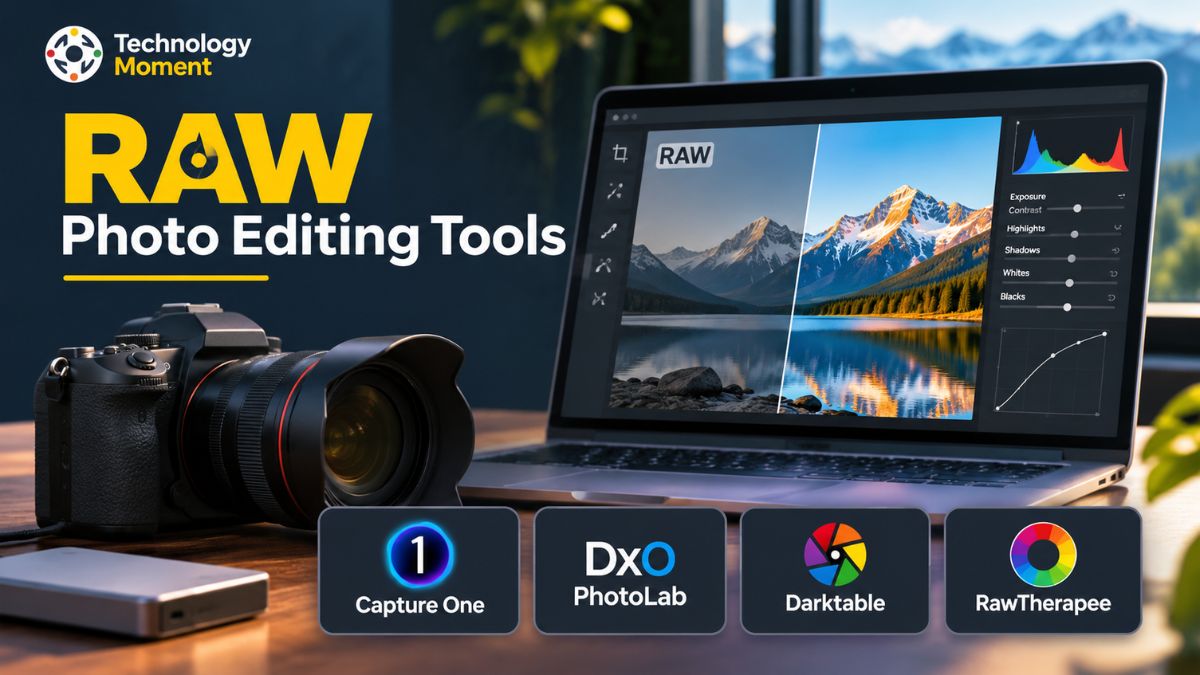
Several applications address these requirements in different ways. Capture One is widely recognised for its colour controls and studio-oriented workflow, while DxO PhotoLab focuses on RAW image quality, noise reduction and optical corrections. Darktable offers a powerful open-source photography workflow, and RawTherapee provides detailed processing controls for photographers who prefer greater manual flexibility.
In this Technology Moment guide, we explore the best RAW photo editing tools for professional photographers, examining their key features, practical advantages, limitations,s and suitability for different photography styles. We also compare their capabilities to help you choose the application that fits your creative requirements, technical expectations, and budget. Whether you photograph landscapes, portraits, weddings, or commercial projects, this guide will help you choose software more confidently and build a RAW editing workflow that brings out the full potential of your images.
What to Look for in Professional RAW Photo Editing Software
Choosing the right RAW photo editing software is an important decision for photographers who want consistent image quality and an efficient post-processing workflow. Unlike standard JPEG images, RAW files preserve a greater amount of information captured by a camera sensor, giving photographers more flexibility when adjusting exposure, colours, contrast, and fine details. However, not every RAW image editing software offers the same processing capabilities, editing controls,s or workflow features. Before selecting a professional RAW photo editor, it is worth understanding which features can make a meaningful difference to your photography.
Professional photographers frequently work with different camera systems, including Canon, Nikon, Sony,ny and Fujifilm. Each manufacturer uses its own RAW formats, such as CR3, NEF, ARW, and RAF. A reliable RAW file editor should support the camera models you use and receive updates for newer equipment. Checking camera and lens compatibility before purchasing software can help prevent problems when importing or processing photographs from different devices.
Image quality and RAW processing capabilities are equally important. Good RAW processing software should provide accurate exposure adjustments, natural colour reproduction,tion and effective highlight and shadow recovery. These controls help photographers retain details in bright skies, dark backgrounds and challenging lighting conditions. Demosaicing quality also matters because it influences how the software reconstructs colour and detail from the camera sensor data. Photographers working with landscapes, portraits and commercial images should pay particular attention to how an application handles fine textures and tonal transitions.
Another essential consideration is noise reduction and image sharpening. Photographs captured at high ISO settings may contain visible luminance or colour noise, particularly in low-light environments. Professional image processing software should offer useful noise reduction controls without unnecessarily removing skin texture, fabric details, tails, or other important elements. Lens correction features are also valuable because they can help address distortion, vignetting, chromatic aberration, and optical softness. These adjustments can improve image consistency across different camera and lens combinations.
Colour management is another factor that separates basic photo editing software from more advanced professional solutions. Look for precise white balance adjustment, colour correction, colour grading, and support for camera profiles and ICC colour profiles. These features are especially useful when preparing photographs for commercial projects, client delivery, or professional printing. Local adjustments and selective masking also allow photographers to refine specific parts of an image without changing the entire photograph.
An efficient editing workflow is just as important as image quality. Non-destructive photo editing allows users to adjust RAW images while keeping the original files unchanged. Batch image processing can save considerable time when working with hundreds of photographs from weddings, events, or studio sessions. Image catalog management, metadata organisation, export settings, and support for different output formats should also be considered.
Finally, evaluate the software’s performance, operating system compatibility, and licensing model. Some applications focus on professional studio workflows, while others provide detailed RAW development controls or free open-source editing environments. Compare the available features, hardware requirements, learning curve, and long-term costs before making a decision. The best RAW photo editing software is ultimately the one that supports your camera equipment, creative requirements, and everyday professional photography workflow.
Best RAW Photo Editing Tools for Professional Photographers
Finding the best RAW photo editing software depends on the type of photography you practise, the level of editing control you need, and how you prefer to manage your images. Some applications prioritise colour accuracy and studio production, while others concentrate on noise reduction, optical corrections or detailed RAW conversion. For professional photographers looking for reliable RAW photo editing tools, Capture One, DxO PhotoLab, Darktable and RawTherapee offer four different approaches to processing digital photographs.
Capture One Pro is a strong option for photographers who prioritise colour control, studio photography and tethered shooting. Its RAW processing tools provide control over highlights, shadows, hue, saturation and luminance, helping photographers develop consistent visual styles. The software also supports tethered photography, allowing compatible cameras to connect directly to a computer so images can be viewed and organised during a shoot. This is particularly useful for fashion, portrait, product, and commercial photography, where photographers may need to review images with clients while working. Its editing and organisational features can also support demanding professional photography workflows. However, its paid licensing options and extensive interface may require consideration before choosing it as a primary RAW editor.
DxO PhotoLab focuses on RAW image quality, noise reduction, and optical corrections. One of its notable technologies is DeepPRIME, which uses advanced processing methods to reduce image noise while recovering fine details in supported RAW files. Its camera and lens correction modules are designed to address issues such as distortion, vignetting, chromatic aberration,n and lens softness. The software also provides exposure adjustments, white balance controls, colour rendering options and local editing tools. These capabilities make DxO PhotoLab worth considering for landscape, wildlife and low-light photographers who regularly process images captured at high ISO settings. Its approach to image development is particularly appealing to photographers who want detailed corrections without relying entirely on manual adjustments.
Darktable is a free, open-source RAW photo editing software designed for photographers who want extensive control without purchasing a commercial application. It combines digital image processing with image organisation through its virtual lighttable and darkroom environments. Its non-destructive editing workflow allows photographers to experiment with exposure, colour correction, tone adjustments, and other processing modules while preserving original image files. Darktable also supports professional colour management, including ICC profiles, and offers GPU acceleration on supported systems. Its modular interface provides considerable flexibility, although beginners may need time to understand the available tools and develop an efficient editing workflow. It can be an attractive choice for photographers looking for a powerful free RAW photo editor.
RawTherapee is another free and open-source RAW converter that focuses on detailed image development and manual processing control. It provides advanced demosaicing algorithms, exposure adjustments, white balance correction, colour management, noise reduction, and sharpening tools. Photographers can fine-tune processing parameters to achieve a particular appearance instead of relying entirely on automatic corrections. Batch processing and processing profiles also help manage multiple images more efficiently. RawTherapee is available across Windows, macOS,S and Linux, making it accessible to photographers using different desktop platforms. Its detailed interface may take some time to learn, but it offers substantial flexibility for users who want greater control over RAW image processing.
Each of these applications serves a different purpose. Capture One Pro is worth exploring for studio production and colour-focused editing, DxO PhotoLab for noise reduction and lens corrections, Darktable for open-source image management and RAW development, and RawTherapee for detailed manual processing. Rather than assuming that one professional RAW image editor is universally superior, photographers should compare their actual features, test their own camera RAW files,es and evaluate the results. This approach makes it easier to choose software that fits both creative expectations and practical working requirements.
Capture One vs DxO PhotoLab vs Darktable vs RawTherapee
Choosing between Capture One, DxO PhotoLab, Darktable and RawTherapee requires more than comparing their editing interfaces. Each application follows a different approach to RAW image processing, colour management, and professional photography workflows. While some focus on studio production and advanced colour controls, others prioritise optical corrections, open-source development, or detailed manual adjustments. Understanding these differences can help photographers select the right RAW editing software for their requirements.
The following table compares the four RAW photo editing tools across important features.
| Comparison criteria | Capture One Pro | DxO PhotoLab | Darktable | RawTherapee |
|---|---|---|---|---|
| Software type | Commercial | Commercial | Open-source | Open-source |
| Pricing model | Subscription or perpetual licence options | Paid licence options | Free | Free |
| RAW processing | Yes | Yes | Yes | Yes |
| Non-destructive editing | Yes | Yes | Yes | Yes |
| Colour correction | Advanced | Advanced | Advanced | Advanced |
| White balance adjustment | Yes | Yes | Yes | Yes |
| Exposure correction | Yes | Yes | Yes | Yes |
| Highlight recovery | Yes | Yes | Yes | Yes |
| Shadow recovery | Yes | Yes | Yes | Yes |
| Noise reduction | Yes | DeepPRIME technologies | Yes | Yes |
| Image sharpening | Yes | Yes | Yes | Yes |
| Lens correction | Yes | Advanced optical corrections | Yes | Yes |
| Chromatic aberration correction | Yes | Yes | Yes | Yes |
| Local adjustments | Yes | Yes | Yes | Yes |
| Selective masking | Yes | Yes | Yes | Yes |
| Batch processing | Yes | Yes | Yes | Yes |
| Tethered photography | Strong | Not its primary strength | Limited workflow | Not a primary feature |
| Image organisation | Sessions and catalogues | Photo library and organisation | Lighttable and database | File-based workflow |
| Windows support | Yes | Yes | Yes | Yes |
| macOS support | Yes | Yes | Yes | Yes |
| Linux support | No | No | Yes | Yes |
Feature availability can vary by software version, edition, camera model and operating system.
Capture One Pro is particularly suitable for studio and commercial photographers who need accurate colour reproduction, tethered shooting and organised image sessions. DxO PhotoLab is worth considering for photographers who prioritise RAW image quality, high ISO noise reduction and camera-lens optical corrections. Darktable provides a comprehensive open-source environment combining image organisation and non-destructive RAW development. RawTherapee, meanwhile, focuses on detailed RAW conversion and extensive manual processing controls.
The choice between Darktable and RawTherapee is particularly interesting for photographers seeking free RAW photo editing software. Darktable provides a more integrated image-management environment, whereas RawTherapee is particularly attractive for users who prefer detailed processing adjustments.
There is no universally best RAW editor for every photographer. The right choice depends on camera compatibility, image quality expectations, editing preferences, workflow requirements, and budget. Testing the same RAW photographs in different applications is a practical way to evaluate their rendering and processing capabilities before making a final decision.
Best RAW Photo Editing Software for Different Photography Genres
The best RAW photo editing software is not necessarily the same for every photography genre. A landscape photographer may prioritise dynamic range, highlight recovery and lens correction, while a wedding photographer may need efficient batch image processing and consistent colour across hundreds of photographs. Similarly, portrait and commercial photographers often require precise skin tones, selective masking and advanced colour management. Choosing software according to your photography style can make the editing process more efficient.
Landscape photography: Landscape photographers frequently work with challenging lighting conditions, detailed textures, and wide dynamic ranges. DxO PhotoLab is worth considering for its noise reduction and optical corrections, particularly when processing high ISO or low-light landscape photographs. Capture One also provides extensive colour and tonal adjustments. Darktable and RawTherapee are useful alternatives for photographers who prefer free RAW processing software with detailed exposure, contrast and colour controls. Important features include shadow recovery, highlight preservation, image sharpening, and chromatic aberration correction.
Portrait photography: Portrait photographers generally need accurate skin tones, natural colour reproduction, and precise local adjustments. Capture One Pro is a strong option because of its colour editing tools, layers, and masking capabilities. DxO PhotoLab also provides useful RAW development and correction features. Darktable and RawTherapee can handle portrait RAW processing as well, although photographers may need to spend more time adjusting colours and developing their preferred editing workflow.
Wedding photography: Wedding photographers often process large collections of images captured under changing lighting conditions. Batch processing, consistent white balance, exposure correction, and efficient image organisation are therefore important. Capture One offers sessions and tethered shooting features that can support controlled studio and commercial workflows. Darktable also provides image organisation and batch-processing capabilities. When evaluating any professional RAW editor for wedding photography, consider how efficiently it handles large image collections and maintains a consistent visual style.
Studio and commercial photography: Studio photographers often need reliable tethered photography, colour accuracy, and organised client sessions. Capture One Pro is particularly relevant because of its tethering and professional file-management capabilities. Its colour tools can also support product photography and controlled lighting environments. DxO PhotoLab may be useful when optical corrections and image quality are the primary priorities rather than live studio capture.
Ultimately, the best RAW editor for professional photography depends on the work being produced. Compare actual editing results, camera compatibility,y and workflow requirements instead of relying exclusively on software popularity.
Best Free vs Paid RAW Photo Editing Software
When choosing RAW photo editing tools, budget is an important consideration, particularly for independent photographers and professionals managing their own business expenses. Both free and paid RAW editing software can produce high-quality results, but they differ in workflow integration, specialised features, support, and licensing arrangements. Understanding these differences helps photographers choose an application that delivers the right balance between functionality and long-term cost.
Free RAW photo editing software such as Darktable and RawTherapee offers substantial processing capabilities without requiring a subscription or commercial licence. Darktable provides non-destructive editing, image organisation, colour management and various processing modules. RawTherapee focuses on detailed RAW conversion, demosaicing, exposure adjustments, noise reduction and sharpening. Both applications are open-source projects, making them attractive to photographers who want greater control over their editing environment without recurring software expenses.
However, free software may require additional time to learn. Their interfaces and processing workflows can feel different from commercial photo editing applications. Some photographers may also prefer a more integrated studio environment, dedicated technical support, or specialised camera-to-computer shooting features. The absence of a subscription fee does not automatically mean that a free application will be the most efficient option for every professional workflow.
Paid RAW photo editing software, including Capture One Pro and DxO PhotoLab, provides specialised tools for particular photography requirements. Capture One is particularly useful for colour-focused editing, studio photography and tethered shooting. DxO PhotoLab offers advanced optical corrections and DeepPRIME noise reduction technologies. These capabilities can be valuable for photographers who regularly work with commercial clients, demanding lighting conditions or high-volume professional projects.
Licensing is another important factor. Some applications provide subscription plans, while others offer perpetual licence options. Capture One currently lists both subscription and one-time licence options for eligible desktop plans. Photographers should check what updates, new camera support, and features are included with each licence before purchasing. A perpetual licence does not necessarily guarantee access to every future software release.
| Factor | Free RAW software | Paid RAW software |
|---|---|---|
| Initial cost | No purchase cost | Requires payment |
| Examples | Darktable, RawTherapee | Capture One, DxO PhotoLab |
| RAW development | Advanced capabilities | Advanced capabilities |
| Colour management | Available | Available |
| Noise reduction | Available | May include specialised technologies |
| Professional workflow | Depends on requirements | Often includes specialised workflow features |
| Technical support | Community-based options | Vendor support options |
| Licensing | Open-source | Commercial licence |
| Updates | Project-dependent | Licence-dependent |
For photographers who want to avoid subscriptions, Darktable and RawTherapee are excellent starting points. Those who need specialised studio features, dedicated processing technologies,s or commercial workflow capabilities may find paid applications more suitable. The smartest decision is to compare the actual features you will use, your camera compatibility, and the total cost of ownership rather than assuming that paid software always produces better photographs.
How to Build an Efficient Professional RAW Editing Workflow
A well-organised RAW editing workflow helps professional photographers maintain image quality while reducing the time spent on repetitive post-processing tasks. Whether you photograph weddings, landscapes, portraits, or commercial projects, following a consistent process makes it easier to manage large collections of photographs and achieve predictable results. Professional RAW image processing is not simply about applying attractive adjustments; it also involves organising files, evaluating image quality, correcting technical issues, and preparing photographs for their intended use.
Step 1: Import and Organise Your RAW Files
Begin by transferring photographs from your camera memory card to a properly organised storage location. Create folders based on projects, dates, clients,s or photography sessions so that images remain easy to locate. Import the files into your preferred RAW photo editing software and check whether the application supports your camera model. Capture One provides session and catalogue workflows, while Darktable offers database-based image organisation. A consistent folder structure also makes it easier to back up original RAW files and locate photographs when needed.
Step 2: Review and Select the Best Photographs
Before making detailed adjustments, review the imported images and remove unwanted duplicates or technically unsuccessful shots from your working selection. Compare focus, composition, exposure, and expressions where relevant. Use ratings, colour labels, or other organisational features to identify photographs that need editing. This selection process is particularly useful for wedding and event photographers who may need to manage hundreds or thousands of images.
Step 3: Correct Exposure and White Balance
Start RAW development by evaluating the overall brightness and colour temperature of each photograph. Adjust exposure, highlights, shadows, contrast, and white balance according to the original lighting conditions and your creative intention. RAW processing software provides greater flexibility than ordinary JPEG editing, but it cannot restore image information that was never captured, such as completely clipped highlights.
Step 4: Apply Colour Correction and Grading
After establishing balanced exposure, refine colour reproduction using camera profiles, colour correction tools and grading controls. Pay attention to skin tones, neutral surfaces and the relationship between highlights and shadows. Consistent colour management is especially important when preparing photographs for clients, print production or commercial delivery.
Step 5: Reduce Noise and Improve Sharpness
Examine photographs at an appropriate zoom level to identify digital noise, softness and unwanted artefacts. Apply noise reduction carefully, especially to high ISO photographs, while preserving fine details. Use image sharpening to improve perceived clarity without creating unnatural edges. DxO PhotoLab, Darktable and RawTherapee offer different approaches to these processing requirements.
Step 6: Apply Lens Corrections and Local Adjustments
Correct optical issues such as distortion, vignetting,g and chromatic aberration where necessary. Use selective masking and local adjustments to refine specific image areas without affecting the entire photograph. Avoid excessive corrections that make the final image look unnatural.
Step 7: Export Images in the Appropriate Format
The final stage is exporting edited photographs for their intended destination. JPEG is suitable for web publishing, client galleries and general sharing, while TIFF can be useful for high-quality printing and further image editing. Select suitable resolution, colour profiles, compression and file naming settings. Keep original RAW files safely backed up so that future edits remain possible. A repeatable workflow makes professional photo post-processing more organised, efficient and reliable.
How to Choose the Right RAW Photo Editor for Your Needs
Selecting the right RAW photo editor requires understanding your photography requirements rather than simply choosing the application with the largest number of features. The best RAW photo editing software for professional photographers should support their camera equipment, preferred editing techniques, working environment, and budget. A tool that works well for a studio photographer may not necessarily be the most practical choice for someone specialising in wildlife or landscape photography.
Start by checking camera and RAW file compatibility. If you regularly use Canon, Nikon, Sony or Fujifilm cameras, confirm that the software supports the exact camera models and RAW formats you use. This is particularly important when purchasing a new camera because support for recently released equipment may depend on software updates. For example, DxO PhotoLab requires support for the camera model before it can process its RAW files. Checking official compatibility information can prevent unexpected workflow interruptions.
Next, consider the type of image processing you need. Photographers who prioritise colour accuracy, studio production and tethered shooting may find Capture One Pro particularly useful. Those who frequently photograph in low-light conditions or need specialised optical corrections may prefer exploring DxO PhotoLab. Darktable is a compelling option for photographers seeking free, open-source RAW photo editing software with image organisation and non-destructive editing. RawTherapee is worth considering when detailed RAW conversion and manual processing controls are important.
Your computer and operating system should also influence the decision. Check whether the application supports Windows or macOS, and review its recommended processor, memory, graphics, and storage requirements. Photographers working with high-resolution RAW images may benefit from a computer with sufficient RAM and fast storage. Software performance can vary depending on image dimensions, processing modules,s and hardware configuration, so testing an application on your own photographs is useful.
An advanced photo editor is valuable only when its tools help you work effectively. Test importing, image organisation, exposure correction, colour grading, noise reduction, batch processing,ng and exporting before making a final decision. The right RAW editor should fit naturally into your photography process, deliver the image quality you expect, and remain practical as your professional requirements grow.
Frequently Asked Questions About RAW Photo Editing Software
Which RAW editor do professional photographers use?
Professional photographers use different RAW editors depending on their working requirements. Capture One Pro is popular for studio production, tethered photography,hy and colour-focused workflows. DxO PhotoLab attracts photographers who prioritise noise reduction and lens corrections. Some professionals also use Darktable and RawTherapee for detailed RAW processing without commercial licensing costs. The best choice depends on the photographer’s equipment, workflow and creative preferences.
Is Capture One better than DxO PhotoLab?
Capture One and DxO PhotoLab serve different photography requirements. Capture One focuses strongly on colour editing, studio workflows and tethered shooting, whereas DxO PhotoLab offers specialised RAW processing, noise reduction and optical corrections. Neither application is universally better. Photographers should compare their camera compatibility, editing controls, image rendering and licensing options to determine which professional RAW photo editing software better suits their projects.
What is the difference between RAW editing and JPEG editing?
RAW editing provides greater flexibility because RAW files preserve more original sensor information before the camera applies final image processing. Photographers can adjust exposure, white balance, highlights, shadows, and colours with greater control. JPEG files are already processed and compressed, making extensive adjustments more restrictive. However, JPEG images are smaller and convenient for sharing, while RAW files are generally preferred for detailed professional post-processing.
Can RAW files be edited without Lightroom?
Yes, RAW files can be edited without Adobe Lightroom. Capture One Pro, DxO PhotoLab, Darktable, and RawTherapee all provide RAW processing capabilities. These applications support various editing tasks, including exposure correction, white balance adjustment, colour grading, noise reduction, and image sharpening. Before selecting an alternative, verify that it supports your camera’s RAW format and offers the workflow features required for your photography projects.
Is DxO PhotoLab good for professional photography?
Yes, DxO PhotoLab offers several capabilities relevant to professional photography, including RAW development, DeepPRIME noise reduction, optical corrections, and local adjustments. It can be particularly useful for landscape, wildlife,e and low-light photography. However, photographers who depend heavily on tethered studio shooting should evaluate its workflow against alternatives such as Capture One. Camera compatibility and available lens modules should also be checked before purchasing.
Is Capture One suitable for studio photography?
Yes, Capture One Pro is particularly suitable for studio photography because of its tethered shooting capabilities, colour controls and session-based organisation. Photographers can connect compatible cameras to a computer, review captured images and make adjustments during a shoot. These features can support portrait, fashion and product photography. Its suitability ultimately depends on camera compatibility, studio requirements, hardware performance and the chosen licensing plan.