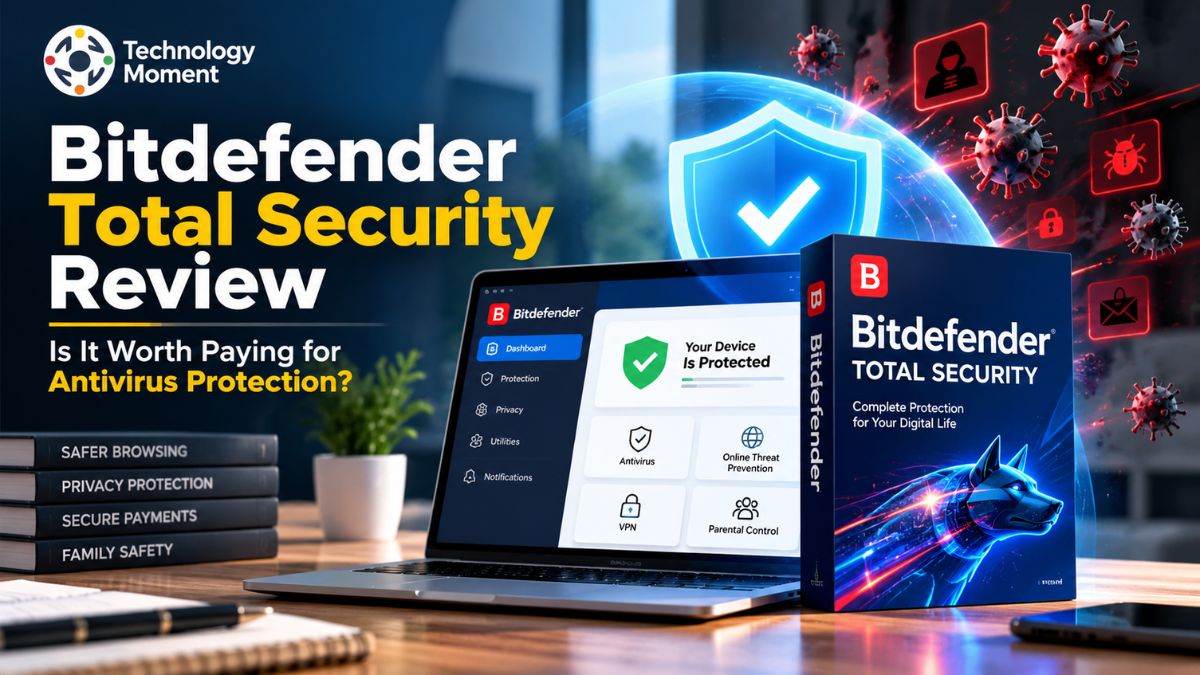
The internet has made everyday activities like online banking, shopping, working, and staying connected more convenient than ever. However, it has also created new security challenges, from malware and ransomware to phishing websites and online scams. While free antivirus software may provide basic protection, some users prefer a more comprehensive solution to safeguard their devices and personal information. This is where Bitdefender Total Security enters the picture.
In this Bitdefender Total Security review, Technology Moment takes a closer look at whether this paid antivirus solution is worth the investment. Designed to protect Windows, macOS, Android, and iOS devices, the security suite combines malware protection with additional tools intended to improve online privacy and device security. Its features include real-time threat detection, ransomware protection, web security, a firewall, and a VPN with a limited daily data allowance. However, the actual value of these features depends on how you use your devices and what level of protection you need.
Price is another important consideration. A subscription may offer useful advantages, but first-year discounts, renewal costs, device limits, and feature restrictions can influence whether it represents good value for money. Performance also matters, particularly for users who want reliable protection without unnecessary interruptions.
So, is Bitdefender Total Security worth paying for, or would a free antivirus be enough? In this review, Technology Moment examines its key features, security performance, pricing considerations, advantages, and potential drawbacks. We will also compare it with popular alternatives to help you understand where it fits your needs. By the end, you should have a clearer picture of whether Bitdefender Total Security deserves a place on your devices.
What Is Bitdefender Total Security Review?
Bitdefender Total Security is a paid cybersecurity software suite designed to protect personal devices against malware, ransomware, phishing attacks, and other online threats. It is designed for users who want more comprehensive PC security and online protection without installing several separate applications. According to Bitdefender’s official documentation, the suite supports Windows, macOS, Android, and iOS, although available features differ by operating system.
One of the main reasons users consider Bitdefender Total Security is its multi-device protection. Depending on the subscription, users can secure compatible computers, smartphones, and tablets through a single account. This can be useful for households where different family members use different devices for browsing, online shopping, banking, and work. The software also includes features such as real-time threat detection, web protection, and additional privacy tools, helping users manage several aspects of their digital security in one place.
However, Bitdefender Total Security is not necessarily the right choice for everyone. Users who only need basic antivirus protection may find that their existing operating system security tools meet their everyday requirements. Others may prefer a paid security suite because they want additional features, centralized device management, and protection against a wider range of threats. The best choice depends on your devices, online activities, budget, and security expectations.
When evaluating whether Bitdefender Total Security is worth paying for, it is important to consider more than its feature list. Protection quality, system performance, subscription costs, and renewal terms all influence its overall value. Understanding these factors will help you decide whether this antivirus solution fits your needs.
Bitdefender Total Security Features Explained
Bitdefender Total Security combines antivirus protection with several security, privacy, and utility features. Its real-time threat protection is designed to identify and block malicious activity, including viruses, spyware, and suspicious files. Ransomware protection helps defend personal documents against attacks that attempt to encrypt data and demand payment. Online threat prevention also helps block malicious websites, phishing attempts, and unsafe downloads, providing an additional layer of protection while browsing the internet.
Another important feature is its firewall, which monitors network connections and helps block suspicious traffic. The vulnerability scanner checks for potential security weaknesses, such as outdated software or certain system configuration problems. These tools can be particularly useful for people who regularly download applications, connect to public networks, or store important files on their computers. However, no antivirus program can guarantee complete protection against every cyberattack, so users should continue following safe browsing and software update practices.
The suite also offers privacy-focused tools. SafePay provides a dedicated environment for sensitive online transactions, while Anti-Tracker helps limit certain forms of online tracking. Webcam and microphone protection can help prevent unauthorized access to these devices. The included VPN encrypts internet traffic, but its standard allowance is limited to 200 MB per day according to Bitdefender’s product documentation. Additional tools, including a password manager and parental controls, may also be available depending on the product version and subscription.
Although these features make Bitdefender Total Security more comprehensive than a basic antivirus product, not every user will need every tool. Its value depends on whether the additional protection, privacy features, and convenience justify the subscription cost. Before purchasing, review the features available for your operating system and confirm the limits of your chosen plan.
How Good Is Bitdefender Total Security at Malware Protection?
Malware detection is one of the most important factors when choosing antivirus software. Bitdefender Total Security uses multiple protection layers to identify malicious files, suspicious behavior, and potentially dangerous online activity. These capabilities are intended to protect users against common threats, including viruses, trojans, spyware, ransomware, and certain zero-day attacks. Real-time monitoring can help detect threats before they cause damage, while web protection helps reduce the risk of visiting malicious websites or downloading unsafe files.
Independent laboratory testing provides a more useful way to evaluate antivirus performance than relying exclusively on a manufacturer’s claims. In its May–June 2026 Windows 11 evaluation, AV-TEST awarded Bitdefender Total Security 27.0 a full 6 out of 6 points for protection. Its real-world protection results were 99.9% in May and 100% in June. These results indicate strong performance under the laboratory’s specific testing conditions, although they should not be interpreted as a guarantee that every threat will be blocked.
Another consideration is false positive detection. Antivirus software can occasionally flag legitimate files or applications as suspicious. This may interrupt normal activities or require users to review security alerts. In the same May–June 2026 AV-TEST evaluation, the report recorded no false warnings or blockages when visiting websites, although it recorded two false detections of legitimate software during a system scan.
Nevertheless, users should keep the software updated, maintain backups of important files, and avoid suspicious links and attachments. Effective cybersecurity depends on both reliable antivirus protection and responsible online habits.
Can Bitdefender Total Security Affect Your Computer’s Performance?
System performance is an important consideration when choosing paid antivirus software. Some users worry that running antivirus protection in the background may slow down their computer, increase memory usage, or interrupt everyday tasks. Bitdefender Total Security is designed to provide ongoing protection while allowing users to browse websites, work with documents, download files, and run applications. However, its actual performance impact can vary depending on hardware specifications, operating system settings, scan activity, and the applications being used.
Independent testing offers useful insight into these effects. In AV-TEST’s May–June 2026 evaluation on Windows 11, Bitdefender Total Security 27.0 received 6 out of 6 points for performance. The laboratory measured several activities, including launching websites and applications, installing frequently used software, downloading applications, and copying files. On standard PCs, the reported impact included a 14% slowdown when launching popular websites and a 12% slowdown when launching standard software applications. Installing frequently used applications was 30% slower in the relevant test, while copying files locally or across a network was 4% slower. Results differed on high-end PCs and across individual activities.
Users with modern computers may notice little disruption during routine activities, while older devices with limited memory or storage could experience a more noticeable impact during full scans or software installation. To improve everyday performance, schedule full system scans for periods when the computer is not heavily used, keep the operating system updated, and avoid running several resource-intensive security tools simultaneously. Whether Bitdefender Total Security slows down your computer depends on your device and workload. Independent test results are a useful guide, but your own experience may differ.
Bitdefender Total Security Price and Subscription Plans
Bitdefender Total Security pricing is worth examining before choosing it as your primary antivirus solution. The subscription brings together several security features, including protection against malware, ransomware prevention, safer browsing tools, and coverage for multiple devices. The amount you pay varies according to your location, subscription term, current discounts, and package selection. For example, Bitdefender’s US store has advertised an introductory price of $59.99 for the first year of its Individual plan, which covers up to five devices. Since prices and special offers can change, verify the latest details on the official website before placing an order.
When evaluating antivirus software costs, look beyond the advertised introductory offer. Some subscriptions renew at a higher rate after the initial period, which can make continued protection more expensive than expected. Carefully read the renewal price, payment schedule, tax information, cancellation policy, and automatic billing conditions before completing your purchase. Understanding these terms in advance helps you calculate the actual cost of maintaining your device security over time.
The number and type of devices you need to protect also influence the subscription’s value. Coverage for five devices could be sufficient for someone who uses a computer, smartphone, and other personal devices or shares protection with family members. If your household requires additional coverage, compare alternative packages and confirm their device limits. It is equally important to check operating system compatibility because certain features may have different availability on Windows, macOS, Android, and iOS.
Overall, Bitdefender Total Security can be a worthwhile investment for users seeking several cybersecurity features under a single subscription. However, people who only require essential antivirus protection may find a free security product sufficient for their needs. Before deciding, compare the total subscription cost, renewal terms, available features, and supported devices. A discounted first-year subscription might look attractive, but its long-term affordability depends on what you pay when the introductory offer ends.
Is Bitdefender Total Security VPN Enough?
Bitdefender Total Security comes with a basic VPN that adds a layer of privacy by encrypting your internet connection. This feature can be useful when accessing the internet through public Wi-Fi at airports, hotels, coffee shops, or other shared locations. Encryption helps reduce the risk of others intercepting data transmitted over an unsecured connection. Users still need antivirus protection, safe browsing habits, and caution when dealing with suspicious links or websites.
The main drawback of the included VPN is its limited daily bandwidth. According to Bitdefender’s official documentation, the standard VPN provides 200 MB of encrypted traffic per day. This allowance may cover occasional web browsing, checking emails, or accessing online accounts while travelling. However, it can run out quickly when streaming videos, downloading large files, or using bandwidth-intensive applications. People who need continuous VPN protection may find it more practical to explore Bitdefender’s premium VPN plans or compare alternative services.
Before deciding whether this VPN meets your requirements, evaluate several factors beyond its data allowance. Consider connection speed, available server locations, device compatibility, privacy practices, and support for the applications you use regularly. You should also review the pricing and features of any premium plan before subscribing. Since VPN functionality can differ across operating systems, subscriptions, and software versions, check the current plan details to confirm which features are available for your device.
However, users who need unlimited or substantially higher data allowances should investigate a suitable premium plan or a separate VPN service. The best choice depends on how often you use a VPN and what you expect it to do. If unlimited VPN access is a priority, verify the current plan’s terms before paying, rather than assuming that a bundled VPN has no restrictions.
Bitdefender Total Security Pros and Cons
Its protection against malware, ransomware, and online threats is a major selling point, while tools such as SafePay, Anti-Tracker, and webcam and microphone protection can provide extra safeguards for everyday activities. Multi-device support also makes the subscription convenient for households using different operating systems. Independent testing has rated Bitdefender Total Security highly, although results should always be considered within the specific testing conditions.
Another advantage is convenience. Instead of managing several separate applications, users can access multiple security tools through one subscription. This can be useful for people who regularly shop online, manage financial accounts, download software, or share devices with family members. The suite’s additional features may be particularly valuable to users who want more than the basic protection provided by an antivirus application.
Nevertheless, Bitdefender Total Security has limitations. The standard VPN includes only 200 MB of encrypted traffic per day, which may not be enough for regular streaming or extended browsing. Subscription costs also deserve attention because introductory prices and renewal rates can differ. Some users may not need every included feature, meaning a less expensive antivirus plan could provide better value for their particular requirements. Furthermore, available features differ across Windows, macOS, Android, and iOS.
Overall, the advantages are strongest for users who want comprehensive protection across several devices and will actually use the additional tools. The disadvantages matter more to budget-conscious users who need only basic antivirus protection or a full-featured VPN. Before buying, compare the features you will use, the total subscription cost, device limits, and renewal conditions. This approach makes it easier to decide whether Bitdefender Total Security offers meaningful value rather than simply an extensive feature list.
Bitdefender Total Security vs. Other Antivirus Software
Choosing between Bitdefender Total Security, Norton 360, McAfee, ESET, and Windows Defender requires comparing protection, extra features, device coverage, and price. All five are relevant options, but they serve somewhat different needs. Bitdefender focuses on combining strong malware protection with privacy and security tools. Norton 360 offers several subscription tiers with additional privacy and family features, while McAfee provides plans that can be attractive to households needing broad device coverage. ESET is worth considering for users who prefer configurable security tools, whereas Microsoft Defender offers built-in protection on supported Windows systems without requiring a separate antivirus subscription.
| Comparison factor | Bitdefender Total Security | Norton 360 | McAfee | ESET | Microsoft Defender |
|---|---|---|---|---|---|
| Main strength | Broad security features and malware protection | Comprehensive security bundles | Multi-device security options | Configurable security tools | Built-in Windows protection |
| Malware protection | Real-time antivirus and ransomware defense | Antivirus and ransomware defense | Antivirus and web protection | Malware and web protection | Built-in antivirus and threat defense |
| VPN | Standard VPN with limited daily data | Included in selected plans | Included in selected plans | Depends on the product | No equivalent consumer VPN included |
| Privacy and Extra Utilities | Includes SafePay, anti-tracking, and privacy protection tools | Available tools depend on the selected package | Privacy features differ across subscriptions | Additional privacy tools vary by plan | Provides built-in Windows security protections |
| Number of Protected Devices | The Individual subscription covers up to five devices | Device limits depend on the subscription | Certain subscriptions allow unlimited device protection | Coverage depends on the chosen package | Mainly designed to secure Windows devices |
| Cost consideration | Compare introductory and renewal prices | Compare tier benefits and renewal costs | Check device limits and bundle pricing | Check the selected tier’s features | No separate antivirus purchase required |
| Best suited for | Users wanting a comprehensive security suite | Users seeking bundled security and privacy features | Households comparing multi-device plans | Users who value configuration options | Users seeking built-in Windows protection |
The table is a general feature comparison, not a guarantee that every plan includes the same tools. Product availability, subscription terms, and device limits can change by region. Independent laboratory results also vary by product version and test period. In AV-TEST’s April 2026 Windows 11 evaluation, Bitdefender Total Security, Norton 360, McAfee Total Protection, ESET Security Ultimate, and Microsoft Defender all achieved strong results, although their individual category scores differed.
For most buyers, the decision should depend on actual needs rather than brand popularity. Bitdefender Total Security is worth considering if you want broad protection and additional security tools in one package. Norton or McAfee may be more attractive if their specific bundles offer features or device limits that better match your household. ESET may appeal to users who prefer its security controls, while Microsoft Defender is a sensible starting point for people who want built-in Windows protection without an additional subscription. Compare current prices and independent test results before deciding which antivirus provides the best value for you.
Who Should Use Bitdefender Total Security?
Bitdefender Total Security is worth considering for users who want more than basic antivirus protection. It combines malware detection, ransomware defense, web protection, and additional security features in a single subscription. Its compatibility with Windows, macOS, Android, and iOS makes it a practical option for individuals who use several devices or households that want to manage their security through one account. However, the available features vary by operating system, so buyers should check compatibility before subscribing.
Families and multi-device users may benefit from a subscription that protects several computers and mobile devices. Instead of purchasing separate antivirus applications for each compatible device, users can manage their protection under one account, subject to the plan’s device limit. This can be particularly convenient for households where people use different devices for online banking, shopping, studying, and remote work.
Privacy-conscious users may also appreciate features such as SafePay, Anti-Tracker, webcam protection, and microphone protection. These tools can add useful safeguards when browsing websites, completing financial transactions, or using video communication applications. Users who frequently download files or visit unfamiliar websites may also value real-time threat detection and web protection.
Bitdefender Total Security can be suitable for beginners because it brings several security functions together in one application. Nevertheless, users should understand that no security suite eliminates every online risk. Regular software updates, strong passwords, multifactor authentication, and secure browsing habits remain important.
On the other hand, users who need only basic antivirus protection may not need a comprehensive paid suite. Microsoft’s built-in security tools may be sufficient for some Windows users, depending on their activities and requirements. Similarly, people who mainly want unlimited VPN access should compare the cost of a separate VPN or a different security bundle. Bitdefender Total Security is best suited to users who will genuinely benefit from its additional security features and multi-device coverage. Before purchasing, compare the subscription price, renewal terms, supported devices, and features you actually expect to use.
Is Bitdefender Total Security Worth Paying For?
Whether Bitdefender Total Security is worth paying for depends on your security needs, budget, and expectations. Its main advantage is the combination of antivirus protection and additional tools designed to address several digital security risks. Rather than focusing exclusively on malware detection, the suite includes features such as web protection, ransomware defense, a firewall on supported platforms, and privacy tools. For users who want these capabilities in one subscription, the package can offer convenient and worthwhile protection.
Independent evaluations have recognized Bitdefender Total Security for its reliable malware detection and wide range of cybersecurity tools. PCWorld highlighted its ability to defend against viruses and online threats, although it also noted limitations such as the VPN’s 200 MB daily data allowance and the possibility of slower performance on certain computers.
Pricing also deserves careful attention before purchasing a subscription. Bitdefender may offer lower introductory rates, but the renewal price can be higher after the initial term. Before buying, check the regular subscription cost, automatic renewal policy, and number of devices covered by your chosen plan. Users who need basic protection for a single Windows PC may find Windows Security or a more affordable antivirus package sufficient. In contrast, families managing several devices may benefit more from a comprehensive security plan with additional privacy and protection features.
The included VPN also deserves attention. Its standard allowance is limited to 200 MB of encrypted traffic per day per device. Users who frequently stream video, download large files, or require a VPN throughout the day may need a separate premium subscription.
The verdict: Bitdefender Total Security is worth considering if you want strong antivirus protection, additional privacy features, and security for multiple compatible devices. It is less compelling if your priority is simply basic antivirus protection or unlimited VPN access. Compare current prices, renewal terms, and competing products before deciding.
Frequently Asked Questions About Bitdefender Total Security
Is Bitdefender Total Security a good antivirus?
Bitdefender Total Security is a suitable choice for people who want more than basic antivirus protection. It offers several security features, including malware detection, ransomware protection, safer browsing, and privacy-related tools. Its security performance has received positive feedback from independent testing organizations. However, the overall value depends on your device, security requirements, and budget. Before buying a subscription, compare its features with other antivirus solutions to determine whether the additional tools justify the cost.
How much does Bitdefender Total Security cost?
Pricing depends on your country, subscription plan, promotional offers, and billing period. Bitdefender has listed its US Total Security Individual plan at $59.99 for the first year for up to five devices. The renewal price may be different, so check the official store for current pricing, applicable taxes, and automatic renewal conditions before purchasing.
Does Bitdefender Total Security Affect Computer Performance?
Bitdefender Total Security runs in the background to help identify and block potential security threats. Although it is designed to minimize interruptions, certain activities, such as full-system scans or intensive security checks, may temporarily consume system resources. This can be more noticeable on older computers with limited memory or processing power. The actual impact varies according to your hardware, operating system, and the applications you use. Reviewing independent performance tests can help you understand how it may work on your device.
Does Bitdefender Total Security include a VPN?
Yes, Bitdefender Total Security includes a standard VPN on supported platforms. However, the included version is limited to 200 MB of encrypted traffic per day per device. Users who need more data or the ability to choose their VPN server can consider Bitdefender Premium VPN, which is a separate subscription unless included in another eligible bundle.
Bitdefender Total Security vs. Microsoft Defender: Which Is Best?
Choosing between Bitdefender Total Security and Microsoft Defender depends on your security needs and budget. Microsoft Defender comes preinstalled on Windows and offers essential protection without requiring a separate purchase. Bitdefender Total Security, on the other hand, provides a broader collection of security features designed to help protect devices against online threats and privacy risks. Both solutions can be suitable choices, but their effectiveness should be assessed through independent security tests, available features, and overall value. For users who prefer built-in protection, Microsoft Defender may be enough.