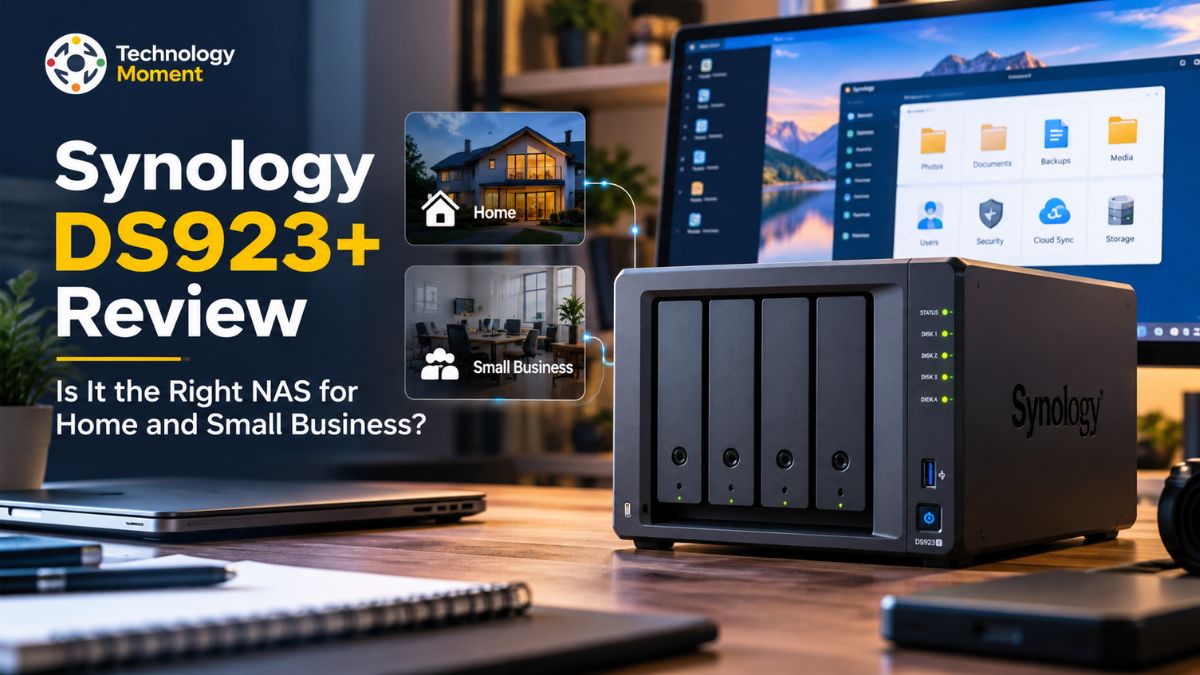
Choosing the right NAS (Network Attached Storage) is about more than finding extra space for your files. For small businesses, content creators, IT professionals, and home-server enthusiasts, it means protecting important data, simplifying backups, accessing files remotely, and building a storage system that can grow over time. The Synology DiskStation DS923+ aims to bring these capabilities together in a compact, four-bay NAS designed for flexible storage and data management.
At Technology Moment, we look beyond product specifications to help readers understand how technology fits into real-world needs. In this Synology DS923+ review, we’ll explore its storage expansion options, backup and recovery tools, network performance, remote access capabilities, and power consumption. We’ll also examine the costs that can influence your buying decision, including hard drives, optional upgrades, and ongoing electricity expenses.
The DS923+ offers features such as Synology’s DiskStation Manager (DSM), support for ECC memory, and an optional 10GbE network upgrade. However, it also has limitations worth understanding, particularly its standard Gigabit Ethernet connectivity and lack of hardware video transcoding. Whether you’re setting up a private cloud at home, centralizing business files, or managing large creative projects, these trade-offs can make a meaningful difference.
Our goal is to help you determine whether the DS923+ matches your workload, budget, and long-term storage plans. We’ll look at where it delivers value, where competing NAS systems may be a better fit, and what to consider before investing in the complete setup. By the end, you’ll have a clearer picture of whether the Synology DS923+ is the right storage solution for your home or small business.
Synology DS923+ Review: Quick Verdict
The Synology DS923+ is a four-bay network-attached storage (NAS) device designed for users who need centralized storage, dependable backups, and flexible file management. For small businesses, content creators, IT professionals, and home-server enthusiasts, it offers a practical way to manage important files without depending entirely on third-party cloud storage. Its biggest strengths are Synology’s DiskStation Manager (DSM) software, expandable storage, ECC memory support, and a range of applications for data protection and remote access.
In everyday use, the DS923+ is particularly appealing to users who value straightforward management over the complexity of building and maintaining a server from scratch. Synology Drive supports file synchronization and sharing, while backup applications help protect computers and business data. These capabilities make the NAS suitable for document collaboration, photo libraries, project archives, and automated backup workflows.
However, the Synology DS923+ is not the right choice for every workload. Its standard network connectivity consists of two Gigabit Ethernet ports, while 10GbE requires an optional network upgrade. Its AMD Ryzen R1600 processor also lacks hardware video transcoding, which can be a significant limitation for users who want a dedicated Plex media server.
The total purchase price deserves attention, too. The diskless NAS is only the starting point; compatible hard drives, optional memory, networking upgrades, and backup arrangements can increase the overall cost. The DS923+ is worth considering if you prioritize mature NAS software, expandable storage, and reliable data-management features. It is less compelling if your main priorities are inexpensive high-speed networking or hardware-accelerated media transcoding. Before buying, compare the complete setup cost with competing NAS systems and consider your expected storage requirements over the next several years.
Synology DS923+ Specifications and Key Features
The Synology DiskStation DS923+ combines a compact desktop design with hardware intended for home offices and small-business storage. It uses an AMD Ryzen R1600 dual-core processor with four threads and includes 4GB of DDR4 ECC memory. The memory can be expanded up to 32GB, subject to the manufacturer’s supported configurations. ECC memory can help detect and correct certain memory errors, making it useful for workloads where data integrity matters.
The system provides four drive bays for compatible SATA hard drives or solid-state drives. It also includes two M.2 NVMe slots for supported SSD caching or additional storage pools. However, creating NVMe storage pools requires compatible, Synology-verified drives, so buyers should check the official compatibility information before purchasing SSDs.
Networking is another important consideration. Users who need faster transfers can install the optional E10G22-T1-Mini 10GbE network upgrade module. Actual speeds depend on the installed drives, network equipment, workload, and client device. The NAS runs Synology DiskStation Manager (DSM), which provides a graphical interface for managing storage, user permissions, shared folders, and applications.
For small businesses, these software capabilities can be as important as raw hardware specifications because they simplify routine administration and data protection. The DS923+ focuses on flexibility rather than maximum performance straight out of the box. Its processor, memory, storage bays, and software make it a versatile NAS, but buyers should evaluate its networking and application limitations against their specific needs.
Synology DS923+ Storage Expansion and Capacity
Storage expansion is one of the main reasons to consider the Synology DS923+. Its four drive bays allow users to start with a manageable storage configuration and increase capacity as their requirements grow. This approach can suit photographers, video creators, small businesses, and households accumulating large collections of documents, images, and media files.
The DS923+ supports several storage configurations, including Synology Hybrid RAID (SHR), RAID 1, RAID 5, RAID 6, and RAID 10. Each option involves different trade-offs between usable capacity, redundancy, and performance. For example, RAID 5 generally provides protection against one drive failure, while RAID 6 can tolerate two drive failures within the array. SHR offers a more flexible approach to managing compatible drives of different capacities.
It is important to distinguish raw capacity from usable storage. Four 12TB drives provide 48TB of nominal raw capacity, but the available space will be lower when redundancy, filesystem overhead, and system requirements are considered. The exact result depends on the selected RAID configuration and drive arrangement.
Users who eventually need more physical drive bays can connect a compatible Synology DX517 expansion unit, increasing the supported total to nine drives. This provides a potential upgrade path without immediately replacing the original NAS. However, the expansion unit and additional drives increase the total ownership cost. The two M.2 NVMe slots offer another option for supported SSD caching or storage pools. SSDs can benefit workloads involving frequently accessed data, although the improvement depends on the workload and should not be assumed for every file transfer.
Before choosing a configuration, estimate your current storage needs, annual data growth, redundancy requirements, and backup capacity. Remember that RAID is not a substitute for an independent backup. A separate backup destination remains important for protecting against accidental deletion, ransomware, hardware damage, and other data-loss events.
Synology DS923+ Performance: Real-World Tests
The Synology DS923+ performance story depends heavily on its network connection, installed drives, storage configuration, and workload. Synology advertises sequential read and write throughput of up to 625MB/s and 559MB/s, respectively, under its specified testing conditions.
With the standard Gigabit Ethernet ports, individual network connections are generally limited by the practical throughput of a 1GbE link. This can be sufficient for routine document sharing, automated backups, office files, and personal photo libraries. However, users who regularly transfer large video projects or work with multiple high-bandwidth clients may find the standard connection restrictive.
Installing the optional 10GbE network module can substantially improve performance when the rest of the network supports it. In a review published by IT Pro, a DS923+ configured with four 14TB hard drives and a 10GbE upgrade achieved sequential read and write results of 9.2Gbit/s and 8.3Gbit/s in an Iometer test. The review also measured average speeds of approximately 4.4Gbit/s for reads and 4.3Gbit/s for writes during its 25GB real-world file-copy tests. These are results from a specific test configuration, not universal expectations.
SSD caching may help with repeated access to frequently used data, while NVMe storage pools can benefit compatible workloads. Neither automatically makes every transfer faster, particularly when network bandwidth or mechanical drive performance is the limiting factor. Record the drive arrangement, RAID type, network speed, and client hardware to make comparisons useful.
Backup and Recovery Features for Home and Business
Reliable data backup is one of the strongest reasons to consider the Synology DS923+ for home and business use. Whether you manage customer documents, creative projects, employee files, or personal photographs, a structured backup strategy can reduce the impact of accidental deletion, hardware failure, and security incidents. Synology provides several applications that address different backup and recovery requirements through its DiskStation Manager (DSM) platform.
Hyper Backup supports versioned backups to destinations such as another Synology NAS, external storage, compatible remote servers, and supported cloud services. Its versioning capabilities allow users to recover earlier copies of files rather than relying exclusively on the latest stored version. This can be particularly useful when an important document is overwritten or unwanted changes go unnoticed.
For small businesses, Active Backup for Business offers centralized protection for supported computers, physical servers, file servers, and virtual machines. Administrators can schedule backups, monitor tasks, and restore individual files or entire devices when necessary. Its incremental backup and deduplication features can also help reduce unnecessary storage consumption. Snapshot Replication adds another layer of protection by creating point-in-time copies of supported shared folders and other storage resources. These snapshots can help recover files following accidental modifications or certain data-loss incidents. However, snapshots stored on the same NAS should not replace independent backups.
For stronger disaster recovery, consider following the 3-2-1 backup strategy: maintain three copies of important data, use two different storage types, and keep one copy off-site. An encrypted external backup or suitable cloud destination can provide additional protection if the NAS itself is damaged, stolen, or compromised. The DS923+ offers useful backup and recovery tools for households and small organizations, provided they configure retention policies, test restores, and maintain an independent backup copy.
Remote Access, Private Cloud and File Sharing
The Synology DS923+ can function as a private cloud storage system, allowing users to organize files centrally and access them from compatible computers, web browsers, and mobile devices. This setup can appeal to people who want more control over their data while reducing their dependence on multiple cloud-storage subscriptions. However, remote access still requires a suitable internet connection and careful security configuration.
Synology Drive is central to this experience. It supports file synchronization, shared folders, version recovery, and collaboration across supported devices. For example, a small business can store project documents in shared folders while allowing team members to access relevant files from their own computers. Content creators can also synchronize working documents and organize project assets across multiple devices.
QuickConnect makes remote access easier by allowing supported Synology applications to connect over the internet without requiring users to configure router port forwarding manually. Secure remote access requires more than enabling a connection. Use strong, unique passwords, multifactor authentication where available, appropriate user permissions, HTTPS, and regular software updates. Avoid exposing unnecessary services directly to the internet, and review access permissions when employees or collaborators leave an organization.
When comparing a Synology NAS with cloud storage, consider recurring subscription costs, internet upload speeds, remote access requirements, and the responsibility of maintaining local hardware. A NAS provides local control and centralized storage, but it does not automatically replace off-site backup or offer the same convenience as every managed cloud service. For households and small businesses that value centralized file management, the DS923+ can be a practical private-cloud solution with flexible remote access and sharing capabilities.
Synology DS923+ for Small Business, Creators and Home Servers
The Synology DS923+ is designed for workloads that benefit from centralized storage, user management, and data protection. Its suitability depends on how you intend to use the system, particularly when choosing between business file sharing, creative workflows, and home-server applications. For a small business, the DS923+ can provide shared folders for documents, spreadsheets, customer records, and internal project files. Administrators can assign permissions to different users, helping teams access the information they need without giving everyone unrestricted access. Combined with Active Backup for Business and Hyper Backup, the NAS can support a broader data protection strategy for supported office computers and other devices.
Photographers and content creators may appreciate its four drive bays, storage expansion options, and ability to centralize large photo libraries, video projects, and completed work. The optional 10GbE upgrade can be especially relevant when transferring large files across a compatible network. Nevertheless, performance depends on the installed drives, network infrastructure, and editing workflow. A NAS should not automatically be assumed to replace the fast local SSD storage required for every editing task.
For IT professionals and home-server enthusiasts, the DS923+ provides a platform for file services, backup jobs, and selected applications available through DSM. Docker-based workloads may be possible using compatible container software, while more demanding virtualization requirements should be checked against the processor, memory, and software limitations. Plex users need particular caution. The AMD Ryzen R1600 processor does not provide hardware video transcoding, which can affect users who need to convert media formats or resolutions during playback. Direct-play workloads may still be suitable when client devices support the stored media formats, but transcoding requirements should influence the buying decision.
In short, the DS923+ is most attractive to users who prioritize storage management, business continuity, and expandable capacity. Those seeking an inexpensive media server or a platform for demanding compute workloads should compare alternatives before purchasing.
Synology DS923+ Power Consumption and Operating Costs
Power consumption is an important consideration when choosing a NAS for continuous operation. Unlike a computer that is switched off after work, the Synology DS923+ may remain powered on around the clock to support scheduled backups, remote access, file synchronization, and shared business resources. Even modest differences in electricity use can accumulate over several years. A system performing frequent backups or serving multiple users may consume a different amount of electricity from an otherwise idle NAS. For this reason, independent measurements from a fully specified configuration are more useful than assuming one figure applies to every setup.
You can estimate annual electricity costs with a simple calculation: average power consumption in watts multiplied by 24 hours per day and 365 days per year, divided by 1,000, then multiplied by your electricity price per kilowatt-hour. This is an illustrative estimate, not a measured DS923+ result.
Buyers should also account for the diskless NAS price, compatible hard drives, optional 10GbE networking, memory upgrades, replacement drives, and off-site backup services. The cost of a DX517 expansion unit may also matter if storage requirements grow. Noise and cooling deserve consideration when installing the NAS in a bedroom, home office, or shared workspace. Hard-drive vibration and fan noise can vary by configuration, while good ventilation helps maintain suitable operating temperatures.
For an accurate buying decision, compare the initial purchase price with expected electricity, maintenance, expansion, and backup expenses over three to five years. The DS923+ may offer good long-term value when its software and storage flexibility meet your needs, but the complete setup cost matters more than the hardware price alone.
Synology DS923+ Total Cost of Ownership
The purchase price of a NAS is only one part of the investment. When evaluating the Synology DS923+ for home or small-business use, consider the cost of hard drives, optional upgrades, electricity, maintenance, and backup storage. A diskless NAS may look affordable initially, but the complete setup can cost considerably more once you add the components required for your workload.
For example, a four-drive configuration requires four compatible SATA drives, with the total cost depending on capacity, drive type, and warranty. A home user might choose a smaller configuration, while a creative professional or business handling large datasets may need higher-capacity drives. Your choice of Synology Hybrid RAID (SHR), RAID 5, or RAID 6 also affects usable storage and redundancy.
Networking upgrades can increase the budget further. The optional 10GbE adapter can be valuable for transferring large files, but achieving its full benefit may require a compatible switch, cabling, and client network adapter. Similarly, additional memory, NVMe SSDs, or a DX517 expansion unit should be included only when your workload justifies the expense. Electricity and backup costs also deserve attention. A NAS running continuously consumes power, while an independent backup destination or cloud subscription adds recurring expenses. These costs vary by configuration, electricity rates, and retention requirements.
To estimate the total cost of ownership, add the NAS purchase price, drives, upgrades, networking equipment, backup services, and expected maintenance over three to five years. Then compare that amount with alternative NAS systems and cloud-storage plans. The DS923+ may offer good value when its mature software and expansion capabilities meet your needs, but it is not automatically the cheapest option. Check current regional prices before buying, as availability and discounts can change the calculation significantly.
Synology DS923+ vs Competitors and Alternatives
Choosing between the Synology DS923+ and its alternatives involves more than comparing specifications. Synology emphasizes its established DiskStation Manager (DSM) software, backup tools, and storage management, while competing systems may offer faster standard networking or hardware video transcoding. The best option depends on whether your priority is business data protection, media streaming, or performance per dollar.
| Feature | DS923+ | DS925+ | QNAP TS-464 | UGREEN DXP4800 |
|---|---|---|---|---|
| Drive bays | 4 | 4 | 4 | 4 |
| Processor | AMD Ryzen R1600 | AMD Ryzen V1500B | Intel Celeron N5095 | Intel N100 |
| Standard networking | 2 × 1GbE | 2 × 2.5GbE | 2 × 2.5GbE | 2 × 2.5GbE |
| Optional 10GbE | Yes, via supported module | No | Expansion-dependent | No standard 10GbE |
| Starting memory | 4GB ECC | 4GB ECC | Typically 8GB | Typically 8GB |
| Hardware video transcoding | No | No | Yes, supported workloads | Yes, supported workloads |
| Storage expansion | DX517 support | Model-dependent; verify official compatibility | Model-dependent | Model-dependent |
| Main advantage | DSM and upgrade flexibility | Faster standard networking | Media and multimedia features | Modern hardware and value |
| Best suited for | Business backups and file storage | General-purpose storage | Media and home-server workloads | Users prioritizing hardware value |
Specifications and configurations can vary by regional SKU; verify each manufacturer’s current documentation before purchasing.
The DS925+ is a particularly relevant alternative because it offers faster standard networking, whereas the DS923+ retains an optional 10GbE upgrade path. The QNAP TS-464 is worth considering for users who need multimedia capabilities. The UGREEN DXP4800 may appeal to buyers who prioritize modern hardware, although software maturity and support history should also influence the decision.
The five-bay Synology DS1522+ is another option if you need more drive bays, but compare its price and available networking upgrades with newer products. Ultimately, choose the NAS that best matches your workload, not simply the one with the highest specification count.
Pros and Cons of the Synology DS923+
The Synology DS923+ has several strengths that make it appealing to small businesses, content creators, and home-server enthusiasts. Its biggest advantage is the combination of expandable storage and Synology’s established DSM software. Instead of assembling a server and configuring every service independently, users can manage shared folders, permissions, synchronization, and backup tasks through a centralized interface.
Its four drive bays support flexible storage configurations, while the optional DX517 expansion unit allows compatible deployments to grow to nine drives. ECC memory support is another advantage for users who value memory error detection and correction. Synology’s backup applications, including Hyper Backup and Active Backup for Business, can also help organizations establish structured data-protection workflows.
Networking flexibility is a further benefit. Although the DS923+ includes two Gigabit Ethernet ports, its supported optional 10GbE upgrade can make it attractive to users transferring large files across a compatible network. NVMe SSD caching or supported storage pools can also improve particular workloads, although benefits depend on how the NAS is used.
There are important drawbacks, however. Standard 1GbE networking can restrict large transfers unless you invest in a network upgrade. The AMD Ryzen R1600 processor also lacks hardware video transcoding, making this model less suitable for users who regularly need Plex or other media servers to convert video during playback.
The total ownership cost can rise significantly after adding drives, networking equipment, expansion hardware, and backup services. Some alternatives offer faster standard networking or better multimedia hardware at a competitive price. The DS923+ is strongest as a storage and backup platform rather than a dedicated media-transcoding machine. It is worth considering when DSM software, data protection, and expansion flexibility are priorities. If your main goals are affordable high-speed networking or media streaming, compare alternatives carefully before making a purchase.
Frequently Asked Questions About the Synology DS923+
Is the Synology DS923+ worth buying?
The Synology DS923+ may be a suitable choice for users seeking flexible storage expansion, reliable NAS management tools, automated backup solutions, and controlled file access. Adding an optional 10GbE adapter can improve transfer speeds for bandwidth-intensive tasks. Before purchasing, evaluate the total investment against competing NAS models and determine whether its built-in Gigabit Ethernet connectivity and absence of dedicated hardware video transcoding meet your requirements.
How much storage does the Synology DS923+ support?
The DS923+ has four internal drive bays and supports a compatible DX517 expansion unit, allowing up to nine drives in total. Usable capacity depends on installed drive sizes, RAID or SHR configuration, redundancy, and filesystem overhead. Calculate usable storage before purchasing, and remember that RAID protects against certain drive failures but does not replace an independent backup.
Does the Synology DS923+ support 10GbE?
Yes. The DS923+ supports an optional E10G22-T1-Mini 10GbE network upgrade module. This can improve file-transfer performance when the NAS, network switch, cabling, and client device support the faster connection. The module adds to the overall cost, and actual speeds depend on the workload and storage configuration.
Can the Synology DS923+ run Plex?
Yes, it can run Plex Media Server, but its AMD Ryzen R1600 processor does not support hardware video transcoding. Direct playback may work well when the client supports the stored media format. If your setup frequently requires video conversion, consider a NAS with supported hardware transcoding or use a separate media server.
Is the DS923+ better than QNAP?
Synology stands out for its user-friendly DSM operating system and comprehensive data protection tools. QNAP, including the TS-464, may be a stronger fit for users who need versatile multimedia features and higher-speed connectivity options. Before making a decision, evaluate individual models based on software support, security features, compatible drives, intended usage, and overall ownership expenses.
How much does a complete DS923+ setup cost?
The overall investment involves more than purchasing the NAS enclosure. Storage drives, memory upgrades, network equipment, and backup solutions can all increase the final price. To estimate the real cost, review local market prices, calculate your required usable storage capacity, and account for power consumption and ongoing maintenance over a three-to-five-year period.