In today’s fast-paced digital workplace, scheduling meetings should be simple, not another task that takes time away from important work. Whether you are a consultant arranging client calls, a recruiter coordinating interviews, a sales professional booking product demonstrations, or a coach managing sessions, finding a suitable time for everyone can quickly become frustrating. This is where Calendly aims to make a difference.
Calendly is an online scheduling tool that allows users to share booking links, set their availability, and let others choose a suitable meeting time. By connecting supported calendars and automating parts of the booking process, it helps reduce the back-and-forth emails often involved in arranging appointments. It also offers features for team scheduling, meeting reminders, integrations, and payment collection, depending on the plan and configuration.
But is Calendly the right scheduling software for your needs? Its convenient booking experience may appeal to individual professionals and growing businesses, but pricing, free-plan limitations, customization options, and advanced features are worth examining before committing to a subscription. In this Calendly review, Technology Moment takes a closer look at its key features, pricing plans, advantages, disadvantages, and leading alternatives. We will also explore how Calendly fits different professional workflows, from independent consulting to recruitment, sales, coaching, and remote collaboration.
The goal is to help you understand what the platform offers, where it may fall short, and whether its capabilities justify the cost. By the end, you should have a clearer picture of whether Calendly matches your scheduling requirements or whether another appointment booking tool could offer better value for your business.
What Is Calendly and How Does It Work?
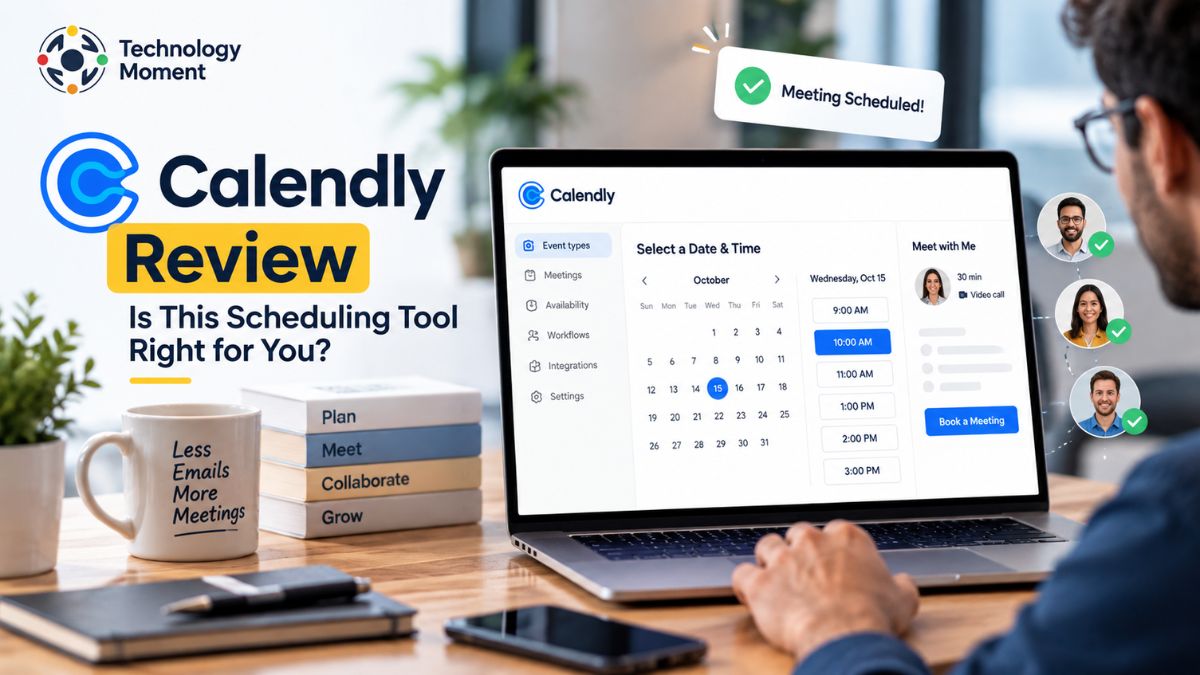
Calendly is an online scheduling software that helps individuals and businesses arrange meetings without the usual back-and-forth emails. Instead of asking clients or colleagues to suggest suitable times, users can create a booking page, define their availability, and share a personalized scheduling link. Visitors can then select an available time that works for them, making appointment scheduling faster and more convenient.
The process begins by connecting a supported calendar, such as Google Calendar or Outlook, and setting available hours. Calendly checks the connected calendar for scheduling conflicts and displays eligible time slots on the booking page. When someone books a meeting, the appointment is added to the relevant calendar, helping both parties keep track of their commitments.
Calendly can be used for different professional activities. Consultants can share booking links for discovery calls, recruiters can coordinate interviews, sales teams can schedule product demonstrations, and coaches can manage client sessions. Depending on the selected plan, users can also access automated meeting reminders, group scheduling, team booking, payment integrations, and other scheduling workflow tools.
For professionals who regularly coordinate meetings, this type of calendar automation can reduce administrative work and make the booking experience more consistent. However, the available features depend on the subscription plan, and users should check the limitations before choosing a paid option. Calendly is designed to simplify meeting coordination rather than replace every calendar or project management tool. Its value depends on how frequently you schedule appointments, which integrations you need, and whether its free or paid features match your workflow.
Calendly Features: What Does It Offer?
Calendly offers a range of scheduling features designed to help individuals and businesses manage appointments, coordinate meetings, and reduce repetitive administrative tasks. Its usefulness depends on the type of work you do and the subscription plan you choose. One of its main features is automated meeting scheduling. Users can create event types for different purposes, such as client consultations, recruitment interviews, sales calls, and coaching sessions. Each event can have its own duration, availability, location, and booking settings. Once a scheduling link is shared through email, a website, or a professional networking platform, invitees can choose from the available time slots without manually coordinating schedules.
Calendar synchronization and availability management are also important parts of Calendly’s scheduling software. Connecting supported calendars helps the platform identify scheduling conflicts and avoid offering occupied time slots. Users can configure availability windows, meeting limits, and buffer periods to manage their working hours more effectively. Time zone handling also helps international professionals arrange meetings with clients and colleagues in different countries.
Another useful capability is automated meeting reminders and scheduling workflows. Depending on the plan, users can automate eligible reminders, confirmations, and follow-up communications. These features can reduce the need to send individual messages before every appointment and help keep participants informed about upcoming meetings.
Calendly also supports team scheduling. Eligible plans offer options such as round-robin scheduling, which distributes meetings among team members, and lead routing, which directs prospective customers to an appropriate representative. These tools can be particularly helpful for sales departments, recruitment teams, and businesses handling a high volume of bookings.
Its integrations extend scheduling into existing business workflows. Supported integrations include Google Calendar, Outlook, Zoom, Google Meet, Microsoft Teams, HubSpot, Salesforce, Stripe, and PayPal, although availability varies by integration and plan. Payment integrations can help eligible users collect payments when appointments are booked, while video conferencing integrations simplify online meeting arrangements. Calendly combines appointment booking, calendar management, and workflow automation in one platform. However, professionals who need only occasional one-on-one meetings may not require every advanced feature. Before upgrading, compare the available tools with your actual scheduling requirements.
Calendly Pricing Plans
Calendly pricing is structured around different scheduling needs, from individuals who require basic appointment booking to organizations that need advanced team coordination, administrative controls, and security features. The platform currently lists Free, Standard, Standard Plus, Teams, Teams Plus, and Enterprise options. The Free plan is designed for people who need a straightforward meeting scheduler. It includes one event type, one connected calendar, one-on-one scheduling, a customizable booking page, and basic scheduling tools. This can be sufficient for freelancers or professionals who arrange one main type of meeting and do not need advanced automation.
The Standard plan is intended for users who need more flexibility. It adds unlimited event types, multiple calendar connections, eligible integrations, and automated reminders and workflows. The Teams plan builds on Standard with team scheduling, round-robin meeting distribution, lead routing, and centralized event management. These capabilities can make the paid options more useful for businesses that coordinate meetings across multiple employees.
For professionals who also want AI-powered meeting management, Calendly lists Standard Plus and Teams Plus. These plans add meeting-management capabilities such as automated recaps and action items through Notetaker, alongside Callie features where available. Enterprise is aimed at larger organizations that need additional security, compliance, account management, and implementation support. Exact access can depend on the plan and add-ons.
| Feature | Free | Standard | Teams | Enterprise |
|---|---|---|---|---|
| Published price | Free | $10/seat/month | $16/seat/month | Starts at $15,000/year |
| Billing reference | No charge | Annual billing | Annual billing | Annual contract |
| Event types | 1 | Unlimited | Unlimited | Unlimited |
| Calendar connections | 1 | Up to 6 | Up to 6 | Unlimited |
| One-on-one scheduling | Yes | Yes | Yes | Yes |
| Automated reminders and workflows | Limited | Yes | Yes | Yes |
| Team and round-robin scheduling | No | Limited team features | Yes | Yes |
| Lead routing | No | Limited | Yes | Advanced routing |
| Advanced security and administration | Basic | Plan-dependent | Additional controls | Enterprise-focused |
Source: Official Calendly pricing and plan documentation. Prices shown are published starting or annual-billing references in USD, not a guarantee of your checkout price.
The Standard plan is listed at $10 per seat per month, while Teams is listed at $16 per seat per month with annual billing. Monthly billing may cost more, and the Enterprise plan starts at $15,000 annually for 50 seats. Standard Plus and Teams Plus are separate options with AI meeting-management features; check Calendly’s current pricing page for their applicable rates and add-on availability.
Which Calendly plan offers the best value? The Free plan is a reasonable starting point for individual users with basic needs. Standard is worth considering when you need multiple event types, calendar connections, and automation. Teams is more appropriate for organizations that need meeting distribution and lead routing, while Enterprise is aimed at businesses with stricter security and administration requirements. Compare the features you will actually use against the total per-seat cost before upgrading.
Calendly Pros and Cons
Every scheduling tool has strengths and limitations, and Calendly is no exception. In this Calendly review, one of the platform’s biggest advantages is its ability to simplify appointment scheduling without requiring users to coordinate every meeting manually. Instead of exchanging multiple emails to find a suitable time, professionals can share a booking link and allow clients or colleagues to select an available slot.
Another major advantage is calendar synchronization. Calendly checks connected calendars for scheduling conflicts, helping users avoid double-booking and manage their availability more effectively. Its customizable booking pages, automated reminders, and supported video conferencing integrations can also create a smoother experience for meeting participants. Businesses using compatible CRM platforms can connect scheduling with their sales and customer management workflows. Eligible paid plans offer additional capabilities, including team scheduling, round-robin meeting distribution, and lead routing. These features make Calendly useful for organizations that want to coordinate meetings across multiple team members.
However, Calendly has some disadvantages worth considering. The free plan is limited to one event type and one calendar connection, which may not be sufficient for professionals managing several appointment categories. Advanced automation, multiple event types, and team scheduling features require an appropriate paid plan. For larger teams, per-seat pricing can increase the overall subscription cost as more employees need scheduling access. Businesses with complex workflows may also need additional integrations, configuration, or other software to meet their requirements.
Customization and integration availability can vary by plan, so users should confirm that their preferred features are included before subscribing. Similarly, professionals who only schedule occasional meetings may find a free alternative sufficient. Calendly offers a convenient meeting scheduler for individuals and businesses that value automation and a simple booking experience. Its benefits are strongest when scheduling is a regular part of daily work. Before paying, compare the available features, subscription costs, and limitations against your actual needs.
Calendly Integrations and Compatibility
Calendly integrations help connect appointment scheduling with the calendars, communication platforms, and business applications people already use. Instead of treating every booking as a separate administrative task, users can connect compatible tools to streamline meeting coordination and keep relevant information synchronized. This is particularly valuable for remote professionals and international teams that rely on several applications throughout the working day.
Calendar integration is one of the most important capabilities. Calendly supports compatible services such as Google Calendar, Outlook, Office 365, and Exchange. By connecting supported calendars, users can check their availability and reduce the risk of scheduling conflicting appointments. Depending on the configuration, multiple calendar connections can help professionals manage personal, business, and team commitments from a single scheduling workflow.
For virtual meetings, Calendly integrates with video conferencing platforms including Zoom, Google Meet, and Microsoft Teams. When the relevant integration is configured for an event, meeting details can be added automatically to the booking. This saves time for consultants arranging client calls, recruiters conducting remote interviews, and sales teams hosting online product demonstrations. Other supported conferencing options may also be available.
Calendly offers connections with CRM and sales platforms, including HubSpot and Salesforce. These integrations can help businesses coordinate meetings with lead management, maintain relevant customer records, and support sales workflows. Eligible plans also support tools such as Marketo and Pardot for marketing and lead-routing processes. For payment collection, Stripe and PayPal integrations allow eligible users to collect payments for appointments or services. Other available integrations include Slack, Zapier, Google Analytics, and Meta Pixel, depending on the use case and configuration.
However, not every integration is included in every subscription. Some connections require administrative permissions, additional setup, or a compatible paid plan. Before choosing Calendly, check whether it supports your existing calendar, CRM, payment processor, and video conferencing tools. Calendly’s integrations and compatibility make it more than a basic appointment booking app. They can help create a connected scheduling workflow, although the value depends on which applications your business already uses.
Who Should Use Calendly?
Calendly is best suited to professionals and organizations that schedule meetings regularly and want to reduce the time spent coordinating appointments. Its combination of booking links, availability management, calendar synchronization, and optional automation makes it useful across several industries. However, the ideal user depends on the number of meetings being managed, the complexity of the workflow, and the available budget.
Consultants and freelancers can use Calendly to organize discovery calls, client consultations, project discussions, and follow-up meetings. Sharing an appointment booking link gives clients a convenient way to choose a suitable time without exchanging multiple emails. Independent professionals can start with the free plan if one event type meets their needs, then consider a paid subscription when they require additional event types, calendar connections, or automation.
Recruiters and hiring teams can use Calendly for recruitment interview scheduling. Candidates can select available interview slots, reducing the administrative work involved in arranging initial screening calls. For interviews involving several participants, compatible collective scheduling options can help find a time when the required interviewers are available. Larger recruitment operations should evaluate the integrations and workflows they need before choosing a plan.
Sales teams and business development professionals may benefit from Calendly’s meeting booking tools for discovery calls, sales demonstrations, and prospect conversations. Eligible team plans provide round-robin scheduling and lead-routing capabilities that can distribute meetings or direct prospects to the appropriate representative. CRM integrations can further support sales workflows when correctly configured.
Coaches and service providers can use Calendly to manage individual sessions, introductory consultations, and recurring client appointments. Payment integrations may also help eligible users collect fees during the booking process. Coaches who manage only a small number of sessions may prefer a basic plan, while businesses handling multiple services may need more advanced options.
Finally, remote professionals and small businesses can benefit from time zone management, online booking links, and calendar synchronization when coordinating meetings across locations. Organizations with complex security requirements, extensive administration needs, or large teams should assess the higher-tier plans carefully.
Calendly may be less suitable for people who rarely schedule appointments or need only a simple calendar. In those cases, a free scheduling app could provide sufficient functionality without an additional subscription. The best choice is the tool that fits your actual booking volume, integrations, and budget.
Calendly Alternatives: Which Tools Are Worth Considering?
Although Calendly is a popular meeting scheduler, it may not be the best fit for every professional or business. Some users want more flexibility in their booking pages, others need industry-specific appointment management, and some prefer a free scheduling tool with fewer restrictions. Comparing Calendly alternatives can help you identify software that better matches your workflow, budget, and integration requirements.
Cal.com is worth considering if you want flexible scheduling, developer-friendly customization, or more control over your booking infrastructure. However, advanced team features may require a paid subscription.
Acuity Scheduling is designed more around service-based businesses. Coaches, consultants, and appointment-based professionals may appreciate its client intake forms, payment options, and tools for managing services. It can be a better fit when scheduling is closely connected to selling sessions or managing customer appointments, although its paid plans may be unnecessary for someone who only needs a simple meeting link.
SavvyCal focuses on making scheduling more convenient for both the host and the invitee. Its calendar-overlay approach can help people compare availability and select a suitable meeting time. It is worth exploring for consultants, sales professionals, and client-facing teams that value a polished booking experience.
Doodle serves a different purpose. Its meeting polls are particularly useful when several people need to agree on a time, making it suitable for group coordination and team meetings. YouCanBook.me offers customizable booking pages and availability controls for consultants and small businesses. Meanwhile, Zoho Bookings is a practical option for businesses already using Zoho applications, and Microsoft Bookings can suit organizations that rely on Microsoft 365.
The right alternative depends on what you want to improve. If the main issue is Calendly’s free-plan limitations, compare free scheduling tools first. If you need payments and service management, consider Acuity Scheduling. For technical flexibility, explore Cal.com. For group polls, Doodle may be more suitable.
| Scheduling software | Best for | Free plan | Paid starting price reference |
|---|---|---|---|
| Calendly | Simple booking links and team scheduling | Yes | $10/seat/month |
| Cal.com | Customization and developer flexibility | Yes | $12/user/month for Teams |
| Acuity Scheduling | Service businesses and paid appointments | No permanent free plan; trial may be available | $16/month |
| SavvyCal | Client-friendly meeting scheduling | No full free plan | Around $10/user/month |
| Doodle | Group meeting polls | Yes, limited | Around $6.95/month |
| YouCanBook.me | Custom booking pages and solo professionals | Yes, limited | Around $8.10/month |
| Zoho Bookings | Businesses using Zoho applications | Yes, limited | Around $6/user/month |
| Microsoft Bookings | Microsoft 365 organizations | Included with eligible subscriptions | Depends on Microsoft 365 plan |
Pricing references are based on published comparison information and may not reflect every plan or the latest checkout price. Confirm current prices and included features on each provider’s official website.
When comparing these appointment scheduling tools, look beyond the headline price. Check how many calendars you can connect, whether automated reminders are included, which integrations are supported, and whether team members require separate paid seats. Businesses should also consider data security, booking-page customization, payment processing, and the time required to migrate existing scheduling links.
For individual professionals, a free plan may be enough. For growing businesses, the best Calendly alternative is the one that reduces administrative work without introducing unnecessary complexity or subscription costs.
Is Calendly Worth Paying For?
Whether Calendly is worth paying for depends on how frequently you schedule meetings and which features your work requires. The free plan can be a sensible starting point for freelancers, consultants, and remote professionals who mainly need a straightforward booking link for one type of meeting. It provides an opportunity to test the scheduling experience before committing to a subscription.
A paid Calendly plan becomes more attractive when the limitations of the free version begin affecting your workflow. For example, consultants who offer different types of sessions may benefit from unlimited event types and multiple calendar connections. Professionals who schedule client calls throughout the week may also value automated reminders and scheduling workflows because they reduce repetitive administrative work. The Standard plan is listed at $10 per seat per month with annual billing, while Teams is listed at $16 per seat per month.
For sales teams, recruiters, and businesses with multiple employees, the decision involves more than the subscription price. Team scheduling, round-robin meeting distribution, and lead routing can help direct appointments to the right people. These capabilities may justify the additional cost if they improve the booking process and reduce manual coordination. However, the value depends on how often your team uses these features and whether your existing CRM already provides similar functionality.
Calendly may be less worthwhile for people who schedule meetings only occasionally, need extensive service-booking features, or want greater control over their scheduling infrastructure. In these situations, a free alternative, a specialized appointment booking app, or software already included in an existing business subscription could be a better choice.
The verdict: Calendly is worth paying for when its advanced scheduling tools solve a recurring business problem. Start with the free plan, identify the limitations that genuinely affect your work, and upgrade only when the time saved and functionality gained justify the cost.
Frequently Asked Questions About Calendly
Is Calendly free to use?
Yes, Calendly offers a free plan for individuals who need basic appointment scheduling. However, advanced automation, multiple event types, and team scheduling require eligible paid plans. The free version is a practical starting point for freelancers and professionals who schedule occasional one-on-one meetings and want to test the platform before upgrading.
How much does Calendly cost?
Calendly offers a free plan alongside several paid subscriptions. Its Standard plan is listed at $10 per seat per month, while Teams costs $16 per seat per month with annual billing. Enterprise pricing starts at $15,000 per year for 50 seats. Actual costs may vary with billing frequency, subscription options, and applicable taxes.
What is the difference between Calendly Free and Standard?
Calendly Free is designed for basic scheduling, offering one event type and one connected calendar. Standard expands these capabilities with unlimited event types, multiple calendar connections, eligible integrations, and automation features. Standard is more appropriate for professionals managing different appointment categories or frequent client meetings. Before upgrading, review the current plan comparison to confirm which features are included in your preferred subscription.
Is Calendly better than Cal.com?
Calendly may be better for professionals who want straightforward scheduling and a familiar business-oriented workflow. Cal.com can appeal to developers and organizations seeking open-source flexibility or greater control over their scheduling setup. Both offer appointment scheduling and calendar integrations, but their plans and advanced capabilities differ. The better option depends on customization needs, team requirements, integrations, and whether you prefer a hosted service or self-hosting options.
Can Calendly collect payments for appointments?
Yes, Calendly supports payment collection through integrations such as Stripe and PayPal for eligible configurations. This can help consultants, coaches, and service providers collect appointment fees during booking. Before relying on this feature, confirm payment processor compatibility, applicable fees, refund procedures, and whether your chosen subscription supports the payment workflow you need.
Is Calendly good for small businesses?
Calendly can be a useful scheduling tool for small businesses that arrange customer consultations, sales calls, interviews, or service appointments. Booking links and calendar synchronization reduce manual coordination, while paid plans offer additional automation and team features. Smaller businesses with simple scheduling needs may find the free plan sufficient. Companies requiring complex service management or specialized booking workflows should compare alternatives before committing.
What is the best free alternative to Calendly?
Cal.com, Zoho Bookings, Doodle, and YouCanBook.me are worth comparing when looking for free Calendly alternatives. Cal.com appeals to users seeking flexibility, Zoho Bookings suits businesses using Zoho applications, Doodle is useful for group scheduling polls, and YouCanBook.me offers booking-page customization. Free-plan restrictions differ across providers, so compare event limits, calendar connections, integrations, and automation features before selecting a replacement.