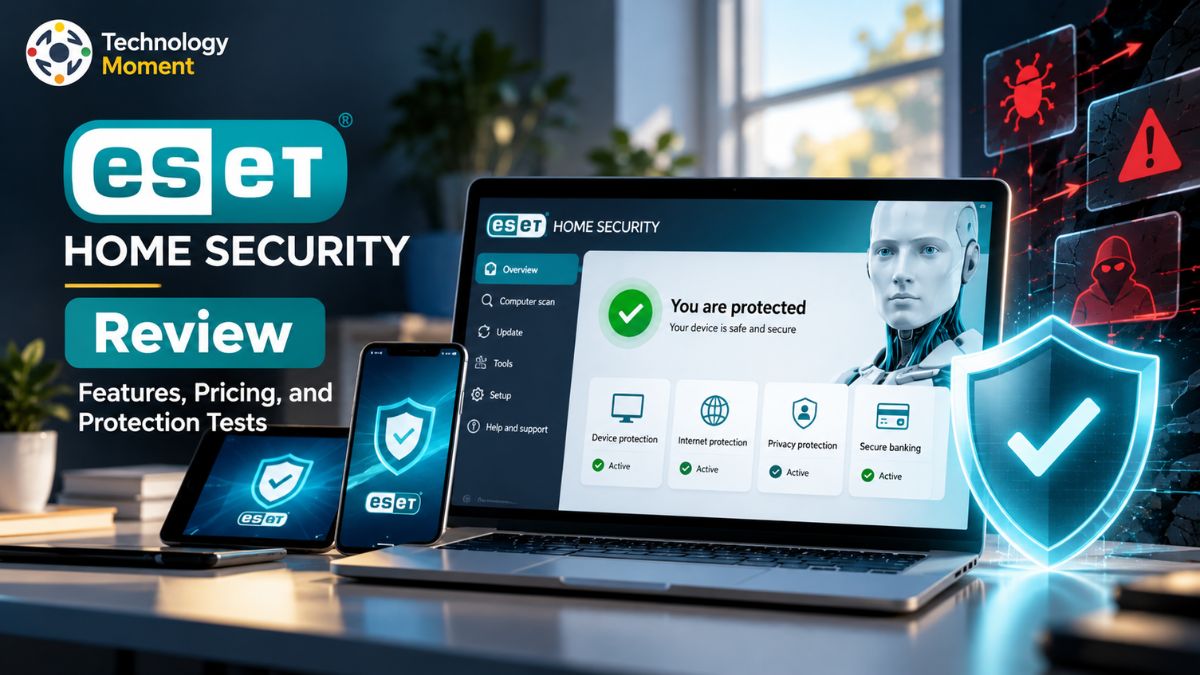
Choosing the right antivirus software is about more than just detecting viruses. Today, home users need reliable protection against malware, ransomware, phishing scams, and online threats without sacrificing system performance or privacy. This is where ESET HOME Security deserves a closer look. In this ESET HOME Security review, Technology Moment explores what the security suite offers, how its subscription plans differ, and whether its features justify the cost. We look at essential factors that matter to everyday users, including real-time malware protection, phishing defense, secure online banking, privacy tools, device compatibility, and the potential impact on system performance.
We also examine independent security testing results to understand how ESET performs against real-world threats. Rather than relying solely on marketing claims, our goal is to help readers assess the available evidence and understand what those findings mean for their own devices. Pricing, renewal terms, and included features also deserve attention, especially for households protecting multiple computers and mobile devices.
Whether you are comparing antivirus subscriptions, upgrading your existing security software, or looking for protection for your family, this review aims to make the decision easier. We will explore the advantages, limitations, and differences between ESET HOME Security plans, along with how ESET compares with competing security solutions. At Technology Moment, we believe technology reviews should be practical, transparent, and focused on helping readers make informed decisions. By the end of this guide, you will have a clearer understanding of ESET HOME Security’s capabilities, its potential value, and whether it fits your digital security needs.
What Is ESET HOME Security Review?
ESET HOME Security is a subscription-based cybersecurity suite designed to help home users protect their computers, smartphones, and other compatible devices from online threats. Developed by ESET, it combines antivirus protection with tools for safer browsing, online banking, network security, and privacy. Unlike a basic antivirus program that primarily focuses on detecting malicious files, the broader ESET HOME Security range offers different levels of protection depending on the subscription plan and operating system.
The ESET HOME platform also helps users manage their subscriptions and connected devices from a central account. This can be useful for individuals who own multiple devices or families who want a clearer overview of their household’s digital security. Supported features vary across Windows, macOS, Android, and iOS, so buyers should check compatibility before purchasing.
ESET currently organizes its consumer security subscriptions into three main tiers: Essential, Premium, and Ultimate. Essential focuses on core antivirus and online protection, while Premium adds selected privacy and file-security capabilities. Ultimate includes additional identity protection and ransomware recovery features in supported markets. The differences matter because not every user needs the most expensive plan.
For home users comparing antivirus subscriptions, ESET HOME Security is worth evaluating based on protection quality, available features, system performance, and total subscription cost. Its suitability ultimately depends on the devices being protected and the specific risks a household wants to address. At Technology Moment, our aim is to help readers understand these differences before spending money on security software, rather than assuming that a higher-priced subscription is automatically the best choice.
ESET HOME Security Features Explained
ESET HOME Security combines real-time antivirus protection with additional tools designed to reduce common online security risks. The exact feature set depends on the subscription tier and operating system, but its main purpose is to help users detect threats, protect sensitive information, and browse the internet more safely. Real-time malware and ransomware protection: ESET scans for malicious files and suspicious activity to help block viruses, spyware, ransomware, and other threats. Its layered protection approach is designed to detect threats before they cause damage. However, no antivirus solution can guarantee complete protection against every new attack.
Phishing protection and secure browsing: Anti-phishing technology helps identify potentially fraudulent websites that attempt to steal passwords, payment information, or personal details. Secure browser features provide additional protection during online banking and shopping. Users should still verify website addresses and avoid clicking suspicious links. Firewall and network protection: Supported Windows configurations include firewall and network security features that help monitor connections and reduce exposure to certain network attacks. Network inspection tools can also help users identify potential security issues affecting connected home devices.
Privacy and file security: Depending on the plan, users may receive tools for encrypted file storage, folder protection, browser privacy management, and identity protection. Ultimate includes additional identity-related safeguards and ransomware remediation features in supported markets. These advanced tools should not be confused with features available in every subscription.
Device management and compatibility: The ESET HOME app provides a central place to manage subscriptions and monitor protected devices. ESET offers products for Windows, macOS, and Android, while iOS functionality differs from traditional antivirus protection on desktop platforms. ESET HOME Security offers a broad set of security tools for households. The most important consideration is whether the features included in a particular plan match your actual needs, rather than paying extra for capabilities you may never use.
ESET HOME Security Pricing and Plans
ESET HOME Security pricing depends on the selected subscription, number of protected devices, subscription duration, and country. ESET’s official store displays regional offers, so a single worldwide price would be misleading. Before buying, check the price for your location and compare the introductory offer with the renewal cost.
The following comparison explains the main differences between the three plans. It is a feature-based comparison, not a fixed-price quotation.
| Feature | Essential | Premium | Ultimate |
|---|---|---|---|
| Real-time antivirus | Included | Included | Included |
| Malware and ransomware protection | Core protection | Core protection | Core protection plus additional remediation features |
| Anti-phishing | Included | Included | Included |
| Secure banking and browsing | Included | Included | Included |
| Firewall and network protection | Supported devices | Supported devices | Supported devices |
| Advanced file encryption | Not the main focus | Included | Included where supported |
| Enhanced browser privacy | Basic security features | Additional privacy tools | Additional privacy tools |
| Identity protection and dark web monitoring | Not included as the Ultimate package feature | Availability depends on region and offering | Included where available |
| Ransomware remediation and recovery | Not the main differentiator | Additional features may be available | Enhanced recovery features |
| Best suited for | Everyday home protection | Users needing additional privacy and file security | Users seeking broader identity and recovery protection |
Feature availability is based on ESET’s published plan descriptions. Individual features may differ by country, platform, and product version; confirm inclusions on the official checkout page. Essential is a sensible starting point for users who mainly want antivirus protection, phishing defense, and safer online transactions. Premium is worth considering if encrypted files and additional privacy features are important to you. Ultimate may suit users who specifically want the extra identity protection and ransomware recovery capabilities it offers.
For an accurate price comparison, check the same number of devices and the same subscription duration for all three plans. Also review automatic renewal, cancellation terms, and any regional discounts. ESET advertises a free 30-day trial in supported markets, but eligibility and terms should be confirmed before signing up.
ESET HOME Security Protection Test Results
Independent laboratory testing provides a more objective way to evaluate ESET HOME Security than relying on marketing claims alone. Two useful sources are AV-TEST and AV-Comparatives, which assess security products using different testing methods. Their results can help readers understand malware protection, real-world threat detection, system performance, and false-positive rates.
In its 2025 consumer security testing, AV-Comparatives evaluated ESET HOME Security Essential for Windows alongside other major security products. Its annual summary recognized ESET as a Top-Rated Product, reporting the highest Advanced+ award in all seven tests conducted during that year’s main test series. ESET also received a Gold Award for Advanced Threat Protection, a Silver Award for Real-World Protection, and a Bronze Award for Malware Protection and False Positive testing. These results indicate strong performance across several evaluated security categories, although individual results differ by test type.
AV-TEST publishes separate results for Windows and macOS products, assessing protection, performance, and usability. Its published Windows results for ESET Security Ultimate versions 19.1 and 19.2 in August 2026 show scores of 6 out of 6 in all three categories, for a total of 18 out of 18. This is a strong result for the tested version, but it should not automatically be applied to every ESET plan or operating system.
It is also important to understand what laboratory scores cannot establish. Results represent specific product versions, test environments, and evaluation periods; they do not guarantee that every threat will be blocked on every device.
For a balanced ESET antivirus review, readers should consider independent protection results alongside subscription pricing, phishing defense, system resource usage, and platform compatibility. Taken together, these factors offer a more useful picture of whether ESET HOME Security provides the right level of protection for a particular household.
Does ESET HOME Security Slow Down Your Computer?
One of the most common concerns when choosing antivirus software is whether it will slow down everyday computer activities. Users want reliable malware protection, but they also expect their computers to start quickly, open applications smoothly, and handle browsing, gaming, and office work without interruptions. In this respect, ESET HOME Security has encouraging independent performance results.
In its September 2025 performance test, AV-Comparatives included ESET HOME Security Essential among the Windows security products it evaluated. ESET was among the products awarded the highest Advanced+ rating for performance in that test series. The laboratory measured activities such as copying files, installing applications, downloading content, and browsing websites.
The April 2026 performance test also evaluated ESET HOME Security Essential 19.1 on a 64-bit Windows 11 system. This provides a more recent reference for readers comparing antivirus performance, although the results apply to the specific version and testing environment rather than every computer. In everyday use, the impact can vary according to your hardware, available memory, background applications, and scanning activity. Real-time protection continuously checks files and other potential threats, while a full system scan can temporarily increase CPU and storage activity. These effects may be more noticeable on older computers with limited resources.
For most buyers, the practical question is whether protection interferes with their normal workload. ESET’s independent performance results suggest that it can deliver security with a relatively small system-speed impact under tested conditions. Nevertheless, users should evaluate their own devices rather than assuming identical performance everywhere.
ESET HOME Security Compatibility
Device compatibility is an important factor when choosing antivirus software, especially for households using a combination of Windows PCs, Macs, Android phones, and Apple devices. ESET provides security products for several major operating systems, but the available features and minimum requirements differ by platform.
Windows compatibility: ESET’s consumer security products support Windows 10 and Windows 11, subject to the requirements of the specific product version. Windows users can access core antivirus protection and, depending on the plan, features such as firewall protection, secure banking, and advanced security tools. Before installation, check that your Windows version is supported and remove any incompatible security software if required.
macOS compatibility: ESET offers Mac security products, including protection against malware and other digital threats. However, Mac users should not assume that every Windows feature is available on macOS. Firewall controls, privacy tools, and other capabilities may work differently, so reviewing the Mac-specific feature list is important before purchasing a subscription.
Android compatibility: ESET Mobile Security provides security features for compatible Android smartphones and tablets. Depending on the product and subscription, users may benefit from malware scanning, web protection, and additional mobile security tools. The minimum Android version depends on the application version; check ESET’s current requirements before installation.
iPhone and iPad compatibility: iOS devices operate differently from traditional desktop systems and do not support conventional third-party antivirus scanning in the same way as Windows. ESET’s mobile offering may provide selected security, privacy, and identity-related features, but buyers should verify exactly what is available for their devices.
The ESET HOME management platform also has its own requirements. ESET’s help documentation lists Android 9.0 or later for its Android management app and iOS 18 or later for its iOS app. These requirements apply to the management applications, not necessarily every ESET security product.
ESET HOME Security Pros and Cons
Strong independent performance results: ESET HOME Security Essential received an Advanced+ performance award in AV-Comparatives’ September 2025 testing. This supports its reputation as an option worth considering for users who want protection without a substantial impact on everyday computer activities. Comprehensive security features: Depending on the plan and platform, ESET provides real-time malware detection, phishing protection, ransomware defenses, firewall capabilities, and secure banking features. Higher-tier subscriptions add selected privacy, encryption, and identity protection tools.
Flexible subscription options: Essential, Premium, and Ultimate allow users to choose a level of protection based on their needs. This flexibility means that people who only require core antivirus protection do not necessarily need to purchase the most expensive tier. Centralized device management: The ESET HOME platform helps users manage subscriptions and protected devices from a single account, making it useful for households with several devices.
Pricing can be difficult to compare: Subscription costs vary by country, device count, and promotional offers. Buyers should examine renewal prices rather than judging value solely by the initial discount. Some features require higher-tier plans: Advanced privacy, encryption, and identity protection capabilities are not included in every subscription. Users should check the precise feature list before purchasing.
Platform differences matter: Windows, macOS, Android, and iOS do not offer identical security functionality. Households with mixed devices may need to review each platform separately. The interface may feel technical: Users who prefer a very simple antivirus experience may find ESET’s configuration options and advanced settings less straightforward than expected. This can be an advantage for experienced users but a drawback for beginners.
ESET HOME Security vs Competitors
Choosing antivirus software involves more than comparing malware detection. Subscription pricing, system performance, phishing defense, privacy features, and the number of supported devices can all affect the overall value. ESET HOME Security competes with products such as Bitdefender, Norton 360, and McAfee. Each offers a different combination of security tools and subscription benefits.
ESET’s main appeal is its combination of antivirus protection, network security, secure banking, and optional privacy features across its Essential, Premium, and Ultimate plans. Bitdefender is another option for users looking for a comprehensive security suite, while Norton 360 emphasizes bundled protection and additional digital security services. McAfee is also worth considering for households comparing multi-device coverage. Exact capabilities depend on the selected subscription and operating system.
| Feature | ESET HOME Security | Bitdefender Total Security | Norton 360 | McAfee Total Protection |
|---|---|---|---|---|
| Real-time malware protection | Yes | Yes | Yes | Yes |
| Ransomware defense | Yes | Yes | Yes | Yes |
| Phishing protection | Yes | Yes | Yes | Yes |
| Firewall | Supported configurations | Included features vary by platform | Plan-dependent | Plan-dependent |
| VPN | Available with selected plans | Plan-dependent | Included in selected plans | Included in selected plans |
| Identity protection | Ultimate and regional availability | Plan-dependent | Plan-dependent | Plan-dependent |
| File encryption | Selected ESET plans | Plan-dependent | Not a standard feature in every plan | Plan-dependent |
| Device management | ESET HOME account | Centralized account tools | Norton account | McAfee account |
| Operating system support | Windows, macOS, Android and selected iOS features | Windows, macOS, Android and iOS features | Windows, macOS, Android and iOS features | Windows, macOS, Android and iOS features |
| Best suited for | Users wanting configurable security plans | Users wanting broad security features | Users wanting a bundled security suite | Users comparing multi-device protection |
Comparison reflects broad product capabilities, not a guarantee that every feature is included in every subscription. Check current regional plan details before purchasing. Independent results can help distinguish these products, but comparisons should use the same test period and compatible product versions. Bitdefender Total Security scored 6/6 in all three categories in that same test. These findings apply to the tested versions, not every product tier or operating system.
Is ESET HOME Security Worth It?
ESET HOME Security can be a worthwhile antivirus subscription for users who want reliable malware protection, phishing defense, and additional security tools without choosing a complicated enterprise solution. Its strongest selling points include flexible subscription tiers, network protection, secure banking features, and encouraging independent laboratory results. However, whether it offers good value depends on the plan you select and the features you actually use.
For everyday home users, ESET HOME Security Essential is worth considering if the priority is core antivirus protection, ransomware defense, and safer browsing. It may be sufficient for people who already use separate tools for password management, backups, and other privacy needs. Before buying, confirm the included features for your country and devices.
ESET HOME Security Premium may be more appropriate for users who want additional privacy capabilities, encrypted file storage, and selected VPN features. It is worth comparing its price with competing subscriptions that bundle similar tools. ESET HOME Security Ultimate is designed for users who need additional features such as identity protection and ransomware remediation, where available.
Independent testing strengthens ESET’s case. These results support its credentials, although laboratory scores cannot guarantee that every threat will be blocked on every device. Bitdefender Total Security achieved full marks across the same three AV-TEST categories in that evaluation. Depending on your needs, Norton 360 or McAfee may offer a more suitable combination of bundled services, device coverage, and pricing.
Frequently Asked Questions About ESET HOME Security
Is ESET HOME Security a good antivirus?
Yes, ESET HOME Security is a strong option for home users seeking malware protection, phishing defense, and additional security features. Independent testing provides useful evidence of its capabilities. However, protection can vary by product version, platform, and test conditions. Compare its current results, subscription cost, and included features with competing antivirus products before making a purchase decision.
How much does ESET HOME Security cost?
ESET HOME Security pricing depends on your country, subscription tier, device count, and subscription duration. Essential, Premium, and Ultimate offer different combinations of security features. Promotional discounts can reduce the initial price, but renewal costs may differ. Check ESET’s official regional store for current prices, taxes, and automatic renewal terms before purchasing.
Does ESET HOME Security protect against ransomware?
Yes, ESET provides ransomware protection designed to detect and block malicious activity that could encrypt or damage personal files. Selected plans also offer additional ransomware remediation and recovery capabilities. No security product can guarantee complete prevention, so users should maintain separate backups, install updates promptly, and avoid opening suspicious attachments or downloading untrusted software.
Does ESET HOME Security slow down your computer?
ESET is designed to provide security while minimizing system resource usage. Independent performance tests offer useful evidence, although the actual impact depends on hardware, operating-system configuration, background applications, and scanning activity. Older computers may experience more noticeable effects during full scans. Check current performance results and test the software on your own system if possible.
Is ESET HOME Security better than Bitdefender?
Neither product is universally better. ESET offers configurable subscription tiers and a range of security and privacy features, while Bitdefender also provides comprehensive antivirus protection. Their independent test scores, pricing, and included services vary by version and date. Compare equivalent plans, device limits, renewal costs, and platform-specific features to identify the better option for your needs.
Does ESET HOME Security include a VPN?
VPN availability depends on the ESET HOME Security subscription and regional offering. ESET lists VPN access among the additional features available with selected higher-tier plans. Before subscribing, confirm the number of supported VPN devices, available platforms, and any relevant usage limits. If VPN protection is important to you, compare the complete subscription cost with competing security suites.
Can I use ESET HOME Security on multiple devices?
Yes, eligible ESET HOME Security subscriptions can protect multiple compatible devices, depending on the number of device licenses purchased. Supported platforms include Windows, macOS, and Android, with different functionality available on iOS. Check the selected plan’s device limit and operating-system requirements before buying, especially if you intend to protect a mixed-device household.