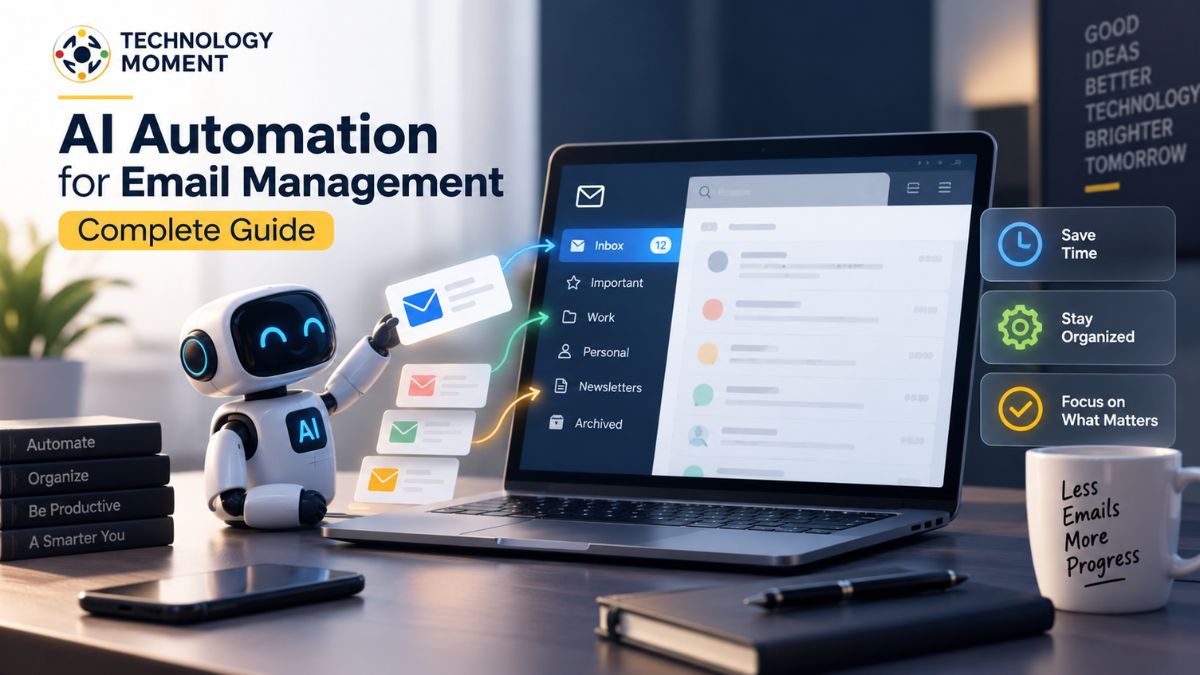
Managing email can quickly become a daily productivity challenge. A busy inbox may contain important messages, newsletters, notifications, follow-ups, and routine requests, making it difficult to identify what actually needs your attention. As email volume grows, manually sorting, prioritizing, and responding to every message can consume valuable time.
AI automation for email management offers a practical way to reduce this workload. AI can help organize incoming messages, identify priorities, summarize lengthy emails, draft replies, and connect email with automated workflows. Instead of treating every message the same way, AI can use context and patterns to help turn a crowded inbox into a more manageable workflow.
At Technology Moment, we focus on making emerging technology easier to understand and apply in real-world situations. In this guide, we’ll explain how AI email automation works, what tasks it can automate, how to automate email management with AI, and what to consider when choosing AI email tools. We’ll also look at privacy, security, limitations, and practical ways to use automation while keeping important decisions under your control.
What Is AI Automation for Email Management?
AI email automation is the use of artificial intelligence to handle repetitive email management tasks with less manual effort. Unlike traditional email automation, which usually depends on fixed rules such as “move messages from this sender to this folder,” AI email automation can analyze the content, context, and intent of messages to determine what action may be appropriate.
AI email management can help with common inbox activities such as email sorting, filtering, categorization, prioritization, labeling, summarization, and reply drafting. For example, an AI email assistant can identify an urgent client message, separate a newsletter from an important business conversation, summarize a long email thread, or suggest a response based on the message’s context.
The goal is not simply to automate every part of an inbox. Instead, AI-powered email management can reduce repetitive work while allowing users to maintain control over important decisions. This makes it particularly useful for professionals, businesses, freelancers, and anyone dealing with a high volume of messages. Modern AI email tools can also connect email with broader workflow automation. An incoming message might trigger a task, create a reminder, update another application, or start a predefined workflow. These capabilities make email more than a communication channel; it can become part of an automated productivity system.
In simple terms, AI email automation helps answer three practical questions: What is this email? How important is it? And what should happen next? By addressing these questions automatically, AI can make email management more organized and less time-consuming.
How Does AI Automate Email Management?
AI automates email management by analyzing incoming messages and using their content, context, sender information, and other signals to determine how they should be handled. Technologies such as natural language processing, machine learning, and generative AI can work together to understand emails and support different inbox tasks.
One common application is email classification. AI can recognize whether a message is related to work, personal communication, promotions, newsletters, notifications, or another category. It can then apply labels or organize messages according to predefined preferences. AI can also perform email prioritization. Instead of manually checking every message, an AI inbox assistant can help identify emails that appear urgent or require a response. This can make email triage faster, particularly when an inbox receives dozens or hundreds of messages each day.
Another important capability is email summarization. Long conversations can be condensed into key points, allowing users to understand the main issue without reading an entire thread. Generative AI can also assist with email drafting by creating a response based on the message and the user’s instructions. Email workflow automation extends these capabilities further. For example, a workflow could identify a specific type of incoming request, label the email, create a follow-up task, and notify the appropriate person. Integrations can connect email with calendars, task-management platforms, customer relationship management systems, and other productivity tools.
However, effective AI email automation should include human oversight. AI can misunderstand context, misclassify messages, or generate an unsuitable response. For sensitive communications, users should review AI-generated actions before anything is sent or changed automatically.
How to Automate Email Management With AI
Learning how to automate email management with AI starts with identifying the repetitive tasks that consume the most time. Rather than automating everything immediately, begin with predictable activities that have clear rules and relatively low risk.
Step 1: Identify repetitive email tasks. Look for activities such as sorting newsletters, organizing notifications, drafting routine responses, summarizing long conversations, or creating follow-up reminders. These are strong candidates for automation.
Step 2: Define your inbox categories. Create practical categories based on how you actually use email. For example, you might separate messages into urgent, work, personal, newsletters, notifications, and follow-ups. Clear categories make email organization easier for both users and AI systems.
Step 3: Choose an AI email assistant or automation tool. Look for features such as AI-powered email management, automatic filtering, email summarization, reply assistance, workflow automation, and integrations with your existing services. Privacy controls and account permissions should also be considered.
Step 4: Connect your email account and configure permissions. Only provide the access necessary for the automation you intend to use. Review available privacy and security settings before activating workflows.
Step 5: Automate low-risk tasks first. Start with email sorting, categorization, labeling, and summaries. Once the system behaves consistently, consider more advanced workflows such as follow-up reminders or automated drafting.
Step 6: Review AI-generated actions. Keep human approval for sensitive replies, financial communications, confidential information, and other high-impact messages.
Step 7: Monitor and improve your workflows. Check whether emails are being categorized correctly and adjust your rules or AI preferences when necessary.
This gradual approach makes it easier to build reliable AI email workflows without losing control of your inbox.
What Tasks Can AI Automate in Email Management?
AI can automate a wide range of email management tasks, particularly those that involve repetitive organization, analysis, or drafting. The exact capabilities depend on the email service and automation tools being used, but the following tasks represent some of the most useful applications.
| Email Management Task | How AI Can Help |
|---|---|
| Email sorting | Automatically organize incoming messages into relevant categories |
| Email filtering | Identify unwanted, promotional, or low-priority messages |
| Email categorization | Classify messages based on topic, sender, intent, or content |
| Email prioritization | Highlight messages that may require faster attention |
| Email labeling | Apply labels or categories according to message characteristics |
| Email summarization | Turn lengthy emails or threads into concise key points |
| Email drafting | Generate suggested responses based on context and instructions |
| Automated replies | Assist with routine responses to common requests |
| Email scheduling | Help prepare or schedule messages and follow-ups |
| Email triage | Identify which messages need attention and which can wait |
| Workflow automation | Trigger tasks or actions when specific emails arrive |
Benefits of AI Email Management
AI email management can provide several practical benefits, especially for people who spend significant portions of their working day handling email. The biggest advantage is reducing the amount of repetitive work required to keep an inbox organized. One major benefit is improved email productivity. Instead of manually sorting every message, users can rely on AI-assisted classification and filtering to organize incoming communication. This can make it easier to focus on important conversations rather than constantly processing routine messages.
AI can also help reduce email overload. Summaries can turn lengthy conversations into important points, while prioritization can help users identify messages that deserve immediate attention. This is particularly useful when an inbox contains a mixture of urgent requests, routine communication, newsletters, and automated notifications. Another benefit is faster responses. AI email assistants can draft responses to common questions, summarize previous conversations, and provide suggested wording. Users can then review and edit the draft rather than starting every response from an empty message.
AI automation can also improve inbox organization. Automatic categorization, filtering, and labeling can create a more structured inbox and support workflows similar to an inbox-zero approach. Instead of treating every email equally, users can establish a system in which messages are automatically routed according to their importance or purpose. For businesses, email workflow automation can provide additional efficiency. Teams can connect email with task-management systems, calendars, CRM platforms, and other applications to reduce repetitive administrative work.
The key benefit, however, is not replacing human judgment. Effective AI email management combines automation with human oversight. AI handles repetitive tasks, while people remain responsible for sensitive decisions, important communications, and final approval when accuracy matters.
AI Email Management vs Traditional Email Management
Traditional email management generally depends on manual actions or predefined rules. Users create folders, apply labels, set filters, and decide which messages deserve attention. These methods can work well for predictable inboxes, but they can become difficult to maintain when email volume increases or messages require more contextual understanding.
AI email management adds an intelligence layer to these processes. Instead of relying entirely on fixed rules, AI can analyze the content and context of messages to assist with sorting, categorization, prioritization, summarization, and response drafting. This can make inbox automation more flexible for changing communication patterns.
| Feature | Traditional Email Management | AI Email Management |
|---|---|---|
| Email sorting | Manual or rule-based | AI-assisted classification |
| Email filtering | Predefined filters | Context-aware filtering |
| Categorization | User-created rules | AI-based categorization |
| Prioritization | Manual checking | AI-assisted prioritization |
| Email labeling | Manual or rule-based | Automated labeling |
| Summarization | Manual reading | AI-generated summaries |
| Reply drafting | Written manually | AI-assisted drafts |
| Email triage | Manual review | AI-assisted identification |
| Workflows | Fixed automation rules | AI-supported workflows |
| Personalization | Limited | Can adapt to preferences |
The difference does not mean traditional automation is obsolete. Rule-based email automation remains useful when conditions are predictable and precise. AI becomes more valuable when messages vary in language, intent, and context.
A practical approach can combine both systems. Traditional filters can handle straightforward conditions, while AI email tools can assist with more complex tasks such as understanding message intent, summarizing conversations, or preparing replies. This hybrid approach can provide automation without removing human control from important communications.
AI Email Management for Gmail and Outlook
Gmail and Outlook are widely used email platforms, and both can be incorporated into email automation workflows. The exact features available depend on the account type, platform, connected applications, and automation service being used, so users should check the current capabilities of their chosen tools before setting up an automated workflow.
With Gmail AI automation, users can combine Gmail’s existing organization features with compatible AI email management tools and workflow integrations. Potential use cases include organizing messages, identifying important conversations, generating summaries, preparing reply drafts, and connecting email with other productivity applications. For users who receive large numbers of messages, these capabilities can help create a more structured inbox.
Outlook email automation can similarly support automated organization and productivity workflows. Depending on the environment and connected services, users may automate tasks involving message categorization, follow-ups, scheduling, and AI-assisted drafting. The broader goal is not simply to automate Gmail or Outlook independently. It is to create an email workflow that reduces repetitive work while preserving appropriate human review.
Before choosing an automation approach, consider compatibility, permissions, privacy controls, integration support, automation limits, and the types of tasks you want to automate. For example, automatically labeling newsletters is relatively low risk, while automatically sending messages to clients may require much closer supervision. Whether you want to automate Gmail with AI or automate Outlook with AI, start with simple workflows. Test how the system handles real messages, review its results, and gradually expand automation as you become confident in its behavior.
Best AI Tools for Email Automation
The best AI tools for email automation depend on the user’s workflow rather than one universal feature list. An individual managing a personal inbox may need an AI email assistant for sorting and summarization, while a business team may need deeper workflow automation, integrations, and administrative controls. When evaluating AI email management tools, start by identifying the tasks you actually want to automate. Useful capabilities can include email sorting, automatic filtering, categorization, prioritization, email summarization, AI-generated replies, follow-up assistance, and workflow automation.
Integration is another important consideration. A tool should work reliably with the email platform and other applications you already use. Compatibility with calendars, task-management systems, CRM platforms, or communication tools can turn an email automation tool into a broader productivity workflow. Privacy and security should also be part of the evaluation. Check what permissions an application requires, how email data is processed, whether information is retained, and what controls are available to users. Avoid choosing a tool solely because it has a long list of AI features.
For someone comparing the best AI tools for email automation, a useful evaluation framework includes:
- AI email management capabilities
- Email sorting and prioritization
- Automated filtering and organization
- Email summarization
- AI-assisted replies
- Workflow integrations
- Gmail or Outlook compatibility
- Privacy and security controls
- Ease of configuration
- Pricing and usage limits
Similarly, when looking for the best AI email assistant or an AI inbox assistant, consider whether the tool actually solves your specific inbox problems. A feature-rich application may provide little value if you only need automated organization and summaries. The right choice is therefore determined by workflow fit, reliability, privacy, integrations, and control—not simply the number of AI features advertised.
How AI Email Assistants Work
An AI email assistant typically combines language understanding, message analysis, and automation capabilities to help users process incoming and outgoing email. The underlying technology can include natural language processing, machine learning, and generative AI, although the exact architecture differs between products. First, the system receives or analyzes an email and extracts relevant information. This may include the message’s subject, content, sender, recipients, and other available context. Natural language processing can help the system understand what the message is about and identify its apparent intent.
Next, the AI can classify or prioritize the message. For example, it may distinguish between a routine notification and a message that appears to require a response. This supports tasks such as email categorization, email triage, and inbox prioritization. Generative AI can then assist with tasks involving language. An AI email assistant may summarize a long conversation or generate a suggested response based on the available context. The user can review and modify the output before sending it. Automation systems can take the process further by connecting email events with other applications. A specific type of message could trigger a task, reminder, notification, or another workflow.
However, AI email assistants are not infallible. They can misunderstand ambiguous language, overlook context, or produce an inappropriate draft. For this reason, human review remains important for sensitive, confidential, financial, legal, or otherwise high-impact communications. The most practical role for an AI assistant is therefore to reduce repetitive cognitive work rather than blindly control the inbox. It can help users understand, organize, and respond to messages faster while leaving important decisions with the person responsible for the communication.
Is AI Email Automation Safe?
AI email automation can be useful, but safety depends heavily on how the system is configured, what permissions it receives, how email data is handled, and which tasks are automated. There is no single answer that makes every AI email automation setup safe or unsafe. Privacy should be the first consideration. Before connecting an AI email management tool, review the permissions it requests and understand what information it can access. If a service requires access to an entire mailbox, users should understand why that access is necessary and what controls are available.
Automated actions also introduce risk. An AI system could potentially misclassify an important message, generate an inaccurate reply, or trigger the wrong workflow. This is why automatically sending sensitive messages without review can create unnecessary problems. A safer approach is to begin with low-risk tasks such as email sorting, labeling, filtering, and summarization. Once the system has demonstrated reliable behavior, users can consider more advanced automation. Important communications should generally retain a human approval step.
Security practices matter as well. Use reputable services, review account permissions periodically, enable strong authentication where available, and avoid connecting unnecessary applications to your inbox. Businesses should also consider organizational policies, data handling requirements, and access controls before deploying automation at scale. Ultimately, AI email automation should be treated as a productivity system that requires oversight. The objective is not to give AI unrestricted control of your inbox. It is to automate repetitive work while keeping users informed and responsible for consequential actions.
A good AI email workflow therefore balances automation, privacy, security, accuracy, and human control. That balance is especially important when email contains confidential business information, personal data, financial details, or sensitive customer communication.
Best Practices for AI Email Automation
Choosing the right AI email management tools is only one part of successful email automation. The way those tools are configured can have an even greater impact on productivity, privacy, and reliability. Tools such as Microsoft Copilot for Outlook, Gemini for Gmail, Zapier, Make, SaneBox, Shortwave, Superhuman, and Mailbutler can support different aspects of email productivity and workflow automation. However, features and integrations vary, so users should evaluate each tool according to their actual requirements.
Start by identifying repetitive email tasks before creating automation. Email sorting, filtering, categorization, labeling, summarization, and routine follow-ups are generally easier to automate than sensitive communication. Avoid creating complicated workflows before understanding how your inbox behaves. Next, use clear rules and categories. An AI email assistant works more effectively when your priorities are well defined. For example, important client messages can receive higher priority while newsletters and routine notifications can be handled separately.
Privacy should also be part of the selection process. Before connecting an AI inbox assistant, check the permissions it requests and understand how your email data is processed. It is also useful to keep human approval for important messages. AI can draft an email, but the final response should be reviewed when the message involves customers, contracts, financial information, confidential data, or sensitive business decisions. Finally, monitor your automation regularly. Review incorrectly categorized emails, unwanted AI-generated replies, and failed workflows. As your communication patterns change, your automation rules may need adjustment.
The best approach is to automate gradually: begin with simple inbox organization, measure the results, and then introduce more advanced AI email workflow automation when the system consistently performs as expected.
Frequently Asked Questions About AI Email Automation
How can AI manage my emails?
AI can help organize your inbox by sorting messages, filtering unwanted communication, identifying important emails, generating summaries, and preparing reply drafts. Depending on the tool, it can also connect email with calendars, task managers, CRM platforms, and other applications for broader workflow automation.
How do I automate email management?
Start by identifying repetitive tasks such as sorting, filtering, labeling, and summarizing. Choose an AI email management tool that supports your email platform, configure the required permissions, create simple workflows, and monitor the results. Introduce more advanced automation gradually while keeping human review for sensitive communications.
Can AI sort my emails automatically?
Yes. Many AI email tools can assist with automatic email sorting and categorization. They can analyze factors such as message content, sender, subject, and context to organize emails into relevant categories. The exact capabilities depend on the specific email service and automation tool being used.
Can AI organize my inbox?
AI can help organize an inbox by categorizing messages, applying labels, filtering low-priority communication, and identifying emails that require attention. It can also summarize conversations and support inbox-zero workflows. Users should review the system regularly to ensure important messages are being handled correctly.
Can AI write email replies automatically?
AI can generate suggested email replies based on the content and context of a message. Some automation systems can support more advanced workflows, but automatically sending replies should be approached carefully. For sensitive or important communication, reviewing and approving the AI-generated response is recommended.
How does AI prioritize emails?
AI can analyze message content, sender information, keywords, context, and other available signals to estimate which emails may require attention. It can then help surface potentially important messages. Because priorities are personal and context can be misunderstood, AI prioritization should be treated as assistance rather than an absolute decision.
How can AI reduce email overload?
AI can reduce email overload by automating repetitive inbox tasks. It can help filter unwanted messages, organize categories, summarize lengthy threads, prioritize potentially important communication, and assist with routine replies. This allows users to spend less time processing messages and more time handling work that requires human attention.