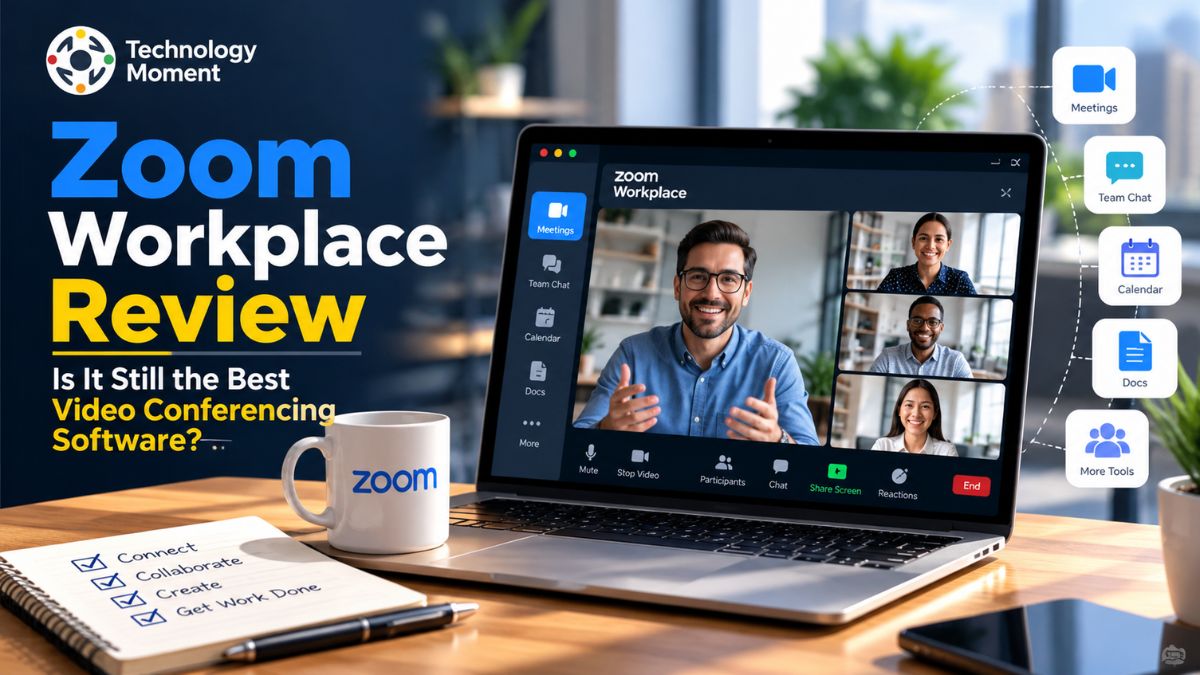
Choosing the right video conferencing software is essential for businesses, remote teams, freelancers, and professionals who rely on virtual communication every day. While Zoom became widely recognized for online meetings, its platform has expanded into a broader workplace solution. Zoom Workplace brings video conferencing, team chat, scheduling, collaboration tools, and AI-powered productivity features together, giving users more ways to manage their daily work from one platform.
But with alternatives such as Microsoft Teams and Google Meet competing for the same users, an important question remains: Is Zoom Workplace still the best video conferencing software for modern businesses?
In this Zoom Workplace review, Technology Moment takes a closer look at the platform’s main features, pricing plans, usability, performance, security, and overall value. We will explore what users can expect from its meeting tools, screen sharing, recording capabilities, collaborative workspaces, and AI Companion features. We will also examine its limitations, helping readers understand where Zoom Workplace performs well and where another solution might be a better fit.
Whether you run a small business, coordinate a distributed team, conduct online training sessions, or simply need reliable software for virtual meetings, understanding these differences can help you make a more informed decision. We will also compare Zoom Workplace with popular alternatives and consider which types of users may benefit most from its free and paid plans.
At Technology Moment, our goal is to make technology easier to understand through practical software reviews, clear comparisons, and useful insights. By the end of this guide, you should have a clearer picture of whether Zoom Workplace meets your communication needs and deserves a place in your everyday workflow.
What Is Zoom Workplace?
Zoom Workplace is a cloud-based business communication and collaboration platform developed by Zoom. Although many people recognize Zoom for its video meetings, the platform now offers a broader collection of tools designed to help individuals and organizations communicate, collaborate, and manage everyday work. It combines video conferencing, team chat, scheduling, document collaboration, digital whiteboards, and other productivity features within a connected workspace. This makes Zoom Workplace more than a traditional video conferencing software solution.
Users can join meetings, share presentations, communicate with colleagues, and collaborate with clients across different locations. Its desktop and mobile applications make it suitable for professionals who need flexible access to meetings while working from an office, home, or on the move. Businesses can also use integrations to connect Zoom with selected calendars and other workplace applications.
Zoom Workplace is designed for a wide range of users, including freelancers, small businesses, educational institutions, remote teams, and large enterprises. However, the features available depend on the selected plan, account configuration, and any additional services purchased. Organizations should therefore review their requirements before choosing a subscription.
The difference between Zoom and Zoom Workplace is mainly the scope of the platform. Zoom is commonly associated with online meetings, while Zoom Workplace brings meetings together with additional communication and collaboration tools. For businesses evaluating workplace productivity software, this broader approach may reduce the need to switch between separate applications. Whether that added functionality offers sufficient value depends on how frequently a team uses the available tools and whether they fit its existing workflow.
Zoom Workplace Features: What Do You Get?
Zoom Workplace features extend beyond basic video calls, offering tools that support communication, collaboration, and meeting management. Video and audio conferencing remain central to the platform, allowing users to organize discussions, conduct presentations, and connect with colleagues or customers remotely. Screen sharing is particularly useful for product demonstrations, training sessions, and collaborative reviews because participants can follow presentations and shared content during a meeting.
Meeting recording provides another practical benefit. Depending on the plan and recording settings, users can save meetings for later reference, while transcription features can help make discussions easier to review. Breakout rooms allow hosts to divide participants into smaller groups, making them useful for workshops, virtual classrooms, and team exercises. Virtual backgrounds and meeting controls also help users customize their meeting experience.
Beyond conferencing, Zoom Workplace includes collaboration tools such as Zoom Team Chat, Whiteboard, Docs, Mail, Calendar, Clips, and Tasks. Their availability and limits vary by subscription. These tools can help teams exchange messages, organize information, share ideas, and coordinate work without relying entirely on separate applications. Integration options also allow users to connect Zoom with selected third-party business services.
AI Companion is another important part of the platform’s productivity offering. Depending on eligibility and plan features, AI capabilities can assist with meeting summaries, note-taking, and other tasks that help users manage information after a discussion. However, users should review feature availability and applicable data controls before relying on AI-generated outputs. Zoom Workplace provides a broad set of video conferencing tools and workplace productivity features. Its usefulness depends less on the number of features available and more on whether those features solve the communication and collaboration challenges a team actually faces.
Zoom Workplace Pricing and Plans
Zoom Workplace pricing is structured around different subscription levels, allowing individuals and businesses to select a plan according to their meeting requirements and collaboration needs. The Workplace Basic plan is free and includes meetings for up to 100 participants, with a maximum meeting duration of 40 minutes. It also provides selected collaboration features, including Zoom Chat, Mail, Calendar, Whiteboard, Docs, and Clips, subject to the limits specified by Zoom. This makes the free plan a reasonable starting point for individuals and small teams that primarily need occasional online meetings.
The Workplace Pro plan is designed for individuals and smaller teams that need longer meetings and additional productivity features. On Zoom’s US pricing page, the listed price is $14.16 per user per month with annual billing or $16.99 per user per month with monthly billing. Pro supports meetings lasting up to 30 hours and up to 100 participants under the standard meeting allowance. It also expands access to selected features such as cloud storage and AI-powered productivity tools.
For larger organizations, Workplace Business is listed at $18.33 per user per month with annual billing or $21.99 per user per month with monthly billing. The plan supports meetings with up to 300 participants and provides additional capabilities, including expanded Whiteboard functionality. Enterprise requirements may involve customized pricing and additional options.
These figures are listed in US dollars and may vary by country, taxes, promotions, billing terms, and subsequent pricing changes. Always verify the current details on the official Zoom Workplace pricing page before purchasing. When comparing Zoom Workplace free vs. paid plans, consider meeting duration, participant limits, recording needs, AI features, and support requirements. The cheapest plan is not necessarily the best value if your team regularly needs capabilities that require an upgrade.
Zoom Workplace Pros and Cons
Zoom Workplace has several advantages that make it an appealing option for businesses and remote teams. One of its strongest points is ease of use. Its meeting tools support screen sharing, participant management, recording options, and breakout rooms, making the software useful for everything from routine team discussions to online training sessions.
Another advantage is flexibility. Zoom Workplace supports communication across desktop and mobile devices and provides collaboration features beyond video calls. Team Chat, Whiteboard, Docs, and AI-powered productivity tools can help users coordinate activities and organize meeting information. For organizations that regularly communicate with customers, partners, or distributed employees, these capabilities may make daily workflows more convenient.
However, Zoom Workplace also has disadvantages. The free plan’s 40-minute meeting limit can be restrictive for teams that regularly conduct longer group discussions. Advanced capabilities may require paid subscriptions or additional services, so the total cost should be evaluated against the features a business actually needs. Organizations already using Microsoft 365 or Google Workspace may also find that some communication and collaboration functions overlap with tools they already pay for.
The expanding collection of features can make the interface feel more complicated for users who only want straightforward video calls. Some users also report occasional lag, connectivity problems, or difficulties navigating less familiar tools. Actual performance depends on factors such as internet quality, device capability, and application configuration. Zoom Workplace pros and cons depend on the user’s priorities. However, individuals who need only occasional video calls or businesses seeking a single, comprehensive office software bundle should compare alternatives before committing to a paid plan.
Zoom Workplace Performance and User Experience
Zoom Workplace performance and user experience are important factors when choosing video conferencing software for everyday business communication. Its familiar meeting interface makes it relatively easy for new users to join calls, mute microphones, share screens, and manage participants without extensive technical knowledge. For businesses that frequently communicate with external clients, this straightforward experience can help reduce onboarding difficulties.
Audio and video quality are among the platform’s main strengths, although actual performance depends on internet bandwidth, device capability, network stability, and meeting settings. Screen sharing, meeting recording, breakout rooms, and virtual backgrounds also support different working styles. Zoom Workplace’s desktop and mobile applications provide flexibility for employees who need to participate in meetings from different locations. Its AI-powered meeting summaries and transcription capabilities may further improve productivity by helping users review discussions and identify important information.
However, Zoom Workplace reviews also highlight potential drawbacks. Some users report occasional connection problems, application freezes, high resource usage, or difficulty finding particular settings. Feedback on review platforms also indicates that the experience may differ between devices and organizational setups. Zoom Workplace offers a capable meeting experience for individuals, small businesses, and remote teams. Before purchasing a subscription, users should test the application on their usual devices and network conditions. Evaluating real-world reliability, ease of use, and collaboration features is more useful than relying exclusively on advertised capabilities.
Zoom Workplace Security and Privacy
Zoom Workplace security and privacy are important considerations for businesses that regularly discuss confidential information, share files, or record online meetings. The platform provides several security controls designed to help meeting hosts and administrators manage access and reduce the risk of unwanted interruptions. These include meeting passwords, waiting rooms, participant removal, meeting locks, and administrative restrictions on selected features. Account owners and administrators can configure available settings according to their organization’s requirements.
Encryption is another important part of the platform’s security approach. Zoom supports encryption for meetings and offers end-to-end encryption for eligible meeting configurations. However, end-to-end encryption is not automatically available in every situation, and enabling it can affect certain features. Privacy also requires attention when using meeting recording, transcription, and AI Companion features. Organizations should establish clear policies explaining when meetings can be recorded, who can access saved content, how transcripts are handled, and whether participants need to be notified.
For businesses handling sensitive information, security depends on both the software and the way it is configured. Strong account authentication, appropriate access permissions, updated applications, and employee awareness can help reduce common risks. Organizations should also review Zoom’s official privacy documentation and Trust Center for current information about data handling, compliance resources, and security controls.
Overall, Zoom Workplace provides useful meeting security features, but no platform eliminates every risk. Businesses should evaluate their specific privacy obligations and test the relevant controls before making it their primary business communication software.
Zoom Workplace vs. Microsoft Teams vs. Google Meet
Choosing between Zoom Workplace, Microsoft Teams, and Google Meet depends on how a business communicates and which productivity applications it already uses. All three platforms support video meetings, screen sharing, and remote collaboration, but they differ in their broader workplace capabilities. Zoom Workplace is particularly attractive to organizations that prioritize dedicated meeting functionality and regularly communicate with external participants. Microsoft Teams is closely connected to Microsoft’s productivity ecosystem, while Google Meet integrates naturally with Google Workspace services such as Gmail and Google Calendar.
The following comparison highlights practical differences rather than declaring one platform universally superior.
| Feature | Zoom Workplace | Microsoft Teams | Google Meet |
|---|---|---|---|
| Main strength | Meetings and integrated communication | Team collaboration and Microsoft integration | Simple browser-based meetings |
| Free option | Yes, with limitations | Yes, with limitations | Yes, with limitations |
| Meeting access | App and browser options | App and browser options | Strong browser-based experience |
| Screen sharing | Yes | Yes | Yes |
| Meeting recording | Plan-dependent | Plan-dependent | Plan-dependent |
| Collaboration tools | Chat, Whiteboard, Docs, and more | Teams chat, channels, and file collaboration | Google Workspace integration |
| AI capabilities | AI Companion features vary by plan | Copilot capabilities depend on licensing | Gemini features depend on plan |
| Best suited for | Meetings and external communication | Organizations using Microsoft 365 | Teams using Google Workspace |
Feature availability varies by subscription, region, account settings, and product updates.
Zoom Workplace may be the better fit for businesses that value meeting-focused workflows and a familiar experience for outside guests. Microsoft Teams may offer better overall value when an organization already relies on Microsoft 365 and needs integrated messaging, meetings, and document collaboration.
Best Zoom Workplace Alternatives
Although Zoom Workplace provides a broad set of video conferencing and collaboration features, it may not be the ideal solution for every individual or organization. Some businesses want deeper integration with office productivity applications, while others need advanced enterprise controls or a simpler tool dedicated to meetings. Comparing Zoom Workplace alternatives can help users identify software that better matches their budgets, workflows, and communication requirements.
The following table compares five relevant alternatives. These tools do not all serve exactly the same purpose, so their suitability depends on whether meetings, team messaging, or broader collaboration is the main priority.
| Alternative | Main strengths | Potential limitations | Best for |
|---|---|---|---|
| Microsoft Teams | Meetings, channels, file collaboration, Microsoft 365 integration | Can feel complex for users needing only video calls | Businesses using Microsoft 365 |
| Google Meet | Browser-based access and Google Calendar integration | Advanced features depend on Google Workspace plans | Schools, freelancers, and Google Workspace teams |
| Cisco Webex | Enterprise meeting controls, security options, and collaboration capabilities | May require additional setup for some organizations | Larger businesses with specific security requirements |
| GoTo Meeting | Focuses on online business meetings, screen sharing, and presenting information remotely. | Teams looking for extensive messaging and project collaboration may need separate software. | Professionals and businesses that primarily need a dedicated meeting software. |
| Slack | Supports team conversations, organized channels, third-party integrations, and automated workflows. | Its main advantage is workplace communication rather than serving as a specialized video conferencing platform. | Teams that value ongoing discussions, quick updates, and asynchronous collaboration. |
Microsoft Teams is worth considering when document collaboration and Microsoft 365 integration are central to daily work. Google Meet is appealing for users who prefer browser-based meetings and already organize their schedules through Google Calendar. Cisco Webex may suit organizations that need specific enterprise meeting and administration capabilities. GoTo Meeting is relevant for teams looking for a dedicated meeting platform, while Slack is particularly useful for ongoing team communication and integrations.
When evaluating the best Zoom Workplace alternatives for businesses, compare more than the starting subscription price. Consider meeting duration, participant limits, recording options, security requirements, AI features, technical support, and the cost of any additional applications. If Zoom Workplace already meets your requirements, replacing it may provide little practical benefit.
Who Should Use Zoom Workplace?
Zoom Workplace is designed for people and organizations that need reliable online meetings alongside tools for communication and collaboration. However, the platform offers different levels of value depending on how frequently users meet, which applications they already use, and whether they need advanced workplace features. Understanding these differences can help readers decide whether Zoom Workplace is suitable for their daily workflow.
Freelancers and individual professionals may find Zoom Workplace useful for client consultations, virtual interviews, presentations, and remote appointments. The free Basic plan can be a practical starting point for occasional meetings, although its 40-minute meeting limit may be restrictive for longer discussions. Professionals who need extended meetings, additional AI features, or cloud recording options should compare the available paid plans.
Small businesses and startups can benefit from video conferencing, team chat, scheduling, and collaboration tools in one platform. These capabilities can support customer communication, internal discussions, and remote coordination. Before upgrading, businesses should evaluate whether the included features justify the subscription cost and whether their existing applications already provide similar functionality.
Remote and hybrid teams may appreciate Zoom Workplace because employees can join meetings from different locations and use collaboration tools to share ideas and coordinate activities. Features such as screen sharing, meeting recording, and AI-powered summaries can also help teams document discussions and follow up on decisions, depending on their plan and settings.
Educational institutions and online trainers can use Zoom Workplace for virtual lessons, workshops, group activities, and presentations. Breakout rooms can support smaller discussions, while recordings may help participants revisit lessons when recording is available and permitted.
Large enterprises may benefit from administrative controls, expanded meeting capacity, and additional communication services available through higher-tier plans. However, enterprise buyers should carefully assess security requirements, integrations, compliance needs, and total ownership costs.
Overall, Zoom Workplace is best suited to users who need more than basic video calls. People who primarily want occasional, straightforward meetings may find a free or simpler alternative sufficient, while teams that regularly collaborate online may gain more value from its broader feature set.
Is Zoom Workplace Worth It?
The platform offers more than online meetings by combining communication, collaboration, scheduling, and selected AI-powered productivity tools. For businesses that use these capabilities regularly, bringing several activities into one workspace can make everyday coordination more convenient.
One of Zoom Workplace’s biggest advantages is its accessible meeting experience. Users can organize discussions, share screens, manage participants, and collaborate with colleagues or external clients. Additional tools, including Team Chat, Whiteboard, Docs, and AI Companion features, can support different workflows depending on the subscription and configuration. These capabilities make the platform relevant to freelancers, small businesses, remote teams, and larger organizations.
The free Basic plan is a useful way to evaluate Zoom Workplace before spending money. This can be sufficient for brief discussions, interviews, and occasional client calls. Users who regularly conduct longer meetings may find the Pro plan more appropriate. Businesses requiring higher meeting capacity or additional administration features can compare the Business and Enterprise options.
However, Zoom Workplace is not automatically the best choice for everyone. Organizations already paying for Microsoft 365 or Google Workspace may find that their existing subscriptions cover many communication needs. Businesses should compare integration requirements, recording options, participant limits, security controls, and the cost of additional licenses before making a decision.
Final verdict: Zoom Workplace is worth considering if meetings and collaboration are central to your work. Its value is strongest when users actively benefit from several integrated tools rather than relying exclusively on video calls. For occasional meetings, the free plan may be enough. For professional and business use, compare paid features against your actual requirements before upgrading.
Frequently Asked Questions About Zoom Workplace
Does Zoom Workplace have a free plan?
According to Zoom’s published plan details, it supports meetings with up to 100 participants and a maximum duration of 40 minutes per meeting. It also includes selected collaboration tools with usage limits. The free plan can suit occasional meetings, but users who need longer sessions, additional cloud storage, or expanded AI capabilities should compare the paid subscriptions.
Is Zoom Workplace better than Microsoft Teams?
Zoom Workplace may be preferable for users who prioritize video meetings and a familiar experience for external participants. Microsoft Teams can be a stronger fit for organizations that depend heavily on Microsoft 365, shared files, and channel-based collaboration. Neither platform is universally better. Compare meeting requirements, integrations, administration, AI capabilities, and total subscription costs to determine which solution best matches your team’s existing workflow.
Is Zoom Workplace better than Google Meet?
Google Meet is particularly convenient for users who already rely on Gmail, Google Calendar, and Google Workspace. Both support video meetings and screen sharing, while advanced features depend on the relevant plans. The better option depends on your preferred ecosystem, meeting requirements, budget, and whether you need additional collaboration tools.
Is Zoom Workplace secure for business use?
Zoom Workplace provides security features such as meeting passwords, waiting rooms, access controls, and encryption options. However, security depends on configuration, account permissions, and the specific features enabled. Businesses handling confidential information should review recording policies, retention settings, authentication requirements, and applicable compliance obligations. Consult Zoom’s current security documentation before using the platform for sensitive meetings or regulated business activities.
Does Zoom Workplace include AI meeting summaries?
Zoom Workplace offers AI-powered meeting assistance, including meeting summaries and related productivity capabilities on eligible plans. Availability depends on the subscription, account configuration, feature settings, and regional eligibility. AI-generated summaries can help users review discussions and identify potential action items, but they may contain errors or omit important context. Review summaries before sharing them, especially when they contain business decisions or confidential information.
Who should choose Zoom Workplace?
Zoom Workplace is suitable for freelancers, small businesses, remote teams, educators, and enterprises that regularly conduct online meetings and benefit from integrated collaboration tools. The free plan may be enough for occasional calls, while paid subscriptions can suit users who need longer meetings or expanded capabilities. Organizations with established Microsoft or Google ecosystems should compare integration and licensing costs before deciding whether Zoom Workplace offers better overall value.