Email can quickly become one of the biggest sources of digital distraction. Between newsletters, work requests, follow-ups, notifications, and long conversations, an inbox can take significant time to manage—especially when every message seems to require a different response. How to Use AI for Email Productivity?
Instead of treating AI as a replacement for human communication, you can use it as an assistant to summarize lengthy messages, identify important emails, draft replies, organize your inbox, and automate repetitive tasks. Used thoughtfully, these capabilities can reduce routine work and leave more time for tasks that require your attention and judgment.
In this guide, Technology Moment explains practical ways to use AI for email productivity, from handling a busy inbox and writing clearer responses to building simple email workflows. We’ll also look at the limitations of AI and the situations where reviewing its output is still essential, so you can use these tools efficiently without losing control of your communication.
What Is AI Email Productivity?
AI email productivity means using artificial intelligence to make everyday email tasks faster, more organized, and less repetitive. Instead of manually reading every message, writing every response, or sorting an entire inbox yourself, AI email tools can assist with tasks such as email summarization, drafting, prioritization, categorization, and workflow automation.
An AI email assistant can analyze the context of a message and help you decide what needs attention. For example, it may summarize a long conversation into a few key points, identify an unanswered question, or highlight a deadline mentioned in an email. This can be particularly useful when you receive a large number of work or business emails throughout the day.
AI for email productivity can also help with email writing. You can provide a few instructions about what you want to communicate, and an AI assistant can turn those instructions into a structured draft. It can also rewrite an existing message to make it clearer, shorter, or more professional. Another important area is email management. AI can help categorize incoming messages, identify potentially important emails, and reduce the amount of manual inbox organization. When combined with automation, these capabilities can support repeatable email workflows for tasks such as follow-ups and routine responses.
However, AI email productivity is not simply about automating everything. The goal is to reduce repetitive work while keeping people in control of important communication. AI-generated summaries and replies should still be reviewed, particularly when an email contains sensitive information, important decisions, or commitments.
How AI Can Help You Manage Your Inbox
Managing a busy inbox can involve much more than simply reading messages. You may need to identify urgent requests, find information inside long conversations, respond to colleagues, organize newsletters, and remember which messages require follow-up. AI email management can assist with many of these tasks.
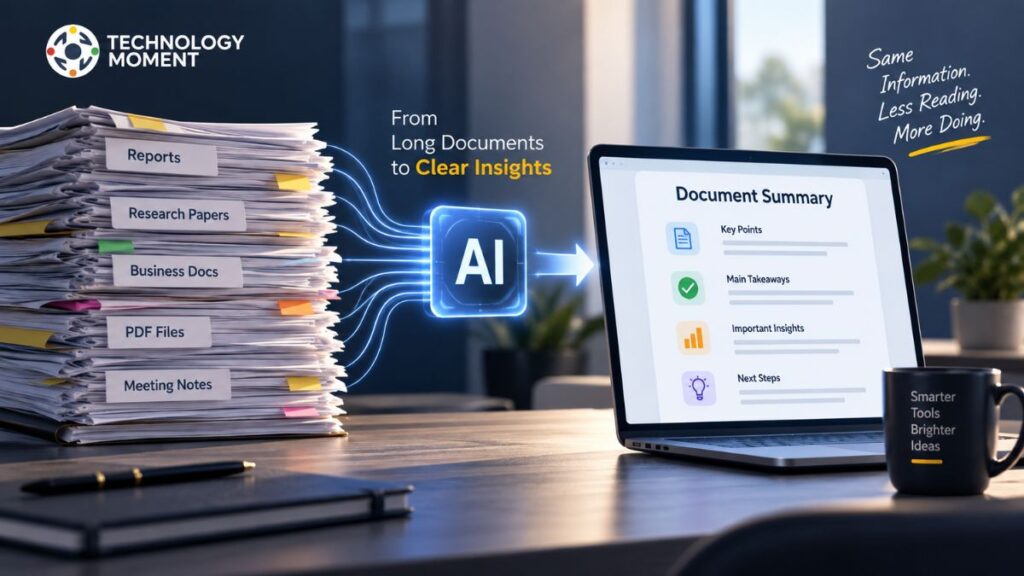
One useful application is email summarization. Instead of reading an entire conversation from beginning to end, you can use AI to produce a concise overview of the main points. A useful summary can also highlight decisions, questions, deadlines, or requested actions. This can make it easier to understand the purpose of an email before deciding what to do next.
AI can also help with email prioritization. An AI email assistant can analyze messages and help distinguish between emails that require immediate attention and those that can be handled later. This approach can make email triage more manageable when your inbox contains a mixture of urgent requests, routine communication, newsletters, and notifications. Email organization is another practical use case. AI-powered systems can help categorize messages according to topics, senders, projects, or other rules. This can reduce the amount of manual sorting required and make frequently needed information easier to find.
For people dealing with email overload, the biggest benefit may be reducing unnecessary mental effort. Instead of repeatedly deciding what every message means and what should happen next, AI can provide an initial layer of organization. Still, AI should not automatically determine the importance of every message without oversight. Priorities depend on context, and an automated system can misunderstand that context. Reviewing important messages and maintaining clear inbox rules helps keep AI-assisted email management reliable.
How to Use AI to Write Better Emails
Writing emails can take more time than expected, particularly when you need to communicate a complicated idea clearly or adjust your message for a specific audience. AI can support email writing by helping create, refine, and restructure messages while leaving the final communication under your control.
One simple approach is to start with the information you already have. Give the AI assistant the main purpose of the email, the important details, the intended recipient, and the tone you want. For example, you might ask it to turn a short set of notes into a concise professional email. This can be useful when you know what you want to say but do not want to spend time constructing the first draft.
AI can also help with email drafting when you need to reply to a message. Instead of starting from an empty screen, you can provide the relevant context and ask for a response that addresses the sender’s questions. You can then edit the draft so that it accurately reflects your own position and communication style. Another useful capability is rewriting. AI can make an email more concise, improve its structure, correct grammar, or adjust its tone. A message that sounds too informal can be rewritten for a professional audience, while a complicated explanation can be simplified.
However, better email writing does not mean allowing AI to send messages without review. AI can misunderstand context, introduce incorrect information, or produce wording that does not sound like you. Before sending an AI-generated email, check names, dates, figures, commitments, and other important details. The most effective approach is to treat AI as a writing assistant rather than an autonomous communicator. It can help you get from an idea to a polished draft faster, while you remain responsible for the final message.
How to Use AI to Automate Email Tasks
Some email activities are repetitive enough to become part of an automated workflow. AI email automation can help reduce this repetitive work by combining AI capabilities with rules, triggers, and other workflow actions. A common example is handling incoming messages. An automated workflow might detect a new email, analyze its content, categorize it, and identify whether it requires a response. Depending on the workflow, AI could then create a summary or prepare a draft response for review.
Follow-ups are another area where automation can be useful. If you regularly send emails that require a response, an automated workflow can help track unanswered messages and remind you when a follow-up may be appropriate. This can reduce the need to maintain a separate manual list of pending conversations.
AI can also support repetitive email responses. For frequently asked questions or routine requests, an AI system can prepare a response based on predefined information. Instead of manually writing the same type of message repeatedly, you can review and customize the generated response before sending it. More advanced workflows can connect email with other productivity tools. For example, an incoming project-related email could be categorized, summarized, and used to create a task for later action. The exact workflow depends on the email service, AI tool, and integrations available.
Automation should be introduced carefully. Not every email should receive an automatic response, especially when communication involves sensitive information, financial matters, confidential business decisions, or unusual requests. Human review is often the safest step before an important message is sent. The goal of AI email automation is therefore not to remove human involvement completely. It is to automate predictable, repetitive steps so you can spend more time on communication that requires judgment, context, and personal attention.
Best AI Email Productivity Workflows
AI email productivity becomes more useful when individual features are combined into simple workflows. Instead of using AI only to write an occasional message, you can use it across different stages of email management, from understanding incoming messages to preparing replies and tracking follow-ups.
| Email Workflow | AI Tasks | Result |
|---|---|---|
| Busy Inbox Workflow | Summarize, prioritize, categorize | Faster inbox management |
| Long Email Workflow | Summarize, extract key points, identify actions | Easier information processing |
| Reply Workflow | Understand context, draft, rewrite, adjust tone | Faster email writing |
| Follow-Up Workflow | Track unanswered messages, create reminders, draft follow-ups | Fewer missed responses |
| Newsletter Workflow | Categorize, summarize, filter | Less email clutter |
Workflow 1: Manage a Busy Inbox
Start by allowing AI to identify messages that may require your attention. It can help summarize long conversations, separate routine messages from potentially important requests, and organize emails into useful categories. You can then review the prioritized list instead of processing every message in the same order.
Workflow 2: Turn Long Emails Into Action Items
For lengthy conversations, use an AI email assistant to create a short summary and identify important dates, questions, decisions, and requested actions. This can make email triage faster without requiring you to read every sentence immediately.
Workflow 3: Draft and Review Replies
Provide AI with the purpose of your response and relevant context. Ask it to create a concise draft, then adjust the wording and tone yourself. This combines AI email writing with human review and can make repetitive communication more efficient.
Workflow 4: Manage Follow-Ups
AI can help identify conversations that may need a response and prepare follow-up drafts. You can then decide whether the message actually requires a follow-up and when it should be sent.
These workflows work best when automation remains controlled. The objective is not to automate every email, but to remove repetitive steps while keeping important decisions in human hands.
Best AI Tools for Email Productivity
Different AI email tools focus on different parts of email productivity. Some are built directly into major email platforms, while others provide dedicated inbox management, writing, or automation features. The right choice depends on your email provider, workflow, privacy requirements, and the type of assistance you need.
| AI Email Tool | Primary Use Case | Useful Email Productivity Features |
|---|---|---|
| Gmail with Gemini | AI-assisted Gmail workflows | Email drafting, summarization, contextual assistance |
| Microsoft Copilot for Outlook | AI-assisted Outlook workflows | Drafting, summarization, email assistance |
| Shortwave | AI-powered email management | AI summaries, search, organization, writing assistance |
| Superhuman | Productivity-focused email workflow | AI writing, summaries, inbox productivity |
| Spark | Email organization and productivity | Smart inbox features, AI-assisted writing |
| Grammarly | Email writing and communication | Grammar, clarity, tone, rewriting |
| Zapier | Email workflow automation | Automated workflows, triggers, integrations |
Gmail with Gemini
For people already working inside Gmail, Google’s AI capabilities can assist with tasks such as drafting and summarizing email content. This approach can be useful when you want AI assistance without moving your primary email workflow to a separate platform.
Microsoft Copilot for Outlook
Microsoft’s AI assistant integrates with the Microsoft ecosystem and can assist with email-related tasks in Outlook. It can be particularly relevant for people whose professional communication already runs through Microsoft 365.
Shortwave
Shortwave focuses heavily on making email easier to process and organize. Its AI features can support summaries, search, writing, and inbox workflows, making it relevant for users who want a dedicated email productivity experience.
Superhuman
Superhuman is designed around fast email workflows and includes AI-assisted features for writing and processing messages. It is aimed at users who treat email as a major part of their daily work.
Spark and Grammarly
Spark focuses on email organization and productivity, while Grammarly is primarily useful when the main requirement is improving writing quality, clarity, grammar, and tone.
Zapier
Zapier is different from a traditional AI email assistant. Its strength is connecting email with other applications and creating automated workflows. For example, an email could trigger a task, notification, or other action in a connected service.
Features and availability can vary by plan, platform, and product updates, so check the current documentation before choosing an AI email tool for a specific workflow.
How to Use AI for Email Productivity Without Losing Control
AI can make email management faster, but productivity should not come at the cost of accuracy, privacy, or control. An AI email assistant can generate a useful summary or polished reply, but it can still misunderstand context or produce information that needs correction. The first rule is to review important AI-generated emails before sending them. Check names, dates, numbers, deadlines, attachments, commitments, and statements of fact. A message that sounds professional can still contain an incorrect detail.
Privacy is another important consideration. Before connecting an AI tool to your inbox, understand what information it can access, how that information is processed, and what controls are available. Be particularly careful with confidential business information, personal data, financial information, credentials, and sensitive customer communication.
AI summaries also deserve verification. A summary is useful for quickly understanding an email, but it may omit a detail that changes the meaning of the original conversation. For important decisions, contracts, instructions, or sensitive requests, read the original message rather than relying exclusively on an AI-generated summary. Avoid fully automating high-stakes communication. An automated response may be appropriate for a predictable and low-risk request, but unusual complaints, negotiations, legal matters, financial decisions, or sensitive workplace issues usually require human judgment.
It is also useful to maintain clear boundaries around automation. Let AI handle repetitive tasks such as organizing messages, preparing drafts, or suggesting follow-ups while keeping final approval for important communications. The most practical approach is AI-assisted email productivity rather than AI-controlled email. AI handles routine work; you provide context, judgment, and final approval. This creates a workflow that is faster without giving up control over your communication.
AI Email Productivity Best Practices
Getting useful results from AI productivity tools depends as much on how you use them as on the tool itself. A well-designed email workflow can reduce repetitive work, while poorly configured automation can create additional problems.
1. Give AI Clear Instructions
Vague prompts often produce generic results. Tell the AI what the email is about, who will receive it, what information must be included, and what tone you want. For example, specify whether the response should be concise, professional, friendly, or formal.
2. Use AI for Repetitive Tasks
Focus on tasks that occur frequently. Email summarization, drafting routine responses, categorization, follow-up reminders, and inbox organization are good candidates for AI assistance.
3. Create Reusable Email Workflows
If you repeatedly perform the same sequence of actions, turn it into a workflow. For example:
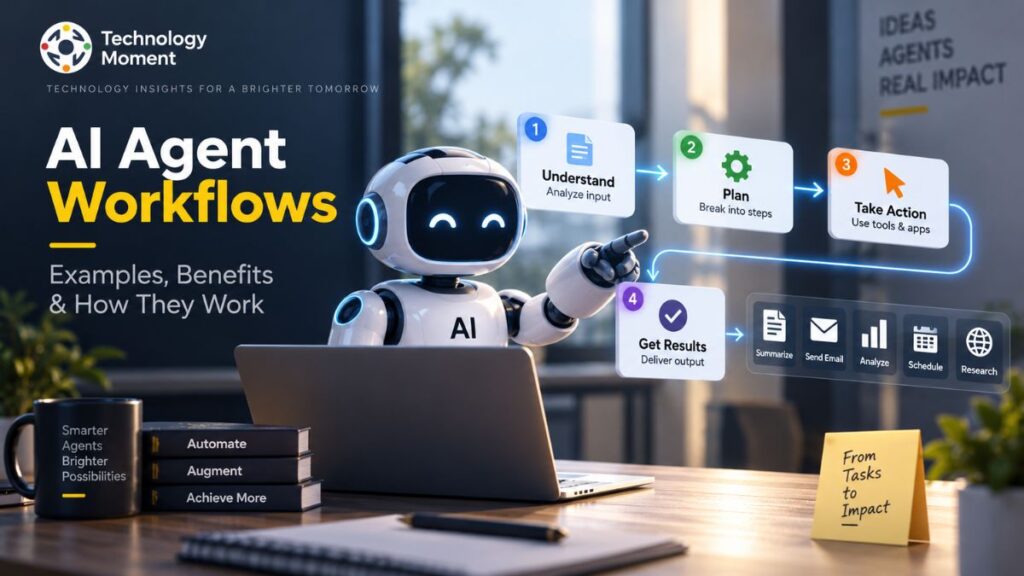
Incoming email → AI categorization → Summary → Action identification → Draft response → Human review
This can make email management more consistent and reduce manual steps.
4. Keep Human Review for Important Messages
Do not assume that an AI-generated response is automatically correct. Review important emails before sending them, especially when the message contains commitments, sensitive information, or information that could affect another person or business.
5. Protect Sensitive Information
Before using an AI email tool, understand its privacy and data-handling practices. Avoid unnecessarily exposing confidential information and use available privacy controls where appropriate.
6. Do Not Automate Everything
More automation does not always mean more productivity. Excessive rules can make an inbox difficult to understand or cause an important message to be categorized incorrectly. Start with a few useful workflows and expand them gradually.
7. Measure Actual Productivity Gains
The purpose of AI email productivity is to save time and reduce unnecessary effort. Pay attention to whether AI actually makes your workflow faster. If an automation requires constant correction, simplify it or remove it. Ultimately, effective email productivity comes from finding the right balance between AI assistance, automation, and human judgment. When AI handles repetitive work while you remain responsible for important decisions, email can become easier to manage without sacrificing accuracy or control.
Common Mistakes When Using AI for Email
AI email tools can make email management, writing, and automation more efficient, but using them without a clear process can create new problems. One common mistake is trusting an AI email assistant without reviewing its output. AI can misunderstand context, miss an important detail, or create wording that does not accurately represent what you intended to say. Always review important emails before sending them.
Another mistake is giving AI vague instructions. If you simply ask an AI tool to “write an email,” the result may sound generic or fail to include important information. Better prompts explain the purpose, recipient, key points, and preferred tone. This makes AI email writing more useful and reduces the amount of editing required.
Automating too many tasks is another potential problem. AI email automation can be helpful for repetitive activities such as categorization, reminders, or routine responses, but not every email should be automated. Sensitive business communication, financial matters, complaints, negotiations, and important decisions often require human judgment.
Privacy is equally important. Before connecting an AI productivity tool to your inbox, understand what information it can access and how that information is handled. Avoid unnecessarily sharing confidential information, passwords, financial details, or sensitive personal data. Another common mistake is relying entirely on AI-generated email summaries. Summarization can save time, but an abbreviated version may leave out context that matters. For important conversations, check the original message before making a decision.
Finally, do not measure email productivity by the number of automated tasks alone. The purpose of AI is to improve email efficiency and reduce unnecessary effort. If an automation creates frequent errors or requires constant correction, simplify the workflow rather than adding more automation.
Can AI Really Save Time on Email?
AI can save time on email when it is applied to repetitive and time-consuming parts of inbox management. The amount of time saved depends on factors such as email volume, the complexity of your communication, the AI productivity tools you use, and how much automation you introduce. One of the simplest time-saving applications is email summarization. Instead of reading a long conversation immediately, you can ask an AI email assistant to identify the main points, decisions, questions, and action items. This can make it easier to determine whether a message requires immediate attention.
AI can also speed up email writing. Rather than starting every message from a blank screen, you can provide a few instructions and use AI to create an initial draft. You can then adjust the wording, add personal context, and check the information before sending it. This is particularly useful for repetitive professional emails. Inbox organization can also become more efficient. AI-assisted email management can help categorize messages, identify potentially important emails, and support email triage. Instead of manually sorting every message, you can use AI to perform an initial layer of organization.
Email automation can provide additional benefits for repetitive workflows. Follow-up reminders, routine responses, message categorization, and other predictable actions can potentially be connected into automated workflows. However, AI does not automatically make every email task faster. If you spend more time correcting inaccurate drafts or managing complicated automation rules, the productivity benefit can disappear. The most effective approach is to automate predictable tasks while keeping human oversight for important communication.
In practice, AI works best as a productivity assistant. It can reduce repetitive work, help you process information faster, and make routine email tasks easier while you remain responsible for accuracy, context, and final decisions.
Frequently Asked Questions About AI Email Productivity
How can AI improve email productivity?
AI can improve email productivity by helping with email summarization, drafting, organization, prioritization, and automation. An AI email assistant can reduce repetitive work by identifying important information, creating draft responses, categorizing messages, and suggesting follow-ups. The goal is to spend less time processing routine email tasks while retaining human control over important communication.
How do I use AI to manage my emails?
You can use AI to manage emails by summarizing long conversations, categorizing messages, prioritizing potentially important emails, and identifying messages that may require action. Start with a simple workflow, review the AI’s recommendations, and gradually introduce automation. This approach can make inbox management more organized without completely removing human oversight.
How can AI organize my inbox?
AI can help organize an inbox by identifying patterns in incoming messages and grouping them according to categories such as work, newsletters, notifications, or projects. Depending on the email tool, AI may also help identify low-priority messages and surface emails that require attention. Always check automated categorization for important accounts.
How can AI summarize emails?
AI can summarize emails by analyzing the message or conversation and extracting the main information. A useful email summary can include key points, decisions, questions, deadlines, and requested actions. For long or complex conversations, summaries can reduce reading time, but important decisions should still be checked against the original email.
How can AI prioritize emails?
AI can assist with email prioritization by analyzing factors such as message content, urgency, context, and potentially the sender or subject. It can help surface emails that appear to require attention while leaving lower-priority messages for later. Because urgency depends on personal context, AI recommendations should be reviewed rather than followed automatically.
Can AI write emails for me?
Yes. AI can create email drafts from instructions, notes, or existing context. It can also rewrite messages for clarity, grammar, length, or tone. However, an AI-generated email should be reviewed before sending. Check facts, names, dates, commitments, and wording to ensure the final message accurately represents what you want to communicate.
Can AI reply to emails?
AI can help draft replies to emails by analyzing the message and generating a response based on your instructions. Some email platforms also provide integrated AI reply features. For routine communication, this can save time, but important or sensitive messages should be reviewed carefully before you send an AI-generated response.
Can AI automate email tasks?
Yes. AI can support email automation for tasks such as categorization, summaries, routine responses, follow-up reminders, and workflow triggers. The exact capabilities depend on the email service and connected productivity tools. It is generally safer to automate predictable, low-risk tasks while keeping human approval for sensitive or high-impact communication.
What is the best AI tool for email productivity?
There is no single AI email tool that fits every workflow. The appropriate choice depends on your email provider, required features, integrations, privacy expectations, and budget. Some tools focus on AI writing and summaries, while others emphasize inbox management or workflow automation. Compare capabilities against your actual email requirements.
How do I automate my email workflow with AI?
Start by identifying one repetitive email task, such as categorization or follow-up reminders. Define a trigger, let AI perform the required action, and add a human review step where appropriate. Once the workflow works reliably, you can connect additional actions or applications. Avoid automating complex processes before testing simpler workflows.
How can I reduce email overload with AI?
You can reduce email overload by using AI for summarization, prioritization, categorization, and routine email tasks. Instead of processing every message manually, let AI provide an initial layer of organization. Combine this with sensible filters, fewer unnecessary subscriptions, and regular inbox cleanup. AI works best as part of a broader email-management system.
How can AI save time on email?
AI can save time by reducing repetitive activities such as reading long conversations, drafting routine responses, organizing messages, and tracking follow-ups. The actual time saved varies by workload and workflow. The biggest benefit generally comes from using AI for tasks that are frequent, predictable, and easy to review rather than automating every communication.
Is AI useful for email management?
AI can be useful for email management when you receive enough messages for summarization, prioritization, drafting, or organization to become time-consuming. It can provide an initial layer of assistance and reduce repetitive work. However, AI should complement rather than completely replace human judgment, especially for sensitive or high-priority communication.
How do AI email assistants work?
AI email assistants use artificial intelligence to interpret email content and provide functions such as drafting, summarization, categorization, search, or suggested responses. Depending on the service, the assistant may work directly inside an email platform or through a separate application. Available features, integrations, and data controls vary between providers.