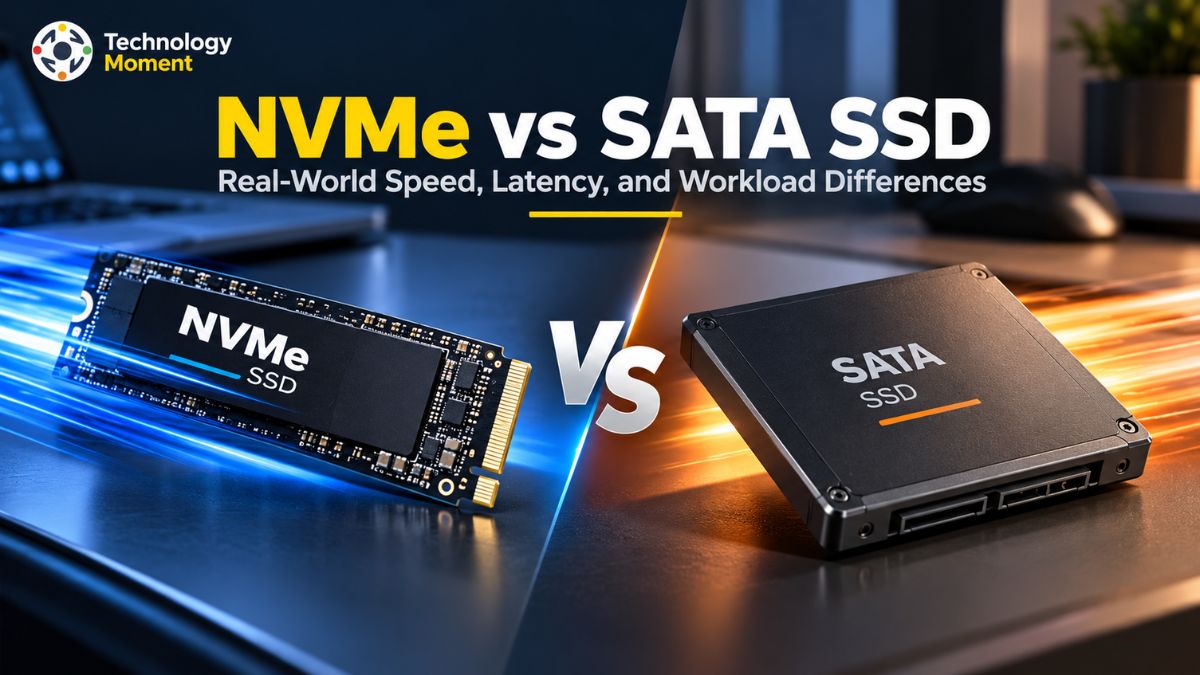
Choosing an SSD is no longer just about getting more storage. It is about understanding how quickly your computer can access data, transfer files, and handle the applications you use every day. When comparing NVMe vs. SATA SSDs, the advertised speed difference can look enormous, but does that translate into a noticeably faster experience? The answer depends on your workload, hardware, and expectations.
SATA SSDs remain a practical choice for everyday computing, older laptops, and affordable storage upgrades. NVMe SSDs use the PCIe interface and a protocol designed for modern flash storage, enabling substantially higher bandwidth and lower-latency data access. These advantages can matter when transferring large files, editing high-resolution videos, working with demanding applications, or handling multiple storage requests simultaneously. However, routine tasks such as browsing the web, writing documents, and opening lightweight applications may not feel dramatically different on an already responsive SATA SSD.
At Technology Moment, we believe technology comparisons should go beyond specifications and marketing claims. Our goal is to help readers understand what performance figures actually mean, where the differences become noticeable, and which option makes sense for their needs and budget.
In this guide, we will compare NVMe and SATA SSDs across sequential read and write speeds, random performance, storage latency, gaming, file transfers, and demanding workloads. We will also explore compatibility considerations and whether upgrading to NVMe offers meaningful value for your system. By the end, you will have a clearer understanding of the real-world trade-offs between these storage technologies and be better equipped to make an informed upgrade decision—without paying for performance you may never use.
NVMe vs SATA SSD: Key Differences at a Glance
Understanding the difference between NVMe and SATA SSDs starts with their interface and communication protocol. Both use NAND flash memory to store data, but they transfer information between the drive and computer differently. SATA SSDs use the Serial ATA interface and typically communicate through the AHCI protocol, while NVMe SSDs use the PCIe interface and the NVMe protocol, which is designed for flash storage. These architectural differences influence SSD speed, storage latency, bandwidth, and performance under demanding workloads.
| Feature | SATA SSD | NVMe SSD |
|---|---|---|
| Interface | SATA III | PCIe |
| Protocol | Typically AHCI | NVMe |
| Maximum interface speed | 6 Gb/s | Depends on PCIe generation and lane count |
| Typical sequential read speed | 500–560 MB/s | Around 3,000–14,000+ MB/s |
| Random I/O performance | Generally lower | Generally higher |
| Command queues | One AHCI command queue | Multiple parallel queues |
| Common form factors | 2.5-inch, M.2 SATA | M.2, add-in PCIe cards, others |
| Typical applications | Everyday computing, budget upgrades | Gaming, content creation, demanding workloads |
The table highlights the main differences, but individual drive specifications matter. An entry-level NVMe SSD may perform differently from a high-end model, and not every workload benefits equally from additional bandwidth. Another important distinction is the form factor. M.2 describes a physical drive format, not its transfer protocol. An M.2 SATA SSD and an M.2 NVMe SSD may look similar but require different interface support. Before purchasing an upgrade, check your motherboard or laptop specifications.
For everyday users, both technologies can deliver responsive performance compared with a traditional hard drive. However, NVMe offers greater performance potential for workloads that need fast data transfers, frequent storage requests, or substantial parallel I/O. The best choice depends on compatibility, workload, and budget.
NVMe vs SATA SSD Speed: Sequential Read and Write Performance
Sequential performance measures how quickly an SSD reads or writes data arranged in relatively continuous blocks. It is commonly expressed in megabytes per second (MB/s) and is particularly useful for evaluating large file transfers, video editing, and other bandwidth-intensive workloads. This is where the NVMe vs SATA speed difference becomes most obvious.
| SSD type | Typical sequential read speed | Typical sequential write speed |
|---|---|---|
| SATA III SSD | 500–560 MB/s | 450–530 MB/s |
| PCIe 3.0 NVMe SSD | 2,500–3,500 MB/s | 2,000–3,300 MB/s |
| PCIe 4.0 NVMe SSD | 5,000–7,500 MB/s | 4,000–7,000 MB/s |
| PCIe 5.0 NVMe SSD | 10,000–14,000+ MB/s | 8,000–13,000+ MB/s |
These are representative ranges, not guaranteed results. Actual speeds depend on the specific SSD, capacity, controller, NAND flash, firmware, PCIe configuration, and available write cache. Advertised maximum speeds should not be confused with sustained performance. SATA III has a theoretical interface bandwidth of 6 Gb/s, which limits practical SSD throughput to roughly 550 MB/s. NVMe SSDs use PCIe lanes, allowing much greater bandwidth. Each PCIe generation offers a different performance ceiling, so a PCIe 3.0 drive should not be expected to match a high-end PCIe 5.0 model.
The difference becomes noticeable when copying large video files, transferring substantial datasets, or moving projects between sufficiently fast storage devices. However, the destination drive, USB connection, network speed, and source device can become bottlenecks. Random performance and latency also influence responsiveness. Therefore, a complete SSD speed comparison should evaluate more than headline MB/s figures.
NVMe vs SATA SSD Random Performance and IOPS
Sequential speed explains performance when transferring large, continuous blocks of data, but computers also access many small files scattered across storage. This is where random read and write performance becomes important. Metrics such as 4K random read speed, random write performance, and input/output operations per second (IOPS) help describe how efficiently an SSD handles these requests.
| Performance metric | SATA SSD | NVMe SSD |
|---|---|---|
| Typical random read IOPS | Tens of thousands to around 100,000 | Hundreds of thousands to over one million on suitable models |
| Typical random write IOPS | Tens of thousands to around 100,000 | Hundreds of thousands to over one million on suitable models |
| Command handling | AHCI queue structure | Multiple parallel queues |
| Low-queue-depth performance | Often sufficient for routine tasks | Can offer lower latency, depending on the drive |
| High-concurrency workloads | More limited by interface and protocol | Often better suited to parallel requests |
| Potential use cases | Office applications and general computing | Virtual machines, databases, development, and heavy multitasking |
IOPS measures how many input/output operations a drive completes per second. Results depend heavily on block size, read/write ratio, queue depth, test duration, and drive capacity. High IOPS figures published by manufacturers often come from specific benchmark conditions and should not be treated as everyday performance guarantees.
For example, an operating system may access configuration files, application libraries, and other small data blocks while launching a program. Random read performance can influence these operations, although CPU processing, memory, and software design also affect loading times. Under heavy workloads, a database or virtual machine may generate many simultaneous storage requests. NVMe’s parallel command queues can help manage such workloads more efficiently than the traditional AHCI queue structure used by SATA SSDs.
Nevertheless, higher random IOPS does not automatically mean every application will run proportionally faster. Many everyday tasks operate at low queue depths, where the differences between individual SSD models may be more important than their advertised maximum IOPS. A useful NVMe vs SATA SSD comparison should therefore consider workload-specific benchmarks alongside sequential throughput and latency.
NVMe vs SATA SSD Latency: Why Response Time Matters
Storage latency describes the time required to complete a storage request. While sequential throughput measures how much data an SSD can transfer, latency helps explain how quickly it responds to an individual request. Lower storage latency can improve responsiveness, particularly when applications make frequent small reads or writes.
| Factor | SATA SSD | NVMe SSD |
|---|---|---|
| Communication protocol | Typically AHCI | NVMe |
| Interface | SATA III | PCIe |
| Command processing | Traditional AHCI queue architecture | Multiple parallel queues |
| Protocol overhead | Generally higher | Designed for lower overhead |
| High-concurrency I/O | More limited | Better suited to parallel requests |
| Potential real-world benefit | Responsive everyday computing | Improved performance in demanding storage workloads |
NVMe was designed specifically for non-volatile memory, whereas AHCI originated in an era when mechanical hard drives were common. NVMe’s streamlined command handling and multiple queues can reduce processing overhead and help the system manage many concurrent requests. However, the total latency experienced by an application also includes controller processing, NAND access, operating-system overhead, and other system activity.
This distinction matters when interpreting SSD latency comparisons. There is no single latency value that applies to every SATA or NVMe SSD. Results vary by drive model, workload, queue depth, temperature, and testing methodology. Protocol overhead measurements should not be confused with complete end-to-end storage response times.
In everyday computing, lower latency may contribute to faster application responses, but the improvement is not always dramatic. Opening a lightweight document, for example, may depend more on CPU processing or application initialization than on storage speed alone. For databases, virtual machines, and workloads that issue numerous small requests, lower latency and efficient parallel I/O can become more valuable. When evaluating NVMe vs SATA SSD latency, consider average response time, performance under load, and tail latency, such as the 99th-percentile response time. These measures provide a more useful picture than a single headline specification.
Ultimately, latency, random IOPS, and sequential throughput describe different aspects of storage performance. Evaluating all three helps determine whether an NVMe upgrade will make a meaningful difference for your particular workload.
NVMe vs. SATA SSD: Practical Performance Comparison
Actual SSD performance is influenced by several factors beyond the advertised sequential read and write speeds. A useful NVMe vs SATA SSD comparison should examine how drives behave during application launches, file transfers, gaming, video editing, and multitasking. SATA SSDs can already provide a responsive experience for everyday computing, while NVMe SSDs offer greater bandwidth for workloads that move large amounts of data. The actual difference depends on the specific drive, system configuration, and software being tested.
| Workload | SATA SSD | NVMe SSD | Expected difference |
|---|---|---|---|
| Large file transfers | Limited by SATA bandwidth | Higher potential throughput | Often substantial |
| Windows boot time | Generally responsive | May boot faster | Often modest |
| Application loading | Fast for common tasks | Potentially faster | Depends on application |
| Gaming load times | Usually good | Can reduce loading times | Game-dependent |
| Video editing | Suitable for many projects | Better for demanding media workflows | Workload-dependent |
| Database operations | Suitable for lighter workloads | Better suited to intensive parallel I/O | Potentially substantial |
| Everyday multitasking | Generally sufficient | Additional performance headroom | May be subtle |
For sequential workloads, the interface makes a clear difference. SATA III SSDs typically deliver around 500–560 MB/s under suitable conditions, whereas NVMe SSDs can reach several thousand megabytes per second. However, a file transfer will not automatically reach the drive’s maximum advertised speed. The source drive, destination drive, file sizes, cache behavior, and available system bandwidth can all limit throughput.
Random performance also matters. Launching software and loading operating-system components often involve many smaller requests rather than one continuous transfer. NVMe can provide advantages through its protocol and parallel command handling, but CPU performance, RAM, and software optimization also influence the final result.
Gaming deserves separate consideration because faster storage does not necessarily increase average FPS. It may improve loading or asset-streaming performance in suitable titles, but results vary. Similarly, video editors working with large media files may benefit more than users primarily editing documents. For an accurate comparison, test both drives under identical conditions using documented hardware and repeatable workloads. Without controlled measurements, describe these differences as expected performance characteristics rather than claiming that a specific percentage improvement applies to every user.
At What Point Does NVMe Outperform SATA SSDs Significantly?
NVMe becomes most useful when a computer performs tasks that can take advantage of higher storage bandwidth, lower latency, or more efficient parallel input/output operations. The difference between NVMe and SATA SSD is usually easiest to observe during large file transfers, demanding content-creation workflows, and workloads that generate many simultaneous storage requests. For everyday activities, however, both technologies can deliver a similarly responsive experience.
| Activity | Potential benefit from NVMe | Why it matters |
|---|---|---|
| Web browsing and office work | Usually small | Many tasks depend more on CPU and memory |
| Windows startup | Variable | Startup processes and system configuration affect results |
| Large file copying | Often significant | NVMe provides much greater sequential throughput |
| Modern gaming | Game-dependent | Loading and asset streaming may benefit |
| Video editing | Moderate to substantial | Large media files can require sustained bandwidth |
| Software development | Workload-dependent | Builds, package operations, and file access can benefit |
| Virtual machines and databases | Potentially substantial | Concurrent random I/O can benefit from NVMe |
| Everyday multitasking | Variable | Benefits depend on storage activity and workload intensity |
Consider a user who mainly browses websites, attends online meetings, and works with documents. A good SATA SSD may already handle these activities quickly enough that switching to NVMe produces only a modest improvement. In contrast, a video editor who regularly transfers large project files may benefit from NVMe’s higher sequential read and write speeds. Gaming performance also requires careful interpretation. An NVMe SSD may shorten loading times in some games, but it does not automatically improve frame rates. CPU, GPU, RAM, game-engine design, and asset-streaming requirements remain important factors.
Another consideration is the rest of the system. If the CPU is overloaded, RAM is insufficient, or the network limits a download, a faster SSD may not solve the underlying bottleneck. The same applies when copying files from a slow external drive. Therefore, the practical question is not simply whether NVMe is faster than a SATA SSD. It is whether your applications regularly encounter storage-related limitations. If they do, NVMe may be a worthwhile upgrade. If not, investing in additional RAM, a larger SSD, or another component may provide better value.
NVMe vs SATA SSD: Compatibility, Power, and Cost
Before choosing between NVMe and SATA SSDs, check compatibility, power consumption, cooling requirements, and total cost. Even the fastest NVMe SSD will not be useful if your computer lacks a compatible interface. Similarly, a drive’s advertised performance may not be sustainable if thermal throttling occurs during prolonged workloads.
| Factor | SATA SSD | NVMe SSD |
|---|---|---|
| Interface | SATA III | PCIe |
| Common form factors | 2.5-inch, M.2 SATA | M.2, PCIe add-in card, other formats |
| Compatibility | SATA ports or supported SATA M.2 slots | NVMe-compatible PCIe connection |
| Maximum interface bandwidth | 6 Gb/s for SATA III | Depends on PCIe generation and lane count |
| Power consumption | Depends on model and workload | Depends on model and workload |
| Heat generation | Usually manageable in typical consumer workloads | High-performance models may need better cooling |
| Price | Varies by capacity and availability | Varies by capacity, generation, and performance |
| Best use | Older computers, general storage, affordable upgrades | Compatible systems and performance-intensive tasks |
Power consumption also varies considerably between individual SSD models. A high-performance NVMe SSD can draw more power during intensive transfers and may generate enough heat to reduce sustained performance if cooling is inadequate. However, idle power consumption and power-management behavior can differ, so NVMe should not automatically be considered less efficient in every situation.
Cost is another important consideration. Compare drives with similar capacities, warranties, endurance ratings, and performance characteristics rather than choosing solely by interface. SATA SSDs remain useful for extending the life of older computers, while NVMe SSDs can offer better performance headroom in compatible modern systems.
Before upgrading, verify the supported PCIe generation, drive dimensions, available slots, and any shared storage lanes or disabled ports. Also consider whether your existing SSD is actually limiting performance. Ultimately, choose NVMe when its additional performance supports your workload and your system can use it. Choose SATA when compatibility, capacity, or budget makes it the more practical option. The best SSD is the one that meets your storage needs without paying unnecessarily for performance you cannot use.
Is NVMe SSD Worth It Over SATA SSD?
Whether an NVMe SSD is worth it over a SATA SSD depends on your computer, workload, and budget. NVMe offers much higher potential bandwidth and can deliver lower storage latency, making it attractive for large file transfers, video editing, software development, and demanding multitasking.
| User scenario | Recommended option | Main reason |
|---|---|---|
| New PC with NVMe support | NVMe SSD | Higher performance potential |
| Older SATA-only laptop | SATA SSD | Compatible upgrade |
| Large video and media projects | NVMe SSD | Higher sequential throughput |
| Everyday office work | Either, depending on price | Both can feel responsive |
| Virtual machines and heavy I/O | NVMe SSD | Better parallel I/O capabilities |
| Budget secondary storage | Best-value compatible SSD | Capacity and cost may matter more |
For a new computer that supports NVMe, choosing an NVMe SSD is often sensible when capacity and pricing are comparable. Nevertheless, the most expensive drive is not necessarily the best purchase. Entry-level and high-end NVMe models differ in sustained write speed, controller performance, endurance, and thermal behavior.
If you already own a good SATA SSD, consider whether storage is actually causing a problem before upgrading. Adding RAM, freeing disk space, or addressing a CPU bottleneck may produce a more noticeable improvement in some situations. Moving from a mechanical hard drive to either type of SSD can also make a more dramatic difference than upgrading from SATA to NVMe.
Compatibility should come first. Check your motherboard or laptop specifications to confirm NVMe support, supported PCIe generation, drive dimensions, and available slots. Remember that M.2 describes a form factor and does not guarantee NVMe compatibility. The practical verdict: choose NVMe for a compatible system when you need its additional performance or the price difference is small. Choose SATA when your hardware requires it or when a compatible SATA drive offers the capacity and value you need. Make the decision based on real workloads rather than advertised speed alone.
How to Benchmark NVMe vs SATA SSD Properly
A reliable NVMe vs SATA SSD benchmark should measure both synthetic performance and real-world workloads. Synthetic tools help evaluate sequential read and write speeds, random read performance, random write performance, and input/output operations per second (IOPS). Real-world tests reveal whether those differences affect application loading, file transfers, or other everyday tasks. For a meaningful comparison, both drives should be tested under consistent conditions rather than comparing unrelated results from different computers.
| Benchmark metric | What it measures | Suitable test |
|---|---|---|
| Sequential read speed | Continuous data reading | Large-file read test |
| Sequential write speed | Continuous data writing | Large-file write test |
| Random 4K performance | Small, scattered data requests | Random read/write benchmark |
| IOPS | Completed operations per second | Random I/O testing |
| Latency | Time taken to complete requests | Response-time measurements |
| Sustained write speed | Performance during extended writing | Long-duration write test |
| Real-world transfer speed | Practical file-copy performance | Copying a fixed set of files |
CrystalDiskMark is a useful tool for comparing sequential and random SSD performance. However, benchmark results depend on test size, queue depth, drive capacity, free space, temperature, and cache behavior. Record these details so readers can understand the conditions behind each result. For real-world testing, use the same computer, operating system, software versions, and file sets wherever possible. Test large files and folders containing many smaller files, and repeat each test to reduce the influence of background activity. When measuring application loading or Windows boot time, keep startup programs and other system conditions consistent.
It is also important to distinguish manufacturer-rated speeds from independently measured results. A drive advertised at several thousand MB/s will not necessarily sustain that rate throughout a long write operation. Some SSDs slow down after their fast write cache is exhausted, while thermal throttling can reduce performance during intensive use.
Finally, report the drive models, capacities, PCIe generation, benchmark settings, and average results. Avoid presenting one test as proof that every NVMe SSD outperforms every SATA SSD in every workload. A transparent methodology makes your comparison more useful, credible, and repeatable for Technology Moment readers.
Frequently Asked Questions About NVMe vs SATA SSD
Is NVMe faster than SATA SSD?
Yes. NVMe SSDs generally offer substantially higher sequential read and write speeds than SATA III SSDs because they use PCIe bandwidth instead of the SATA interface. However, actual performance depends on the drive model, PCIe generation, and workload. Everyday tasks may show smaller improvements than large file transfers or demanding applications. Both SSD types can provide a responsive experience compared with traditional mechanical hard drives.
How much faster is NVMe than SATA SSD?
A typical SATA III SSD reaches approximately 500–560 MB/s for sequential reads, while PCIe 3.0, 4.0, and 5.0 NVMe drives can reach several thousand MB/s or more. These figures represent sequential performance, not guaranteed application speed. Random I/O, latency, and system limitations also influence real-world results.
Is NVMe noticeably faster in real-world use?
NVMe can be noticeably faster when transferring large files, editing high-resolution video, running virtual machines, or handling demanding storage workloads. For web browsing, documents, and lightweight applications, the difference from a good SATA SSD may be modest. CPU performance, RAM, software optimization, and storage activity all affect the outcome. The most useful comparison focuses on tasks you regularly perform rather than advertised speeds alone.
Does NVMe improve gaming performance?
NVMe can reduce game loading times and help with asset streaming in certain titles, but improvements vary by game and system configuration. It does not automatically increase average FPS because frame rates depend primarily on the CPU, GPU, and game settings. A SATA SSD can still provide good gaming performance. Consider NVMe when supported games, faster installations, and large game-file transfers make the additional storage bandwidth useful.
Is NVMe worth it over SATA SSD?
Its higher bandwidth benefits demanding workloads, while SATA remains useful for older computers and affordable secondary storage. Before purchasing, verify interface support, drive dimensions, and available slots. If your existing SATA SSD already meets your needs, upgrading may offer less value than improving another system component.
Is M.2 always faster than SATA SSD?
M.2 drives can use either SATA or PCIe/NVMe, depending on their design and system compatibility. An M.2 SATA SSD remains subject to SATA bandwidth limitations. Before buying, check the motherboard or laptop specifications to confirm the supported protocol, connector, drive length, and PCIe generation.