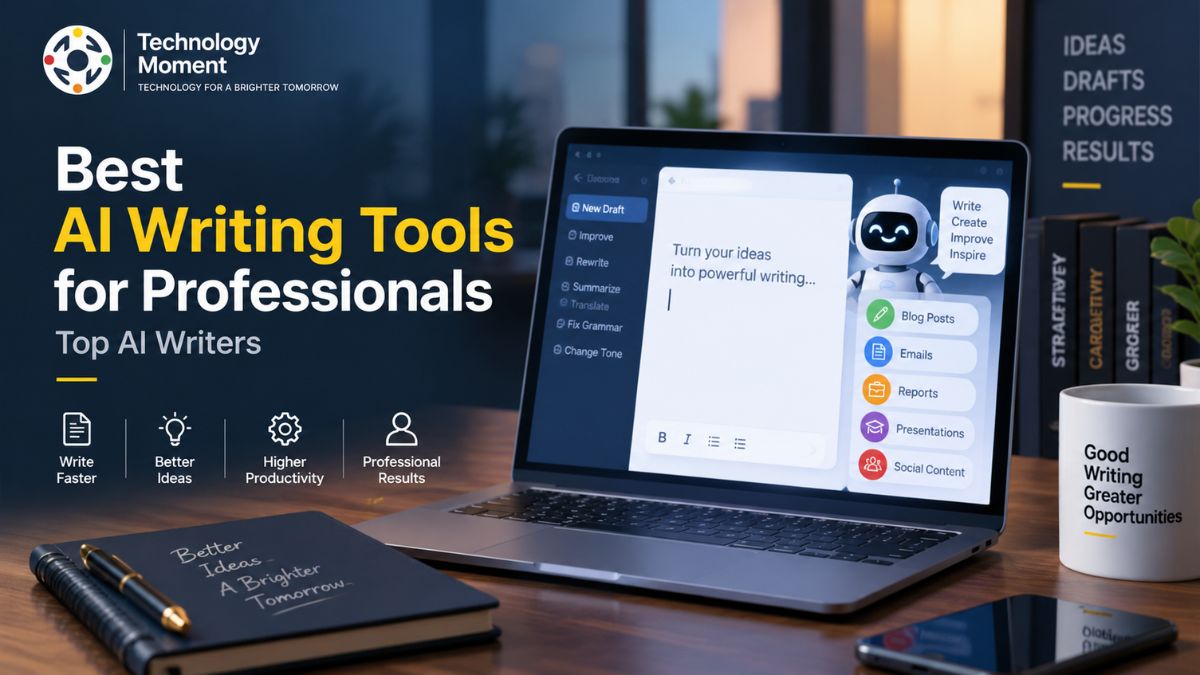
AI is changing the way professionals write, communicate, research, and get work done. From drafting emails and reports to refining ideas, improving clarity, and creating long-form content, today’s best AI writing tools for professionals can help turn time-consuming writing tasks into more efficient workflows. But with new AI writers, writing assistants, and content platforms appearing constantly, choosing the right tool can quickly become confusing.
The best AI writing software is not necessarily the one with the most features. Professionals need tools that deliver useful writing assistance while also offering strong editing capabilities, reliable output, practical integrations, and good value for their specific needs. A marketer may need help creating campaign copy, while an executive may care more about business communication, and a writer may prioritize long-form content and editing.
That is where Technology Moment comes in. We help readers make sense of rapidly changing technology by turning complex tools and trends into clear, practical information. In this guide, we’ve evaluated some of the leading AI writing tools for professionals and organized them around real-world use cases, features, strengths, limitations, and overall value.
Whether you are looking for an AI writing assistant for everyday work, a professional writing tool for business communication, or software that can support content creation and productivity, this guide will help you identify the options worth considering—and choose the one that best fits the way you work.
What Are AI Writing Tools?
AI writing tools are software applications that use artificial intelligence to help people create, improve, organize, and refine written content. Unlike traditional writing tools that mainly focus on spelling, grammar, or basic formatting, modern AI writing software can understand context, recognize patterns in language, and generate or transform text based on a user’s instructions. These capabilities make AI writing tools useful for professionals who regularly create emails, reports, documents, articles, marketing copy, proposals, presentations, and other forms of business communication.
At their core, AI writing tools are designed to reduce the amount of repetitive work involved in writing. An AI writing assistant can help turn a rough idea into an outline, expand notes into a draft, rewrite an unclear sentence, adjust the tone of an email, summarize a lengthy document, or suggest alternative ways to communicate an idea. Some platforms are designed as general-purpose AI writers, while others focus on specific areas such as proofreading, marketing content, SEO writing, paraphrasing, or enterprise communication.
Generative AI has significantly expanded what these tools can do. Instead of simply identifying mistakes, generative AI writing systems can produce new text based on instructions and available context. Natural language generation allows users to describe what they want in ordinary language and receive a structured response. For professionals, this can make writing workflows considerably more flexible because the same tool may support brainstorming, drafting, editing, summarization, and content refinement within a single workflow.
AI writing tools can also support editing and proofreading. Features such as grammar checking, spelling correction, sentence improvement, rewriting, paraphrasing, and tone adjustment can help users make their writing clearer and more consistent. However, these capabilities should be viewed as assistance rather than a replacement for professional judgment. AI-generated text can contain inaccurate information, misunderstand context, or produce language that sounds generic, so important business, technical, legal, financial, or factual content should always receive appropriate human review.
What Should Professionals Look for in an AI Writing Tool?
The best AI writing tool for professionals depends on what the user actually needs to accomplish. A freelancer writing client proposals may need different capabilities from an executive preparing reports, a marketer producing campaign content, or a technical professional documenting a product. For this reason, evaluating AI writing software solely by the number of features it offers can be misleading. A better approach is to consider writing quality, reliability, workflow fit, usability, integrations, privacy, collaboration, and overall value.
Writing quality should be one of the first considerations. A professional AI writing assistant should produce content that is clear, coherent, readable, and appropriate for its intended audience. Good tools should help users improve their writing rather than simply generate large amounts of text. The ability to maintain context, follow instructions, adapt to different tones, and produce concise or detailed responses when required is particularly important for workplace writing.
Editing and proofreading capabilities are equally valuable. Professionals often spend significant time correcting grammar, restructuring sentences, improving clarity, and adjusting tone. An AI editor can accelerate these tasks by identifying potential problems and suggesting alternatives. Strong rewriting and paraphrasing capabilities are also useful when a user needs to make existing content more concise, professional, conversational, or accessible without changing its intended meaning.
Professional communication is another major consideration. The best AI writing tools for work should be useful for everyday tasks such as email writing, report writing, document preparation, proposals, meeting summaries, and internal communication. A tool that can adapt its writing style to different situations can provide more practical value than one focused only on generating generic articles.
Productivity features also matter. AI can support brainstorming, idea generation, content outlining, summarization, research assistance, and repetitive writing workflows. For professionals who handle large volumes of information, these capabilities can reduce the time spent moving between different stages of a writing project. However, productivity should not come at the expense of accuracy. Users should understand when AI-generated information needs independent verification.
Integrations and collaboration become increasingly important for teams. Professionals may already work across email platforms, office suites, project management systems, knowledge bases, content management systems, or communication applications. AI writing software that fits naturally into an existing workflow can be more useful than a technically powerful tool that requires constant switching between applications. For larger organizations, collaboration controls, administrative features, security, privacy, and enterprise support can also influence the decision.
Price is another practical factor. Free AI writing tools can be useful for occasional tasks, while paid plans may provide higher usage limits, advanced features, integrations, or collaboration capabilities. Professionals should compare pricing against the amount of work the tool can realistically save or improve rather than choosing a product simply because it has the lowest subscription cost.
Best AI Writing Tools for Professionals
The market for AI writing tools has become increasingly diverse, with platforms serving different professional needs. ChatGPT is a strong general-purpose option for professionals who want assistance with brainstorming, drafting, rewriting, summarization, research-oriented tasks, and a wide range of business writing workflows. Its flexibility makes it particularly useful when a user needs one tool for several different writing tasks rather than a narrowly focused application.
Claude is another important option for professional writing, particularly for users who work with longer documents and detailed instructions. It can be useful for drafting, editing, summarizing, organizing information, and developing long-form content. Its usefulness can be especially apparent when a writing task requires maintaining context across a substantial amount of material.
Google Gemini can be a practical choice for professionals who already rely heavily on Google’s ecosystem. Its value can extend beyond text generation when writing tasks are connected to broader productivity workflows. Professionals should evaluate its current integrations and capabilities based on the specific Google services they use.
Microsoft Copilot is particularly relevant to professionals working extensively within Microsoft’s productivity ecosystem. Its potential value comes from bringing AI assistance closer to familiar workplace applications and workflows. For organizations already invested in Microsoft products, integration and administrative considerations can be just as important as writing quality.
Grammarly is best known for editing and proofreading rather than functioning solely as a general-purpose AI writer. Its strengths include helping users improve grammar, clarity, tone, and overall communication quality. This makes it particularly relevant to professionals who already have their own ideas and drafts but want assistance making their writing more polished.
Jasper and Copy.ai are particularly relevant to marketing and business content workflows. They can help professionals develop marketing copy, campaign ideas, website content, and other forms of commercial communication. Writesonic is another option worth considering for content creation and workflows that involve SEO-oriented writing.
QuillBot focuses strongly on paraphrasing, rewriting, and language refinement, making it useful when professionals want to transform existing text while maintaining its general meaning. Notion AI can be valuable for users who manage writing, notes, documentation, and knowledge within Notion. Writer is positioned more toward organizational and enterprise use cases, where team governance and controlled business communication can become important considerations.
Other tools, including Wordtune, Rytr, Anyword, and Sudowrite, serve more specialized audiences and workflows. The right choice therefore depends less on which product is universally considered the best and more on whether its capabilities match the user’s professional requirements. Before choosing any platform, users should also verify current pricing, features, integrations, privacy policies, and availability because AI products change rapidly.
| AI Writing Tool | Best For | Writing | Editing & Proofreading | Long-Form | Business Writing | Marketing | Team / Enterprise |
|---|---|---|---|---|---|---|---|
| ChatGPT | Overall professional writing | ✓ | ✓ | ✓ | ✓ | ✓ | ✓ |
| Claude | Long-form & document writing | ✓ | ✓ | ✓ | ✓ | ✓ | ✓ |
| Google Gemini | Google Workspace users | ✓ | ✓ | ✓ | ✓ | ✓ | ✓ |
| Microsoft Copilot | Microsoft 365 users | ✓ | ✓ | ✓ | ✓ | ✓ | ✓ |
| Grammarly | Editing & proofreading | ✓ | ✓ | — | ✓ | ✓ | ✓ |
| Jasper | Marketing content | ✓ | ✓ | ✓ | ✓ | ✓ | ✓ |
| Copy.ai | Business & marketing workflows | ✓ | ✓ | ✓ | ✓ | ✓ | ✓ |
| Writesonic | SEO & content creation | ✓ | ✓ | ✓ | ✓ | ✓ | ✓ |
| QuillBot | Paraphrasing & rewriting | ✓ | ✓ | — | ✓ | — | ✓ |
| Notion AI | Notes & workplace writing | ✓ | ✓ | ✓ | ✓ | ✓ | ✓ |
| Writer | Enterprise writing | ✓ | ✓ | ✓ | ✓ | ✓ | ✓ |
| Wordtune | Rewriting & sentence improvement | ✓ | ✓ | — | ✓ | — | ✓ |
| Rytr | Affordable AI writing | ✓ | ✓ | ✓ | ✓ | ✓ | ✓ |
| Anyword | Marketing copy | ✓ | ✓ | ✓ | ✓ | ✓ | ✓ |
| Sudowrite | Creative writing | ✓ | ✓ | ✓ | — | — | — |
Best AI Writing Tools by Professional Use Case
Different professionals need AI writing tools for different reasons, so a use-case approach can often produce a better recommendation than a single overall ranking. For business professionals, general-purpose platforms such as ChatGPT, Claude, Gemini, and Copilot can support emails, reports, planning documents, summaries, brainstorming, and everyday workplace communication. The best option will depend heavily on the user’s existing software ecosystem and the type of work they perform.
For professional email writing, an AI writing assistant can help users create first drafts, shorten lengthy messages, adjust tone, improve clarity, and make communication more professional. This can be especially useful for people who send a large number of messages every day. However, users should review AI-generated emails carefully when they contain sensitive information, commitments, instructions, or personal communication.
For reports and documents, tools capable of handling longer context can be particularly useful. Professionals can use AI to organize notes, create initial structures, summarize source material, improve readability, and identify areas that may require clarification. Human review remains essential when documents contain important factual or business information.
Content creators and marketers often have different priorities. They may need AI writing tools for blog posts, website copy, social media content, campaign ideas, product descriptions, email campaigns, and SEO content. Platforms such as Jasper, Copy.ai, Writesonic, and general-purpose AI assistants can support these workflows, although generated content should be edited to add original insight, accurate information, appropriate brand voice, and genuine value for readers.
Professional writers may place greater emphasis on long-form writing, editing, research assistance, outlining, and maintaining a consistent voice. Freelancers can benefit from tools that accelerate repetitive client work without removing the writer’s individual expertise. Entrepreneurs may prioritize speed and versatility because they often need to create business documents, marketing materials, product messaging, and customer communication themselves.
Executives and senior professionals generally need accuracy, clarity, brevity, and appropriate tone rather than large volumes of generated text. AI can help transform complex information into concise summaries, prepare drafts, organize ideas, and improve communication. For enterprise teams, additional factors such as collaboration, security, administrative controls, data handling, and integration with existing systems become increasingly important.
Ultimately, the best AI writing tool for professionals is the one that fits the user’s actual workflow. Instead of asking which AI writer is simply the most powerful, professionals should ask which tool helps them complete their most important writing tasks more effectively while maintaining accuracy, originality, privacy, and human oversight. That approach makes it easier to choose technology that delivers lasting productivity gains rather than simply adding another application to an already crowded digital workflow.
Best AI Writing Tools for Different Writing Tasks
The best AI writing tool depends largely on the task you want to complete. A professional who needs to write emails every day may need a different solution from a marketer creating campaign copy or a writer producing long-form articles. Instead of choosing an AI writer based only on popularity, it is more useful to match the tool’s capabilities with your specific writing workflow. Modern AI writing tools can support many stages of the process, including brainstorming, outlining, drafting, editing, rewriting, summarization, and content optimization.
For brainstorming and idea generation, general-purpose AI assistants such as ChatGPT, Claude, and Gemini can help professionals explore topics, develop angles, organize thoughts, and turn rough ideas into structured outlines. For long-form content, users may prefer tools that can handle substantial context and maintain consistency throughout a document. AI writing assistants can also help with rewriting and paraphrasing when an existing draft needs to become clearer, shorter, more professional, or better suited to a particular audience.
Editing and proofreading are another important use case. Tools such as Grammarly and QuillBot can assist with grammar checking, spelling correction, sentence improvement, readability, and tone adjustment. Marketing professionals may benefit from platforms such as Jasper, Copy.ai, or Writesonic for website copy, advertising content, SEO writing, and campaign development. For business communication, general-purpose AI tools and workplace-focused platforms can help create emails, reports, summaries, and professional documents.
The most effective approach is therefore task-based rather than tool-based. Before selecting software, identify the writing activities that consume the most time and then choose an AI writing tool that improves those specific workflows without compromising accuracy or human judgment.
AI Writing Tools or Traditional Tools: Which Is Better for Professionals?
AI writing tools and traditional writing tools solve different parts of the writing process. Traditional tools such as grammar checkers, spell checkers, text editors, and word processors have traditionally focused on helping users write and correct their own content. They can identify spelling mistakes, grammatical problems, formatting issues, and sometimes readability concerns, but the user generally remains responsible for generating the ideas and wording.
AI writing software expands this process by providing assistance with both creation and refinement. Instead of only highlighting a grammatical error, an AI-powered writing assistant can suggest a complete rewrite, change the tone of a message, summarize information, generate an outline, or create an initial draft from a short instruction. Generative AI can also help professionals move between different stages of a writing workflow without starting from scratch each time.
However, this does not mean AI writing tools are automatically better than traditional tools. AI-generated content can contain factual errors, misunderstand context, introduce unnecessary claims, or produce language that sounds repetitive or generic. Traditional writing tools remain valuable because they provide focused editing and writing support without attempting to generate the entire message.
For many professionals, the strongest approach is to combine both. An AI writing assistant can help with brainstorming, drafting, rewriting, and summarization, while traditional editing and proofreading tools can provide an additional layer of language quality control. Most importantly, human expertise should remain central to the process. Professionals understand their audience, industry, objectives, and organizational context better than an automated system. AI should therefore function as a productivity layer that supports human writing rather than replacing professional judgment.
How to Choose the Best AI Writing Tool for Your Needs
Choosing the best AI writing tool starts with understanding what you actually need from it. There is no single AI writing software that will be ideal for every professional because writing requirements vary significantly between industries, roles, and workflows. If you mainly write emails and business documents, prioritize communication, editing, tone adjustment, and productivity features. If you create marketing content, look more closely at content generation, brand voice, SEO workflows, and campaign support.
Writing quality should be one of your primary evaluation criteria. A useful AI writing assistant should produce clear and relevant content while following your instructions accurately. Editing capabilities are also important, particularly if you already write your own drafts and need help improving grammar, readability, structure, or tone. For long-form writers, context handling and consistency may be more important than the number of available templates.
Consider integrations and workflow compatibility as well. An AI writing tool that works naturally with the applications you already use can save more time than a feature-rich platform that requires constant copying and pasting. Teams should additionally evaluate collaboration features, administrative controls, security, privacy, and data-handling policies.
Pricing should be considered alongside actual usage rather than viewed in isolation. Free AI writing tools can be useful for occasional tasks, while paid plans may provide higher limits or more advanced capabilities. Before subscribing, compare the features included in each plan and determine whether they address your specific needs.
Finally, test the tools with real professional tasks whenever possible. Compare the quality of their output, editing suggestions, ease of use, reliability, and overall workflow impact. The best AI writing tool is ultimately the one that saves meaningful time while helping you produce better work.
Are AI Writing Tools Worth It for Professionals?
AI writing tools can be worth it for professionals when they solve genuine workflow problems rather than simply generating text for the sake of automation. The biggest potential advantage is productivity. Tasks that previously required substantial time, such as drafting routine emails, creating outlines, rewriting paragraphs, summarizing documents, or developing initial content ideas, can often be completed more quickly with AI assistance. This allows professionals to spend more time on strategy, decision-making, creativity, and work that requires human expertise.
AI writing software can also make communication more consistent. Professionals can use writing assistants to improve clarity, adjust tone, simplify complicated language, and create content for different audiences. For teams, AI can support repeatable content workflows and reduce some of the repetitive work involved in producing business or marketing materials.
However, the value of these tools depends on how they are used. AI-generated content is not automatically accurate, original, or appropriate. Important information should be reviewed and fact-checked, particularly when writing involves technical, financial, legal, medical, or business-critical topics. Professionals should also consider privacy and data-handling practices before entering confidential or sensitive information into an AI service.
Another risk is over-reliance. If every idea, sentence, and decision is delegated to AI, the resulting content may lose originality and professional perspective. The strongest workflow combines AI efficiency with human experience. Use AI for brainstorming, first drafts, editing, summarization, and repetitive tasks, but retain human control over facts, strategy, opinions, and final decisions.
For professionals who regularly write, edit, research, or communicate at scale, the productivity benefits can make AI writing tools highly valuable. The goal should not be to replace professional writers or expertise, but to create a more efficient writing process in which technology handles repetitive work and people focus on judgment, originality, and meaningful communication.
Frequently Asked Questions
What is the best AI writing tool for professionals?
The best option depends on the professional’s workflow and requirements. General-purpose tools such as ChatGPT, Claude, Gemini, and Copilot can support a wide range of writing tasks, while specialized platforms may be better for editing, marketing, paraphrasing, or enterprise workflows.
What is the best AI writing assistant for business writing?
A good business writing assistant should provide strong drafting, rewriting, tone adjustment, editing, and summarization capabilities. The right choice also depends on the applications and productivity ecosystem used by the organization.
Which AI writing tool is best for professional emails?
Several AI writing assistants can help draft, rewrite, shorten, and adjust the tone of professional emails. The best choice depends on whether you prioritize general-purpose AI assistance, dedicated editing, or integration with your existing workplace software.
What is the best AI writing tool for long-form content?
Tools capable of handling substantial context and detailed instructions can be useful for long-form writing. Professionals should also evaluate consistency, editing capabilities, factual reliability, and how easily they can review and refine generated content.
Are AI writing tools worth paying for?
They can be worthwhile when they regularly save time or improve the quality of professional work. Paid plans may offer additional capabilities, higher usage limits, integrations, or team features, but users should compare those benefits with their actual requirements.
Are there free AI writing tools for professionals?
Yes, several AI platforms offer free access or limited free plans. These can be suitable for occasional writing tasks, although usage limits and available features vary between services.
Can AI writing tools replace professional writers?
AI can automate parts of the writing process, but it does not eliminate the need for human expertise. Professional writers provide judgment, originality, subject knowledge, research, creativity, and an understanding of audience and business objectives.
What is the best AI writing tool for teams?
Teams should look beyond writing quality and consider collaboration, security, administrative controls, integrations, privacy, and enterprise requirements. The best platform is one that fits the organization’s workflow and governance needs.