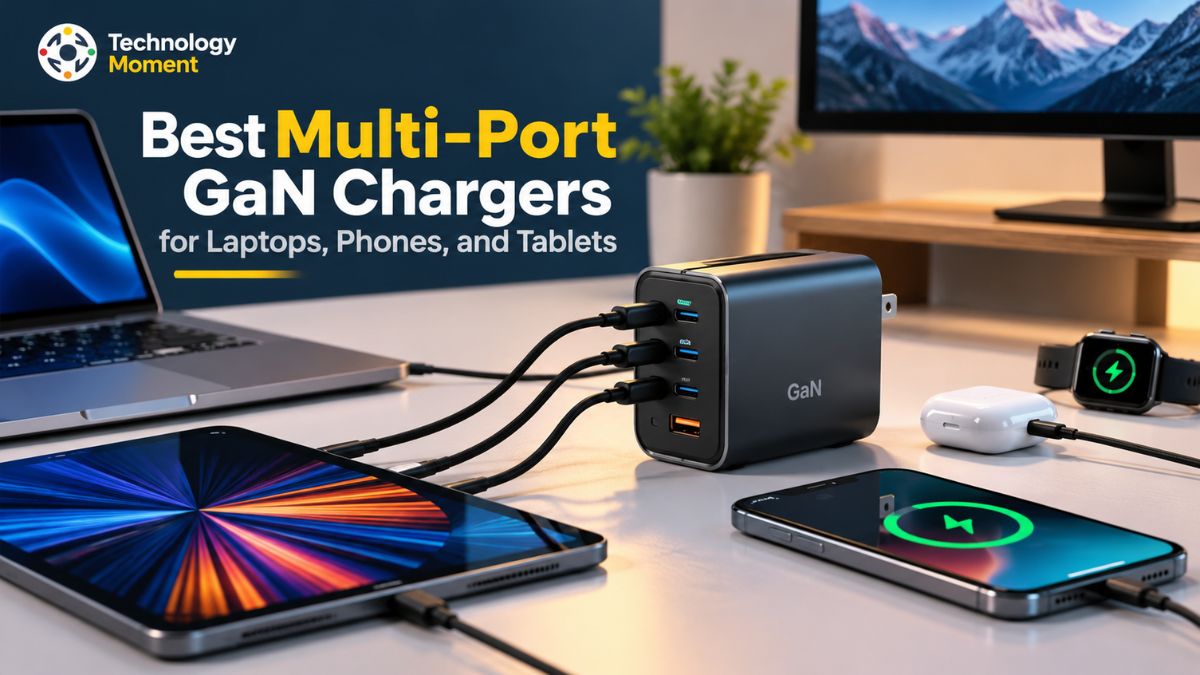
Carrying separate Best Multi-Port GaN Chargers for your laptop, smartphone, and tablet can quickly make your travel bag heavier and your workspace more cluttered. A multiport GaN charger offers a practical alternative by allowing you to power several compatible devices from a single wall outlet. Whether you work remotely, travel frequently, or manage multiple devices throughout the day, choosing the right charger can make your charging setup simpler and more convenient.
GaN, or gallium nitride, is a semiconductor technology that allows manufacturers to develop compact and efficient power adapters. However, not every GaN charger delivers the same performance. Total wattage, USB-C port configuration, USB Power Delivery (USB PD) support, and power distribution between connected devices all influence how well a charger meets your needs. For example, a charger advertised as 100W may not provide its full output to a laptop when a phone and tablet are connected simultaneously.
At Technology Moment, our goal is to help readers understand technology and make informed buying decisions without getting lost in complicated specifications. In this guide, we explore the best multiport GaN charger options for laptops, phones, and tablets, focusing on the features that matter in everyday use. We will compare charging capacities, explain how power sharing works, and discuss compatibility with popular devices, including MacBooks, Windows laptops, iPhones, iPads, and Android smartphones.
We will also cover important travel considerations, such as universal input voltage, plug compatibility, charger size, and portability. By understanding these factors before purchasing, you can choose a multiport GaN charger that fits your devices, travel habits, and charging requirements while avoiding unnecessary spending on features you may not need.
Best Multi-Port GaN Chargers at a Glance
The best multiport GaN charger depends on how many devices you need to charge, how much power your laptop requires, and whether you prioritize portability or maximum output. A compact 65W charger may suit everyday travel, while a 100W model can provide more flexibility for laptop-and-phone charging. Users with compatible high-performance laptops may benefit from a 140W USB-C PD 3.1 charger. Before buying, compare the total output, individual port capabilities, power sharing, charging protocols, and plug design rather than relying on wattage alone.
| Charger / category | Maximum output | Port configuration | Power allocation and features | Best suited for |
|---|---|---|---|---|
| Anker 735 Nano II 65W | 65W | 2 USB-C, 1 USB-A | Published combinations include 45W + 20W across two USB-C ports | Travelers and everyday users |
| ASUS 100W USB-C GaN Charger | 100W | 2 USB-C, 1 USB-A | Up to 65W + 15W + 15W when all three ports are used | Professionals and multi-device users |
| Anker Prime 100W GaN Charger | 100W | 3 charging ports | Designed for laptop and accessory charging; check the exact model’s allocation table | Laptop, phone and tablet users |
| UGREEN Nexode 140W, 3-Port | 140W | 2 USB-C, 1 USB-A | Published configurations include 65W + 65W across USB-C ports and 65W + 45W + 22.5W across all ports | Compatible high-power laptops |
| ASUS 65W Dual USB-C GaN Charger | 65W | 2 USB-C | Multiple documented dual-port power combinations, including 45W + 20W | Compact everyday charging |
Specifications: manufacturer documentation and published product specifications. Anker 735 reference, ASUS 100W, UGREEN 140W, and ASUS 65W.
These examples illustrate different charging needs rather than a universal ranking. Exact model numbers, regional plug versions, and included cables should be checked before purchase. A charger’s maximum single-port output is not necessarily available when other devices are connected.
How to Choose the Best Multiport GaN Charger
Choosing the best multiport GaN charger starts with your most power-hungry device. Check your laptop manufacturer’s recommended charging wattage and determine whether your phone and tablet will be connected simultaneously. A 65W charger can be sufficient for compatible lightweight laptops, but a demanding laptop may charge more slowly when the available output is limited. A 100W or 140W charger may provide additional flexibility, provided the device supports the charger’s output profiles.
Next, examine the power allocation table. Total output describes the charger’s overall power budget, while per-port output indicates what an individual connection can receive. A multiport USB-C charger might deliver its maximum wattage through one port but divide the available power when additional ports are occupied. This distinction is essential when comparing a multiport charger for laptops and phones.
Check USB Power Delivery (USB PD) support, including the relevant charging profiles. PPS can be important for compatible smartphones, but support for USB PD or PPS alone does not guarantee every device’s fastest charging mode. Also verify whether the charger offers enough USB-C ports, whether a USB-A connection is useful for older accessories, and whether your cables support the required power level.
For frequent travelers, compact dimensions, foldable plugs, universal 100–240V input, and compatibility with destination-country sockets can make a meaningful difference. Universal voltage does not eliminate the need for a suitable plug adapter. Finally, consider thermal protection, build quality, warranty, and regional availability. The best GaN power adapter is the one that meets your real charging requirements without paying extra for unnecessary output or features.
Best Multiport GaN Chargers for Different Needs
For everyday users carrying a lightweight laptop, smartphone, and wireless earbuds, a compact 65W multiport charger can reduce the number of adapters in a bag. However, check how much power remains available to the laptop when another device is connected. For professionals who work with a laptop and phone throughout the day, a 100W multiport USB-C charger can offer a useful balance between charging capacity and flexibility. Look for a model with a clearly documented dual-port allocation that provides adequate power to the laptop while charging a second device. The ASUS 100W USB-C GaN Charger, for example, specifies three-port operation at 65W + 15W + 15W, making its shared-power behavior easier to evaluate before purchase.
Users with compatible high-power laptops may prefer a 140W multiport charger that supports USB PD 3.1 Extended Power Range. Confirm that the laptop, charger, and cable support the required power profile before expecting 140W charging. Frequent flyers should prioritize a compact travel GaN charger with suitable voltage compatibility and a practical plug arrangement. Meanwhile, users with several accessories may prefer three or four ports, provided the total power budget can support their devices.
Before making a final selection, compare the exact product specifications, warranty, safety features, and availability in your country. Treat claims such as best overall, best for travel, or best value as recommendations based on stated criteria rather than universal performance guarantees. A well-matched charger can simplify daily charging without compromising the power requirements of your most important device.
65W vs. 100W vs. 140W GaN Chargers: Which Is Best?
Choosing between a 65W, 100W, and 140W GaN charger comes down to device requirements, simultaneous charging, and portability. A higher wattage provides a larger power budget, but it does not automatically mean faster charging for every device. The laptop must support the relevant charging profile, and the charger must supply enough power to its port when other devices are connected.
| Comparison factor | 65W GaN charger | 100W GaN charger | 140W GaN charger |
|---|---|---|---|
| Typical use | Phones, tablets and compatible lightweight laptops | Laptops plus phones or tablets | Compatible high-power laptops and multiple devices |
| Single-port capacity | Up to 65W | Up to 100W | Up to 140W on a compatible port |
| Multiple-device charging | Suitable for modest combined demands | More room for simultaneous laptop and phone charging | Larger power budget for demanding combinations |
| Power-sharing considerations | Laptop output may drop when another port is used | Check the exact dual- and triple-port allocation | Check all-port output; maximum 140W is not available to every port simultaneously |
| Charging standard | Depends on model; USB PD support is common | Depends on model; verify PD profiles and PPS | PD 3.1 EPR support is required for 140W-class USB-C charging |
| Cable requirements | Match the cable to the required power | A suitable 5A e-marked cable may be needed for 100W | A compatible 5A EPR-rated cable is needed for 140W |
| Portability | Often a practical choice for daily travel | Balanced choice for many professionals | May be larger or heavier, depending on design |
| Best for | Everyday users and lightweight setups | Laptop-and-phone users | High-power laptop users and demanding multi-device setups |
For many professionals, a 100W charger is a sensible starting point because it offers more headroom than a 65W model without automatically requiring the highest-power option. Choose 65W when your devices and shared charging needs fit within that limit. Consider 140W when your compatible laptop benefits from higher USB-C PD output.
How Does Power Sharing Work in a Multiport GaN Charger?
Power sharing is one of the most important features to understand when choosing the best multiport GaN charger for laptops, phones, and tablets. It determines how a charger’s available power is distributed between connected devices. For example, a 100W multiport USB-C charger may provide up to 100W through one compatible port when used alone, but the available output can change when you connect a smartphone or tablet to another port.
When several gadgets are plugged in simultaneously, the charger has to divide its power capacity among the active ports. For instance, a hypothetical 100W model might deliver 65W to a laptop and 20W to a smartphone at the same time. The unused 15W could be available for another connection or remain inaccessible, depending on how the charger manages power distribution. This example is intended to explain the concept and should not be treated as the standard output configuration of all 100W GaN chargers.
A multi-device GaN charger can reduce the number of wall adapters you carry, particularly when traveling or working remotely. However, the combined charging requirements of a laptop, phone, and tablet matter more than the total wattage printed on the charger. If the laptop requires 65W but receives less power after another port is occupied, it may charge more slowly or continue charging only under lighter workloads. Check the manufacturer’s power allocation table before choosing a model.
Others use predefined output combinations, and connecting a new device may briefly interrupt charging while the charger renegotiates power. USB Power Delivery enables compatible devices and chargers to negotiate appropriate power levels, but the charger still operates within its hardware limits. For the most reliable results, compare single-port and multiport output, use appropriately rated USB-C cables, and verify that each device supports the required charging profiles.
USB-C Power Delivery and Charging Compatibility Explained
USB-C Power Delivery, commonly called USB PD, is a charging protocol that allows compatible chargers and devices to negotiate suitable voltage and current over a USB-C connection. It is particularly useful for laptops, tablets, and smartphones because the same charging standard can support different power requirements. The USB Implementers Forum explains that USB PD supports flexible power delivery and can scale up to 240W under the appropriate specification and equipment. However, a USB-C connector alone does not guarantee a particular charging speed or protocol.
USB PD 3.0 supports charging within the Standard Power Range, with USB PD power delivery reaching up to 100W under the relevant conditions. USB PD 3.1 introduced Extended Power Range, enabling compatible USB-C systems to deliver up to 240W. Its higher-power profiles include 140W, 180W, and 240W capabilities, depending on the negotiated voltage and current. Therefore, a 140W multiport GaN charger should be evaluated for its USB PD 3.1 EPR support, compatible output port, and suitable cable rather than its advertised wattage alone.
Programmable Power Supply (PPS) is a specialized capability within USB Power Delivery that enables supported devices to dynamically adjust their charging voltage and current according to predefined operating ranges. This functionality is particularly relevant to some Android phones that rely on PPS technology for rapid charging. However, having PPS available does not automatically mean that a smartphone will charge at its highest possible rate. Before choosing a charger, review the phone manufacturer’s recommended charging specifications and verify that the specific output port provides the required charging protocol.
Cable capability also affects charging performance. A charger may support high-wattage USB-C Power Delivery, but the cable must be rated for the required power level. For 100W charging, a suitable 5A USB-C cable with the required electronic marking is generally necessary. Higher-power Extended Power Range charging requires compatible EPR-rated equipment and cables. Also check whether the laptop, phone, or tablet supports the charger’s output profile. Compatibility between the charger, cable, and device is essential for reliable fast charging.
What to Look for in a Multiport GaN Charger for International Travel
The best multiport GaN charger for international travel should combine sufficient charging power with a compact design, suitable plug compatibility, and support for the electrical systems used at your destination. Travelers often need to charge a laptop, smartphone, tablet, earbuds, or other accessories without carrying several separate adapters. A multiport USB-C charger can simplify this setup, but its wattage, power sharing, and physical plug design deserve careful consideration before purchase.
Look for a charger whose manufacturer specifies an input range of 100–240V AC if you want broad international voltage compatibility. This range is common in travel-oriented adapters, but you should verify the rating printed on the actual charger. Universal input voltage does not mean the charger fits every wall socket. The United States, United Kingdom, European countries, and other destinations use different plug configurations, so you may need a suitable plug adapter or a charger with interchangeable regional plugs.
Interchangeable plug systems can be more useful for frequent international travelers because they allow a compatible charger to connect to different outlet types. However, check which plug heads are included and whether additional accessories are sold separately. A standard travel adapter may solve the socket problem, but it does not automatically change voltage or provide extra charging power.
A compact 65W GaN charger may suit a lightweight laptop and phone, while a 100W model may provide more flexibility for professionals carrying several devices. Users with compatible high-power laptops may need a 140W charger. In every case, examine the actual power allocation when two or more ports are occupied. A travel charger advertised with high total output may provide less power to the laptop when other devices are charging.
Choose a charger from a reputable manufacturer and review its safety protections, warranty, thermal management, and regional compliance information. Check destination-specific electrical requirements and use suitable, undamaged cables. Remember that a USB-C charger is not necessarily a universal travel adapter with an AC outlet, and plug adapters do not guarantee compatibility with every electrical appliance. By comparing voltage support, plug types, dimensions, and multi-device charging performance, you can select a travel GaN charger that meets your needs without carrying unnecessary equipment.
Common Mistakes to Avoid When Buying a Multiport GaN Charger
Choosing the best multiport GaN charger involves more than comparing advertised wattage or counting USB-C ports. A charger may look powerful on paper but still fail to meet your needs when several devices are connected simultaneously. Understanding common buying mistakes can help you select a reliable USB-C charging adapter for your laptop, smartphone, tablet, and travel accessories.
One frequent mistake is choosing a charger based only on total output. A 100W multiport charger does not necessarily deliver 100W to a laptop while charging a phone through another port. Always check the manufacturer’s power allocation table, including the output available when two or three ports are occupied. This is particularly important if your laptop needs a specific wattage for demanding workloads.
Another mistake is overlooking USB Power Delivery compatibility. Not every USB-C charger supports the charging profiles required by every laptop or smartphone. Check USB PD support, PPS compatibility where needed, and the maximum output supported by the device itself. A higher-wattage charger will not automatically make an incompatible phone charge faster.
Cable selection is equally important. An inadequately rated USB-C cable can limit charging performance, even when the charger supports high-wattage output. For demanding charging requirements, verify the cable’s power rating and whether the required electronic marking or Extended Power Range capability is necessary. Travel compatibility is another commonly overlooked factor. Universal 100–240V input does not mean that a charger fits every country’s electrical socket. Check the plug type, whether adapters are required, and whether the regional version includes foldable or interchangeable plugs.
Before purchasing a GaN charging adapter, remember that performance, heat management, and built-in protection can vary significantly between models. Review the technical specifications, after-sales support, construction standards, and trustworthy third-party testing results before making a decision. An ideal multi-port USB-C charger should meet your devices’ power requirements, accommodate your everyday charging needs, and deliver reliable performance at a price that fits your budget.
Frequently Asked Questions About Multiport GaN Chargers
What Is the Best Multiport GaN Charger for Laptops and Phones?
The best multiport GaN charger provides sufficient power for your laptop while charging your phone simultaneously. A 65W model may suit lightweight laptops, while a 100W charger offers more flexibility for multiple devices. Compare USB-C Power Delivery support, individual port output, and power sharing before purchasing. The ideal choice depends on your devices’ charging requirements, portability preferences, and whether you need to charge a tablet or other accessories simultaneously.
How Many Watts Do I Need for a Multiport GaN Charger?
Your required wattage depends on your laptop’s power requirements and the number of devices you charge simultaneously. A 65W GaN charger may suit lightweight laptops and smartphones, while 100W provides additional capacity for professionals. Compatible high-performance laptops may benefit from 140W chargers. Always check the manufacturer’s power allocation table because the available output for your laptop can decrease when additional charging ports are occupied.
Is a 65W GaN Charger Enough for a Laptop and Phone?
A 65W GaN charger can charge a compatible lightweight laptop and smartphone simultaneously, provided its power allocation meets both devices’ requirements. However, the laptop may receive less than 65W when the phone is connected. This can increase charging time, particularly during demanding workloads. Before buying, verify the charger’s dual-port output, your laptop’s recommended wattage, and your smartphone’s fast-charging compatibility to ensure satisfactory performance.
Is a 100W GaN Charger Better Than a 65W Charger?
A 100W GaN charger offers a larger power budget than a 65W model, making it useful for professionals who charge laptops and phones together. Your laptop must support the relevant charging profile, and the charger’s power sharing must provide sufficient output to its port. Choose 100W when your combined charging needs justify the additional capacity.
Can One GaN Charger Charge a MacBook and an iPhone?
Yes, a compatible multiport GaN charger can charge a MacBook and an iPhone simultaneously when it provides suitable ports, charging protocols, and sufficient shared output. Check the MacBook’s power requirements and the iPhone’s supported charging method. If using USB-C connections, select appropriately rated cables. Also review the charger’s multiport power allocation because connecting both devices may reduce the maximum wattage available to the MacBook.
Does a Multiport GaN Charger Reduce Charging Speed?
A multiport GaN charger can reduce charging speed when multiple devices share its limited power budget. For example, connecting a smartphone may reduce the wattage available to a laptop, depending on the charger’s design. Some models dynamically redistribute power, while others use predefined output combinations. Consult the manufacturer’s power allocation table and use compatible cables to understand how simultaneous charging affects your devices.
Which Multiport Charger Is Best for International Travel?
The best multiport charger for international travel combines suitable wattage, multiple useful ports, compact dimensions, and compatible input voltage. Look for a 100–240V input rating when broad voltage compatibility is important, and check whether the charger includes foldable or interchangeable plugs. You may still need a destination-specific plug adapter. Also consider weight, cable requirements, safety certifications, and power sharing when charging your laptop, phone, and tablet together.
Do GaN Chargers Support 100V to 240V Input?
Many travel-friendly GaN chargers support 100–240V AC input, but this capability is not universal. Check the electrical specifications printed on your charger’s label or published in its official documentation before travelling. Universal input voltage allows compatible chargers to operate across supported electrical systems, but it does not guarantee that the plug fits every country’s sockets. You may still require a suitable plug adapter for your destination.
How Do I Check a Charger’s Power Allocation Across Ports?
To check power allocation, consult the manufacturer’s specifications for single-port, dual-port, and all-port charging. Look for the maximum wattage available to each USB-C or USB-A port under different connection combinations. Compare these figures with your laptop, smartphone, and tablet requirements. Do not assume that a charger advertised as 100W supplies 100W to every port simultaneously, because total output and individual port output are different.