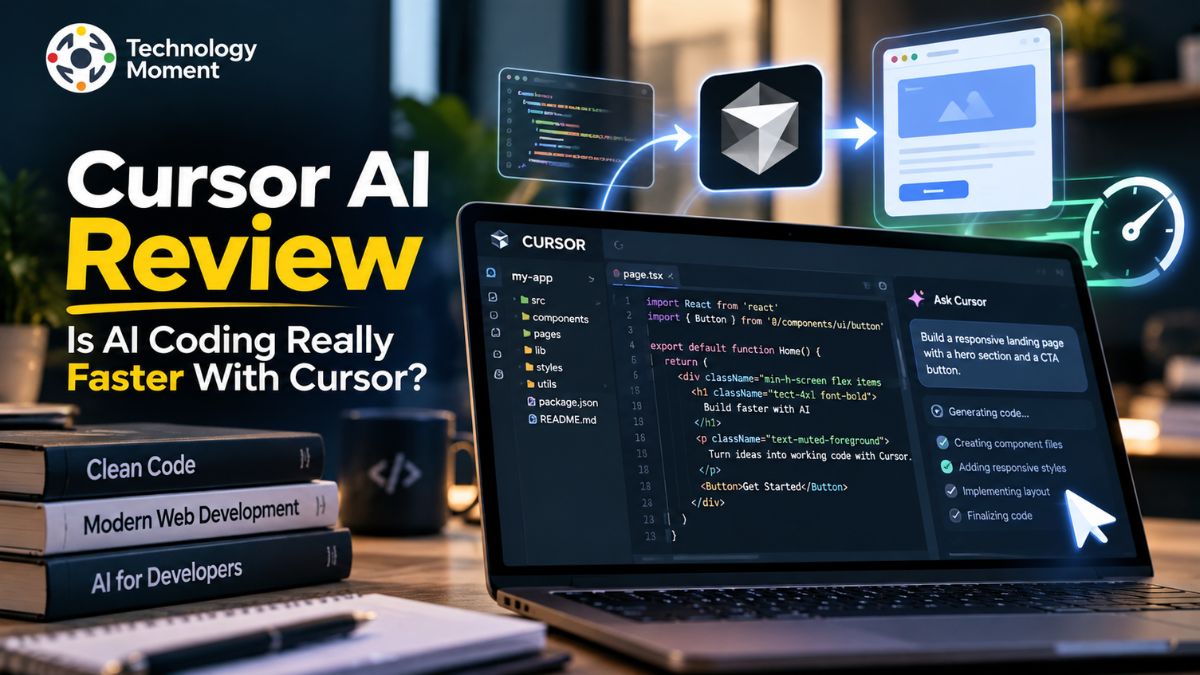
AI is changing the way developers write software, but does using an AI coding tool actually make programming faster? That is the question behind this Cursor AI review, where we explore whether Cursor can improve coding productivity or whether its benefits come with trade-offs. Cursor is an AI-powered code editor designed to help developers write, understand, edit, and debug code with AI assistance. Its features include intelligent code completion, codebase-aware suggestions, and an Agent mode that can work across multiple files and execute development tasks. These capabilities aim to reduce repetitive work and help developers focus more on solving problems rather than writing every line manually.
However, faster code generation does not always mean faster software development. AI-generated code may require corrections, additional testing, and careful review before it is ready for production. The real value of Cursor depends on the task, the complexity of the project, and how effectively developers use its features. In this article, we examine Cursor’s key features, practical benefits, limitations, pricing considerations, and alternatives to help you understand where it fits into a modern development workflow.
Whether you are a beginner learning to code, an experienced software engineer, a freelancer, or part of a development team, this review will help you evaluate whether Cursor deserves a place in your toolkit. We will also explore how it compares with traditional coding workflows and other AI coding assistants. So, is Cursor genuinely worth using, and can it make your coding workflow more efficient? Let’s explore its capabilities and limitations to find out.
What Is Cursor AI and How Does It Work?
Cursor AI is an AI-powered code editor designed to help developers write, understand, modify, and debug software more efficiently. Rather than working only as a separate chatbot, Cursor integrates AI assistance directly into the coding environment, allowing developers to ask questions about their projects, generate code, and make changes without constantly switching between applications. It is built around a familiar editor experience, making it easier for developers who already use modern code editors to explore AI-assisted programming.
One of Cursor’s key capabilities is codebase understanding. When a developer opens a project, Cursor can index relevant code and use that context to provide more useful suggestions. Instead of explaining every file manually, developers can ask questions about how a function works, where a particular feature is implemented, or which files may need changes. The usefulness of these answers depends on the available context, the quality of the codebase, and the complexity of the task.
Cursor also provides an AI Agent that can work through more complex development tasks. Depending on the request and enabled tools, it can search files, edit code, execute terminal commands, and help investigate errors. For example, a developer could ask it to add a validation rule, update related components, and run relevant tests. The developer can then review the proposed changes before accepting them.
This combination of code generation, contextual assistance, and automated editing makes Cursor more than a conventional code editor. However, it does not eliminate the need for programming knowledge. Developers still need to understand the intended behavior, verify the generated code, and test the final result. Cursor is best understood as an AI coding assistant that supports human decision-making rather than replacing it.
Cursor AI Features: What Makes It Different?
Cursor stands out by bringing several AI coding capabilities into a single development environment. Instead of relying on one feature, developers can combine intelligent autocomplete, natural-language instructions, codebase search, and AI-assisted editing to support different stages of software development. These tools can be useful for routine coding tasks as well as changes that involve multiple parts of a project.
One important feature is AI autocomplete. Cursor can suggest code and predict edits based on the developer’s current work. This can reduce repetitive typing and help maintain momentum when writing functions, completing familiar patterns, or making related changes. Its inline editing capabilities also let developers describe a change in plain language and ask the editor to modify selected code.
Another major feature is Agent mode. It can search through project files, make changes across multiple files, execute terminal commands, and assist with debugging. For example, when updating a login form, a developer might ask Cursor to adjust the validation logic, update the related interface, and check whether the existing tests still pass. The developer can then inspect the resulting changes and decide what to keep.
Codebase understanding is equally important. By using project context, Cursor can help developers locate relevant functions, understand unfamiliar code, and identify areas that may require modification. This can be particularly helpful when working on existing applications rather than starting from an empty project.
However, these features do not guarantee correct results. AI-generated code may introduce errors, misunderstand requirements, or modify files unnecessarily. The actual benefit depends on the task, the quality of the instructions, and the developer’s ability to review the output. Overall, Cursor combines AI autocomplete, contextual code generation, and agentic coding workflows in one editor. Its strongest advantage is the way these capabilities work together, not the assumption that every task becomes faster automatically.
Does Cursor AI Make Coding Faster? A Real-World Performance Review
Whether Cursor AI makes coding faster depends on the type of work a developer performs and how much additional effort its suggestions require. AI-assisted programming can reduce time spent writing repetitive code, exploring unfamiliar files, and making straightforward edits. However, generating code quickly is only one part of software development. Debugging, testing, reviewing changes, and maintaining code quality also affect the total time needed to complete a task.
Without AI assistance, the developer may need to locate the relevant components, inspect related functions, write the implementation, and run tests manually. With Cursor, the developer can ask questions about the codebase, request an initial implementation, and use Agent mode to make related changes across files. This workflow may reduce manual effort, particularly when the task is clearly defined and the project structure is understandable.
The results can be different when requirements are vague or the codebase is complex. Cursor may misunderstand the intended behavior, suggest an unsuitable approach, or introduce errors that require additional debugging. In such cases, reviewing and correcting AI-generated code can offset the time saved during initial implementation. Developers must also consider whether the proposed solution follows existing architectural decisions and coding standards.
A meaningful Cursor AI performance review should compare similar tasks under comparable conditions. Useful measurements include total completion time, the number of corrections required, test results, and the quality of the final code. Ideally, the comparison should include planning, implementation, debugging, and review rather than measuring code generation alone.
Cursor offers tools that can make coding workflows more efficient, but no universal speed improvement should be assumed without reliable testing. For developers, the practical question is not simply whether Cursor writes code faster. It is whether the complete development process becomes more efficient without sacrificing accuracy, reliability, or maintainability.
Cursor AI Review Pros and Cons
Cursor AI offers several advantages for developers who want to integrate AI assistance into their everyday coding workflow. One of its biggest strengths is convenience. Developers can generate code, ask questions about an existing project, edit multiple files, and investigate errors within the same environment. This reduces the need to move repeatedly between a code editor and a separate AI chat tool. Its autocomplete and inline editing features can also help with repetitive programming tasks and routine modifications.
Another advantage is its ability to work with project context. Understanding how different files relate to one another can be time-consuming, especially when joining an unfamiliar project. Cursor can help developers locate relevant code, explain existing logic, and identify possible changes. These capabilities may benefit freelancers, experienced developers, and small teams working on applications with interconnected components.
However, Cursor has limitations. AI-generated code is not always correct, secure, or consistent with a project’s architecture. Developers may need to rewrite suggestions, investigate unexpected behavior, or add tests before accepting changes. Beginners can also become overly dependent on AI-generated solutions without developing a strong understanding of programming fundamentals.
Cost is another consideration. Although Cursor offers a free plan, developers who use AI agents frequently may need a paid subscription or additional usage, depending on their workflow and plan limits. Teams should also review privacy settings, data-handling policies, and organizational security requirements before using the tool with proprietary code.
Overall, the pros and cons of Cursor AI depend on how it is used. It can be valuable for reducing repetitive work, exploring codebases, and accelerating certain development tasks. However, it is not a replacement for sound engineering judgment, testing, or security reviews. Developers should evaluate its productivity benefits alongside its cost, reliability, and potential risks before making it a central part of their workflow.
Cursor AI Pricing: Is the Paid Plan Worth It?
Cursor AI pricing is an important consideration for developers deciding whether an AI-powered code editor deserves a place in their daily workflow. Although Cursor offers a free plan, the value of a paid subscription depends on how frequently you use AI features, the complexity of your projects, and the amount of assistance you need from coding agents.
For developers who want to experiment with AI-assisted programming, understand code suggestions, or complete occasional coding tasks, this can be a practical starting point. The Pro plan costs $20 per month, while Pro+ costs $60 per month and Ultra costs $200 per month. Cursor also offers a Start plan in India for ₹649 per month, including taxes. Features, usage allowances, and eligibility differ between plans, so check the official pricing page before subscribing.
The paid plans may be worthwhile for developers who regularly use AI autocomplete, generate code across multiple files, investigate bugs, or automate parts of their development workflow. Pro provides extended Agent usage limits and access to additional models and tools. Higher-tier plans are designed for people who need more usage. However, included usage is not necessarily unlimited for every model or workflow, and additional usage may create extra costs.
Before upgrading, consider the time saved on repetitive work, the quality of generated code, and the effort required to review and debug suggestions. A subscription makes sense when its practical benefits justify the recurring expense. Developers who use AI only occasionally may find the free plan sufficient, while those who rely on AI agents throughout the working day may benefit from a higher tier.
Cursor AI vs GitHub Copilot vs Claude Code vs Windsurf
Choosing between Cursor AI, GitHub Copilot, Claude Code, and Windsurf depends on how you prefer to write, edit, and maintain software. These AI coding tools overlap in code generation and agentic workflows, but they differ in their primary interfaces, integrations, pricing structures, and development experiences. Rather than assuming one tool is universally better, developers should compare them against their actual projects and requirements.
Cursor is an AI-focused code editor that combines autocomplete, codebase context, inline editing, and agent-based workflows. It is particularly relevant for developers who want AI assistance integrated into their editor. GitHub Copilot supports several development environments, including VS Code, Visual Studio, JetBrains IDEs, and other platforms. Its combination of code completion, chat, agents, and GitHub integration makes it attractive to developers who already work within the GitHub ecosystem.
Claude Code takes a different approach by providing an AI coding agent that can operate through the terminal, supported IDEs, and other interfaces. It can assist with bug fixes, tests, repository-wide changes, and migrations. Windsurf offers an AI-powered development environment with an emphasis on maintaining context and helping developers move through coding tasks with fewer interruptions.
| Factor | Cursor AI | GitHub Copilot | Claude Code | Windsurf |
|---|---|---|---|---|
| Primary approach | AI-focused code editor | AI assistant across multiple IDEs | Agent-oriented coding tool | AI-powered development environment |
| Code completion | Yes | Yes | Not its main focus | Yes |
| Multi-file changes | Agent workflows | Agent workflows | Strong agent-based workflow | Agent-based workflow |
| Codebase understanding | Context-aware editing | Repository and IDE context | Repository exploration | Context-aware development |
| Main strength | Integrated editor and AI agents | IDE choice and GitHub integration | Complex coding tasks and terminal workflows | Integrated AI coding experience |
| Starting paid price | Pro: $20/month | Pro: $10/month | Claude Pro: $20 monthly | Verify current official pricing |
| Free access | Hobby plan | Free plan | Claude Free; Claude Code requires an eligible paid plan or supported API access | Check current plan availability |
| Best suited for | Developers wanting an AI-first editor | Developers seeking broad IDE support | Developers comfortable directing coding agents | Developers seeking an alternative AI editor |
Pricing and plan access are based on official product pages available at the time of writing; usage limits, regional availability, and features may change.
For developers who prioritize a dedicated AI coding editor, Cursor is worth evaluating. GitHub Copilot may be a better fit when existing IDE compatibility and GitHub workflows matter most. Claude Code is attractive for terminal-driven tasks and complex repository changes, while Windsurf is another option for developers seeking an AI-first environment.
The most reliable way to choose is to test comparable tasks, evaluate code quality and debugging effort, and compare total subscription costs. The best AI coding tool is the one that improves your workflow without introducing unnecessary complexity or compromising code quality.
Is Cursor AI Safe for Business and Professional Development?
Cursor AI can be suitable for professional software development, but businesses should evaluate its privacy controls, security practices, access permissions, and AI-generated code risks before adopting it. Because AI coding assistants may process source code and development context to generate responses, organizations need to understand what information leaves their environment and how it is handled.
According to Cursor’s official privacy documentation, Privacy Mode ensures that code is not used for training by Cursor or its model providers. Privacy Mode is enabled by default for team members, and administrators can enforce it across an organization. However, enabling this setting does not mean that all processing happens locally. Cursor states that prompts and relevant code context may be sent to AI model providers to deliver its features. Businesses should review the applicable privacy policy, data processing terms, subprocessors, and retention arrangements before handling confidential projects.
Cursor also provides security and administration capabilities for organizational use. Its security documentation lists a SOC 2 Type II attestation, ISO/IEC 27001:2022 and ISO/IEC 42001:2023 certifications, and additional enterprise controls. Depending on the plan, organizations can access features such as centralized administration, single sign-on, audit logs, model restrictions, and more advanced security management. These controls can help businesses establish consistent policies, although their suitability depends on the organization’s specific regulatory and contractual obligations.
Another important consideration is AI-generated code quality. Cursor can suggest changes, modify files, and execute development commands, but its output may contain bugs, insecure patterns, or unintended modifications. Sensitive files should also be excluded from AI context where appropriate, using supported configuration controls.
For startups and software teams, Cursor may improve development workflows when its productivity benefits outweigh its cost and operational risks. However, organizations working with highly sensitive information should complete a formal security assessment before adoption. Ultimately, Cursor AI can be a useful professional development tool, but responsible configuration, human oversight, and clear data-handling policies remain essential.
Is Cursor AI Worth It for Different Users?
Cursor AI can be a worthwhile investment for developers who want AI assistance integrated directly into their coding workflow, but its value depends on experience, project complexity, and usage frequency. The same AI coding editor can be highly useful for one person and unnecessary for another. Before paying for a subscription, it is worth considering how Cursor fits your specific development needs.
For beginners and students, Cursor can help explain unfamiliar code, suggest solutions to programming problems, and demonstrate how different functions work. Its natural-language interface can make learning less intimidating, especially when experimenting with small projects. However, beginners should avoid accepting every suggestion without understanding it. Learning programming fundamentals, debugging techniques, and basic software design remains important for long-term progress.
Experienced developers may benefit more from codebase understanding, multi-file editing, automated refactoring, and agent-assisted debugging. These features can help with repetitive implementation work and navigating unfamiliar repositories. Nevertheless, developers working on complex applications still need to review generated code, check dependencies, and run tests before merging changes.
Freelancers and independent developers may find Cursor useful when building websites, prototypes, or client applications under tight deadlines. It can assist with boilerplate code and routine changes, potentially leaving more time for architecture and client requirements. The actual productivity gain depends on the work involved and the amount of correction required.
Startups and software engineering teams may also benefit from shared workflows and organizational controls. However, they should assess subscription costs, privacy requirements, and the quality of AI-generated code before adopting Cursor across a team. Cursor offers a free Hobby plan for users who want to explore its core capabilities. Paid plans may be more suitable for developers who use agents regularly or need broader model access. Ultimately, Cursor AI is worth considering when it solves a real development problem, saves meaningful effort, and fits your budget.
Best Cursor AI Alternatives
Although Cursor is a popular choice for AI-assisted programming, it is not the only option for developers looking to improve coding productivity. The best Cursor AI alternatives depend on whether you prefer an AI-powered editor, an assistant that works inside your existing IDE, a terminal-based coding agent, or a more flexible setup. Comparing these tools can help you choose a solution that fits your budget and workflow.
GitHub Copilot is worth considering if you want AI assistance across supported development environments without switching entirely to a new editor. It provides code completion, chat, and agent-based capabilities, making it useful for developers already working with GitHub repositories and established IDEs.
Windsurf is another AI coding editor designed to integrate AI assistance into the development process. Its agentic workflow makes it an option for developers who want an alternative to Cursor’s editor-focused experience. Compare its current plans and features before choosing it based on price alone.
Claude Code is suited to developers who prefer directing an AI coding agent through terminal-oriented or supported IDE workflows. It can help explore repositories, implement changes, investigate bugs, and work with tests. Its approach may appeal to engineers comfortable reviewing broader, agent-generated changes.
Cline is an open-source AI coding agent that integrates with VS Code. It can provide flexibility for developers who want to select their own models and manage API usage. However, model API charges can add up, so free software does not necessarily mean zero operating costs.
Continue is another option for developers who want customizable AI assistance within their development environment, including support for different model configurations. Its flexibility can appeal to teams that want more control over their tools.
Before selecting an alternative, compare code quality, supported IDEs, agent capabilities, privacy controls, usage limits, and total cost. The best choice is not necessarily the cheapest tool or the one with the most features. It is the solution that reliably supports your real development tasks with the least unnecessary friction.
Frequently Asked Questions About Cursor AI
Is Cursor AI worth it?
Cursor AI can be worth it for developers who regularly use AI assistance to generate code, investigate bugs, or make changes across multiple files. Its value depends on how much time it saves after debugging and code review. Casual users may find the free plan sufficient, while frequent users might benefit from a paid subscription. Testing Cursor on real projects is the best way to assess its value.
Does Cursor AI make coding faster?
Cursor AI can speed up repetitive coding tasks, code exploration, and some multi-file changes. However, actual productivity gains vary according to project complexity, prompt quality, and developer experience. AI-generated code may require additional testing and corrections. To evaluate coding speed fairly, compare total completion time, including implementation, debugging, and review, against a similar task completed without AI assistance.
Is Cursor better than VS Code?
Cursor is designed around integrated AI coding assistance, while Visual Studio Code offers a flexible editor with a broad extension ecosystem. Cursor may suit developers who want AI features deeply integrated into their workflow. VS Code may be preferable for those who value their existing setup and want to choose individual extensions. The better option depends on your preferred workflow, required integrations, budget, and AI usage.
Is Cursor better than GitHub Copilot?
Cursor and GitHub Copilot both support AI-assisted programming, code completion, and agentic workflows. Cursor focuses on an AI-first editor experience, while Copilot offers assistance across multiple supported development environments. Cursor may appeal to developers who want integrated AI editing, whereas Copilot may suit those who prefer their existing IDE and GitHub integrations. Compare current features, usage limits, and pricing before deciding.
Is Cursor AI free to use?
Yes. Cursor offers a free Hobby plan with limited access to features such as Agent, Chat, and Tab completions. Developers can use this plan to explore AI-assisted programming before purchasing a subscription. Usage allowances and available features can change, so check the official pricing page for current terms. Users who need more extensive agent usage or additional capabilities may consider a paid plan.
How much does Cursor AI cost?
Cursor offers a free Hobby plan and paid individual plans, including Pro at $20 per month, Pro+ at $60, and Ultra at $200. In India, the Start plan is available for ₹649 per month, including taxes. Teams plans have separate pricing. Actual costs depend on the selected plan, included usage, and potential additional model usage. Verify current prices and conditions on Cursor’s official website.
Can Cursor AI build a complete application?
Cursor can help developers build application components, generate code, modify multiple files, and assist with testing and debugging. It may support the development of a complete application when guided by clear requirements and appropriate human supervision. However, complex projects still require architecture decisions, security checks, integration testing, and deployment work. AI-generated code should be reviewed carefully rather than assumed to be production-ready.
Can Cursor AI replace a software developer?
Cursor AI can automate certain programming tasks, but it does not eliminate the need for software developers. Building reliable applications involves understanding requirements, designing systems, evaluating trade-offs, managing security risks, and maintaining software over time. Developers who use AI effectively may improve their workflows, but they still need technical judgment and accountability. Cursor is better viewed as a coding assistant than a complete replacement for human expertise.
Is Cursor AI safe for proprietary code?
Cursor can be used for professional development, but businesses should review its privacy settings, data-processing practices, and organizational controls before submitting proprietary code. Privacy Mode provides additional protections, but AI features may still process code context through model providers. Organizations should evaluate contractual requirements, access controls, and security policies, then review generated code and restrict sensitive information where appropriate. Requirements vary by business and regulatory environment.