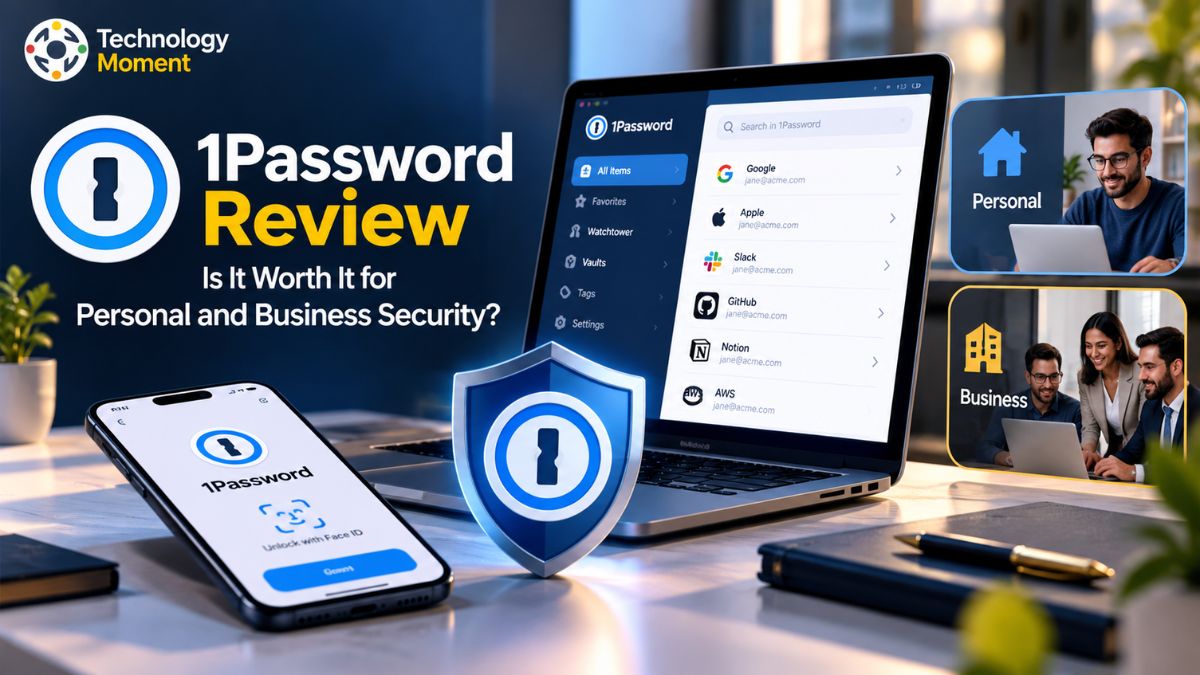
Managing dozens of online accounts has become part of everyday life, from personal email and social media to banking, shopping, and workplace applications. Remembering a strong, unique password for every account can be difficult, and reusing the same credentials across websites can increase security risks. This is where a reliable password manager can make a difference. At Technology Moment, we explore technology tools that aim to solve real-world problems and help readers make informed decisions.
1Password is a password management tool designed to store login credentials and other sensitive information in encrypted vaults. It also offers features such as password generation, automatic form filling, passkey support, secure sharing, and Watchtower security alerts. These capabilities may help individuals manage their digital accounts more conveniently while giving families and businesses additional ways to organize access to important information.
However, useful features alone do not determine whether a password manager is the right choice. Pricing, ease of use, account recovery, device compatibility, and the security model all deserve careful consideration. We will examine these factors alongside the advantages and limitations of 1Password, including how it compares with alternatives such as Bitwarden and LastPass. Whether you are choosing your first password manager, looking for a better way to share credentials with family members, or evaluating a solution for your team, this guide will help you understand what to expect before subscribing. Read on to discover whether 1Password fits your security needs, budget, and everyday workflow.
What Is 1Password Review?
1Password is a password management software designed to help individuals, families, and businesses store and organize sensitive information in one secure place. Instead of remembering separate passwords for dozens of online accounts, users can save their login credentials in an encrypted password vault and access them when needed. The service also supports storing secure notes, payment details, software licenses, and other important information, making it useful for more than basic password storage.
As a dedicated password manager, 1Password is available across major operating systems, including Windows, macOS, Linux, Android, and iOS, alongside browser extensions for supported browsers. This cross-platform compatibility allows users to access their saved information across devices. Its password autofill and password generator features can simplify everyday logins while helping users create strong, unique passwords for different accounts. Its Families plan adds shared vaults and access management for household members. Businesses can use team vaults and administrative controls to organize employee credentials and manage access to sensitive information.
1Password operates through a subscription model, with different plans for individual users, families, and organizations. Although it does not offer a permanent free consumer plan, eligible personal and business subscriptions include a free trial. This gives prospective customers an opportunity to evaluate its features before paying. 1Password aims to combine convenience with security by making password management easier across everyday digital activities. Whether it is the right choice depends on your security requirements, preferred devices, budget, and need for password sharing or team management.
1Password Features: What Do You Get?
One of the main reasons people consider 1Password is its combination of password management, secure storage, and everyday convenience features. Its password vault lets users organize login credentials and other sensitive information, while the built-in password generator helps create strong passwords instead of relying on predictable combinations or reusing existing ones. These features can improve password security without making routine account access unnecessarily complicated.
Password autofill is another important feature. After saving login details, users can fill supported login forms through the application or browser extension. This reduces repetitive typing and makes it easier to use unique credentials across websites. Support for passkeys also helps users manage passwordless sign-in credentials where compatible services and devices support them.
Families can organize information into private and shared vaults, while businesses can use permissions to control which employees can access particular credentials. Depending on the sharing method, users can also set expiration options and limit access to selected information. The Watchtower feature adds another layer of practical protection by identifying security issues involving saved credentials, such as weak or reused passwords and certain compromised website passwords.
These alerts help users identify accounts that may need attention, although they do not guarantee protection against every online threat. 1Password also supports secure notes, payment information, and cross-device synchronization. Additional tools, including Travel Mode and developer-focused capabilities, may appeal to particular users.
Is 1Password Safe and Secure?
Security is a central consideration when choosing an encrypted password manager because the service may hold credentials for email, financial accounts, shopping platforms, and workplace applications. 1Password uses end-to-end encryption and a dual-key security model designed to protect stored information. Its account password works alongside a unique Secret Key, adding another layer of protection to the account’s encryption process.
The Secret Key is particularly important because it strengthens the protection of account data beyond the account password alone. Users should keep their Secret Key and account recovery information secure, since losing access to essential credentials can complicate account recovery. As with any password manager, security also depends on choosing a strong account password, protecting devices, and recognizing phishing attempts.
1Password includes additional security measures beyond password storage. Watchtower can highlight certain password weaknesses and potential exposure risks, helping users identify credentials that deserve attention. The service also supports two-factor authentication, and its security documentation describes protections for data in transit and safeguards around browser autofill. These features help reduce risks but cannot eliminate every threat, including malware, compromised devices, or deceptive login pages.
So, is 1Password safe to use? Its encryption architecture and layered security controls make it a serious option for personal and business password management. However, no password manager is entirely risk-free. Users should keep their software updated, enable available account protections, store recovery details securely, and review sharing permissions regularly. These habits remain essential even when using a well-designed password security tool.
1Password Pricing and Plans
1Password pricing varies according to whether you need an individual subscription, family password sharing, or business password management. The company offers monthly and annual billing options, while its official pricing pages display promotional rates for eligible new customers. The following comparison uses published US-dollar prices for annual billing, so check the official website for current rates in your country before subscribing.
| Plan Category | Fee Structure | Who Benefits Most | What It Offers |
|---|---|---|---|
| Individual | $2.99/month introductory offer; $3.99/month thereafter | Personal use | Credential storage, automatic login filling, password creation, and security notifications |
| Family Access | $4.49/month promotional price; $5.99/month standard price | Families sharing digital accounts | Access for up to five users, shared credential storage, and member access controls |
| Small-Team Bundle | $24.95/month with yearly payment | Teams of up to 10 users | Protected credential distribution and permissions tailored to individual team roles |
| Business Subscription | $8.99 per user/month, paid annually | Companies expanding their workforce | Business software connectivity, administrative controls, and Watchtower security notifications |
| Large-Organization Package | Individually quoted based on business requirements | Enterprises with complex operational needs | A tailored pricing arrangement designed around organizational scale and security requirements |
*Personal promotional prices apply to eligible new customers for the first year with annual billing. Business prices and included features depend on the selected plan. Enterprise pricing requires contacting sales. Families offers better value for households that need multiple individual accounts and shared vaults. For smaller organizations, Teams Starter Pack includes ten members, with additional seats available at an extra cost. The Business plan adds broader administrative capabilities and integrations with identity providers.
A 14-day free trial is available for the listed personal and business plans, allowing prospective customers to evaluate the software before committing. However, 1Password does not offer a permanent free consumer plan. Is 1Password worth the subscription cost? It may be worthwhile if you regularly manage many accounts, need secure sharing, or want centralized credential management across devices. Users who prioritize a free password manager should compare alternatives such as Bitwarden. Before choosing, compare renewal prices, billing frequency, included users, and the features you will actually use rather than judging a plan on its introductory price alone.
1Password for Personal Use vs. Business Use
Choosing between personal and business password management depends on how many people need access to sensitive information and how that access should be controlled. 1Password offers separate plans for individuals, families, teams, and larger organizations, allowing users to select a subscription based on their security requirements. While personal plans focus on managing everyday accounts, business plans provide additional tools for organizing employee credentials and controlling access across an organization.
For individuals, 1Password provides an encrypted password vault, password generation, autofill, passkey support, and Watchtower security alerts. These features help users manage online accounts without repeatedly remembering or reusing passwords. Families can share selected information through shared vaults while keeping personal credentials separate. This makes a family password manager useful for organizing household logins, financial information, and other shared details.
Businesses have different priorities. A business password manager must support secure collaboration, employee onboarding, permission management, and the separation of confidential information between departments. 1Password Teams and Business plans provide organizational vaults and administration features, with additional capabilities available depending on the subscription. Larger organizations may require enterprise-specific controls, integrations, and support arrangements.
| Feature | Individual | Families | Teams Starter Pack | Business |
|---|---|---|---|---|
| Intended users | One person | Household members | Small teams | Growing organizations |
| Included users | 1 | Up to 5 family members | 10 members | Per-seat subscription |
| Personal password vault | Yes | Yes | Yes, with account-specific vaults | Yes, with account-specific vaults |
| Shared vaults | Limited personal sharing options | Yes | Yes | Yes |
| Password autofill and generation | Yes | Yes | Yes | Yes |
| Watchtower security alerts | Yes | Yes | Yes | Yes |
| Administrative controls | Personal account management | Family management | Team administration | Expanded administration |
| Business integrations | Not the main focus | Not the main focus | Plan-dependent | Broader business capabilities |
| Pricing model | Individual subscription | Family subscription | Fixed-price starter package | Per-user subscription |
For personal use, the main consideration is convenience, security, and subscription cost. For business use, access control, employee management, and scalability become equally important. A small team may find the Teams Starter Pack sufficient, whereas a growing company may benefit from the broader controls offered by Business or Enterprise arrangements. Before purchasing, compare the current plan details against your actual requirements rather than paying for administrative features you will not use.
1Password Pros and Cons
Evaluating the advantages and disadvantages of 1Password is essential before committing to a subscription. The service combines password storage, password autofill, passkey support, secure sharing, and security monitoring in one application. For people who manage multiple online accounts, this combination can reduce the effort involved in maintaining strong passwords and accessing information across devices.
One of its main strengths is its security architecture. The combination of an account password and a unique Secret Key adds another layer to its data protection model. Its Watchtower feature also helps users identify certain password-related security problems, including weak or reused credentials. Cross-platform applications and browser extensions make the password manager practical for people who switch between computers, smartphones, and browsers throughout the day.
Password sharing is another advantage. Families can organize shared credentials, while businesses can use vaults and permissions to control access to workplace information. Support for passkeys and secure notes further extends its usefulness beyond traditional login storage. However, 1Password has limitations. There is no permanent free consumer plan, which may discourage users who want a free password manager for long-term use. Users who prefer open-source software may also consider alternatives such as Bitwarden or Proton Pass.
| Pros | Cons |
|---|---|
| Strong encryption architecture and Secret Key protection | No permanent free consumer plan |
| Convenient autofill and password generation | Recurring subscription fees |
| Passkey support and cross-device access | Some features depend on the selected plan |
| Watchtower security monitoring | Requires users to maintain good account security habits |
| Family and business sharing options | Account recovery requires advance preparation |
| Supports multiple platforms | Closed-source software may not suit every preference |
Overall, 1Password is worth considering if you value convenience, security features, and organized password sharing. Budget-conscious users and open-source enthusiasts should compare alternatives before deciding.
1Password vs. Other Password Managers
Although these services share essential functions such as encrypted password storage, autofill, and password generation, they differ in pricing, free-plan availability, sharing features, platform support, and administrative capabilities. The best choice depends on whether you prioritize personal convenience, affordability, privacy, or business management.
| Comparison factor | 1Password | Bitwarden | LastPass | Dashlane | Proton Pass |
|---|---|---|---|---|---|
| Permanent free personal plan | No | Yes | Check current offering | Check current offering | Yes |
| Open-source software | No | Yes | No | No | Yes |
| Password generation | Yes | Yes | Yes | Yes | Yes |
| Autofill | Yes | Yes | Yes | Yes | Yes |
| Passkey support | Yes | Yes | Plan and platform-dependent | Plan and platform-dependent | Yes |
| Secure sharing | Yes | Yes | Yes | Yes | Yes |
| Business subscriptions | Yes | Yes | Yes | Yes | Yes |
| Distinctive consideration | Secret Key and Travel Mode | Open-source transparency and free option | Established personal and business offerings | Integrated password management and security tools | Privacy features and email aliases |
There is no universal winner. A useful password manager is one that fits your workflow, protects your credentials appropriately, and remains affordable over time. Before switching, check whether your chosen service supports the devices, passkeys, and sharing arrangements you rely on.
How to Switch to 1Password
Moving from another password manager to 1Password does not have to mean entering every password manually. The service supports importing credentials from various applications and browsers, including compatible exports from tools such as Bitwarden, LastPass, Dashlane, Chrome, and Firefox. The exact process depends on your existing provider, device, and the types of information you want to transfer.
Open your existing password manager and check its export or migration options. Some providers support direct transfers, while others require exporting data into a CSV file or another supported format. Follow the relevant instructions for your specific source application rather than assuming every service uses the same process. Check important logins, usernames, website addresses, secure notes, credit card details, and other sensitive entries. Test several frequently used accounts to confirm that the credentials work and that autofill behaves correctly. Some information, such as sharing permissions, password history, or passkeys, may not transfer completely, so check the source provider’s migration documentation before removing your old account.
Security is especially important during migration because exported CSV files can contain passwords in readable, unencrypted form. Store any export file securely, avoid sending it through email or messaging apps, and keep it away from cloud backups while it is unprotected. After confirming the import is complete, delete the unencrypted export and empty any applicable recycle bins or trash folders.
Finally, install the browser extensions and mobile applications you need, enable available account protections, and organize your information into appropriate vaults. A careful migration helps ensure that switching to 1Password improves your password management without leaving important credentials behind.
Best 1Password Alternatives
| Password manager | Best for | Main advantage | Potential limitation |
|---|---|---|---|
| Bitwarden | Budget-conscious individuals and businesses | Free individual plan and open-source software | Interface and workflow preferences may differ |
| Proton Pass | Privacy-conscious users | Integration with the Proton ecosystem and email aliases | Some capabilities depend on the selected plan |
| Dashlane | Users seeking integrated security tools | Password management and additional security features | Compare subscription costs and plan limits |
| NordPass | Users wanting a dedicated password manager | Straightforward credential management | Check specific features and device requirements |
| Keeper | Businesses and security-focused teams | Business-oriented administration and security capabilities | Advanced features may require higher-tier plans |
| KeePassXC | Users preferring local vault control | Locally managed encrypted database | Synchronization and sharing require more setup |
Who Should Use 1Password?
1Password can be a good choice for people who want to organize passwords, payment information, secure notes, and other sensitive data without managing separate storage methods for every account. Its combination of encrypted vaults, password generation, autofill, passkey support, and Watchtower alerts makes it relevant to several types of users. However, its value depends on how frequently you use these features and whether the subscription fits your budget.
Individuals managing multiple online accounts may benefit from generating unique passwords and accessing them across devices. Instead of relying on memory or saving credentials in unsecured documents, they can use a dedicated password vault. Users who frequently switch between browsers, computers, and smartphones may particularly appreciate cross-platform synchronization and autofill.
Families and households may find the Families plan useful when several people need a secure way to organize shared information. Each member can maintain private items while using shared vaults for selected credentials, such as home Wi-Fi details or shared subscriptions. Family organizers can also help members recover their accounts under supported recovery arrangements.
Small businesses and growing teams should consider 1Password when employees need access to shared credentials without exchanging passwords through email or chat. Team and business plans offer organizational vaults and administration capabilities, with additional controls depending on the subscription. Larger organizations should assess integration requirements, audit capabilities, onboarding procedures, and employee access policies before selecting a plan.
Developers may also find its developer-focused tools useful for managing certain technical credentials and workflows. However, users who want a permanently free consumer plan, prefer open-source software, or need a self-managed local vault may find another password manager more suitable. In short, 1Password is worth evaluating if security, convenience, and controlled sharing matter more to you than avoiding subscription fees.
Frequently Asked Questions About 1Password
Is 1Password safe to use?
1Password uses end-to-end encryption and a unique Secret Key alongside your account password to protect stored information. It also provides security tools such as Watchtower alerts. These measures can strengthen password management, but no service eliminates every risk. Use a strong account password, protect your devices, enable available authentication protections, and keep your recovery information secure.
How much does 1Password cost?
At the time of checking, the official US annual-billing page lists promotional rates of $2.99 per month for Individual and $4.49 per month for Families, compared with regular prices of $3.99 and $5.99, respectively. These introductory offers are subject to eligibility. Check the official 1Password pricing page for current rates.
Does 1Password have a free plan?
1Password does not offer a permanent free consumer plan, but eligible customers can try its Individual and Families subscriptions free for 14 days. This trial provides an opportunity to test password storage, autofill, and other included features before committing to a paid subscription. If you need ongoing free password management, compare alternatives such as Bitwarden or Proton Pass and verify their current free-plan limits.
Does 1Password support passkeys?
Yes. 1Password supports saving and using passkeys for compatible websites and services. Passkeys let users authenticate without entering a traditional password, using supported device or account authentication methods instead. Availability depends on the service, browser, device, and implementation. Before relying on passkeys for important accounts, confirm compatibility and maintain appropriate recovery options.
What happens if you forget your 1Password account password?
Your recovery options depend on your account type and setup. Family organizers and authorized business administrators may be able to help recover eligible accounts. Individual users should keep their Emergency Kit and Secret Key safe and follow the official recovery instructions. Do not assume that customer support can simply retrieve a forgotten password. Prepare recovery arrangements before losing access to your account.
Can you share passwords securely with 1Password?
Yes. 1Password provides shared vaults and secure item-sharing options. Families can share selected credentials while keeping personal information private, and business teams can use organizational vaults and permissions to manage access. The exact controls depend on the plan and sharing method. Review recipients and permissions regularly, and avoid sharing more sensitive information than necessary.
Does 1Password work on Windows, Mac, Android, and iPhone?
Yes. 1Password supports major desktop and mobile platforms, including Windows, macOS, Linux, Android, and iOS, along with browser extensions for supported browsers. Your saved information can synchronize across supported devices through your account. Check current system requirements and browser compatibility before installing, particularly if you use an older operating system or specialized workplace device.
Can 1Password work offline?
Some saved information may be available offline when it has already been synchronized to an installed application. However, features requiring an internet connection, account authentication, or updated online information may be limited. Offline access can vary by application and situation, so test your essential vaults before travelling or working without connectivity. Keep in mind that offline access is not a substitute for maintaining secure recovery arrangements.
Is 1Password better than Bitwarden or LastPass?
It depends on your priorities. 1Password offers its Secret Key security model and features such as Travel Mode, while Bitwarden appeals to users who value open-source software and a free individual plan. LastPass is another option for personal and business password management. Compare current security documentation, pricing, sharing features, and device compatibility before deciding which service suits your requirements.
What are the best alternatives to 1Password?
Bitwarden is a useful starting point for users seeking a free option or open-source software. Proton Pass may appeal to privacy-conscious users, while Dashlane, NordPass, and Keeper are worth comparing for their respective personal and business features. KeePassXC suits users who prefer managing a local encrypted vault. The best alternative depends on your budget, preferred devices, sharing needs, and desired level of control.