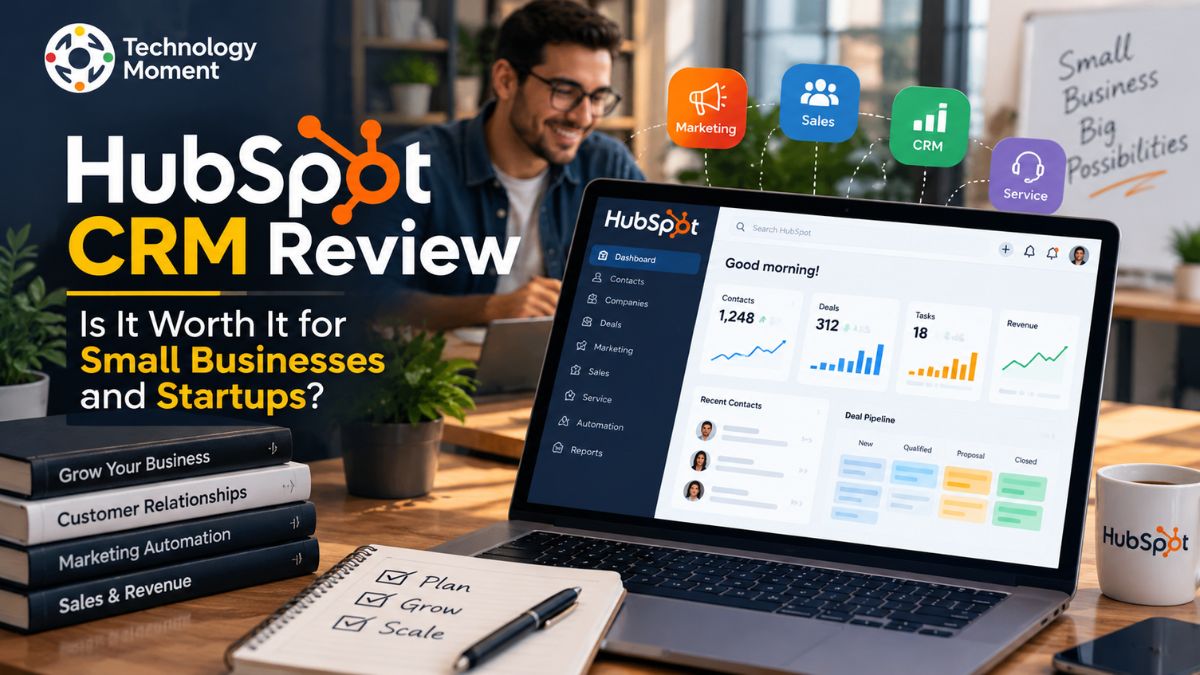
Choosing the right customer relationship management (CRM) software can make a real difference for small businesses and startups. As a company grows, tracking leads, managing customer conversations, organizing sales activities, and coordinating marketing campaigns can quickly become complicated. HubSpot CRM Review aims to simplify these tasks by bringing customer data, sales tools, marketing features, and service capabilities together in one platform.
But is HubSpot the right choice for every business? While its free CRM tools make it attractive to companies with limited budgets, growing teams may need paid features as their requirements become more advanced. Understanding the available features, pricing structure, limitations, and alternatives is essential before deciding.
In this HubSpot review, Technology Moment explores the platform’s core features, usability, and overall value for businesses of different sizes. We take a closer look at its CRM tools, contact organization, sales pipeline management, and marketing automation features, while highlighting the main benefits and limitations for small businesses and growing teams. Our review also examines how HubSpot’s different subscription options compare, highlighting the features available at each level and the factors businesses should consider before choosing a paid plan.
Whether you are launching your first startup, managing a small business, or searching for a more organized way to handle customer relationships, this review will help you evaluate HubSpot more confidently. Our goal at Technology Moment is to make technology easier to understand by providing practical insights that support informed decisions. By the end of this guide, you will have a clearer picture of HubSpot’s strengths, its potential drawbacks, and the situations in which exploring an alternative CRM might make more sense. Let’s find out whether HubSpot delivers the value your business needs.
What Is HubSpot CRM Review?
HubSpot CRM is a customer relationship management platform designed to help businesses organize customer information, manage leads, track sales opportunities, and maintain stronger customer relationships. This makes it easier for small business owners, startup founders, and sales teams to understand where each prospect stands and what action they should take next.
A key advantage of HubSpot is that it allows businesses to begin managing customer relationships without paying for a CRM subscription upfront. Its free tools include contact organization, deal tracking, sales pipeline management, task monitoring, data importing, and performance dashboards. These features offer startups and small businesses a practical starting point for organizing customer information and improving sales workflows while keeping initial costs low. When their operations expand and their needs become more demanding, businesses can upgrade to HubSpot’s paid plans to access more advanced tools and capabilities.
Its broader platform connects sales, marketing, customer service, content, and data management capabilities. Depending on the products and plan selected, businesses can use these tools to coordinate marketing campaigns, monitor sales performance, manage customer conversations, and improve their understanding of the customer journey. Integrations with other business applications can also help reduce repetitive work and keep information accessible across teams.
For small businesses and startups, the key question is whether HubSpot’s capabilities match their actual needs. A freelancer or a small team may only require simple contact records and deal tracking, while a growing company may need advanced reporting, automation, permissions, and more sophisticated workflows. Understanding these differences is essential when evaluating HubSpot CRM for small business use.
HubSpot CRM Features: What Do You Get?
HubSpot CRM provides businesses with practical tools to store customer details, track sales opportunities, and manage interactions at different stages of the customer lifecycle. Its available features vary according to the products and pricing plan selected. However, the platform’s essential capabilities help businesses move away from scattered spreadsheets and manual recordkeeping toward a more structured, efficient, and centralized approach to customer relationship management.
Businesses can create contact and company records, store relevant details, review communication history, and log activities such as calls, emails, notes, and follow-up tasks. Keeping this information together helps sales representatives understand previous interactions before contacting a prospect. It can also reduce the need to search through multiple spreadsheets or email conversations to find customer details.
Another useful capability is sales pipeline management. Teams can track deals as they move through different stages, identify opportunities that need attention, and maintain a clearer view of their sales process. Task management and activity tracking help users organize their next steps, while reporting dashboards provide a broader view of business activity. For startups with limited resources, these tools can support a more consistent sales process without requiring a complicated system from the beginning.
HubSpot’s wider platform also includes marketing automation, email marketing, customer service tools, and integrations, depending on the products and plan selected. These capabilities can help businesses coordinate campaigns, manage customer inquiries, and connect different parts of their operations. Some advanced features, such as custom reporting, more sophisticated automation, and additional administrative controls, may require paid subscriptions.
HubSpot allows businesses to begin with foundational CRM tools and explore additional capabilities as their needs change. However, not every company needs an all-in-one CRM platform. Businesses should evaluate which features they will actually use, whether the available integrations fit their existing workflow, and whether the cost of advanced functionality is justified by the value it provides.
HubSpot CRM Pricing: How Much Does It Cost?
HubSpot CRM pricing is an important factor for small businesses and startups deciding whether the platform fits their budget. HubSpot offers free foundational CRM tools alongside paid subscriptions that provide additional functionality. This approach allows businesses to explore basic customer relationship management before deciding whether they need more advanced sales, marketing, or service capabilities. However, the total cost depends on the products selected, the number of users, the billing arrangement, and the features required.
HubSpot Free CRM is a useful option for businesses looking to manage customer contacts, monitor sales opportunities, organize tasks, and keep track of customer communications without paying for a subscription upfront. According to HubSpot’s US pricing page, its free tools are available at $0 per month for up to two users, and no credit card is required to get started. This makes the platform a practical choice for freelancers, startups, and small businesses that want to build an organized sales workflow on a limited budget. However, companies should assess the plan’s feature restrictions and user limits to ensure it meets their operational needs as their business grows.
Businesses requiring more advanced CRM capabilities can explore HubSpot’s paid plans, including Starter, Professional, and Enterprise options. The official US CRM page lists indicative starting prices of $7 per seat per month for the Starter Customer Platform, $50 per seat per month for Professional CRM functionality, and $75 per seat per month for Enterprise CRM functionality. These figures relate to different offerings, and promotional pricing, billing commitments, and product packaging can affect the amount a customer pays. Businesses should confirm the applicable terms on the official pricing page before purchasing.
It is also important to distinguish CRM pricing from the cost of specialized products. A company investing in advanced email marketing automation, detailed analytics, sales automation, or customer service workflows may need a different subscription than a business using basic contact management. Additional requirements can increase the overall expense, so comparing the complete plan cost is more useful than looking at a headline starting price alone.
For startups and small businesses, the best approach is to begin with the features they genuinely need and estimate future requirements before upgrading. HubSpot can be a practical option when its tools save time and improve customer management, but businesses should compare its paid plans with affordable CRM alternatives before committing to a larger subscription.
HubSpot CRM Pros and Cons
When evaluating HubSpot CRM, businesses should consider both its advantages and its limitations rather than focusing only on its free tools. The platform combines contact management, deal tracking, sales activities, and broader marketing and service capabilities, making it attractive to companies that want to manage customer relationships in one place. However, the value depends on the team’s requirements, budget, and plans for future growth.
One of the biggest advantages of HubSpot CRM is its approachable interface. Small business owners and startup teams can organize contacts, monitor sales opportunities, record customer interactions, and schedule follow-ups without building a complicated system from scratch. The free tools also provide a way to begin managing customer information before purchasing advanced software. For businesses that rely on email communication and need visibility into their sales pipeline, these features can make daily work more structured. Another advantage is the wider HubSpot ecosystem, which can connect CRM activities with marketing campaigns and customer service processes as a company expands.
However, HubSpot CRM also has disadvantages. The free plan has limitations on users, contacts, email sends, and certain advanced features. Businesses that need more sophisticated sales automation, reporting, or marketing capabilities may need paid subscriptions. Costs can rise as a company adds products or requires higher-level functionality, so the entry-level price does not necessarily represent the full cost of using HubSpot long term. Teams should also consider the time required to configure pipelines, organize existing data, connect integrations, and train employees.
Customer support is another factor to evaluate. HubSpot’s free users primarily have access to community resources, its knowledge base, and HubSpot Academy, while paid plans provide additional support channels depending on the subscription. This distinction matters for businesses that need direct assistance during setup or when resolving technical problems. HubSpot CRM can be a strong option for teams seeking accessible CRM tools and room to expand. Before choosing it, compare the free plan’s limitations, the likely cost of upgrades, and the availability of features you will actually use. This balanced approach helps determine whether HubSpot’s benefits justify its costs for your business.
Is HubSpot Worth It for Small Businesses and Startups?
Whether HubSpot is worth it for small businesses and startups depends on how a company manages its customers, what features it needs, and how much it can spend on software. For businesses moving away from spreadsheets or scattered contact lists, HubSpot CRM can provide a more organized way to manage leads, track sales opportunities, and record customer interactions.
For a small business, HubSpot can be valuable when several customer-facing activities need to work together. A sales team can organize contacts and deals, monitor follow-up tasks, and review customer communication history. Businesses that also use HubSpot’s marketing tools may be able to coordinate email campaigns and lead management within the same ecosystem. This can improve visibility into the sales process and reduce the need to switch between disconnected applications. However, the usefulness of these capabilities depends on the selected plan and the business’s existing workflow.
For startups, the main attraction is the ability to begin with basic CRM functionality and explore additional features as the company grows. A founder managing a small number of leads may find the free plan sufficient, while a startup with multiple sales representatives, complex workflows, or advanced reporting requirements may need a paid subscription. Before upgrading, businesses should estimate the total cost of the necessary products and seats rather than relying only on the advertised starting price.
HubSpot may not be the ideal choice for companies looking for a basic contact management system or an affordable CRM with minimal ongoing expenses. Businesses that do not require built-in marketing automation or customer service features may find a simpler solution more suitable. Similarly, sales teams with specific workflows might benefit from choosing a CRM designed around their particular needs. However, HubSpot remains a strong option for businesses seeking an easy-to-use platform that can grow alongside their operations.
You can begin with its free features, evaluate your requirements, and move to a paid plan when the extra capabilities justify the cost. Before making a final decision, compare HubSpot with alternatives such as Zoho CRM, Pipedrive, and Freshsales to determine which platform offers the right balance of features, usability, and pricing for your business.
HubSpot Ease of Use and Customer Support
Ease of use is an important consideration when choosing CRM software, particularly for small businesses and startups without a dedicated IT team. HubSpot CRM provides a centralized workspace for managing contacts, tracking deals, recording activities, and organizing customer information. Its visual sales pipelines and connected customer records can make it easier for users to understand the status of a lead and identify the next action. However, the actual learning experience depends on how much of the platform a business chooses to implement.
For beginners, the best approach is to start with essential functions rather than configuring every available tool at once. A small team can begin by importing contacts, creating a simple sales pipeline, assigning follow-up tasks, and recording customer conversations. Once these processes are working consistently, the business can explore reporting dashboards, integrations, and automation. This gradual approach makes CRM onboarding more manageable and reduces the risk of creating an unnecessarily complicated workflow. Businesses migrating from another CRM should also check data quality and confirm that important contact records, notes, and deal information transfer correctly.
HubSpot offers learning resources through its Knowledge Base, HubSpot Academy, and community. These resources can help users understand the interface, learn CRM fundamentals, and troubleshoot common questions. However, available support channels vary by subscription. According to HubSpot’s support information, free users primarily receive community support, while Starter customers can access community, email, and chat support. Pro and Enterprise plans provide additional access, including phone support under the applicable plan.
For small teams, this distinction matters. A business comfortable learning independently may be able to get started using free educational resources. A company with a complex implementation or urgent technical requirements may place greater value on direct support and should confirm the available service level before purchasing. Integration requirements, employee training, and internal processes can also affect how quickly the CRM becomes useful. HubSpot is a reasonable option for teams that want accessible CRM tools and structured learning resources. To get the most from the platform, begin with a clear sales process, keep customer data organized, and choose a subscription based on your actual support and functionality requirements.
Best HubSpot Replacements for Startups on a Budget
HubSpot is not the only option for businesses looking for customer relationship management software. Several HubSpot alternatives offer contact management, sales pipeline management, reporting, integrations, and automation, but their strengths differ. Some prioritize affordability, others focus on sales productivity, and some provide advanced customization for growing organizations.
For this comparison, five options are worth considering: Zoho CRM, Pipedrive, Freshsales, Salesforce, and HubSpot itself as a reference point. Zoho CRM is worth exploring if you want a broad set of business features and flexible customization. Freshsales offers sales-oriented functionality, including communication and automation capabilities depending on the plan. Salesforce is more suitable for businesses with complex sales processes, extensive customization requirements, or plans for larger-scale operations.
| CRM software | Best for | Key strengths | Main limitations | Pricing approach |
|---|---|---|---|---|
| HubSpot CRM | Startups and marketing-led businesses | Free foundational CRM, connected sales and marketing tools, user-friendly interface | Advanced functionality may require more expensive subscriptions | Free tools and paid plans |
| Zoho CRM | Budget-conscious small businesses | Customization, sales automation, wider Zoho ecosystem | Some users may need time to learn its settings | Free and paid plans, depending on region |
| Pipedrive | Sales-focused teams | Visual sales pipeline, deal tracking, sales workflow management | Marketing capabilities may require separate tools or integrations | Paid subscriptions and trial options |
| Freshsales | Teams focused on sales communication | Sales management, communication tools, automation on eligible plans | Available features vary by subscription | Free or trial availability and paid plans vary |
| Salesforce | Growing companies with complex requirements | Extensive customization, integrations, sales management capabilities | Setup and administration can be more demanding | Paid editions with different capabilities |
Comparison is qualitative. Check each vendor’s official pricing and plan details before purchasing; availability, features, and costs can change.
If affordability and a broad set of CRM features are your priorities, start by comparing Zoho CRM and Freshsales. If your biggest challenge is tracking deals and maintaining consistent follow-ups, Pipedrive may be a better fit. If your organization needs extensive customization and can support a more involved implementation, Salesforce deserves consideration. Businesses that want sales, marketing, and service tools connected within one ecosystem should also evaluate HubSpot before switching.
Before making a decision, compare the total subscription cost, required integrations, reporting capabilities, number of users, and learning curve. A free trial or free plan, where available, lets your team test the actual workflow rather than choosing based on a feature list alone.
Final Verdict: Should You Choose HubSpot CRM?
HubSpot CRM is worth considering if your business needs a straightforward way to manage contacts, organize leads, track sales opportunities, and coordinate customer-facing activities. Its free foundational tools provide an accessible starting point for small businesses and startups, while its broader ecosystem offers opportunities to add marketing, sales, and customer service capabilities as requirements change. However, choosing HubSpot should involve more than looking at its free plan or advertised starting price.
For a startup with a small team and a limited budget, beginning with the free CRM tools can be a sensible approach. Test contact management, deal tracking, and follow-up processes before deciding whether paid features are necessary. If your business relies heavily on advanced automation, detailed reporting, or sophisticated marketing campaigns, calculate the cost of the relevant subscriptions and any additional requirements before committing.
Zoho CRM deserves consideration if you want broad functionality and customization, Pipedrive is worth evaluating for sales-focused workflows, and Freshsales may suit teams that prioritize sales communication tools. Salesforce is another option for organizations with more complex processes and greater administrative resources. Consider alternatives if your priorities are a specific sales workflow, extensive customization, or lower long-term costs. Before purchasing, compare the current plans, confirm feature limits, and test your team’s everyday workflow.
Frequently Asked Questions About HubSpot
Is HubSpot CRM really free?
Yes. HubSpot offers free foundational CRM tools with no subscription charge. Its current US pricing page lists the free offering for up to two users, with no credit card required. However, advanced functionality, higher limits, and additional capabilities may require paid subscriptions. Review the official plan details to determine whether the free version meets your business requirements.
How much does HubSpot cost per month?
HubSpot pricing depends on the product, subscription tier, number of seats, and billing arrangement. Free foundational tools are available, while paid options provide additional capabilities. Promotional pricing may differ from standard rates, and advanced products can increase total costs. Check HubSpot’s official pricing page for current prices applicable to your region and requirements.
Is HubSpot good for small businesses?
HubSpot is a useful option for small businesses looking to centralize customer data, track sales opportunities, and maintain better relationships with their contacts. Its free CRM features make it easier for growing teams to get started without an initial investment. However, companies that require advanced workflow automation, broader integration options, or in-depth sales analytics should evaluate the pricing and capabilities of paid plans alongside other CRM solutions before making a final decision.
What Are the Biggest Drawbacks of HubSpot CRM?
Potential disadvantages include limitations on free features, additional costs for advanced capabilities, and the need to learn and configure more complex workflows as a business grows. Some companies may also find that they do not need HubSpot’s full ecosystem. Evaluate your required features, support needs, and expected total cost before selecting a subscription.
Is HubSpot better than Zoho CRM?
HubSpot is a strong option for businesses that want an intuitive platform with sales and marketing tools working together seamlessly. Zoho CRM, on the other hand, is worth considering for companies that value flexible customization and access to a broad ecosystem of business software. The right choice depends on your team’s priorities rather than a single platform being best for everyone. Before deciding, evaluate the features you actually need, compare pricing plans available in your region, and consider which system your team can adopt and manage more easily.
Does HubSpot offer marketing automation?
Yes. HubSpot provides marketing automation capabilities, but the available workflows and limits depend on the product and subscription plan. Businesses should distinguish between basic free tools and advanced automation features offered through paid products. Check the relevant Marketing Hub plan before assuming that a particular campaign, workflow, or integration is included.
Is HubSpot suitable for startups?
HubSpot may be a practical choice for startups looking to manage customer information, monitor potential leads, and build a CRM system that can grow alongside their business. Teams can start with the free tools and explore premium features as their needs evolve. Before choosing a paid plan, startups should evaluate their available budget, team growth, required integrations, and ongoing subscription expenses to ensure the investment makes sense.