AI agents are changing the way software can handle tasks, make decisions, and interact with different tools. Instead of following only fixed instructions, an AI agent can interpret a goal, determine the steps needed to complete it, use connected tools or data, and respond to changing conditions. When these capabilities are organized into a structured process, they form what is commonly called an AI agent workflow.
AI agent workflows can be used for everything from researching information and processing documents to supporting customers, analyzing data, managing repetitive tasks, and assisting software development. They can also connect multiple applications through APIs, allowing an agent to move information between tools and perform several related actions as part of one workflow.
Understanding how these workflows operate is becoming increasingly important as businesses, developers, and individual users adopt AI-powered automation. However, an AI agent workflow is not simply a traditional automation workflow with an AI model added to it. The way agents reason about tasks, select tools, handle unexpected situations, and involve humans can significantly change how a workflow is designed.
At Technology Moment, we focus on making complex technology easier to understand through clear, practical, and trustworthy insights. In this guide, we break down AI agent workflows from the fundamentals to real-world examples, workflow architecture, automation tools, business and developer use cases, and the practical considerations involved in building them. Whether you are exploring AI automation for the first time or looking to understand how agentic workflows can fit into an existing technology stack, this guide will help you understand how AI agent workflows work and where they can be useful.
What Are AI Agent Workflows?
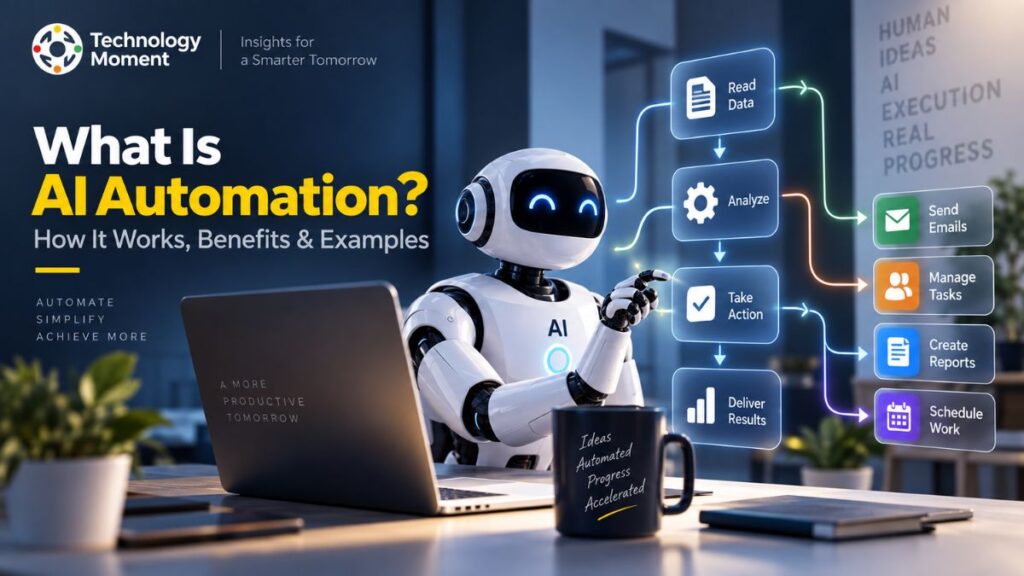
AI agent workflows are structured processes in which an AI agent uses reasoning, tools, data, and predefined objectives to complete one or more tasks. Unlike basic automation, which generally follows fixed rules, an AI agent workflow can interpret information, decide what action is needed, use connected tools, and adjust its next step based on the result.
A simple workflow might begin with a user providing a goal. The AI agent analyzes that request, determines the actions required, gathers relevant information, and uses available tools or APIs to complete the task. Depending on the workflow design, the agent may also ask for human approval before performing an important action. This combination of AI decision-making and workflow automation makes agent-based systems useful for tasks that involve multiple steps or changing inputs.
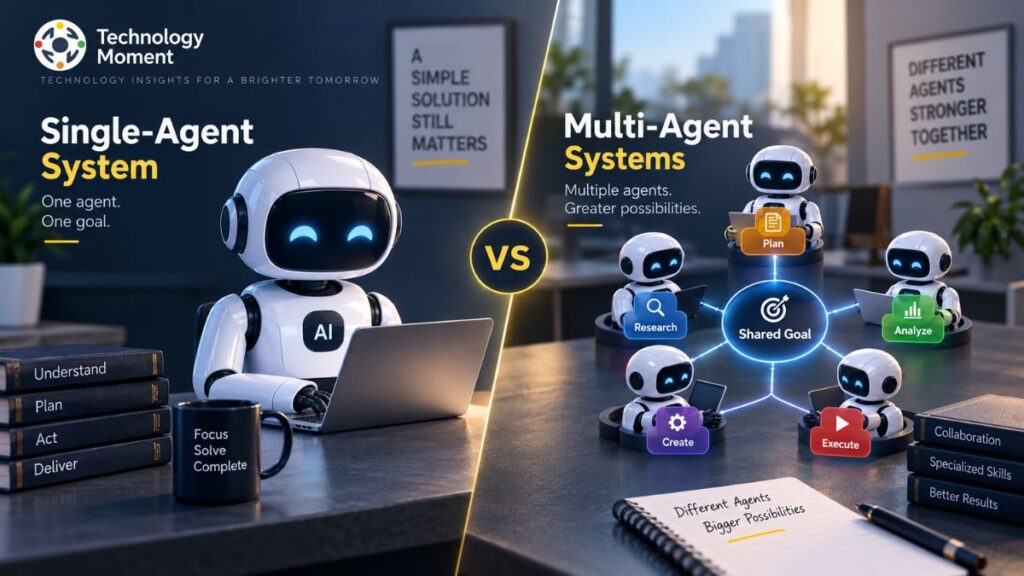
AI agent workflows can range from simple single-agent processes to more advanced multi-agent systems. A single agent might research a topic, summarize the findings, and prepare a response. In a multi-agent workflow, different agents can handle specialized responsibilities, such as research, analysis, verification, and final output generation.
The term agentic workflow is often used when the system gives an AI agent some autonomy over how a task is completed. The workflow still provides boundaries, tools, permissions, and objectives, while the agent determines some of the intermediate actions. This makes AI agent workflows particularly useful for AI-powered automation, where the goal is not simply to execute repetitive instructions but to allow software to handle more complex processes. Common applications include research, customer support, content operations, data processing, software development, and business process automation.
Understanding this distinction is important because AI agents do not automatically make every workflow better. They are most useful when a process requires interpretation, decisions, or adaptation rather than a simple fixed sequence of actions.
How Do AI Agent Workflows Work?
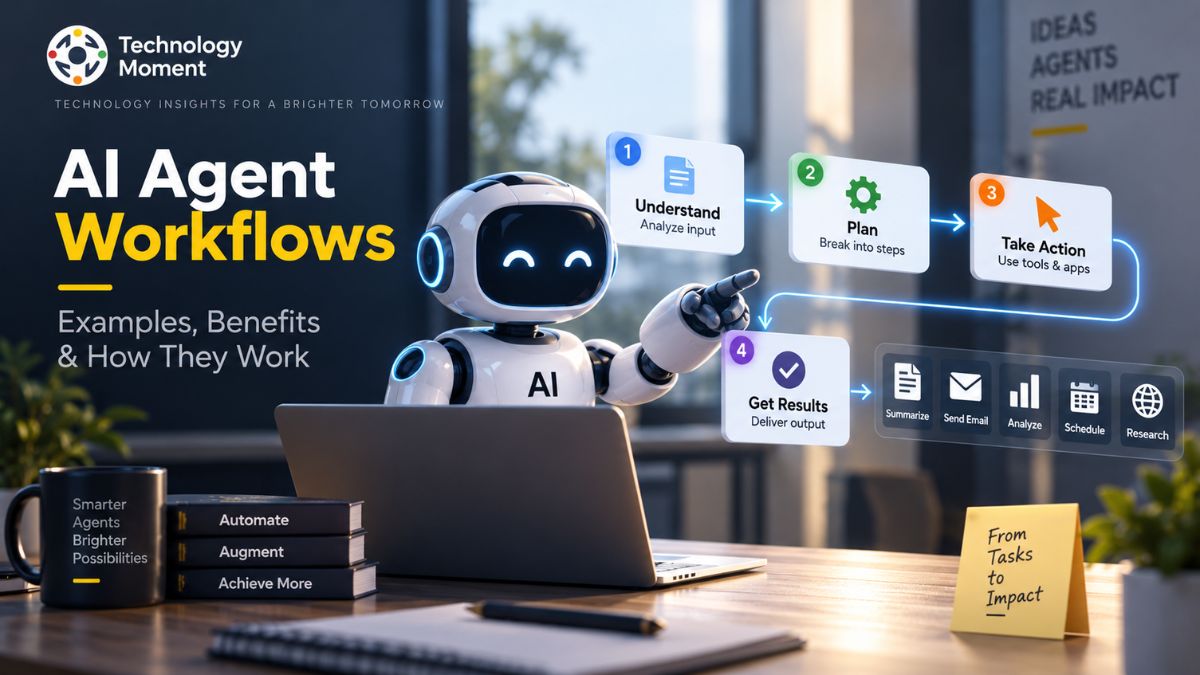
An AI agent workflow generally begins with a goal, event, or user request. The system then gives the AI agent the context, instructions, tools, and permissions it needs to work toward that goal. From there, the agent can determine which actions are necessary and execute them through connected tools or services. The first stage is usually input and goal definition. For example, a user might ask an AI agent to research several software products and prepare a comparison. The agent needs to understand the objective, relevant criteria, and expected output before beginning the workflow.
Next comes planning and decision-making. Using an AI model, the agent can break a larger task into smaller steps. It may decide which information to retrieve, which tool to use, and what sequence of actions makes sense. This is one of the key differences between agent-based automation and a completely rule-based workflow. The agent can then use tools and API integrations to perform actions. These tools might provide access to databases, search systems, business applications, documents, code repositories, or other software. Tool calling allows the agent to interact with these external systems instead of producing an answer based only on the information contained in the language model.
After an action is completed, the workflow can evaluate the result. If additional information is required, the agent may perform another action. If something fails, the workflow can potentially retry, choose another approach, or send the task to a human. This creates a loop of observe, decide, act, and evaluate rather than a purely linear process. More advanced workflows can also include memory, persistent context, multiple agents, and human-in-the-loop controls.
For example, a research workflow could collect information, organize the findings, check selected sources, identify missing information, and then produce a structured report. The exact process depends on the workflow’s design, available tools, and level of autonomy. Because AI agents can make decisions, reliable workflows should also include appropriate permissions, monitoring, validation, and human oversight where the consequences of an incorrect action are significant.
AI Agent Workflow Architecture
AI agent workflow architecture describes the components that allow an AI agent to understand a goal, access information, use tools, make decisions, and complete tasks. The architecture can be simple for a single automation or considerably more complex when multiple agents and services are involved. At the center is the AI agent layer. This component interprets instructions and determines what actions may be required. A large language model can provide the reasoning and language capabilities, while additional application logic defines the agent’s boundaries and available operations.
The next important component is the workflow orchestration layer. An orchestrator coordinates the sequence of tasks, manages conditions, routes information between components, and determines when an agent should act. This layer is particularly important when a workflow contains several tools, agents, or approval steps. The tools and API layer connects the agent to external systems. Depending on the application, an agent may need access to databases, search services, email systems, project-management platforms, cloud services, or developer tools. API integrations allow the workflow to exchange information and trigger actions across these systems.
A data and knowledge layer provides the information an agent needs to perform its task. This can include structured databases, documents, internal knowledge bases, or other approved sources. Retrieval mechanisms can help an agent access relevant information without requiring all data to be placed directly into the model’s context. Some workflows also include memory and context management. Memory can allow an agent to retain relevant information across interactions, while context management determines which information should be available during a particular task.
For more complex systems, multi-agent architecture can divide responsibilities among specialized agents. One agent might gather information, another analyze it, and another verify or organize the result. Agent coordination then becomes an important part of the overall architecture. Finally, a robust architecture should include human-in-the-loop controls, security, monitoring, and error handling. These components help prevent unauthorized actions and provide a way to review sensitive decisions. The result is an architecture in which the AI model is only one part of a broader system. Effective AI agent workflow design depends on how the model, orchestration, data, tools, permissions, and human oversight work together.
AI Agent Workflow Examples
AI agent workflows can be applied to many processes where tasks involve multiple steps, changing information, or decisions. The specific implementation depends on the tools available and the level of autonomy required. Customer support is one example. When a customer submits a question, an AI agent can identify the intent, retrieve relevant information from a knowledge base, check account or product information through authorized systems, and prepare a response. More sensitive actions can be routed to a human support representative.
In research workflows, an agent can receive a research question, gather information from approved sources, organize relevant findings, identify gaps, and create a structured summary. A verification step can be added before the final result is delivered. For content operations, an AI agent can help with tasks such as collecting source material, organizing information, creating an initial draft, checking predefined requirements, and preparing content for human review. Human editors can remain responsible for final publication decisions.
In software development, an agent can assist with understanding an issue, searching documentation or code, generating a proposed solution, running tests, and reporting the results. Developers can review changes before they are merged or deployed. AI agent automation can also support business workflows. For example, a lead-processing workflow could analyze incoming information, categorize a lead according to predefined criteria, update a CRM, and notify the appropriate team member.
For personal productivity, an agent could process incoming information, organize tasks, summarize documents, or coordinate information across connected applications. The workflow can be designed to require confirmation before actions such as sending messages or changing important records. More advanced systems can combine several specialized agents. A research agent might gather information, an analysis agent could evaluate it, and a verification agent could check specific claims before a final response is generated.
These examples demonstrate why AI agent workflows are broader than simple task automation. Their value comes from combining AI reasoning with tools, data, workflow orchestration, and clearly defined boundaries.
AI Agent Workflows for Business
Businesses can use AI agent workflows to connect knowledge, applications, and repetitive processes into more adaptive forms of automation. Instead of requiring employees to manually move information between systems or perform every intermediate step, an AI agent can handle selected parts of a process under defined permissions. In customer service, an AI agent can classify incoming requests, retrieve relevant information, draft responses, and route complex cases to human representatives. This can help teams handle routine requests while keeping human involvement for situations that require judgment.
In sales, an agent workflow can process incoming leads, gather relevant information, categorize opportunities, update customer records, and notify sales teams. The workflow can apply business rules alongside AI-based interpretation rather than allowing the model to make unrestricted decisions. Marketing workflows can use agents to organize research, analyze campaign information, summarize performance data, and prepare draft materials for review. Human approval remains important for public-facing content and brand-sensitive decisions.
AI agents can also support business research and knowledge management. An agent can search approved internal sources, retrieve relevant documents, summarize information, and provide employees with answers based on available organizational knowledge. For operations, AI-powered automation can connect multiple business applications. An agent might receive a request, identify the necessary steps, retrieve information from one system, update another, and notify a responsible employee when the process is complete.
Document processing is another practical application. An agent can extract relevant information from documents, classify them, identify missing fields, and send exceptions for human review. However, businesses should not treat AI agent workflows as completely autonomous replacements for existing processes. Sensitive workflows involving financial decisions, personal data, security, compliance, or irreversible actions require carefully designed permissions and human oversight.
The most practical approach is often to start with a clearly defined process, identify where AI can add useful decision-making or information handling, and then introduce automation gradually. This allows organizations to evaluate accuracy, cost, reliability, security, and measurable business value before expanding the workflow.
AI Agent Workflows vs AI Assistants
AI agents and AI assistants can both interact with users and perform tasks, but they are designed for different levels of automation. An AI assistant typically responds to a user’s request by providing information, generating content, or helping with a specific task. An AI agent can go further by working toward a goal, selecting available tools, making decisions within defined boundaries, and completing multiple steps. For example, an AI assistant might answer a question about a software product. An AI agent workflow could take a broader request such as researching several products, collecting relevant information, comparing their features, organizing the findings, and preparing a summary.
The difference becomes clearer when looking at workflow automation. AI assistants are often interaction-focused, meaning the user actively communicates with the system to receive assistance. AI agent workflows are more process-oriented. Once given a goal or trigger, an agent can potentially perform several connected actions without requiring the user to provide instructions for every individual step.
| AI Assistants | AI Agent Workflows |
|---|---|
| Primarily respond to users | Work toward defined goals |
| Often interaction-driven | Often process-driven |
| Usually handle individual requests | Can coordinate multiple tasks |
| Limited tool usage may be sufficient | Can use multiple connected tools |
| User commonly directs each step | Agent handles the required steps toward the goal |
| Best suited for questions, guidance, and direct assistance | Better suited for multi-step automation and complex tasks |
However, the two approaches can overlap. An AI assistant may use agent-like capabilities, while an AI agent can provide an assistant-style conversational interface. The practical distinction is therefore not simply whether a system is called an “assistant” or an “agent.” What matters is its level of autonomy, tool access, decision-making, workflow orchestration, and ability to complete multi-step tasks.
Multi-Agent Workflows
A multi-agent workflow uses multiple AI agents that collaborate on a larger task. Instead of asking one agent to perform every part of a process, the workflow can assign different responsibilities to specialized agents. This approach is particularly useful when a task contains several distinct areas of expertise or requires independent processing stages. For example, consider a technology research workflow. One agent could gather information from approved sources, another could analyze the collected information, and a third could check specific claims or organize the final output. An orchestration layer coordinates these agents and determines how information moves between them.
This type of system is commonly associated with multi-agent systems, where agents have individual roles, capabilities, and instructions. Some agents may focus on research, while others handle analysis, planning, coding, verification, or communication. Agent coordination is an important part of the architecture. The system needs to determine which agent receives a task, what information it receives, when its work is complete, and which agent should process the result next. Without clear coordination, multiple agents can duplicate work, produce conflicting results, or consume unnecessary resources.
Multi-agent workflows can also use human-in-the-loop controls. A human reviewer may approve an important decision before another agent is allowed to continue. The main advantage is specialization. Instead of relying on one general-purpose agent, a workflow can divide a complex process into manageable responsibilities. However, adding more agents also introduces complexity. Each additional agent can increase infrastructure requirements, execution costs, monitoring needs, and potential failure points. Therefore, multi-agent architecture should be used when specialization provides a meaningful benefit rather than simply because multiple agents are technically possible.
Benefits of AI Agent Workflows
AI agent workflows can provide several benefits when they are applied to processes that involve repetitive work, unstructured information, or multiple decision points. Their value comes from combining AI capabilities with workflow automation, external tools, data sources, and defined operational rules. One major benefit is task automation. An AI agent can handle selected steps of a process that previously required manual intervention. This can be useful for activities such as information gathering, document processing, classification, research, and routine communication.
Another benefit is flexibility. Traditional automation generally performs actions according to predetermined rules. AI-powered automation can interpret more variable inputs and determine which supported action may be appropriate. This makes intelligent workflows potentially useful for processes where every input does not look exactly the same. AI agent workflows can also connect multiple applications through API integrations. An agent may retrieve information from one system, process it, and pass the relevant result to another application. This can reduce the need for users to manually transfer information between disconnected tools.
For businesses, these workflows can support business process automation across areas such as customer support, research, operations, sales, and internal knowledge management. Developers can use AI agents to assist with software-related tasks, documentation, testing, and information retrieval. Individuals can use AI productivity workflows for research, organization, document handling, and repetitive digital tasks.
Another potential benefit is scalability. Once a workflow has been properly tested and monitored, software can execute suitable tasks repeatedly without requiring a person to manually initiate every intermediate step. AI agents can produce incorrect outputs, misunderstand instructions, or encounter tool failures. For that reason, automation should be combined with appropriate validation, permissions, monitoring, and human oversight.
Best Practices for Designing AI Agent Workflows
Effective AI agent workflow design starts with a clearly defined objective. Before selecting an AI model or automation platform, identify the specific problem the workflow needs to solve and define what a successful result looks like. The next step is to separate deterministic tasks from tasks that genuinely require AI. Simple operations with predictable conditions may be better handled through traditional workflow automation. AI should be introduced where interpretation, classification, planning, or flexible decision-making provides meaningful value.
Keep each agent’s responsibility clear. A focused agent with a limited role is generally easier to test, monitor, and maintain than an agent expected to handle an unlimited range of tasks. For more complex systems, clearly defined roles can also improve agent coordination. Tools and APIs should be carefully controlled. Sensitive systems, personal information, financial operations, and irreversible actions should have additional safeguards.
Another important practice is using reliable data. When workflows depend on external information, the system should identify appropriate sources and validate important results. Retrieval and knowledge systems should be designed so the agent receives relevant context without unnecessary or untrusted information. Human-in-the-loop controls are valuable when an action carries significant consequences. A workflow can allow the agent to prepare a recommendation while requiring a person to approve the final action.
Check incomplete inputs, incorrect information, unavailable APIs, unexpected outputs, and failed actions. Finally, monitor the workflow after deployment. Track accuracy, completion rates, failures, execution time, resource usage, and user feedback. Regular monitoring helps identify where prompts, tools, permissions, or workflow logic need improvement. A well-designed AI agent workflow is therefore not simply autonomous. It is controlled, observable, testable, and aligned with a clearly defined objective.
Frequently Asked Questions About AI Agent Workflows
What are AI agent workflows?
AI agent workflows are structured processes where AI agents work toward a defined goal by interpreting information, making decisions, using connected tools, and completing multiple tasks. They can combine AI reasoning with workflow automation, APIs, data sources, and human approval steps to handle processes that may be difficult to manage through fixed rules alone.
How do AI agent workflows work?
An AI agent workflow usually begins with a trigger, request, or goal. The agent interprets the task, determines the required actions, uses available tools or APIs, evaluates results, and continues until the workflow reaches its defined outcome. Human approval can be added when an action requires additional oversight.
What is the difference between AI agents and workflows?
An AI agent is a software component that can interpret goals and select actions within its available capabilities. A workflow defines how tasks, tools, conditions, and agents are connected. An AI agent workflow combines both concepts to create a structured process for completing multi-step tasks.
What can AI agent workflows automate?
AI agent workflows can automate tasks such as research, document processing, customer support, data classification, software development assistance, information retrieval, email organization, and business processes. The appropriate level of automation depends on the workflow’s complexity, available tools, data quality, security requirements, and need for human oversight.
What is an agentic workflow?
An agentic workflow is a process in which an AI agent has some ability to determine intermediate actions while working toward a defined objective. Instead of following only a fixed sequence, the agent may select tools, interpret results, or adjust its next step within boundaries established by the workflow.
Are AI agent workflows useful for businesses?
AI agent workflows can support businesses in areas such as customer service, research, sales operations, document processing, internal knowledge management, and repetitive digital tasks. Organizations should evaluate each workflow based on accuracy, security, cost, integration requirements, and the consequences of incorrect automated actions.