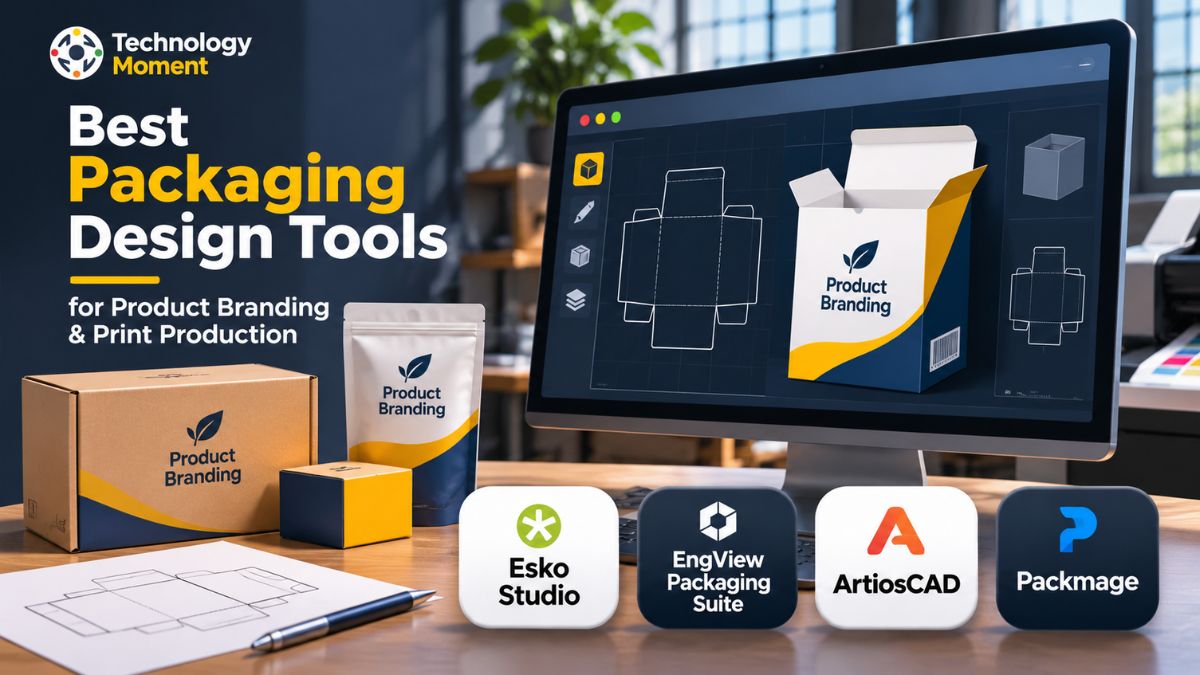
Packaging is more than just a way to protect a product; it is an important part of brand identity, customer experience, and product presentation. From the shape of a box to the colours, typography, graphics, and printed finishes, every detail influences how customers perceive a product. Creating packaging that looks appealing while meeting structural and production requirements requires the right software and design workflow.
Packaging design software helps designers, brand owners, and manufacturers turn creative concepts into practical packaging solutions. Modern packaging design tools support different stages of the process, including structural packaging design, dieline creation, 3D visualisation, artwork development, and print production preparation. They also make it easier to review designs, identify potential issues, and present realistic packaging concepts before manufacturing begins.
However, choosing the right packaging design software can be challenging because different applications serve different purposes. Some focus on structural CAD and engineering, while others specialise in 3D packaging visualisation, box development, and production-ready artwork. Understanding these differences is essential when selecting a tool for a particular project.
At Technology Moment, we explore practical technologies and software that help professionals make informed decisions. In this guide, we examine four packaging design solutions: Esko Studio, EngView Packaging Suite, ArtiosCAD, and Packmage. We will explore their key features, capabilities, potential limitations, and practical applications to help you understand which solution best matches your product branding, packaging development, and print production requirements.
What Is Packaging Design Software and How Does It Work?
Packaging design software refers to specialised applications that help designers, packaging engineers, manufacturers, and branding teams create, develop, and prepare product packaging for production. These tools support different aspects of packaging development, from designing the physical structure of a box to creating attractive artwork and preparing files for commercial printing. Unlike general graphic design applications, professional packaging design software can address both the visual appearance and practical requirements of a package.
The process usually begins with structural packaging design, where designers determine the dimensions, shape, material, folding pattern, and overall construction of the package. Packaging CAD software helps create accurate technical layouts and dielines that define where materials should be cut, folded, and creased. These layouts provide the foundation for producing folding cartons, corrugated boxes, labels, and other packaging formats. Once the structure is established, designers can develop the graphic elements, including brand colours, typography, product information, illustrations, and other visual details.
Many modern packaging design tools also support 3D packaging design and visualisation. Instead of relying entirely on flat drawings, professionals can preview how a package will look after folding and assembly. Some applications allow designers to apply artwork to a virtual structure, create realistic packaging mockups, and evaluate the appearance of different materials and printing finishes before manufacturing.
Packaging production software can also help prepare technical files for printing, prototyping, and manufacturing workflows. By connecting structural design with artwork and production preparation, these applications make packaging development more organised and efficient. This makes packaging design software valuable for businesses seeking consistent product branding, accurate packaging structures, and reliable print production.
Key Features to Look for in Packaging Design Software
Choosing the right packaging design software requires understanding the features that support your particular design and production requirements. Different applications offer different capabilities, so evaluating their practical functions is more useful than comparing software based on popularity alone. A suitable solution should support the complete packaging workflow, from initial concepts to production-ready files.
One important feature is structural packaging design. Professional packaging CAD software should provide tools for creating accurate box structures, folding cartons, corrugated packaging, and custom packaging layouts. Parametric design capabilities and reusable templates can also help designers adjust dimensions without rebuilding an entire structure. Dieline creation and generation are equally important because accurate cutting, folding, and creasing lines are essential for manufacturing.
Another valuable capability is 2D and 3D packaging design. Two-dimensional layouts are necessary for technical drawings and print preparation, while 3D packaging visualisation helps designers understand how the finished product will appear. Some tools also provide realistic 3D packaging rendering, virtual mockups, and previews of printing effects, making it easier to review packaging concepts before producing physical samples.
Artwork integration is another factor worth considering. Good packaging artwork software should support the placement of graphics, typography, logos, colours, and product information on the structural design. Compatibility with commonly used graphic design applications can improve collaboration between creative and technical teams.
Finally, consider print production features such as print-ready file preparation, prepress workflow support, manufacturing documentation, and production layout tools. Depending on your requirements, you may also need packaging prototyping, approval management, and packaging design automation. Evaluating these features will help you select packaging design tools that match your budget, technical experience, and production environment.
Best Packaging Design Tools for Product Branding and Print Production
Selecting the best packaging design software depends on the type of packaging you create, the complexity of your projects, and the production workflow you need to support. Some applications concentrate on structural packaging CAD, while others focus on 3D visualisation, artwork presentation, or box development. Understanding these differences can help designers and manufacturers choose a solution that fits their actual requirements.
For professional packaging projects, it is useful to evaluate software according to its structural design capabilities, dieline generation, artwork integration, 3D visualisation, and print production support. These features determine how effectively an application can connect creative packaging ideas with practical manufacturing requirements. Businesses producing folding cartons, corrugated boxes, retail displays, or customised product packaging may need more specialised capabilities than teams working mainly on visual branding and promotional mockups.
Four solutions worth examining are Esko Studio, EngView Packaging Suite, ArtiosCAD, and Packmage. Each has a different focus within the packaging design process. Esko Studio is particularly relevant to 3D packaging artwork visualisation, helping professionals preview designs using virtual representations. EngView Packaging Suite combines structural CAD/CAM capabilities with packaging development and production workflows. ArtiosCAD focuses on professional structural packaging design, including folding cartons, corrugated structures, and virtual prototyping. Packmage is another option to investigate for box and carton packaging development, particularly when evaluating specialised dieline and structural design requirements.
When comparing these packaging design tools, look beyond their feature lists. Consider the types of packaging materials supported, ease of editing designs, compatibility with existing applications, learning requirements, and the quality of production outputs. The best choice is the one that supports your team’s real packaging workflow, whether the priority is product branding, structural accuracy, 3D presentation, or efficient print production.
1. Esko Studio – Best for 3D Packaging Visualization
Esko Studio is a specialised solution for 3D packaging design and artwork visualisation, particularly useful for packaging designers who want to see how their graphics will appear on a finished product. Rather than focusing primarily on creating complex structural packaging CAD designs, Studio helps professionals connect packaging artwork with three-dimensional representations. This makes it relevant to branding teams, packaging artwork specialists, and print production professionals who need to review designs before manufacturing.
One of its key capabilities is 3D packaging visualisation. Designers can apply artwork to virtual packaging structures and examine how graphics appear across different panels, surfaces, and product shapes. The software supports visual presentations for packaging formats such as boxes, bags, bottles, and other products. Its print modelling technology also helps represent production-related details, allowing designers to explore the appearance of materials, inks, varnishes, foils, and other finishing effects.
Esko Studio works with Adobe Illustrator-based packaging workflows, making it particularly relevant for professionals who already develop packaging artwork using that application. Depending on the available Studio components and workflow, users can create realistic 3D packaging renderings, virtual packshots, images, and presentation materials. These visual assets can help communicate design concepts to clients, marketing departments, and other stakeholders without depending entirely on physical mockups or traditional product photography.
For businesses that regularly review multiple packaging concepts, 3D visualisation can make design discussions more practical and help identify artwork issues earlier. Studio is therefore worth considering when packaging presentation, artwork review, and product branding are major priorities. However, teams requiring extensive structural engineering and manufacturing-focused CAD capabilities should evaluate a dedicated solution such as ArtiosCAD alongside it.
2. EngView Packaging Suite – Best for Structural Packaging and CAD Workflows
EngView Packaging Suite is a specialised packaging CAD/CAM solution designed for professionals who work with structural packaging, box development, and production preparation. It is particularly useful for packaging engineers, structural designers, graphic designers, and manufacturers who need to manage different stages of packaging development. The software supports the design and production of folding cartons, corrugated packaging, and point-of-purchase (POP) and point-of-sale (POS) displays.
One of its important capabilities is parametric structural design, which allows designers to create and modify packaging structures by adjusting dimensions and other design parameters. EngView also provides a library of more than 2,500 ready-to-use packaging standards, including ECMA and FEFCO designs. These resources can help professionals develop packaging structures without creating every design from scratch. This makes the software particularly relevant for businesses handling multiple box styles and customised packaging requirements.
Another useful feature is its integration with Adobe Illustrator. Structural designers can work on packaging structures while graphic designers develop artwork for the same project. Its 3D visualisation capabilities allow users to preview packaging structures with products inside and apply high-resolution graphics to virtual models. Depending on the selected modules, the software also provides layout optimisation, cost estimation, and computer-aided manufacturing (CAM) capabilities.
EngView Packaging Suite is worth considering for companies that require an integrated structural packaging design and production workflow. However, its modular structure means that available capabilities depend on the selected package and licence. Businesses should evaluate their specific requirements before choosing a subscription.
3. ArtiosCAD – Best for Professional Structural Packaging Design
ArtiosCAD is professional structural packaging design software developed by Esko. It is designed for packaging engineers, folding carton converters, corrugated packaging manufacturers, and brands that require accurate structural designs and production-oriented workflows. Unlike software focused mainly on visual packaging artwork, ArtiosCAD concentrates on the technical side of packaging development, helping professionals create structures that are suitable for prototyping and manufacturing.
The software provides dedicated 2D and 3D design capabilities for developing folding cartons, corrugated boxes, and point-of-purchase displays. Designers can create packaging structures from scratch or work with existing design libraries and industry-standard styles. Its parametric design tools also make it easier to modify dimensions and adapt existing structures to different product requirements. These capabilities make ArtiosCAD a valuable option for businesses that regularly develop customised packaging.
Another important capability is virtual prototyping. Designers can examine packaging structures in 3D, review folding and assembly requirements, and identify potential design problems before physical samples are produced. The software also supports the creation of assembly instructions and visual presentations, helping technical teams communicate packaging concepts more clearly. Its integration with applications such as Adobe Illustrator and other compatible systems can support collaboration across design and production departments.
ArtiosCAD also offers production-focused features, including structural preflight checks, dieboard-related workflows, and manufacturing preparation. These capabilities can help packaging manufacturers identify technical issues earlier in the process. For organisations looking for professional packaging CAD software with advanced structural design capabilities, ArtiosCAD is a strong option to evaluate. However, beginners and businesses with simple artwork requirements may find its specialised engineering workflow more than they need.
4. Packmage – Best for Box and Carton Packaging Design
Its Packmage CAD application focuses on creating packaging structures, adjusting dimensions, generating dielines, and previewing designs in three dimensions. It is particularly relevant to professionals who regularly develop customised boxes, folding cartons, gift boxes, and other paperboard packaging products.
One of its notable features is its extensive box template library, which includes more than 800 packaging structures. These include tube folding cartons, tray folding cartons, lid-and-base boxes, and several other box styles. Instead of drawing every structure manually, designers can select an existing template and customise it according to the required length, width, height, and material thickness. Its parametric design capabilities make structural modifications more convenient when developing different packaging sizes.
Packmage also supports 3D virtual proofing, allowing users to preview how a packaging structure will appear after folding. Designers can convert self-created structural drawings into 3D models and review their designs before moving towards physical production. Another useful capability is intelligent layout and nesting operations, which help identify suitable arrangements for packaging structures within available sheet dimensions. This can support material utilisation and production planning.
For businesses focused on box design software, carton design software, and packaging dieline creation, Packmage offers several practical capabilities. However, users should check its platform compatibility, export permissions, available templates, and licensing options before selecting it. Its official desktop application is designed for Windows, while browser-based functionality is also available. It is worth considering for specialised box and carton design workflows rather than treating it as a complete replacement for every professional packaging production system.
Packaging Design Software Comparison: Esko Studio vs EngView vs ArtiosCAD vs Packmage
Choosing between different packaging design tools becomes easier when their primary purposes and capabilities are compared side by side. Although Esko Studio, EngView Packaging Suite, ArtiosCAD, and Packmage all support packaging-related workflows, they are designed to address different professional requirements. Some focus more on 3D packaging visualisation and artwork presentation, while others concentrate on structural packaging CAD, box development, and manufacturing preparation.
The following comparison highlights their main applications, design capabilities, and potential use cases to help packaging designers, brand owners, and manufacturers understand their differences.
| Comparison Criteria | Esko Studio | EngView Packaging Suite | ArtiosCAD | Packmage |
|---|---|---|---|---|
| Primary Focus | 3D packaging visualisation | Structural packaging CAD/CAM | Professional structural packaging CAD | Box and carton design |
| Main Users | Packaging artwork designers | Packaging engineers and manufacturers | Packaging engineers and converters | Box designers and structural engineers |
| Structural Design | Works with packaging structures | Advanced parametric design | Advanced structural CAD | Parametric box design |
| Dieline Workflow | Artwork visualisation on packaging structures | Structural dieline creation | Professional structural dieline design | Box template and dieline generation |
| 3D Capabilities | 3D packaging visualisation | 3D modelling and virtual proofing | 2D and 3D structural design | 3D virtual proofing |
| Artwork Integration | Adobe Illustrator workflow | Adobe Illustrator integration | Adobe Illustrator integration | Artwork application and 3D preview |
| Packaging Types | Boxes, bottles, bags and other formats | Folding cartons, corrugated packaging and displays | Folding cartons, corrugated boxes and displays | Folding cartons, gift boxes and other box styles |
| Production Support | Artwork and presentation workflows | CAM, layout and production preparation modules | Preflight, prototyping and manufacturing workflows | Nesting and production layout operations |
| Best Suited For | Visual packaging presentations | Integrated structural design and production | Complex professional packaging structures | Custom box and carton development |
The comparison shows that no single packaging design software is automatically the best choice for every business. Esko Studio is worth evaluating when realistic 3D packaging visualisation and artwork presentation are the main priorities. EngView Packaging Suite is suitable for professionals who want structural packaging CAD/CAM capabilities alongside artwork integration and production workflows. ArtiosCAD is a strong candidate for organisations handling complex structural packaging projects, engineering, and manufacturing preparation. Packmage is worth considering for businesses that frequently develop customised box structures and carton designs.
Before making a decision, compare licensing costs, supported operating systems, available modules, file compatibility, training requirements, and production equipment integration. The right packaging design tools should match your actual workflow, improve design accuracy, and support the transition from initial concepts to production-ready packaging.
How to Choose the Right Packaging Design Software for Your Needs
Choosing the right packaging design software depends on your project requirements, design experience, packaging materials, and production workflow. Not every application offers the same capabilities, so it is important to identify what you need before investing in a professional solution. Businesses creating simple product boxes may require different features from manufacturers developing complex folding cartons, corrugated packaging, or customised retail displays.
Start by identifying whether your primary requirement is graphic artwork or structural packaging design. If your main focus is brand identity, typography, illustrations, and product presentation, look for software that supports packaging artwork design and integrates with familiar graphic design applications. However, if you need accurate dimensions, folding patterns, cutting lines, and technical layouts, structural packaging CAD software may be more suitable. Applications such as ArtiosCAD and EngView Packaging Suite are worth evaluating for these requirements.
Tools such as Esko Studio can help designers preview artwork on virtual packaging structures and create realistic product presentations. This can be particularly useful for marketing teams, packaging approvals, and ecommerce content. You should also check compatibility with your existing file formats, printers, cutting equipment, and manufacturing systems.
Budget, licensing, learning requirements, and technical support are equally important. Some packaging production software offers specialised modules that may increase the overall investment. Before purchasing, explore demonstrations, available documentation, and sample projects. The best packaging design tools are those that match your actual workflow, support your production requirements, and help your team create accurate, professional packaging efficiently.
How Packaging Design Software Supports Print Production
Packaging design software plays an important role in connecting creative packaging concepts with commercial printing and manufacturing. A visually attractive design is not enough on its own; the artwork must also fit the physical packaging structure and meet the technical requirements of the selected printing process. Professional packaging production software helps designers prepare accurate layouts and organise the information required for production.
One of the most important stages is dieline creation. A dieline defines the cutting, folding, and creasing positions required to transform a flat sheet of packaging material into a finished structure. Packaging CAD software helps create these technical layouts for folding cartons, corrugated boxes, and customised packaging. Accurate dimensions and structural details can reduce problems during prototyping and manufacturing.
Another important stage is packaging artwork preparation. Designers must ensure that logos, text, product information, images, and other graphic elements are positioned correctly within the available panels. Print-ready packaging artwork may also require appropriate bleed settings, colour specifications, image resolution, and separation information according to the printer’s requirements. Packaging prepress workflows help check these technical details before files are sent for printing.
Some professional applications also support 3D packaging visualisation, allowing teams to examine artwork on virtual structures before production. This can make design reviews and approval discussions easier. Additional production features may include sheet layout optimisation, nesting, and manufacturing file preparation, depending on the software and available modules.
By connecting structural packaging design, artwork development, and print production preparation, these tools help businesses manage packaging projects more systematically. They can also reduce avoidable corrections, improve communication between designers and manufacturers, and support a smoother transition from digital designs to physical products.
Benefits of Using Professional Packaging Design Tools
Professional packaging design tools offer several advantages for businesses that regularly develop product packaging. Packaging CAD software allows designers to work with precise dimensions, structural layouts, and technical specifications rather than relying entirely on manual drawings. This is especially valuable when developing customised boxes, folding cartons, and corrugated packaging for different product sizes.
Another important advantage is better product branding. Packaging artwork software helps creative teams organise brand colours, typography, logos, illustrations, and product information across different packaging formats. Maintaining visual consistency can strengthen brand recognition and create a more professional customer experience. Meanwhile, 3D packaging design and visualisation tools allow businesses to preview how their products may look before physical samples are manufactured.
Professional packaging software can also improve the packaging development process. Reusable templates, parametric design features, and automated layout capabilities may reduce repetitive tasks when producing multiple packaging variations. Virtual prototyping can help identify structural or visual issues earlier, potentially reducing unnecessary physical samples and associated expenses.
For manufacturers, packaging production software can support better coordination between structural designers, artwork specialists, prepress teams, and production departments. Accurate dielines and properly prepared print files can make the production handoff more organised. Some solutions also provide manufacturing-oriented features that support material utilisation and production planning.
Finally, these applications can improve communication with clients and stakeholders through 3D mockups, visual presentations, and digital approvals. The actual benefits depend on the selected software, project complexity, and how effectively the tools are integrated into existing workflows. Overall, professional packaging design software can help businesses improve consistency, manage technical requirements, and develop packaging that meets both branding and production needs.
Frequently Asked Questions About Packaging Design Software
What Is the Best Packaging Design Software?
The best packaging design software depends on your requirements. Esko Studio is worth considering for 3D packaging visualisation and artwork presentation. EngView Packaging Suite supports structural packaging CAD/CAM workflows, while ArtiosCAD focuses on professional structural design. Packmage is another option for box and carton development. Compare their features, compatibility, licensing, and production capabilities before choosing.
Which Software Is Used for Professional Packaging Design?
Professional packaging designers use specialised applications depending on their responsibilities. ArtiosCAD and EngView Packaging Suite support structural packaging design and CAD workflows. Esko Studio helps professionals visualise packaging artwork in 3D. Packmage provides tools for developing box structures and dielines. Many packaging teams combine structural CAD applications with graphic design software to manage complete packaging projects.
Which Software Is Best for Box and Carton Design?
The right box design software depends on the complexity of your packaging requirements. ArtiosCAD and EngView Packaging Suite are suitable options for professional structural packaging workflows. Packmage is worth evaluating for customised box and carton development. Before selecting one, check its available templates, dieline creation capabilities, 3D visualisation, material specifications, and compatibility with your manufacturing process.