For many busy professionals, the workday is filled with tasks that seem small individually but quickly consume valuable time—sorting emails, taking meeting notes, researching information, updating projects, organizing documents, and following up on unfinished work. The challenge is not always having too much work; it is spending too much time on repetitive work that could be handled more efficiently.
This is where AI workflows for busy professionals can make a meaningful difference. Instead of using artificial intelligence only to answer individual questions, AI workflows connect different steps of a task so that information can be processed, organized, summarized, or transformed with less manual effort. When designed properly, they can help professionals spend less time managing routine work and more time focusing on decisions, creativity, strategy, and meaningful collaboration.
At Technology Moment, we focus on making emerging technology easier to understand and more useful in real-world situations. Rather than treating AI as a collection of complicated tools or trends, we look at how technology can solve practical problems and help people work more effectively. That approach is especially important with AI, where choosing the right workflow can often matter more than simply using more tools.
In this guide, we’ll explore practical AI workflows for professionals, including workflows for email, meetings, research, task management, content creation, project management, and daily planning. You’ll also learn how to identify tasks worth automating, create a simple AI workflow, choose the right tools, and avoid common automation mistakes.
The goal is not to automate your entire working life. It is to find the right opportunities where AI can remove unnecessary friction and give you more time for the work that truly requires you.
What Are AI Workflows?
AI workflows are structured processes that use artificial intelligence to complete, simplify, or automate multiple steps of a work task. Instead of asking an AI tool to perform one isolated action, an AI workflow connects a series of actions so information can move from one stage to another with less manual effort. This can turn repetitive work into a more consistent and efficient digital workflow.
For example, a professional could create an AI workflow that takes an incoming document, extracts the important information, summarizes it, organizes the findings, and prepares a task or report based on the results. This is different from simply using an AI assistant because the workflow focuses on completing a repeatable process rather than answering a single prompt.
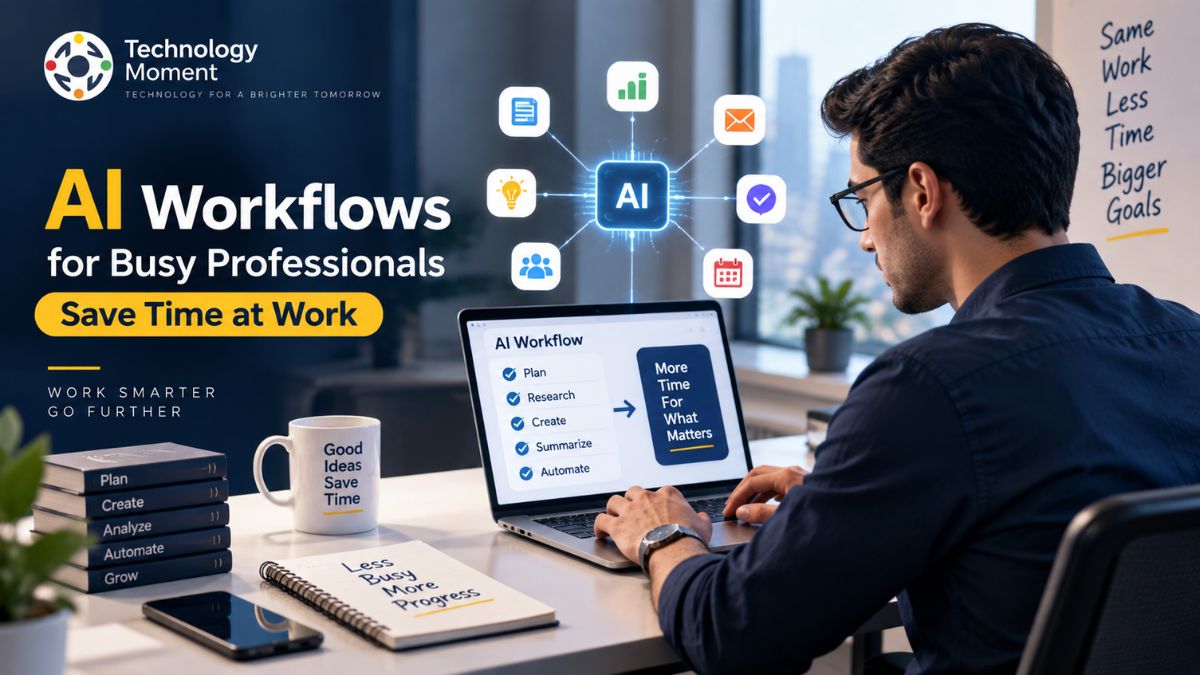
AI workflows can combine AI automation, task automation, workflow automation, AI assistants, AI agents, and AI-powered tools. Depending on the task, they may also connect different applications through integrations. A workflow could therefore begin with an email, process its contents using an AI model, and send the relevant information to a task-management or project-management system.
The most useful AI workflows are not necessarily the most complicated. For busy professionals, a simple workflow that reliably eliminates repetitive work can provide more practical value than an advanced system that requires constant maintenance. The goal is ultimately work efficiency: allowing AI to handle predictable parts of a process while people retain responsibility for judgment, creativity, communication, and important decisions.
How AI Workflows Help Busy Professionals Save Time
Busy professionals often lose significant amounts of time switching between applications, processing information, writing routine messages, organizing tasks, and repeating the same administrative activities. AI workflows can reduce this friction by automating selected parts of these processes.
One major advantage is the automation of repetitive tasks. An AI workflow can summarize long emails, classify incoming information, extract action items from meetings, organize research, or prepare routine updates. Instead of manually processing every piece of information, professionals can review the output and concentrate on what requires human attention.
AI productivity workflows can also improve how professionals manage information. For example, an automated research workflow can collect relevant information, summarize key points, and organize the results into a structured format. This can be particularly useful for knowledge workers who regularly deal with large amounts of information.
Another benefit is improved consistency. A well-designed automated workflow follows the same process each time, reducing the possibility of forgetting routine steps. AI workflows can also support time management, task management, workplace productivity, and professional productivity by helping users identify priorities and organize their work.
However, automation should not be treated as a replacement for human judgment. Sensitive communications, important business decisions, confidential information, and high-impact decisions may require human review. The strongest approach is usually a combination of AI automation and human oversight. In practical terms, the objective is simple: automate the predictable work so professionals have more time for strategic, creative, and relationship-focused work.
15 Practical AI Workflows for Busy Professionals
The best way to understand AI workflows is to see how they can be applied to everyday professional tasks. The following examples focus on practical situations where AI can reduce manual effort.
1. AI Email Management Workflow
An AI workflow can analyze incoming emails, identify important messages, summarize long conversations, and prepare response drafts. A professional can then review the suggested responses before sending them.
2. AI Meeting Productivity Workflow
AI can transcribe meetings, summarize key discussions, identify decisions, and extract action items. Those action items can then be converted into tasks for follow-up.
3. AI Research and Information-Gathering Workflow
Professionals who regularly conduct research can use AI to organize information, summarize relevant material, extract key findings, and create structured research notes.
4. AI Task Management Workflow
An AI workflow can turn information from emails, meetings, or notes into actionable tasks. It can also help categorize tasks by priority, deadline, or project.
5. AI Content Creation Workflow
Content teams can use AI workflows for research, outlining, drafting, editing, and repurposing content. Human review remains important for accuracy, originality, and brand voice.
6. AI Project Management Workflow
AI can summarize project updates, identify potential blockers, organize action items, and prepare status reports for teams and managers.
7. AI Document Organization Workflow
Large collections of documents can become difficult to manage. AI can summarize documents, extract important information, classify files, and help create a more organized knowledge system.
8. AI Calendar and Scheduling Workflow
AI-assisted workflows can help identify scheduling conflicts, prepare meeting information, and reduce repetitive coordination work around appointments and meetings.
9. AI Daily Planning Workflow
At the beginning of the day, AI can review priorities, deadlines, and outstanding tasks to help create a practical daily work plan.
10. AI Follow-Up Workflow
A workflow can identify unanswered messages or pending requests and prepare reminders or follow-up drafts, helping professionals avoid missed commitments.
11. AI Customer Communication Workflow
AI can classify customer inquiries, summarize previous interactions, and prepare response suggestions. Complex or sensitive cases can then be routed to a human.
12. AI Data Analysis Workflow
Professionals can use AI to organize datasets, identify patterns, summarize findings, and prepare preliminary reports before human validation.
13. AI Presentation Workflow
AI can help transform research or notes into a presentation structure, key talking points, and concise slide content, reducing preparation time.
14. AI Knowledge Management Workflow
AI can summarize notes, organize information, and help professionals build a searchable personal or team knowledge base.
15. AI End-of-Day Review Workflow
At the end of the day, AI can summarize completed work, identify unfinished tasks, capture important notes, and help prepare priorities for the following day.
These AI workflow examples for professionals demonstrate that automation does not have to involve complex systems. Even a small workflow can eliminate several repetitive steps from a normal workday.
How to Create an AI Workflow for Your Work
Creating an effective AI workflow starts with the problem rather than the technology. Before choosing an AI tool or automation platform, identify a task that is repetitive, predictable, and time-consuming. Look for activities you perform frequently, such as summarizing information, writing routine messages, transferring data, organizing notes, or creating recurring reports. These are often good candidates for automation.
Different workflows require different capabilities. An AI assistant may be sufficient for simple tasks, while more complex processes may require an AI automation tool, workflow builder, or integrations between multiple applications. Break the process into individual steps. Clearly identify the starting point, what AI should do, what information it needs, and what the final output should be. Where appropriate, connect the applications involved in the workflow. This might include email, calendars, project-management platforms, documents, databases, or communication tools.
Not every AI-generated result should be used automatically. Add a review step when accuracy, privacy, brand reputation, or business consequences are important. Start with a small workflow and monitor its results. Check whether it actually saves time, produces reliable outputs, and reduces manual work. If necessary, improve the instructions, integrations, or approval steps.
A successful AI workflow should make work simpler, faster, and more reliable—not create another complicated system that professionals have to manage. Starting with one high-value repetitive task and gradually expanding is often the most sustainable way to introduce AI automation into everyday professional work.
Which Everyday Work Tasks Are Worth Automating With AI?
Not every task is a good candidate for AI automation. The most effective AI workflows for busy professionals usually target work that is repetitive, predictable, time-consuming, and based on clearly defined inputs and outputs. Automating these activities can reduce manual effort without removing the human judgment needed for important decisions.
A useful starting point is to review your typical workday and identify tasks that happen repeatedly. Email sorting, meeting summaries, research organization, routine reporting, document processing, and task creation are often suitable for workflow automation. In contrast, activities involving sensitive decisions, complex negotiations, strategic judgment, or confidential information may require closer human involvement.
| Work Task | AI Automation Potential | Why It Can Be Automated |
|---|---|---|
| Email summarization | High | AI can identify key information quickly |
| Meeting notes | High | AI can transcribe and summarize discussions |
| Research organization | High | AI can classify and summarize information |
| Routine reports | High | Recurring formats can be automated |
| Task creation | High | AI can extract action items |
| Content drafting | High | AI can assist with first drafts |
| Scheduling assistance | Medium–High | AI can reduce coordination work |
| Data analysis | Medium–High | AI can identify patterns and summarize results |
| Customer responses | Medium | Human review may be necessary |
| Strategic decisions | Low | Human judgment remains essential |
The ideal workflow is therefore not necessarily the one that uses the most automation. It is the one that removes the greatest amount of unnecessary effort while maintaining quality and control. Before automating a process, consider three questions: Does this task happen frequently? Is the process reasonably predictable? Can the result be checked easily? If the answer is yes, it may be a strong candidate for AI task automation.
Starting with low-risk repetitive tasks also makes it easier to measure the value of automation before expanding into more complex AI business workflows.
Best AI Tools for Professional Workflows
The best AI tools for professionals depend on the workflow you want to improve. There is no single application that is ideal for every task, and choosing tools simply because they are popular can result in unnecessary complexity.
For individual tasks, AI assistants can help with writing, summarization, brainstorming, analysis, and information processing. For recurring processes, AI automation tools and workflow platforms can connect different applications and trigger actions automatically. Professionals may also benefit from specialized tools for meetings, research, project management, content creation, and data analysis.
A useful tool-selection framework is to begin with the job rather than the software. Ask what you want to accomplish, what information the workflow needs, which applications are already part of your work, and where human approval should occur.
For example, an email workflow may need an AI assistant combined with an email platform and task-management system. A research workflow may require an AI research tool, document storage, and an organization system. A project workflow may need AI-powered project management features and communication integrations.
AI workflow software becomes particularly useful when several applications need to work together. Automation platforms can move information between systems, while AI handles tasks such as classification, summarization, extraction, or content generation. When evaluating AI productivity tools for work, consider accuracy, integration support, privacy, security, ease of use, scalability, and pricing—not just the number of AI features.
The strongest professional technology stack is usually a small collection of reliable tools that work well together. Adding more applications does not automatically create better productivity. A well-designed workflow using a few appropriate tools can be more effective than a complicated collection of disconnected automation tools.
AI Workflow Examples for Different Professionals
AI workflows can be adapted to different professional roles because the underlying principle remains the same: reduce repetitive work while keeping humans responsible for judgment and outcomes. Managers can use AI workflows to summarize team updates, identify outstanding tasks, prepare meeting agendas, and create concise project reports. This can reduce administrative work and make it easier to focus on leadership and decision-making.
Marketing professionals can use AI for research, content planning, campaign organization, performance summaries, and content repurposing. AI can help move information between different stages of the marketing process while keeping strategic decisions with the marketing team. Developers can use AI-powered workflows for documentation, code explanations, issue summarization, testing assistance, research, and repetitive development tasks. Human review remains important for security, architecture, and production code.
Researchers and analysts can automate parts of information gathering, document summarization, classification, and research-note organization. This can help reduce information overload while making important findings easier to review. Consultants often work with large amounts of client information. AI workflows can assist with organizing research, summarizing documents, preparing meeting notes, and creating draft reports, allowing more time for analysis and client strategy.
Freelancers can automate administrative activities such as proposal drafts, client follow-ups, project updates, meeting summaries, and content organization. This can be especially valuable when one person handles both delivery and business operations. Business owners can use AI business workflows for customer communication, reporting, research, task management, and routine operational processes. Automation can help small teams handle repetitive work without immediately adding additional administrative overhead.
Knowledge workers frequently deal with information rather than physical tasks. AI workflows can help capture, summarize, organize, retrieve, and transform information across emails, documents, meetings, and research. These examples show why professional AI workflows should be designed around specific responsibilities rather than generic productivity promises. The best workflow is the one that addresses a genuine bottleneck in a person’s working process.
Common AI Workflow Mistakes to Avoid
AI automation can improve productivity, but poorly designed workflows can create new problems. One of the most common mistakes is trying to automate everything immediately. Not every task benefits from automation, and adding unnecessary AI steps can make simple processes harder to manage.
Another mistake is choosing tools before identifying the actual problem. Professionals sometimes collect multiple AI productivity tools without establishing how those tools fit into a coherent workflow. This can lead to duplicated features, disconnected information, and additional maintenance.
Accuracy is another important consideration. AI systems can generate incorrect, incomplete, or misleading information. For research, customer communication, business reporting, and other important tasks, outputs should be checked before they are treated as reliable. Privacy should also be considered. Sensitive business information, customer data, confidential documents, and proprietary information should only be processed through systems that meet the organization’s security and compliance requirements.
Overly complicated workflows are another risk. A workflow containing numerous integrations, AI agents, and conditional steps may appear powerful but can become difficult to troubleshoot. Simple AI workflows for beginners are often a better starting point because their results are easier to understand and measure.
Finally, professionals should avoid measuring automation by the number of tasks automated. The real question is whether the workflow improves work efficiency and creates meaningful time savings. A strong AI workflow should therefore be accurate, secure, understandable, maintainable, and genuinely useful. Start small, monitor results, keep human oversight where necessary, and expand only when the workflow consistently delivers value.
How to Build a Simple AI Productivity System
An effective AI productivity system does not need dozens of tools or complicated automation. For busy professionals, the better approach is to create a simple system that connects a few useful AI workflows to the tasks already part of the workday. The objective is to reduce friction without creating another system that requires constant management.
Start by bringing important information into a consistent system. Emails, meeting notes, research, ideas, documents, and requests can easily become scattered across different applications. AI can help summarize and organize this information so important details are easier to find later. The next stage is processing. AI can classify messages, summarize documents, extract action items, identify important information, and turn unstructured material into useful outputs. This is where AI-powered workflows can significantly reduce manual processing.
A productivity system should connect information with execution. For example, an AI workflow could identify an action item from a meeting summary and turn it into a task with a suggested deadline. This creates a practical connection between information management, task automation, and workplace productivity.
Automation should not remove human oversight. Add review points when information is sensitive, decisions are important, or accuracy matters. AI can prepare the work, while the professional remains responsible for approving the final result. At the end of each day or week, examine which workflows actually save time. Remove unnecessary steps and improve workflows that produce inconsistent results.
The strongest AI productivity workflows are simple, repeatable, and measurable. Start with one process, prove its value, and gradually build a larger system around it.
Final Thoughts: Start With One AI Workflow
AI workflows can make professional work more efficient, but their real value comes from solving specific problems rather than adding artificial intelligence to every activity. For busy professionals, the best starting point is usually one repetitive task that consumes time without requiring significant human judgment.
That could be organizing emails, summarizing meetings, preparing research notes, managing daily tasks, or creating recurring reports. Once you identify the process, break it into individual steps and determine which parts can be handled by AI, traditional automation, or a combination of both.
A useful AI workflow should save time while maintaining quality, security, and human control. It should also be easy enough to understand that you can identify when something goes wrong. This is particularly important as AI assistants and AI agents become more capable and are used for increasingly complex work.
Avoid measuring success simply by how much automation you have created. Instead, measure whether the workflow reduces repetitive work, improves consistency, decreases information overload, or gives you more time for high-value activities. For professionals who are new to AI automation, starting small is often the smartest strategy. Build one workflow, monitor its performance, improve it, and then decide whether another process should be automated.
Frequently Asked Questions About AI Workflows for Busy Professionals
How can AI workflows save time?
AI workflows can automate repetitive activities such as email summarization, meeting notes, research organization, task creation, document processing, and routine reporting.
What tasks can AI workflows automate?
Common examples include email processing, meeting summaries, research, content creation, task management, document organization, customer communication, data analysis, and project updates. The best candidates are generally repetitive and predictable tasks.
How do AI workflows improve productivity?
They can reduce repetitive work, minimize manual information processing, improve consistency, and help professionals focus on higher-value activities. AI workflows can also connect information across different stages of a work process.
How do I automate repetitive work with AI?
First, identify a repetitive task. Then map its individual steps, select an appropriate AI tool or automation platform, define the desired output, and add human review where necessary. Test the workflow before expanding it to other processes.
What are the best AI workflows for busy professionals?
Useful workflows include email management, meeting productivity, research, daily planning, task management, project updates, content creation, document organization, and end-of-day reviews. The best workflow depends on the individual’s role and recurring bottlenecks.
Can AI workflows replace human workers?
AI workflows are better viewed as tools for augmenting human work rather than automatically replacing people. AI can handle many repetitive or information-processing tasks, while humans remain important for judgment, creativity, strategy, relationships, and accountability.
What should I consider before using an AI workflow?
Consider accuracy, privacy, security, cost, reliability, integrations, maintenance, and the consequences of incorrect outputs. For sensitive or high-impact tasks, maintain appropriate human oversight.
Should I use AI agents or simple automation?
It depends on the task. Simple automation is often sufficient for predictable processes, while AI agents may be useful for more dynamic tasks that require multiple decisions or actions. Start with the simplest solution that reliably solves the problem.