AI is no longer limited to complex business systems or technical experiments. It is becoming a practical part of everyday life, helping people organize information, plan schedules, manage repetitive work, and stay on top of important tasks. With the right approach, AI can act as a useful assistant that reduces the amount of time spent on routine work and gives you more time to focus on what actually matters.
Learning how to use AI to manage daily tasks does not mean handing your entire schedule over to an AI system. Instead, it means using AI where it can provide the most value—such as creating task lists, prioritizing work, planning your day, managing reminders, organizing notes, and automating repetitive activities.
The challenge is knowing which tasks are worth automating and which still require human judgment. With so many AI tools and productivity apps available today, choosing the right approach can also feel overwhelming. That is where practical, trustworthy technology guidance becomes important.
At Technology Moment, we focus on making emerging technology easier to understand and apply in the real world. In this guide, we will explore practical ways to use AI for daily planning, task management, scheduling, productivity, and automation, along with the common mistakes to avoid. Whether you are a busy professional, student, entrepreneur, or simply looking for a better way to organize your day, you will learn how to build an AI-assisted workflow that works for you.
What Does It Mean to Use AI to Manage Daily Tasks?
Using AI to manage daily tasks means using artificial intelligence to help organize, plan, prioritize, and complete routine activities more efficiently. Instead of treating AI as a replacement for your judgment, you can use an AI assistant as a digital productivity partner that helps you make sense of your workload.
For example, AI can turn a collection of scattered tasks into an organized task list, identify which activities are most important, suggest deadlines, create reminders, or help structure your day. Modern AI task management systems can also work with calendars, notes, emails, and other productivity tools to create a more connected workflow.
The biggest advantage is reducing the mental effort required to manage everyday responsibilities. Rather than repeatedly deciding what to do next, you can ask an AI tool to organize your tasks based on deadlines, priorities, and available time. However, effective AI-powered task management still requires human oversight. AI may suggest a schedule or priority that does not match your actual circumstances. Reviewing its recommendations before acting is therefore important.
In simple terms, using AI for daily tasks means allowing technology to handle more of the organization and repetitive work while you remain responsible for important decisions.
How Can AI Improve Your Daily Productivity?
AI can improve daily productivity by helping you spend less time organizing work and more time actually completing it. One of its most useful applications is task prioritization. Instead of looking at a long to-do list and deciding where to begin, an AI productivity tool can help group tasks according to urgency, deadlines, and importance.
AI can also support time management by estimating how your tasks might fit into your available hours. For busy professionals, this can make it easier to identify overloaded schedules and protect time for high-value work.
Another important benefit is automation. Many people spend a significant amount of time performing repetitive activities such as sorting information, creating routine messages, summarizing notes, or moving information between applications. AI automation and workflow automation can reduce some of this manual effort. AI can also help with work organization by converting unstructured information into actionable tasks. For example, a meeting summary could be transformed into a list of follow-up activities.
The goal is not simply to complete more tasks. Effective AI-powered productivity should help you work with greater clarity, reduce unnecessary effort, and maintain a manageable workload. The best results usually come from combining AI capabilities with human judgment rather than attempting to automate everything.
How to Use AI to Plan Your Day
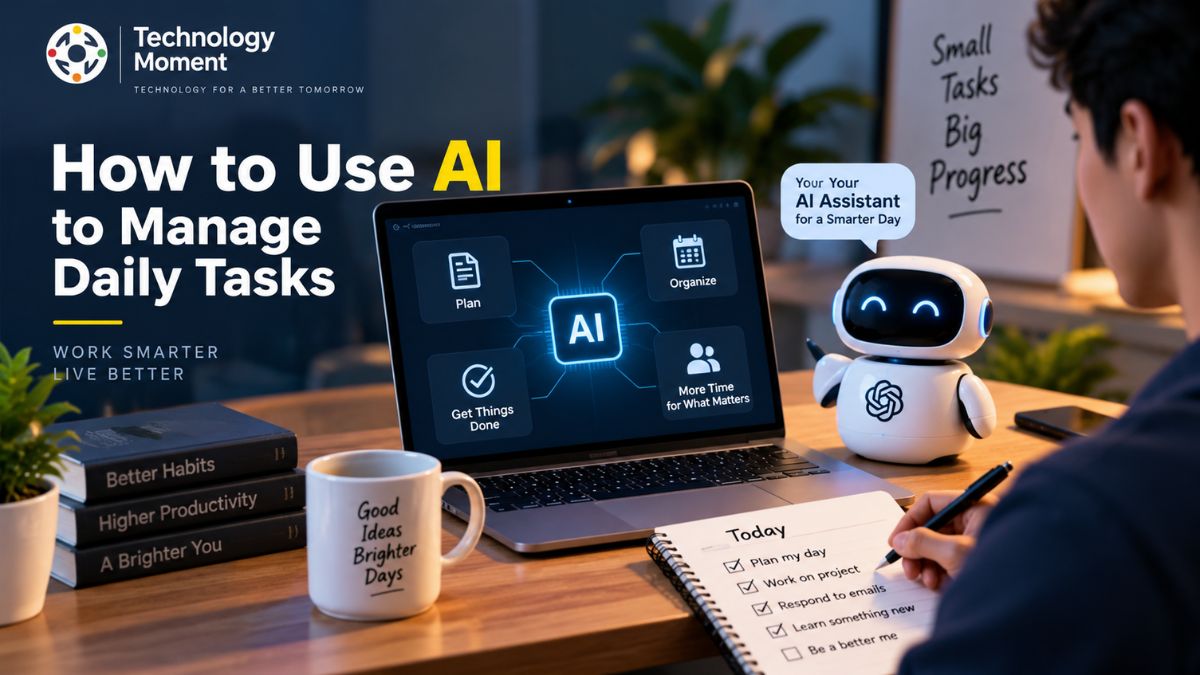
Using AI to plan your day starts with giving it enough information about what you need to accomplish. You can provide your tasks, deadlines, appointments, preferred working hours, and important priorities. An AI planning assistant can then help organize this information into a practical daily plan. Start by creating a complete list of your responsibilities. Include both major projects and smaller daily tasks. Next, identify which activities are urgent and which ones contribute most to your important goals. AI can help categorize these tasks and suggest an order for completing them.
You can also ask an AI task planner to divide larger projects into smaller, manageable steps. This makes complex work easier to approach and can prevent important activities from being overlooked. Another useful approach is asking AI to create a realistic schedule based on your available time. Rather than filling every minute, leave space for unexpected requests, breaks, and transitions between activities.
Throughout the day, your plan may need to change. If a meeting takes longer than expected or an urgent task appears, AI can help reorganize the remaining daily tasks. The key is to treat the AI-generated plan as a starting point, not an unquestionable schedule. Your experience and priorities should always determine the final plan.
How to Create a Daily Schedule With AI
An AI-generated daily schedule can connect your tasks, deadlines, appointments, and available working hours into a more structured plan. The process becomes particularly useful when you have multiple responsibilities competing for the same limited time. Begin by providing your AI scheduling assistant with the information that matters. This might include your task list, calendar commitments, deadlines, preferred working hours, and periods when you need uninterrupted focus.
AI can then help arrange tasks around existing appointments. For example, a demanding project might be placed during a period when you normally have the most energy, while simpler administrative work can be scheduled around meetings. Smart scheduling can also help prevent unrealistic plans. If your task list contains more work than your available hours, AI can identify potential conflicts and suggest which activities should be moved or prioritized.
Calendar management becomes even more useful when your AI productivity tools can work with your existing calendar system. This can reduce the need to manually copy information between separate applications. However, an AI-generated schedule should remain flexible. Unexpected meetings, urgent requests, technical problems, and personal responsibilities can change your day. The most effective approach is therefore to use AI for structure while keeping yourself in control of final decisions.
How to Automate Repetitive Daily Tasks With AI
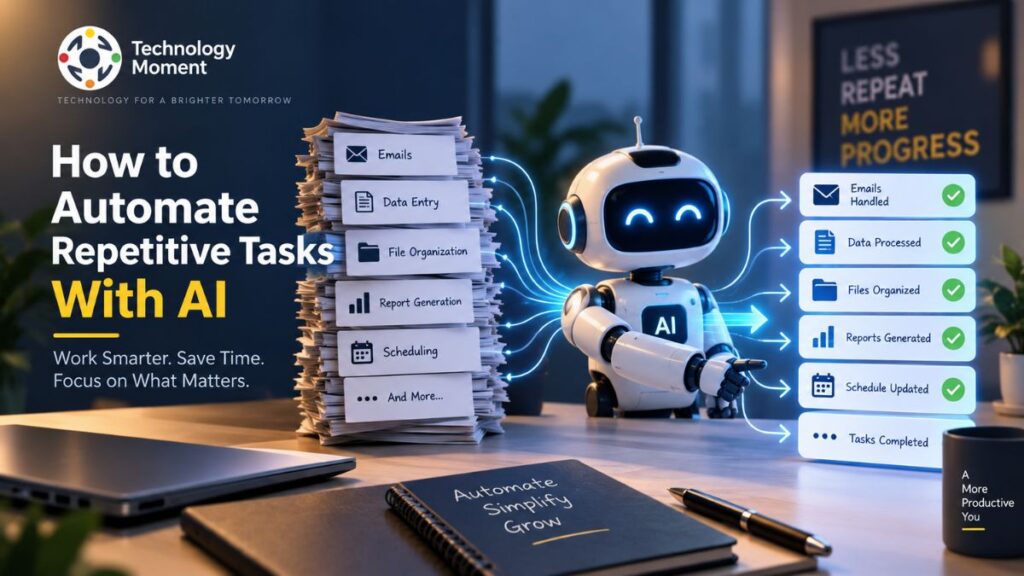
One of the most valuable uses of AI is automating repetitive tasks that consume time without requiring much human creativity or decision-making. Task automation can help reduce manual work and make everyday workflows more consistent. Start by identifying activities that you perform repeatedly. These might include organizing information, summarizing documents, creating routine reports, sorting emails, generating standard responses, updating records, or transferring information between productivity apps.
Once you identify a suitable task, determine whether an AI automation tool can handle it reliably. Some workflows can use AI to understand natural-language information before triggering another action. For example, an AI system could analyze incoming information, identify an important request, and create a corresponding task for follow-up. Workflow automation becomes particularly powerful when multiple steps are connected. Instead of manually moving information from one application to another, an automated workflow can pass relevant information between supported services.
However, not every task should be automated. Activities involving sensitive information, important financial decisions, security, or significant business consequences may require additional human review. The best approach is to automate repetitive work while maintaining appropriate oversight. Start with one simple workflow, evaluate the results, and improve it before expanding your automation system. This gradual approach can make AI automation more reliable, practical, and sustainable.
How to Use AI for Email, Calendar, and Note-Taking
Email, calendars, and notes can quickly become a major source of daily administrative work. AI can simplify these activities by helping organize information, summarize content, and turn scattered details into actionable tasks. An AI email assistant, for example, can help summarize long messages, identify important requests, draft routine replies, and organize information that requires follow-up.
AI can also support calendar management. Instead of manually comparing appointments and available time, an AI calendar assistant can help identify scheduling conflicts, suggest suitable time slots, and organize meetings around existing commitments. Calendar automation can further reduce repetitive scheduling work.
Note-taking is another area where AI can improve productivity. AI note-taking tools can summarize meetings, extract important decisions, identify action items, and organize information into useful categories. This makes it easier to transform unstructured notes into a practical task list.
The important point is to use AI as an organizational layer rather than giving it unrestricted control. Before sending AI-generated emails or acting on automatically extracted information, review the output for accuracy and context. This approach allows AI to reduce administrative work while keeping important communication and decisions under human control.
How AI Assistants Can Manage Your Daily Tasks
An AI assistant can act as a digital assistant for organizing and managing everyday responsibilities. Instead of opening multiple productivity apps and manually updating each task, you can use natural language commands to communicate what you need. For example, you might ask an AI personal assistant to organize your priorities, create reminders, summarize information, or prepare a plan for the day.
One useful capability is converting conversations or instructions into actionable tasks. If you receive several requests during a meeting, an AI assistant can help turn those requests into individual items with suggested priorities and deadlines. This can make AI task management more practical for busy professionals.
AI assistants can also provide context-aware assistance. When connected to appropriate tools and information, they may help you understand what needs attention based on deadlines, schedules, or previous instructions. Automated reminders can reduce the chance of forgetting routine follow-ups. However, AI should not be treated as an infallible personal assistant. It can misunderstand instructions, overlook context, or make incorrect assumptions. Review important recommendations before acting on them, especially when tasks involve sensitive information.
The most effective use of an AI productivity assistant is therefore collaborative: let AI handle organization and routine work while you retain control over priorities and important decisions.
How to Build an AI Productivity Workflow
Building an AI productivity workflow means connecting the different stages of managing your work into a repeatable process. Rather than using AI randomly whenever you encounter a problem, create a system that helps you capture, organize, prioritize, schedule, and complete your tasks. Start by capturing everything that needs your attention in one reliable task list. AI can then help categorize these activities according to urgency, importance, project, or deadline. The next step is task prioritization, where you decide which activities deserve your attention first.
After prioritizing your work, use AI planning tools to create a realistic schedule. Important tasks can be placed into suitable focus periods, while smaller activities can be grouped together. Your calendar can then become the time-based layer of the workflow. The final stage is automation. Look for repetitive actions that do not require constant human judgment. These might include creating reminders, summarizing information, organizing notes, or transferring specific information between supported tools.
A strong personal workflow should remain simple. Using too many AI software tools can create additional complexity instead of improving productivity. Start with one workflow, measure whether it actually saves time, and gradually expand it. The goal is not maximum automation. It is a practical AI workflow that reduces unnecessary work while helping you maintain clarity and control over your daily responsibilities.
Best AI Tools for Managing Daily Tasks
The best AI tools for daily task management depend on the type of work you want to improve. Instead of choosing a tool simply because it has many AI features, consider whether it solves a specific productivity problem effectively. For task organization, look for tools that provide AI-powered task management, smart prioritization, natural language input, reminders, and deadline tracking. For time management, an AI planning or scheduling tool can help organize tasks around your available working hours.
An AI scheduling assistant can be useful for managing meetings and calendar commitments, while an AI email assistant can reduce the effort involved in reading, summarizing, and responding to routine messages. AI note-taking tools can help turn meetings and research into organized information. For users who perform repetitive digital work, AI automation tools and workflow platforms can connect multiple applications and automate routine processes. These tools can be particularly valuable when the same sequence of actions is performed frequently.
When evaluating AI productivity apps, consider accuracy, integrations, privacy, security, ease of use, pricing, and the amount of manual oversight required. A tool that saves five minutes but creates frequent errors may not provide real value. Rather than collecting many AI software tools, build a focused productivity stack. Choose tools that complement one another and support your actual workflow. This approach is usually more sustainable than constantly switching between new AI applications.
How to Use AI to Manage a Busy Schedule
Managing a busy schedule becomes difficult when meetings, deadlines, personal responsibilities, and unexpected requests compete for limited time. AI can help by providing a clearer view of your workload and suggesting ways to organize your available time. Begin by giving your AI planning assistant a structured overview of your commitments. Include important deadlines, meetings, recurring responsibilities, and tasks that require focused attention. AI can then help identify scheduling conflicts and suggest a practical order for completing your work.
AI for busy professionals can be especially useful for separating high-value work from routine administrative activities. For example, demanding tasks can be scheduled during dedicated focus periods, while email management or simple administrative work can be grouped into shorter blocks. AI can also help you manage your workload with AI by identifying when your schedule is unrealistic. If your task list contains more work than can reasonably fit into the day, the system can help identify lower-priority activities that may need to be postponed.
However, a productive schedule should include flexibility. Unexpected meetings, urgent requests, and personal interruptions are normal parts of daily life. Avoid creating an AI-generated schedule that fills every available minute. Use AI as a planning and decision-support tool, not as a strict authority. The best result is a flexible schedule that helps you protect important work while leaving enough room to respond to real-world changes.
Common Mistakes to Avoid When Using AI for Daily Tasks
AI can make daily work easier, but using it without a clear strategy can create new problems. One common mistake is trying to automate everything. Not every task benefits from AI automation. Creative decisions, sensitive communication, and activities requiring personal judgment may still need direct human involvement.
Another mistake is accepting AI-generated recommendations without reviewing them. An AI task management system can misunderstand priorities, deadlines, or context. Always check important task lists, schedules, emails, and reminders before relying on them. Creating unrealistic schedules is another problem. An AI planning tool may organize more work than you can realistically complete. A useful AI daily planner should account for breaks, unexpected interruptions, meetings, and changes in priorities.
Using too many productivity apps can also reduce productivity. Constantly moving between AI software tools can create additional complexity. Instead, choose a small number of reliable tools that work well together. Privacy should also be considered. Before connecting an AI assistant to email, calendars, notes, or other services, understand what information the tool processes and how that information is handled.
Finally, do not measure success by the number of tasks completed. The purpose of AI-powered productivity is to reduce unnecessary effort and improve meaningful outcomes. Use AI to streamline daily tasks, but keep human judgment at the center of important decisions.
How to Start Using AI for Daily Tasks
You do not need a complicated automation system to begin using AI for daily tasks. The most effective approach is to start with one specific problem and gradually build a workflow around it. Begin by identifying an activity that consumes unnecessary time. This could be organizing a long task list, planning your day, summarizing information, managing reminders, or handling repetitive administrative work. Once you identify the problem, choose an AI productivity tool that directly addresses it.
Next, create a simple task list containing your current responsibilities. You can use an AI task planner to group activities, identify priorities, and suggest a realistic schedule. Review the suggestions and make adjustments based on your actual commitments. After becoming comfortable with AI-assisted planning, introduce one small automation. For example, you might automate a repetitive information-organizing task or use an AI assistant to create reminders from specific instructions.
Track whether the workflow actually saves time or reduces mental effort. If it does, gradually expand it to other areas such as email management, calendar automation, note-taking, or routine work. This gradual approach is more sustainable than adopting multiple AI automation tools at once. The goal is to create an AI productivity workflow that fits naturally into your existing habits.
Conclusion
Learning how to use AI to manage daily tasks is less about finding one perfect AI tool and more about building a practical system that reduces unnecessary work. AI can support many parts of your day, from task prioritization and daily planning to calendar management, email organization, note-taking, and repetitive workflow automation.
The biggest opportunity is to use AI where it provides clear value. Let an AI assistant help organize information, suggest priorities, create reminders, and simplify routine activities. At the same time, keep important decisions, sensitive communication, and final priorities under human control. If you are new to AI productivity, start small. Choose one recurring problem, introduce one AI solution, and evaluate the result. Once the workflow proves useful, you can gradually connect additional tools and automate more routine tasks.
A well-designed AI productivity workflow should ultimately make your day clearer, not more complicated. The objective is not to automate every activity or fill every minute of your schedule. It is to reduce friction, save time, and give you more opportunity to focus on meaningful work. As AI continues to evolve, the most valuable approach will be thoughtful human-AI collaboration—using intelligent automation where it helps while maintaining control over the decisions that matter most.
Frequently Asked Questions
Can AI manage my daily tasks?
Yes. AI can help organize task lists, prioritize activities, create schedules, set reminders, and automate certain repetitive tasks. However, it should support rather than completely replace your judgment.
How can AI help with time management?
AI can analyze your tasks and available time to suggest schedules, identify potential conflicts, and help prioritize important activities. An AI scheduling assistant can also help organize meetings and calendar commitments.
What are the best AI tools for daily task management?
The best tool depends on your needs. Some focus on task management, while others specialize in scheduling, email, note-taking, or workflow automation. Consider integrations, usability, privacy, accuracy, and pricing before choosing an AI productivity app.
Can AI create a daily schedule?
Yes. An AI planning assistant can create a schedule based on tasks, deadlines, appointments, and available working hours. You should review the result and adjust it according to your actual priorities.
Can AI automate repetitive tasks?
Yes. Task automation can handle certain repetitive activities, such as organizing information, generating summaries, creating reminders, or moving information between supported applications.
Is it safe to use AI for personal productivity?
It depends on the tool and the information you provide. Review the provider’s privacy and security practices before connecting sensitive data such as emails, calendars, documents, or personal information.
Can AI replace a personal assistant?
AI can perform many tasks associated with a virtual assistant, including scheduling, reminders, information organization, and routine communication support. However, human assistants can provide judgment, relationships, and contextual understanding that AI may not reliably reproduce.