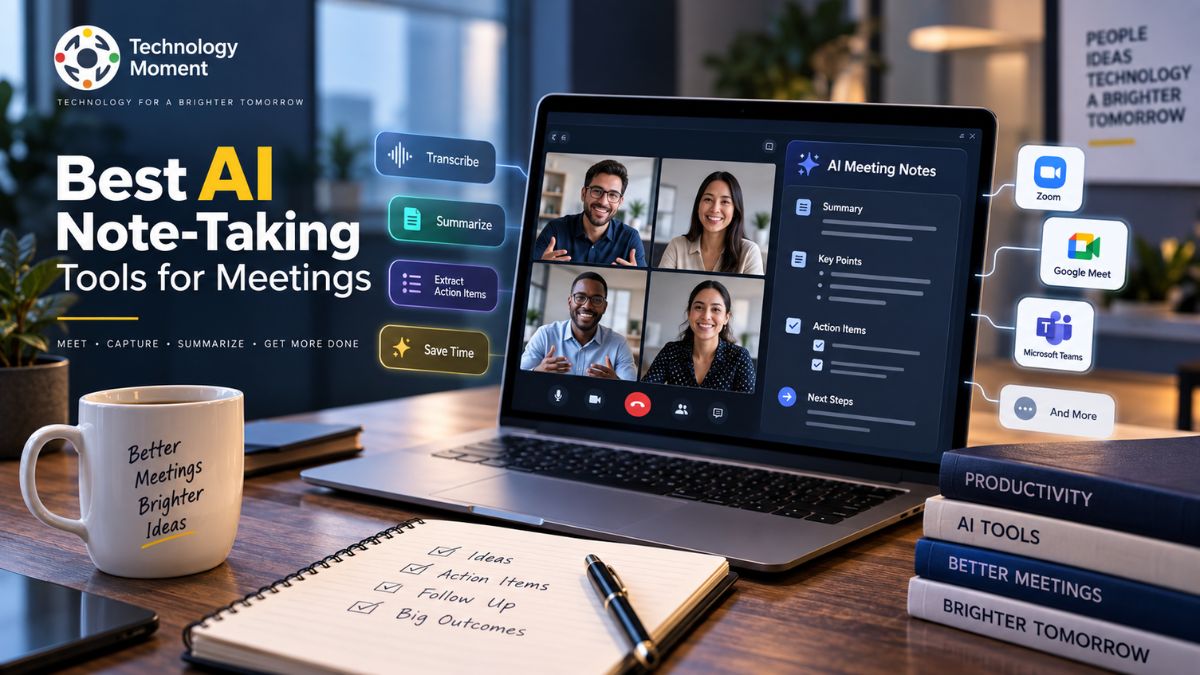
Choosing the right technology can be difficult when every meeting produces more information to remember. Traditional note-taking also requires someone to divide their attention between listening and writing, which can mean missing parts of the discussion.
AI-powered meeting tools can take much of the manual work out of documenting conversations. They can capture what participants say, convert the discussion into a written transcript, pull out important takeaways, and organize follow-up tasks in a clear format. For busy professionals and teams with frequent meetings, this makes it easier to revisit important information, find specific details, and keep track of what needs to happen next.
At Technology Moment, we focus on making technology easier to understand and helping readers make informed decisions without getting lost in the noise. In this guide, we explore the best AI note-taking tools for meetings, comparing their features, meeting-platform support, transcription capabilities, summaries, action items, integrations, pricing, and practical use cases.
Whether you regularly use Zoom, Google Meet, Microsoft Teams, or another meeting platform, this guide will help you understand what modern AI meeting assistants can do and what to look for when choosing one for your workflow.
What Is an AI Meeting Note-Taker?
An AI meeting note-taker is a digital tool designed to turn spoken conversations into useful, organized information. Instead of having a participant continuously type notes throughout a meeting, the software can listen to the conversation, convert speech into text, and create a structured record that can be reviewed later. This makes it easier to stay engaged with the discussion while keeping important information documented.
Modern AI meeting assistants can do much more than basic transcription. Depending on the platform, they may record meetings, recognize different speakers, generate concise summaries, highlight key takeaways, and identify potential action items. Some also provide searchable transcripts, allowing users to locate a particular topic or statement quickly instead of going through an entire meeting recording.
The process typically starts with capturing the conversation. The system then converts the spoken content into text and uses AI to identify the most relevant parts of the discussion. The resulting information can be presented as a transcript, summary, list of decisions, or follow-up tasks. These capabilities are useful across remote meetings, team discussions, interviews, client calls, and business conversations.
Another advantage is reducing post-meeting administration. Rather than spending additional time rewriting notes or creating a separate list of follow-up tasks, users can begin with the AI-generated meeting summary and check it for accuracy. This can make the transition from discussion to action more efficient.
Still, AI-generated meeting notes require human oversight. Factors such as poor audio, background noise, strong accents, multiple people speaking at once, or specialized terminology can affect AI meeting transcription quality. Important decisions, names, numbers, deadlines, and sensitive information should be verified before the notes are shared.
How AI Note-Taking Tools Work in Meetings
AI note-taking tools generally follow a sequence that turns a live conversation into organized meeting information. While the exact workflow differs between platforms, most AI meeting tools rely on some combination of recording, transcription, language processing, and automated summarization. Depending on the service, this may involve a meeting bot, application integration, browser extension, or another supported recording method. The system then processes the captured audio and converts spoken words into text through real-time transcription or post-meeting transcription.
The next stage involves identifying different participants. Speaker identification can help separate statements from different people, making the transcript easier to understand. This becomes especially useful when a meeting includes several participants discussing different subjects. It can generate an AI meeting summary containing major discussion points and key takeaways.
Searchable transcripts make it easier to revisit a conversation after the meeting ends. Rather than going through lengthy notes or replaying an entire recording, users can quickly locate relevant discussions, decisions, or specific statements by searching the transcript. This can also help teams turn meeting conversations into practical follow-up tasks, record important decisions, and keep absent participants informed through concise summaries. However, the usefulness of AI-generated notes can vary depending on factors such as audio quality, speaker overlap, language support, and the capabilities of the transcription technology.
Best AI Note-Taking Tools for Meetings
The best AI note-taking tools for meetings are not necessarily the ones with the longest feature lists. The right choice depends on how you conduct meetings, which platforms you use, how much automation you need, and whether your priority is transcription, summaries, collaboration, or workflow automation. A strong AI meeting note taker should make the process of capturing information easier without creating additional administrative work. Accurate transcription is an important starting point, but useful summaries and clearly identified action items can be equally valuable.
For teams, platform compatibility is another major consideration. If your organization primarily uses Zoom, Google Meet, or Microsoft Teams, the tool should fit naturally into that environment. Integrations with calendars, communication platforms, project-management systems, and other workplace software can further improve its usefulness. Professionals may also prioritize searchable transcripts, meeting recordings, speaker identification, and reliable AI-generated summaries.
Privacy and security should also be considered, particularly when meetings involve confidential business information, customer data, product plans, or internal discussions. Before choosing an AI meeting assistant, users should understand how recordings and transcripts are handled and what controls are available. Finally, pricing matters. A free plan may be sufficient for occasional meetings, whereas frequent users may benefit from more advanced features.
Rather than choosing a tool simply because it is described as the “best,” compare its capabilities with your actual workflow. The most suitable AI note taker is the one that reliably solves your meeting-notes problem while fitting your platform, privacy, collaboration, and budget requirements.
AI Meeting Note-Taking Tools Comparison
Comparing AI meeting tools side by side makes it easier to understand which capabilities matter for different workflows. Features can vary significantly between services, so users should evaluate both core note-taking functionality and the integrations they actually need.
| Feature | What to Look For | Why It Matters |
|---|---|---|
| AI Meeting Transcription | Accurate speech-to-text | Creates a written record of the conversation |
| AI Meeting Summary | Concise summaries and key takeaways | Makes long meetings faster to review |
| Action Items | Automatic task identification | Helps turn discussions into follow-up work |
| Speaker Identification | Separation of participants | Makes transcripts easier to understand |
| Meeting Recording | Audio or video recording | Allows users to revisit the original discussion |
| Real-Time Transcription | Live conversation-to-text | Useful when users need notes during meetings |
| Searchable Transcripts | Keyword and topic search | Helps locate information quickly |
| Zoom Support | Integration with Zoom meetings | Useful for teams using Zoom regularly |
| Google Meet Support | Google Meet compatibility | Fits Google-based workflows |
| Microsoft Teams Support | Teams integration | Useful for Microsoft 365 environments |
| Workflow Automation | Connections with other productivity tools | Reduces repetitive post-meeting work |
| Team Collaboration | Sharing and collaborative access | Helps teams distribute meeting information |
| Privacy & Security | Clear data and privacy controls | Important for sensitive conversations |
A useful comparison should therefore go beyond asking which service has the most features. Consider whether those features work reliably in your specific environment. For example, a remote team may prioritize meeting transcription, searchable notes, and integrations, while an individual professional may care more about summaries and action items. A business handling sensitive conversations may place greater importance on privacy controls.
This approach helps transform a simple list of meeting transcription software into a practical decision-making resource. At Technology Moment, the goal is to make technology comparisons easier to understand by focusing on the capabilities that have a real impact on everyday workflows.
Essential Features to Consider When Choosing an AI Meeting Note-Taker
When choosing an AI meeting note-taker, start with transcription quality. If the underlying transcript is inaccurate, the resulting meeting summary and action items may also contain errors. Look for tools that can handle multiple speakers, different accents, technical terminology, and typical meeting environments. Next, consider the quality of the AI-generated meeting summary. A useful summary should reduce unnecessary detail while preserving important decisions, discussion points, and key takeaways. The ability to identify action items is also valuable because it can turn a conversation into a practical follow-up list.
Speaker identification is another useful feature, especially for interviews, client calls, and larger team meetings. Searchable transcripts can make the system more useful over time by allowing users to quickly locate specific information from previous conversations. Compatibility should also be high on the checklist. If your meetings happen primarily through Zoom, Google Meet, or Microsoft Teams, check whether the AI meeting assistant supports your preferred platform. Integrations with calendars, collaboration software, task-management systems, and other productivity tools can further reduce manual work.
Recording capabilities may be important when users need to review the original discussion later. Meanwhile, real-time transcription can be useful for people who want live access to what is being discussed. Privacy and security deserve particular attention. Before using an AI productivity tool for confidential meetings, understand how recordings and transcripts are stored, processed, shared, and retained. Finally, evaluate usability and pricing. An advanced meeting assistant is less useful if it is difficult to configure or requires unnecessary manual steps.
The ideal combination is therefore not simply “more features.” Look for accurate transcription, useful summaries, reliable action-item detection, platform compatibility, searchable meeting notes, appropriate security controls, and a workflow that saves time.
AI Meeting Note-Takers for Zoom, Google Meet, and Microsoft Teams
The meeting platform you use can influence which AI meeting note taker is most convenient for your workflow. Zoom, Google Meet, and Microsoft Teams are widely used for remote meetings, but AI meeting tools can differ in how they connect to each platform. Before choosing a service, check whether it supports your preferred platform and whether all the features you need are available through that integration. For Zoom meetings, an AI meeting assistant may capture the conversation, create an AI meeting transcription, and turn the discussion into structured meeting notes. Depending on the tool, users may also receive an AI meeting summary, key takeaways, speaker identification, and follow-up tasks.
For Google Meet users, integration can make it easier to capture conversations without switching between multiple applications. An AI note taker for Google Meet can potentially organize transcripts and summaries after the call, allowing participants to focus more closely on the discussion. Microsoft Teams users may similarly benefit from an AI meeting note taker for Microsoft Teams, particularly when meetings are already part of a broader Microsoft-based workflow. Integration with workplace tools can make meeting information easier to share and act on afterward.
However, platform compatibility alone should not determine your choice. Compare transcription quality, recording capabilities, summary accuracy, action-item detection, integrations, privacy controls, and pricing. If your team uses more than one video conferencing platform, cross-platform support can be particularly useful. Instead of maintaining separate meeting transcription software for different teams, a single service may provide a more consistent approach to automated meeting notes across your organization.
AI Meeting Note-Takers for Different Users
Different users have different reasons for adopting an AI meeting note taker, so the most useful features can vary considerably. An individual may primarily want automatic summaries, while a large team may need collaboration features, integrations, searchable transcripts, and workflow automation. For business meetings, an AI note taker can help capture decisions, discussion points, and action items without requiring one participant to spend the entire meeting writing notes. This can be useful for managers, consultants, sales professionals, and project teams who regularly need to document conversations.
For remote teams, AI note takers for remote meetings can provide a consistent record of discussions across different locations and time zones. Searchable transcripts can also help team members catch up when they could not attend a particular meeting. Professionals who attend many calls may benefit from an AI meeting assistant that combines transcription, summaries, meeting recording, and follow-up information. Instead of treating every conversation as a separate note-taking task, they can use one workflow to organize information from multiple meetings.
Teams may place greater emphasis on collaboration and integrations. Features such as shared meeting notes, automated follow-up tasks, and connections with productivity software can help move information from a conversation into the next stage of work. Students, researchers, and other individual users may have different priorities, such as searchable transcripts and concise summaries. The key is to match the tool to the user’s actual workflow. Rather than selecting an AI productivity tool based only on its feature count, consider meeting frequency, platform requirements, collaboration needs, privacy expectations, and the amount of manual work you want to eliminate.
How AI Meeting Note-Takers Can Improve Productivity
Meetings can generate valuable information, but much of that information can become difficult to manage once the call ends. AI meeting note takers can improve productivity by reducing the manual work involved in capturing and organizing that information. One of the biggest advantages is automated transcription. Instead of writing every important sentence while listening, users can allow the AI to create a written record of the conversation. This lets participants concentrate more fully on the discussion.
An AI meeting assistant can then turn the transcript into a shorter meeting summary. Key takeaways can help users understand the main points without reviewing the entire conversation. This is particularly useful for long meetings where several topics are discussed. Action-item detection can provide another productivity benefit. When a participant agrees to complete a task, an AI system may identify it as a follow-up item. Users should still verify these automatically generated tasks, but the feature can reduce the effort required to create a post-meeting checklist.
Searchable transcripts can also save time. Instead of replaying a complete meeting recording to find one detail, users can search the transcript for a relevant term or topic. These capabilities can support workflow automation as well. Depending on available integrations, meeting information may be transferred into other productivity systems for follow-up. The broader benefit is not simply taking notes faster. It is creating a structured record that makes conversations easier to review, share, search, and act upon. For professionals with frequent meetings, reducing these repetitive administrative tasks can free more time for decision-making and actual work.
How to Use AI for Meeting Notes
Using AI for meeting notes generally involves a straightforward process, although the exact steps vary between AI meeting tools. The first step is to select an AI note-taking service that supports the meeting platform you use, such as Zoom, Google Meet, or Microsoft Teams.
Step 1: Choose an AI meeting note taker.
Compare transcription quality, AI-generated summaries, action-item detection, integrations, privacy controls, and pricing. Select a tool that matches your meeting workflow rather than simply choosing one with the largest feature list.
Step 2: Connect your meeting platform.
Follow the service’s setup process to connect the appropriate account or meeting platform. Check what permissions the service requests before granting access.
Step 3: Enable meeting recording or transcription.
Depending on the tool, you may need to activate an AI meeting assistant before the meeting begins. Some services can work automatically once configured.
Step 4: Let the AI capture the conversation.
During the meeting, the system can process the discussion and create an AI meeting transcription. Some tools provide real-time transcription, while others process the recording afterward.
Step 5: Review the AI meeting summary.
After the meeting, examine the generated summary, key takeaways, and discussion points. Check important details against the original conversation.
Step 6: Verify action items.
Review automatically generated follow-up tasks and confirm the responsible person and required action before sharing them.
Step 7: Share or organize the notes.
Save the transcript and meeting notes or transfer relevant information into your team’s workflow.
AI can make meeting note-taking considerably more efficient, but human review remains important when conversations involve sensitive information, important decisions, or details where accuracy matters.
AI Meeting Assistant vs. Traditional Meeting Notes
Traditional meeting notes depend on a person listening carefully, identifying important information, and writing it down while the conversation continues. This approach can work well for smaller discussions, but it can become difficult when meetings are long, fast-paced, or involve multiple speakers. Participants may miss important details while trying to document everything.
An AI meeting assistant approaches the process differently. Instead of requiring one person to manually capture the conversation, AI can create a meeting transcription, organize important discussion points, generate a meeting summary, and identify potential action items. This allows participants to concentrate more on the conversation rather than continuously switching between listening and writing.
| Feature | Traditional Meeting Notes | AI Meeting Assistant |
|---|---|---|
| Note-taking | Manual | AI-assisted or automated |
| Transcription | Usually unavailable | AI transcription |
| Meeting Summary | Manually written | AI-generated |
| Action Items | Manually identified | AI-assisted |
| Speaker Identification | Manual | Often automated |
| Searchable Transcript | Usually unavailable | Often available |
| Meeting Recording | Separate process | Often integrated |
| Time Required | Higher | Lower |
| Post-meeting Review | Manual | Structured automatically |
Automatically generated notes can contain transcription mistakes or misunderstand context. Important decisions, deadlines, names, and responsibilities should therefore be checked before the notes are distributed. Traditional notes may still be preferable for highly sensitive conversations or situations where recording is inappropriate. For routine remote meetings, project discussions, and recurring team calls, however, AI note-taking tools can reduce repetitive administrative work and make meeting information easier to organize and retrieve.
AI Meeting Note-Taker vs. AI Meeting Assistant
The terms AI meeting note taker and AI meeting assistant are often used interchangeably, but they can describe slightly different levels of functionality. An AI note taker is primarily focused on capturing and organizing information from a meeting. An AI meeting assistant may provide a broader collection of capabilities around the entire meeting workflow.
An AI note taker typically focuses on tasks such as meeting recording, AI meeting transcription, automated meeting notes, meeting summaries, key takeaways, and searchable transcripts. Its main purpose is to make sure useful information from the conversation is documented. An AI meeting assistant can include those capabilities while extending into additional areas. Depending on the platform, it may support calendar integrations, meeting preparation, follow-up tasks, workflow automation, collaboration, or connections with other productivity applications.
| Capability | AI Note-Taker | AI Meeting Assistant |
|---|---|---|
| Meeting Recording | Common | Common |
| AI Transcription | Core feature | Core feature |
| Meeting Notes | Core feature | Core feature |
| AI Summary | Common | Common |
| Action Items | Often available | Often available |
| Searchable Transcript | Often available | Often available |
| Workflow Automation | Limited to moderate | Often broader |
| Integrations | Varies | Often broader |
| Meeting Workflow | Primarily documentation | Documentation + assistance |
The distinction is useful when comparing AI meeting tools. Someone who mainly wants automatic meeting notes may not need a broad assistant platform. A team that wants to connect meeting information with its wider workflow may benefit from more extensive assistant capabilities. Ultimately, the terminology matters less than the actual features. Check what each service provides for transcription, summaries, action items, integrations, privacy, and collaboration before making a decision.
Frequently Asked Questions About AI Meeting Note-Takers
What is the best AI note-taking tool for meetings?
The best AI note-taking tool depends on your meeting platform, transcription needs, integrations, privacy requirements, and budget. Compare tools based on AI meeting transcription, summaries, action-item detection, searchable transcripts, recording capabilities, and support for Zoom, Google Meet, or Microsoft Teams before choosing one.
What is the best AI meeting note taker?
The best AI meeting note taker varies by user and workflow. Look for accurate transcription, useful AI-generated meeting summaries, speaker identification, action items, searchable transcripts, and appropriate security controls. Teams should also consider collaboration features and integrations with the productivity tools they already use.
Which AI tool is best for meeting notes?
An AI tool is suitable for meeting notes when it can reliably capture conversations and turn them into organized information. Prioritize transcription quality, concise summaries, key takeaways, action items, meeting recording, platform compatibility, and integrations rather than selecting a tool based solely on its feature count.
What is the best AI meeting assistant?
The best AI meeting assistant depends on what you want to automate. Some users mainly need meeting transcription and summaries, while teams may need action items, integrations, searchable transcripts, and workflow automation. Compare these capabilities with your meeting process before deciding which assistant fits your requirements.
How does AI note-taking work in meetings?
AI note-taking generally captures meeting audio, converts speech into text through AI transcription, analyzes the conversation, and generates structured meeting notes. Depending on the service, it can also identify speakers, create summaries, extract key takeaways, recognize action items, and make transcripts searchable after the meeting.
How can AI take notes during meetings?
AI can take notes by processing the conversation through automated speech recognition and language-processing systems. The resulting transcript can then be analyzed to identify important topics, decisions, key takeaways, and action items. Some AI meeting tools perform transcription in real time, while others process recordings afterward.
How to automatically take notes in a meeting?
To automatically take notes, choose an AI meeting note taker that supports your meeting platform, connect the relevant account or integration, and enable its recording or transcription features. After the meeting, review the generated transcript, summary, and action items to verify important information before sharing.