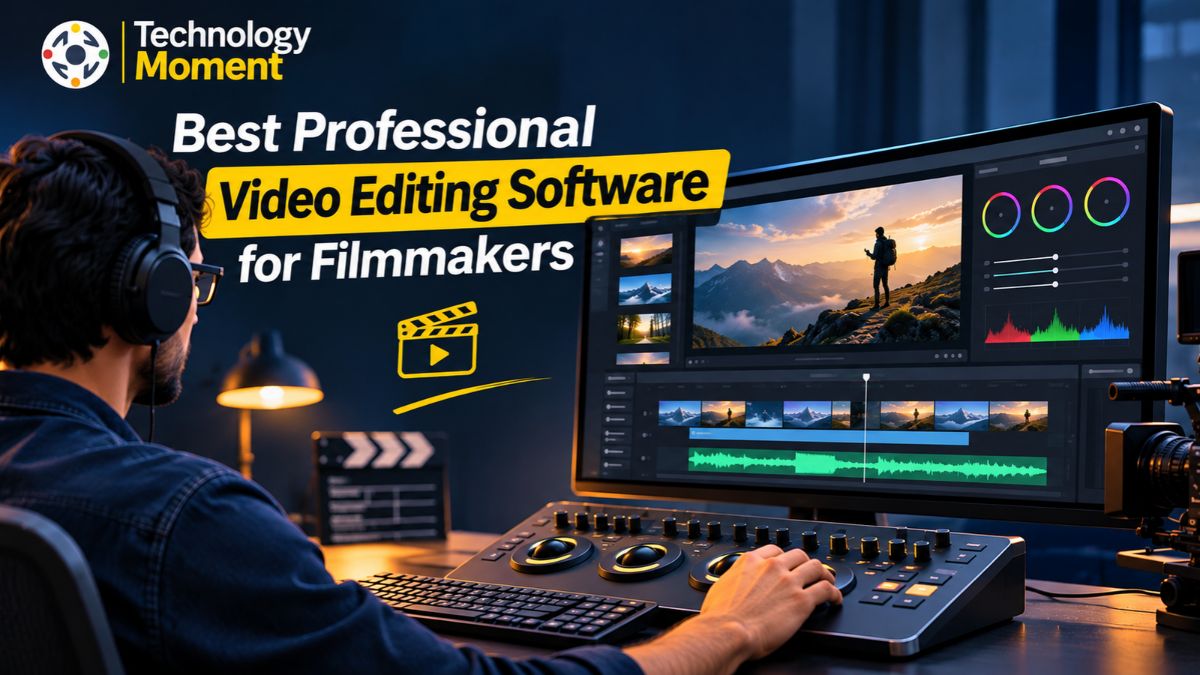
Choosing the best video editing software can shape every stage of a filmmaking project, from the first rough cut to the final delivery. Professional editors need more than a timeline: they may require precise trimming, reliable media management, multicamera workflows, advanced color correction, audio tools, visual effects support, and smooth handling of high-resolution footage. The challenge is finding software that meets a production’s demands without adding unnecessary complexity or cost.
For independent filmmakers, the priorities may be flexibility, affordability, and creative control. Editors working on documentaries, feature films, or large collaborative productions may prioritize shared workflows, organized media libraries, performance, and dependable project management. Operating system, available hardware, learning curve, licensing model, and the formats used on set can also influence the decision. There is no single editing program that is ideal for every filmmaker.
At Technology Moment, we make technology easier to understand through practical guides, comparisons, and clear explanations designed to help readers make informed decisions. This guide explores professional video editing software used across different filmmaking workflows, including tools such as Adobe Premiere Pro, DaVinci Resolve, Final Cut Pro, and Avid Media Composer. We look at their standout capabilities, strengths, limitations, and the types of projects they may suit best.
Whether you are planning your first independent film or refining an established post-production process, this overview will help you compare your options with clarity. Consider it a starting point for choosing an editing environment that supports your creative vision, technical requirements, and budget.
What Makes a Video Editing Software Professional?
Professional video editing software is designed to handle demanding filmmaking projects that require precision, creative flexibility, and a reliable post-production workflow. Unlike basic video editing programs, which mainly focus on trimming clips, adding transitions, and applying simple effects, professional video editing software provides advanced tools for managing footage, refining visual quality, editing complex timelines, and preparing projects for different distribution formats. These capabilities are important for filmmakers working on short films, documentaries, feature films, commercials, and other video productions.
One of the most important characteristics of professional film editing software is its non-linear editing (NLE) system. It allows editors to arrange, move, trim, and modify video and audio clips without changing the original source footage. A flexible timeline editing environment makes it easier to work with multiple video tracks, synchronize audio, organize scenes, and make adjustments throughout the editing process. Advanced timeline controls also help editors manage complicated sequences and maintain creative control over the final result.
Color correction and cinematic color grading are equally important features. Professional filmmakers often work with footage captured using different cameras, lighting conditions, and recording formats. Good color grading tools help maintain visual consistency, correct exposure problems, balance colors, and establish a particular cinematic appearance. Support for RAW video editing, HDR video editing, and high-resolution formats can provide additional flexibility when working with demanding production requirements.
Another important feature is multicam editing. Documentary filmmakers, event production teams, and film editors frequently work with footage recorded from multiple camera angles. Multicam editing allows them to synchronize recordings and switch between different camera views efficiently. Professional video editing software may also include advanced audio post-production capabilities, visual effects integration, motion graphics support, and tools for managing large media libraries.
Performance is another factor that separates professional editing programs from basic video editors. Support for proxy editing, GPU acceleration, optimized rendering, and modern video codecs can improve the editing experience, particularly when working with 4K, 8K, or HDR footage. Media management and collaborative editing features are also valuable for production teams that need to share projects and organize large collections of video files.
Ultimately, the best professional video editing software combines advanced editing capabilities with stability, compatibility, and an efficient workflow. The right choice depends on the filmmaker’s project requirements, available hardware, experience, and budget rather than simply the number of features included.
Best Professional Video Editing Software for Filmmakers
Selecting the best professional video editing software for filmmakers depends on the type of production, editing experience, hardware, and post-production requirements. Some programs are particularly suitable for independent filmmakers who want creative flexibility, while others are designed for large film studios, television productions, and collaborative editing teams. The following professional video editing programs offer different approaches to editing, color grading, media management, and finishing.
1. Adobe Premiere Pro – Best for Flexible Professional Video Editing
Adobe Premiere Pro is a widely used professional video editing program suitable for filmmakers, documentary editors, and production professionals. It provides a flexible timeline editing environment, advanced trimming controls, multicamera editing, audio tools, and integration with other Adobe applications. Editors can organize footage, work with multiple video and audio tracks, refine sequences, and prepare projects for different delivery requirements. Its integration with After Effects and Audition is useful when a production requires additional motion graphics, visual effects, or audio post-production. However, its subscription-based pricing and learning curve may not suit every independent filmmaker.
2. DaVinci Resolve – Best for Color Grading and Complete Post-Production
DaVinci Resolve combines video editing, color correction, cinematic color grading, visual effects, motion graphics, and audio post-production in one application. Its dedicated editing and color pages provide different working environments for handling various production tasks. Filmmakers can work with high-resolution footage, refine image quality, create visual effects, and manage sound without constantly moving between separate applications. Its free version also makes it an attractive option for independent filmmakers, although the Studio edition provides additional professional capabilities. The software can require substantial hardware resources for demanding projects.
3. Final Cut Pro – Best for Mac-Based Filmmakers
Final Cut Pro is a professional film editing software developed for Apple’s Mac ecosystem. Its Magnetic Timeline offers a distinctive approach to arranging clips, managing connected elements, and modifying sequences. The software also supports multicam editing, advanced color tools, and high-resolution video workflows. Its optimization for Apple hardware makes it an appealing option for editors working on compatible Mac computers. However, it is not designed for Windows or Linux users, which can limit its suitability for mixed-platform production teams.
4. Avid Media Composer – Best for Large Film Productions
Avid Media Composer is designed for demanding professional editing environments, including film and television post-production. It offers detailed timeline controls, advanced media management, multicamera workflows, proxy editing, and collaborative project capabilities. Its shared project features can help editing teams work with large collections of footage while maintaining organized production workflows. It is particularly relevant for professional editors handling complex projects, although its interface and workflow may require considerable time to learn.
5. VEGAS Pro – Best for Windows-Based Editing
VEGAS Pro provides a timeline-focused editing environment with video and audio editing capabilities, visual effects, and color correction tools. It is suitable for editors who prefer a Windows-based workflow and want flexibility when handling different types of video projects. Its editing environment can support independent productions, commercial videos, and other demanding projects. However, filmmakers should evaluate its workflow and collaboration requirements before choosing it for large production environments.
6. Lightworks – Best for Traditional Film Editing Workflows
Lightworks offers professional nonlinear editing capabilities, timeline controls, media organization, and tools for refining video sequences. It can be considered by independent filmmakers and editors looking for a dedicated film editing environment. Its suitability depends on the required export formats, available features, and project complexity, so users should compare its available editions before making a decision.
7. EDIUS – Best for Efficient Professional Video Production
EDIUS is a professional video editing program designed for Windows-based production workflows. It supports multicamera editing, multiple video formats, and high-resolution production requirements. Its real-time editing approach can be useful for editors handling projects that involve footage from different recording sources. It is worth considering for professional production environments, particularly where its format compatibility and editing workflow match existing requirements.
Overall, DaVinci Resolve is a strong option for filmmakers who prioritize color grading and integrated post-production, Adobe Premiere Pro offers a flexible editing environment, Final Cut Pro suits Mac users, and Avid Media Composer is particularly relevant to large collaborative productions. The best choice ultimately depends on the demands of the individual filmmaking workflow.
Professional Video Editing Software Comparison
Comparing professional video editing software side by side makes it easier to understand how different programs support filmmaking requirements. Although many editing applications offer timeline editing, color correction, audio tools, and high-resolution exports, their workflows, platform compatibility, collaboration features, and overall strengths can differ considerably. A filmmaker producing an independent short film may have different priorities from an editor working on a feature film with a large post-production team.
The following comparison highlights seven professional video editing programs based on their general capabilities and intended workflows.
| Software | Main Strength | Platform | Best Suited For |
|---|---|---|---|
| Adobe Premiere Pro | Flexible editing and integration | Windows, macOS | Professional editors and filmmakers |
| DaVinci Resolve | Color grading and integrated post-production | Windows, macOS, Linux | Colorists and independent filmmakers |
| Final Cut Pro | Mac-optimized editing workflow | macOS | Mac-based filmmakers |
| Avid Media Composer | Media management and collaboration | Windows, macOS | Film and television production teams |
| VEGAS Pro | Timeline-based editing | Windows | Independent editors and production professionals |
| Lightworks | Nonlinear film editing | Windows, macOS, Linux | Independent filmmakers |
| EDIUS | Efficient multiformat editing | Windows | Professional video production |
Editing Workflow and Timeline Controls: Adobe Premiere Pro offers a flexible timeline that supports complex sequences and integration with other creative applications. DaVinci Resolve provides dedicated editing environments within its broader post-production system. Final Cut Pro uses its Magnetic Timeline, which offers a different approach to arranging and modifying clips. Avid Media Composer emphasizes detailed editorial control and organized media management, making it particularly relevant for large projects.
Color Correction and Cinematic Color Grading: DaVinci Resolve stands out for its dedicated color grading environment and advanced image-adjustment capabilities. Premiere Pro also provides professional color correction tools, while Final Cut Pro includes integrated color workflows. Avid Media Composer supports professional color management and finishing workflows, although some advanced grading tasks may involve external applications or additional options.
Audio and Visual Effects: Premiere Pro offers integration with Adobe Audition and After Effects, while DaVinci Resolve combines editing, visual effects, motion graphics, and audio post-production capabilities in one application. Avid Media Composer supports audio post-production workflows through its integration with Pro Tools. These differences matter when filmmakers need more than basic timeline editing.
Collaboration and Media Management: Avid Media Composer is particularly relevant for production teams that require shared projects, organized media libraries, and coordinated editorial workflows. Premiere Pro also supports collaborative workflows, while DaVinci Resolve provides collaboration capabilities for compatible production setups. Individual filmmakers may prioritize straightforward file management over advanced team-based features.
Pricing and Ownership: Software licensing models can influence long-term production costs. Premiere Pro uses a subscription model, while DaVinci Resolve offers free and paid Studio editions. Final Cut Pro has offered a one-time purchase model, while other programs have their own licensing options. Always check the official pricing pages for current regional availability and licensing terms.
Overall, no single professional video editing program is the perfect solution for every filmmaker. DaVinci Resolve is a compelling choice for color-focused post-production, Premiere Pro offers flexibility across creative workflows, and Avid Media Composer is well suited to complex collaborative editing environments. The most suitable software is the one that supports the project’s technical requirements without making the editing process unnecessarily complicated.
How to Choose the Best Video Editing Software for Your Filmmaking Needs
Choosing the best video editing software for your filmmaking needs requires more than comparing feature lists or selecting the most popular program. Professional video editing software should support your creative goals, handle your footage efficiently, and fit the technical requirements of your production environment. A filmmaker working on independent short films may need a different editing setup from a documentary editor or a professional working on feature films. Therefore, understanding your workflow before choosing a video editor can help you avoid unnecessary expenses and technical limitations.
Consider Your Filmmaking Project Type: Start by identifying the type of video production you regularly work on. Feature films and documentaries often require advanced timeline editing, multicam support, detailed media management, and reliable post-production tools. Independent filmmakers may prioritize flexible editing programs that combine video editing, color grading, and audio post-production. Commercial productions may require efficient collaboration, motion graphics integration, and consistent delivery formats. Understanding these requirements will help you identify which professional film editing software offers the most relevant capabilities.
Check Operating System and Hardware Compatibility: Before installing professional video editing software, verify that it supports your operating system and hardware configuration. Some programs are designed specifically for macOS, while others support Windows or Linux. Processing power, RAM, GPU performance, and available storage can influence how smoothly an application handles high-resolution footage. If you regularly edit 4K, 8K, or RAW video, check the recommended system requirements rather than relying only on minimum specifications. Fast SSD storage and proxy editing can also improve demanding workflows.
Evaluate Editing and Post-Production Features: Look beyond basic cutting and trimming tools. Professional filmmakers may need multicamera editing, advanced color correction, cinematic color grading, audio mixing, visual effects, and motion graphics capabilities. Consider whether the software supports the codecs and formats used by your cameras. If your workflow involves several post-production applications, check how easily projects and media can move between them.
Compare Subscription and One-Time Purchase Options: Pricing is another important consideration. Adobe Premiere Pro follows a subscription model, while DaVinci Resolve offers a free version and a paid Studio edition. Final Cut Pro has traditionally offered a one-time purchase option, although Apple’s available licensing options should be checked before purchasing. Compare the total cost, included features, updates, and licensing restrictions instead of considering the initial price alone.
Consider Learning Curve and Collaboration: Advanced applications can take time to master. Choose software that matches your current experience while providing room to develop professional skills. If you work with directors, assistant editors, colorists, or sound professionals, collaboration features and project compatibility become particularly important.
Finally, test your shortlisted applications using actual camera footage before committing. Import a sample project, edit a short sequence, apply color adjustments, synchronize audio, and export a finished file. This practical test provides a much clearer picture of software performance than a feature comparison alone.
Best Video Editing Software for Different Types of Filmmakers
Different filmmakers have different production requirements, which means the best video editing software is not necessarily the same for everyone. Independent filmmakers may prioritize affordability and creative flexibility, while professional film editors may require advanced media management, collaboration, and reliable post-production workflows. Choosing software according to your filmmaking style can help you work more efficiently and avoid paying for features you rarely use.
| Filmmaker Type | Recommended Software | Why It Fits |
|---|---|---|
| Independent filmmakers | DaVinci Resolve | Integrated editing, color grading, and audio tools |
| Documentary filmmakers | Adobe Premiere Pro | Flexible editing and broad format support |
| Hollywood film editors | Avid Media Composer | Advanced media management and collaborative workflows |
| Mac-based filmmakers | Final Cut Pro | Editing optimized for Apple’s ecosystem |
| Windows-based filmmakers | Premiere Pro / VEGAS Pro | Professional editing options for Windows |
| Color grading professionals | DaVinci Resolve | Dedicated color grading environment |
| Film production teams | Avid Media Composer | Team-oriented editorial workflows |
Professional Video Editing Software for Mac vs Windows
Choosing between Mac and Windows is an important decision when selecting professional video editing software for filmmaking. Both operating systems support powerful video production applications, but they differ in hardware options, software availability, upgrade flexibility, and overall workflow. The right choice depends on your existing equipment, editing requirements, and the applications used by your production team.
Professional Video Editing Software for Mac: Mac computers are popular among creative professionals because of their integrated hardware and software environment. Final Cut Pro is designed specifically for Apple’s ecosystem and offers a streamlined editing experience through its Magnetic Timeline. It supports professional editing workflows, multicamera projects, and high-resolution footage. DaVinci Resolve and Adobe Premiere Pro are also available for compatible Mac systems, giving filmmakers alternatives when they need advanced color grading, third-party integration, or cross-platform collaboration.
One advantage of using a Mac is the close integration between Apple’s hardware and software. Compatible Apple silicon systems can provide efficient performance for supported editing and rendering workloads. However, Final Cut Pro is limited to Apple’s platform, so editors working with Windows-based collaborators should consider project exchange and media compatibility before choosing it as their primary editing application.
Professional Video Editing Software for Windows: Windows offers a broad selection of professional video editing programs, including Adobe Premiere Pro, DaVinci Resolve, VEGAS Pro, Avid Media Composer, and EDIUS. One advantage of Windows-based editing workstations is the flexibility to select hardware configurations according to production requirements. Editors can choose different processors, graphics cards, memory configurations, and storage solutions when building or upgrading their systems.
Windows is particularly useful for filmmakers who require customizable editing workstations or work with software that is not available on macOS. However, performance depends heavily on the selected hardware, drivers, storage speed, and software configuration.
Cross-Platform Video Editing Software: Some professional video editing programs support multiple operating systems, making them useful for filmmakers working with different production teams. Adobe Premiere Pro supports Windows and macOS, while DaVinci Resolve also supports Linux. Avid Media Composer provides Windows and macOS compatibility. These options can make it easier to maintain consistent editing workflows across different computer environments, although project versions, plugins, codecs, and media paths still need to be checked.
| Feature | Mac | Windows |
|---|---|---|
| Popular professional editor | Final Cut Pro | Premiere Pro, VEGAS Pro |
| DaVinci Resolve support | Yes | Yes |
| Adobe Premiere Pro support | Yes | Yes |
| Hardware customization | More limited across most Mac models | Broad hardware choices |
| Operating system ecosystem | Apple | Microsoft |
| Best suited for | Apple-focused workflows | Flexible workstation configurations |
Neither platform is automatically better for every filmmaker. A properly configured computer with compatible software, sufficient memory, fast storage, and suitable graphics capabilities can support demanding professional video editing workflows on either system.
Professional Video Editing Software: Free vs Paid Options
Choosing between free and paid professional video editing software depends on your filmmaking requirements, production budget, and the features needed to complete a project. Free video editing programs have become increasingly capable, offering tools that were once available mainly in expensive professional applications. However, paid software can provide additional capabilities, advanced workflow options, technical support, and specialized tools that may be important for demanding film productions. Understanding these differences can help filmmakers select the right editing environment without spending more than necessary.
Free video editing software can be a practical starting point for independent filmmakers, students, and small production teams. DaVinci Resolve is a strong example because its free edition includes professional editing, color correction, visual effects, audio post-production, and collaboration capabilities. It supports Ultra HD resolutions up to 3840 × 2160 at 60 frames per second for supported formats. This makes it suitable for many independent filmmaking projects, although certain advanced features require the Studio edition.
Paid editing software can become valuable when projects require specialized features, extensive media management, or advanced production workflows. Adobe Premiere Pro provides a professional editing environment with broad format support and integration with other Adobe applications. It operates on a subscription model rather than offering a permanent desktop licence.
Before purchasing, compare the licensing model, supported formats, hardware requirements, available updates, and long-term costs. A free application that handles your complete workflow can be a better investment than a paid program filled with features you rarely use. The best professional video editing software is ultimately the one that meets your production requirements and supports consistent results.
Understanding the Professional Film Post-Production Workflow
A professional film post-production workflow involves several connected stages that transform recorded footage into a finished film. Video editing is only one part of this process. Media organization, audio synchronization, visual effects, color correction, sound mixing, rendering, and final delivery all contribute to the quality of the production. Understanding these stages helps filmmakers select professional video editing software that supports their complete workflow rather than focusing only on timeline editing.
1. Footage Importing and Media Organization
Post-production begins with transferring camera footage, audio recordings, and other production files into a secure editing environment. Editors or assistant editors organize media into folders, bins, and clearly named sequences. Proper media management makes it easier to locate specific shots, compare takes, and maintain an organized project. Creating verified backups is also essential because losing original camera footage can seriously affect production.
2. Proxy Editing and Audio Synchronization
High-resolution camera files can require considerable processing power. Proxy editing addresses this challenge by creating lower-resolution versions of original footage for smoother playback and editing. Editors can work with these lightweight files and reconnect the original media for final rendering. Audio synchronization is another important step, particularly when sound is recorded separately from camera footage. Proper synchronization ensures that dialogue and other audio elements match the corresponding visuals.
3. Timeline Editing and Multicam Workflows
Once footage is organized, editors begin assembling scenes and shaping the story. Timeline editing allows them to arrange shots, remove unnecessary sections, adjust pacing, and combine video and audio tracks. Multicam editing is particularly useful for productions recorded using several cameras. Editors can synchronize different camera angles and select the most appropriate shots without manually rebuilding every sequence.
4. Visual Effects and Color Correction
After the main edit develops, visual effects artists and editors can work on titles, composites, transitions, cleanup, and motion graphics. Color correction helps balance exposure, contrast, and white balance across different shots. Cinematic color grading then establishes a consistent visual style that supports the film’s atmosphere. Professional software such as DaVinci Resolve offers dedicated tools for these tasks.
5. Audio Post-Production and Final Mixing
Audio post-production includes dialogue cleanup, sound design, music placement, Foley, and sound mixing. The objective is to create a balanced soundtrack in which dialogue remains understandable and other audio elements complement the visuals. Depending on the production, sound professionals may use dedicated audio applications alongside the primary video editing program.
6. Video Rendering, Quality Control, and Delivery
The final stage involves rendering the completed project into the required formats and resolutions. Editors check image quality, audio levels, synchronization, captions, and technical specifications before delivery. Projects may require different versions for theatrical exhibition, streaming services, broadcasters, or online distribution. Proper archiving of original footage, project files, graphics, and final exports also helps protect the production for future revisions.
Frequently Asked Questions About Professional Video Editing Software
What video editing software is utilized by professional filmmakers?
Professional filmmakers use different editing applications depending on their production requirements and established workflows. Adobe Premiere Pro, DaVinci Resolve, Final Cut Pro, and Avid Media Composer are widely recognized professional options. Feature film editors may prefer Avid for its editorial and media management capabilities, while independent filmmakers often consider DaVinci Resolve for its integrated editing, color grading, and audio tools.
What editing software is used in Hollywood movies?
Hollywood productions use professional editing applications such as Avid Media Composer, Adobe Premiere Pro, and DaVinci Resolve. The choice depends on the production team, editing department, and post-production pipeline. Avid Media Composer is particularly established in professional film and television editorial environments, while DaVinci Resolve is widely used for color grading, visual effects, and finishing.
What is the industry standard for film editing?
There is no single industry standard that applies to every filmmaking project. Avid Media Composer has a strong presence in established film and television editing environments. Adobe Premiere Pro and DaVinci Resolve are also important professional applications. The most suitable choice depends on production requirements, collaboration, media management, technical compatibility, and the preferences of the editorial team.
Is DaVinci Resolve better than Premiere Pro for filmmaking?
DaVinci Resolve and Adobe Premiere Pro serve professional filmmakers but offer different workflows. Premiere Pro provides flexible timeline editing and integration with Adobe’s creative applications. Resolve may suit filmmakers seeking an integrated post-production environment, while Premiere Pro can be preferable for Adobe-based workflows.