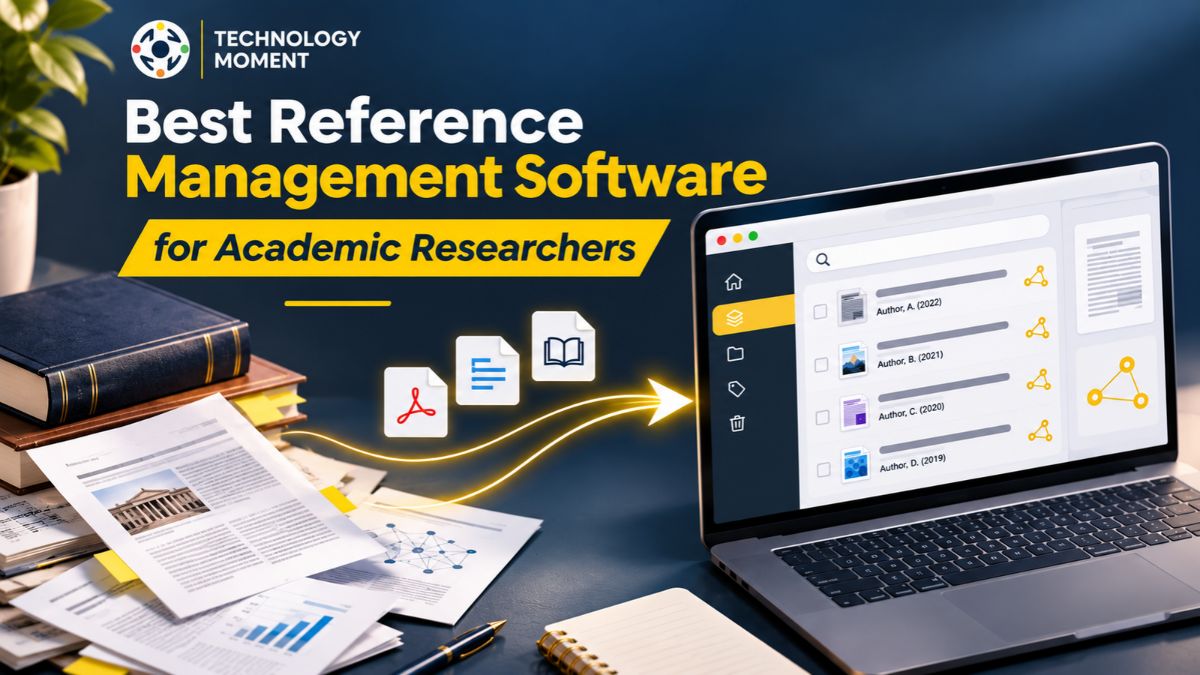
Academic research involves more than collecting information and writing papers. Researchers must also organize hundreds of sources, keep track of important studies, manage citations, and create accurate bibliographies. Handling these tasks manually can become time-consuming, particularly when working on dissertations, journal articles, literature reviews, or long-term research projects. This is where reference management software becomes essential.
The best reference management software helps academic researchers collect, organize, store, and manage references in one place. These tools can simplify citation formatting, generate bibliographies, organize research papers, and integrate with writing applications such as Microsoft Word and Google Docs. Some also offer PDF annotation, reference sharing, and collaboration features, making academic workflows more organized and efficient. However, choosing the right reference manager is not always straightforward. Different tools offer different features, pricing plans, storage options, and compatibility with academic writing platforms. Popular options such as Zotero, Mendeley, EndNote, Paperpile, RefWorks, Citavi, and JabRef serve different research needs.
At Technology Moment, we understand how important it is to choose the right digital tools for productive work. That is why this guide explores the best reference management software for academic researchers, comparing their key features, advantages, limitations, and pricing. Whether you are a university student, PhD scholar, professor, or experienced researcher, this guide will help you understand your options and choose a reference management tool that fits your academic workflow.
What Is Reference Management Software?
Reference management software is a digital solution that helps researchers collect, organize, store, and cite information from different academic sources. These sources may include research papers, journal articles, books, conference publications, websites, and other scholarly materials. Instead of maintaining separate documents or manually recording every source, researchers can use reference manager software to build a centralized library containing their academic references. This makes it easier to find relevant information and maintain an organized research workflow.
Most reference management tools provide features for importing references from academic databases, university library catalogs, and websites. Users can also add bibliographic information manually or import research documents using supported file formats. Once references are collected, they can be organized into folders, collections, or categories based on research topics, projects, and subjects. Some applications also allow users to attach PDF files, add notes, highlight important passages, and keep track of useful information from their reading materials.
Another important function of citation management software is automatic citation formatting. Academic institutions and journals often require specific citation styles, such as APA, MLA, Chicago, Harvard, and IEEE. Reference management software can format in-text citations and generate bibliographies according to supported styles. Many tools also integrate with writing applications, including Microsoft Word and Google Docs, allowing researchers to insert citations while preparing academic documents. This reduces repetitive formatting work and helps maintain consistency throughout a paper.
Reference management software is sometimes called citation management software, bibliography management software, or a reference manager. Although these terms are closely related, they generally describe tools designed to manage academic sources and their citations. Some solutions focus on straightforward reference organization, while others provide additional capabilities such as PDF annotation, cloud synchronization, and collaborative reference sharing.
Popular options include Zotero, Mendeley Reference Manager, EndNote, Paperpile, RefWorks, Citavi, and JabRef. Each offers a different combination of features, compatibility, and pricing. The right choice depends on research requirements, preferred writing applications, and personal workflow. Overall, reference management software helps make academic referencing more organized and manageable.
Why Academic Researchers Need Reference Management Software
Academic research often requires working with a large number of books, journal articles, conference papers, reports, and online publications. As a research project develops, keeping track of every source can become difficult, particularly when preparing a dissertation, thesis, journal article, or literature review. Managing references manually may lead to misplaced information, inconsistent citations, and unnecessary time spent formatting bibliographies. Reference management software for researchers helps address these challenges by bringing important research materials together in one organized library.
One major advantage of academic reference management software is better reference organization. Researchers can create collections, folders, and tags to separate sources according to different subjects or research projects. Instead of searching through multiple files and browser bookmarks, they can access relevant academic references from a central location. Many tools also support PDF reference management, allowing users to attach research papers, read documents, highlight important passages, and save notes alongside bibliographic information.
Another important benefit is easier citation formatting. Academic publications follow different referencing requirements, and manually adjusting every citation can take considerable effort. Citation management software helps researchers insert in-text citations and generate bibliographies using supported citation styles. Whether a paper requires APA referencing, MLA referencing, Chicago citation style, Harvard referencing style, or IEEE citation style, these tools can simplify the formatting process. Researchers should still review generated references because imported metadata and automated formatting may occasionally contain errors.
Reference management tools can also improve academic writing workflows. Integrations with applications such as Microsoft Word and Google Docs allow users to insert citations while writing. When supported correctly, changing a citation style can also update the document’s references without manually editing every entry. This is particularly helpful when preparing manuscripts for different academic journals.
Collaboration is another reason researchers use these tools. Some reference managers offer shared libraries or group features that allow research teams to access common collections of academic sources. Cloud synchronization can also make references available across supported devices.
For PhD students, university researchers, professors, and independent scholars, these capabilities can make literature reviews and long-term research projects easier to manage. Reference management software does not replace careful reading or critical evaluation of academic sources. Instead, it provides a practical system for organizing information, maintaining accurate citations, and spending more time on meaningful research activities.
Best Reference Management Software for Academic Researchers
Choosing the best reference management software for academic researchers depends on several factors, including research requirements, citation styles, PDF management, writing application compatibility, collaboration features, and budget. Different researchers have different working methods, so a tool that works well for a university student may not necessarily be the most suitable option for a professor or a research team. Understanding the available reference management tools can help users make a more informed decision.
Zotero is a popular free and open-source reference manager designed to help users collect, organize, cite, and share research sources. It supports browser-based reference collection, document organization, PDF annotation, and integration with Microsoft Word and Google Docs. Its flexible collection system makes it useful for students and researchers managing different academic projects.
Mendeley Reference Manager is another widely used option for organizing research papers and academic references. It provides tools for managing research documents, organizing PDF collections, and inserting citations into supported writing applications. Researchers who regularly work with journal articles may find its document-focused workflow useful.
EndNote is designed for researchers who need advanced reference organization and citation management capabilities. It offers extensive reference management features, customizable citation styles, and integration with Microsoft Word. It may be particularly suitable for researchers handling large reference libraries and complex academic projects.
Paperpile focuses on browser-based reference management and offers a workflow closely connected with Google Workspace. Its integration with Google Docs makes it worth considering for researchers who prefer writing and managing references online.
RefWorks provides web-based reference management and is commonly used in academic environments through institutional subscriptions. It offers tools for collecting references, organizing research materials, and creating citations and bibliographies.
JabRef is an open-source reference manager particularly useful for researchers working with LaTeX and BibTeX. It supports bibliographic database management and offers a workflow suited to technical and scientific writing.
Each of these tools has different strengths, limitations, and access conditions. Before selecting one, researchers should examine the available features, storage options, supported operating systems, citation styles, and integration requirements. Comparing these factors will help students, PhD scholars, and experienced academics identify the reference management software that best matches their research workflow.
Reference Management Software Comparison: Features and Pricing
Choosing the right reference management software requires comparing more than just subscription costs. Academic researchers should consider reference organization, PDF management, citation formatting, bibliography creation, collaboration, storage limits, and compatibility with writing applications. Different reference management tools offer different capabilities, making it important to understand what each platform provides before making a decision.
| Software | Pricing Model | Reference Management | PDF Management | Writing Integration | Best For |
|---|---|---|---|---|---|
| Zotero | Free + paid storage | Yes | Yes | Microsoft Word, Google Docs, LibreOffice | General academic research |
| Mendeley | Free + paid storage options | Yes | Yes | Microsoft Word | Organizing research papers |
| EndNote | Paid + free basic options | Advanced | Yes | Microsoft Word and other supported applications | Advanced academic research |
| Paperpile | Paid subscription | Yes | Yes | Google Docs, Microsoft Word | Google Workspace users |
| RefWorks | Institutional subscription | Yes | Yes | Microsoft Word, Google Docs | Universities and research teams |
| Citavi | Free and paid options, depending on edition | Yes | Yes | Microsoft Word | Research knowledge organization |
| JabRef | Free and open source | Yes | Supported | LaTeX and BibTeX workflows | Scientific and technical writing |
Zotero is a strong option for researchers looking for free and open-source reference management software. It provides browser-based reference collection, PDF organization, citation generation, and integrations with popular writing applications. Its free cloud attachment storage is limited, with paid storage upgrades available.
Mendeley Reference Manager offers reference organization, PDF management, and citation features. Its free account includes cloud storage, while additional storage options may be available through paid plans. It is particularly useful for researchers who regularly collect and organize academic papers.
EndNote provides advanced bibliography management software features, extensive citation style support, and tools for handling large research libraries. It is generally a paid product, although free or institutionally licensed access may be available in certain circumstances.
Paperpile focuses on browser-based reference management and Google Docs integration. RefWorks is commonly offered through university and institutional subscriptions. Citavi combines reference organization with knowledge management, while JabRef provides a free, open-source solution for researchers working with BibTeX and LaTeX.
Overall, the best reference management software comparison should focus on your research workflow rather than the number of features alone. Pricing, storage allowances, integrations, and licensing conditions can change, so check each provider’s official website before purchasing.
Best Free Reference Management Software for Researchers
Finding the best free reference management software can help academic researchers manage references without adding unnecessary expenses to their research budget. Students, PhD scholars, independent researchers, and university professionals often work with hundreds of academic sources, making a reliable citation management tool particularly useful. Fortunately, several reference management tools provide free access to essential features such as reference organization, citation generation, and bibliography creation.
Zotero is one of the strongest choices for researchers who need a free reference manager with extensive functionality. It allows users to collect references from websites, academic databases, and other sources using its browser connector. Researchers can organize academic references into collections, attach PDFs, add notes, and generate citations in different referencing styles. Zotero also supports Microsoft Word, Google Docs, and LibreOffice integrations. Its core software is free and open source, although cloud storage for attachments is limited on the free plan.
Mendeley Reference Manager is another useful option for organizing research papers and managing academic references. It offers a free account, PDF organization, reference importing, and citation management features. Its integration with Microsoft Word makes it convenient for researchers who prepare academic documents using that application. However, researchers should check its current storage limits and supported integrations before choosing it.
JabRef is particularly suitable for researchers working with LaTeX, BibTeX, and scientific publications. It is completely free and open source, making it an attractive option for users who prefer managing bibliographic information through structured reference databases. Its functionality is especially relevant to technical and scientific writing workflows.
Some researchers may also consider free versions of EndNote and institutionally provided access to RefWorks. However, free access does not always include every advanced feature available in their full versions.
When comparing free citation management software, consider the number of references you expect to manage, available cloud storage, PDF annotation features, citation styles, and writing application compatibility. A free reference manager can be sufficient for many academic projects, including dissertations and literature reviews. However, users working with large collaborative research projects may benefit from additional storage or institutional subscriptions. Ultimately, Zotero is an excellent starting point for general academic research, while JabRef is worth considering for LaTeX-focused workflows.
How to Choose the Right Reference Management Software
Choosing the right reference management software depends on your academic requirements, research methods, budget, and preferred writing environment. A tool with many advanced features may not necessarily be the best option if you only need basic citation formatting and reference organization. Before selecting a reference manager, consider how you collect academic sources, organize research papers, manage PDFs, and prepare your final documents.
Start by identifying your research requirements. University students preparing assignments may need a simple citation manager, while PhD students and academic researchers working on dissertations, journal publications, and systematic reviews may require more advanced reference management tools. If your work involves collecting hundreds of research papers, look for software that supports folders, collections, tags, search filters, and reference importing.
Citation style compatibility is another important consideration. Academic institutions and journals may require APA, MLA, Chicago, Harvard, or IEEE referencing styles. Choose citation management software that supports the styles relevant to your research. Automatic citation formatting and bibliography generation can save time, but always check the final references for accuracy.
PDF management should also influence your decision. Some reference managers allow users to attach research papers, highlight important passages, add annotations, and organize reading materials. These capabilities can make literature review organization easier, especially when working with multiple academic publications.
Next, evaluate compatibility with your writing applications. If you regularly use Microsoft Word, check whether the software provides a reliable citation plugin. Researchers who prefer Google Docs should verify that their selected reference manager supports direct citation integration. For LaTeX users, BibTeX compatibility may be particularly important.
Collaboration and synchronization are also worth considering. If you work with supervisors, university colleagues, or research teams, shared reference libraries can simplify reference sharing and group projects. Cloud synchronization helps access your research library across supported devices, although storage limits and offline availability vary between platforms.
Finally, compare pricing, operating system support, technical requirements, and data export options. Some software is completely free, while other solutions require individual subscriptions or institutional licences. Check whether you can export your references in standard formats such as RIS or BibTeX if you decide to switch platforms later.
The best reference management software is the one that fits your research workflow, provides the necessary features, and remains affordable over time. Taking the time to compare these factors can help you select a dependable tool for managing academic references and improving your overall academic writing process.
How to Use Reference Management Software for Academic Research
Using reference management software can make academic research more organized by helping researchers collect, store, manage, and cite information from different sources. Whether you are preparing a research paper, dissertation, thesis, or literature review, following a structured process can help you manage academic references more efficiently. Although the exact interface varies between applications, most reference management tools follow a similar workflow.
The first step is to select a suitable reference manager and create an account or install its desktop application. Popular options include Zotero, Mendeley Reference Manager, EndNote, and JabRef. After installation, create a reference library where you can store academic articles, books, journal publications, conference papers, and other research materials. You can usually import references directly from academic databases, university library catalogs, and websites using browser extensions or supported import formats.
Next, organize your research materials into folders, collections, or categories. For example, if you are preparing a literature review about business management, you can create separate collections for marketing, finance, consumer behaviour, and business strategy. This reference organization method makes it easier to locate relevant sources when writing different sections of your research paper. Many applications also support tags, notes, and search filters for managing larger collections.
Another important step is adding PDF documents to your reference library. Some software can extract bibliographic information from supported PDF files, helping users create reference records more quickly. You can also use available PDF annotation features to highlight important passages, add comments, and save research notes alongside academic references. However, always verify automatically imported author names, publication dates, titles, and DOI information.
Once your library is organized, connect your reference manager to a supported writing application such as Microsoft Word or Google Docs. You can then insert in-text citations while preparing your academic document. Select the required referencing style, such as APA, MLA, Chicago, Harvard, or IEEE, and generate a bibliography based on your cited sources.
Finally, review every citation and bibliography entry before submission. Check formatting, missing publication details, and consistency between in-text citations and the reference list. Regularly synchronize and back up your reference library to protect your research materials. Following these steps can help researchers develop a more reliable academic writing workflow.
Best Reference Manager Based on Your Research Needs
The best reference manager for academic research depends on the type of project you are working on, your preferred writing applications, budget, and the number of references you need to manage. Rather than choosing software simply because it is popular, consider which features will genuinely support your research activities. Different reference management tools are designed for different workflows, from basic citation formatting to advanced research organization and collaborative projects.
For students and researchers on a budget, Zotero is a strong choice. Its free and open-source model makes it accessible to university students, independent researchers, and PhD scholars. It provides reference organization, browser-based source collection, PDF management, and citation generation. Its support for Microsoft Word and Google Docs also makes it useful for academic writing and literature reviews.
For researchers who regularly organize academic papers, Mendeley Reference Manager is worth considering. It provides tools for managing research documents, organizing references, and working with PDF files. Researchers who primarily use Microsoft Word may find its citation integration convenient. However, check its current features and storage conditions before choosing it.
For advanced academic projects, EndNote may be a suitable option. It offers extensive reference management capabilities, customizable citation styles, and tools for managing large research libraries. Researchers preparing multiple publications or working with substantial collections of academic sources may benefit from its advanced functionality.
For Google Docs users, Paperpile is another option to explore. Its browser-based approach and Google Workspace integration can support researchers who prefer managing references and writing documents online.
For LaTeX users, JabRef is particularly relevant. Its BibTeX-focused workflow makes it suitable for scientific and technical writing, especially when working with structured bibliographic databases.
For institutional research teams, RefWorks can be worth considering. Its availability through university subscriptions and shared research workflows may suit organizations that need centralized reference management. Citavi is another option for researchers who want to combine bibliography management with research notes and knowledge organization.
Ultimately, there is no single reference manager that is best for everyone. Compare compatibility, citation styles, PDF annotation, collaboration, cloud synchronization, pricing, and data export options before making your decision. Selecting software that matches your research requirements will make managing references more practical and sustainable.
Frequently Asked Questions About Reference Management Software
What Is the Best Reference Management Software for Academic Researchers?
Zotero, Mendeley, and EndNote are popular choices for academic researchers. Zotero is suitable for users seeking free and open-source software, while Mendeley offers useful research paper organization features. EndNote provides advanced reference management capabilities. The best option depends on your research requirements, budget, preferred citation styles, and compatibility with your writing applications.
Which Reference Manager Is Best for PhD Students?
Zotero is a strong starting option for PhD students because it offers reference organization, citation generation, PDF management, and browser-based collection features. EndNote may be more suitable for researchers managing extensive reference libraries. Students should also consider their university’s software recommendations, available subscriptions, citation requirements, and collaboration needs before choosing.
What Is the Best Free Reference Management Software?
Zotero and JabRef are two useful free reference management software options. Zotero supports general academic research, citation management, and PDF organization. JabRef is particularly suitable for LaTeX and BibTeX users. Mendeley also offers free account options. Compare storage allowances, integrations, and available features to determine which free reference manager suits your workflow.
Is Zotero Better Than Mendeley?
Zotero and Mendeley both provide reference organization, citation management, and research document features. Zotero offers an open-source platform and supports several writing applications, including Google Docs. Mendeley focuses on organizing academic papers and PDF collections. Neither is universally better. Your preferred writing application, storage requirements, and research workflow should guide your decision.
Which Is Better, Zotero or EndNote?
Zotero is an attractive choice for researchers who prefer free, open-source reference management software. EndNote offers advanced features for managing extensive research libraries and customizing citations. Zotero may suit students and independent researchers, while EndNote can benefit researchers with complex academic requirements. Compare pricing, institutional access, compatibility, and functionality before deciding.
What Is the Difference Between a Citation Manager and a Reference Manager?
A citation manager helps users insert and format citations in academic documents, while a reference manager generally provides broader capabilities for collecting, storing, organizing, and managing research sources. In practice, these terms are often used interchangeably because most modern reference management software includes both citation formatting and bibliography management features.
Can Reference Management Software Generate Citations Automatically?
Yes. Most reference management tools can generate in-text citations and bibliographies using supported referencing styles. Users can select formats such as APA, MLA, Chicago, Harvard, or IEEE, depending on the software. However, automatically generated citations may contain incorrect or incomplete metadata, so researchers should always review references before submitting academic work.
Which Reference Manager Works Best with Microsoft Word?
Zotero, Mendeley, and EndNote provide Microsoft Word citation integration. These tools allow researchers to insert references while writing and generate bibliographies within supported documents. The best choice depends on your preferred workflow, citation requirements, and software version. Always check the current compatibility information before installing a citation plugin.
Which Reference Manager Supports Google Docs?
Zotero and Paperpile are useful options for researchers who write academic documents using Google Docs. Zotero offers Google Docs citation integration, while Paperpile provides a workflow closely connected with Google Workspace. Before choosing, check the supported browser, account requirements, subscription conditions, and available citation features.
What Is the Best Reference Manager for Literature Reviews?
Zotero and EndNote are worth considering for literature reviews because they help researchers collect, organize, search, and manage large numbers of academic references. EndNote may suit particularly extensive projects, while Zotero offers an accessible free option. Your choice should depend on reference volume, collaboration requirements, and institutional support.
Is Zotero Free for Academic Researchers?
Yes. Zotero’s core reference management software is free and open source. Researchers can collect and organize references, generate citations, and use supported writing integrations without purchasing the software. However, online attachment storage is limited on the free plan, and users can purchase additional cloud storage if required.