Customer support teams are handling more questions, requests, and support tickets than ever, while customers increasingly expect fast and useful answers. Managing repetitive inquiries manually can consume valuable time, increase response times, and make it harder for support agents to focus on more complex customer problems. This is where AI automation for customer support is becoming increasingly useful.
AI customer support can automate routine tasks such as answering frequently asked questions, classifying support tickets, routing requests to the right team, searching knowledge bases, and providing initial responses. Instead of treating AI as a complete replacement for human agents, businesses can use it to handle repetitive work while allowing support teams to concentrate on situations that require judgment, empathy, or deeper problem-solving.
For businesses exploring customer support automation, understanding what AI can actually automate—and where human involvement remains important—is essential. The right approach depends on the type of customers you serve, the complexity of your support requests, your existing workflows, and the quality of the information available to your AI systems.
At Technology Moment, we focus on making complex technology easier to understand so readers can evaluate emerging tools and approaches with greater clarity. In this guide, we’ll explain how AI automates customer support, which tasks can be automated, the benefits and limitations of AI customer service, practical implementation steps, and how human support can work alongside AI effectively.
What Is AI Automation for Customer Support?
AI automation for customer support uses artificial intelligence to handle, organize, and assist with customer service activities that would otherwise require manual work. It combines technologies such as conversational AI, machine learning, natural language processing, AI chatbots, and automated workflows to help businesses respond to customers more efficiently. Traditional customer support automation often relies on predefined rules. For example, a ticket containing a particular keyword may automatically be sent to a specific department. AI customer support can go further by understanding the meaning and context of a customer’s message and determining what action may be appropriate.
An AI customer service system can answer common questions, search a knowledge base, summarize conversations, classify tickets, and provide initial responses. AI-powered systems can also support agents by presenting relevant information while they are handling a conversation. Effective AI customer service automation focuses on repetitive and predictable work while keeping human agents involved when a situation requires judgment, empathy, or specialized knowledge.
For example, a customer asking about a company’s return policy may receive an automated answer based on the company’s knowledge base. However, a complicated billing dispute may be routed to a human representative. This makes automated customer support particularly useful for organizations dealing with large numbers of similar inquiries. Instead of replacing the entire support operation, AI can become another layer within the existing workflow.
When implemented carefully, AI support automation can help businesses create faster, more consistent support processes while allowing human teams to spend more time on customer problems that require deeper attention.
How Does AI Automate Customer Support?
AI automates customer support by connecting intelligent systems with communication channels, knowledge bases, ticketing platforms, and internal workflows. When a customer sends a message, the system can analyze the request, identify its intent, retrieve relevant information, and determine whether it can respond automatically or should involve a human agent.
One common application is an AI chatbot for customer support. Chatbots can handle frequently asked questions and provide information about products, orders, account processes, policies, or troubleshooting steps. More advanced AI customer service agents can understand natural-language requests instead of relying entirely on fixed commands. AI can also perform automated ticket classification. For example, it may identify whether a request concerns billing, technical support, account access, or a product issue. The system can then use intelligent ticket routing to send the request to the appropriate team.
Another important application is knowledge base automation. AI can search approved documentation and use relevant information to generate an answer. This can support both customers and employees who need to find information quickly. Businesses can also use AI for automated email support, conversation summaries, ticket prioritization, and customer inquiry automation. These capabilities can reduce repetitive manual work across support operations.
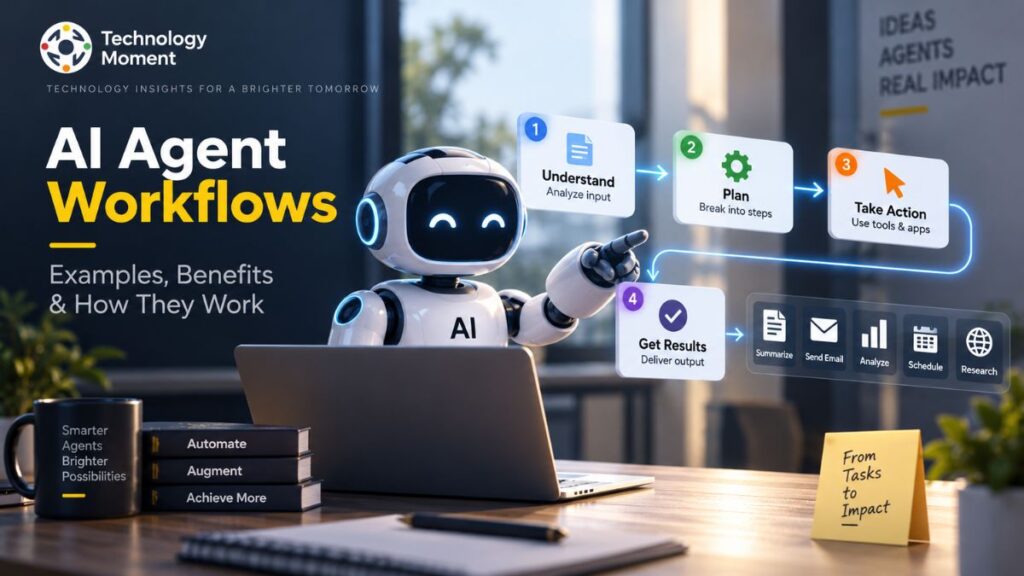
A practical workflow might look like this: a customer submits a question → AI identifies the request → the system searches the knowledge base → an automated response is generated → the customer receives an answer → complex or uncertain cases are escalated to a human. This approach allows customer support workflows to combine automation with human oversight rather than treating AI as a standalone replacement for the support team.
What Customer Support Tasks Can AI Automate?
AI can automate many repetitive customer service activities, particularly tasks involving predictable questions, structured information, and clearly defined workflows. The exact level of automation depends on the business, its support processes, and the quality of its data and knowledge base. One of the most common applications is answering frequently asked questions. An AI chatbot can provide information about products, pricing, account procedures, shipping, returns, or basic troubleshooting without requiring an agent to respond manually to every request.
Support ticket automation is another important use case. AI can read incoming requests, identify their category, detect urgency, and assign them to the appropriate queue. Automated ticket classification can help support teams organize large volumes of requests more efficiently. AI can also automate customer inquiry management. For example, it can recognize a request for order information and retrieve relevant details before generating an appropriate response. Automated email support can perform similar tasks for incoming email conversations.
Knowledge-based tasks are another strong application. AI can search internal documentation and provide relevant information to customers or support agents. This can improve access to information without requiring employees to manually search through multiple documents. Businesses can also use AI for conversation summaries, follow-up messages, ticket status notifications, and basic troubleshooting workflows. These capabilities can contribute to broader AI customer support workflow automation.
However, not every support task should be fully automated. Sensitive complaints, complicated technical problems, unusual requests, and situations requiring empathy may need human involvement. The most effective customer service workflows therefore combine automation with escalation rules. AI handles suitable repetitive tasks, while human agents remain responsible for situations where context, judgment, or personal interaction is important.
Benefits of AI Customer Support Automation
The main benefit of AI customer support automation is the ability to handle repetitive support work more efficiently. When AI manages routine questions and administrative tasks, human agents can dedicate more time to complex customer problems. One major advantage is faster response time. AI systems can respond to many routine requests immediately rather than placing customers in a queue. Improving first response time can be particularly valuable for businesses that receive support requests outside normal working hours.
AI can also support continuous service availability. Unlike a traditional support team with fixed working schedules, automated systems can provide basic assistance around the clock. This does not mean every issue can be resolved automatically, but customers can still receive initial guidance when human agents are unavailable. Another benefit is improved customer support productivity. Instead of repeatedly answering the same questions, agents can focus on escalated cases, troubleshooting, relationship management, and other tasks requiring human expertise.
Automation can also improve consistency. An AI system connected to an accurate and maintained knowledge base can provide standardized information across multiple conversations. This can help reduce variations between individual responses.
For growing companies, customer service automation can also make it easier to manage increasing support volumes without increasing manual workload at exactly the same rate. This can be useful for SaaS companies, ecommerce businesses, and organizations with large customer bases. However, the benefits depend heavily on implementation quality. Poor information, unclear workflows, or inappropriate automation can create inaccurate answers and frustrating customer experiences.
For that reason, businesses should monitor metrics such as response time, ticket resolution time, escalation rates, customer satisfaction, and AI response quality. The objective should be to use automation where it genuinely improves the support experience rather than automating tasks simply because technology makes them possible.
AI Customer Support for Different Businesses
The way businesses use AI customer support depends on their products, customers, support volume, and existing workflows. There is no single automation model that works equally well for every organization. For small businesses, AI customer support can provide an additional layer of assistance without requiring a large support team. An AI chatbot can answer common questions, provide basic product information, and direct customers toward relevant resources. This can help small teams manage repetitive inquiries while retaining human support for more complicated cases.
AI customer service for SaaS companies can focus heavily on product education and technical support. AI systems can answer questions about features, account settings, integrations, documentation, and common troubleshooting procedures. They can also summarize customer conversations before escalating technical issues to support specialists.
For ecommerce businesses, AI support automation for ecommerce can assist with order-related questions, shipping information, returns, product details, and other repetitive inquiries. When connected appropriately to business systems, AI can help customers find information without requiring an agent to handle every basic request.
Larger organizations may use AI across multiple support channels and departments. They can combine AI help desk capabilities with ticket classification, routing, knowledge management, agent assistance, and automated responses. Businesses should consider their support volume, customer expectations, data privacy requirements, knowledge quality, and escalation needs before implementing automation. A small company may benefit from a focused chatbot, while a larger organization may need a broader customer support automation platform integrated with its existing systems.
The underlying principle remains the same: identify repetitive support activities where automation can provide genuine value, then keep human agents involved wherever expertise, judgment, or empathy is required. This creates a more balanced model of human-AI collaboration rather than relying entirely on either automation or manual support.
AI Customer Support Tools and Software
Businesses can choose from different types of AI customer support software depending on their support volume, channels, and workflow requirements. Some platforms focus primarily on AI chatbots and virtual agents, while others combine conversational AI with help desk management, ticketing, knowledge bases, automation, and agent-assistance features.
Here are several established platforms that businesses can evaluate:
| AI Customer Support Tool | Key Customer Support Capabilities | Suitable For |
|---|---|---|
| Intercom Fin | AI agent, customer conversations, automated answers, support workflows | SaaS and digital businesses |
| Zendesk AI | AI agents, ticket management, knowledge base, agent assistance | Growing and enterprise teams |
| Salesforce Service Cloud | AI-powered service, case management, automation, CRM integration | Enterprise organizations |
| Freshdesk / Freshworks | AI assistance, ticketing, automation, self-service | Small to large businesses |
| HubSpot Service Hub | AI customer service, help desk, knowledge base, CRM | Businesses using HubSpot |
| Gorgias | AI support, ecommerce automation, help desk workflows | Ecommerce brands |
| Ada | AI customer service agents, automated conversations, support automation | Larger support operations |
The right customer support automation software depends on the specific problem a business wants to solve. A company primarily handling ecommerce questions may prioritize order-related automation, while a SaaS company may need documentation-based answers and technical support workflows.
Businesses should evaluate integrations, knowledge-base capabilities, escalation controls, analytics, security, pricing, and the quality of AI responses before selecting an AI support software platform. It is also important to test real customer scenarios rather than choosing a tool based only on the number of advertised features.
How to Automate Customer Support With AI
Successful AI customer support automation usually starts with identifying repetitive tasks rather than attempting to automate the entire support operation at once. Businesses should first analyze existing conversations and determine which requests occur frequently and follow predictable processes.
Step 1: Identify Repetitive Support Tasks
Review common tickets and conversations. Frequently asked questions, basic troubleshooting, order updates, password-related requests, and documentation questions can often become initial automation candidates.
Step 2: Analyze Existing Workflows
Map how a request currently moves from the customer to the support team. Identify where tickets are categorized, assigned, answered, escalated, and closed. This helps determine where customer support workflow software or automation can provide value.
Step 3: Prepare the Knowledge Base
AI systems need reliable information. Organize product documentation, FAQs, policies, troubleshooting guides, and internal support information before allowing AI to generate customer-facing responses.
Step 4: Choose the Right AI Tools
Depending on requirements, businesses may use an AI customer support software platform, AI chatbot, help desk automation tool, or AI ticketing system. Integrations with CRM, ecommerce, email, and existing help desk systems may also be important.
Step 5: Establish Human Escalation
Define which situations AI can handle independently and which require human review. Sensitive complaints, complex technical problems, unusual requests, and uncertain answers should have clear escalation paths.
Step 6: Monitor and Improve
Track response quality, resolution time, escalation rates, customer satisfaction, and unresolved conversations. Regularly update the knowledge base and refine workflows. This gradual approach allows companies to use AI support automation for businesses without disrupting existing customer service operations.
AI Customer Support Workflow Example
A practical AI customer support workflow can combine automated responses, ticket classification, knowledge-base searches, and human escalation. Consider a customer who contacts an ecommerce company because an order has not arrived. First, the customer sends a message through the website chatbot or another support channel. The AI system analyzes the request and identifies the intent as an order or delivery question. This is an example of automated ticket classification.
The system can then retrieve relevant information from the company’s order-management system or approved knowledge base. If the information is available and the request falls within an approved workflow, the AI can provide an automated response explaining the current order status. If the customer asks a more complicated question, the system can create or update a support ticket. Intelligent ticket routing can then send the case to the appropriate team.
For example:
Customer inquiry → AI intent detection → Ticket classification → Knowledge base or system lookup → Automated response → Customer confirmation → Human escalation if required
Suppose the customer reports that an order was marked as delivered but was not received. Instead of repeatedly providing a standard delivery message, the AI can recognize that the situation requires further investigation and route it to a human agent. The human agent can receive a summary of the previous conversation, relevant customer information, and the reason for escalation. This reduces the need for the customer to repeat the same information.
This type of AI customer support workflow automation combines automation with human oversight. AI handles predictable processes, while human agents take responsibility for cases requiring investigation, judgment, or personal attention.
AI Customer Support vs. Human Customer Support
AI and human support have different strengths. Customer support AI is particularly useful for repetitive, high-volume, and structured requests, while human agents remain valuable when conversations require empathy, judgment, creativity, or deeper investigation.
| Area | AI Customer Support | Human Customer Support |
|---|---|---|
| Response speed | Can respond immediately | Depends on availability and workload |
| Availability | Can operate continuously | Usually depends on working hours |
| Repetitive questions | Well suited to automation | Can become time-consuming |
| Ticket classification | Can automate categorization | Requires manual review when needed |
| Knowledge retrieval | Can search connected information | Can interpret information in context |
| Complex problems | May require escalation | Better suited to investigation |
| Empathy | Limited compared with humans | Can provide personal interaction |
| Judgment | Depends on system design and information | Human judgment is available |
| Consistency | Can follow defined processes consistently | Responses may vary by agent |
| Escalation | Can identify defined escalation conditions | Can take ownership of complex cases |
The objective of human-AI collaboration is not necessarily to choose one approach over the other. Businesses can use AI for repetitive support activities while allowing human representatives to handle cases where personal interaction matters. For example, an AI chatbot can answer a frequently asked product question, while a human agent handles a frustrated customer whose problem has not been resolved.
A well-designed customer service automation strategy therefore treats AI as part of the support operation. Businesses should define clear boundaries, monitor automated responses, and provide customers with an accessible path to human assistance when automation cannot adequately address their problem.
Can AI Replace Customer Support Agents?
The question of whether AI can replace customer support agents depends heavily on the type of support a business provides. AI can already automate many repetitive activities, but that does not mean every customer interaction can or should be handled without human involvement. AI is well suited to tasks such as answering common questions, categorizing tickets, retrieving information, summarizing conversations, providing basic troubleshooting steps, and handling straightforward requests. These capabilities can reduce repetitive workload and allow support teams to spend more time on complicated cases.
However, some situations require capabilities that are difficult to reduce to a simple automated workflow. Customers dealing with unusual technical problems, sensitive complaints, billing disputes, complex account issues, or emotionally difficult situations may benefit from human assistance. There is also a risk associated with automatically generating an answer when the system does not have sufficient information. An incorrect response can create additional frustration and potentially increase the workload for human agents.
For this reason, businesses implementing AI customer service agents should establish clear escalation rules. AI can manage a conversation until a defined condition is reached, after which the interaction can be transferred to an appropriately trained human representative.
A practical model is:
AI handles routine requests → AI identifies complex or uncertain cases → Human agent takes over → AI assists the agent with relevant information
This approach makes human-AI collaboration an important part of modern customer support. Rather than viewing AI exclusively as a replacement for people, businesses can use it to remove repetitive work and help support teams focus their expertise where it provides the greatest value. The long-term effectiveness of AI support will depend not only on automation capabilities but also on how responsibly businesses design workflows, maintain knowledge, protect customer information, and preserve meaningful access to human assistance.
Limitations of AI Customer Support
Although AI customer support can automate many repetitive activities, it is not suitable for every customer interaction. One important limitation is that AI depends heavily on the quality of the information available to it. If a knowledge base contains outdated, incomplete, or conflicting information, an AI system may produce an inaccurate response.
Another challenge is handling unusual or highly complex requests. An AI chatbot may perform well when customers ask common questions, but complicated technical problems, sensitive complaints, or situations requiring detailed judgment can require human involvement. This is why businesses should maintain clear escalation paths within their customer support automation workflows. Context can also be difficult. Customers sometimes provide incomplete information, use informal language, or describe several problems in one conversation. Even advanced conversational AI may need additional context before providing an appropriate response.
Privacy and security are additional considerations. Customer conversations can contain personal, financial, account, or business information. Companies implementing AI support automation should understand how customer data is processed, stored, protected, and shared by their chosen platform. Another limitation is that automation does not automatically guarantee better customer satisfaction. Poorly designed workflows can make customers repeat information or struggle to reach a human representative.
For these reasons, AI customer service automation should be implemented selectively. Businesses should automate appropriate repetitive tasks, monitor AI-generated responses, maintain accurate knowledge bases, and provide human escalation when automation reaches its limits. The goal should be reliable support rather than maximum automation.
Best Practices for AI Customer Support Automation
Effective AI customer support automation starts with a clear understanding of customer needs and existing support workflows. Businesses should first identify repetitive requests that are suitable for automation instead of attempting to automate every customer conversation immediately. A reliable knowledge base is one of the most important foundations. AI systems should have access to accurate, current, and approved information about products, policies, troubleshooting procedures, and frequently asked questions. Regular reviews can help prevent outdated information from being used in automated responses.
Businesses should also define clear escalation rules. If an AI system cannot confidently answer a question, encounters sensitive information, or identifies a complex issue, the conversation should be transferred to a human agent. This approach supports effective human-AI collaboration. Another important practice is monitoring performance. Companies should track metrics such as first response time, ticket resolution time, escalation rates, customer satisfaction, and the accuracy of AI responses. These measurements can reveal where automation is helping and where workflows need improvement.
Security and privacy should also be considered before deploying AI customer support software. Businesses should evaluate access controls, data handling, integrations, retention policies, and applicable regulatory requirements. It is also useful to introduce automation gradually. A company might begin with FAQ responses and knowledge-base assistance, then expand into ticket classification, routing, email support, and more advanced workflows after evaluating results.
Finally, customers should understand when they are interacting with AI and have a practical way to request human assistance. Transparent communication can make the automation experience clearer and reduce unnecessary frustration. The strongest customer service automation strategies focus on improving the customer experience rather than simply reducing manual work.
Frequently Asked Questions About AI Customer Support
Can AI automate customer service?
Yes. AI can automate many customer service activities, including frequently asked questions, ticket classification, routing, basic troubleshooting, knowledge-base searches, and routine responses. However, complete automation is not appropriate for every interaction. Complex, sensitive, or unusual customer problems may still require trained human support agents.
How can AI reduce customer support workload?
AI can reduce workload by handling repetitive questions and administrative tasks automatically. It can answer common inquiries, categorize incoming tickets, retrieve information, summarize conversations, and route cases to appropriate teams. This allows human agents to spend more time investigating complex problems and assisting customers who need personalized support.
How can AI improve customer response time?
AI can respond to suitable customer requests immediately instead of requiring customers to wait for an available support agent. Automated responses, ticket classification, knowledge retrieval, and routing can also reduce delays within the support workflow. Faster responses are particularly useful for routine questions and customers seeking basic information.
What are the best AI tools for customer support?
The appropriate tool depends on business requirements, support volume, integrations, and workflow complexity. Platforms such as Zendesk, Intercom, Salesforce Service Cloud, Freshworks, HubSpot Service Hub, Gorgias, and Ada offer different AI-powered customer support capabilities. Businesses should compare features, integrations, security, pricing, and response quality before selecting a platform.
Is AI customer support suitable for small businesses?
AI customer support can be useful for small businesses when they receive repetitive inquiries but have limited support resources. A small team can begin with FAQ automation, chatbot assistance, or basic ticket workflows. The implementation should remain focused and provide customers with an accessible path to human assistance when necessary.
How do AI customer support chatbots work?
AI customer support chatbots process customer messages, identify their intent, and use available information to generate a response. Depending on the system, they may access knowledge bases, business data, or support workflows. If a request is outside the chatbot’s capabilities or requires human judgment, it can be escalated.