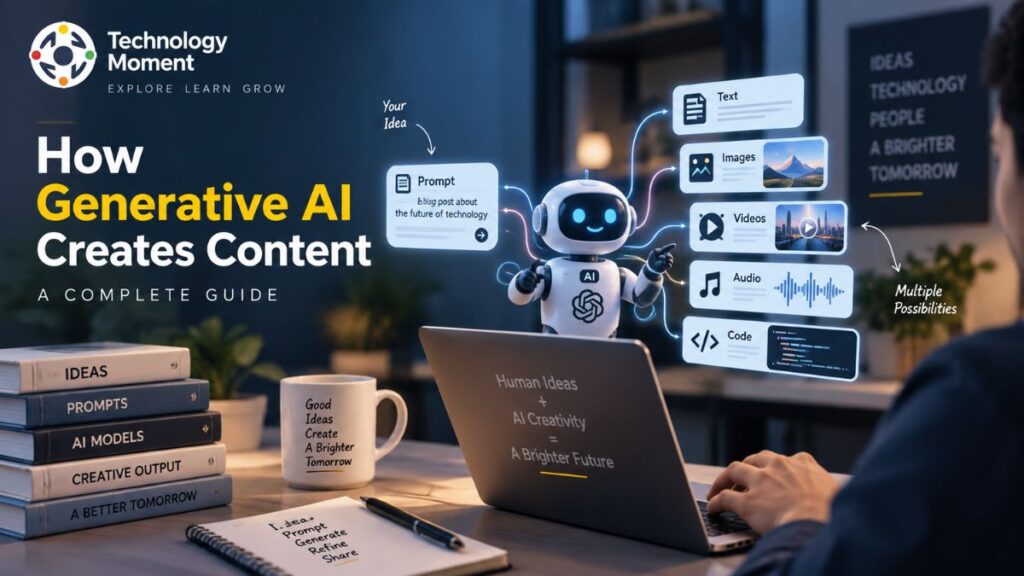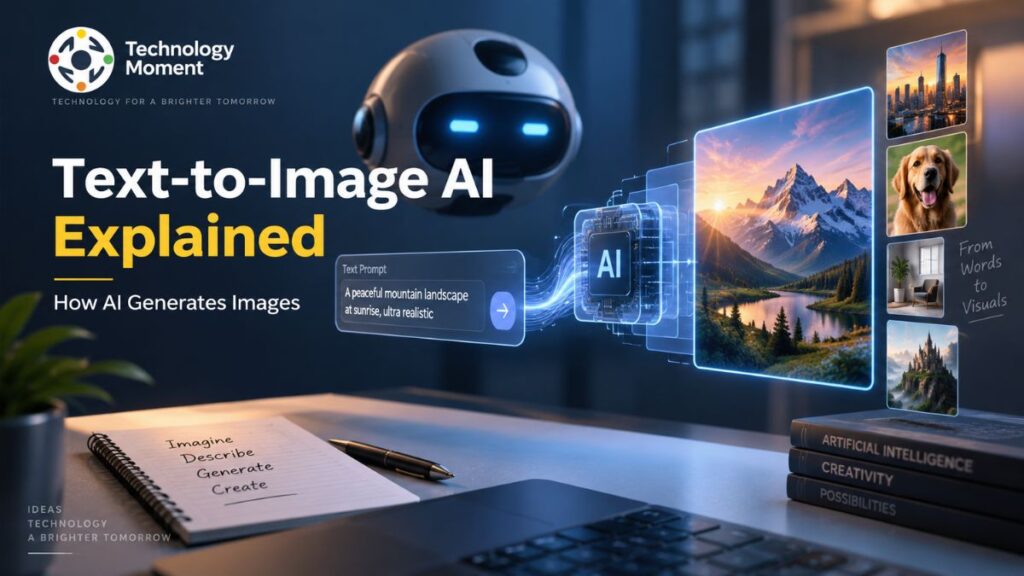
AI video generation is changing the way people create, edit, and share visual content. Instead of relying entirely on cameras, actors, complex editing software, and long production workflows, creators can now use artificial intelligence to turn written prompts, images, and existing footage into videos. What once required significant time and technical expertise can increasingly be explored through a few carefully written instructions.
But how does AI actually create a video from a sentence or an image? Behind the simple interface are sophisticated AI models that analyze language, understand visual information, generate individual frames, and attempt to maintain realistic motion and consistency across a sequence. Understanding this process makes it easier to see both what AI video generators can do today and where their limitations remain.
At Technology Moment, our goal is to make emerging technologies easier to understand without adding to the noise surrounding them. In this guide, we’ll break down how AI video generation works, the technologies behind modern AI video models, the difference between text-to-video and image-to-video generation, and how these tools are being used by creators, marketers, businesses, educators, and filmmakers.
Whether you’re discovering AI video generation for the first time or looking to understand the technology behind today’s AI video tools, this guide will give you a clear foundation for exploring what is possible—and what still requires human creativity and judgment.
What Is AI Video Generation?
AI video generation is the process of using artificial intelligence to create or transform video content from instructions such as text prompts, images, or existing video. Instead of producing every frame manually, an AI video generator uses trained models to interpret the requested scene and generate visual content that matches the description. This makes AI video creation accessible to people who may not have professional filming or editing skills.
A typical AI-generated video can include characters, environments, objects, camera movements, lighting, and other visual elements. Depending on the tool and model, users can create a scene from a written description, animate a still image, transform existing footage, or combine several forms of input. This is why text-to-video and image-to-video have become important approaches within generative video technology.
The technology is particularly useful for content creators, marketers, educators, businesses, and filmmakers who need to quickly experiment with visual ideas. For example, a creator can describe a cinematic scene in a prompt instead of filming it from scratch, while a business can explore product concepts before investing in a complete production.
However, AI video generation does not simply mean pressing a button and receiving a perfect finished video. Results can vary depending on the model, prompt, input material, and generation settings. Issues such as inconsistent characters, unrealistic movement, or incorrect visual details can still occur. Understanding how AI video generation works helps explain both its growing capabilities and its current limitations.
How Does AI Video Generation Work?
At a basic level, how AI video generation works can be understood as a process in which an AI model converts an instruction or visual input into a sequence of frames that form a moving video. The system first interprets what the user is asking for and then attempts to represent the requested objects, environment, actions, style, and camera movement visually.
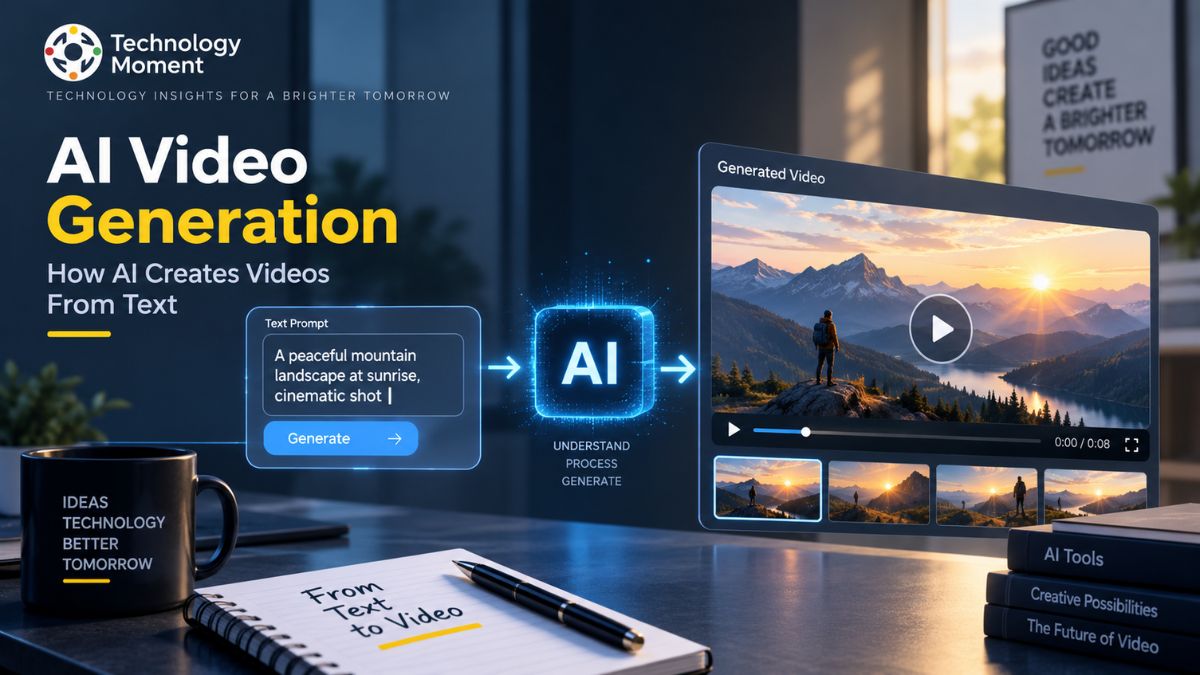
With a text-to-video system, the process begins with a written prompt. For example, a user might describe a futuristic city at night with flying vehicles and people walking through a brightly lit street. The AI model analyzes the language and connects those concepts with visual patterns learned during training. It then generates a sequence designed to represent the requested scene.
Image-to-video generation follows a related approach but begins with an image. Instead of creating the entire visual concept from text, the model uses the supplied image as a reference and generates movement around it. This can include camera motion, environmental changes, or movement of objects within the scene. One of the most difficult parts of video generation is maintaining consistency between frames. A video is not simply a collection of unrelated images; objects need to remain recognizable while moving through time. Modern AI video models therefore attempt to understand both visual information and temporal relationships.
The overall process can be simplified as:
Prompt or input → AI interpretation → visual generation → motion and frame consistency → video output
The quality of the final result depends heavily on the model’s capabilities, the input, and how clearly the user communicates the desired result.
The Technology Behind AI Video Generation
Modern AI video generation combines several areas of artificial intelligence rather than relying on a single technology. At its foundation are machine learning and deep learning, which allow models to learn complex patterns from large datasets. Neural networks process these patterns and help models connect language, images, movement, and visual structure.
A major component of modern generative video models is diffusion-based technology. Diffusion models learn to generate content by working with visual representations and progressively producing a coherent result from a less structured state. In video generation, this process must account not only for individual images but also for how those images relate to one another over time.
Video diffusion extends these concepts to moving sequences. The model needs to generate frames that remain visually connected, so a person, object, or environment does not unexpectedly change from one moment to another. Maintaining this temporal consistency is one of the central technical challenges in AI video generation. Computer vision also plays an important role. It helps AI systems interpret visual elements such as objects, environments, shapes, and relationships. Meanwhile, natural language processing helps models understand written prompts and translate human descriptions into visual instructions.
Increasingly, multimodal AI connects different types of information, including text, images, audio, and video. This allows more flexible workflows where users can provide an image, describe the desired movement, and generate a video based on both inputs. Together, these technologies support video synthesis, AI animation, synthetic video creation, and increasingly sophisticated creative workflows. The result is a rapidly developing field where AI can move beyond generating static images toward producing dynamic scenes with motion, camera behavior, and visual storytelling.
Main Types of AI Video Generation
There are several major forms of AI video generation, each designed around a different type of input or creative workflow. The most widely discussed approaches include text-to-video, image-to-video, and video-to-video generation.
With Text-to-Video technology, users can turn written descriptions into video scenes. The AI model interprets the prompt and generates a video based on the requested subject, environment, action, visual style, and camera behavior. This approach is useful when the creator has an idea but does not already have visual material to use as a starting point.
Image-to-video begins with an existing image. The AI uses that image as a visual reference and introduces motion or changes to create a video. For example, a creator could provide an illustration of a landscape and ask an AI system to add moving clouds, flowing water, or a gradual camera movement.
Video-to-video generation works with existing footage and modifies its appearance or characteristics. Depending on the system, users may be able to transform the visual style, alter elements of a scene, or create a different interpretation of the original footage.
Another category is AI animation generation, where artificial intelligence creates or animates characters, objects, or illustrated scenes. AI avatars represent another growing application, particularly for presentations, training, educational content, and business communication. These approaches can also be combined. A creator might start with an image, use an image-to-video model to introduce motion, and then use an AI video editing system to refine the result. Choosing between these methods depends on the desired outcome, available source material, level of creative control, and capabilities of the selected AI video generator.
How to Generate a Video With AI
Learning how to generate a video with AI is relatively straightforward, although producing a high-quality result usually requires experimentation. The first step is to choose an AI video generator that supports the type of content you want to create. Different tools may specialize in Text-to-Image AI, image-to-video, AI avatars, animation, or video editing. Next, define the idea clearly. A useful prompt should describe the main subject, environment, action, visual style, lighting, camera movement, and other important details. Instead of writing something vague such as “a futuristic city,” you can provide more context about the location, atmosphere, time of day, movement, and cinematic style.
After preparing the prompt, select the appropriate generation method. Use text to video when you want the model to create the scene from a description. Choose image to video when you already have a visual reference that should be animated. The AI system then processes the input and generates the video. The first result may not perfectly match your expectations, so reviewing and refining the prompt is an important part of the workflow. You may need to change the description, camera direction, movement, or visual details and generate another version.
Once you have a suitable result, you can use additional AI video editing or conventional editing software to trim clips, combine scenes, add narration, music, captions, or other elements.
The basic workflow is:
Choose a tool → develop the idea → write the prompt → generate the video → review the result → refine it → edit and export
For beginners, this approach provides a practical starting point for exploring AI video creation without requiring a complete professional production setup.
How to Write Better AI Video Prompts
The quality of an AI-generated video often depends on how clearly you describe what you want the model to create. A vague instruction may produce a generic result, while a detailed prompt gives an AI video generator more information about the subject, environment, movement, and visual style. This is why learning how to write effective video prompts is an important part of AI video creation.
Start by identifying the main subject. Explain who or what should appear in the scene and describe important characteristics. Next, specify the environment and action. For example, instead of asking for “a robot in a city,” describe a humanoid robot walking through a futuristic city at night while neon signs reflect on a wet street. Camera direction can also make a significant difference. You can describe a wide shot, close-up, tracking shot, aerial view, slow camera movement, or another perspective. Lighting and atmosphere can further define the visual appearance.
When using text prompts, it is useful to separate the important elements logically: subject, action, environment, camera, lighting, style, and mood. If you are using image prompts, explain how the supplied image should change or move rather than describing everything from scratch. Avoid adding unnecessary details that conflict with each other. AI video models may struggle when a prompt contains too many competing instructions.
Prompt writing is not an exact science. Testing variations and refining the wording is often necessary. Over time, creators can develop prompt-writing techniques that produce more predictable results from their chosen AI video tools.
What Are AI Video Generators Used For?
AI video generators are used across creative, educational, marketing, and business workflows. Their main advantage is the ability to produce or transform visual content without requiring every element to be recorded manually. This makes AI video generation useful for both professional teams and individual creators. For content creators, AI video tools can help produce short-form social media content, YouTube visuals, explainer videos, animations, and concept footage. A creator can use AI video creation to turn an idea into an initial visual concept before deciding whether a traditional production is necessary.
Marketing teams can use AI-generated video for product demonstrations, advertisements, promotional campaigns, and social media experiments. Businesses can also use AI avatars and generated scenes for training materials, presentations, onboarding content, and internal communications. In education, AI video generation can help turn complex concepts into visual explanations. Teachers and course creators can create animations, demonstrations, and supporting visuals that make technical subjects easier to understand.
Filmmakers and creative professionals can use AI filmmaking tools during pre-production. Generated scenes can help visualize concepts, explore camera ideas, create storyboards, or test different artistic directions before production begins. AI video generation can also support automated video production. Instead of creating every asset manually, teams can combine AI generation with editing, narration, captions, and other automated processes.
However, AI-generated video is not equally suitable for every situation. High-stakes productions may still require professional filming, actors, editors, and visual-effects specialists. AI works particularly well when speed, experimentation, personalization, or rapid visual prototyping is more important than complete traditional production control.
AI Video Generation Tools
The AI video generation market includes a growing range of software designed for different creative workflows. Some platforms focus primarily on text-to-video, while others specialize in image animation, AI avatars, video editing, or broader AI content creation. When evaluating AI video generation tools, video quality should not be the only consideration. Prompt accuracy is important because the system needs to understand the requested subject, movement, environment, and style. Motion quality also matters, particularly when the scene contains people, objects, or complex camera movements.
Consistency is another important factor. A strong AI video generator should ideally maintain the appearance of characters, objects, and environments throughout a sequence. Generation speed, available resolutions, editing features, and export options can also affect the practical usefulness of a platform. Creators should also examine pricing and usage restrictions. A free AI video generator may provide an accessible way to experiment, but free plans can include limitations such as watermarks, lower resolution, restricted generation credits, or fewer advanced features.
Before using AI-generated videos in advertising, products, or monetized content, check the provider’s current terms regarding commercial use, ownership, and generated assets. Different tools serve different users. A beginner may prefer an easy AI video maker, while a professional creator may prioritize greater control over prompts, motion, editing, and output quality.
Rather than choosing a tool solely because it is described as the “best AI video generator,” evaluate it according to your actual workflow, budget, required output quality, creative control, and intended use. This produces a more useful comparison than relying on a single universal ranking.
How Realistic Are AI-Generated Videos?
The realism of AI-generated videos has improved significantly, but the quality can vary considerably between models, prompts, and generation tasks. Modern AI video models can create scenes with detailed environments, convincing lighting, camera movement, and increasingly natural-looking motion. In some cases, short AI-generated clips can appear remarkably close to conventional footage. However, realism involves more than producing attractive individual frames. A convincing video needs temporal consistency, meaning that objects, people, and environments should remain stable as the scene develops. This remains one of the major challenges in generative video.
Human movement can reveal weaknesses particularly quickly. Hands, facial expressions, body motion, object interactions, and complicated physical actions may sometimes appear unnatural. Text appearing inside generated scenes can also be distorted or inconsistent. Longer sequences present another challenge. Maintaining the same character, clothing, environment, and visual style over an extended video is more difficult than generating a short clip. This means that a highly realistic short sequence does not necessarily indicate that the system can produce an entire feature-length production with the same consistency.
Input quality also affects results. A clear image, specific prompt, and appropriate generation settings can improve the output. Different AI video generators may also produce very different results from similar instructions. So, can AI create realistic videos? Yes, particularly for short scenes and carefully controlled creative tasks. But realistic-looking output should not automatically be interpreted as authentic footage.
This distinction is increasingly important as synthetic video becomes easier to produce. Viewers, creators, and publishers need to consider provenance, context, and disclosure when AI-generated material could be mistaken for real-world events.
Advantages of AI Video Generation
Traditional video production can involve planning, equipment, locations, filming, editing, and multiple rounds of revisions. AI can reduce the time required to explore an idea by generating visual concepts directly from prompts or reference material. AI video creation can also reduce the technical barrier for beginners. Someone without professional filmmaking equipment can experiment with animation, cinematic scenes, product concepts, or social media content using an AI video generator.
Another advantage is creative experimentation. Creators can quickly test different environments, camera angles, visual styles, and concepts without physically recreating each version. This can be especially useful during brainstorming and pre-production. Businesses can benefit from scalability as well. AI-generated assets can support large volumes of marketing or educational content, particularly when organizations need multiple variations for different audiences or platforms. Personalization is another potential benefit. AI systems can make it easier to adapt visual content for different contexts, languages, audiences, or campaigns.
AI can also work alongside traditional production rather than replacing it entirely. A filmmaker might use AI to visualize a concept, a marketer might generate an initial creative direction, and an editor might combine AI-generated footage with professionally recorded material. The technology therefore offers a new layer of flexibility rather than simply removing humans from the production process. Human judgment remains important for storytelling, accuracy, brand consistency, ethics, and final quality control.
AI Video Generation vs Traditional Video Production
AI video generation and traditional video production approach the same goal—creating visual content—from very different directions. Traditional production generally involves planning, cameras, locations, performers, lighting, sound recording, and post-production. AI video creation, by contrast, can begin with a text prompt, image, or existing video.
The difference becomes clearer when comparing the major factors:
| Factor | AI Video Generation | Traditional Video Production |
|---|---|---|
| Production time | Can generate concepts and clips quickly | Often requires longer planning and production |
| Equipment | Usually requires software and computing resources | Cameras, lighting, microphones, and other equipment may be needed |
| Cost | Can reduce costs for certain projects | Costs can increase with crew, equipment, locations, and post-production |
| Creative control | Prompt and model dependent | Direct control over filming and performance |
| Real-world authenticity | Synthetic content | Captures real people and environments |
| Scalability | Easy to create variations | Each version may require additional production work |
| Editing | Often combined with AI or traditional editors | Established professional editing workflows |
| Best suited for | Concepts, experiments, short-form content, selected production tasks | Professional filming and situations requiring precise real-world control |
Is AI Video Generation Right for You?
Whether AI video generation is suitable depends on what you want to create, how much control you need, and the resources available to you. For beginners, AI video tools can provide an accessible way to experiment with video without purchasing professional equipment or learning a complete production workflow first. For content creators, AI can help produce social media clips, visual concepts, animations, YouTube assets, and supporting footage. It can also speed up experimentation when creators want to test several ideas before investing time in full production.
Marketers and businesses may find AI video generation useful for creating product concepts, promotional material, training content, and campaign variations. The ability to produce multiple versions quickly can be valuable when content needs to be adapted for different platforms or audiences. Filmmakers and creative professionals can use AI filmmaking tools for ideation, previsualization, storyboarding, and experimental production. However, projects that depend heavily on real-world performances, exact physical interactions, or highly controlled cinematography may still benefit from conventional production methods.
You should also consider the quality and licensing requirements of your project. If a video represents a brand, product, or important factual information, human review remains essential. AI-generated content may contain visual errors that are not immediately obvious. Test an AI video generator, evaluate its output, understand its limitations, and determine whether it genuinely improves your workflow. AI video generation is particularly useful when speed, experimentation, accessibility, and scalable content creation matter. It may be less suitable when absolute consistency, physical authenticity, or precise production control is the highest priority.
Frequently Asked Questions About AI Video Generation
How does a text-to-video AI generator work?
A text-to-video system interprets a written prompt and converts its concepts into visual information. The model then generates a sequence based on elements such as the subject, environment, movement, camera perspective, lighting, and requested style.
How does image-to-video AI work?
Image-to-video AI uses a supplied image as a visual reference and generates movement around or within it. Depending on the tool, users can influence camera movement, object motion, environmental effects, and other aspects of the resulting video.
Can AI generate videos from images?
Yes. Image-to-video systems can animate still images and create moving sequences from them. The results depend on the model, input image, prompt, and generation settings, and complex movement may still produce inconsistent or unrealistic results.
What is the best AI video generator?
There is no single AI video generator that is ideal for every user. The appropriate choice depends on factors such as video quality, prompt control, generation speed, editing features, pricing, output resolution, commercial licensing, and the type of video you want to create.
Are AI-generated videos real?
AI-generated videos are synthetic rather than recordings of events that necessarily occurred. They may look realistic while being entirely computer-generated. For important or potentially misleading content, viewers should consider the source and whether the material has been identified as AI-generated.
How long does AI video generation take?
Generation time varies depending on the AI video tool, model, video length, resolution, server demand, and complexity of the request. Simple clips may be produced relatively quickly, while higher-quality or longer generations can require substantially more processing time.