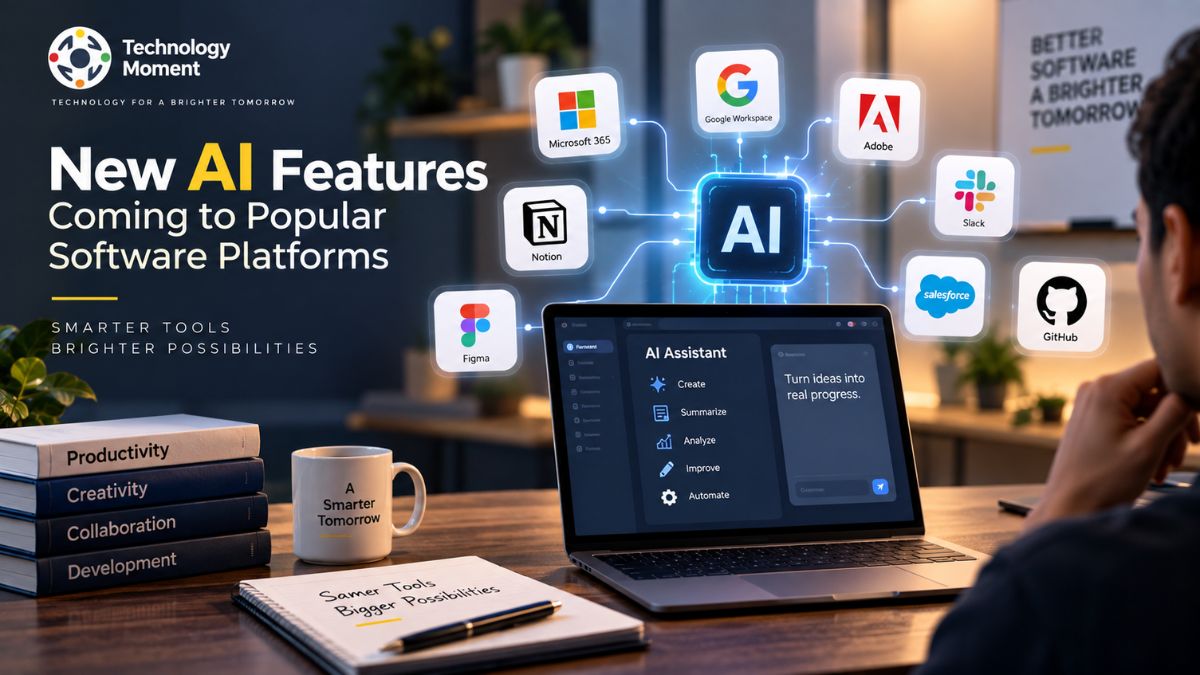
Artificial intelligence is moving beyond standalone AI tools and becoming a built-in part of the software people use every day. From productivity apps and creative platforms to developer tools and business software, companies are introducing new AI features designed to automate tasks, improve search, summarize information, generate content, and help users work more efficiently.
The pace of these changes can make it difficult to keep track of what is actually new, which platforms are adding AI capabilities, and how these updates may affect everyday workflows. Instead of treating every announcement as a major breakthrough, it is more useful to understand what each feature does, who it is designed for, and where it can provide practical value.
At Technology Moment, we follow these developments with a focus on clear, trustworthy technology information. Our goal is to help readers understand important software and AI changes without unnecessary hype or technical complexity. In this guide, we explore the new AI features coming to popular software platforms, including developments across productivity, creative, collaboration, business, and developer software.
Whether you are a technology enthusiast, professional, developer, or business user, this overview will help you understand the latest direction of AI-powered software and the capabilities that are gradually becoming part of everyday digital work.
What New AI Features Are Coming to Popular Software Platforms?
Artificial intelligence is becoming a standard layer inside modern software rather than remaining limited to dedicated AI tools. New AI features are increasingly appearing across productivity applications, creative platforms, collaboration tools, developer software, and enterprise systems. These AI-powered software features are designed to reduce repetitive work, improve information discovery, generate content, and make applications easier to use.
One of the biggest developments is the expansion of AI assistants and AI copilots. Instead of navigating multiple menus, users can increasingly interact with software through natural-language instructions. AI can help summarize documents, find information, generate drafts, organize tasks, analyze data, or suggest the next action. At the same time, AI automation tools are making it possible to connect several steps of a workflow instead of completing each task manually.
Another important area is AI-powered search. Traditional search often requires users to know exactly what terms to enter. AI-powered search can interpret conversational questions and help users discover relevant information across documents, applications, and knowledge bases. Personalization is also becoming more important, with software using context and user preferences to deliver more relevant recommendations.
For businesses, these developments could make enterprise AI software more deeply integrated into everyday operations. Developers may see smarter coding assistants and documentation tools, while creators can benefit from generative AI features for design and content production. The broader shift is clear: software platforms are moving toward more intelligent, conversational, automated, and personalized experiences.
AI Features Coming to Microsoft Software
Microsoft is an important part of the transition toward AI-enhanced productivity because its ecosystem covers workplace applications, operating systems, collaboration software, cloud services, and developer tools. The broader direction of Microsoft’s AI strategy illustrates how AI features in Microsoft products can become integrated into workflows rather than existing as isolated applications.
Productivity is a major area of opportunity. AI assistants can help users work with documents, presentations, spreadsheets, email, and other information without manually performing every step. Capabilities such as AI summarization, AI content generation, AI recommendations, and intelligent assistants can reduce the amount of time spent processing routine information.
Collaboration is another important area. In workplace environments, AI can help users understand conversations, identify important information, and organize large amounts of communication. These capabilities are particularly relevant as teams increasingly depend on digital collaboration and distributed workflows.
Microsoft’s developer ecosystem also demonstrates the growing role of AI in software development. AI features coming to developer tools can assist with coding, documentation, troubleshooting, and understanding unfamiliar code. For developers, the value of AI is not simply generating code but reducing the friction involved in researching and completing development tasks.
The enterprise side is equally significant. Organizations are increasingly looking for AI automation that can work within existing software and business processes. Instead of introducing a completely separate AI application, companies can integrate AI into tools employees already understand. For users, the most meaningful development will therefore be the gradual transformation of familiar Microsoft software into more intelligent working environments.
AI Features Coming to Google Software
Google’s software ecosystem provides another example of how AI integration in software can influence everyday digital experiences. Google operates across search, productivity, communication, cloud computing, mobile technology, and developer services, giving it multiple environments in which generative AI features and intelligent assistants can become useful.
One major area is productivity. AI can help users handle information more efficiently by summarizing lengthy material, assisting with writing, organizing information, and helping people locate relevant content. These capabilities can be particularly useful for professionals who work with large volumes of documents, messages, and data.
Search is another important area. AI-powered search changes the traditional model of entering keywords and receiving a list of links. Conversational interfaces can help users ask more detailed questions and understand information in a more natural way. However, accuracy and source transparency remain important considerations whenever AI generates answers from large information sources.
Google’s broader AI ecosystem also demonstrates the growing importance of personalized AI experiences. Software can potentially use context to make recommendations more relevant to a particular user, task, or workflow. This could make applications feel less like static collections of features and more like intelligent environments that respond to user needs.
For developers, AI capabilities can support programming, research, documentation, and technical problem-solving. This connects with the wider movement toward AI productivity tools that assist professionals rather than simply replacing conventional software functions. The long-term significance is that AI is becoming embedded across multiple layers of the Google ecosystem. Instead of asking users to learn an entirely new application, AI capabilities can increasingly appear within tools they already use for search, communication, productivity, and development.
AI Features Coming to Adobe Software
Adobe represents one of the most important areas for AI features in popular software because creative work involves many repetitive and technically demanding processes. Designers, photographers, marketers, video creators, and other creative professionals can potentially use AI to accelerate parts of the production process while maintaining control over the final result.
Generative AI features are particularly relevant to creative software. AI-powered systems can assist with generating or modifying visual content, creating variations, extending existing compositions, and helping users experiment with ideas more quickly. Instead of starting every creative task from scratch, users can use natural-language instructions or intelligent tools to explore possibilities.
AI can also improve editing workflows. Tasks that previously required multiple manual operations can potentially become faster through automated selection, enhancement, organization, and content manipulation. This represents a broader shift toward AI-enhanced productivity, where the software handles repetitive operations while the creator focuses more heavily on creative decisions. Another important development is the integration of AI into existing creative workflows. The strongest AI features are not necessarily those that generate the most content. They are the ones that fit naturally into the application and help users complete meaningful work with less friction.
For professional users, transparency and control remain essential. Creative professionals may need to understand how AI-generated content was produced, what limitations apply, and how generated elements can be edited. Questions surrounding originality, copyright, attribution, and responsible AI use can therefore become just as important as the technology itself. Adobe’s direction highlights a wider trend across software platforms: artificial intelligence is increasingly becoming a creative partner and productivity layer rather than simply a separate technology category.
AI Features Coming to Slack and Notion
Collaboration and knowledge-management platforms are becoming important areas for AI productivity features. Slack and Notion illustrate two different ways AI can be integrated into everyday work: helping teams manage communication and helping individuals or organizations organize knowledge.
For Slack, AI capabilities can be particularly useful when teams generate large volumes of conversations. AI summarization can help users understand lengthy discussions without reading every message, while intelligent search can make it easier to locate relevant information buried inside previous conversations. AI can also support workflow automation by helping users identify tasks, organize information, or surface important updates.
Notion approaches the problem from a knowledge-management perspective. Its workspace structure makes it suitable for organizing documents, projects, notes, and internal information. AI assistants can help users draft content, summarize material, reorganize information, or find useful knowledge within a workspace. These capabilities demonstrate how AI integration in software can reduce the friction involved in managing information.
For teams, the broader opportunity is connecting communication and knowledge. Instead of treating messages, documents, and project information as separate resources, intelligent software can help users move between them more efficiently. However, AI features need to be useful without becoming distracting. Organizations also need to consider privacy, permissions, accuracy, and how sensitive information is handled.
AI Features Coming to Canva and Salesforce
Creative and business software have different requirements, but both can benefit from AI-powered applications. Canva focuses heavily on visual content creation, while Salesforce is designed around customer relationships, sales, marketing, and enterprise workflows. Their AI directions demonstrate how the same underlying technology can solve very different user problems.
In Canva, generative AI features can support the creative process by helping users produce or modify visual and written content. AI-assisted design can reduce the time required to explore ideas, create variations, or prepare marketing materials. For non-designers, these capabilities can make professional-looking content more accessible, while experienced creators can use AI to accelerate repetitive parts of their workflow.
Salesforce operates in a different environment. Its users often work with customer information, sales processes, marketing campaigns, and business operations. AI automation tools can potentially help teams summarize customer information, generate content, identify useful insights, and streamline repetitive workflows. AI recommendations can also help users work with large amounts of business data more efficiently.
The important distinction is that AI should support the workflow rather than simply add another interface. In creative applications, users still need control over the final design. In enterprise software, organizations need reliable outputs, appropriate access controls, and clear oversight. These developments also show why enterprise AI software is becoming more practical. Businesses can benefit when AI is integrated directly into systems they already use rather than requiring employees to constantly switch between disconnected AI tools.
AI Features Coming to Popular Software Platforms
The growth of AI across software is easier to understand when the major categories are viewed together. Rather than every platform offering exactly the same capabilities, companies are adapting AI to the problems their users already face.
| Software Platform | AI Feature Area | Main Use Case | Primary Users |
|---|---|---|---|
| Microsoft | AI assistants and productivity | Document and workflow assistance | Professionals and businesses |
| AI search and productivity | Information discovery and content assistance | Individuals and organizations | |
| Adobe | Generative AI and creative assistance | Design and content creation | Creators and professionals |
| Slack | AI search and summarization | Team communication | Teams and businesses |
| Notion | AI knowledge assistance | Writing and knowledge management | Individuals and teams |
| Canva | Generative AI and design assistance | Visual content creation | Creators and marketers |
| Salesforce | AI assistance and automation | Customer and business workflows | Sales and enterprise teams |
| GitHub | AI coding assistance | Software development | Developers |
How AI Is Changing Software Platforms
AI is changing software platforms by shifting them from collections of manually operated functions toward more intelligent and responsive environments. Traditional software generally requires users to understand the application’s interface and perform individual steps. AI-powered software features can reduce that friction by allowing users to describe what they want in natural language.
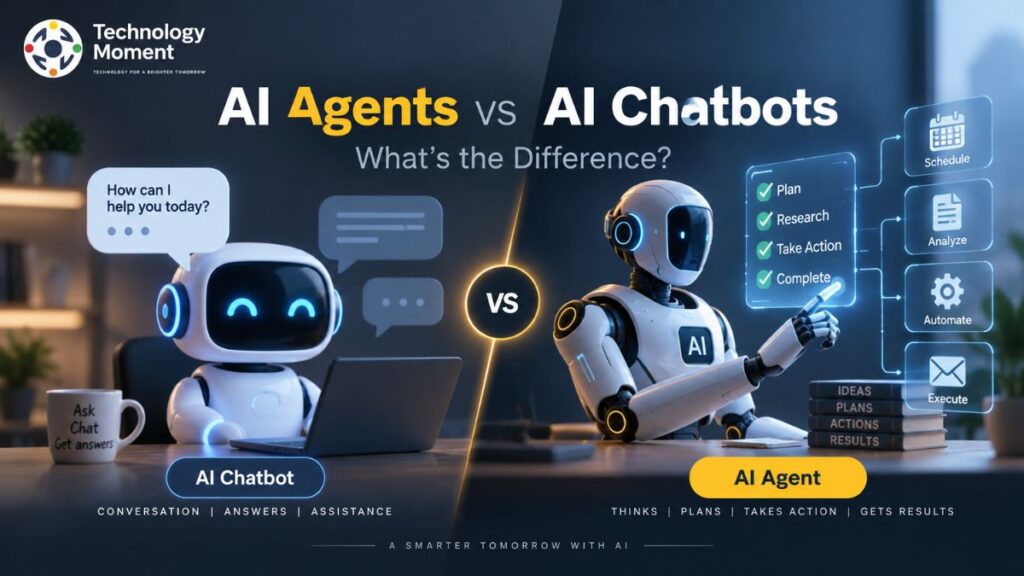
One major change is the rise of AI assistants and AI agents. Instead of providing help only when requested, increasingly capable systems can understand context, organize information, and assist with multi-step workflows. This creates opportunities for software to become more proactive while still keeping users in control.
Search is changing as well. AI-powered search can interpret conversational questions and connect information from multiple sources. This is particularly valuable in large workspaces where important information may be distributed across documents, messages, databases, and other resources. Automation is another major transformation. AI workflow automation can reduce repetitive processes by combining understanding, decision support, and actions. Developers may use AI coding assistance, businesses may automate routine operations, and creators may accelerate content production.
Personalization is also becoming more sophisticated. Personalized AI experiences can potentially adapt recommendations and assistance to a user’s goals, preferences, role, or previous activity. At the same time, these changes introduce important considerations. AI systems can produce inaccurate information, misunderstand context, or expose sensitive data if they are poorly designed. Trust, transparency, privacy, security, and human oversight therefore remain essential.
What These New AI Features Mean for Users and Businesses
The growing number of new AI features in everyday software can change how individuals, professionals, developers, and organizations complete digital tasks. Instead of using AI as a separate application, users can increasingly access AI productivity tools directly inside software they already understand. This can reduce context switching and make common workflows faster.
For individual users, AI assistants can help summarize lengthy information, generate drafts, organize content, answer questions, and provide recommendations. These capabilities can be useful for people who regularly work with documents, emails, research, presentations, or other information-heavy tasks. However, users should still review important AI-generated information rather than assuming every output is automatically correct.
Developers can benefit from AI features coming to developer tools, particularly for coding assistance, documentation, debugging, and technical research. AI can reduce repetitive work and help developers explore unfamiliar technologies more quickly. The goal is generally to support developers rather than eliminate the need for technical judgment.
For businesses, enterprise AI software can have a broader impact. AI automation may help streamline repetitive processes, while intelligent assistants can make internal information easier to access. AI recommendations and data analysis can also support decision-making and customer-facing workflows. There are important considerations alongside these benefits. Organizations need to evaluate privacy, security, permissions, accuracy, compliance, and the cost of deploying AI at scale. Employees may also need training to understand both the capabilities and limitations of new systems.
What to Expect From the Next Generation of AI Software
The next generation of software is likely to place greater emphasis on AI capabilities that understand context and help users complete multiple steps rather than performing only one isolated task. This represents a gradual move from simple AI tools toward more integrated AI-powered applications. Unlike basic assistants that primarily respond to individual prompts, agent-style systems can be designed to handle sequences of related tasks. For example, an AI system might help gather information, organize the results, and prepare an output based on a user’s instructions.
Another major trend is more natural interaction. Natural language processing allows users to describe goals instead of learning complicated commands or navigating numerous menus. This could make sophisticated software easier for beginners while giving experienced users faster ways to control complex workflows. Software is also becoming more personalized. Personalized AI experiences can use relevant context to provide recommendations, summaries, or assistance suited to a user’s role and objectives. Knowledge-management platforms may become better at connecting information scattered across different documents and conversations.
AI workflow automation is another area to watch. Future software may connect AI reasoning with existing application functions, allowing repetitive processes to be handled with fewer manual steps. Multimodal capabilities may also become more common, allowing applications to work with combinations of text, images, audio, documents, and other forms of information. However, progress should not be measured only by the number of AI features. Reliability, privacy, transparency, security, accessibility, and user control will remain critical. The most useful software will be the software where AI improves the experience without making the underlying product harder to understand.
Frequently Asked Questions About New AI Software Features
What new AI features are coming to popular software platforms?
Popular software platforms are increasingly incorporating AI assistants, generative AI, AI-powered search, summarization, recommendations, and workflow automation. The exact capabilities differ by platform and product. Microsoft, Google, Adobe, Slack, Notion, Canva, Salesforce, and developer-focused platforms are all part of the broader movement toward AI-enhanced software.
What AI features are coming soon?
Upcoming AI software features commonly focus on smarter assistants, automation, content generation, search, personalization, and information management. Availability varies by company, product, subscription, region, and development stage, so users should check official product announcements for the latest availability information.
Which software platforms are adding AI features?
AI features are being incorporated across productivity, creative, collaboration, business, and developer software. Major ecosystems such as Microsoft and Google, creative platforms such as Adobe and Canva, collaboration tools such as Slack and Notion, and enterprise platforms such as Salesforce are examples of this wider shift.
What are the latest AI features in popular software?
Common AI capabilities include intelligent assistants, AI summarization, natural-language search, content generation, recommendations, automated workflows, and coding assistance. Individual products may offer different combinations of these capabilities, so the specific feature set should be evaluated according to the software and use case.
Which apps are getting new AI features?
Many categories of apps are adopting AI, including productivity, design, communication, project management, customer relationship management, and development tools. The trend is moving toward integrating AI directly into existing applications instead of requiring users to rely exclusively on separate AI software.
What new AI features are coming to productivity apps?
Productivity applications are increasingly focused on AI writing assistance, summarization, information retrieval, task support, document analysis, recommendations, and workflow automation. These capabilities are intended to reduce repetitive work and help users manage large amounts of digital information more efficiently.
How are software platforms using AI?
Software platforms use AI for tasks such as understanding natural-language requests, generating content, analyzing information, finding relevant data, summarizing documents, making recommendations, and automating workflows. The practical implementation differs depending on the platform’s purpose and the data available to its AI systems.
What software companies are adding AI features?
AI adoption extends across major technology companies and software providers. Companies operating in productivity, cloud computing, creative software, collaboration, enterprise technology, and developer tools are integrating AI into their products as they respond to growing demand for intelligent and automated workflows.
What are the upcoming AI features for business software?
Business software is increasingly exploring AI assistants, automated workflows, data analysis, recommendations, customer support assistance, document processing, and knowledge discovery. For organizations, the important factors include accuracy, data privacy, security, integration with existing systems, and measurable improvements to business processes.
Which popular software has new AI capabilities?
A wide range of popular software now includes some form of AI capability. Examples span productivity suites, creative applications, collaboration platforms, customer-management systems, and developer tools. Because products are updated frequently, users should distinguish between currently available features, previews, experiments, and announced developments.
How will new AI features change software?
New AI features can make software more conversational, automated, personalized, and context-aware. Users may spend less time navigating menus or performing repetitive operations and more time directing the software toward desired outcomes. At the same time, accuracy, privacy, security, and human oversight will remain important considerations.
What are the latest AI updates from major software companies?
Major software companies continue to expand AI across productivity, search, creative applications, collaboration, enterprise systems, and developer tools. Since AI capabilities can change rapidly, the most reliable way to confirm a specific update is to consult the software company’s official announcement, documentation, or product release information.