Meetings are essential for collaboration, but too many meetings can take time away from the work that actually moves a project forward. From scheduling and preparing agendas to taking notes and tracking follow-up tasks, a surprising amount of meeting time is spent on repetitive work. This is where artificial intelligence can make a practical difference.
AI can help teams prepare for discussions, capture conversations, summarize key points, identify action items, and streamline follow-ups. When used thoughtfully, these capabilities can make meetings more organized and give people more time to focus on decisions, ideas, and meaningful collaboration.
At Technology Moment, we explore how emerging technologies can solve everyday problems in practical ways. In this guide, you’ll learn how AI can improve meeting productivity, where AI meeting assistants can help, and how to build a reliable workflow without losing the human judgment that makes productive meetings possible.
What Is AI Meeting Productivity?
AI meeting productivity refers to using artificial intelligence to reduce the repetitive work involved in planning, conducting, and following up on meetings. Instead of treating AI as a replacement for people, organizations can use it as a productivity layer that handles routine meeting tasks while employees focus on discussion, decision-making, and collaboration.
Traditional meetings often involve several manual steps. Someone needs to schedule the meeting, prepare an agenda, take notes, remember important decisions, assign action items, and send follow-up messages. When teams have several meetings each week, these small responsibilities can consume significant amounts of working time. AI meeting productivity tools are designed to simplify many of these processes.
An AI meeting assistant can support different stages of the meeting lifecycle. Before a meeting, it may help organize information or prepare an agenda. During a meeting, AI can provide meeting transcription and capture important parts of the conversation. Afterward, it can generate meeting notes and summaries, highlight decisions, and identify potential meeting action items.
The goal is not simply to automate meetings. The real value comes from making meetings more efficient and ensuring that useful information does not disappear when the conversation ends. AI can turn an unstructured discussion into organized information that teams can review and act on. For businesses, this approach can support better workplace productivity, reduce administrative work, and improve consistency across remote and in-person collaboration. However, AI-generated information should still be reviewed by people, particularly when meetings involve important decisions or sensitive information.
How AI Can Improve Meeting Productivity
AI can improve meeting productivity by helping teams spend less time on administrative tasks and more time on meaningful work. Its usefulness becomes clearer when AI is applied across the entire meeting process rather than only during the conversation itself. One practical application is meeting scheduling. AI-powered tools can help coordinate calendars, identify suitable times, and reduce the back-and-forth involved in arranging meetings. Teams can also use AI to create or improve meeting agendas, helping participants understand the purpose of a discussion before it begins.
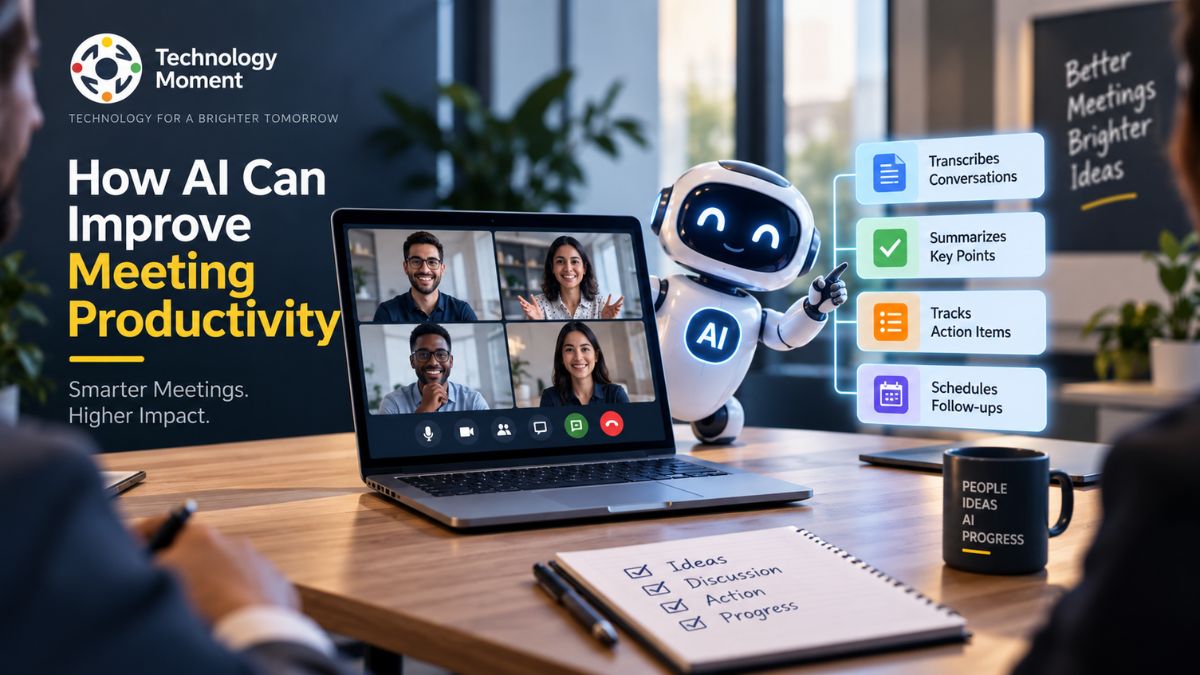
During meetings, AI can provide automatic meeting transcription, allowing conversations to be captured without requiring someone to type everything manually. This can be especially useful for remote teams, interviews, project discussions, and longer business meetings. After the meeting, AI can turn transcripts into concise meeting summaries. Instead of asking everyone to review a lengthy conversation, participants can quickly see major topics, decisions, and relevant details. AI can also identify action items and help organize follow-up tasks.
Another benefit is improved meeting follow-up. AI can help transform decisions into tasks, reminders, or workflow steps when connected with appropriate productivity and collaboration tools. This can make it easier for teams to maintain accountability after discussions. AI may also help organizations identify meetings that could be shortened, combined, or replaced with asynchronous communication. However, reducing unnecessary meetings requires understanding the team’s workflow rather than automatically removing calendar events.
Used carefully, AI meeting tools can therefore support better meeting efficiency, time management, collaboration, and follow-through. The objective is not to make every meeting more automated; it is to make the time people spend meeting more valuable.
How AI Meeting Assistants Work
AI meeting assistants combine several technologies to capture, understand, organize, and summarize information from meetings. Although individual products work differently, the basic workflow usually follows the same pattern: capture the conversation, process the information, extract useful details, and present the results in a usable format. The process commonly begins with meeting transcription. An AI system converts spoken conversation into text using speech recognition technology. Depending on the tool, it may also distinguish between different speakers, helping users understand who contributed specific information.
The resulting transcript can then be processed by AI models that identify important topics, questions, decisions, and other contextual information. Instead of requiring participants to read the entire transcript, an AI meeting assistant can generate a shorter summary containing the most relevant points. Some systems can also identify meeting action items. For example, when participants discuss tasks or responsibilities, AI may recognize the relevant statements and organize them into a list for later review. More advanced workflows can connect these tasks with project management, calendar, communication, or productivity software.
AI can also help with meeting insights by identifying recurring topics, unresolved questions, or patterns across conversations. For teams that hold frequent meetings, searchable transcripts and summaries can make previous discussions easier to reference. However, AI meeting assistants are not perfect. Background noise, unclear speech, overlapping conversations, technical terminology, or ambiguous statements can affect transcription and summaries. An AI-generated action item may also misunderstand who is responsible for a task.
For this reason, the best approach is to treat AI as an assistant rather than an unquestioned source of truth. Human participants should review important summaries, decisions, and action items before relying on them.
AI Tools and Features That Improve Meeting Productivity
AI meeting tools can provide different features depending on the product and the needs of a team. Rather than focusing only on the number of features available, it is more useful to understand which capabilities can solve specific meeting productivity problems. AI meeting assistants are one of the most common options. They can support several parts of the meeting workflow, including transcription, summaries, action-item extraction, and follow-up. For teams that regularly attend virtual meetings, these capabilities can reduce the amount of manual administrative work.
AI meeting note takers can automatically capture conversations and organize important information. This is particularly useful when participants need to stay engaged in the discussion instead of constantly switching between listening and writing notes. AI meeting summarizers provide another important capability. They can condense lengthy conversations into shorter summaries, making it easier for participants to review what happened without reading an entire transcript.
AI transcription tools are useful when teams need a searchable record of conversations. Transcripts can help participants revisit specific discussions, clarify details, or find information from previous meetings. Some AI productivity tools go further by supporting action item tracking, task management, and workflow automation. When connected to existing business systems, meeting information can potentially move from conversation to execution with fewer manual steps.
Meeting analytics can also provide insights into meeting patterns, such as meeting frequency, duration, or participation. These insights may help organizations examine how meetings affect overall workplace productivity. For remote teams, AI tools can be particularly useful because participants may work across different locations and schedules. Meeting summaries and searchable information can help people who could not attend stay informed without requiring another meeting.
The right combination of features depends on the team’s workflow. A small team may only need transcription and summaries, while a larger organization may benefit from integrations, task automation, analytics, and stronger privacy controls. The priority should always be solving a real productivity problem rather than adopting AI simply because it is available.
How to Use AI to Improve Meetings
Using AI to improve meetings works best when it is introduced as part of a practical workflow rather than treated as a solution for every meeting problem. The first step is to identify repetitive tasks that consume time before, during, and after meetings. This could include scheduling, preparing agendas, taking notes, creating summaries, or managing follow-up tasks.
Before a meeting, an AI meeting assistant can help organize information and prepare participants. AI can assist with creating an agenda based on the meeting objective, previous discussions, or available project information. A clear agenda gives participants a better understanding of what needs to be discussed and helps keep the conversation focused.
During the meeting, AI meeting tools can handle tasks such as transcription and note-taking. Instead of assigning one person to record every detail, an AI tool can capture the conversation and create a searchable transcript. Participants can then concentrate more fully on the discussion. After the meeting, AI can generate meeting summaries, identify important decisions, and highlight potential action items. These outputs should be reviewed before being shared because AI may misunderstand context or assign responsibility incorrectly.
Teams can also use AI for meeting follow-ups by connecting summaries and action items with task-management or collaboration tools. This can reduce repetitive administrative work and improve accountability. The most effective approach is to start with one clear use case, such as automated meeting notes, and measure whether it actually saves time. Once the workflow proves useful, additional AI capabilities can be introduced gradually.
Benefits of Using AI for Meetings
The main benefit of using AI for meetings is the reduction of repetitive work. Employees often spend time preparing agendas, writing notes, summarizing conversations, and sending follow-up messages. AI can automate parts of these activities, allowing teams to dedicate more attention to decisions, problem-solving, and collaboration.
One important advantage is improved meeting efficiency. Automatic transcription and summaries can make it easier to capture information without interrupting the conversation. Participants do not need to rely entirely on memory or manually document every important statement. AI can also improve team productivity by making meeting information easier to access. A well-organized summary can quickly communicate key decisions, discussion points, and responsibilities. This becomes especially valuable for distributed organizations where employees may work across different schedules and time zones.
For remote meetings, AI can help people stay informed even when they cannot attend a particular discussion. Searchable transcripts and summaries can provide useful context without automatically requiring another meeting to communicate the same information. Another benefit is better action item tracking. When AI identifies tasks discussed during a meeting, teams can review those items and move them into an appropriate workflow. This can reduce the possibility of important responsibilities being forgotten after the meeting ends.
AI can also support better time management by helping organizations understand how meetings are being used. Meeting analytics may reveal patterns such as lengthy recurring meetings or discussions that could potentially be handled asynchronously. However, productivity gains depend on implementation. An AI meeting assistant does not automatically make a poorly structured meeting productive. Clear objectives, appropriate participants, good communication, and human decision-making remain essential. AI works best when it removes administrative friction while people remain responsible for meaningful outcomes.
Limitations and Risks of AI Meeting Tools
Although AI meeting tools can improve productivity, they also introduce limitations and risks that organizations should consider before adopting them. The most obvious issue is accuracy. AI-generated meeting transcription can contain errors when audio quality is poor, speakers talk over one another, or participants use specialized terminology. Summaries can also lose important context. An AI meeting summarizer may identify the main discussion points while missing a qualification, disagreement, or subtle detail that changes the meaning of a decision. For important business conversations, human review should therefore remain part of the process.
Privacy and security are another major consideration. Meetings can contain confidential business information, customer details, financial discussions, product plans, or personal information. Organizations should understand how an AI meeting assistant handles recordings, transcripts, storage, access permissions, and data retention before using it for sensitive conversations. If employees assume that every generated summary or action item is correct, mistakes can move into subsequent workflows. An incorrectly identified task or deadline could create confusion instead of improving productivity.
Integration can create additional challenges. AI meeting tools may need access to calendars, communication platforms, project-management systems, or other business applications. Poorly configured integrations can create duplicate tasks, unnecessary notifications, or incorrect workflow actions. Teams should also consider whether every meeting needs AI assistance. Some conversations may be highly sensitive or personal and may not be appropriate for automated recording or transcription.
The safest approach is to establish clear rules for AI use. Employees should know when AI tools may be used, what information can be processed, who can access generated content, and when human verification is required. This allows organizations to pursue AI-driven productivity while maintaining appropriate privacy, security, and accountability standards.
How to Build a Reliable AI Meeting Workflow
A reliable AI meeting workflow begins with a specific productivity problem. Instead of adding several AI meeting tools at once, teams should identify where the most repetitive work occurs and choose an appropriate automation approach. Start by deciding which meetings are suitable for AI assistance. Regular project updates, team check-ins, interviews, and planning discussions may benefit from transcription, summaries, and action item tracking. Sensitive conversations may require different rules or may not be suitable for automated processing.
The next step is to define what the AI should capture. A useful workflow might include the meeting objective, important discussion points, decisions, unresolved questions, and follow-up tasks. Clear expectations make it easier to review whether the AI-generated output is actually useful. Choose an AI meeting assistant that fits the team’s existing workflow rather than forcing employees to change everything around a new tool. Important considerations include transcription quality, summary capabilities, integrations, security controls, privacy policies, accessibility, and ease of use.
After each meeting, establish a human review step. Participants should verify important meeting summaries, decisions, deadlines, and action items before those details become part of a wider workflow. This simple step can reduce the impact of AI errors. Where appropriate, connect meeting outputs to project-management or productivity systems. For example, verified action items can be transferred into a task-management workflow, while relevant summaries can be stored where authorized team members can find them later. This is where workflow automation can provide value beyond simple note-taking.
Finally, measure the results. Track indicators such as time spent taking notes, follow-up completion, meeting duration, or administrative effort. The purpose is not to automate as much as possible but to create a more effective meeting process. A reliable AI workflow combines automation with human oversight. When AI handles repetitive administrative work and people remain responsible for context, decisions, and accountability, teams can build a sustainable approach to better meeting productivity.
Best Practices for Using AI in Meetings
Getting value from AI meeting tools depends on how they are implemented. Simply adding an AI meeting assistant to every calendar invitation does not automatically create better meetings. Teams should first establish a clear purpose for using AI and decide which repetitive tasks are suitable for automation. Start with a defined meeting objective. AI can help with agendas, transcription, meeting notes, and summaries, but participants still need to understand what the meeting is expected to accomplish. A focused agenda can keep conversations organized and make it easier for AI to identify relevant information.
Use AI to handle administrative work rather than replacing human participation. AI meeting productivity is most useful when technology takes care of tasks such as transcription, note-taking, summaries, and follow-ups while participants concentrate on discussion and decision-making. Always review AI-generated information before treating it as final. Transcription errors or incorrect interpretations can affect meeting action items, deadlines, or decisions. A quick human review can help catch mistakes before information is shared or added to another workflow.
Privacy should also be part of the process. Teams should avoid processing sensitive information without understanding the AI tool’s privacy and security practices. Participants should know when meetings are being recorded or transcribed and how the resulting information will be handled. For remote teams, use meeting summaries and searchable transcripts to support asynchronous collaboration when appropriate. Not every update needs another meeting if the required information can be communicated effectively through a documented workflow.
Finally, measure whether AI is actually improving meeting efficiency. Look at time saved on note-taking, follow-up completion, meeting duration, and administrative workload. These measurements can help teams refine their approach and focus on AI capabilities that provide meaningful value.
Final Thoughts: Use AI to Make Meetings More Productive
AI can change the way teams manage meetings by taking care of many repetitive activities surrounding a conversation. Scheduling, agenda preparation, transcription, meeting summaries, action items, and follow-ups are all areas where AI can reduce manual effort and make information easier to manage. The biggest opportunity is not simply making meetings faster. It is helping people spend more of their working time on activities that require human judgment, creativity, communication, and decision-making. An effective AI meeting assistant can capture information while participants remain focused on the conversation.
At the same time, AI should not be treated as an automatic solution for inefficient meetings. A meeting without a clear purpose can remain unproductive even when every word is transcribed. Teams still need appropriate participants, clear objectives, useful agendas, and effective communication. Privacy, security, accuracy, and human oversight should also remain central to any AI meeting workflow. Generated summaries and action items can be useful, but important information should be reviewed before it becomes part of a business process.
For organizations exploring AI productivity tools, starting small can be more effective than attempting to automate the entire meeting lifecycle immediately. Begin with one repetitive problem, such as creating meeting notes or organizing follow-up tasks. Measure the result, improve the workflow, and expand only when the process proves useful. At Technology Moment, our goal is to make emerging technology easier to understand and apply to real-world problems. AI is evolving quickly, and its greatest value comes from thoughtful implementation. By combining AI meeting tools with human judgment, teams can create meetings that are more organized, efficient, and focused on meaningful outcomes.
Frequently Asked Questions About AI Meeting Productivity
How can AI improve meeting productivity?
AI can improve meeting productivity by automating repetitive tasks such as scheduling, transcription, note-taking, summaries, and follow-ups. An AI meeting assistant can capture important information while participants focus on discussion and decisions. When combined with human review, these capabilities can reduce administrative work and improve meeting efficiency.
How can AI make meetings more productive?
AI can make meetings more productive by helping prepare agendas, transcribing conversations, generating meeting summaries, identifying action items, and supporting follow-up workflows. These capabilities reduce manual work and help participants focus on the meeting’s purpose rather than constantly taking notes or organizing information afterward.
What is an AI meeting assistant?
An AI meeting assistant is software that uses artificial intelligence to support meeting-related tasks. Depending on the tool, it can provide meeting transcription, automated notes, summaries, action-item identification, and workflow integrations. It is designed to reduce administrative effort while helping teams capture and organize useful meeting information.
How does AI improve meeting efficiency?
AI improves meeting efficiency by reducing time spent on repetitive administrative activities. It can automate transcription, create concise meeting summaries, organize action items, and simplify follow-ups. AI can also provide meeting insights that help teams understand how they use their meeting time and identify opportunities for more efficient collaboration.
Can AI summarize meetings?
Yes. AI meeting tools can process a meeting transcript and create a shorter summary containing important discussion points, decisions, and other relevant information. However, AI-generated summaries can sometimes miss context or contain inaccuracies, so important summaries should be reviewed by participants before they are treated as authoritative records.
Can AI create meeting action items?
AI can identify potential action items from conversations and organize them into a structured list. Some tools can also connect these items with task-management or workflow systems. Because AI may misunderstand responsibility or deadlines, participants should verify action items before assigning tasks or triggering automated workflows.
How can AI help remote teams with meetings?
AI can support remote teams by providing meeting transcription, summaries, searchable conversation records, and follow-up information. Employees who cannot attend a meeting can review approved summaries instead of requiring another meeting. This can support asynchronous collaboration and help distributed teams maintain access to important project information.
What are the benefits of AI meeting tools?
AI meeting tools can reduce manual note-taking, improve meeting documentation, support action-item tracking, and simplify follow-ups. They can also make conversations searchable and help remote teams share information. The practical benefits depend on the quality of the tool, the team’s workflow, and whether AI outputs are properly reviewed.
How can AI reduce meeting time?
AI can reduce meeting-related workload by automating preparation, transcription, note-taking, summaries, and follow-ups. Meeting analytics may also help teams understand recurring meeting patterns. However, AI cannot independently determine which meetings should be removed or shortened in every situation; teams still need to evaluate their communication needs.
What AI tools can improve meeting productivity?
AI meeting assistants, AI note takers, AI meeting summarizers, transcription tools, and workflow automation platforms can improve different parts of the meeting process. The appropriate choice depends on the team’s requirements, including integrations, privacy, security, transcription quality, collaboration needs, and whether the primary goal is documentation or broader automation.
How can businesses use AI for meetings?
Businesses can use AI for meeting scheduling, agenda preparation, transcription, meeting summaries, action-item tracking, and follow-up workflows. Organizations can begin with repetitive administrative tasks and gradually expand automation. Clear privacy policies, access controls, human review, and appropriate employee guidance should be established before using AI with sensitive business discussions.
How can AI improve team collaboration in meetings?
AI can improve team collaboration by making meeting information easier to capture, organize, and share. Transcripts, summaries, and verified action items can give participants a common reference after discussions. For distributed teams, these records can also support asynchronous communication and reduce the need to repeat information in additional meetings.