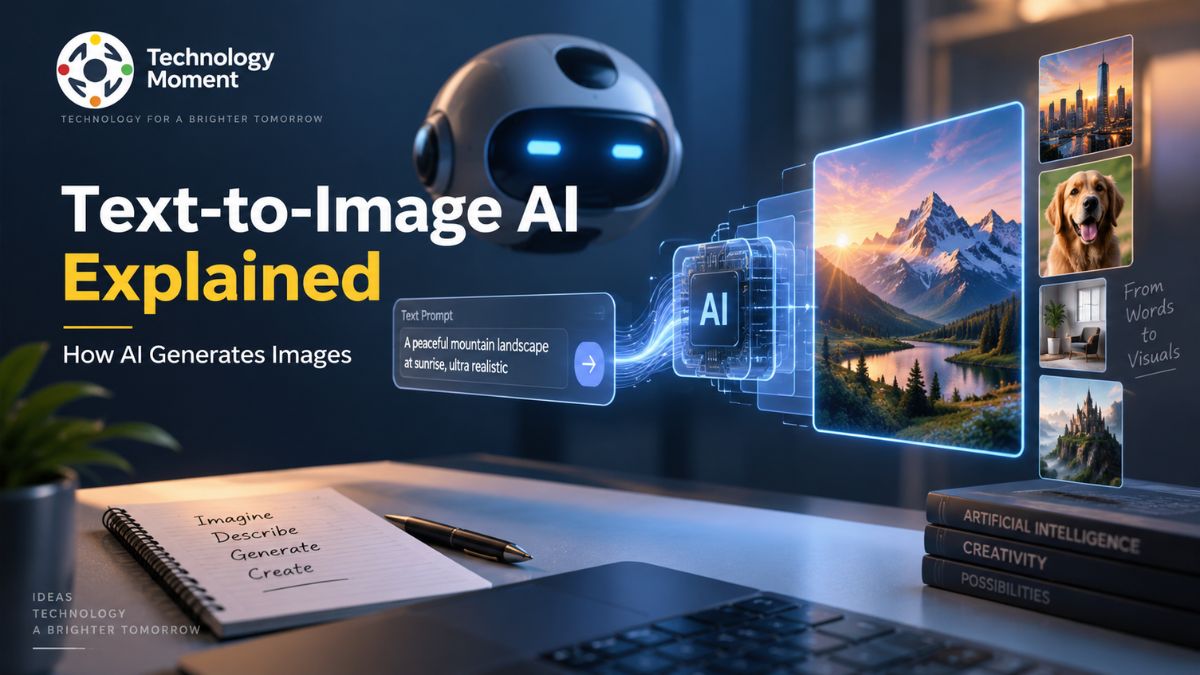
Artificial intelligence is changing the way people create and work with visual content. Instead of starting with a camera, design software, or illustration skills, you can now describe an idea in words and let an AI model turn that description into an image. This technology is known as text-to-image AI.
From realistic photographs and product concepts to illustrations, artwork, and imaginative scenes, text-to-image systems can create a wide range of visuals from natural-language prompts. But what actually happens between typing a prompt and seeing the final image? What technologies make it possible, and how accurate are these AI-generated results?
At Technology Moment, we focus on making complex technology easier to understand through clear, practical, and trustworthy explanations. In this guide, we’ll break down what text-to-image AI is, how it works, the technology behind it, how to write effective prompts, its real-world applications, and its benefits and limitations.
Whether you’re discovering AI image generation for the first time or simply want to understand what happens behind the scenes, this guide will give you a clear foundation for exploring the technology.
What Is Text-to-Image AI?
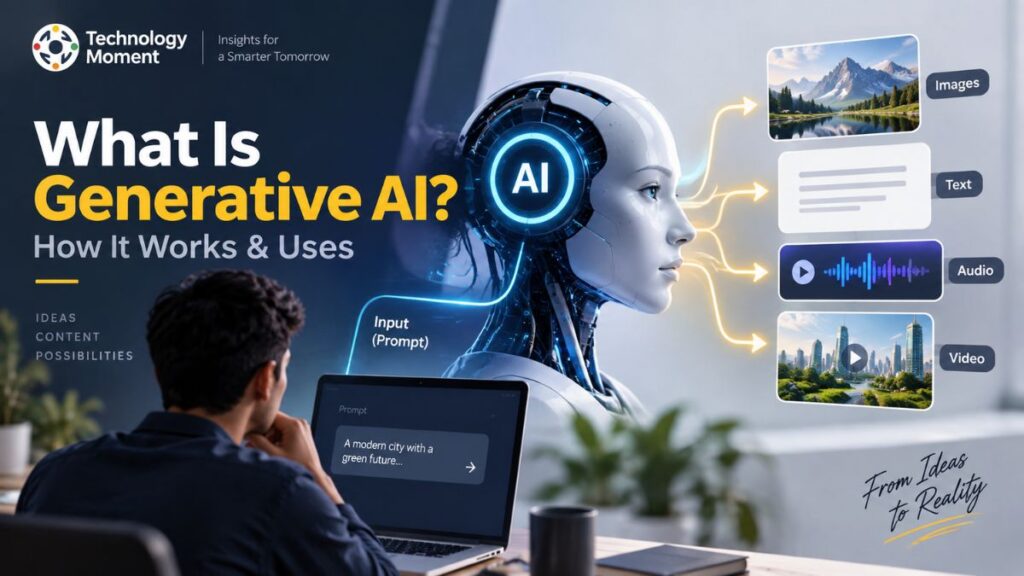
Text-to-image AI is a type of generative artificial intelligence that can create visual content from a written description. Instead of manually drawing an illustration, taking a photograph, or building a design from scratch, a user can enter a text prompt, and an AI image generator can produce an image based on that description. This process is commonly called text-to-image generation.
A text-to-image generator uses AI models trained to understand relationships between language and visual concepts. For example, a prompt such as “a futuristic city at night with glass skyscrapers and flying vehicles” gives the model information about the subject, environment, objects, and visual style. The system interprets these instructions and generates an image that attempts to match the requested concept.
Unlike traditional software that follows fixed rules for creating graphics, generative AI models can produce new visual results from learned patterns. This makes AI image generation useful for creating illustrations, concept art, marketing visuals, product ideas, educational graphics, and other forms of digital content.
It is also important to understand that AI-generated images are not necessarily photographs of real events or places. They are synthetic images generated by a model based on patterns learned during training. The quality and accuracy of the result depend on factors such as the AI model, training data, prompt, and generation process.
In simple terms, text-to-image AI allows people to communicate a visual idea through language and receive a computer-generated image in response. It has made image creation more accessible while introducing new questions around accuracy, creativity, copyright, and responsible use.
How Does Text-to-Image AI Work?
Understanding how text-to-image AI works requires looking at several steps that happen between entering a prompt and receiving the final image. Although different AI image-generation systems use different architectures and techniques, the general process involves understanding text, representing concepts mathematically, generating visual information, and refining that information into an image.
The process begins with a text prompt. The system first analyzes the words and phrases in the prompt using components designed to process natural language. A text encoder can transform the prompt into a numerical representation that the AI model can work with. This representation captures information about the concepts described by the user.
The model then uses this information to guide the image-generation process. Many modern systems use diffusion models, which generate images through a gradual process involving noise and denoising. Rather than simply retrieving an existing picture from a database, the model creates a new visual output based on learned relationships between text and images.
During the diffusion process, the system works toward a visual representation that corresponds to the prompt. Through repeated denoising, random visual information is progressively transformed into a structured image. The model evaluates what the emerging image should look like based on the information encoded from the prompt.
Finally, the generated representation is converted into the visible image that appears on screen. This stage is part of model inference, where a trained AI model applies what it learned during training to produce a new output. This explains why the same prompt can sometimes produce different results. AI image generation involves complex learned patterns and probabilistic processes rather than a fixed one-to-one conversion between words and pixels.
How AI Turns Text Into Images
The easiest way to understand how AI turns text into images is to think of the process as a translation between language and visual information. A person describes an idea using words, while the AI system converts that description into mathematical representations that can guide image synthesis.
Imagine entering the prompt: “A small robot walking through a snowy forest at sunrise.” The system does not interpret this sentence exactly as a human would. Instead, it processes the words and their relationships using an AI model trained on large amounts of text and visual information. First, the prompt is analyzed to identify important concepts such as the robot, forest, snow, walking action, and sunrise. The text encoder converts these concepts into numerical information that represents their meaning in a form the generation model can use.
Next, the image-generation model begins constructing a visual representation. In systems based on diffusion, the process generally starts from a noisy representation and progressively refines it. At each stage, the model uses information from the prompt to guide the emerging visual content toward the requested subject and appearance.
This is where concepts such as latent space and image synthesis become relevant. A latent representation is a compressed mathematical representation of visual information. Working in this space allows the model to manipulate complex visual concepts without directly handling every pixel throughout the entire generation process.
As the denoising stages continue, recognizable elements gradually emerge. Shapes, objects, textures, lighting, colors, and composition can become increasingly defined. Once the process is complete, the system produces the final image. However, the output is an interpretation rather than a guaranteed literal representation of the prompt. If a prompt is vague, contradictory, or unusually complex, the result may differ from what the user expected. This is why clear natural language prompts and thoughtful prompt engineering can help users communicate visual ideas more effectively.
What Technology Powers Text-to-Image AI?
Several technologies work together to make modern text-to-image AI possible. At the foundation are machine learning and deep learning, which allow models to learn complex relationships from large datasets. Neural networks then use these learned patterns to process language and generate visual information.
One important component is the generative AI model. Unlike systems designed primarily to classify or predict information, generative models are designed to produce new content. For image generation, these models learn patterns related to shapes, objects, textures, styles, composition, and other visual characteristics.
Diffusion models are another important technology behind many contemporary image-generation systems. They use a process involving noise and denoising to generate visual outputs. During training, a model learns how visual information can be reconstructed from increasingly noisy representations. During generation, this capability can be used in the opposite direction to create an image from noise while following information provided by a text prompt.
Computer vision also plays an important role because the system needs to learn meaningful representations of visual content. Training data containing relationships between text and images can help an AI model associate words with visual concepts. The concept of latent space is also central to many modern systems. Instead of representing every image directly as raw pixels throughout the entire process, a model can work with a more compact representation of visual information. This can make complex generation processes more computationally practical.
Another important component is the text encoder, which connects natural-language instructions with the image-generation model. It transforms the user’s prompt into information that can influence the resulting image. Finally, model inference is the stage where a trained model generates an output from a new prompt. The combination of neural networks, deep learning, training data, text processing, latent representations, and image-generation techniques allows modern generative AI systems to transform written descriptions into increasingly sophisticated visual content.
How to Generate Images With AI
Generating images with AI has become a straightforward process. Instead of manually creating every visual element, users can describe what they want using a text prompt and let an AI image generator create the result. The exact interface differs between text-to-image AI tools, but the general workflow is similar across most platforms.
Start by choosing a text-to-image generator that matches your needs. Some tools are designed for general creative work, while others focus on realistic images, illustrations, product visualization, or professional design workflows. Before generating an image, check the platform’s usage terms, available features, and any restrictions that may apply to commercial use.
Next, write a clear description of the image you want. A useful prompt can identify the main subject, environment, visual style, composition, lighting, and other important details. For example, instead of simply writing “a modern office,” you could describe “a modern technology office with large windows, minimalist furniture, developers working at computers, and natural morning light.”
Submit the prompt and allow the AI image generation system to process it. Depending on the model and platform, the system may produce one or several variations. Review the results carefully and decide what needs to change. If the image does not match your expectations, refine the prompt rather than starting completely from scratch. You can add missing details, remove ambiguity, or change the requested style and composition.
How to Write Effective Text-to-Image Prompts
A good prompt is one of the most important parts of successful AI image generation. Text prompts act as instructions that tell a model what visual concept you want it to create. Learning basic prompt engineering can therefore make the generation process more predictable and useful. Begin with the primary subject. Clearly state what should appear in the image, such as a person, product, building, landscape, device, or abstract concept. Once the subject is established, add relevant context. Describe where the subject is located and what is happening around it.
You can then specify visual characteristics such as style, composition, lighting, perspective, or atmosphere. For example, a prompt could describe a “futuristic electric vehicle on a modern city street at night, realistic photography, dramatic lighting, wide-angle composition.” These details provide the model with additional context without requiring complicated technical terminology.
Use natural language prompts that communicate your idea clearly. Adding large numbers of unrelated descriptors can make a prompt harder to control. Specificity is useful when a particular detail matters, but unnecessary instructions can introduce conflicting requirements. If the generated image contains the wrong subject, adjust the description. If the composition is incorrect, clarify the desired perspective or arrangement. If the visual style is unsuitable, describe the preferred style more precisely.
A useful prompt generally answers several questions: What should be shown? Where is it? What does it look like? How should it be presented? There is no single formula that guarantees a perfect result because different AI models interpret prompts differently. Effective prompting comes from understanding the model, communicating the important visual information clearly, reviewing the output, and refining the instructions when necessary.
What Can Text-to-Image AI Be Used For?
The applications of text-to-image AI extend well beyond creating digital artwork. Because users can describe visual concepts using language, the technology can support creative, educational, marketing, business, and product-development workflows. One common application is marketing and advertising. Teams can use AI-generated visuals to explore campaign concepts, create draft creative assets, or visualize different ideas before investing in a complete production process. Businesses can also use image generation during brainstorming and early-stage concept development.
Websites and publishers can use AI image generation to explore illustrations for articles, guides, presentations, and educational material. For technology publications, for example, a generated image can help visually communicate abstract subjects such as artificial intelligence, cloud computing, cybersecurity, or future technologies.
Product teams can use text-to-image systems for concept visualization. A designer might describe a potential device, interface environment, packaging concept, or physical product and use the resulting image as an early visual reference. This can make experimentation faster before detailed design work begins. The technology can also support concept art and creative exploration. Writers, designers, game developers, and other creative professionals can generate visual references for environments, characters, objects, and fictional worlds.
Education is another potential use case. Teachers and learners can create visual representations of concepts that may otherwise be difficult to illustrate quickly. Similarly, businesses can experiment with visuals for presentations, internal communications, and prototypes. However, AI-generated images should be treated according to the requirements of the specific task. Professional publishing, advertising, product design, or educational material may require human review for accuracy, originality, licensing, and appropriateness.
Benefits of Text-to-Image AI
One of the main benefits of text-to-image AI is the speed at which users can move from an idea to a visual concept. Traditional image creation can involve photography, illustration, graphic design, or multiple rounds of editing. An AI image generator can provide an initial visual direction from a simple written description.
Accessibility is another important benefit. People without advanced illustration or design skills can experiment with visual creation using natural language. This lowers the technical barrier to exploring ideas and makes AI image generation useful for a broader range of users. The technology can also support rapid experimentation. A designer or marketer can test different subjects, compositions, styles, and environments without producing every variation manually. This can be particularly valuable during brainstorming and early concept development.
Another benefit is creative exploration. Generative AI can help users investigate visual possibilities that they may not have considered initially. Instead of treating the first generated result as the finished product, users can use multiple outputs as references for developing an idea. Businesses may also benefit from faster visual prototyping. Teams can communicate an early concept through an image before investing significant resources in professional production. This can make discussions around campaigns, products, presentations, and creative directions more concrete.
AI-generated art can additionally provide useful starting points for designers and creators. A generated image may serve as inspiration, a mood reference, or a foundation for further human editing, depending on the workflow and applicable usage rights. At the same time, these benefits do not eliminate the need for human judgment. Generated images can contain inaccuracies, unwanted details, or misleading visual information. Copyright, licensing, and platform-specific usage rules can also vary.
Limitations of Text-to-Image AI
Although text-to-image AI has made image creation faster and more accessible, it is not perfect. Understanding its limitations is important before using AI-generated images for professional, commercial, educational, or public-facing content. One common limitation is accuracy. An AI image generator may misunderstand a prompt or produce details that were not requested. Complex scenes containing multiple people, objects, relationships, or precise instructions can sometimes result in unexpected outputs.
Text and typography can also be challenging. AI image generation systems may produce distorted letters, misspelled words, or inconsistent typography, particularly when a design requires large amounts of readable text. For professional graphics, human editing may therefore still be necessary.
Another limitation is consistency. Creating one image that matches a description can be relatively straightforward, but maintaining the same character, product, environment, or visual identity across many images can be more difficult. This matters for branding, storytelling, product campaigns, and other workflows requiring visual continuity.
There are also important concerns surrounding copyright, licensing, training data, and ownership. Rules can differ depending on the platform, jurisdiction, and intended use, so users should review applicable terms rather than assuming every generated image can be used without restrictions. Bias is another consideration. Generative AI models learn patterns from their training data, which can influence the people, cultures, occupations, or visual styles represented in generated content.
Text-to-Image AI vs. Image-to-Image AI
Text-to-image AI and image-to-image generation are related forms of generative AI, but they begin with different types of input. Understanding the difference helps users select the appropriate approach for a particular creative task. Text-to-image systems primarily use a written description as the starting point. The user provides a text prompt, and the model generates a new visual interpretation based on that instruction. This approach is useful when you have an idea but do not already have an image to work from.
Image-to-image systems, by contrast, begin with an existing image. The AI can use that image as a visual reference and transform aspects of it according to additional instructions. Depending on the system, this can include changing the style, appearance, environment, composition, or other visual characteristics.
| Feature | Text-to-Image AI | Image-to-Image AI |
|---|---|---|
| Primary input | Text prompt | Existing image, often with text instructions |
| Starting point | Written concept | Existing visual |
| Main purpose | Create a new visual concept | Transform or adapt an existing visual |
| Creative control | Primarily through prompts | Through source image plus prompts |
| Typical use | Concept creation, artwork, visualization | Image transformation, variations, style changes |
| Useful when | You are starting with an idea | You already have a visual reference |
For example, someone might use a text-to-image generator to create an illustration of a futuristic workspace from scratch. They could then use an image-to-image workflow to transform that illustration into a different artistic style. The two approaches can also be combined. A creator might generate an initial concept with text-to-image AI and subsequently modify or refine it using image-to-image generation. The best method depends on the desired level of creative control and the starting material available.
Are AI-Generated Images Real?
AI-generated images are real digital files, but they do not necessarily represent real photographs, people, places, or events. An AI image generator creates synthetic visual content by using patterns learned by an AI model during training and applying those patterns to a user’s instructions. For example, if you ask an AI system to create “a realistic photograph of a futuristic city,” the resulting image may look remarkably similar to a photograph. However, that does not mean the city exists or that the image was captured by a camera. The visual has been generated computationally.
This distinction becomes particularly important when discussing realistic AI images. Photorealistic appearance alone cannot establish that an image documents something that actually happened. AI can generate people who do not exist, locations that have never existed, and situations that never occurred.
The same principle applies to AI artwork and other creative outputs. The image may contain recognizable visual patterns associated with photography, painting, illustration, or graphic design, but the generation process is different from physically capturing or manually creating the original visual.
AI-generated images can therefore be considered synthetic images rather than automatically treating them as evidence of real-world events. Users should also consider context. An AI-generated illustration used to explain a fictional concept is very different from an AI-generated image presented as evidence of a real event. Clear labeling can help audiences understand how an image was created when that information is relevant.
Frequently Asked Questions About Text-to-Image AI
What is text-to-image AI?
Text-to-image AI is a type of generative AI that creates images from written descriptions. An AI model interprets a text prompt and uses learned relationships between language and visual information to generate a new image. The resulting output can include photographs, illustrations, artwork, concepts, and other visual styles.
How does text-to-image AI work?
Text-to-image AI generally processes a written prompt, converts its meaning into information the generation model can use, and creates an image through a generative process. Many modern systems use diffusion techniques involving noise and denoising. The trained model guides this process according to the user’s prompt.
How do AI image generators work?
AI image generators use trained generative models to create visual content from instructions such as text prompts. The system interprets the requested concepts and generates an image based on patterns learned during training. Different models use different architectures and techniques, so their generation processes and capabilities can vary.
How does AI generate images from text?
AI generates images from text by connecting language with learned visual representations. A text encoder can transform the prompt into information understood by the generation model. The model then uses that information during image synthesis, progressively constructing visual details until it produces the final image.
How do you generate an image with AI?
To generate an image with AI, choose an appropriate text-to-image generator, enter a clear description of the desired visual, and start the generation process. Review the result and refine the prompt if necessary. Adding relevant information about the subject, environment, style, composition, and lighting can improve control.
What can text-to-image AI be used for?
Text-to-image AI can be used for concept development, illustrations, marketing ideas, product visualization, educational materials, presentations, creative experimentation, website graphics, and other visual workflows. Its suitability depends on the task, quality requirements, platform terms, and the amount of human review required before the generated image is used.