Creating detailed 3D characters, realistic creatures, and imaginative digital sculptures requires more than artistic talent. The right software can make a significant difference in how efficiently artists shape ideas, refine details, and bring their creative concepts to life. With several digital sculpting tools available today, choosing the right one can be challenging, particularly when each application offers different features, workflows, and creative possibilities.
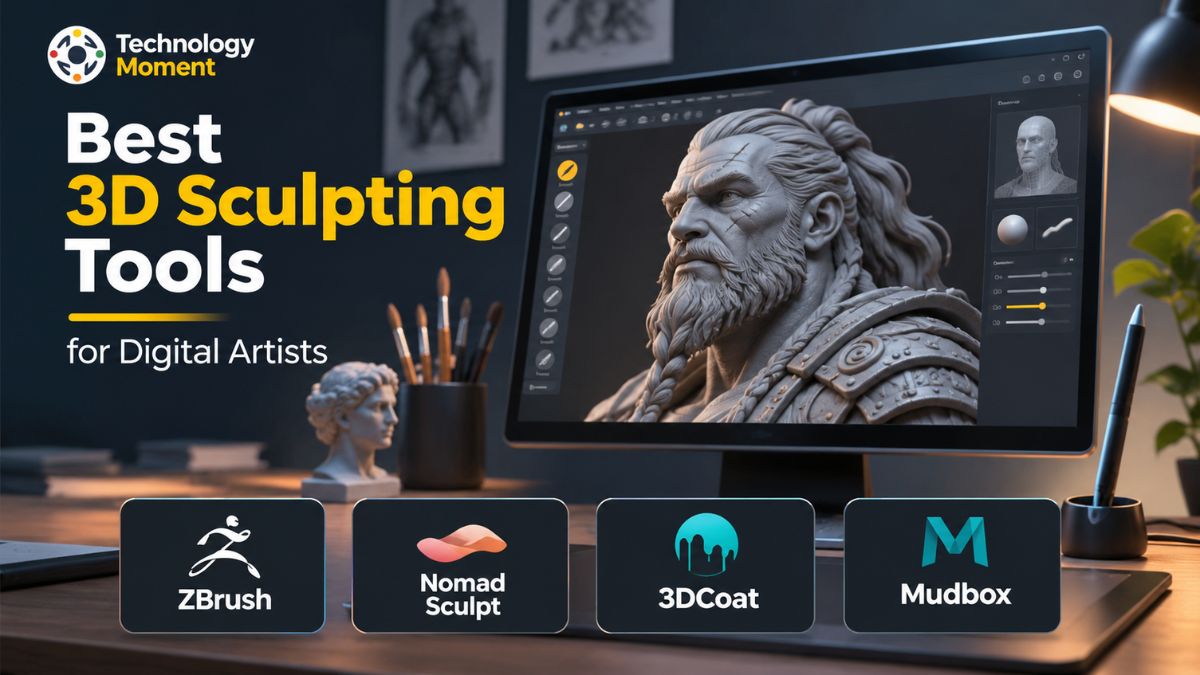
Whether you are a beginner exploring digital sculpting or an experienced 3D artist working on professional projects, understanding the strengths of different software options can help you make a better decision. Best 3D Sculpting Tools such as ZBrush, Nomad Sculpt, 3DCoat, and Autodesk Mudbox offer different approaches to 3D sculpting, from detailed character creation and tablet-based workflows to voxel sculpting, retopology, and texture painting.
At Technology Moment, we explore technology, creative software, and digital tools to help readers understand their options and make informed decisions. Our goal is to go beyond simply listing software names by examining their practical features, capabilities, limitations, and suitability for different artistic workflows.
In this guide, we will explore four notable 3D sculpting tools for digital artists, compare their key features, and discuss what makes each one useful for particular creative needs. Whether your focus is character design, game development, creature sculpting, or digital art, this comparison will help you identify the software that best fits your workflow, experience level, and creative goals.
What Are the Best 3D Sculpting Tools and How Do They Work?
3D sculpting tools are specialized software applications that allow artists to create, shape, and refine three-dimensional objects using digital brushes and modeling techniques. Unlike traditional 3D modeling, which often involves adjusting individual vertices, edges, and polygons, digital sculpting provides a more natural approach to creating objects. Artists can push, pull, pinch, smooth, carve, and build up surfaces as if they were working with physical clay. This makes 3D sculpting software particularly useful for creating organic shapes, human characters, animals, creatures, and detailed digital artwork.
The process usually begins with a basic shape, such as a sphere or simple mesh, which acts as the foundation for the sculpture. Artists gradually develop its structure by adding primary forms, refining secondary shapes, and introducing smaller details such as wrinkles, skin texture, muscles, and surface imperfections. Most professional digital sculpting tools provide customizable brushes, symmetry options, masking features, and different resolution settings to make this process more controlled and efficient.
Two common approaches used in 3D sculpting are polygon-based and voxel-based sculpting. Polygon sculpting modifies an existing mesh, while voxel sculpting works with a three-dimensional volume, allowing artists to add, remove, and reshape material more freely. Depending on the software, artists can also use dynamic topology, subdivision modeling, and multiresolution sculpting to achieve different levels of detail. These tools are widely used in character design, animation, film production, game development, and 3D printing. They also support workflows involving retopology, UV mapping, and texture painting, helping artists prepare their creations for production.
Best 3D Sculpting Software for Digital Artists
Choosing the best 3D sculpting software depends on your artistic goals, experience, preferred working environment, and project requirements. Some applications focus on advanced character detailing, while others offer flexible tablet-based workflows or combine sculpting with texturing and retopology. For digital artists, the ideal software should provide reliable sculpting brushes, an intuitive interface, useful geometry tools, and enough flexibility to support different creative projects.
Among the available 3D sculpting tools, ZBrush, Nomad Sculpt, 3DCoat, and Autodesk Mudbox are notable options with different approaches to digital sculpting. ZBrush is particularly recognized for detailed character and creature creation, while Nomad Sculpt offers a more accessible experience for artists who prefer working on tablets. 3DCoat combines voxel sculpting with retopology and texture painting, making it useful for artists who want several production tools within one application. Mudbox provides a more traditional digital sculpting and painting workflow, particularly for artists already familiar with Autodesk-based production environments.
When comparing these applications, it is important to consider more than the number of available brushes. Workflow efficiency, learning curve, platform compatibility, mesh handling, export options, and project requirements can all influence the overall experience. A beginner may prioritize ease of use, whereas a professional character artist may need advanced detailing and high-resolution sculpting capabilities. The following sections examine each application individually, highlighting its important features, practical uses, advantages, and limitations. This comparison will help you understand which professional 3D sculpting software or digital sculpting tool is most suitable for your creative workflow.
ZBrush – Professional 3D Sculpting for Character and Creature Artists
Its extensive collection of sculpting brushes and advanced modeling features makes it suitable for creating highly detailed characters, realistic creatures, and complex organic models. Rather than focusing only on conventional polygon modeling, ZBrush provides a brush-based environment where artists can shape digital surfaces with considerable creative freedom.
One of its main strengths is its dynamic sculpting brush system. Artists can build up surfaces, smooth rough areas, carve details, adjust forms, and create complex surface patterns using different brushes. Features such as DynaMesh, subdivision levels, masking, and SubTools help manage complex projects and refine individual parts of a character. Its high-resolution sculpting capabilities are particularly valuable when working on facial anatomy, skin details, muscles, clothing, and creature textures.
ZBrush also supports painting and other production tasks, allowing artists to develop their models beyond the initial sculpting stage. For example, PolyPaint enables artists to apply colours directly to model surfaces, while its export options help transfer assets into other 3D applications for further production. However, ZBrush has a learning curve, especially for beginners unfamiliar with its interface and specialized workflow. It is generally more suitable for artists who need advanced sculpting capabilities than those looking for a simple entry-level application. Overall, ZBrush is a strong choice for professional character sculpting, creature design, and high-detail digital artwork.
Nomad Sculpt – Flexible Digital Sculpting on Tablets
Nomad Sculpt is a flexible digital sculpting application designed for artists who prefer creating 3D models on tablets and other supported devices. Unlike traditional desktop-focused 3D sculpting software, Nomad Sculpt offers a touch-friendly interface that makes it possible to shape digital objects using a stylus or compatible input device. Its accessible workflow makes it an interesting option for beginners, hobbyists, and experienced artists who want to work on creative projects without relying entirely on a desktop workstation.
The application provides several useful sculpting tools, including clay, smooth, move, flatten, and crease brushes. These tools allow users to build basic forms, adjust proportions, refine surfaces, and add details to characters or other organic models. Its voxel remeshing and dynamic topology features provide additional flexibility when changing the structure of a sculpture. Artists can also use symmetry, masking, and multiresolution tools to maintain better control over their designs.
Nomad Sculpt is particularly useful for character concepts, creature sculpting, miniature designs, and early-stage 3D artwork. It supports a practical workflow for artists using devices such as an Apple iPad with Apple Pencil or compatible Android tablets with pressure-sensitive styluses. Desktop versions are also available, expanding its use beyond mobile devices.
Although Nomad Sculpt offers many useful features, artists working on highly complex production pipelines may need additional software for advanced retopology, animation, or specialized texturing. Nevertheless, its combination of portability, accessible controls, and capable sculpting tools makes it a valuable choice for digital artists interested in tablet-based 3D sculpting.
3DCoat – Sculpting, Retopology, and Texture Painting
3DCoat is a versatile 3D sculpting and modeling application designed for artists who need more than basic digital sculpting tools. It combines sculpting, retopology, UV mapping, texture painting, and rendering within a connected production environment. This makes it particularly useful for digital artists who want to develop an initial concept into a detailed, textured 3D asset without constantly switching between multiple applications.
One of its most useful capabilities is voxel sculpting. Unlike traditional polygon-based sculpting, voxel technology allows artists to create and modify forms without being restricted by the existing polygon topology. This approach is helpful when building organic models, creature designs, character concepts, and complex shapes. Artists can add, remove, merge, and reshape digital material while concentrating on the overall form rather than managing individual vertices. The application also includes surface sculpting, dynamic tessellation, and various brushes for refining model details.
Another important advantage of 3DCoat is its retopology workflow. Once a high-resolution sculpture is complete, artists can create a cleaner polygon structure suitable for animation, game development, or further production. Its automatic retopology tools, including AUTOPO, and manual retopology options provide different approaches to organizing mesh geometry. The UV mapping workspace also helps prepare models for texture creation.
For artists interested in realistic materials, 3DCoat provides texture painting options, Smart Materials, and physically based rendering workflows. These features support detailed surface appearance, including colour, roughness, and other material properties. Its 2026 release also introduces GPU-based node workflows for procedural texturing and editable materials. However, having several production workspaces means beginners may need time to understand its interface and workflow. It may also be more than necessary for someone who only wants a straightforward sculpting application. Overall, 3DCoat is a strong option for artists who combine digital sculpting with retopology, UV editing, and texture painting.
Autodesk Mudbox – Digital Sculpting and Texture Painting
It provides a more focused sculpting experience for artists who want to shape digital surfaces, refine geometry, and add visual details through painting. Its layer-based workflow makes it possible to organize sculpting changes and texture adjustments into manageable stages, which can be useful when developing complex digital artwork.
One of Mudbox’s main capabilities is its brush-based sculpting environment. Artists can use different brushes to push, pull, smooth, flatten, and refine the surfaces of a model. These tools are useful for developing facial features, muscle structures, clothing details, and other organic forms. Its subdivision-based workflow allows users to increase mesh resolution progressively, making it possible to work on broad shapes before introducing smaller details. This approach can be particularly helpful when creating realistic character models that require multiple levels of refinement.
Mudbox also offers texture painting capabilities. Artists can paint directly onto 3D surfaces, add details, and use layers to organize their work. This helps connect the sculpting and surface-detailing stages of a project. The application can also work with imported and scanned geometry, making it relevant to certain established production workflows. However, Mudbox has a narrower toolset than applications that combine sculpting, retopology, UV editing, and advanced texturing in one environment. Artists who need a complete asset-production workflow may therefore require additional software.
There is also an important consideration when evaluating Mudbox for a new project: Autodesk’s current product availability, licensing, and support status should be checked before purchasing or adopting it. Its official product page continues to provide product information, but long-term suitability should not be assumed without checking the latest announcements. For existing users and artists familiar with its interface, Mudbox can remain relevant for focused digital sculpting and texture painting tasks. However, new users should compare its current support situation with actively developed alternatives before making a long-term investment.
ZBrush vs Nomad Sculpt vs 3DCoat vs Mudbox: Key Differences
Choosing between ZBrush, Nomad Sculpt, 3DCoat, and Autodesk Mudbox depends on the type of digital artwork you want to create and how you prefer to work. Although all four applications support 3D sculpting, their strengths are different. ZBrush focuses on advanced digital sculpting and high-detail character creation, Nomad Sculpt emphasizes accessibility and tablet-based creativity, 3DCoat combines sculpting with asset-production tools, and Mudbox offers a more focused sculpting and painting workflow.
For professional character artists, ZBrush provides an extensive brush system and tools for refining complex organic models. Nomad Sculpt is attractive to artists who want to experiment with digital clay sculpting using a touch-friendly interface. Meanwhile, 3DCoat is particularly useful when a project involves voxel sculpting, retopology, UV mapping, and PBR texture painting. Mudbox may suit existing users who prefer its layer-based sculpting and painting environment.
| Features | ZBrush | Nomad Sculpt | 3DCoat | Mudbox |
|---|---|---|---|---|
| Main focus | Professional sculpting | Accessible digital sculpting | Complete 3D asset workflow | Sculpting and painting |
| Best suited for | Characters and creatures | Tablet-based artwork | Production-ready assets | Character detailing |
| Sculpting approach | Brush-based, polygon sculpting | Voxel and surface sculpting | Voxel and surface sculpting | Subdivision-based sculpting |
| Sculpting brushes | Extensive | Versatile | Extensive | Essential sculpting brushes |
| High-detail sculpting | Excellent | Good | Excellent | Good |
| Retopology | Available through workflow and tools | Limited | Advanced | Available |
| UV mapping | Supported workflow | Limited | Advanced | Supported |
| Texture painting | PolyPaint | Vertex painting | Advanced PBR painting | Layer-based painting |
| Learning curve | Steep | Relatively accessible | Moderate to advanced | Relatively straightforward |
| Main advantage | Advanced sculpting capabilities | Flexible tablet experience | Integrated production tools | Focused sculpting workflow |
| Main limitation | Complex interface | Limited production pipeline | Multiple workspaces to learn | Narrower feature set |
Feature descriptions are comparative editorial assessments, not standardized benchmark scores. Capabilities can vary by version and workflow.
If your primary goal is professional character sculpting, creature design, or detailed digital artwork, ZBrush is worth considering. If you prefer working with a stylus on a tablet and want a flexible sculpting environment, Nomad Sculpt is a practical alternative. For artists who regularly handle retopology, UV mapping, and texture painting alongside sculpting, 3DCoat offers a more integrated workflow. Mudbox is worth evaluating mainly if you already use it or depend on an established pipeline.
It is also important to consider your hardware, budget, software compatibility, and future project requirements. A tool that works well for concept development may not provide everything required for animation or game-ready character production. Rather than choosing software based only on popularity, consider which features will genuinely improve your creative workflow.
How to Choose the Right 3D Sculpting Software for Your Needs
Selecting the right 3D sculpting software depends on your creative goals, experience level, available hardware, and the type of projects you want to complete. Not every digital sculpting application is designed for the same purpose. Some are better suited to professional character creation, while others focus on mobile creativity, organic modeling, or complete 3D asset production. Before choosing a tool, consider how you plan to use it and which features will make your workflow more efficient.
If you are a beginner, prioritize an application with an understandable interface, accessible sculpting brushes, and helpful learning resources. Nomad Sculpt can be a suitable starting point for artists who prefer working on tablets, while Blender offers a free desktop environment with sculpting and broader 3D production capabilities. More experienced artists working on detailed characters, realistic anatomy, or complex creatures may prefer ZBrush because of its extensive sculpting capabilities.
Your project requirements should also influence your decision. For game development, consider software that supports high-resolution sculpting, retopology, UV mapping, and texture baking. These features help transform detailed digital sculptures into optimized, production-ready assets. 3DCoat is worth considering because it combines voxel sculpting, retopology, UV tools, and PBR texturing within one application. Hardware and platform compatibility are equally important. Desktop applications may require sufficient memory and processing power when handling complex high-poly models, whereas tablet-based sculpting tools offer greater portability. Check operating system requirements, stylus support, export formats, and compatibility with other applications before committing to a particular tool.
Finally, compare licensing options, available trials, and long-term support. A subscription-based application may be worthwhile for regular professional work, while a one-time purchase or free application may suit occasional projects. Autodesk Mudbox deserves additional consideration because of its announced product lifecycle changes. The best choice is ultimately the application that matches your artistic requirements without introducing unnecessary complexity or expense.
Essential Features to Look for in 3D Sculpting Software
The quality of a digital sculpting workflow depends on more than the number of brushes available. Good 3D sculpting software should provide the right combination of creative control, geometry management, performance, and production features. Understanding these capabilities makes it easier to compare different sculpting tools and identify which application can support your projects as they become more complex.
Sculpting brushes and customization are among the most important features. Artists regularly use brushes to build up surfaces, smooth geometry, sharpen edges, create creases, and adjust proportions. Customizable brush settings, stroke options, symmetry, and masking help provide greater control when working on detailed characters or organic models. A versatile brush library can make tasks such as facial anatomy sculpting, creature detailing, and surface refinement more efficient.
Dynamic topology and mesh resolution are also important. Dynamic topology allows geometry to adapt as artists add details to different areas of a model. Multiresolution sculpting and subdivision modeling provide alternative ways to work between broader shapes and fine surface details. These capabilities are particularly useful when creating high-poly models that require multiple refinement stages.
Voxel and polygon sculpting offer different approaches to digital clay creation. Polygon sculpting modifies mesh geometry, while voxel sculpting provides greater freedom to change overall forms without being restricted by existing polygon topology. Applications such as 3DCoat support voxel-based sculpting alongside surface sculpting, making them useful for flexible organic modeling.
For production work, retopology, UV mapping, and texture painting should also be considered. Retopology helps create cleaner geometry, UV mapping prepares models for textures, and PBR texturing supports realistic material creation. Artists developing game-ready character models should also check export formats, texture baking options, and compatibility with their preferred 3D pipeline. Finally, evaluate interface usability, performance, hardware requirements, and available learning resources. The right combination of these features will help you select professional digital sculpting tools that support both your current skill level and future creative projects.
Frequently Asked Questions About 3D Sculpting Software
Which 3D sculpting software is best for beginners?
Beginners should consider software with accessible controls, useful tutorials, and straightforward sculpting workflows. Nomad Sculpt offers a touch-friendly environment, while Blender provides a free desktop sculpting solution with additional modeling capabilities. Starting with basic brushes, symmetry, and simple organic shapes can help new artists understand digital sculpting before moving towards more advanced professional applications.
Is ZBrush better than Nomad Sculpt?
ZBrush offers extensive professional sculpting capabilities for complex characters, creatures, and high-resolution models. Nomad Sculpt focuses on accessible sculpting across tablets and supported desktop platforms. ZBrush may suit advanced production workflows, whereas Nomad Sculpt is attractive for portable creativity and flexible digital sculpting.
What is the difference between ZBrush and 3DCoat?
ZBrush primarily focuses on advanced digital sculpting, character detailing, and complex organic models. 3DCoat combines sculpting with voxel modeling, retopology, UV mapping, and PBR texture painting. Both support professional creative workflows, but their strengths differ. Choose ZBrush for specialized sculpting and 3DCoat when integrated asset-production tools are important to your projects.
Is Nomad Sculpt good for professional 3D sculpting?
Yes, Nomad Sculpt can support professional concept development, character sculpting, creature design, and other digital artwork. Its brushes, voxel remeshing, and multiresolution features provide useful creative flexibility. However, complex production pipelines involving advanced retopology, animation, and specialized texturing may require additional applications. Its suitability depends on project complexity and delivery requirements.
Is 3DCoat better than Mudbox?
3DCoat offers a broader collection of integrated production tools, including voxel sculpting, retopology, UV mapping, and PBR texture painting. For artists building complete 3D assets, 3DCoat may be more practical. Existing Mudbox users should also consider Autodesk’s product lifecycle announcements before choosing it for new projects.
What is Autodesk Mudbox used for?
Artists can refine character geometry, create surface details, adjust organic shapes, and paint directly onto 3D models. Its subdivision-based workflow supports progressive detailing, making it useful for certain established production pipelines. However, users should verify current licensing, availability, and support before adopting it.
Which software is best for realistic character sculpting?
ZBrush is a strong option for realistic character sculpting because it provides extensive brushes and high-resolution detailing capabilities. Artists can develop facial anatomy, muscle structures, skin details, and complex character surfaces. 3DCoat is another option when sculpting needs to connect with retopology and texturing. The final choice depends on the required production workflow.
Which 3D sculpting software works on iPad?
Nomad Sculpt is a popular option for iPad-based digital sculpting. It provides touch-friendly controls, stylus support, customizable brushes, and tools for developing detailed organic models. ZBrush for iPad is another option for artists interested in the ZBrush ecosystem. Check current device compatibility and application requirements before installation.