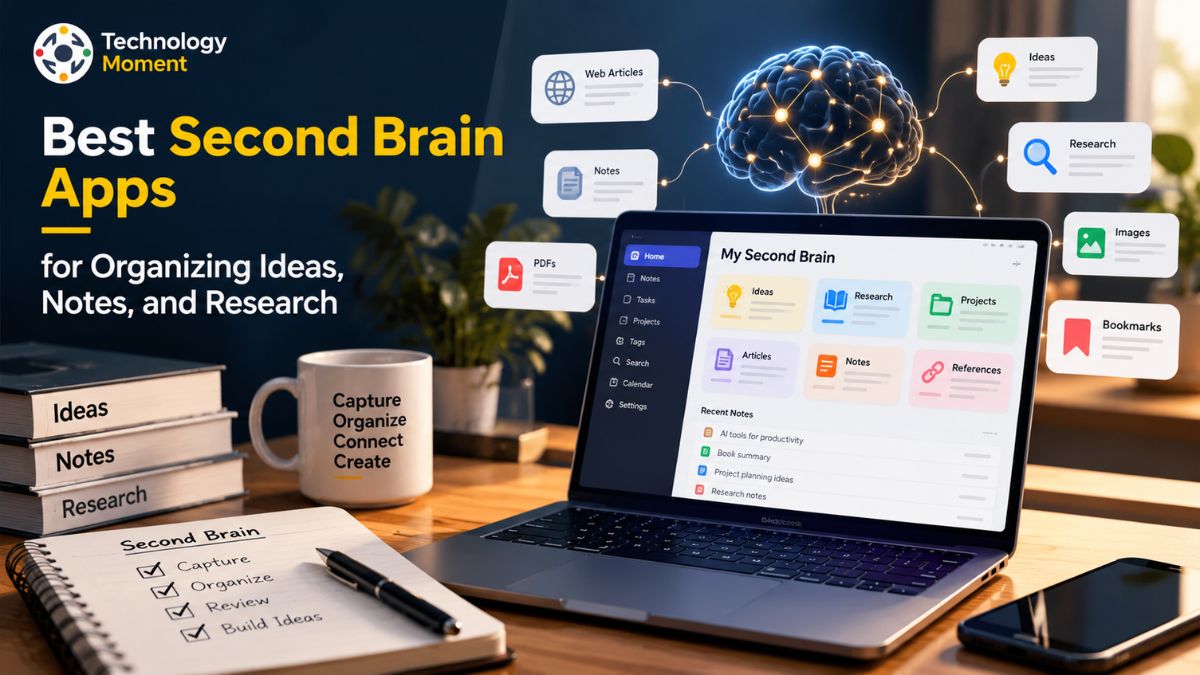
Ideas often come when we least expect them, whether we are reading an article, researching a topic, studying a new concept, or working on a project. The challenge isn’t simply collecting information; it’s remembering where we saved it and finding it when we need it. Scattered notes, bookmarked pages, research documents, and forgotten ideas can make it difficult to turn useful information into meaningful work.
These digital tools help you capture ideas, organize notes, connect related information, and retrieve important details without relying entirely on memory. Depending on your workflow, they can serve as a personal knowledge base for research, a writing resource, a study companion, or a central place to manage the information you encounter every day. Some tools focus on linked notes and personal knowledge management, while others offer flexible databases, visual research boards, AI-assisted organization, or simple digital notebooks. The best choice depends on how you think, work, and prefer to access your information.
At Technology Moment, our goal is to help readers understand technology through practical, clear, and useful insights. In this guide, we explore some of the best second brain apps for organizing ideas, notes, and research, comparing their key features, strengths, limitations, and suitability for different users. Whether you are a researcher managing complex sources, a writer collecting inspiration, a student organizing study materials, or a knowledge worker handling information every day, this comparison will help you identify a tool that fits your needs.
By the end, you will have a clearer sense of which options to consider and how to choose a second brain app that makes your knowledge easier to organize, revisit, and use.
What Are Second Brain Apps?
Second brain apps are digital tools that help you capture, organize, connect, and retrieve information you want to remember and use later. Instead of relying entirely on your memory, scattered documents, browser bookmarks, or disconnected notes, you can create a personal knowledge base that keeps useful information accessible in one place. These tools are especially valuable for researchers, writers, students, and knowledge workers who regularly handle large amounts of information.
The concept is closely related to personal knowledge management (PKM), which involves collecting information, making sense of it, and using it to support learning, creativity, and decision-making. Unlike basic digital notebook apps, many second brain apps offer features that help you connect related ideas. These include backlinks, bidirectional links, tags, searchable notes, and knowledge graphs. Such features make it easier to discover relationships between information you collected at different times.
For example, a researcher studying artificial intelligence might save academic papers, summarize important findings, and connect those notes to related research topics. A writer could collect article ideas, interesting quotations, and research references in a searchable workspace. Similarly, a student could organize lecture notes, study materials, and explanations of difficult concepts. In each case, the goal is not simply to store information but to make it useful when needed.
Modern second brain software takes different approaches to knowledge organization. Some applications, such as Obsidian, emphasize linked Markdown notes and local files, while Notion combines documents, databases, and collaborative workspaces. Capacities organizes information around connected objects, and Logseq emphasizes outlines and linked blocks. These differences affect how users capture information, build connections, and retrieve knowledge.
A simple workflow involving capturing ideas, adding meaningful context, connecting related notes, and reviewing information regularly can be enough. The best second brain app is the one that fits your working style and makes information easier to find without creating unnecessary maintenance. When evaluating personal knowledge management apps, consider ease of use, search quality, offline access, privacy, export options, and the ability to connect notes. These factors are often more important than having the largest number of features. A well-maintained personal knowledge base can become a valuable resource for learning, research, and creative work over time.
Best Apps for Building a Personal Knowledge Management System
Some tools are designed for interconnected notes, while others focus on structured databases, visual research, or quick information capture. Comparing their strengths and limitations helps you select an application that supports your daily workflow rather than forcing you to change how you think.
Obsidian is a strong option for users who want flexible personal knowledge management. It stores notes as Markdown files on your device and supports internal links, backlinks, graph visualization, and a large plugin ecosystem. Researchers and writers can connect concepts across documents and build a searchable research knowledge base. Its flexibility is a major advantage, although creating a complex system may require time and customization.
Notion is suitable for people who prefer a structured workspace. Its pages, databases, templates, and collaboration features help organize research projects, reading lists, reference materials, and writing plans. It can function as a personal wiki or knowledge base, particularly when information needs to be organized into tables and connected databases. However, users who want a simple, local collection of Markdown files may prefer another application.
Capacities takes an object-based approach to knowledge organization. Users can create connected records for books, people, projects, meetings, and other subjects. This structure can help writers and researchers retrieve information through relationships rather than relying exclusively on folders. Its free Basic plan includes core knowledge-management features, while advanced capabilities are available through paid plans.
Logseq is worth considering for people who think in outlines and prefer linking smaller pieces of information. Its journal-based workflow, block references, and open-source approach can support research notes and connected thinking. It may appeal to users who want more control over their knowledge system, although its interface and workflow may take some getting used to.
Anytype is an option for privacy-conscious users who want to organize information through connected objects and local-first workflows. Tana is suited to structured notes, tags, and more advanced knowledge workflows, including AI-assisted features. Heptabase is particularly relevant for visual thinkers who prefer arranging research cards on whiteboards. Evernote remains worth considering for capturing and searching documents, web content, and reference material.
Rather than selecting an app based on popularity alone, consider your main task. Obsidian may suit interconnected research notes, Notion may work better for structured projects, and Heptabase may be preferable for visual research. Testing two or three options with the same real project will help you understand which tool makes capturing, organizing, and retrieving information easiest.
Second Brain Apps Comparison: Features, Pricing, and Best Use Cases
Comparing second brain apps side by side can help you identify the right balance between functionality, cost, privacy, and ease of use. Although many knowledge management apps offer search and note organization, their underlying approaches differ. Some prioritize local files and linked notes, others emphasize databases or structured objects, and some provide visual workspaces for exploring complex subjects.
The following table summarizes eight popular options for organizing ideas, notes, and research. Pricing is indicative where a published starting price is available, in US dollars. Plans, billing terms, and feature availability may change, so confirm the latest details on each provider’s official pricing page before subscribing.
| App | Best use case | Key features | Free option | Pricing overview |
|---|---|---|---|---|
| Obsidian | Research and linked notes | Markdown, backlinks, graph view, plugins | Yes; core app is free | Optional paid Sync and publishing services |
| Notion | Structured notes and collaboration | Pages, databases, templates, shared workspaces | Yes | Plus starts at $10/member/month with annual billing |
| Capacities | Connected personal knowledge | Objects, backlinks, daily notes, graph view | Yes; Basic plan | Pro listed at $9.99/month on the official pricing page |
| Logseq | Outlining and daily research | Journals, linked blocks, references | Yes; open source | Sync pricing and availability should be checked |
| Anytype | Privacy-focused knowledge management | Connected objects, local-first workflows | Yes; local use | Optional paid storage and backup plans |
| Tana | Structured knowledge workflows | Outlines, Supertags, AI features | Yes; plan limits apply | Check current subscription options |
| Heptabase | Visual research and connected ideas | Cards, whiteboards, visual organization | Trial availability; no standard free plan listed in the cited comparison | Paid subscription |
| Evernote | Capturing and retrieving references | Notebooks, tags, web clipping, search | Limited free option | Paid plans available |
For researchers and writers, the most important comparison factors are linking, search, source organization, and data portability. Obsidian is attractive when you want control over local files and interconnected notes. Capacities offers a more structured way to organize information around individual objects, while Notion provides databases that can bring research, tasks, and projects together. If you need to visualize relationships between complex ideas, Heptabase offers a different approach through its whiteboard interface.
Pricing should be evaluated alongside the features you actually need. A free second brain app may be sufficient for personal notes and research, while paid plans can become worthwhile if you need advanced AI features, additional storage, enhanced synchronization, or professional workflows. Also consider whether the app works across your devices, supports offline use, and allows you to export your notes in a usable format.
Privacy and long-term access deserve equal attention. Local-first tools may give you greater direct control over stored files, whereas cloud-based applications can simplify synchronization and collaboration. Neither approach is automatically best for every user. Review backup options, data handling practices, and export capabilities before committing to a system.
Best Free Second Brain Apps
Finding the best free second brain apps is a practical starting point for anyone who wants to organize ideas, research, and digital notes without committing to a paid subscription. Free tools can provide enough functionality to build a personal knowledge base, connect related information, and develop a consistent note-taking workflow. Some applications provide their core features without charge, while others restrict advanced features, storage, collaboration, or AI capabilities to paid subscriptions.
Obsidian is a strong option for users who want a flexible knowledge management system. Its core application is free, and notes are stored as Markdown files on the user’s device. Backlinks, internal links, graph visualization, and community plugins help users connect ideas and organize research. Optional paid services are available for synchronization and publishing, but they are not required for basic local note-taking.
Logseq is another option for users who prefer open-source software and an outline-based workflow. Its journal pages and linked blocks can help students, researchers, and writers capture thoughts as they work. It is particularly useful for people who prefer developing a knowledge system through connected notes rather than designing complex databases. Users should check the current status of synchronization features before choosing it for a multi-device workflow.
Notion offers a free plan for individuals and combines documents, databases, templates, and project organization. It can work well for students managing assignments or writers maintaining editorial research. However, users should review the current plan limits and distinguish between personal knowledge management features and capabilities available through paid plans.
Capacities is worth exploring if you prefer organizing information around connected objects, such as books, people, meetings, and projects. Its free offering includes core knowledge-management features, although some advanced functionality requires a subscription. Anytype is another option for users interested in connected objects and local-first knowledge organization, while Apple Notes can be sufficient for straightforward note capture within the Apple ecosystem.
Before choosing a free personal knowledge management app, consider how much information you expect to collect, whether offline access matters, and how you will back up your notes. Check export options, device compatibility, and synchronization limits as well. A free application that supports your everyday workflow is more valuable than an advanced tool you find difficult to maintain. Start with a small collection of real notes, test how easily you can retrieve them, and upgrade only when you identify a genuine limitation.
Best Second Brain Apps for Different Types of Users
The best second brain apps for different types of users depend on the information they handle and what they want to accomplish with it. Researchers need reliable ways to organize sources and connect findings, writers benefit from collecting ideas and developing arguments, students need accessible study notes, and knowledge workers often require a searchable record of meetings, decisions, and projects. A suitable app should support these tasks without introducing unnecessary complexity.
For researchers, Obsidian is a compelling option because linked Markdown notes can connect research questions, source summaries, observations, and emerging conclusions. Backlinks make it easier to navigate between related concepts, while local files offer control over how notes are stored. Researchers who prefer visual exploration may also consider Heptabase, which uses cards and whiteboards to help organize complex subjects. When handling academic material, it is still important to preserve source details and verify claims against original publications.
For writers, Obsidian and Notion serve different workflows. Obsidian can help build a library of evergreen notes, article ideas, quotations, and related concepts. Notion may be more convenient for writers who want to combine research with editorial calendars, project databases, outlines, and collaborative documents. The best choice depends on whether the priority is developing interconnected ideas or managing a structured publishing process.
Students may benefit from Notion for organizing coursework, deadlines, reading lists, and class notes. Logseq is worth considering for students who prefer outlining and connecting individual thoughts, while RemNote may suit learners who want to combine notes with flashcards and active-recall study methods. The right tool should make revision easier rather than encourage students to spend excessive time arranging their notes.
Knowledge workers often need to retrieve information from meetings, projects, documents, and ongoing tasks. Notion can bring these resources together through databases and shared workspaces, while Capacities offers a connected approach to organizing people, projects, and meetings. Users who want AI-assisted organization may also investigate Tana, depending on their workflow and budget.
Ultimately, the best personal knowledge base is the one that matches your habits. Before committing, identify your main use case, test how quickly you can capture information, and see whether you can retrieve a note several days later. Consider privacy, offline access, export options, and collaboration requirements alongside features. You do not need a separate app for every activity; one well-maintained system can often support research, writing, study, and everyday work.
How to Choose the Best Second Brain App
Choosing the best second brain app starts with understanding how you collect and use information. Some people primarily save articles and research documents, while others develop original ideas through writing, outlining, or visual thinking. The right application should make it easy to capture useful information, organize it meaningfully, and retrieve it when needed. Comparing feature lists alone can be misleading because a sophisticated tool may not suit your everyday workflow.
First, consider how you organize information. If you prefer interconnected notes, backlinks, and a knowledge graph, Obsidian or Logseq may be suitable options. If you prefer structured pages, databases, and project views, Notion may be a better fit. Capacities is worth exploring if you naturally organize information around objects such as books, people, projects, and meetings. Choose a system that reflects how you think rather than forcing every note into an elaborate hierarchy.
Second, evaluate search and information retrieval. A useful second brain should help you find a saved idea without remembering exactly where you stored it. Searchable notes, tags, internal links, backlinks, and meaningful titles can improve discoverability. For research-heavy workflows, preserving the original source, publication details, and relevant context is equally important. AI-powered search may offer additional convenience, but generated summaries should not replace checking original sources when accuracy matters.
Third, examine privacy, offline access, and data ownership. Some applications store notes primarily in the cloud, while others work with local files or provide local-first workflows. These approaches involve different trade-offs around synchronization, collaboration, and control. Check how backups work, which devices are supported, and whether you can export your knowledge in a format that remains useful outside the application. Plain-text or Markdown exports can be particularly helpful for long-term portability, although exported files may not preserve every app-specific feature.
Fourth, compare pricing and practical limitations. Free second brain apps may provide sufficient functionality for individual users, but synchronization, advanced AI features, storage, or team collaboration may require payment. Review the current plan details before committing, especially if you intend to build a large personal knowledge base over several years.
Finally, test your shortlisted applications using the same small project. Save several articles, create research notes, connect related ideas, and try retrieving them later. Notice how much effort the workflow requires and whether the app works comfortably across your devices. The best second brain app is not necessarily the one with the most features; it is the one that helps you turn collected information into accessible, reusable knowledge with minimal friction.
How to Build a Second Brain Using a Note-Taking App
Building a second brain using a note-taking app does not require an elaborate productivity system or advanced technical skills. The goal is to create a reliable place where you can capture useful information, organize ideas, and retrieve knowledge when you need it. A well-designed personal knowledge management workflow helps researchers, writers, students, and knowledge workers turn scattered information into a resource they can use for learning, problem-solving, and creative projects.
Start by choosing one note-taking app. Select a tool that matches your needs instead of trying several applications simultaneously. Obsidian may suit users who prefer interconnected Markdown notes, while Notion offers pages and databases for structured information. Capacities is another option for organizing connected objects such as books, people, and projects. Your choice should depend on your preferred workflow, device compatibility, privacy requirements, and ability to export your information.
Create a simple system for capturing information. Ideas often appear while reading articles, watching educational videos, attending meetings, or conducting research. Save useful information in one accessible inbox before deciding where it belongs. Your capture process can include short text notes, research references, quotations, meeting observations, and links to relevant websites. The purpose is to prevent useful thoughts from disappearing without interrupting your work to organize every detail immediately.
Organize notes using a method that fits your workflow. Projects contain information related to specific outcomes, Areas cover ongoing responsibilities, Resources hold useful reference material, and Archives store inactive items. Alternatively, the Zettelkasten method emphasizes individual notes connected through meaningful relationships. You can start with either approach and adapt it as your knowledge base grows.
Connect related ideas instead of relying entirely on folders. Add descriptive titles, relevant tags, and links between notes that share a topic. For example, a note about artificial intelligence in education might connect to research on personalized learning, student productivity, and educational technology. Backlinks and bidirectional links can help you discover these relationships later. Over time, interconnected notes can become more useful than a collection of isolated documents.
Make your notes easy to retrieve and reuse. Use meaningful titles, searchable keywords, source links, and concise summaries. When saving research, record the author, publication, date, and relevant findings whenever possible. This makes it easier to verify information and return to the original source. You can also use progressive summarization by highlighting the most useful points when you revisit a note rather than processing every document in detail when you first save it.
Finally, establish a simple review habit. Spend a few minutes each week clearing your inbox, updating important notes, archiving completed projects, and identifying information relevant to your current goals. Use your second brain to produce something tangible, such as an article outline, a research summary, a presentation, or a study guide. The value of a second brain comes from using stored knowledge, not merely collecting it. Start small, maintain a consistent workflow, and expand your system only when a genuine need arises.
Frequently Asked Questions About Second Brain Apps
What Is the Best Second Brain App?
The best second brain app depends on your workflow. Obsidian is suitable for interconnected Markdown notes, Notion works well for structured databases and collaboration, and Capacities offers an object-based approach to personal knowledge management. Logseq may suit people who prefer outlines and linked blocks. Compare usability, privacy, offline access, pricing, and export options before choosing. The best tool is one you can maintain consistently.
Which Second Brain App Is Best for Researchers?
Obsidian can suit researchers who want linked notes, Markdown files, and a flexible knowledge base. Heptabase may appeal to visual thinkers who organize research using cards and whiteboards, while Notion can help manage structured research databases and projects. Consider source citation, search, backlinks, export options, and offline access. For academic work, preserve original references and verify important findings against the source material.
Which Second Brain App Is Best for Writers?
Obsidian can help writers connect article ideas, research notes, quotations, and evergreen notes. Notion is useful for combining research with editorial calendars, outlines, and publishing workflows. Capacities may suit writers who prefer connecting information around books, people, and topics. Choose an app that makes it easy to develop ideas and retrieve supporting research without spending excessive time maintaining the system.
Is Obsidian Better Than Notion for a Second Brain?
Obsidian and Notion serve different preferences. Obsidian emphasizes local Markdown files, backlinks, graph views, and customization, making it attractive for interconnected personal notes. Notion focuses on pages, databases, templates, and collaboration. Obsidian may suit users who prioritize file control, while Notion can be better for structured projects and shared workspaces. Test both with the same project before deciding.
Which Apps Support Linked Notes and Backlinks?
Obsidian, Logseq, Notion, and Capacities support connections between notes, although their implementations differ. Obsidian provides internal links and backlinks, Logseq connects blocks and pages, Notion offers linked pages and database relationships, and Capacities links objects and displays backlinks. Compare how easily each app reveals relationships between notes. The best choice depends on whether you prefer files, outlines, databases, or object-based organization.
Can AI Help Organize Personal Knowledge?
Yes. Some AI-powered note-taking and knowledge management tools can summarize documents, assist with search, extract key information, and help connect related material. These features may reduce repetitive work, but their availability varies by application and subscription. AI-generated summaries can contain errors or omit context, so verify important claims against original sources. Consider privacy and data-handling policies before connecting sensitive information to AI services.