Staying productive all day isn’t always easy. For professionals, freelancers, and remote workers, a calendar full of meetings, constant notifications, and unexpected requests can make it hard to focus on important tasks. Even with a well-organized to-do list, knowing what needs to be done does not guarantee that you will have enough time to complete it.
Time blocking tools involve assigning specific periods of your day to individual tasks, projects, meetings, and focused work. Instead of simply listing priorities, you create a schedule that shows when you intend to work on each activity. However, the challenge is finding a system that fits your workload without making your day feel overly restrictive. Tasks can take longer than expected, priorities can change, and unfinished work may need to be rescheduled.
The right tool can help you bring your calendar and task list together, estimate time more realistically, protect focus sessions, and adjust your schedule when plans change. Some tools offer straightforward manual scheduling, while others provide automated task planning and calendar integrations. The best choice depends on your working style, budget, and need for flexibility.
At Technology Moment, we explore practical technology solutions that help people work smarter and make informed decisions about the software they use. In this guide, we compare time-blocking tools for different professional needs, highlighting their useful features, limitations, and scheduling capabilities. You will also learn how to choose an appropriate tool, build a realistic daily schedule, and manage missed tasks without disrupting your entire workday.
How Time-Blocking Software Helps Organize Your Daily Schedule
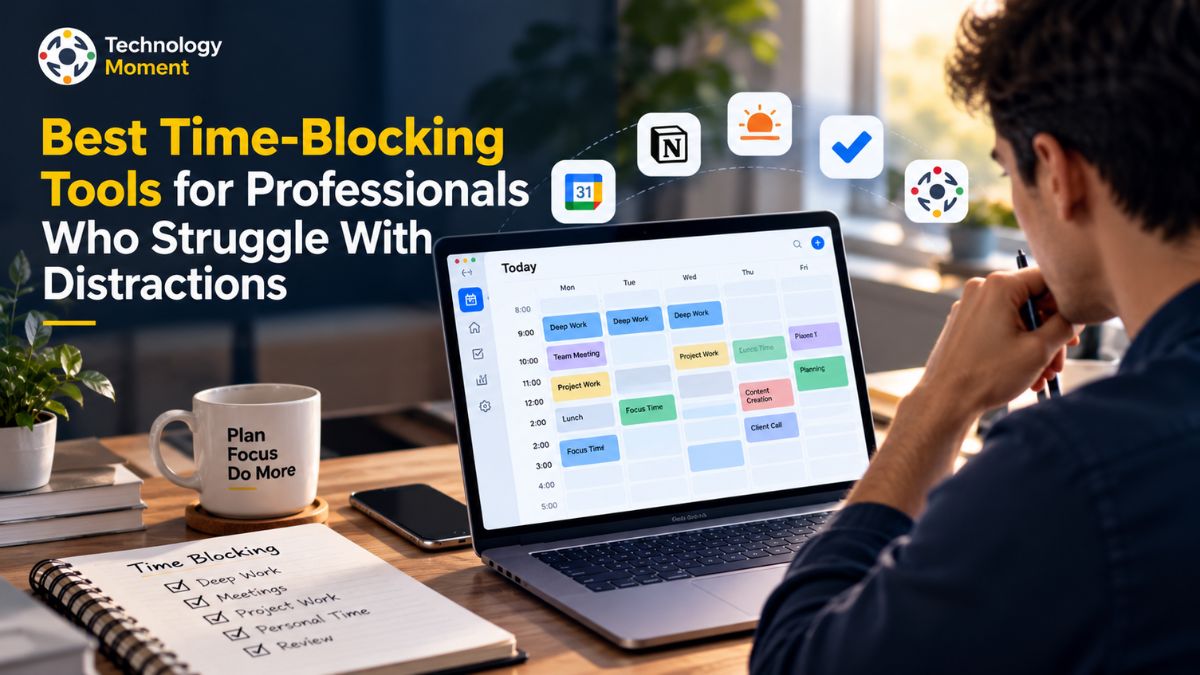
Time-blocking tools are productivity applications that help users assign specific periods of time to individual tasks, meetings, and focused work. Instead of relying on a long to-do list, users create a daily schedule that shows what they plan to accomplish and when they intend to do it. These time management tools can make daily planning more practical by connecting tasks with the actual hours available in a workday.
A freelancer might reserve 9:00 to 10:30 AM for client work, 10:30 to 11:00 AM for emails, and 11:00 AM to noon for project research. Meetings, breaks, administrative work, and personal commitments can also receive their own blocks. This approach helps professionals prioritize important responsibilities and understand whether their plans are realistic.
Different time blocking apps offer different levels of control and automation. Calendar-based tools, such as Google Calendar, let users create blocks manually. Task management apps, including Todoist and TickTick, help organize tasks and can support calendar-based planning through their available features or integrations. Dedicated planning tools, such as Sunsama and Akiflow, help users turn task lists into scheduled work sessions. Automated scheduling tools, such as Motion and Reclaim.ai, can place tasks or focus sessions into available calendar slots according to supported scheduling rules.
Time blocking is closely related to timeboxing, but the two approaches can have slightly different goals. Time blocking reserves a period for an activity, while timeboxing emphasizes setting a defined time limit for completing it. Both techniques can help reduce distractions and improve focus time scheduling. However, even the best time blocking tools cannot eliminate every interruption. Their value depends on realistic time estimates, sensible task prioritization, and the willingness to adjust plans when circumstances change. For professionals who frequently miss deadlines or underestimate workloads, a flexible time blocking planner can provide structure without requiring every minute to follow a rigid schedule.
Best Time-Blocking Tools for Professionals
The best time-blocking tools depend on how much scheduling control you want, whether you need automatic task rescheduling, and how closely your tasks must connect with your calendar. Some professionals prefer simple calendar apps, while others need integrated task management, project planning, or AI-powered scheduling. The following options address different productivity needs rather than assuming that one application works for everyone.
Google Calendar is a practical starting point for professionals who want to organize their workday without adopting a dedicated planning system. Users can create calendar events for tasks, meetings, breaks, and focus sessions, then adjust blocks when priorities change. It works particularly well for people who already manage their appointments through Google Calendar. However, manually scheduled task blocks generally require manual adjustments when unfinished work disrupts the schedule.
Motion is designed for users who want more automated daily scheduling. It considers factors such as task deadlines, priorities, durations, and calendar availability when arranging work. Its automatic planning approach can be useful for busy professionals managing several responsibilities, especially when meetings or urgent requests change their original plans. The trade-off is that users need to learn the system and evaluate whether its subscription cost justifies the time saved.
Reclaim.ai focuses on intelligent calendar scheduling, including protecting focus time and arranging eligible tasks or habits around existing commitments. It can suit remote workers and professionals whose calendars change frequently. Its usefulness depends on the calendar environment, configuration, and scheduling features available on the selected plan.
Sunsama emphasizes structured daily planning. Users can review tasks, estimate the time required, and schedule work sessions directly on a calendar. This approach suits professionals who want to make deliberate decisions about their workload instead of allowing an automated system to organize everything. It can also help users recognize when their daily task list exceeds their available working hours.
TickTick offers task lists, reminders, calendar views, and other productivity features that support personal work planning. Todoist is useful for organizing priorities, recurring tasks, and deadlines, with calendar functionality depending on the available features and integrations. ClickUp is particularly relevant for teams managing projects, assignments, and deadlines in one workspace.
Before choosing any time-blocking software, compare its calendar compatibility, scheduling controls, rescheduling behavior, ease of use, and total cost. A straightforward calendar may be enough for simple routines, while people with changing workloads may benefit from more advanced scheduling capabilities.
Time-Blocking Tools Comparison: Calendar Apps vs. Task Management Apps
Calendar apps and task management apps solve related but different productivity problems. Calendar apps focus on when activities happen, while task management apps focus on what needs to be completed, including priorities, deadlines, and project responsibilities. Time-blocking software brings these functions closer together, helping users build schedules around both existing commitments and unfinished work.
A calendar-first approach is often suitable for professionals with predictable routines and frequent meetings. A task-first approach may be more convenient for freelancers and remote workers who manage numerous deliverables, recurring responsibilities, and shifting deadlines. Some dedicated planning applications combine both approaches, while automated scheduling tools go further by arranging tasks around available time.
| Comparison factor | Calendar apps | Task management apps | Dedicated or AI time-blocking tools |
|---|---|---|---|
| Primary purpose | Manage appointments, meetings, and time slots | Organize tasks, priorities, and deadlines | Connect tasks with a workable daily schedule |
| Examples | Google Calendar, Outlook Calendar | Todoist, TickTick, ClickUp | Motion, Reclaim.ai, Sunsama, Akiflow |
| Daily planning | Create and adjust events manually | Review tasks and schedule them where supported | Use guided planning or automated scheduling |
| Time blocks | Usually created manually | Available through calendar views or integrations, depending on the app | Built around scheduling tasks or focus sessions |
| Task prioritization | Basic event ordering and labeling | Often includes priorities, due dates, and project organization | May consider task priorities and deadlines when scheduling |
| Calendar integration | Native calendar functionality | Varies by product and connected services | Connects tasks with supported external calendars |
| Realistic scheduling | Requires users to estimate workload | Task estimates may be available, but scheduling varies | Some tools account for durations and available calendar space |
| Missed tasks | Usually require manual calendar changes | Users can update due dates and task schedules | Some tools automatically replan eligible tasks |
| Unexpected meetings | Users move affected blocks themselves | Depends on calendar integration and scheduling features | Automated tools may adjust scheduled tasks around conflicts |
| Distraction management | Focus blocks and reminders, where supported | Task lists and notifications help maintain priorities | Some tools protect focus time or reorganize work |
| Best suited for | Meeting-heavy schedules and straightforward planning | Complex task lists and project coordination | Changing workloads and users who need integrated scheduling |
| Main limitation | Limited task-management depth in some calendars | A task list does not always create a realistic timetable | Additional cost, setup, and automation constraints may apply |
Which type should you choose? A calendar app is a sensible option if you mainly need to reserve time for meetings, focused work, and recurring activities. A task management app is more appropriate when organizing projects, deadlines, and responsibilities is your biggest challenge. If you regularly underestimate task duration or struggle to reorganize your day after interruptions, a dedicated time blocking app with suitable scheduling and rescheduling features may be more useful.
The most effective choice is not necessarily the application with the most features. Look for a tool that fits your existing workflow, displays your real commitments, and makes it easy to adjust unfinished work. A realistic schedule with enough flexibility is generally more practical than a perfectly filled calendar that becomes unusable after one unexpected meeting.
How to Choose the Right Time-Blocking Tool for Your Workflow
Choosing the right time-blocking tool starts with understanding how you work and where your current planning system fails. Some professionals struggle with constant interruptions, while others have difficulty estimating task duration, managing deadlines, or coordinating meetings. The best time blocking tools should solve your specific problems rather than add another complicated productivity system. Before comparing time blocking apps, identify whether you need better calendar scheduling, task organization, automatic rescheduling, or a combination of these features.
For professionals who already organize their appointments in a digital calendar, Google Calendar can be a practical starting point for manual time blocking. It allows users to reserve specific periods for meetings, focused work, and recurring activities. Freelancers managing multiple clients may prefer task management apps such as Todoist or ClickUp when they need to organize deliverables, priorities, and deadlines alongside their schedules. Meanwhile, Motion and Reclaim.ai are worth evaluating if automatic scheduling and calendar adjustments are important to your workflow. Sunsama and Akiflow may suit users who prefer bringing tasks and calendar planning into a more unified daily workflow. Feature availability and integration requirements should always be checked before choosing a product.
Calendar integration is another important consideration when comparing time blocking software. If your work calendar contains client meetings, team discussions, and personal commitments, your scheduling tool should account for those events to reduce conflicts. Check whether the application supports your preferred calendar service, synchronizes changes reliably, and makes it easy to move unfinished tasks. If you manage several projects, look for task prioritization, recurring tasks, duration estimates, and clear deadline management. Remote workers should also consider whether their chosen tool supports their team’s scheduling practices and protects focus time from unnecessary interruptions.
Finally, evaluate usability, pricing, device compatibility, and flexibility before committing to a paid subscription. A free calendar may be sufficient for straightforward daily planning, whereas a busy professional with frequent schedule changes may benefit from advanced automation. Test your preferred options with a typical workday rather than an idealized schedule. The right time blocking planner should make planning easier, help you create realistic schedules, and allow you to adjust priorities without rebuilding your entire day whenever something unexpected happens.
How to Create a Realistic Daily Schedule With Time Blocking
Creating a realistic daily schedule with time blocking begins with understanding how much time you actually have available. Before adding tasks to your calendar, account for meetings, appointments, breaks, administrative responsibilities, and other fixed commitments. Then review your task list and identify the work that matters most. This approach to daily schedule planning helps professionals distinguish essential responsibilities from activities that can wait. A calendar full of scheduled tasks may look productive, but an overloaded plan can quickly become difficult to maintain.
Start by estimating how long each task is likely to take. For example, preparing a client presentation might require 90 minutes, while responding to routine emails may need only 20 minutes. Use previous experience to make these estimates more accurate, and allow extra time for unfamiliar or complex work. Task prioritization is equally important because not every item on your to-do list deserves a place in today’s schedule. Give urgent deadlines and high-impact projects appropriate attention before assigning time to lower-priority administrative tasks. If a task is too large for one session, divide it into smaller, manageable work blocks.
Next, place your most demanding work during the periods when you can concentrate best. Many professionals prefer scheduling deep work sessions earlier in the day, but your ideal focus hours depend on your energy levels, responsibilities, and working environment. Use your calendar app to reserve time for focused tasks, meetings, communication, and routine work. Include buffer time between important activities so that an unexpected call or an extended meeting does not disrupt everything that follows. These flexible time blocks are particularly useful for freelancers and remote workers who must balance independent work with client communication.
Finally, review your schedule before starting work and adjust it when necessary. Avoid assigning every available minute to a specific activity because small delays can accumulate throughout the day. If your time blocking tools support task duration estimates or calendar projections, use them to understand whether your workload fits your available hours. At the end of the day, compare planned work with completed tasks and note where your estimates were inaccurate. Over time, this daily review helps improve time allocation, workload management, and schedule optimization. A realistic plan should provide direction without making you feel that every deviation represents failure.
How to Manage Missed Tasks and Reschedule Unfinished Work
Missed tasks are a normal part of working life, especially when professionals deal with unexpected meetings, changing deadlines, and interruptions. The purpose of time blocking is not to create a perfect schedule that never changes; it is to make your workload visible and help you respond to changes deliberately. When a task remains unfinished, avoid moving every incomplete item automatically to the next available slot. Instead, review its importance, deadline, estimated duration, and effect on other responsibilities before deciding what to do next.
Begin by separating urgent tasks from work that can safely wait. A client deliverable due tomorrow may require immediate attention, while an internal task without a near-term deadline could move to another day. Reassess your task prioritization and determine whether the original time estimate was realistic. If a project repeatedly takes longer than expected, break it into smaller steps and allocate separate time blocks for research, drafting, reviewing, and final delivery. This makes unfinished task planning more manageable and helps prevent the same work from repeatedly disrupting your daily schedule.
Next, use your calendar or task management app to move the task to a realistic time slot. If you rely on Google Calendar for manual scheduling, update the relevant event and check that it does not conflict with existing commitments. With a dedicated planning tool, the available rescheduling options may be different. For example, Sunsama documents automatic rescheduling for eligible timeboxed tasks when scheduling conflicts occur, while its auto-scheduling features can place tasks around supported calendar events. Such capabilities can reduce manual adjustments, but users should still review the proposed schedule to ensure that deadlines and priorities remain sensible.
If your time blocking tools offer automatic task rescheduling, check how they handle deadlines, working hours, task duration, and calendar conflicts before relying on automation. Some tools may move tasks to the next available period, while others allow you to defer work or select another day. Avoid repeatedly postponing important responsibilities without addressing why they remain unfinished. The task may need a smaller time estimate, fewer distractions, additional resources, or a revised deadline.
End each workday with a brief schedule review. Identify completed work, carry forward important unfinished tasks, and leave sufficient space for tomorrow’s priorities. This simple routine improves missed task management without turning your calendar into an endless backlog. The goal is to maintain a flexible, useful schedule that reflects your actual workload, supports consistent progress, and helps you regain focus when the day does not go according to plan.
Common Time-Blocking Mistakes That Reduce Productivity
Time blocking can improve productivity, but an unrealistic schedule can create more stress than structure. Many professionals adopt time management tools expecting to complete more work, only to discover that their calendars become difficult to maintain. The problem is often not the time-blocking method itself, but how it is applied. Understanding common mistakes can help you build a flexible schedule that supports focused work without making every unexpected interruption feel like a failure.
One of the most common mistakes is trying to fit every task into a single workday. A long to-do list can make it tempting to assign a time slot to everything, but this approach ignores meetings, administrative work, breaks, and unexpected requests. When the schedule becomes overloaded, even a small delay can affect the rest of the day. Instead, prioritize essential tasks and leave some unallocated time for changes. Realistic daily planning means matching your commitments to the hours you actually have available.
Professionals frequently underestimate the time required for writing reports, preparing presentations, reviewing documents, or completing client projects. A task planned for 30 minutes may take an hour once research, revisions, and communication are included. These inaccurate estimates can make even the best time blocking tools appear ineffective. To improve time estimation, compare your planned duration with the actual time spent on similar activities. Break complex projects into smaller tasks and include preparation and review time when creating your schedule.
A calendar filled with activities does not automatically represent an effective productivity strategy. If low-priority emails and routine administrative work receive more attention than important projects, your schedule may look organized while meaningful work remains unfinished. Task prioritization helps you decide which activities deserve protected time. Identify deadlines, business impact, and dependencies before assigning blocks. Schedule demanding work during your most productive hours when possible, and group similar administrative tasks together to reduce unnecessary context switching.
Moving directly from one demanding activity to another can make a schedule difficult to follow. Meetings may run late, tasks may require additional preparation, and complex work can need a short mental reset before the next activity begins. Failing to account for these transitions creates unnecessary pressure. Include breaks, meals, and small gaps between major tasks. These buffers provide flexibility when something takes longer than expected and help prevent one delayed activity from disrupting the entire workday.
Time blocking should provide direction, not prevent you from responding to changing priorities. Freelancers may receive urgent client requests, while remote workers may need to attend unexpected meetings. If you refuse to adjust your calendar, important responsibilities can become harder to manage. Use flexible time blocks and review your priorities whenever circumstances change. Calendar apps and task management apps can make schedule adjustments easier, while some automated scheduling tools can reorganize eligible tasks when conflicts arise.
Frequently Asked Questions About Time-Blocking Tools
What Are the Best Time-Blocking Tools for Professionals?
The best time-blocking tools depend on your workflow and scheduling needs. Google Calendar works well for manual calendar blocking, while Motion and Reclaim.ai offer automated scheduling features. Sunsama and Akiflow support structured daily planning, and Todoist, TickTick, and ClickUp help organize tasks. Compare calendar integration, task management, scheduling flexibility, and pricing before choosing a tool that fits your work habits.
What Is the Best Free Time-Blocking App?
Google Calendar is a practical free option for creating time blocks manually and organizing meetings, tasks, and focus sessions. TickTick and Todoist also offer free plans with varying productivity features, although some capabilities may require payment. The best choice depends on whether you need simple calendar scheduling, task lists, reminders, or advanced automation. Check current plan limits before selecting an app for daily work planning.
Can Google Calendar Be Used for Time Blocking?
Yes, Google Calendar can be used for time blocking by creating events for individual tasks, meetings, breaks, and focused work sessions. You can assign start and end times, add reminders, and adjust blocks when priorities change. However, manually scheduled tasks generally require manual updates when work remains unfinished. It is suitable for straightforward planning, but users who need automatic task rescheduling may prefer a dedicated scheduling tool.
Are Time-Blocking Apps Better Than Task Management Apps?
Neither option is universally better because they solve different problems. Time-blocking apps focus on allocating time to activities, while task management apps organize priorities, deadlines, and project responsibilities. Some applications combine both functions. If you struggle to decide when to complete tasks, calendar-based scheduling may help. If you struggle to track multiple projects, a task manager with calendar integration may be more appropriate for your workflow.
Which Apps Automatically Reschedule Unfinished Tasks?
Some automated scheduling tools, including Motion and Reclaim.ai, can adjust eligible scheduled tasks when calendar conflicts or changing priorities affect the plan. However, their exact behavior depends on the product, configuration, and available features. Other applications emphasize manual or guided rescheduling. Before choosing a tool, check how it handles deadlines, task duration, working hours, and unexpected meetings to determine whether its scheduling approach matches your needs.
How Can Time Blocking Help Reduce Distractions?
Time blocking can reduce distractions by assigning specific periods to important tasks and making your priorities visible throughout the day. Scheduling focus sessions also helps you decide when to handle emails, notifications, and routine communication. For better results, silence unnecessary alerts, communicate your availability, and protect important work blocks. A calendar alone cannot eliminate interruptions, but a consistent scheduling routine can make it easier to return to focused work.
How Do I Create a Realistic Daily Schedule?
Start by listing your tasks, ranking them by importance, and estimating how long each activity will take. Add existing meetings, breaks, and personal commitments before scheduling focused work. Leave buffer time for unexpected requests and tasks that take longer than expected. Review your schedule at the end of the day and adjust future estimates based on actual results. A realistic plan should guide your work without filling every available minute.
Which Time-Blocking Apps Work With Google Calendar?
Several productivity applications offer Google Calendar integration, including Motion, Reclaim.ai, Sunsama, Akiflow, and other planning tools. The available synchronization and scheduling features vary by product and subscription. Some applications can arrange tasks around calendar events, while others primarily display tasks alongside appointments. Before connecting an app, verify supported calendar accounts, synchronization behavior, and whether changes made in one application appear in the other.