A weak Wi-Fi signal can turn simple everyday tasks into frustrating experiences. Video calls may freeze in a home office, streaming can buffer in a bedroom, and devices may struggle to stay connected in rooms far from the router. If you are dealing with these problems, you have probably considered two popular solutions: Mesh Wi-Fi vs Range Extender. But which one actually works better in a real home?
At Technology Moment, we help readers understand technology through practical comparisons, clear explanations, and useful guidance. In this guide, we compare mesh Wi-Fi and range extenders to help you choose a solution that fits your home, connectivity needs, and budget.
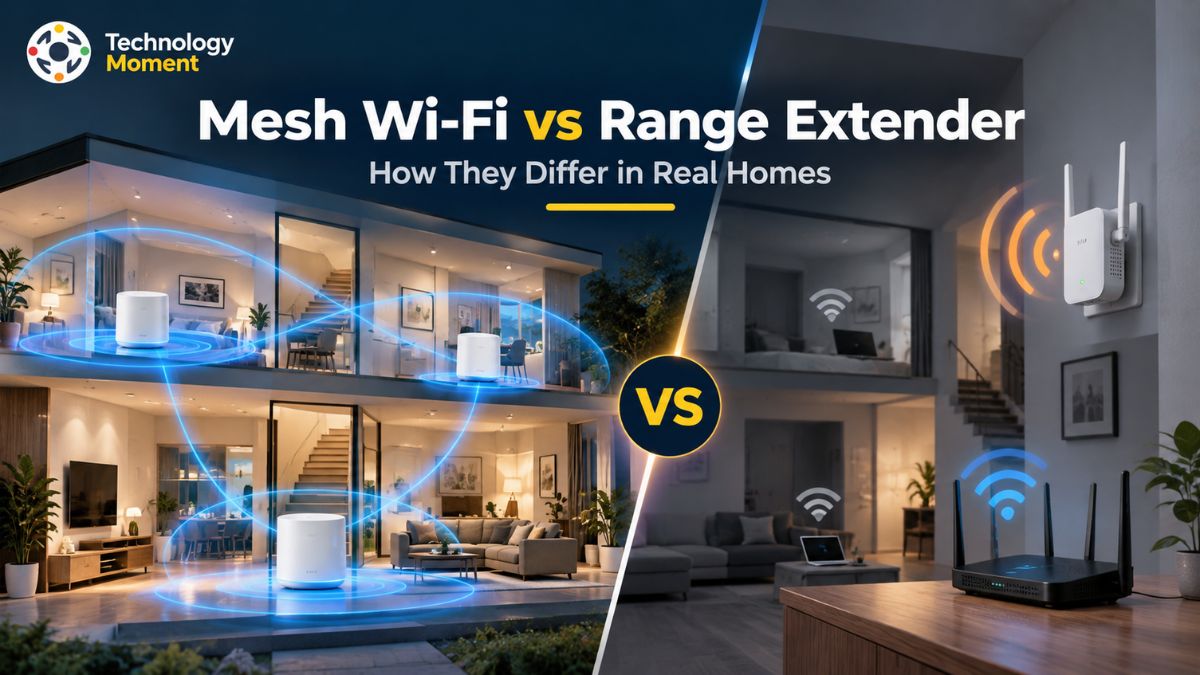
Although both options can improve Wi-Fi coverage, they work differently. A range extender receives your existing router’s wireless signal and rebroadcasts it to reach a specific weak area. A mesh Wi-Fi system uses multiple interconnected units to distribute coverage across different rooms, often providing a more consistent connection as you move around your home.
However, better coverage does not automatically mean faster internet. Your results depend on factors such as router placement, wall materials, wireless interference, backhaul quality, and the number of connected devices. Installation requirements and overall cost also matter when deciding which solution offers better value.
Throughout this article, we compare coverage, throughput, roaming, latency, installation, and real-world performance across different home layouts. Whether you live in a small apartment, a multi-story house, or a home with several Wi-Fi dead zones, Technology Moment will help you understand the trade-offs and make a more informed decision before investing in new networking equipment.
What Is a Wireless Network Booster, and How Does It Improve Wi-Fi Coverage?
A Wi-Fi range extender is a networking device designed to expand the coverage of an existing wireless router. It receives the router’s Wi-Fi signal and retransmits it to areas where the connection is weak or unreliable. Also known as a Wi-Fi repeater or Wi-Fi booster, this device can help reduce Wi-Fi dead zones without requiring you to replace your current router. It is particularly useful when a bedroom, home office, basement, or other specific area receives a poor signal.
The way a Wi-Fi range extender works is relatively simple. First, the device connects to your existing wireless network. However, the extender must receive a sufficiently strong signal from the main router to deliver reliable connectivity. Placing it inside an existing dead zone may result in poor performance because it has a weak connection to retransmit.
Placement plays an important role in performance. Ideally, position the extender between your router and the area that needs better coverage, where the original signal remains reasonably strong. Physical obstacles, including concrete walls, metal objects, floors, and wireless interference, can affect signal strength and throughput. Therefore, finding the right location is essential for improving Wi-Fi coverage across multiple rooms.
Speed is another consideration. Traditional single-radio extenders may experience significant bandwidth reductions because they use the same wireless channel to receive and retransmit data. However, performance varies depending on the extender’s design, available frequency bands, router compatibility, and connection quality. Some models also support a separate network name, while compatible systems can provide a more unified network experience.
A Wi-Fi range extender is generally a practical, affordable solution for one or two isolated weak areas. If most of your home already has reliable Wi-Fi, extending coverage with an additional device may be sufficient. However, homes with several dead zones, multiple floors, or frequent connection problems across different rooms may benefit more from a mesh Wi-Fi system.
Understanding Mesh Wi-Fi: How It Functions and Keeps You Connected
Mesh Wi-Fi is a wireless networking system that uses multiple interconnected units, called nodes or satellites, to provide coverage across a home. Instead of relying on one router to reach every room, a mesh network distributes connectivity through several strategically positioned access points. The main unit connects to your modem or internet gateway, while additional nodes help extend the network into areas that the primary router cannot cover effectively.
Unlike a basic range extender, a mesh Wi-Fi system is designed to manage its nodes as a coordinated network. Most consumer mesh systems allow compatible devices to connect using the same network name, or SSID, and password throughout the home. As you move from one room to another, your phone or laptop can transition between nodes without requiring you to manually select another Wi-Fi network. This process is known as roaming, although the speed and smoothness of the transition depend on the mesh system and the connected device.
An important factor in mesh Wi-Fi performance is the backhaul connection. Backhaul carries data between the mesh nodes and the main unit. A wireless backhaul uses Wi-Fi for this communication, while Ethernet backhaul uses a wired network connection. Some mesh systems also feature a dedicated wireless backhaul band, which can help preserve capacity for connected devices. The actual performance advantage depends on the hardware, network configuration, and quality of the connection between nodes.
Mesh Wi-Fi can be especially useful in large homes, multi-story properties, and layouts where thick walls or long distances create multiple Wi-Fi dead zones. Additional nodes can be placed near upstairs bedrooms, home offices, or other areas that need stronger coverage. However, nodes should not be positioned too far from one another because each unit needs a reliable connection to the rest of the network.
Mesh systems also have limitations. They generally cost more than a single range extender, require additional hardware, and may need more initial configuration. Furthermore, adding nodes does not automatically increase internet speed, particularly when the original internet connection or backhaul is the limiting factor. For households that need consistent connectivity across multiple rooms, mesh Wi-Fi offers a convenient approach to whole-home coverage. Its coordinated network management, flexible placement, and roaming support can make it a suitable alternative to a traditional router-and-extender setup.
Mesh Wi-Fi vs Range Extender: Key Differences Explained
Mesh Wi-Fi and range extenders both help expand wireless coverage, but they approach the problem differently. A range extender works with an existing router to improve connectivity in a particular area, whereas a mesh Wi-Fi system uses multiple coordinated nodes to distribute coverage across a wider space. Understanding these differences can help you select the right solution for your home, budget, and internet usage.
| Feature | Mesh Wi-Fi | Wi-Fi Range Extender |
|---|---|---|
| Coverage | Designed for whole-home coverage | Targets specific weak areas |
| Network structure | Multiple coordinated nodes | Rebroadcasts an existing router’s signal |
| Roaming | Usually supports coordinated roaming features | Depends on model and compatibility |
| Speed | Depends on backhaul and node placement | Depends on received signal and radio design |
| Throughput | Can benefit from dedicated or Ethernet backhaul | May lose capacity when receiving and retransmitting on the same radio |
| Latency | Depends on routing, interference, and backhaul quality | Can increase when traffic passes through an additional wireless hop |
| Installation | Requires configuring and positioning multiple units | Usually straightforward to install |
| Scalability | Additional compatible nodes can expand coverage | Additional extenders may be added, but management can become less convenient |
| Existing router | Main mesh unit commonly replaces or takes over routing duties | Usually works with the existing router |
| Cost | Generally higher initial investment | Generally more affordable for a targeted fix |
| Best use case | Large homes, multiple floors, and several dead zones | One or two isolated weak-signal areas |
Coverage and roaming: Mesh Wi-Fi is often more convenient when you need connectivity throughout several rooms. Its nodes operate as part of one coordinated system, allowing supported devices to move between access points more smoothly. Traditional extenders may create a separate network name, although some compatible models support unified network management and improved roaming.
Speed and throughput: Neither solution guarantees faster internet. A range extender can lose throughput when it uses the same radio for receiving and retransmitting data. Mesh performance depends on the backhaul design, signal quality, node placement, and connected devices. Ethernet backhaul can provide a more reliable link where suitable cabling is available.
Latency and reliability: Both technologies can introduce additional wireless hops, and either can perform poorly when the signal between network devices is weak. A well-positioned mesh node with a strong backhaul may offer more consistent connectivity across multiple rooms, but the product label alone does not determine latency.
Installation and cost: A range extender is usually the simpler, lower-cost option when only one room needs better coverage. Mesh Wi-Fi requires a larger initial investment but may be more convenient for properties with several weak areas. Choose a range extender for a specific coverage problem and mesh Wi-Fi for a broader whole-home networking requirement. Consider your home’s layout, existing router, device usage, and budget before deciding.
Mesh Wi-Fi vs Range Extender Performance in Real Homes
A mesh Wi-Fi system and a Wi-Fi range extender can both improve home Wi-Fi coverage, but their real-world performance depends on the building layout, signal quality, network configuration, and number of connected devices. A range extender is generally designed to address a particular weak area, while mesh Wi-Fi is intended to distribute connectivity across multiple rooms. Neither solution guarantees a faster internet connection; the goal is to make the available connection more accessible and reliable where you need it.
However, its performance can decline when the connection between the router and extender is weak. For example, placing an extender too far from the router may improve the number of visible Wi-Fi bars without delivering consistently good throughput. Correct placement is therefore essential for avoiding unnecessary signal degradation.
In a large or multi-story house, mesh Wi-Fi can be more practical because additional nodes can be positioned near upstairs bedrooms, basement offices, and other areas with poor reception. The connection between nodes remains important. A mesh system with a strong wireless backhaul or Ethernet backhaul can provide more consistent performance than a poorly positioned wireless extender. Thick walls, metal structures, and interference can still affect either solution.
| Real-home scenario | Range extender | Mesh Wi-Fi |
|---|---|---|
| One weak bedroom | Often sufficient | May be unnecessary |
| Small apartment | Affordable targeted solution | Useful if several areas have weak signals |
| Large, multi-story house | May require several devices | Often more convenient |
| Home office with video calls | Depends on signal and throughput | Can provide more consistent coverage with good backhaul |
| Online gaming | Performance depends on latency and signal quality | Can help if the existing problem is weak Wi-Fi |
| Multiple connected devices | Depends on extender capacity and network load | Depends on node capacity and backhaul |
| Thick walls | Signal may remain weak beyond obstacles | Additional nodes may help if placed strategically |
Roaming is another important difference. Traditional extenders may use a separate network name, requiring devices to switch networks manually. Some modern extenders support unified network features, so this behaviour depends on compatibility rather than the device category alone. Mesh systems typically coordinate multiple nodes to make movement between rooms more convenient, although the client device also influences roaming.
For a fair comparison, test Wi-Fi in the same rooms, at similar times, and under similar network conditions. Measure download and upload throughput, latency, connection stability, and performance while moving between rooms. This helps distinguish a genuine improvement from a stronger signal indicator alone.
Does Mesh Wi-Fi Provide Better Speed Than a Range Extender?
Mesh Wi-Fi can provide better speed consistency across a home than a traditional range extender, but it is not automatically faster in every situation. Actual performance depends on the router, wireless standards, signal strength, backhaul quality, interference, and distance between network devices. If your existing router already delivers reliable Wi-Fi to most rooms, a well-positioned extender may provide all the additional coverage you need.
One reason a range extender can deliver lower throughput is that some models use the same radio channel to receive data from the router and retransmit it to connected devices. Because the same wireless airtime is used for both transmissions, the effective capacity available to clients can decrease. However, the amount of performance loss varies by model, frequency band, and operating conditions. It would be inaccurate to assume that every extender cuts internet speed by exactly 50%.
Mesh Wi-Fi systems also rely on a connection between the main unit and additional nodes. This connection is called backhaul. In a dual-band mesh system, wireless backhaul may share radio resources with client traffic. A tri-band system with a dedicated backhaul radio can reduce this competition, while Ethernet backhaul avoids using Wi-Fi for the node-to-node connection. These differences can substantially influence throughput, especially when devices connect through a distant node.
Your internet plan also matters. Neither mesh Wi-Fi nor a range extender increases the speed supplied by your internet service provider. Instead, these devices help distribute your existing connection to areas where the router’s signal is weak. If your internet connection is slow even when you are close to the router, upgrading your Wi-Fi coverage alone may not solve the underlying problem.
Latency is equally important for gaming, video calls, and interactive applications. A strong, stable connection through a properly positioned mesh node can improve the experience in a distant room. However, a mesh network with poor backhaul may perform worse than a well-positioned extender. Wireless interference and network congestion can affect both options. Before choosing a solution, compare actual throughput and latency in the rooms where you use your devices. If multiple rooms experience inconsistent performance, mesh Wi-Fi may be worth considering.
Mesh Wi-Fi vs Range Extender: Which Is Better for Your Needs?
Choosing between mesh Wi-Fi and a range extender becomes easier when you start with the problem you want to solve. If your existing router provides good coverage throughout most of your home but struggles to reach one bedroom, a range extender may be a practical and affordable solution. If weak Wi-Fi affects several rooms or floors, a mesh Wi-Fi system may offer a more convenient way to improve whole-home coverage.
| Your needs | Recommended option | Why it may fit |
|---|---|---|
| One isolated Wi-Fi dead zone | Range extender | Extends the existing network without replacing the router |
| Several weak rooms | Mesh Wi-Fi | Distributes coverage through multiple coordinated nodes |
| Small apartment with limited coverage problems | Range extender | Lower initial cost for a targeted fix |
| Large or multi-story house | Mesh Wi-Fi | Supports broader coverage across different areas |
| Home office with frequent video calls | Either, depending on the layout | Backhaul quality, throughput, and latency matter most |
| Online gaming in a distant room | Either, or wired Ethernet | Choose based on connection stability and measured latency |
| Consistent roaming between rooms | Mesh Wi-Fi | Usually offers more coordinated roaming features |
| Existing Ethernet cabling | Wired access point or compatible wired mesh node | Reduces reliance on wireless backhaul |
| Tight budget | Range extender | Usually costs less for a single coverage gap |
| Several dead zones and many connected devices | Mesh Wi-Fi | Provides a more scalable whole-home approach |
A range extender is most suitable when you want to improve coverage without replacing your current networking equipment. It is generally easy to install, relatively inexpensive, and useful for extending Wi-Fi into a nearby room.
Mesh Wi-Fi is generally better suited to larger homes, multi-story layouts, and properties where weak signals occur in several areas. Multiple nodes work together as one network, making coverage expansion and movement between rooms more convenient. Nevertheless, the cost of a mesh system may not be justified when only one small area needs better reception.
Consider a wired access point if Ethernet is already available in the room that needs better coverage. A wired connection can provide a reliable link to the main network without relying on a wireless backhaul. This can be a strong alternative for home offices, gaming setups, and other locations where connection stability matters. Before buying new equipment, check whether moving your existing router to a more central, open position could solve the problem.
Mesh Wi-Fi vs Range Extender: Which Should You Choose?
Choosing between mesh Wi-Fi and a range extender depends on your home’s layout, the number of Wi-Fi dead zones, your budget, and how you use the internet. Both solutions extend wireless coverage, but they serve different needs. A Wi-Fi range extender is generally suitable for improving connectivity in one or two specific areas, while a mesh Wi-Fi system is designed to provide more consistent coverage across multiple rooms and floors.
| Your requirement | Wi-Fi range extender | Mesh Wi-Fi |
|---|---|---|
| One weak room | Usually sufficient | May be unnecessary |
| Multiple Wi-Fi dead zones | May require several devices | Usually more suitable |
| Small apartment | Affordable coverage solution | Useful for several weak areas |
| Large, multi-story house | Placement can become challenging | Designed for whole-home coverage |
| Seamless roaming | Depends on model and compatibility | Commonly supported |
| Speed consistency | Depends on signal and hardware | Depends on node placement and backhaul |
| Installation | Usually simple | Requires configuring multiple nodes |
| Initial cost | Generally lower | Generally higher |
| Existing router | Usually retained | Main unit may replace or integrate with it |
| Wired connectivity | Available on selected models | Ethernet backhaul available on selected systems |
Choose a range extender when your existing router works well in most rooms but struggles to reach a particular bedroom, garage, or home office. This provides a practical way to improve Wi-Fi coverage without replacing your existing equipment. Choose mesh Wi-Fi when weak signals affect several rooms, different floors, or areas where people regularly move between connected devices. Mesh nodes operate as a coordinated network, often allowing devices to move between access points without manually changing network names. However, roaming behaviour depends on the system and client device.
Before purchasing either option, consider your internet plan, router capabilities, wall materials, and connected devices. If Ethernet cabling is available, a wired access point or Ethernet-connected mesh node may offer a more reliable connection than a wireless backhaul. Ultimately, the best choice depends on the scale of your coverage problem. An extender can solve a targeted issue economically, while mesh Wi-Fi can be a better long-term investment for whole-home connectivity.
Common Mistakes When Choosing Mesh Wi-Fi or a Range Extender
One of the most common mistakes is buying networking equipment before identifying the actual cause of poor connectivity. Weak Wi-Fi in one room may indicate a coverage problem, but slow internet throughout the house could result from an overloaded router, interference, an outdated device, or a slow internet plan. Understanding the problem first helps you avoid spending money on equipment that will not address it.
Another mistake is placing a Wi-Fi range extender inside the dead zone itself. An extender needs a reasonably strong signal from the main router before it can retransmit that signal effectively. Positioning it between the router and the affected room is generally a better approach. Walls, metal objects, appliances, and neighbouring wireless networks can also affect performance, so placement may require some experimentation.
Buyers sometimes assume that mesh Wi-Fi automatically delivers higher speeds than every range extender. In reality, throughput depends on the quality of the connection between devices and the router. A mesh node using a weak wireless backhaul may perform worse than a well-positioned extender. Tri-band systems with dedicated backhaul radios and compatible Ethernet-connected nodes can help improve performance, depending on the configuration.
Ignoring compatibility is another avoidable mistake. Some extenders create a separate network name, while others support unified networking or roaming features when paired with compatible routers. Check the manufacturer’s specifications before purchasing if maintaining a consistent network experience is important to you.
Finally, avoid buying more mesh nodes than your home needs. Adding too many closely positioned nodes can create unnecessary complexity and additional interference. Start with a suitable configuration, place the nodes strategically, and test connectivity in the rooms that matter most. A practical buying decision should consider coverage, roaming, throughput, latency, installation, and total cost together. Instead of choosing equipment based on advertised coverage alone, compare real-world performance and make sure the solution addresses your specific Wi-Fi problem.
Frequently Asked Questions About Mesh Wi-Fi vs Range Extenders
Is mesh Wi-Fi better than a range extender?
Mesh Wi-Fi is generally better for homes with multiple dead zones, several floors, or a need for convenient roaming between rooms. A range extender is often more affordable and sufficient for one isolated weak area. Neither option is universally better. Your home’s layout, existing router, device requirements, and budget determine which solution provides the best balance of coverage, performance, and value.
Is mesh Wi-Fi faster than a Wi-Fi extender?
Mesh Wi-Fi can deliver more consistent speeds across multiple rooms, especially when nodes have a strong backhaul connection. However, performance depends on the system’s design, interference, and placement. A well-positioned extender can perform adequately in a small home. Neither option increases the speed provided by your internet service provider; both help distribute your existing connection more effectively.
Does a Wi-Fi extender reduce internet speed?
A Wi-Fi extender can reduce available throughput because some designs use wireless airtime to receive and retransmit data. The actual reduction depends on the radio configuration, signal quality, interference, and connected devices. Dual-band and newer extenders may perform differently from basic single-radio models. Correct placement is essential: an extender receiving a weak signal cannot reliably deliver strong performance to the extended area.
Which is better for multiple rooms: mesh Wi-Fi or an extender?
Mesh Wi-Fi is usually the more convenient choice when several rooms or floors have weak coverage. Its nodes work together as one coordinated network, helping devices maintain connectivity as users move around the home. A range extender may be sufficient if only one or two nearby rooms need better reception. For the best result, evaluate node placement, backhaul quality, and the layout of your property.
Does mesh Wi-Fi have lower latency than an extender?
Mesh Wi-Fi does not automatically guarantee lower latency. A mesh node with a strong backhaul may provide a more stable connection than an extender struggling with weak reception. However, interference, congestion, routing, and wireless hops can affect both technologies. For gaming and video calls, compare latency and packet loss in the actual room where you use your devices rather than relying solely on product specifications.
Can I use a range extender with a mesh Wi-Fi system?
Sometimes, but compatibility and network behaviour depend on the specific devices. A standalone extender may create a separate network or provide less coordinated roaming than the mesh system. Adding a compatible mesh node is often the simpler option when you want to expand an existing mesh network. Check the manufacturer’s compatibility guidance before combining equipment from different systems or brands.