Buying a new laptop often means making a difficult choice: should you prioritize performance, portability, battery life, or long-term value? For many users, there is another important question: what happens when a component breaks or the hardware becomes outdated? While many modern laptops offer limited upgrade options, the Framework Laptop 13 takes a different approach by putting repairability and customization at the center of its design.
In this Framework Laptop 13 review, Technology Moment explores whether this modular laptop deserves a place on your shortlist. Designed for users who want greater control over their hardware, it allows you to replace components, upgrade memory and storage, and customize ports through its Expansion Card system. Depending on the configuration, you can also choose between different processor options and assemble a DIY Edition to suit your needs. These features make it particularly interesting for developers, Linux enthusiasts, and people who prefer to maintain their devices rather than replace them entirely.
However, repairability alone does not make a laptop the right purchase. Performance, battery life, display quality, build quality, and overall pricing still matter, especially when competing laptops may deliver better value in specific areas. Upgrade parts and replacement components can also add to the total cost of ownership, so potential long-term savings deserve careful consideration rather than assumptions.
Technology Moment takes a closer look at the Framework Laptop 13 to examine its real-world capabilities, repair and upgrade options, everyday usability, and potential ownership costs. We will also consider how it compares with alternatives such as the MacBook Air and Lenovo ThinkPad. Is the Framework Laptop 13 the best repairable laptop for your needs, or does its modular design come with compromises that are difficult to overlook? Let’s find out.
Framework Laptop 13 Review Specifications at a Glance
The Framework Laptop 13 combines the portability of a 13.5-inch notebook with the flexibility of a modular computer. The 2025 AMD version offers Ryzen AI 300 Series processors, including the Ryzen AI 5 340, Ryzen AI 7 350, and Ryzen AI 9 HX 370. These configurations provide different levels of CPU and integrated Radeon graphics performance, allowing buyers to choose hardware according to their workload and budget. Memory and storage are also configurable, with support for up to 96GB of DDR5-5600 RAM and up to 8TB of NVMe SSD storage, depending on the selected configuration and compatible components.
The display is another important consideration. Buyers can choose a 13.5-inch, 3:2 matte screen with a resolution of 2256 × 1504 at 60Hz or an optional 2880 × 1920 panel with a 120Hz refresh rate. The laptop also features Wi-Fi 7 on the AMD Ryzen AI 300 configuration, four customizable Expansion Card slots, a 1080p webcam, a fingerprint reader, and a 61Wh battery. Its aluminum construction and approximately 1.3kg weight make it suitable for mobile work.
One important distinction is the choice between the prebuilt and DIY editions. A prebuilt model arrives ready to use, while the DIY Edition lets buyers select compatible memory, storage, and other components and assemble the laptop themselves. This flexibility can be attractive to enthusiasts, although the final price depends on the selected hardware. For an accurate Framework Laptop 13 buying guide, always compare the exact configuration rather than relying on the base price alone. Specifications and availability can vary by region and generation.
Framework Laptop 13 Design and Build Quality
The Framework Laptop 13 follows a practical design philosophy: create a portable computer that users can open, maintain, and upgrade instead of treating the entire machine as a disposable product. Its aluminum chassis gives it a professional appearance, while the compact 13.5-inch form factor suits developers, students, and professionals who regularly travel with their laptops. Rather than introducing a completely different exterior with every hardware generation, Framework retains a broadly consistent design that supports its long-term upgrade strategy. This approach is particularly appealing to buyers who value functionality over frequent cosmetic redesigns.
The keyboard and trackpad are essential parts of everyday laptop usability. The display’s matte finish helps reduce reflections, and its 3:2 aspect ratio provides useful vertical space for documents and development environments. However, the overall design remains relatively understated. The screen bezels are more noticeable than those on some newer premium ultraportables, and buyers who prioritize an exceptionally seamless chassis may prefer competing designs.
Build quality also needs to be considered alongside repairability. Independent reviews have generally praised the laptop’s solid construction and accessible internal components, although some reviewers have noted compromises in hinge movement and panel fit. These observations illustrate the trade-off involved in designing a machine around replaceable parts rather than a fully sealed structure. The Framework Laptop 13 is not simply a laptop that looks premium; its real appeal lies in the combination of portability, serviceability, and customization.
For buyers comparing laptop build quality, the key question is whether the practical benefits outweigh its design compromises. If easy maintenance and laptop longevity matter more than a completely seamless exterior, the Framework Laptop 13 offers a distinctive alternative to conventional ultraportables.
Framework Laptop 13 Repairability: What Can You Replace Yourself?
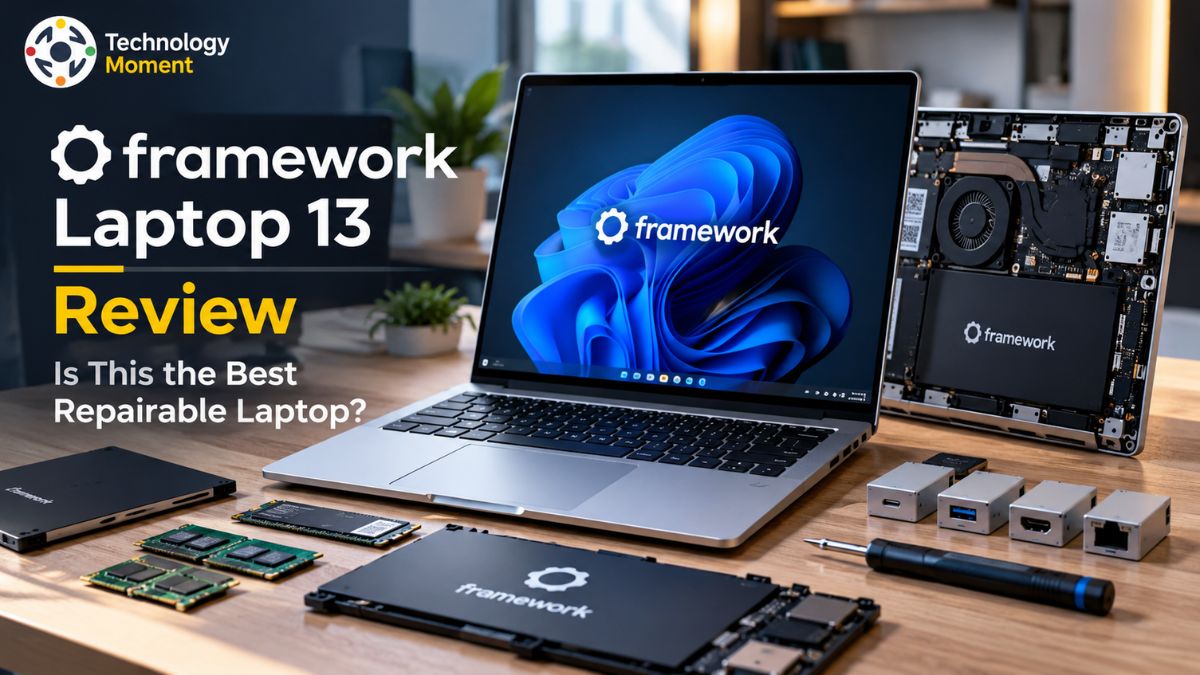
Repairability is the Framework Laptop 13’s biggest selling point. Unlike many laptops that restrict access to their internal hardware, this machine is designed to let owners open the chassis and replace individual components. Framework provides repair documentation, step-by-step guides, and replacement parts through its Marketplace. This makes routine maintenance more approachable for technology enthusiasts who want to understand their hardware instead of relying entirely on a repair shop.
Depending on the model and component, users can replace parts such as the battery, keyboard, display, speakers, storage drive, wireless module, and motherboard, which Framework calls the Mainboard. The exact procedure varies, and some repairs require more care than others. For example, replacing an SSD is generally a more straightforward task than disassembling the display assembly or disconnecting delicate ribbon cables. The included screwdriver and component-specific instructions help reduce the need for specialized tools, but beginners should still follow the relevant repair guide carefully.
Another advantage is the availability of replacement components through the Framework Marketplace. Instead of replacing an entire laptop after a damaged keyboard or worn battery, owners may be able to purchase and install only the affected part. This can extend the useful life of the device and potentially reduce electronic waste. Component prices, shipping, regional availability, warranty coverage, and the age of the laptop can all influence the final expense.
For people interested in the right-to-repair movement, the Framework Laptop 13 demonstrates how user-replaceable laptop components can make ownership more flexible. Its design is especially attractive to DIY enthusiasts and developers who are comfortable performing basic maintenance. Before purchasing, however, check the availability and price of replacement parts in your country. A repair-friendly design offers the greatest value when the necessary components remain accessible and affordable.
Framework Laptop 13 Upgradeability: How Future-Proof Is It?
The Framework Laptop 13 offers more upgrade flexibility than most conventional ultraportables. Its modular architecture allows owners to increase memory and storage, customize connectivity, and replace the Mainboard when they need a newer processor generation. This makes the laptop particularly interesting for developers and technology enthusiasts whose computing requirements may change over time. Instead of purchasing an entirely new computer for every major performance upgrade, owners can evaluate whether replacing a specific component will meet their needs.
Memory and storage are two of the most practical upgrade options. The 2025 AMD configuration supports DDR5-5600 memory, with capacities of up to 96GB, and NVMe SSD storage of up to 8TB, subject to compatibility. Users who initially choose a modest configuration may be able to add more memory or install a larger SSD later. Before buying any component, verify its specifications against the exact laptop generation and motherboard. Compatibility should never be assumed simply because a part fits physically.
Processor upgrades require a different approach. The CPU is integrated into the Mainboard, so moving to a newer processor involves replacing that board rather than removing the CPU independently. Framework’s continued motherboard compatibility across generations is a major part of its long-term ownership proposition. However, future upgrade availability, pricing, and compatibility depend on what the company releases. Buyers should treat future upgrades as a useful possibility rather than a guaranteed path to unlimited performance improvements.
The Expansion Card system adds another layer of customization by allowing users to select ports such as USB-C, USB-A, HDMI, DisplayPort, Ethernet, and card-reader options. This can help the laptop adapt to different work environments without requiring a completely new machine. The Framework Laptop 13 is a strong option for people who value upgradeability and laptop longevity. Its modular design can make future maintenance more practical, but the total cost of upgrades still matters. The smartest approach is to buy a configuration that meets current needs while keeping realistic expectations about future component prices and availability.
Framework Laptop 13 Performance: Is It Good for Developers?
The Framework Laptop 13 is designed for users who need a portable computer capable of handling demanding everyday workloads without sacrificing upgradeability. The 2025 AMD configuration offers Ryzen AI 300 Series processors, ranging from the Ryzen AI 5 340 to the more powerful Ryzen AI 9 HX 370. Depending on the configuration, this laptop can handle multitasking, software development, browser-based applications, code compilation, and other productivity tasks. Its performance makes it an appealing developer laptop for people who want workstation-like flexibility in a compact design.
For demanding workloads, the Ryzen AI 9 HX 370 configuration delivers particularly strong CPU performance. In testing by Tom’s Hardware, a system equipped with this processor scored 2,894 in Geekbench 6 single-core testing and 12,924 in multi-core testing. These results indicate that the laptop can handle substantial processing workloads, although actual performance depends on the processor, memory configuration, cooling, and power settings.
Its integrated Radeon graphics are suitable for everyday visual tasks and some light gaming, but users who need dedicated graphics for demanding 3D rendering or professional GPU workloads should consider a more specialized machine. For developers, the Framework Laptop 13 offers practical advantages beyond raw speed. Upgradeable RAM and SSD storage can accommodate growing projects, virtual machines, containers, and large development environments. Its customizable ports also make it easier to connect external displays and peripherals.
However, sustained heavy workloads can increase heat and fan noise, and the most powerful configuration may not deliver the best battery efficiency. The Framework Laptop 13 is a capable laptop for programming, productivity, and general development work. Buyers should select a processor according to their actual workload rather than assuming that the most expensive configuration is always necessary.
Framework Laptop 13 Battery Life: How Long Does It Last?
Battery life is one of the most important factors to consider when choosing a portable developer laptop. The Framework Laptop 13 includes a 61Wh battery in its 2025 AMD configuration, but real-world endurance varies with the processor, display, brightness, operating system, and workload. Lightweight browsing and document editing generally consume less power than compiling code, running virtual machines, or performing sustained CPU-intensive tasks. Consequently, battery life figures should be treated as test-specific results rather than guarantees of what every user will experience.
Published reviews highlight a potential weakness. Tom’s Hardware recorded 9 hours and 11 minutes for the AMD Ryzen AI 9 HX 370 model in its battery test, which involved web browsing, video streaming, and OpenGL workloads at 150 nits of brightness. Ars Technica reported approximately 8.5 hours in a PCMark Modern Office test using 200 nits of brightness. These results come from different testing methods, so they should not be interpreted as a direct comparison. They nevertheless suggest that battery endurance can be a compromise, particularly with the higher-performance processor and high-resolution display.
For developers who spend most of their working day near a power outlet, this limitation may be manageable. Remote workers, students, and frequent travelers should pay closer attention to independent battery tests before purchasing. Lowering screen brightness, selecting balanced power settings, and reducing unnecessary background activity may help extend runtime.
The replaceable battery offers another long-term advantage. Rather than abandoning the entire laptop when battery capacity deteriorates, owners can investigate replacing the battery to restore useful endurance. However, this does not eliminate the need to pay for replacement parts. The Framework Laptop 13 offers a reasonable balance between performance and portability, but buyers prioritizing all-day battery life should compare it carefully with competing ultraportables.
Framework Laptop 13 Linux Compatibility and Software Support
Linux compatibility is a major consideration for developers, system administrators, and open-source enthusiasts evaluating the Framework Laptop 13. Unlike some laptops that require extensive troubleshooting before basic hardware works correctly, Framework publishes model-specific Linux compatibility information, installation guidance, and community resources. Its 2025 AMD Ryzen AI 300 Series configuration supports several Linux distributions, making it an attractive option for users who prefer a Linux-compatible laptop for professional or personal projects.
Framework’s official compatibility documentation identifies supported distributions and provides guidance for hardware features such as Wi-Fi, Bluetooth, and fingerprint recognition. Kernel requirements vary by hardware generation. For the AMD Ryzen AI 300 Series, Framework lists Linux kernel 6.11 as the minimum, recommends version 6.15 or newer, and advises using the latest suitable release for the best experience. These requirements make it important to check the official compatibility page before installing an operating system or transferring an existing Linux installation.
Independent testing also supports the laptop’s appeal for Linux users. Phoronix tested the Ryzen AI 9 HX 370 configuration across distributions including Fedora, Ubuntu, Debian, openSUSE, and CachyOS. Its results demonstrate that the laptop can deliver strong Linux performance when paired with an appropriate software stack. Nevertheless, distribution versions, kernel releases, firmware, and graphics drivers can influence the experience. Users should not assume that every older distribution will support all features immediately.
Windows 11 is another option for buyers who depend on commercial applications, Microsoft development tools, or specific professional software. The prebuilt edition offers a more convenient setup, while the DIY Edition gives users greater control over hardware selection and operating-system installation. For developers, the Framework Laptop 13 combines Linux flexibility with repairability and upgradeable components. Checking the exact model’s official support documentation remains the best way to avoid compatibility surprises.
Framework Laptop 13 Long-Term Ownership Costs
The Framework Laptop 13 presents a different approach to laptop ownership. Instead of replacing an entire computer whenever storage becomes insufficient, a battery wears out, or a component fails, owners can investigate upgrading or replacing individual parts. This repairable laptop design may extend the device’s useful life and reduce electronic waste. However, whether it saves money depends on the initial purchase price, replacement-part costs, future upgrade decisions, and how long the laptop remains suitable for the owner’s needs.
The initial cost deserves careful consideration. The DIY Edition allows buyers to select compatible memory and storage, potentially reducing the upfront expense if they already own suitable components. The prebuilt version offers a more convenient starting point but includes the selected configuration and operating system. Buyers should compare the total price of the complete system rather than judging affordability by the base price alone. Additional Expansion Cards, larger SSDs, memory upgrades, and replacement components can increase the overall investment.
Repair expenses also vary. Replacing an SSD or battery may be more economical than purchasing a new laptop, but motherboard upgrades can be substantially more expensive. A newer Mainboard can provide access to a different processor generation while retaining compatible components, yet its price must be compared with that of a complete replacement laptop. Framework’s Marketplace and repair documentation help owners investigate available parts and repair procedures, although availability and shipping costs can differ by country.
For a realistic five-year cost-of-ownership comparison, calculate the initial purchase price, expected repairs, planned upgrades, accessories, and any replacement costs. Compare that total with competing laptops over the same period, using transparent assumptions rather than assuming that repairability automatically guarantees savings. The Framework Laptop 13 is particularly attractive to buyers who value control, customization, and longer-term maintenance. Its financial advantage is most convincing when owners use its upgrade options strategically and keep the laptop for several years. For buyers who rarely upgrade hardware or simply want the lowest purchase price, a conventional laptop may still offer better value.
Framework Laptop 13 vs Competitors
Choosing the right laptop involves more than comparing processor speeds or display quality. The Framework Laptop 13 stands out because it prioritizes repairability, upgradeability, and long-term ownership, while competitors such as the MacBook Air, Lenovo ThinkPad, and Dell XPS 13 focus on different combinations of portability, performance, battery life, and design. The best option depends on your workload, budget, and willingness to maintain your own hardware.
| Feature | Framework Laptop 13 (2025) | MacBook Air 13 (M4, 2025) | Lenovo ThinkPad | Dell XPS 13 |
|---|---|---|---|---|
| Primary advantage | Repairability and upgrades | Efficient everyday performance | Business productivity | Premium ultraportable design |
| Operating system | Windows or Linux | macOS | Primarily Windows; Linux support varies | Primarily Windows; Linux support varies |
| RAM upgrades | Replaceable, compatible DDR5 memory | Not user-upgradeable | Depends on model | Depends on model |
| SSD upgrades | Replaceable M.2 SSD | Generally not user-upgradeable | Depends on model | Depends on model |
| Battery replacement | Designed for serviceability | Requires servicing | Depends on model | Depends on model |
| Port flexibility | Swappable Expansion Cards | Fixed ports | Model-dependent | Model-dependent |
| Best for | DIY enthusiasts and developers | Apple ecosystem users | Business and professional users | Buyers prioritizing compact design |
Verdict: Choose the Framework Laptop 13 for repairability and customization. Consider the MacBook Air for macOS and silent operation, a suitable ThinkPad for business requirements, or the Dell XPS 13 for a premium Windows ultraportable. Always compare the exact configurations, battery tests, warranties, and total ownership costs before buying.
Framework Laptop 13 Pros and Cons
The Framework Laptop 13 offers a distinctive combination of portability, performance, and hardware flexibility. Its strongest advantage is that owners can replace and upgrade several components rather than treating the laptop as a sealed device. This is particularly useful for technology enthusiasts, developers, and people who prefer maintaining their computers over replacing them. The modular Expansion Card system also allows users to customize connectivity according to their needs, while compatible memory and storage upgrades provide room for changing workloads.
Another benefit is the availability of repair documentation and replacement components through Framework’s Marketplace. The laptop supports Windows and compatible Linux distributions, making it attractive to developers who value operating-system choice. However, buyers should verify the specifications and upgrade compatibility of their particular generation before purchasing parts.
There are also meaningful disadvantages. The initial purchase price can be higher than that of conventional laptops offering similar performance. Battery life is another consideration: Tom’s Hardware recorded 9 hours and 11 minutes in its test of the 2025 AMD Ryzen AI 300 configuration, although results vary with testing methods and usage. Some competitors offer more refined exterior designs, quieter operation, or longer battery endurance. Replacement-part availability and shipping costs can also vary by country.
Overall, the Framework Laptop 13 is best suited to buyers who genuinely value repairability, upgrade flexibility, and long-term ownership. People who prioritize the lowest upfront price, maximum battery life, or a completely seamless design should compare alternatives carefully. Its advantages are most valuable when users actively benefit from the ability to maintain and customize their hardware.
Frequently Asked Questions About Framework Laptop 13
Is the Framework Laptop 13 worth buying?
The Framework Laptop 13 is worth considering if repairability, upgradeability, and hardware customization are important to you. It offers replaceable components, configurable ports, and Windows or Linux support. However, its initial price and battery life should be compared with competing laptops. Buyers seeking the lowest purchase price or maximum battery endurance may find better alternatives, depending on their configuration and workload.
Can You Expand the RAM and Storage on the Framework Laptop 13?
Yes. Compatible Framework Laptop 13 generations support user-replaceable memory and M.2 NVMe SSD storage. The exact memory type, supported capacity, and compatibility depend on the motherboard and processor generation. Check Framework’s official documentation before buying components. Upgrading memory or storage can extend the laptop’s usefulness without requiring a complete replacement, although the cost of compatible parts should be included in your ownership budget.
What Battery Life Can You Expect From the Framework Laptop 13?
Battery life depends on the processor, display, brightness, operating system, and workload. In Tom’s Hardware testing, the 2025 AMD Ryzen AI 300 configuration lasted 9 hours and 11 minutes under its specific browsing, streaming, and graphics workload. Lighter tasks may provide different results, while intensive development work can reduce runtime. Compare independent tests using similar conditions before relying on any advertised battery-life figure.
Does the Framework Laptop 13 Work Well for Coding and Linux-Based Systems?
Yes. The Framework Laptop 13 is a strong option for programming because it combines capable processors, upgradeable memory and storage, and customizable ports. Framework also provides Linux compatibility documentation for supported distributions and hardware generations. Developers should verify kernel requirements, drivers, and compatibility with their preferred tools before installation. Processor choice matters too: routine coding needs less power than large builds, virtual machines, or demanding local workloads.
Is the Framework Laptop 13 environmentally friendly?
Its repairable design can support longer device lifespans by making component replacement and upgrades more practical. Framework also documents initiatives involving recycled materials and packaging. However, the laptop is not impact-free: manufacturing, transportation, electricity use, and eventual disposal all contribute to its environmental footprint. Its sustainability benefits depend partly on whether owners repair and maintain the device rather than replacing it unnecessarily.
How much does it cost to repair or upgrade the Framework Laptop 13?
Repair and upgrade costs vary by component, configuration, country, and shipping fees. Replacing an SSD or battery may be less expensive than purchasing another laptop, while a motherboard upgrade can require a substantial investment. Check the Framework Marketplace for current regional prices and compatible parts. Compare the total repair expense with replacement alternatives before deciding, and consider warranty coverage when estimating long-term ownership costs.
Framework Laptop 13 vs MacBook Air: Which is better?
The Framework Laptop 13 is better suited to buyers who prioritize repairability, replaceable components, and hardware customization. The MacBook Air is appealing to users who prefer macOS, fanless operation, and Apple’s integrated ecosystem. Neither is universally better. Compare performance, battery life, software requirements, purchase price, and upgrade needs. The right choice depends on whether hardware flexibility or a streamlined, low-maintenance experience matters more to you.