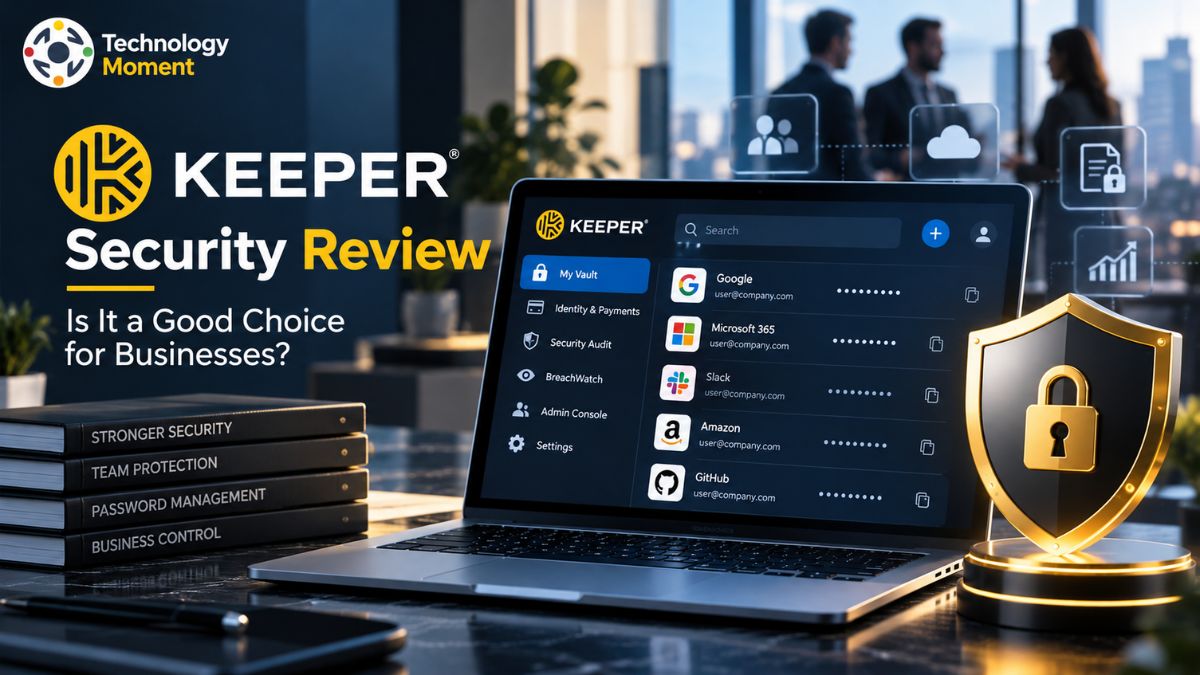
Managing passwords across a growing business is more challenging than it may seem. Employees use multiple applications, share access to important accounts, and handle sensitive information every day. Without a reliable system, weak passwords, unsecured sharing, and poorly managed employee permissions can create unnecessary security risks. This is where a business password manager can make a meaningful difference.
In this Keeper Security review, we take a closer look at whether Keeper is a practical choice for businesses that want to improve credential security without making everyday work unnecessarily complicated. Keeper provides an encrypted password vault, secure credential sharing, centralized administration, and access management features designed to help organizations protect their digital resources. Its business offerings also include tools for managing team permissions and enforcing security policies, with additional capabilities available for enterprise environments.
However, choosing a password management solution involves more than looking at its security features. Businesses also need to consider subscription costs, ease of deployment, integration with existing systems, administrator controls, and how well the platform fits their team’s workflow. A solution that works well for a small company may not necessarily meet the requirements of a larger organization with more complex access policies.
At Technology Moment, our goal is to help readers understand technology products through clear, practical, and balanced analysis. Throughout this review, we will examine Keeper Security’s key features, security approach, pricing considerations, advantages, limitations, and alternatives. By the end, you should have a clearer understanding of what Keeper offers, which businesses may benefit most from it, and what to evaluate before making a purchasing decision.
What Is Keeper Security Review?
Keeper Security Review is a cybersecurity platform that helps individuals and organizations protect passwords, digital credentials, and other sensitive information. Its business password management solution is designed to make storing, accessing, and sharing credentials more secure while giving administrators greater control over how employees use them. Instead of relying on spreadsheets, browser notes, or shared documents to manage passwords, businesses can use Keeper’s encrypted vaults to centralize credential storage.
For organizations with multiple employees, a business password manager can help reduce the risks associated with weak passwords, repeated credentials, and uncontrolled password sharing. Keeper allows users to store login details and other sensitive records in encrypted vaults, while business administrators can manage user access and security policies according to their organization’s requirements.
Keeper offers different plans for different business sizes. Business Starter is aimed at small teams, while the Business plan provides additional organizational and administrative capabilities. Enterprise is designed for organizations that need more advanced identity management, provisioning, and access governance features. Keeper also offers broader privileged access management capabilities through its KeeperPAM platform.
One important distinction is that Keeper is not simply a place to save passwords. Depending on the subscription, it can support secure credential sharing, centralized administration, integration with existing business systems, and more structured employee access management. For small businesses, the main attraction may be simpler password organization and safer sharing. Larger organizations may place greater value on administrator controls, identity integrations, and policy enforcement. Understanding these differences is essential before choosing a plan, because not every feature is included in every subscription.
Keeper Security Features for Businesses
Keeper Security provides a range of password management and access protection features designed to help businesses safeguard credentials without making everyday workflows unnecessarily complicated. Its central feature is an encrypted password vault where employees can organize login details and other sensitive records. This gives teams a more structured alternative to storing credentials in spreadsheets or sharing them through email and messaging applications.
Secure credential sharing is particularly useful for teams that need access to common business accounts. Depending on the plan and configuration, administrators can organize credentials into shared team folders and control which users can access particular records. These capabilities help businesses limit unnecessary exposure of sensitive information while making collaboration more manageable.
Another important capability is centralized administration. Business administrators can manage users, organize teams, and apply security policies through the administrative interface. More advanced plans offer additional organizational controls and integrations, which can help IT teams manage access as employees join, change roles, or leave the company. Keeper also supports multi-factor authentication (MFA), adding another verification step to account access when configured or required by the organization. Its security architecture uses zero-knowledge encryption and AES-256 encryption to protect vault information. Features such as autofill can also reduce the effort involved in accessing frequently used services.
For larger organizations, Keeper Enterprise offers capabilities such as single sign-on (SSO), SCIM provisioning, and directory integrations, subject to plan availability and configuration. These features can help connect password management with existing identity and access management processes. However, businesses should distinguish between features included in their chosen subscription and capabilities available through separate products or add-ons. Before purchasing, evaluate the required integrations, permission settings, reporting capabilities, and deployment requirements. The best business password manager is one that fits both the organization’s security policies and its employees’ daily workflows.
Keeper Security Pricing: How Much Does It Cost?
Keeper Security pricing depends on the subscription, number of users, billing terms, and additional security products an organization requires. Its business plans are designed for different levels of operational complexity, from small teams that need secure password storage to enterprises requiring centralized administration and advanced identity integrations. The following comparison uses the starting prices published in Keeper’s business-plan overview in July 2026. These are reference prices, not a guaranteed quote for every country or purchasing arrangement.
| Feature | Business Starter | Business | Enterprise |
|---|---|---|---|
| Starting price | $2/user/month | $4/user/month | $6/user/month |
| Billing basis | Annual | Annual | Annual |
| Best for | Small teams | Growing businesses | Larger organizations |
| Encrypted password vault | Included | Included | Included |
| Credential sharing | Included | Included | Included |
| Shared team folders | Check plan details | Included | Included |
| Administrative controls | Core controls | Expanded controls | Advanced controls |
| SSO and SCIM provisioning | Check availability | Check availability | Supported capabilities |
| Directory integrations | Limited or plan-dependent | Expanded integrations | Advanced integrations |
| Advanced access governance | Limited | Plan-dependent | More extensive capabilities |
Pricing and feature availability should be confirmed on the official Keeper Business and Enterprise pricing page before publication or purchase.
Keeper Business Starter may suit small teams that need a central password vault, autofill, and basic credential sharing. Keeper Business is more appropriate for organizations that require shared team folders, delegated administration, and broader organizational controls. Keeper Enterprise is aimed at businesses that need advanced provisioning, role-based access controls, and enterprise identity integrations. Subscription cost is only one part of the decision. Businesses should also check minimum user requirements, optional add-ons, taxes, renewal terms, and the cost of any additional privileged access management products.
Keeper offers business free trials, so eligible organizations can test the interface and confirm whether the required features are available before committing. Overall, Keeper’s value depends on how much administrative control and security functionality a business needs. Compare the complete subscription cost with the time saved managing credentials and the potential benefits of stronger access controls.
Security and Privacy: Is Keeper Password Manager Safe?
Keeper Security uses a zero-knowledge security architecture designed to protect stored credentials and sensitive information from unauthorized access. According to its published security documentation, vault data is encrypted locally on the user’s device, and Keeper does not have access to the keys required to decrypt users’ vault contents.
Keeper uses AES-256 encryption to protect vault records, including passwords and other sensitive information. It also applies additional encryption protections to data transmitted between user devices and its infrastructure. These measures are intended to reduce the risk of sensitive information being exposed during storage or transmission. Another important security feature is multi-factor authentication (MFA). When enabled or enforced by an administrator, MFA adds a verification step beyond the primary login method. Businesses can also evaluate available administrator policies, user permissions, and access controls to help ensure employees only have access to the credentials they need for their roles.
For organizations with more complex security requirements, Keeper Enterprise offers additional capabilities related to authentication, provisioning, and access governance. However, these features should be checked against the selected subscription and the organization’s existing identity management setup. It is important to remember that strong encryption alone does not eliminate every security risk. Weak master passwords, compromised employee devices, phishing attacks, poor permission management, and improperly configured accounts can still create vulnerabilities. Businesses should combine a password manager with employee security training, MFA enforcement, appropriate access policies, and regular reviews of user permissions.
So, is Keeper password manager safe for business passwords? Its published encryption architecture provides a strong foundation for credential protection, but actual security also depends on deployment and configuration. Before adopting Keeper, review its current security documentation, compliance information, recovery procedures, and administrative controls to determine whether they meet your organization’s requirements.
Team Password Sharing and Access Controls
Secure team password sharing is an important consideration for businesses that manage multiple applications, employee accounts, and confidential records. Keeper Security helps organizations centralize credential sharing through shared folders, individual record permissions, and team-based access management.
Instead of sending passwords through email or messaging applications, employees can share credentials within a controlled environment. Keeper allows administrators to organize employees into teams and assign access to relevant records or shared folders. This approach helps businesses give employees the access they need without automatically exposing every credential to the entire organization.
Another useful capability is role-based access control (RBAC). Keeper roles allow administrators to define permissions and apply security policies according to job responsibilities. For example, an IT administrator may receive broader management privileges, while a standard employee may only access credentials assigned to their team. Organizations can also configure policies for authentication, sharing, and other vault activities.
Keeper supports time-limited sharing options that can be useful when working with external contractors or temporary collaborators. One-Time Share allows eligible records to be shared through an expiring link, including with recipients who do not have a Keeper account. Access to existing shared records can also be revoked or adjusted when circumstances change.
These features can make employee onboarding, offboarding, and routine access reviews more manageable. However, administrators still need to configure permissions carefully, review shared folders regularly, and remove access when it is no longer required. For businesses comparing password sharing software, Keeper offers a structured approach to credential management. Its effectiveness ultimately depends on selecting the right subscription, applying least-privilege access policies, and ensuring that employees understand how to use shared vaults securely.
Deployment, Integrations and Ease of Use
Deployment and usability can significantly influence whether a business password manager delivers value after purchase. Keeper Security provides a web vault, desktop applications, mobile apps, and browser extensions, allowing employees to manage credentials across different devices. Its centralized administration tools also help IT teams organize users, assign roles, and establish security policies during implementation.
For organizations with existing identity infrastructure, Keeper supports integrations with services such as Microsoft Entra ID, Active Directory, LDAP, and SAML-compatible identity providers. Depending on the plan and configuration, SCIM provisioning can also help automate user and group management. These integrations are particularly relevant to businesses that want password management to fit into established employee onboarding and authentication workflows rather than operate as an isolated system
The deployment process generally involves configuring administrator roles, establishing enforcement policies, inviting employees, and importing or creating password records. Organizations can use supported import methods to migrate existing credentials, although the quality of the migration experience may depend on the source application, data format, and integration requirements.
Keeper’s interface is designed to make routine tasks such as saving passwords, accessing vault records, and sharing credentials relatively straightforward. However, ease of use can vary across devices and browser environments. Some organizations may also need additional IT resources to configure directory integrations, troubleshoot synchronization issues, or train employees on new security procedures.
Before implementation, businesses should identify their required integrations, test browser autofill, review migration options, and confirm that the chosen plan supports their administrative requirements. A pilot deployment with a small employee group can help uncover usability issues before a company-wide rollout. Keeper offers deployment options suitable for different organizational sizes. Its suitability depends on the complexity of the existing IT environment, the level of centralized control required, and how easily employees can adopt the platform in their daily work.
Keeper Security Pros and Cons
Keeper Security offers several advantages for organizations looking to improve business password security. One of its main strengths is centralized credential management, which provides employees with a dedicated place to store passwords and other sensitive records. Instead of relying on spreadsheets or informal sharing methods, teams can use encrypted vaults and permission-based sharing to organize access more consistently. Its zero-knowledge security architecture and AES-256 encryption are additional considerations for businesses evaluating credential protection.
Another advantage is its administrative flexibility. Keeper supports teams, role-based access controls, and configurable security policies. Organizations with more advanced requirements can also evaluate enterprise integrations and provisioning capabilities. These features can make Keeper relevant to growing businesses that need stronger oversight as employee numbers and application access increase. Its web, desktop, and mobile options provide flexibility for employees working across different devices.
However, Keeper also has limitations worth considering. The overall subscription cost can increase when a business requires additional products, advanced capabilities, or specialized integrations. Organizations should compare the complete cost with competing business password managers rather than relying exclusively on the advertised starting price.
Ease of implementation may also vary. Some teams can adopt basic password management quickly, while larger organizations may need IT support for identity integrations, migration, permission configuration, and employee training. Customer reviews have also highlighted occasional concerns about browser integration, migration difficulties, and user adoption, although individual experiences differ.
Another potential challenge is employee adoption. A password manager provides limited practical value if staff continue sharing credentials through insecure channels or avoid using the platform consistently. Clear policies, onboarding, and ongoing training are therefore important. Keeper’s strengths include encrypted storage, controlled sharing, and centralized administration. Its main trade-offs are potential costs, configuration effort, and the need to support consistent employee adoption. Businesses should test the features they need and compare alternative products before making a final purchasing decision.
Keeper Security vs. Competitors: Detailed Comparison
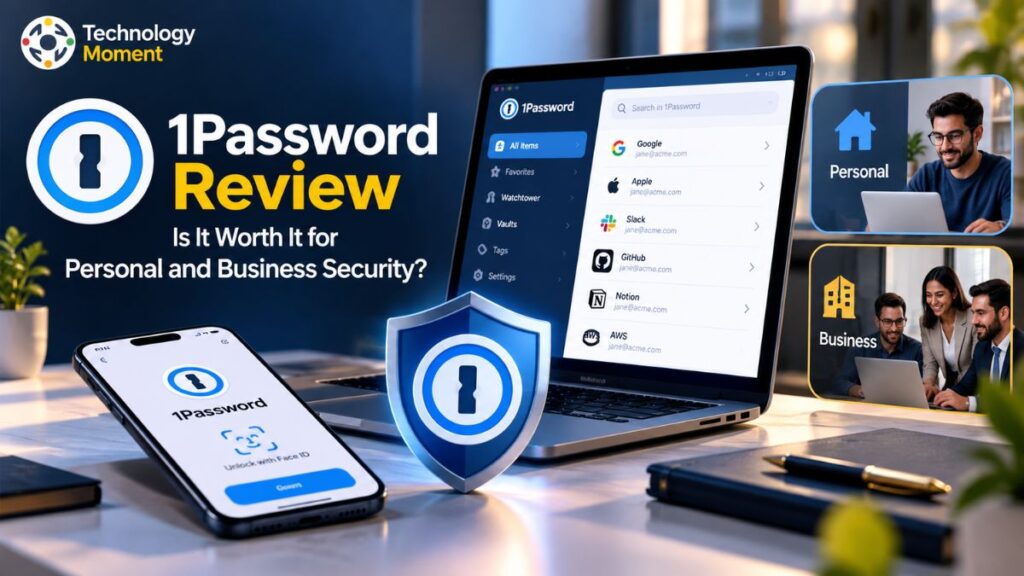
Choosing the right business password manager requires comparing more than password storage. Businesses should evaluate security architecture, team password sharing, administrator controls, identity integrations, deployment requirements, and subscription costs. Keeper Security competes with solutions such as 1Password Business, Bitwarden Business, Dashlane Business, LastPass Business, and NordPass Business. Each platform offers a different combination of usability, security management, and enterprise functionality.
The following table provides a practical comparison for organizations evaluating business password management software. Feature availability can vary by subscription, so confirm the latest vendor documentation before purchasing.
| Comparison criteria | Keeper Security | 1Password Business | Bitwarden Business | Dashlane Business | LastPass Business | NordPass Business |
|---|---|---|---|---|---|---|
| Primary focus | Password management and enterprise access controls | Business password management | Secure credential management and sharing | Password security and workforce protection | Business password management | Business password and credential security |
| Encrypted password vault | Yes | Yes | Yes | Yes | Yes | Yes |
| Team password sharing | Shared folders and record permissions | Shared vaults and access permissions | Collections and organization sharing | Business sharing capabilities | Shared folders and access controls | Shared items and business access controls |
| Administrator console | Yes | Yes | Yes | Yes | Yes | Yes |
| Role-based access control | Advanced options on eligible plans | Available through business administration | Available on eligible plans | Plan-dependent controls | Plan-dependent controls | Plan-dependent controls |
| SSO and identity integrations | Available on eligible plans | Available on eligible plans | Available on eligible plans | Available on eligible plans | Available on eligible plans | Available on eligible plans |
| Security reporting | Security audits and reporting options | Business reporting capabilities | Vault health reports and enterprise options | Security monitoring and reporting | Administrative and security reporting | Business administration and security features |
| Pricing approach | Per-user subscriptions; enterprise quotes may apply | Per-user business subscription | Published per-user business plans | Plan-dependent business pricing | Plan-dependent business pricing | Plan-dependent business pricing |
| Best evaluation priority | Enterprise administration and credential security | Employee experience and integrations | Cost flexibility and technical requirements | Workforce security and monitoring | Existing workflows and administration | Ease of use and business credential management |
This is a qualitative feature comparison, not a claim that every feature is included in every vendor’s base plan.
Keeper Security is worth considering for businesses that prioritize centralized administration, shared team folders, and enterprise access management. 1Password Business may appeal to organizations that value granular vault permissions and employee usability, while Bitwarden Business is worth comparing for its published per-user pricing and technical flexibility.
Dashlane, now offering its professional password management under the Omnix name, is another option for organizations evaluating workforce credential protection. LastPass provides shared folders, group management, and configurable security policies, while NordPass offers business plans with credential sharing and enterprise identity integrations.
Before deciding, test the products, compare equivalent subscription tiers, and confirm whether essential capabilities such as SSO, automated provisioning, security reporting, and administrator policies are included or require additional payment.
Is Keeper Security Worth It for Businesses?
Keeper Security can be a worthwhile investment for businesses that want to replace informal password-sharing practices with centralized credential management. Its encrypted vaults, shared team folders, administrator console, and configurable access policies provide a structured way to manage employee credentials. These features can be particularly useful for organizations that rely on multiple cloud applications, remote employees, or shared business accounts.
For small businesses, the main benefit is having a central location for passwords instead of relying on spreadsheets or messages. Keeper Business Starter may be sufficient for basic credential management, while the Business plan provides additional administration capabilities. Larger organizations can evaluate Keeper Enterprise for advanced provisioning, SSO, directory synchronization, and role-based access control.
Cost is an important consideration. Subscription expenses increase with the number of employees, and optional products or advanced reporting capabilities may add to the total. Businesses should calculate the annual cost per employee, review minimum seat requirements, and compare equivalent features across competing providers. A free trial can help determine whether the platform fits existing workflows before a paid deployment.
Keeper is not automatically the right choice for every organization. A small team with straightforward requirements may prefer a simpler or less expensive password manager, while a larger company may need deeper identity integrations, compliance reporting, or privileged access management. The decision should be based on the organization’s security requirements rather than the number of features advertised. Keeper Security is worth evaluating if secure password storage, controlled team sharing, and centralized administration are business priorities. Test the required features, verify current pricing, and compare alternatives before making a final purchasing decision.
Frequently Asked Questions About Keeper Security
Is Keeper Security good for businesses?
Keeper Security can be a strong option for businesses that need encrypted password storage, secure team sharing, and centralized administrator controls. Its business plans support credential management for small teams and larger organizations. However, the best fit depends on your budget, integration requirements, and security policies. Businesses should test essential features during the free trial before selecting a subscription.
What Is the Pricing Structure of Keeper Security for Businesses?
Keeper Security provides several subscription options for organizations, including Business Starter, Business, and Enterprise. Each package comes with its own capabilities and purchasing conditions. Optional add-ons and supplementary services can also affect the overall expense. Before choosing a plan, visit Keeper Security’s official pricing page to confirm the latest rates, payment options, minimum user requirements, and applicable taxes in your region.
Is Keeper password manager safe for business passwords?
Keeper uses zero-knowledge encryption architecture and AES-256 encryption to protect stored vault information. It also offers multi-factor authentication and administrative access controls. These features can strengthen credential security, but no password manager eliminates every risk. Businesses should enforce appropriate security policies, protect employee devices, train staff against phishing, and regularly review permissions to maintain effective protection.
What are the best alternatives to Keeper Security?
Popular alternatives include 1Password Business, Bitwarden Business, Dashlane’s business password management offering, LastPass Business, and NordPass Business. Each provides a different combination of password sharing, administration, identity integrations, and pricing. Compare equivalent subscription tiers and verify essential features before deciding. The right alternative depends on your organization’s security requirements, employee experience, IT environment, and available budget.
Does Keeper Security support team password sharing and administrator controls?
Yes. Keeper supports shared team folders, credential sharing, and centralized administration. Enterprise subscriptions provide additional capabilities, including advanced provisioning and role-based access control. Businesses should verify the exact features available in their selected subscription before deployment.