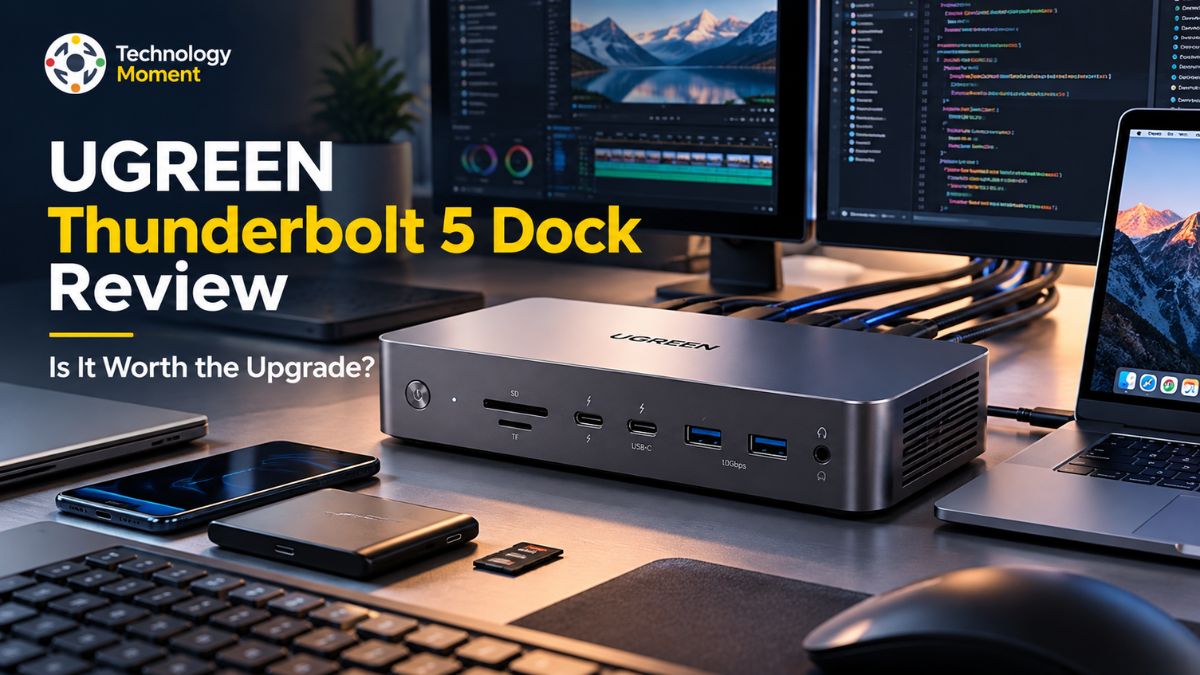
A modern laptop can handle demanding professional workloads, but limited ports and connectivity options can make building a productive workstation challenging. Connecting multiple monitors, transferring large files, charging a laptop, and managing external peripherals often requires several adapters and cables. This is where a high-performance docking station can make a meaningful difference. The UGREEN Thunderbolt 5 Dock aims to simplify that experience by bringing high-speed connectivity, display expansion, and laptop charging together in one desktop solution.
In this UGREEN Thunderbolt 5 Dock review, Technology Moment explores whether this docking station delivers enough practical value to justify its place in a professional setup. We examine its advertised transfer speeds, multi-monitor capabilities, power delivery, port selection, compatibility, and overall value for money. We also consider how the different UGREEN Maxidok configurations compare and what buyers should know before choosing between them.
Thunderbolt 5 promises greater bandwidth and expanded display capabilities, making it particularly relevant for video editors, software developers, creative professionals, and users who rely on multiple high-resolution monitors. However, headline specifications alone do not determine whether a docking station is the right investment. Your laptop’s capabilities, operating system, connected displays, peripheral requirements, and budget all influence the experience.
Throughout this review, Technology Moment focuses on the details that matter when making an informed purchasing decision, including potential limitations and alternatives worth considering. Whether you are upgrading from a Thunderbolt 4 dock or building a new workstation, our goal is to help you understand what this dock offers, where it may fall short, and whether its features align with your everyday workflow. By the end, you will have a clearer picture of whether the UGREEN Thunderbolt 5 Dock deserves a place on your desk.
UGREEN Thunderbolt 5 Dock Review at a Glance
The UGREEN Thunderbolt 5 Dock is designed for laptop users who need more connectivity than a typical USB-C hub can provide. As modern laptops increasingly prioritize slim designs, users often find themselves short of ports for external monitors, storage drives, wired networking, and other essential peripherals. The UGREEN Maxidok series addresses this problem by combining high-speed connectivity, display expansion, and laptop charging in a single workstation accessory.
It is available in two configurations: the Maxidok 10-in-1 and Maxidok 17-in-1, each targeting slightly different requirements. Both models feature Thunderbolt 5 connectivity with advertised bandwidth of up to 120Gbps under supported Bandwidth Boost conditions. They also provide two downstream Thunderbolt 5 ports and DisplayPort 2.1 for compatible displays. However, their practical capabilities differ. The 10-in-1 model delivers up to 100W of laptop charging and includes Gigabit Ethernet, USB-A connections, and SD and microSD card readers.
The 17-in-1 version expands connectivity with additional USB-C ports, 2.5GbE Ethernet, higher host charging capacity of up to 140W, and an M.2 NVMe SSD slot supporting drives up to 8TB. These differences matter when evaluating the UGREEN Thunderbolt 5 docking station’s specifications and overall value. Someone building a straightforward office setup may not need the additional connections, while video editors, developers, and professionals managing large files could benefit from the expanded capabilities of the 17-in-1 version.
Before purchasing, check the official specifications, regional pricing, warranty terms, and laptop compatibility. Understanding which model suits your workflow is the first step toward deciding whether this high-speed docking station deserves a place on your desk.
Design, Build Quality and Everyday Usability
A docking station should improve your workspace without introducing unnecessary clutter or inconvenience. The UGREEN Maxidok series follows a desktop-focused design approach, bringing multiple connections together in a single unit rather than requiring separate adapters for every peripheral. Its metal construction gives the product a professional appearance that can complement a home office, creative studio, or multi-monitor workstation.
The compact footprint is particularly useful for users who want to keep their laptop, keyboard, displays, and external storage organized without filling the desk with additional accessories. The two configurations differ in their approach to cooling and everyday operation. The Maxidok 10-in-1 uses a passively cooled design, making it appealing to users who prefer silent operation. The larger 17-in-1 model includes active cooling to manage heat during demanding workloads.
In its review, PCWorld reported that the 17-in-1 remained stable during extended use, with its fan becoming more noticeable under sustained load but remaining relatively discreet. These observations are useful indicators, although the experience can vary with ambient temperature, connected devices, and workload. Everyday usability also depends on the placement and accessibility of the ports. Frequently connected accessories, memory cards, and USB devices should be easy to reach, while permanent connections for monitors and networking benefit from a tidy cable arrangement.
The 10-in-1 model’s integrated host cable is another consideration because it offers less flexibility if the cable is damaged or the desk layout changes. Ultimately, the UGREEN Thunderbolt 5 Dock’s design is most valuable when it simplifies your daily routine. Buyers should weigh physical convenience, cooling preferences, cable flexibility, and port accessibility alongside its technical specifications.
Thunderbolt 5 Transfer Speeds and Real-World Performance
Transfer speed is one of the main reasons professionals consider upgrading to a Thunderbolt 5 docking station. The interface supports up to 80Gbps of bidirectional bandwidth, with Bandwidth Boost enabling up to 120Gbps in one direction for supported display-intensive workloads. This additional capacity can help accommodate demanding display configurations while retaining bandwidth for other connected devices.
However, the advertised 120Gbps figure should not be interpreted as a guarantee that every file transfer will reach that speed. Actual throughput depends on the connected laptop, storage device, cable, workload, and the way bandwidth is shared between peripherals. The UGREEN Thunderbolt 5 Dock is particularly relevant for users who regularly move large video files, photo libraries, software projects, or backups. With a compatible Thunderbolt 5 laptop and suitable external storage, its high-bandwidth connection can reduce transfer bottlenecks compared with slower USB connections.
The 17-in-1 model adds another advantage through its built-in M.2 NVMe SSD slot, allowing users to install compatible storage without placing a separate SSD enclosure on the desk. PCWorld reported sequential read speeds of approximately 3,900MB/s with an SSD installed in the 17-in-1 model during its testing. This is an independently reported result, not a guaranteed speed for every drive or setup. When evaluating the UGREEN Thunderbolt 5 Dock’s real-world performance, distinguish interface bandwidth from measured storage throughput.
A Thunderbolt 4 laptop, USB4 system, or slower external SSD may limit performance even when connected to a Thunderbolt 5 dock. For the most meaningful comparison, examine sustained read and write speeds, large-file transfers, stability under load, and performance with multiple peripherals connected simultaneously. Users who mainly browse the web or work with ordinary office documents may notice little practical difference, whereas creators and professionals handling large files may have more reason to invest in Thunderbolt 5.
Monitor Support and Multi-Display Performance
For professionals who work across several applications, monitor support can be just as important as transfer speed. A capable multi-monitor dock makes it possible to connect external displays, organize windows across a larger desktop, and reduce the need to reconnect cables whenever a laptop moves between locations. The UGREEN Thunderbolt 5 Dock series combines Thunderbolt 5 outputs with DisplayPort 2.1, offering flexible display connectivity for compatible laptops and monitors. Nevertheless, the number of displays you can use, their maximum resolutions, and their supported refresh rates depend on the complete system rather than the dock alone.
UGREEN lists support for dual 8K displays on compatible Windows systems and dual 6K displays on compatible Mac systems for the Maxidok series. Triple-display extended mode is supported only when the host computer has a Thunderbolt 5 port, according to the manufacturer’s product information. These distinctions are important because a laptop’s graphics hardware, operating system, display engine, and available bandwidth can affect the final configuration.
Before buying the UGREEN Thunderbolt 5 Dock for dual monitors, check your laptop manufacturer’s display-support documentation and confirm which ports your monitors use. DisplayPort connections may require a suitable cable or adapter for monitors equipped with HDMI inputs. Also verify whether your intended setup supports extended desktops rather than mirrored output, particularly if you use multiple displays for coding, video editing, financial analysis, or design work.
The practical benefit of the dock is not simply its advertised maximum resolution. It is the ability to build a reliable workstation around the displays you actually own. If your workflow requires two high-resolution screens, confirm that your laptop supports that arrangement before purchasing. If you need three independent displays, verify Thunderbolt 5 host compatibility and the specific operating-system requirements. This preparation helps ensure that the dock’s display capabilities translate into a useful everyday upgrade rather than an unexpected compatibility limitation.
Power Delivery and Laptop Charging
Power delivery is an important consideration when choosing a docking station for a professional workstation. The UGREEN Thunderbolt 5 Dock allows compatible laptops to receive power while connected to external monitors, storage drives, and other peripherals, reducing the need for a separate charging connection. However, charging capacity varies between the Maxidok 10-in-1 and 17-in-1 models. The 10-in-1 supports up to 100W of laptop charging, while the 17-in-1 provides up to 140W through its more powerful 240W power adapter. These differences make it important to select a configuration that matches your laptop’s charging requirements.
For professionals using a MacBook Pro or a high-performance Windows laptop, sufficient power delivery can help maintain battery charge during demanding work sessions. Software development, video editing, large file transfers, and multi-monitor productivity can increase power consumption, so the available charging wattage matters. Nevertheless, the maximum advertised output does not mean every laptop will draw that amount of power. Actual charging depends on the laptop’s supported USB Power Delivery specifications and its current power requirements.
The distinction between laptop charging and total dock power is equally important. The 10-in-1 model’s 140W adapter and the 17-in-1 model’s 240W adapter supply the dock and its connected devices, whereas their maximum host charging outputs are 100W and 140W, respectively. The 17-in-1 also offers additional power for compatible connected peripherals through selected USB-C ports.
Before buying, compare your laptop’s original charger rating with the dock’s supported output. If your computer mainly handles office applications and everyday browsing, 100W may be sufficient. Users with more power-hungry laptops or additional powered accessories may benefit from the 17-in-1 model’s greater capacity.
Port Selection, Connectivity and Storage Expansion
The UGREEN Thunderbolt 5 Dock series combines display connectivity, USB expansion, networking, and memory card access in a single desktop accessory. Both the Maxidok 10-in-1 and 17-in-1 include two downstream Thunderbolt 5 ports, a DisplayPort 2.1 connection, three USB-A ports, and SD and microSD card readers. This arrangement supports common workstation peripherals, including external monitors, keyboards, mice, compatible storage drives, and memory cards.
The 17-in-1 configuration provides more extensive connectivity for users who regularly work with several devices. Alongside its USB-A ports, it adds three 10Gbps USB-C ports, 2.5GbE Ethernet, and an M.2 NVMe SSD slot supporting compatible drives up to 8TB. Its additional USB-C connections can help accommodate newer peripherals without relying entirely on adapters. By comparison, the 10-in-1 offers Gigabit Ethernet and does not include the built-in M.2 SSD expansion available on the standard 17-in-1 model. The 10-in-1 also lacks dedicated audio ports, which may matter to users who prefer wired headphones or external audio equipment.
The built-in M.2 NVMe SSD slot is particularly useful for video editors, photographers, developers, and other professionals who need convenient access to large project files. It can reduce desk clutter by combining storage expansion and docking functionality in one device. However, buyers should check supported SSD specifications and remember that actual transfer speeds depend on the installed drive and workload.
Overall, the 10-in-1 suits users seeking essential workstation connectivity, while the 17-in-1 is better suited to more demanding setups. Compare the complete port layout, Ethernet speed, card-reader performance, audio requirements, and storage options before deciding which model offers better value.
Compatibility With MacBook, Windows and USB4 Laptops
Compatibility deserves careful attention before purchasing the UGREEN Thunderbolt 5 Dock, particularly if you intend to connect multiple high-resolution monitors. Although Thunderbolt 5 uses the USB-C connector, not every USB-C port supports the same data rates, display capabilities, or charging features. The dock is designed for compatible Thunderbolt 5 systems and also supports Thunderbolt 4 and USB4 connections, but the available functionality depends on the host device. UGREEN’s compatibility guidance specifically excludes Windows laptops equipped with Thunderbolt 3 from the supported configurations, so owners of older machines should verify their exact model before buying.
For MacBook Pro and MacBook Air users, the number of supported external displays is particularly important. UGREEN lists dual 6K display support on compatible macOS systems, while dual 8K support is listed for compatible Windows systems. However, these advertised configurations should not be treated as universal guarantees. The MacBook’s specific chip, operating system, display engine, and supported external monitor count can all affect the result. UGREEN’s European product information also specifies macOS 15 or later for MacBook compatibility with this dock series.
USB4 compatibility also requires some caution. A compatible USB4 laptop may connect successfully without providing every feature available through Thunderbolt 5. In particular, some USB4 systems may not support dual monitors through this docking station. Similarly, connecting a Thunderbolt 4 laptop does not automatically deliver Thunderbolt 5’s maximum bandwidth.
Before purchasing, check your laptop’s official specifications, supported monitor configurations, charging requirements, and operating-system version. Confirm whether your monitors use DisplayPort or HDMI, as suitable cables or adapters may be necessary. Using the supplied Thunderbolt 5 cable or a certified replacement is also advisable. These checks help avoid compatibility surprises and ensure that the dock’s display, charging, and connectivity features match your intended workstation setup.
UGREEN Thunderbolt 5 Dock Pros and Cons
The UGREEN Thunderbolt 5 Dock series offers several advantages for professionals who need more than a conventional USB-C hub. Its main strengths include high-bandwidth Thunderbolt 5 connectivity, support for demanding multi-monitor configurations, laptop charging, and a broad selection of workstation connections. The Maxidok 17-in-1 adds useful features such as 2.5GbE Ethernet, three additional USB-C ports, and an integrated M.2 NVMe SSD slot. These features can make it an appealing option for video editors, software developers, photographers, and professionals managing large files across multiple devices. Independent testing by PCWorld also praised the 17-in-1 model’s build quality and stable performance under sustained workloads.
However, there are limitations to consider. The purchase price may be difficult to justify for users who mainly perform basic office tasks, browse the web, or connect a single external display. The benefits of Thunderbolt 5 are also less compelling when the host laptop cannot support its higher bandwidth or display capabilities. The Maxidok 10-in-1 has a more limited selection of USB-C and audio connections, and its integrated upstream cable reduces replacement flexibility. Macworld identified these design compromises, along with the model’s power and card-reader limitations, as notable drawbacks.
Another consideration is that the dock’s advertised specifications do not guarantee identical results across all systems. Monitor support, charging performance, storage speeds, and backward compatibility depend on the connected hardware and operating system. Buyers should also remember that the standard 10-in-1 and 17-in-1 models differ significantly in their port selection and storage capabilities.
Overall, the UGREEN Thunderbolt 5 Dock is worth considering for users building a demanding workstation, provided their laptop supports the features they intend to use. Those with simpler connectivity needs may find a less expensive Thunderbolt 4 or USB-C docking station more practical. The right choice ultimately depends on compatibility, required ports, workload, and budget.
UGREEN Maxidok vs. Competitors and Alternatives
Choosing the best Thunderbolt 5 docking station depends on more than maximum bandwidth. Port selection, laptop charging, external display support, networking, storage expansion, and price all influence long-term value. The UGREEN Maxidok series offers two configurations, allowing buyers to choose between essential workstation connectivity and a more comprehensive desktop setup.
| Feature | UGREEN Maxidok 10-in-1 | UGREEN Maxidok 17-in-1 | CalDigit TS5 | CalDigit TS5 Plus |
|---|---|---|---|---|
| Thunderbolt | Thunderbolt 5 | Thunderbolt 5 | Thunderbolt 5 | Thunderbolt 5 |
| Total ports | 10 | 17 | 15 | 20 |
| Maximum host charging | 100W | 140W | 140W | 140W |
| Ethernet | 1GbE | 2.5GbE | 2.5GbE | 10GbE |
| Display connectivity | DisplayPort 2.1, Thunderbolt | DisplayPort 2.1, Thunderbolt | Thunderbolt, DisplayPort 2.1 | Thunderbolt, DisplayPort 2.1 |
| Built-in M.2 SSD slot | No | Yes, up to 8TB | No | No |
| Power adapter | 140W | 240W | 240W | 330W |
| Best suited for | Essential workstation expansion | Storage-intensive workflows | Premium general-purpose setups | Demanding professional workstations |
| Indicative US price | $299.99 | $499.99 list price | $399.99 | $499.99 |
Specifications and list prices are based on manufacturer information; promotional prices vary. The listed prices are not guaranteed current checkout prices.
The UGREEN Maxidok 10-in-1 is the more affordable entry point, offering Thunderbolt 5 bandwidth, display expansion, and 100W laptop charging. The 17-in-1 adds 2.5GbE networking, 140W host charging, more USB-C connections, and integrated SSD expansion. These additions make it attractive for users who want fewer separate accessories.
CalDigit’s TS5 Plus is a stronger alternative for professionals who need 10GbE networking, additional ports, and broader display flexibility. Its higher-end specifications may justify the premium for demanding workflows. However, users who do not need these extras may find the UGREEN models more practical.
Is the UGREEN Thunderbolt 5 Dock Worth Buying?
The UGREEN Thunderbolt 5 Dock can be a worthwhile investment if your laptop and workload can take advantage of its connectivity features. Its combination of high-bandwidth Thunderbolt 5 connections, multiple display outputs, laptop charging, and peripheral expansion makes it appealing to developers, creative professionals, and users building multi-monitor workstations. The choice between the Maxidok 10-in-1 and 17-in-1 depends largely on how many connections you need and whether integrated storage expansion is valuable to your workflow.
For users who primarily connect one or two monitors, a keyboard, a mouse, and an external drive, the 10-in-1 may offer sufficient functionality without paying for additional ports. Its 100W laptop charging and Gigabit Ethernet can suit many conventional professional setups. By contrast, the 17-in-1 is worth considering if you need 2.5GbE networking, additional USB-C ports, higher host charging capacity, or an internal M.2 NVMe SSD slot.
However, upgrading from a Thunderbolt 4 dock is not automatically worthwhile. If your existing dock meets your display, charging, and connectivity requirements, the additional bandwidth may provide limited everyday benefits. Likewise, compatibility restrictions can prevent older laptops from using all the features advertised for Thunderbolt 5.
Price also matters. Compare the current selling price with alternatives such as the CalDigit TS5 and TS5 Plus, particularly if you need more networking bandwidth or a different port configuration. Published reviews have also identified performance limitations with certain features of the UGREEN 17-in-1, including its integrated SSD and Ethernet performance, so buyers should examine independent test results rather than relying solely on specifications.
Verdict: The UGREEN Maxidok is worth considering for a new, compatible workstation, especially when its particular port combination meets your needs. Choose the 10-in-1 for essential expansion or the 17-in-1 for integrated storage and broader connectivity. If your current dock already performs well, upgrade only when you can identify a meaningful improvement to your workflow.
Frequently Asked Questions About the UGREEN Thunderbolt 5 Dock
Is the UGREEN Thunderbolt 5 dock worth buying?
The UGREEN Thunderbolt 5 Dock is worth considering if you need high-speed connectivity, multiple external displays, and laptop charging through one connection. The 10-in-1 suits users who need essential workstation expansion, while the 17-in-1 adds integrated SSD storage, 2.5GbE networking, and more USB-C ports. Before buying, verify laptop compatibility and compare the current price with competing docking stations.
How fast is the UGREEN Thunderbolt 5 dock?
The UGREEN Maxidok advertises Thunderbolt 5 bandwidth of up to 120Gbps with Bandwidth Boost under supported conditions. This is interface bandwidth, not a guaranteed file-transfer speed. Actual throughput depends on the laptop, connected storage, cables, and workload. Users transferring large video files or project backups may benefit most, provided their devices support the necessary connection speeds.
How many monitors does the UGREEN Thunderbolt 5 dock support?
UGREEN advertises support for two 8K displays on compatible Windows systems and two 6K displays on compatible Macs. Triple-display extended mode requires a compatible Thunderbolt 5 host. Actual resolution and refresh rates depend on the laptop’s graphics capabilities, operating system, monitor connections, and cables. Check your computer’s display specifications before purchasing the dock.
Does the UGREEN Thunderbolt 5 dock charge a MacBook Pro?
Yes, the compatible Maxidok models can charge supported MacBook Pro laptops through their host connection. The 10-in-1 delivers up to 100W, while the 17-in-1 supports up to 140W. Actual charging depends on the MacBook model and its power requirements. Confirm your laptop’s charging specifications to determine whether the dock provides sufficient power during demanding workloads.
Is the UGREEN Thunderbolt 5 dock compatible with Thunderbolt 4 and USB4?
UGREEN lists Thunderbolt 4 and USB4 compatibility, but connected devices may not support every Thunderbolt 5 feature. Lower-bandwidth hosts cannot deliver the full Thunderbolt 5 performance, and some USB4 laptops may not support dual external monitors through this dock. UGREEN also excludes Windows laptops with Thunderbolt 3 from its supported configurations. Verify your laptop model before purchasing.
What are the best alternatives to the UGREEN Thunderbolt 5 dock?
The CalDigit TS5 and TS5 Plus are notable alternatives. The TS5 provides up to 140W host charging and 2.5GbE networking, while the TS5 Plus adds 10GbE and more ports. The best option depends on your budget, monitor configuration, and networking needs. Compare current prices and official specifications before deciding which docking station offers the best value.