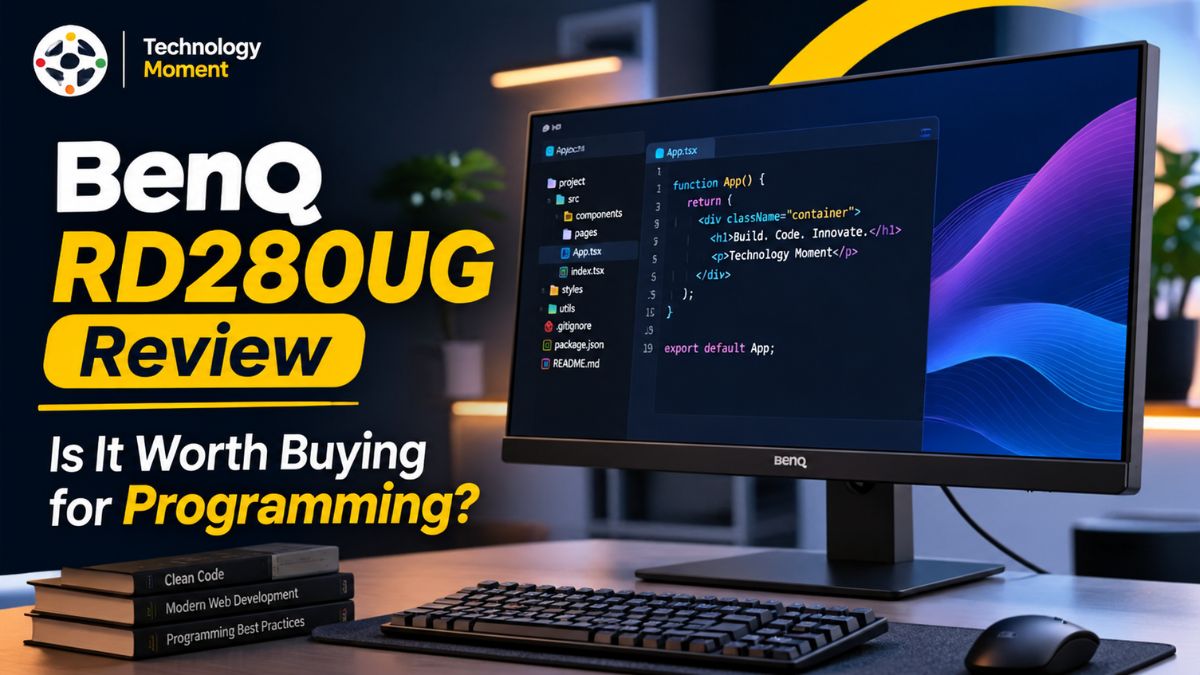
Choosing the right monitor can make a noticeable difference in how comfortably and efficiently you work, especially when your day involves writing code, debugging applications, reading documentation, or managing multiple windows. For software developers and productivity-focused professionals, a display needs to offer more than a large screen. Sharp text, sufficient vertical workspace, convenient connectivity, and thoughtful ergonomics can all influence the everyday working experience.
The BenQ RD280UG is a programming-focused monitor designed around these needs. It combines a 28.2-inch IPS display, 3840 × 2560 resolution, a 3:2 aspect ratio, and a 120Hz refresh rate. Its additional vertical screen space aims to make reviewing code and working with long documents more convenient, while features such as Coding Modes, Paper Color Mode, and the Nano Matte panel are designed to support different viewing preferences. USB-C connectivity with up to 90W power delivery and a built-in KVM switch also make it worth considering for developers who regularly work across multiple devices.
But do these features translate into meaningful benefits in everyday use, and does the monitor justify its price? In this BenQ RD280UG review, Technology Moment takes a closer look at its display quality, text clarity, eye comfort features, connectivity, ergonomics, and multitasking capabilities. We will also examine its potential drawbacks and compare its value with alternative monitors to help you understand where it fits into a modern developer’s workspace. Whether you are upgrading your home office, building a dedicated coding setup, or looking for a monitor that supports both professional work and everyday productivity, this review will help you decide whether the BenQ RD280UG deserves a place on your desk.
BenQ RD280UG Review: Overview and Key Specifications
The BenQ RD280UG is a programming-focused monitor designed for software developers, writers, and professionals who spend extended periods working with text, code, and multiple applications. Unlike a conventional office display, this monitor combines a productivity-oriented screen format with features intended to make everyday workflows more convenient. Its 28.2-inch IPS panel, 3840 × 2560 resolution, and 3:2 aspect ratio give users a different approach to desktop workspace, particularly when reviewing long source files or reading technical documentation.
One of the main highlights of the BenQ RD280UG is its 164 pixels-per-inch density, which helps produce detailed text and sharp interface elements. The monitor also supports a 120Hz refresh rate, making scrolling through code, documents, and web pages appear smoother than on a typical 60Hz display. Its 2000:1 native contrast ratio is another specification worth considering for users who frequently work with dark-themed development environments. However, actual image quality will also depend on brightness settings, viewing conditions, and application preferences.
The RD280UG includes HDMI 2.1, DisplayPort 1.4, USB-C with up to 90W power delivery, USB ports, and a built-in KVM switch. These features can simplify a workspace involving a laptop, desktop computer, keyboard, and mouse. Its adjustable stand, Nano Matte screen coating, Coding Modes, and MoonHalo backlight further distinguish it from a basic productivity monitor.
For this BenQ RD280UG review, the key question is whether these specifications translate into meaningful everyday benefits. Rather than judging the monitor by its feature list alone, it is worth examining its text clarity, comfort features, performance, and overall practicality before deciding whether it deserves a place in your workspace.
Display Quality and Text Clarity for Programming
Display quality is particularly important when choosing a monitor for programming because developers regularly examine small text, punctuation, indentation, and detailed interface elements. The BenQ RD280UG addresses these needs with a 3840 × 2560 resolution across its 28.2-inch IPS panel. Its 164 PPI pixel density helps render characters and fine details clearly, making it suitable for viewing code editors, terminal windows, documentation, and browser-based development tools.
The monitor’s 3:2 aspect ratio is one of its most distinctive characteristics. Compared with a conventional 16:9 display of a similar diagonal size, the taller screen provides more vertical workspace. This can be useful when reviewing long functions, comparing sections of source code, or reading documentation without scrolling as frequently. Developers who keep an IDE open alongside a browser or terminal may also find the additional height useful when arranging windows. However, the actual benefit depends on the applications used, interface scaling, and personal workspace preferences.
The Nano Matte screen coating is another feature worth considering. It is designed to reduce reflections that can distract users working near windows or under overhead lighting. Lower reflections may make text easier to view in challenging lighting conditions, although the result will vary depending on the environment and screen brightness.
For everyday programming, the combination of high pixel density, a tall display format, and reflection-reducing coating makes the BenQ RD280UG an interesting alternative to a standard 4K monitor. Nevertheless, text clarity also depends on operating-system scaling, font rendering, and the quality of the source application. Buyers should consider these factors alongside resolution when evaluating the monitor for professional development work.
Eye Comfort Features for Long Coding Sessions
Spending several hours in front of a screen can make viewing comfort an important consideration for software developers and other productivity-focused professionals. The BenQ RD280UG includes several eye-care features designed to provide more control over the viewing experience. These include low blue light technology, flicker-free operation, Visual Optimizer, Night Hours Protection, Paper Color Mode, and its Nano Matte screen coating. Their usefulness depends on individual preferences, ambient lighting, and how the monitor is configured throughout the day.
Coding Modes allow users to switch between dark and light themes, helping them choose a display presentation that matches their development environment. Paper Color Mode offers a different appearance intended to resemble printed paper, which may appeal to people who spend considerable time reading documentation or editing text. These options provide flexibility rather than a single display setting that every user must follow. The Nano Matte coating also helps reduce reflections, which can otherwise compete with on-screen content in bright environments.
Night Hours Protection is designed for work in dim surroundings, while Visual Optimizer can adjust brightness and color temperature according to the viewing environment. The MoonHalo backlight adds adjustable illumination behind the monitor, offering another way to configure the desk environment. Used thoughtfully, these features may help users create a more comfortable setup, especially when lighting conditions change between daytime and evening work.
However, no monitor can guarantee that users will avoid eye strain or fatigue during extended sessions. Screen distance, posture, font size, room lighting, and regular breaks remain important parts of a sensible workstation routine. The BenQ RD280UG’s eye comfort features should therefore be viewed as useful adjustments rather than medical solutions. Before purchasing, consider whether these controls address your actual working habits and whether you are likely to use them regularly.
Refresh Rate and Everyday Productivity Performance
The BenQ RD280UG’s 120Hz refresh rate is a useful feature for people who spend much of their working day navigating code editors, scrolling through lengthy documents, and switching between applications. Compared with a 60Hz display, a 120Hz monitor can update the image more frequently, making supported on-screen movement appear smoother. This difference can be noticeable when scrolling through source files, browsing technical documentation, or moving windows around a busy desktop. It does not automatically make software execute faster, but it can improve the perceived responsiveness of everyday interactions.
For developers, smooth scrolling is especially relevant when inspecting large codebases or reviewing long terminal outputs. The combination of a high refresh rate and the monitor’s 3:2 aspect ratio provides both smoother movement and additional vertical workspace. Together, these characteristics can make the display appealing to users who value readable text and efficient navigation. Actual results will depend on the connected computer, operating-system settings, application behavior, and whether the system is configured to output at 120Hz.
The RD280UG also offers a 2000:1 native contrast ratio, HDR10 support, and VESA DisplayHDR 400 certification. These specifications provide context for its image presentation, although HDR support alone does not establish that the monitor is suitable for professional HDR production. Users who prioritize accurate color grading or specialized visual work should investigate independent color measurements and calibration results before buying.
For multitasking, the monitor’s high resolution can accommodate more lines of code or document content without requiring constant scrolling. Its connectivity and KVM functionality may also simplify switching between computers, while picture-in-picture and picture-by-picture features support certain multi-source workflows. These advantages are most relevant to users who regularly manage several applications or devices.
Overall, the 120Hz refresh rate contributes to a smoother desktop experience, while the display’s resolution and format support productive working layouts. Whether these improvements justify the monitor’s cost ultimately depends on how frequently you use these features and how much value you place on your daily workstation experience.
Connectivity, USB-C and KVM Functionality
Connectivity can make a significant difference when choosing a monitor for programming, especially for developers who regularly switch between a work laptop, desktop computer, and other peripherals. The BenQ RD280UG offers a practical selection of connections, including HDMI 2.1, DisplayPort 1.4, USB-C with up to 90W Power Delivery, and additional USB ports. This combination allows users to connect different computers and compatible accessories without relying entirely on separate docking equipment.
One of the most useful features is USB-C connectivity. With a compatible laptop, a single USB-C cable can carry video, transfer data, and provide power simultaneously. This can help reduce cable clutter on a developer’s desk and simplify a laptop-based workstation. However, charging performance depends on the connected device and its power requirements, so users should verify compatibility before replacing a dedicated laptop charger.
The built-in KVM switch is another advantage for professionals working across multiple computers. It allows compatible connected systems to share peripherals such as a keyboard and mouse, reducing the need to maintain separate input devices. This arrangement can be particularly useful when keeping personal and professional computers in the same workspace. The monitor also supports picture-in-picture, picture-by-picture, and USB-C daisy-chaining through Multi-Stream Transport, subject to device compatibility and connection requirements.
For software developers, the Display Pilot 2 software adds further convenience through controls for display settings, desktop organization, application modes, and other supported workflow features. Its availability for Windows, macOS, and Linux makes it relevant to a broad international developer audience. The BenQ RD280UG USB-C connectivity and KVM functionality make it more than a conventional display. Nevertheless, buyers should check their computer’s USB-C capabilities, multi-monitor requirements, and preferred port arrangement before purchasing.
Ergonomics, Stand Design and Workspace Setup
A monitor’s ergonomics can influence how comfortably a workspace functions throughout the day. The BenQ RD280UG includes an adjustable stand designed to help users position the screen according to their desk arrangement and viewing preferences. Its height adjustment, tilt, swivel, and pivot capabilities offer more flexibility than a basic fixed stand, allowing developers to adapt the display for different tasks and seating positions.
Height adjustment is particularly useful when setting up an ergonomic desk. Ideally, users should position the screen so they can view the content without repeatedly bending their neck or raising their shoulders. Tilt and swivel adjustments make it easier to accommodate different seating positions or reduce distracting reflections. Pivot functionality also provides an alternative orientation for users who prefer portrait layouts for reading lengthy documents or reviewing certain types of code. The practical benefit depends on desk space, monitor placement, and personal preferences.
The monitor’s 3:2 aspect ratio already provides additional vertical workspace in landscape orientation, so portrait mode will not be essential for every developer. However, writers, editors, and professionals who regularly review long documents may appreciate having the option. The stand’s design and the monitor’s relatively substantial build also make desk measurements important before installation. Users considering a third-party monitor arm should check its supported weight and mounting compatibility.
For a home office, an effective setup involves more than the monitor itself. Adequate desk depth, suitable lighting, organized cables, a comfortable chair, and a properly positioned keyboard all contribute to a practical workstation. The RD280UG’s MoonHalo backlight offers another way to customize the workspace, although it does not replace appropriate room lighting. The BenQ RD280UG ergonomics and stand adjustment options support a flexible workstation. They are particularly valuable for professionals who want to fine-tune their screen position rather than adapt their posture to a fixed display.
BenQ RD280UG for Writers and Productivity-Focused Professionals
Although the BenQ RD280UG is marketed as a programming monitor, its features can also appeal to writers, editors, researchers, and other productivity-focused professionals. Its 28.2-inch display and 3840 × 2560 resolution provide a detailed workspace, while the 3:2 aspect ratio offers more vertical screen space than a conventional widescreen monitor of a similar diagonal size. This can be helpful when working with lengthy documents, reviewing research papers, or navigating large spreadsheets.
For writers and content creators, the additional vertical space can make it easier to see more paragraphs at once. Editing articles, comparing drafts, reading reference material, and managing a content management system may all benefit from a taller display. The high pixel density also helps keep text and interface elements sharp, while Paper Color Mode provides an alternative viewing presentation for users who prefer a paper-like appearance when reading or editing.
The monitor can also support multitasking workflows. Picture-by-picture and picture-in-picture features allow compatible sources to be displayed together, while operating-system window management can help arrange writing applications, research tabs, and communication tools. For professionals working across two computers, the built-in KVM switch can simplify sharing a keyboard and mouse. USB-C connectivity with up to 90W Power Delivery may also reduce cable clutter for compatible laptop setups.
However, the BenQ RD280UG for writers and content creators is not automatically the best choice for every office. Its premium, specialized feature set may be unnecessary for users who mainly browse the web, write occasional documents, or work with a single application. Professionals focused on color-critical photography or video production should also investigate independent color-accuracy measurements before buying.
For people who spend much of their day reading, writing, editing, and switching between applications, the RD280UG offers a distinctive productivity-focused design. Its real value depends on whether the additional vertical workspace, connectivity, and display controls improve the way they actually work.
BenQ RD280UG Pros and Cons: Detailed Comparison
The BenQ RD280UG combines a high-resolution display with features intended to improve programming and everyday productivity. However, a useful monitor review should consider its limitations alongside its advantages. The following comparison highlights the main factors buyers should evaluate before deciding whether this programming monitor represents good value.
| Feature | Pros | Cons or limitations |
|---|---|---|
| Display resolution | 3840 × 2560 resolution delivers detailed text and images | Some users may need to adjust operating-system scaling |
| 3:2 aspect ratio | Provides more vertical workspace for code and documents | The taller format may not suit every video or gaming workflow |
| Text clarity | High pixel density supports crisp text rendering | Individual results depend on fonts, scaling, and application settings |
| Refresh rate | 120Hz supports smoother scrolling and desktop movement | Motion performance may not satisfy every gaming enthusiast |
| Eye comfort | Coding Modes, Paper Color Mode, and low blue light options provide flexibility | These features cannot guarantee freedom from eye strain |
| Nano Matte coating | Helps reduce distracting reflections | Viewing conditions and lighting still affect the experience |
| USB-C connectivity | Up to 90W Power Delivery simplifies compatible laptop setups | Full functionality depends on device and cable compatibility |
| Built-in KVM | Lets compatible computers share peripherals | Initial setup and input switching may require configuration |
| Ergonomics | Height, tilt, swivel, and pivot adjustments offer flexibility | The stand occupies desk space |
| Productivity features | MoonHalo, picture-in-picture, and picture-by-picture support different workflows | Some users may never need the extra features |
| Color performance | Suitable for many text-heavy professional tasks | Independent reviews identify color accuracy as a potential weakness for demanding color-critical work |
| Price and value | Combines several specialized features in one monitor | The premium price may be difficult to justify for basic office use |
The strongest reasons to consider the RD280UG are its distinctive screen format, sharp text, broad connectivity, and programming-focused controls. These benefits can matter considerably to developers who spend hours reading source code and working with multiple applications. Writers and researchers may also appreciate the extra vertical space.
BenQ RD280UG vs. Competitors and Alternatives
The BenQ RD280UG competes in a specialized category of productivity monitors designed for software developers, writers, and professionals who value text clarity and additional vertical workspace. Its 28.2-inch IPS display, 3840 × 2560 resolution, 3:2 aspect ratio, and 120Hz refresh rate distinguish it from conventional widescreen office monitors. However, the best alternative depends on whether you prioritize coding comfort, screen size, gaming performance, color accuracy, or affordability.
| Monitor | Display and refresh rate | Main strengths | Potential drawbacks | Best suited for |
|---|---|---|---|---|
| BenQ RD280UG | 28.2-inch, 3840 × 2560, 3:2, 120Hz | Sharp text, extra vertical space, KVM, 90W USB-C, MoonHalo | Premium price; specialized format | Developers and productivity-focused professionals |
| BenQ RD280U | 28.2-inch, 3840 × 2560, 3:2, 60Hz | Similar coding-focused display and connectivity | Lower refresh rate and contrast ratio | Developers who prioritize text clarity over refresh rate |
| BenQ RD240Q | 24-inch, 2560 × 1600, 16:10 | Compact design and productivity-oriented features | Smaller workspace and lower resolution | Small desks and compact workstations |
| BenQ RD270Q | 27-inch, QHD, 16:9, 144Hz | Higher refresh rate and coding features | Less vertical space than a 3:2 screen | Developers seeking a conventional widescreen format |
| Standard 27-inch 4K monitor | Typically 3840 × 2160, 16:9 | Broad selection across budgets and use cases | Less vertical space than the RD280UG | General office users and mixed-use workstations |
| Color-focused professional monitor | Varies by model | May offer stronger color accuracy and calibration tools | Coding-specific features may be limited | Designers, photographers, and color-critical professionals |
The table compares monitor categories and selected BenQ models; specifications and feature availability should be checked against the exact regional model before publication. The RD280UG’s clearest advantage is its combination of vertical screen space, 120Hz refresh rate, and developer-oriented connectivity.
Is the BenQ RD280UG Worth Buying for Programming?
The BenQ RD280UG is worth considering if programming, writing, research, and document-heavy work occupy most of your day. Its 3840 × 2560 resolution delivers detailed text, while the 3:2 aspect ratio provides extra vertical workspace for source code, terminal output, and technical documentation. The 120Hz refresh rate adds smoother scrolling, and the Nano Matte coating helps control reflections in bright working environments. These features make it a compelling option for developers who prioritize practical productivity over entertainment-focused specifications.
Its USB-C connection with up to 90W Power Delivery and built-in KVM switch can also simplify a multi-device workstation. For compatible laptops and peripherals, these features reduce cable clutter and make switching between computers more convenient. Eye-care modes, Paper Color Mode, and MoonHalo lighting provide additional customization for people who spend long hours at their desks.
However, the monitor is not automatically the best choice for every buyer. Its premium positioning may be difficult to justify if you mainly browse websites, write occasional documents, or use only one application at a time. A standard 4K monitor may offer better value for general office tasks, while a gaming-focused display may provide better motion clarity. Professionals working with color-critical photography or video should also assess independent color-accuracy measurements.
Who should buy it? Software developers, technical writers, researchers, and productivity-focused professionals who can benefit from extra vertical screen space and integrated connectivity. Who should consider alternatives? Budget-conscious buyers, gaming enthusiasts who prioritize fast motion response, and creative professionals who require highly accurate color reproduction. The BenQ RD280UG is a specialized productivity monitor rather than a universal upgrade. If its display format and workflow features address your daily needs, it can be a worthwhile investment. Otherwise, a less expensive monitor may deliver better value.
Frequently Asked Questions About the BenQ RD280UG
Is the BenQ RD280UG worth buying?
The BenQ RD280UG is worth considering if you spend several hours daily coding, reading documentation, or managing multiple applications. Its high-resolution display, 120Hz refresh rate, USB-C connectivity, and KVM switch support a productive workstation. However, its premium price may not make sense for occasional office work. Compare its current price with conventional 4K monitors before purchasing, particularly if you do not need the extra vertical workspace.
What is the resolution of the BenQ RD280UG?
The BenQ RD280UG has a maximum resolution of 3840 × 2560 pixels on its 28.2-inch IPS display. This resolution uses a 3:2 aspect ratio and delivers approximately 164 pixels per inch. The resulting pixel density helps render small text, code characters, and interface elements clearly. Operating-system scaling, font settings, and application compatibility can influence how much usable workspace you see in everyday programming and document-editing tasks.
Does the BenQ RD280UG support 120Hz?
Yes, the BenQ RD280UG supports a 120Hz refresh rate, which can make scrolling through code, documents, and web pages appear smoother than on a 60Hz display. To benefit from this feature, your computer, graphics hardware, connection, and display settings must support the required resolution and refresh rate. The monitor is designed primarily for productivity, so users seeking exceptional gaming motion clarity should also consider independent response-time testing.
Does the BenQ RD280UG support USB-C charging?
Yes, the BenQ RD280UG supports USB-C Power Delivery of up to 90W. With a compatible laptop and suitable cable, a single connection can carry video, transfer data, and supply power, helping reduce desk clutter. Actual charging performance depends on the laptop’s power requirements and USB-C capabilities. Check your computer’s specifications before buying, especially if it requires more than 90W for full-speed charging under heavy workloads.
Does the BenQ RD280UG have a built-in KVM switch?
Yes, the BenQ RD280UG includes a built-in KVM switch that allows compatible computers to share a keyboard and mouse through the monitor’s connected USB peripherals. This can be useful for developers who maintain separate work and personal systems. Proper configuration and compatible upstream connections are required. Before purchasing, review your device connections and switching workflow to confirm that the KVM functionality will work with your intended setup.
Is the BenQ RD280UG easy on the eyes?
The BenQ RD280UG includes low blue light technology, flicker-free operation, Coding Modes, Paper Color Mode, and a Nano Matte coating designed to reduce reflections. These features offer flexibility for different lighting conditions and viewing preferences. However, no monitor can guarantee freedom from eye strain. Appropriate brightness, readable font sizes, comfortable viewing distance, good posture, and regular breaks remain important during extended computer sessions.
Does the BenQ RD280UG work with MacBook and Linux?
The BenQ RD280UG can connect to compatible MacBook and Linux computers through supported video connections, including USB-C and DisplayPort. However, specific features such as laptop charging, KVM switching, daisy-chaining, and display-control software may depend on the computer, operating system, drivers, and connection configuration. Check BenQ’s compatibility information and your device specifications before buying, particularly if you require advanced multi-monitor functionality or specialized software controls.
Is the BenQ RD280UG suitable for writers?
Yes, the BenQ RD280UG can suit writers, editors, and researchers who regularly work with long documents. Its 3:2 aspect ratio provides extra vertical screen space, while the high pixel density supports clear text rendering. Paper Color Mode offers another viewing option for reading and editing. However, occasional writers may find a conventional monitor more economical, so consider whether the additional workspace and connectivity justify the higher purchase price.
What are the best alternatives to the BenQ RD280UG?
Potential alternatives include the BenQ RD280U for a similar 3:2 display at a lower refresh rate, the BenQ RD240Q for a compact productivity setup, and the BenQ RD270Q for a conventional widescreen format with a higher refresh rate. Standard 4K monitors may also offer better value for general office work. Compare current regional prices, resolution, connectivity, ergonomics, and independent test results before selecting an alternative.