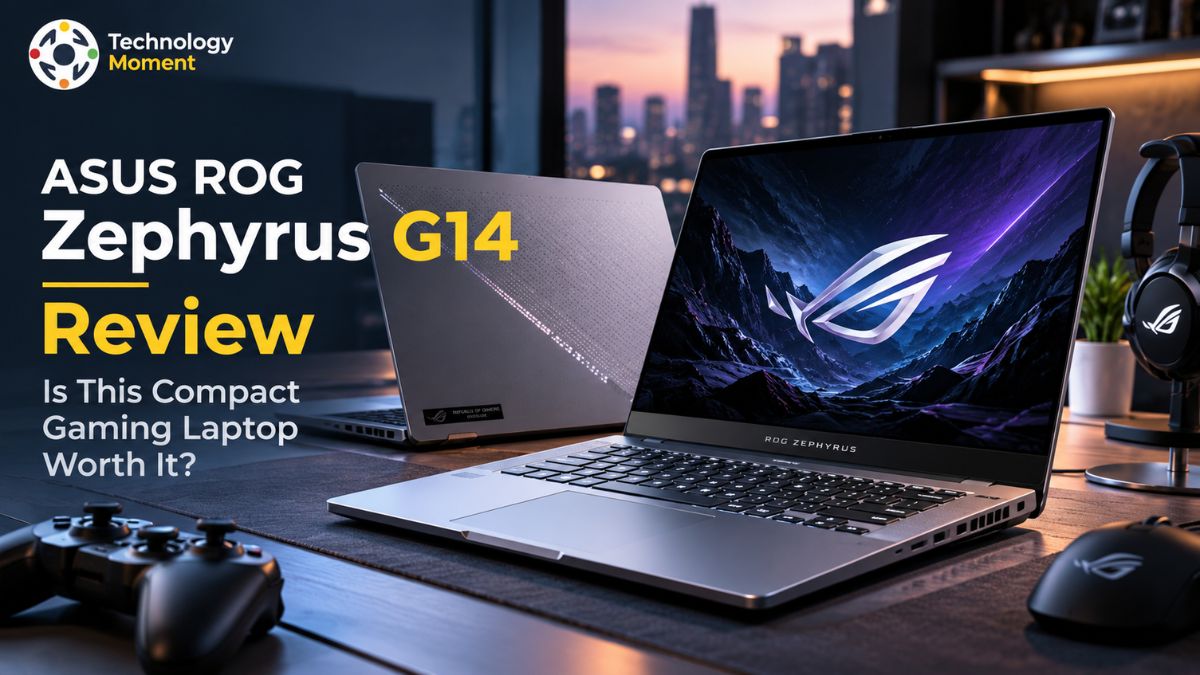
Choosing a gaming laptop is no longer just about finding the most powerful graphics card. Gamers want smooth frame rates, students need a device they can carry between classes, and creators depend on reliable performance for editing, design, and multitasking. The challenge is finding one laptop that balances all these needs without becoming too heavy, too loud, or too expensive. This is where the ASUS ROG Zephyrus G14 Review comes in.
In this review, Technology Moment explores whether this compact gaming laptop delivers the performance and everyday practicality that modern users expect. We look beyond the specifications to examine gaming benchmarks, GPU performance, thermal management, fan noise, display quality, and battery life. These factors matter because impressive hardware numbers alone don’t tell the full story of how a laptop performs in real-world use.
The Zephyrus G14 aims to combine portable design with the capabilities needed for demanding games and creative workloads. Its appeal extends beyond dedicated gamers to college students, programmers, video editors, and professionals who want a versatile machine for work and entertainment. However, premium features and powerful components can also bring trade-offs in price, heat, noise, and battery endurance.
In this Technology Moment review, we break down the key strengths, potential limitations, and performance considerations to help you decide. Whether you are upgrading your gaming setup or searching for a laptop that can handle both productivity and play, our goal is to give you a clear, practical picture before you invest.
ASUS ROG Zephyrus G14 Specifications at a Glance
The ASUS ROG Zephyrus G14 combines gaming-focused hardware with a compact design, making it an interesting option for users who want performance without carrying a bulky laptop. The 2026 model offers configurations with an Intel Core Ultra 9 386H processor and an NVIDIA GeForce RTX 5070 Laptop GPU, while select higher-end configurations may feature different graphics hardware.
When assessing the gaming capabilities of the ASUS ROG Zephyrus G14, it is important to look beyond the processor alone. Graphics performance, GPU wattage, available RAM, and thermal management all contribute to the laptop’s performance in games and demanding workloads. ASUS lists a 14-inch 3K OLED panel for the 2026 GU405 model, offering a native resolution of 2880 × 1800 pixels and a 120Hz refresh rate. Connectivity options may include Wi-Fi 7, Thunderbolt 4, HDMI 2.1, and an SD card reader, although availability can vary by market and specific model.
RAM and SSD capacity also deserve careful consideration before purchasing. According to the official specifications for India, selected variants come with 16GB or 32GB of onboard LPDDR5X RAM, paired with a 1TB PCIe 4.0 NVMe solid-state drive. Since the RAM is integrated into the motherboard and cannot be upgraded separately, buyers should choose a memory configuration that suits their expected gaming, multitasking, and video-editing requirements over the long term.
The laptop also includes a 73Wh battery and weighs approximately 1.50kg, helping it remain portable for everyday use. Specifications and availability can vary between markets, so checking the exact model number is essential before purchasing. For gamers, students, and creators, the most suitable configuration is one that balances GPU performance, memory, display quality, storage, and price rather than focusing on a single headline specification.
Design, Build Quality and Portability
One of the main attractions of the ASUS ROG Zephyrus G14 is its combination of gaming capability and everyday portability. Unlike many traditional gaming laptops that use bulky chassis designs and prominent gaming aesthetics, the Zephyrus range aims for a cleaner, more understated appearance. Its aluminum construction gives the laptop a premium look, making it suitable for classrooms, offices, creative studios, and gaming setups.
At approximately 1.50kg, the 2026 GU405 is relatively easy to carry in a backpack, although the power adapter adds extra weight when travelling. The compact 14-inch form factor is particularly appealing to college students and professionals who regularly move between locations. A smaller laptop can save desk space while remaining practical for programming, research, video editing, and everyday multitasking. The keyboard and touchpad are also important parts of the experience because users may spend hours writing assignments, editing documents, or working on creative projects between gaming sessions.
The Zephyrus G14 provides a backlit keyboard and a large touchpad, although comfort and typing preferences are subjective. Connectivity can further influence the laptop’s usefulness. The 2026 model’s listed ports include USB Type-A, USB Type-C, Thunderbolt 4, HDMI 2.1, an SD card reader, and a headphone jack. These connections can help users attach external displays, transfer media files, and connect accessories without relying entirely on adapters. Nevertheless, portability involves compromises.
The compact chassis leaves less physical room for cooling hardware than a larger gaming notebook, and memory upgrade options are limited. Overall, the G14’s lightweight construction makes it an appealing portable gaming laptop, especially for people who want one device for study, work, entertainment, and demanding creative applications.
ASUS ROG Zephyrus G14 Gaming Performance and Benchmarks
Gaming performance is one of the most important factors in determining whether the ASUS ROG Zephyrus G14 justifies its premium positioning. The laptop’s capabilities depend heavily on the selected processor and graphics configuration. For example, the 2026 GU405 model listed by ASUS in India includes an Intel Core Ultra 9 386H processor and an NVIDIA GeForce RTX 5070 Laptop GPU with 8GB of GDDR7 memory. Higher-end configurations in other markets may use different GPUs, so benchmark results should always identify the exact hardware being tested.
A reliable ASUS ROG Zephyrus G14 gaming benchmarks section should examine several demanding games at clearly stated resolutions and graphics presets. Average frames per second can show overall smoothness, while 1% low results help reveal occasional stutters and inconsistent frame delivery. Testing at the laptop’s native 2880 × 1800 resolution can demonstrate its visual capabilities, but demanding games may require reduced settings or upscaling to maintain higher frame rates.
Competitive titles generally place different demands on the hardware than graphically intensive single-player games, so a balanced review should include both categories where possible. GPU performance also depends on power limits, thermal conditions, drivers, and the laptop’s selected operating mode. A graphics chip with the same name may deliver different results in two laptops because their cooling systems and power configurations differ. For creators, the processor and GPU can also accelerate video rendering, supported creative effects, and other GPU-intensive workloads.
Students may benefit from the same hardware for programming, 3D design, and multitasking. Rather than promising a universal FPS figure, this review should present verified measurements from repeatable tests. That approach gives readers a realistic picture of gaming performance, frame rate stability, and whether the Zephyrus G14 is suitable for their preferred games and applications.
Cooling Performance, Temperatures and Fan Noise
Cooling performance is particularly important in a compact gaming laptop because the processor and graphics card share limited internal space. During demanding games or extended rendering sessions, the cooling system must remove heat while maintaining stable performance. The ASUS ROG Zephyrus G14 uses a dedicated thermal design intended to manage heat from its powerful components, with the 2026 model featuring heat pipes, multiple fans, and redesigned airflow components. ASUS also describes a Silent operating mode that can stop the fans during lightweight workloads when thermal conditions allow.
However, advertised cooling features do not automatically guarantee quiet gaming. Independent testing of the 2026 Zephyrus G14 found that fan noise can become substantial under demanding workloads, especially when the system is running in Turbo mode. Notebookcheck measured approximately 55 dB(A) during gaming in Turbo mode and nearly 50 dB(A) in Performance mode in its tested configuration. These figures reflect specific testing conditions rather than every G14 variant, but they illustrate an important trade-off: higher performance can require more aggressive cooling.
Temperature measurements should distinguish between internal CPU and GPU temperatures and the heat users feel on the keyboard or underside. A high internal reading does not automatically indicate a problem, while uncomfortable surface temperatures or sustained performance reductions deserve closer attention. Thermal throttling occurs when a component reduces its operating speed to manage heat or power limits.
To evaluate ASUS ROG Zephyrus G14 cooling performance fairly, reviewers should run demanding games for an extended period, record temperatures and clock speeds, measure fan noise under consistent conditions, and note the selected power mode. For gamers, headphones may help manage audible fan noise during intense sessions. For students and creators, quieter modes can be more appropriate for browsing, writing, meetings, and lighter workloads. The key is whether the laptop maintains consistent performance without making everyday use unnecessarily noisy.
Display Quality — Is the OLED Screen Good for Gaming and Creators?
The display is one of the most appealing features of the ASUS ROG Zephyrus G14, particularly for users who want a laptop that can handle gaming and creative work. The 2026 GU405 features a 14-inch 3K OLED panel with a 2880 × 1800 resolution, a 16:10 aspect ratio, and a 120Hz refresh rate. This combination delivers detailed visuals, smooth motion, and additional vertical workspace for documents, timelines, and editing applications. ASUS also lists Pantone validation, NVIDIA G-SYNC compatibility, and an anti-reflection coating for the display.
Deep blacks, strong contrast, and vibrant colours help bring darker scenes and colourful environments to life. The 120Hz refresh rate also allows supported games to display more frames per second than a standard 60Hz panel, provided the laptop’s hardware can deliver the required performance. G-SYNC compatibility can help reduce screen tearing when supported settings and games are used. However, demanding titles may require lower graphics settings or upscaling to maintain smooth frame rates at the screen’s native resolution.
The Zephyrus G14 display is also relevant for photographers, designers, and video editors. Its high resolution provides space for detailed images and editing interfaces, while colour-focused features are useful when working with visual content. ASUS advertises peak brightness of up to 1,100 nits for the 2026 display, although actual brightness varies with content and testing conditions.
Overall, the ASUS ROG Zephyrus G14 display quality makes it a strong candidate for users who value both entertainment and creative work. Buyers should still consider reflections, brightness behaviour, colour calibration, and OLED care when making a purchasing decision.
ASUS ROG Zephyrus G14 Battery Life and Charging
Battery life is an important consideration for anyone buying a portable gaming laptop. The ASUS ROG Zephyrus G14 combines powerful hardware with a 73Wh battery in the 2026 GU405 configuration. That capacity provides flexibility for everyday activities such as browsing, writing, attending online classes, and working on documents. However, real-world battery endurance depends on screen brightness, background applications, power settings, wireless connectivity, and the demands of the software being used.
For light productivity, the Zephyrus G14 can be a practical companion for students and professionals who need to work away from a desk. Lowering screen brightness, selecting an efficient power mode, and reducing unnecessary background activity can help extend battery endurance. ASUS advertises more than 20 hours of video playback under its specified test conditions, but this should not be treated as a guaranteed result for everyday use. Its testing methodology uses controlled settings that differ from typical workloads.
Gaming changes the equation considerably. Demanding games place substantial loads on the processor and discrete GPU, increasing power consumption and reducing runtime. Performance can also be lower when gaming on battery compared with using the included power adapter. For long gaming sessions, keeping the laptop connected to power is generally the more practical approach. This is especially relevant when playing graphically intensive games or using higher-performance operating modes.
Charging flexibility is another useful feature. The 2026 model’s specifications list a 250W power adapter, while compatible USB-C power delivery can offer a convenient alternative for lighter workloads and travel. Charging speed and performance depend on the charger and usage conditions. The ASUS ROG Zephyrus G14 battery life is best evaluated by separating everyday productivity from gaming endurance. It can suit mobile users, but buyers who regularly spend long periods away from a power outlet should compare independent battery tests before purchasing.
Is the ASUS ROG Zephyrus G14 Good for Students and Content Creators?
The ASUS ROG Zephyrus G14 is designed for users who want a single laptop for demanding entertainment and everyday productivity. Its compact 14-inch design, powerful processor options, dedicated NVIDIA GeForce RTX graphics, and high-resolution OLED display make it worth considering for college students, programmers, photographers, and video editors. However, whether it is the right choice depends on the applications you use, how frequently you travel, and how much you are willing to spend.
For college students, portability is a major advantage. The lightweight chassis makes it easier to carry between lectures, libraries, and study spaces. Students studying computer science, game development, or 3D design may also benefit from the dedicated GPU. However, the premium price may be difficult to justify if your primary activities involve web browsing, document editing, and online classes. A less expensive productivity laptop could offer better value for those needs.
For content creators, the Zephyrus G14 offers a more compelling combination of features. Its OLED display, high resolution, and colour-focused specifications are useful for photo editing, graphic design, and video production. The processor and NVIDIA GPU can accelerate supported creative applications, video rendering, effects processing, and other demanding tasks. Performance will vary depending on the software, project complexity, memory configuration, and selected GPU. Because the onboard memory cannot be upgraded, creators should choose sufficient RAM before purchasing.
The laptop also suits users who want to switch between gaming and professional work without carrying two separate devices. Nevertheless, fan noise during demanding workloads, limited battery endurance under heavy loads, and premium pricing deserve consideration. Overall, the ASUS ROG Zephyrus G14 is a strong option for students with demanding technical coursework and creators who value portability. For basic study needs, a cheaper laptop may be the smarter investment.
ASUS ROG Zephyrus G14 vs Competitors: Detailed Comparison
The ASUS ROG Zephyrus G14 competes in the premium compact gaming laptop market, where buyers must balance gaming performance, portability, display quality, and price. The Razer Blade 14 is a close alternative, while the ASUS ROG Zephyrus G16 offers a larger screen and potentially more powerful graphics configurations. The ASUS TUF A14 is another option for buyers prioritising gaming performance at a different price point.
| Feature | ASUS ROG Zephyrus G14 | Razer Blade 14 | ASUS ROG Zephyrus G16 | ASUS TUF A14 |
|---|---|---|---|---|
| Laptop category | Premium compact gaming | Premium compact gaming | Premium thin-and-light gaming | Portable gaming |
| Display size | 14-inch | 14-inch | 16-inch | 14-inch |
| Display technology | OLED on selected configurations | OLED on selected configurations | OLED on selected configurations | Varies by model |
| Graphics options | Vary by model year | Vary by model year | Vary by model year | Vary by model year |
| Portability | Excellent | Excellent | Good, but larger | Excellent |
| Gaming performance | Strong for its size | Strong for its size | Greater performance headroom in some configurations | Depends on configuration |
| Creative work | Strong display and GPU options | Suitable for creators | Larger workspace | Suitable for selected workloads |
| Main consideration | Premium price and soldered RAM | Premium pricing | Greater size and weight | Display and build trade-offs |
The Zephyrus G14 is particularly attractive to users who want a portable gaming laptop without sacrificing display quality. The Razer Blade 14 offers a similarly premium design, while the G16 is worth considering if screen space and higher GPU performance matter more than compact dimensions.
ASUS ROG Zephyrus G14 Review Pros and Cons
The ASUS ROG Zephyrus G14 combines gaming hardware, a compact chassis, and a high-quality OLED display in a laptop designed for more than entertainment. Its main advantage is versatility. Users can carry it to college or work, connect external displays, complete demanding creative projects, and enjoy modern games without needing a large desktop replacement. The exact experience depends on the selected processor, GPU, memory, and cooling configuration.
One of the strongest advantages is its display. A high-resolution OLED panel with a 120Hz refresh rate can deliver detailed visuals, strong contrast, and smooth motion. Its relatively lightweight construction also makes the G14 convenient for travelling gamers and students. Depending on the configuration, dedicated NVIDIA graphics can support demanding games, video editing, rendering, and GPU-accelerated creative applications. Its connectivity options are another benefit for users who work with external monitors and storage devices.
Overall, the ASUS ROG Zephyrus G14 pros and cons depend on individual priorities. It is appealing for users who value portability, performance, and display quality in one device. Buyers who prioritise the lowest possible price, easy memory upgrades, or maximum sustained GPU power should compare alternatives carefully before investing.
Is the ASUS ROG Zephyrus G14 Worth Buying?
The ASUS ROG Zephyrus G14 is worth considering if you need a compact laptop that can handle gaming, productivity, and creative work. Its appeal comes from combining dedicated graphics, a premium display, and a portable design in one machine. However, the best buying decision depends on your workload, budget, and the specific configuration available in your region.
The ASUS ROG Zephyrus G14 may appeal to gamers who want a compact laptop capable of handling recent AAA releases and fast-paced competitive titles. However, the gaming experience varies according to the graphics hardware, display resolution, in-game quality settings, and selected thermal profile. Checking third-party performance tests for the exact model is essential before making a purchase. Those who prioritize maximum frame rates at higher resolutions may also want to consider larger gaming notebooks with more powerful GPU options.
For college students, the G14 offers a convenient combination of mobility and computing power for coding, academic research, slide presentations, and running several applications simultaneously. However, students whose daily workload consists mainly of web browsing, document editing, and online classes could save money by choosing a more affordable laptop. Content creators may benefit from its OLED screen and discrete graphics when working on photographs, editing videos, or developing visual designs. Before selecting a model, consider the amount of memory available, the demands of your preferred creative software, and whether the hardware meets your long-term workflow requirements.
Price is another deciding factor. Compare local retail prices, warranty coverage, available RAM, GPU specifications, and upgrade options rather than judging value by the laptop’s name alone. A discounted previous-generation model may offer better value than a newer configuration, depending on the performance difference.
Final verdict: The ASUS ROG Zephyrus G14 is a strong choice for buyers who want premium portability without giving up gaming capability. It is less compelling for budget-conscious users or those who need maximum upgradeability. Before buying, verify the exact model number and compare real-world gaming benchmarks, fan noise, temperatures, and battery tests.
Frequently Asked Questions
Is the ASUS ROG Zephyrus G14 a Good Laptop to Buy?
The ASUS ROG Zephyrus G14 is worth considering if you want a compact gaming laptop with a premium display and dedicated graphics. It suits gamers, students, and creators who value portability. However, its premium pricing, soldered memory, and fan noise under heavy workloads may not suit everyone. Compare the exact GPU configuration, current price, battery tests, and competing laptops before deciding whether it offers the right value for your needs.
How many FPS does the ASUS ROG Zephyrus G14 get?
The ASUS ROG Zephyrus G14 does not have one universal FPS figure because performance varies by GPU, processor, game, resolution, and graphics settings. Competitive games generally achieve higher frame rates than demanding AAA titles. For a reliable comparison, check independent benchmarks that report average FPS and 1% lows at clearly stated settings. Upscaling and reduced graphics settings can improve performance, while demanding native-resolution gaming may require compromises.
How long does the ASUS ROG Zephyrus G14 battery last?
Battery life depends on the model year, screen brightness, power mode, applications, and workload. The G14’s 73Wh battery provides capacity for mobile use, but advertised playback figures should not be treated as guaranteed everyday results. Check independent web-browsing and video-playback tests, and expect shorter runtimes during intensive gaming. For long gaming sessions, use the power adapter.