Choosing the right browser testing framework can make a significant difference in how reliably a web application performs across different browsers and environments. As websites become more interactive and complex, manual testing alone can be time-consuming and may not catch every issue before release. Automated testing helps development teams identify problems earlier, verify essential user journeys, and maintain a consistent user experience.
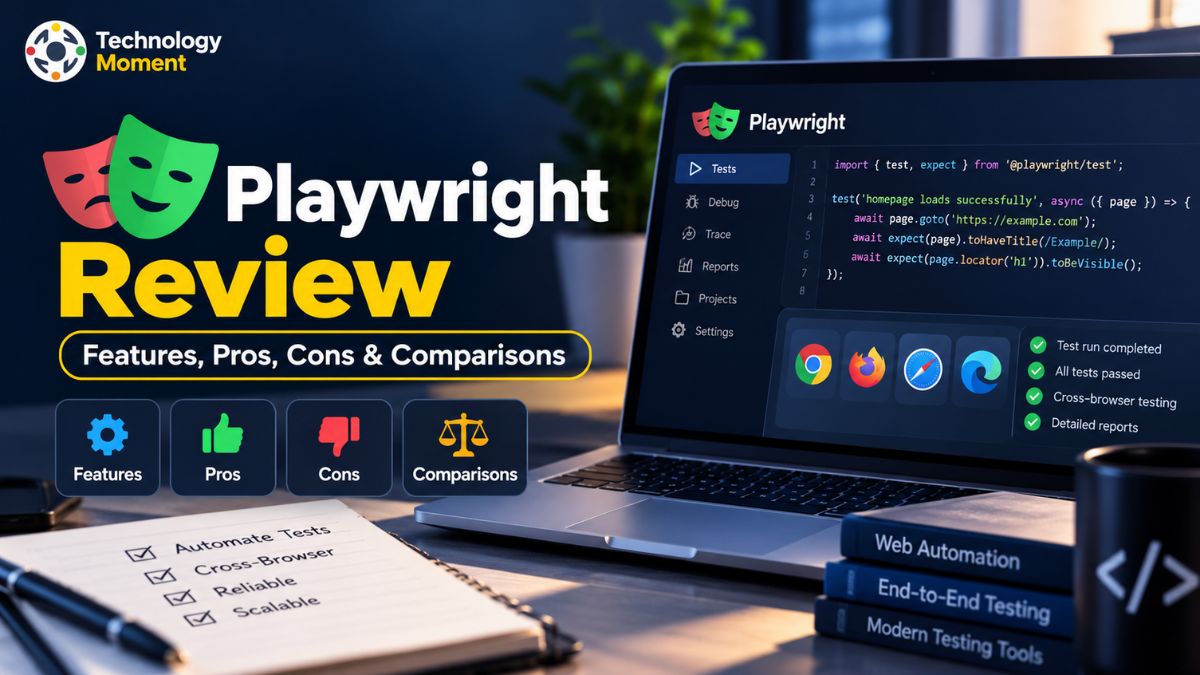
In this Playwright review, Technology Moment explores whether Playwright is the right choice for modern browser testing and end-to-end test automation. Developed by Microsoft, Playwright enables developers and QA engineers to automate browser interactions and test applications across Chromium, Firefox, and WebKit using a unified API. It also offers features such as parallel test execution, automatic waiting, debugging tools, and integration with continuous integration and continuous delivery (CI/CD) workflows. https://playwright.dev/docs/browsers
However, a feature-rich framework is not automatically the best option for every project. Ease of setup, programming language preferences, test maintenance, debugging capabilities, and compatibility requirements all influence the decision. Teams also need to consider how Playwright compares with established alternatives such as Cypress and Selenium before committing to a testing strategy.
At Technology Moment, our goal is to help readers understand technology through practical insights, clear explanations, and balanced software reviews. This guide examines Playwright’s key features, advantages, limitations, performance considerations, and real-world testing applications. Whether you are a developer exploring browser automation or a QA professional evaluating testing tools, this review will help you understand what Playwright offers, where it may fall short, and whether it fits your team’s requirements.
What Is the Playwright Testing Framework?
Playwright is a modern browser automation framework developed by Microsoft to help developers and quality assurance (QA) engineers test web applications automatically. Instead of manually repeating actions such as clicking buttons, submitting forms, navigating between pages, or checking displayed information, teams can write automated tests that perform these tasks and verify whether the application behaves as expected. Playwright is widely used for end-to-end testing, where a test follows a complete user journey through an application, from the initial page load to the final result.
One of the main reasons developers consider the Playwright testing framework is its cross-browser testing capability. It supports Chromium, Firefox, and WebKit, allowing teams to examine how their applications behave across different browser engines. This helps identify compatibility issues that might not appear when testing exclusively in one browser. According to the official Playwright documentation, the framework also supports branded browsers such as Google Chrome and Microsoft Edge.
Playwright Test provides an integrated test runner, assertions, fixtures, reporting, and configuration options for organizing automated test suites. Developers can write tests using JavaScript or TypeScript, while Playwright also provides language-specific libraries for Python, Java, and .NET. Its capabilities extend beyond basic browser automation to include handling browser contexts, intercepting network requests, capturing screenshots, and testing application interfaces.
For businesses maintaining frequently updated websites, Playwright can support regression testing by checking whether existing functionality continues to work after code changes. However, the framework does not eliminate the need for thoughtful test design or manual exploratory testing. Its effectiveness depends on the application’s architecture, test coverage, and the team’s ability to maintain reliable automation scripts.
Playwright Review: Key Features and Capabilities
The main strength of Playwright lies in combining browser automation, test execution, and debugging features within a single testing workflow. Rather than assembling several unrelated tools for everyday end-to-end testing, developers can use Playwright Test to organize test cases, execute them across supported browsers, and inspect failures through built-in reporting tools. Cross-browser testing is one of its most valuable capabilities. Playwright can run tests against Chromium, Firefox, and WebKit, helping teams evaluate browser compatibility without maintaining completely separate test scripts for each engine. However, testing WebKit is not identical to testing every version of the actual Safari browser on every Apple device.
Another important feature is parallel test execution. Playwright Test uses worker processes to run test files concurrently, which can reduce the time required to complete a large test suite when sufficient system resources are available. Browser contexts also provide test isolation, giving individual tests separate cookies, storage, and browser sessions. This helps prevent one test’s state from unintentionally affecting another.
Playwright’s automatic waiting mechanisms improve test reliability by checking whether elements are ready for particular actions before interacting with them. Its assertions can retry until the expected condition is satisfied or the timeout is reached. These features help reduce timing-related failures, although they cannot prevent every flaky test caused by unstable application data, network problems, or poor test design.
For debugging, Playwright Inspector and Trace Viewer help developers investigate failed interactions, inspect page states, and review recorded test activity. Screenshots, videos, and HTML reports can provide additional evidence. Network interception and API mocking are also useful when testing applications with external dependencies. Together, these Playwright framework features make it a practical option for teams seeking maintainable browser testing and automated regression coverage.
How Easy Is Playwright to Set Up and Use?
Getting started with Playwright is relatively straightforward for developers who already understand basic programming, web applications, and automated testing. For JavaScript and TypeScript projects, the official Playwright Test package provides a guided setup process that creates an initial test configuration and helps install the required browser binaries. Developers can then write a simple test, open a web page, interact with elements, and verify the expected result.
The initial setup is only one part of the process, however. Browser testing environments may require additional operating system dependencies, particularly on Linux-based continuous integration servers. Teams must also configure environment variables, test credentials, application URLs, and test data when working with staging or production-like environments. The official installation documentation provides instructions for setting up the framework and running an initial test.
Playwright supports several programming languages, which makes it accessible to teams working with different technology stacks. JavaScript and TypeScript are natural choices for web development teams, while Python, Java, and .NET developers can use the corresponding Playwright libraries. The exact testing workflow and available tooling can vary depending on the language and library being used.
For everyday test automation, Playwright offers useful features such as locators, assertions, fixtures, and reusable configuration. Developers can organize tests into suites and reuse setup logic rather than repeating the same operations in every script. These capabilities become particularly valuable as applications grow and test maintenance becomes more demanding. Nevertheless, beginners may face a learning curve when working with asynchronous code, selectors, browser contexts, and test isolation. Understanding how to create independent tests is especially important for reliable parallel execution. Overall, Playwright is approachable for developers with some programming experience, but teams should allow time for learning, configuration, and maintaining their automated testing framework.
Playwright Performance: Speed, Parallel Execution and Reliability
Playwright performance depends on several factors, including browser startup time, application response speed, test complexity, available hardware, and the number of tests executed concurrently. The framework provides features designed to improve testing efficiency, but it would be misleading to claim that Playwright is always faster than every competing browser automation tool. A meaningful comparison requires testing equivalent workflows under similar conditions.
Parallel test execution is one way Playwright can reduce the total duration of a test suite. Its test runner distributes work across worker processes, allowing multiple test files to run simultaneously. For particularly large suites, teams can also distribute tests across separate CI jobs using sharding. However, adding workers does not guarantee proportionally faster execution. Limited memory, CPU capacity, database contention, and shared test data can create bottlenecks or introduce instability.
Test reliability is another important consideration. Playwright uses automatic waiting and retrying assertions to handle many timing-related challenges in web applications. These mechanisms can improve consistency, but they cannot fix every underlying problem, such as unpredictable test data, application defects, or unstable external services.
When failures occur, Playwright’s debugging tools can help identify their causes. The Trace Viewer lets developers review test actions, inspect page snapshots, and examine relevant network activity. Configurable retries can also identify tests that fail intermittently, although repeated passing results should not be treated as proof that a test is reliable. For continuous integration environments, teams should balance execution speed with reproducibility. Limiting worker counts may improve stability on resource-constrained CI agents, while larger environments can benefit from carefully configured parallel execution. Ultimately, Playwright offers useful performance and reliability features, but results depend on how the framework, test suite, and execution environment are configured.
Playwright CI/CD Integration: Does It Fit Modern Workflows?
Playwright CI/CD integration helps development teams automate browser testing as part of their continuous integration and continuous delivery workflows. Instead of waiting for manual testing after every code change, teams can configure automated tests to run when developers push commits, create pull requests, or prepare an application for deployment. This approach helps identify regressions earlier and gives developers faster feedback about whether important user journeys continue to work.
Playwright supports common CI platforms, including GitHub Actions, GitLab CI, and Bitbucket Pipelines. In a typical setup, the pipeline checks out the repository, installs project dependencies, installs the required browsers, and executes the test suite. Teams can also publish HTML test reports as build artifacts so developers can investigate failures without reproducing every issue locally. The official Playwright CI documentation provides configuration examples and recommendations for these workflows.
Parallel test execution and sharding are useful when automated test suites become large. Playwright can distribute tests across worker processes or divide a suite between multiple CI jobs. However, increasing concurrency does not always improve performance. The official documentation recommends using a single worker in many CI environments to prioritize stability and reproducibility, with additional parallelism introduced when the available infrastructure supports it.
Debugging is another advantage of Playwright test automation in CI/CD pipelines. Developers can configure traces to be recorded when tests are retried, then inspect browser actions, page snapshots, network requests, and errors using Trace Viewer. This makes it easier to investigate failures that occur only in automated environments. Playwright fits modern development workflows well, particularly for teams that want repeatable browser testing and automated regression checks. Nevertheless, reliable pipelines still require suitable test data, secure handling of credentials, appropriate timeouts, and careful management of environment-specific dependencies.
Playwright Pros and Cons
Understanding the advantages and disadvantages of Playwright is essential before choosing it as a browser testing framework. Its biggest strength is the combination of cross-browser automation, an integrated test runner, and practical debugging tools. Developers can maintain a shared test suite for Chromium, Firefox, and WebKit instead of building completely separate scripts for every supported browser engine. This is particularly useful for applications where browser compatibility affects customer experience.
Another advantage is Playwright’s approach to test reliability. Automatic waiting, retrying assertions, isolated browser contexts, and configurable retries help address common sources of unstable end-to-end tests. Parallel execution can also shorten test runs when the suite and infrastructure are configured appropriately. Tools such as Playwright Inspector, Trace Viewer, screenshots, and HTML reports make it easier to investigate failures. Support for JavaScript, TypeScript, Python, Java, and .NET gives teams flexibility when selecting a programming language.
However, Playwright has limitations. Beginners may need time to understand asynchronous programming, locators, fixtures, browser contexts, and test isolation. Installing browser binaries and operating system dependencies can also require additional configuration, especially in CI environments. Large test suites still need thoughtful architecture, reliable test data, and regular maintenance; the framework cannot automatically eliminate every flaky test or application defect.
Browser coverage also requires careful interpretation. Although Playwright supports WebKit, automated WebKit tests are not a complete substitute for testing actual Safari versions on physical Apple devices. Similarly, browser emulation cannot reproduce every behavior of a real mobile device. Another consideration is that Playwright’s built-in tools may not replace every reporting, analytics, or test-management capability an organization needs. Some teams will need additional integrations. Ultimately, Playwright is a strong test automation tool for modern web applications, but its suitability depends on project requirements, team experience, existing infrastructure, and the level of browser coverage required.
Playwright vs Cypress vs Selenium: Choosing the Right Testing Tool
Playwright, Cypress, and Selenium are established options for browser automation, but they serve different testing needs. Playwright emphasizes integrated end-to-end testing, cross-browser support, parallel execution, and debugging. Cypress focuses on a developer-friendly testing experience for web applications, with an interactive test runner and additional capabilities through Cypress Cloud. Selenium provides a broader browser automation ecosystem based on WebDriver, with language bindings and infrastructure for distributed execution.
The following comparison highlights practical differences to consider when evaluating the best browser automation framework for a project.
| Feature | Playwright | Cypress | Selenium |
|---|---|---|---|
| Primary purpose | Browser automation and end-to-end testing | Web application and component testing | General-purpose browser automation |
| Browser support | Chromium, Firefox, WebKit | Chrome-family browsers, Firefox, and supported or experimental WebKit workflows | Chrome, Edge, Firefox, Safari, and other supported browser drivers |
| Supported Programming Languages | JavaScript, TypeScript, Python, Java, and .NET languages | JavaScript and TypeScript | Java, Python, JavaScript, C#, Ruby, and other language bindings |
| Test Execution Framework | Includes Playwright Test for JavaScript and TypeScript projects | Provides a built-in test runner for executing and managing tests | Commonly used alongside external testing frameworks, such as JUnit for Java or pytest for Python |
| Parallel execution | Workers and configurable sharding | Local parallelization and Cypress Cloud-based parallelization options | Selenium Grid distributes sessions across machines |
| Debugging | Inspector, Trace Viewer, screenshots, reports | Interactive runner, time-travel debugging, and Cypress Cloud features | Browser tools, language debuggers, logs, and supporting integrations |
| Automatic waiting | Built-in actionability checks and retrying assertions | Built-in retry-ability for commands and assertions | Explicit or configured waits are commonly required |
| CI/CD integration | Supports common CI platforms | Supports CI workflows and optional Cloud services | Supports CI workflows, including distributed execution with Grid |
| Best suited for | Modern cross-browser E2E automation | Teams prioritizing the Cypress development and debugging experience | Diverse language stacks and distributed browser testing |
| Main consideration | Browser setup, learning curve, and test maintenance | Some advanced workflow features depend on additional services | Infrastructure and test-framework configuration may require more planning |
Playwright is a compelling option when teams need Chromium, Firefox, and WebKit coverage, configurable parallel workers, and detailed traces within their testing workflow. Cypress may be preferable for teams that value its interactive runner, component testing workflow, and integrated cloud-based test analytics. The better choice depends on browser requirements, preferred development experience, and the services a team is willing to maintain or purchase.
Playwright offers an integrated approach to modern end-to-end testing, while Selenium is particularly useful when organizations need a broad language ecosystem, established WebDriver workflows, or distributed browser execution through Selenium Grid. Teams with existing Selenium suites should evaluate migration costs and compatibility requirements before switching frameworks.
Who Should Use Playwright?
Playwright is a strong option for developers, QA engineers, and software teams that need dependable browser automation for modern web applications. Its combination of cross-browser testing, an integrated test runner, and debugging tools makes it useful for projects where important user journeys must work consistently across different browsers. However, the best fit depends on the team’s technical experience, application requirements, and existing testing infrastructure.
QA engineers and automation testers can use Playwright to build end-to-end test suites that verify essential workflows, such as account registration, login, checkout, form submission, and navigation. Automatic waiting, retrying assertions, and isolated browser contexts help make these tests easier to manage. Developers can also use Playwright for regression testing to check whether new code changes have affected existing functionality.
Playwright is particularly useful for teams developing applications that require Chromium, Firefox, and WebKit coverage. Its parallel execution capabilities can help reduce test execution time when sufficient resources are available. Teams using JavaScript, TypeScript, Python, Java, or .NET can also adopt the framework through the appropriate language-specific implementation. The available test runner and ecosystem integrations differ by language, so teams should evaluate the workflow that matches their technology stack. See the official supported languages guide for details.
Startups and growing software businesses may appreciate Playwright’s open-source framework and built-in testing capabilities. Nevertheless, browser installation, test maintenance, CI configuration, and debugging still require engineering time. Teams without programming experience may find the learning curve challenging.
Playwright may be less suitable when an organization depends heavily on an established Selenium infrastructure, requires specialized real-device testing, or needs browser behavior that its chosen automation setup cannot reproduce. In those situations, comparing alternatives before migrating is sensible. Overall, Playwright is worth considering for teams that want modern browser automation, maintainable end-to-end testing, and practical debugging tools within their development workflow.
Is Playwright the Best Browser Testing Framework?
Playwright is one of the strongest choices for modern browser automation, but declaring it the best browser testing framework for every project would be misleading. Its value comes from combining cross-browser testing, automatic waiting, parallel execution, test isolation, and debugging capabilities within a relatively cohesive workflow. These features can help teams develop reliable end-to-end tests without assembling every basic testing component separately.
One of Playwright’s biggest advantages is its support for Chromium, Firefox, and WebKit. Developers can configure browser projects to test applications across these engines and identify compatibility issues before deployment. Its integrated Playwright Test runner also provides assertions, fixtures, reports, and configurable execution options. For teams building frequently updated web applications, these capabilities make regression testing easier to incorporate into the development process.
However, the best framework depends on what a project needs. Cypress may be preferable for teams that value its interactive test runner and developer-focused testing experience. Selenium remains relevant for organizations that rely on WebDriver, require broad language bindings, or already maintain distributed browser testing infrastructure. Switching frameworks solely because another tool appears newer can introduce unnecessary migration costs.
Playwright also has limitations. Browser automation does not guarantee complete test coverage, and automatic waiting cannot eliminate every flaky test. Testing with WebKit does not replace every real-world Safari testing scenario, particularly when device-specific behavior or media compatibility matters. Teams must still maintain test data, configure CI environments, and investigate application-specific failures.
For a new web application that needs modern cross-browser testing and automated regression checks, Playwright is an excellent starting point. For an established project, compare its capabilities against your current framework before making a decision. Our verdict at Technology Moment: Playwright deserves serious consideration as a browser testing framework, especially when cross-browser coverage, debugging, and integrated test automation are priorities. The best choice is the one that meets your testing requirements without adding unnecessary complexity.
Frequently Asked Questions About Playwright
What Is the Playwright Testing Framework?
It helps developers and QA engineers automate interactions with web applications and perform end-to-end testing. It supports Chromium, Firefox, and WebKit, along with features such as browser contexts, automatic waiting, test assertions, and debugging tools. Teams use it to verify application functionality, test browser compatibility, and automate regression testing.
Is Playwright Better Than Cypress?
Playwright may be a better fit when a project requires Chromium, Firefox, and WebKit testing through one framework, along with integrated parallel execution and trace-based debugging. Cypress offers a different developer experience, including an interactive test runner and its own ecosystem. Neither is universally better. Compare browser requirements, programming preferences, reporting needs, and existing infrastructure before choosing between them.
Is Playwright Better Than Selenium?
Playwright offers an integrated approach to modern end-to-end testing, with built-in waiting mechanisms, browser contexts, and debugging tools. Selenium is valuable for organizations that need WebDriver-based automation, diverse programming language bindings, or established distributed testing infrastructure. New web applications may benefit from Playwright, while existing Selenium environments may not justify the cost of migration.
Which Browsers Does Playwright Support?
Playwright supports Chromium, Firefox, and WebKit, and can also automate branded browsers such as Google Chrome and Microsoft Edge through supported channels. It offers device emulation for selected mobile and tablet configurations. However, WebKit testing is not identical to testing the branded Safari browser on real Apple devices.
Does Playwright Support Parallel Testing?
Yes. Playwright Test supports parallel execution through worker processes and can distribute larger test suites across CI jobs using sharding. Parallel testing can reduce overall execution time when sufficient resources are available. However, shared test data, resource constraints, and poorly isolated tests may cause failures. Teams should configure worker counts carefully and prioritize reliable, reproducible results over maximum concurrency.
Can Playwright Integrate With CI/CD Pipelines?
Yes. Playwright can run in common continuous integration environments, including GitHub Actions, GitLab CI, and Bitbucket Pipelines. Teams can configure pipelines to install dependencies, launch browsers, execute tests, and preserve reports as build artifacts. Proper browser dependencies, timeouts, and test isolation are important for stable execution. Consult the official CI documentation for configuration guidance.
Is Playwright Free and Open Source?
Yes. Playwright is an open-source project available without a framework licence fee. However, running tests may involve infrastructure, CI services, device-testing platforms, or engineering costs. Optional third-party services can have separate pricing. Review each service’s terms before budgeting for a larger testing operation.
What Are the Main Limitations of Playwright?
Playwright requires programming knowledge and ongoing test maintenance. Browser installation and CI configuration can add setup work, while unstable test data and application defects can still cause flaky results. Its WebKit engine does not reproduce every real Safari environment, and emulated devices cannot replace all physical-device testing. Teams should assess these limitations against their browser coverage and automation requirements.