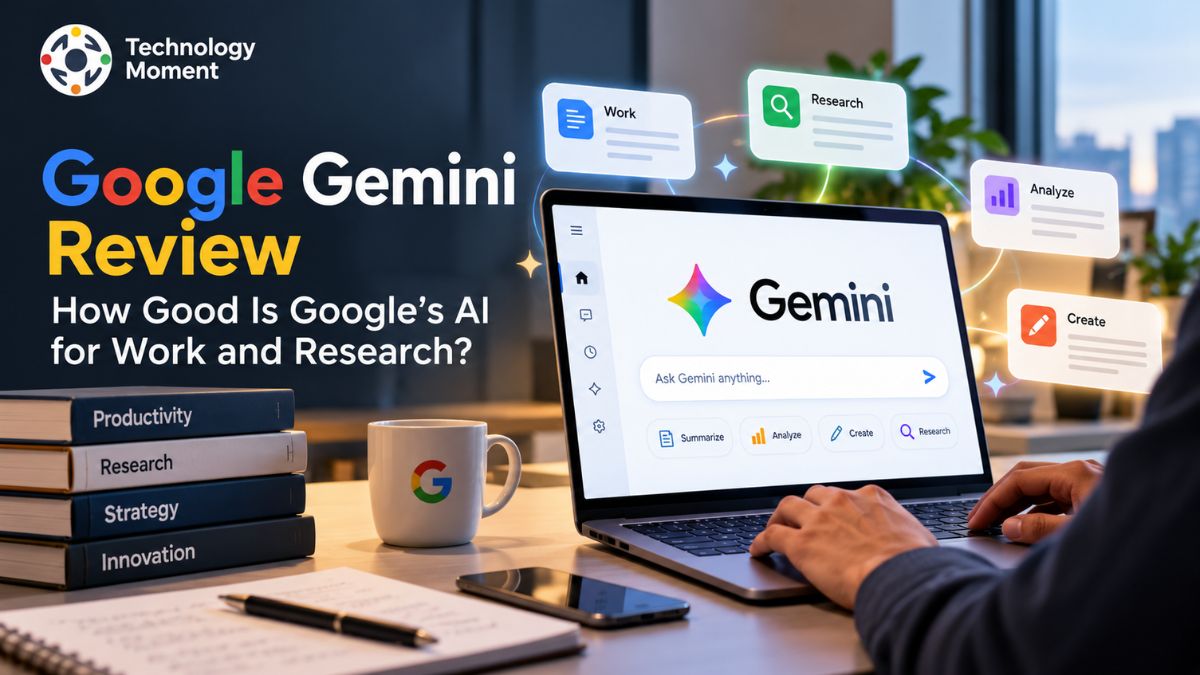
Artificial intelligence is changing how people work, research information, and manage everyday tasks. Among the growing number of AI assistants, Google Gemini has attracted attention for its ability to help users generate content, summarize documents, analyze information, and support research workflows. But how useful is it in real-world situations, and can it genuinely improve productivity? In this Google Gemini review, Technology Moment explores how Google’s AI assistant performs across practical tasks, from writing emails and preparing reports to understanding complex documents and gathering information for research. Rather than focusing only on advertised features, this review examines the benefits, limitations, usability, and potential challenges users should understand before relying on Gemini for important work.
For professionals, students, researchers, bloggers, and business owners, choosing the right AI tool involves more than generating quick answers. Accuracy, source reliability, workflow integration, data privacy, and overall value all matter. Gemini offers several capabilities designed to support these needs, but its usefulness can vary depending on the task, the information provided, and the level of verification required.
This guide also explores Gemini’s research capabilities, free and paid options, and how it compares with alternatives such as ChatGPT, Claude, and Perplexity. The goal is to help readers understand where Gemini performs well, where it may fall short, and which users are most likely to benefit from it. At Technology Moment, we focus on practical technology insights that help readers make informed decisions. By the end of this review, you will have a clearer understanding of whether Google Gemini deserves a place in your daily workflow and whether its capabilities match your professional or research needs.
What Is Google Gemini Review AI?
Google Gemini AI is Google’s generative AI assistant, designed to help users understand information, create content, solve problems, and complete everyday tasks through natural-language conversations. This makes Google Gemini useful for students, professionals, researchers, content creators, and businesses looking for practical ways to improve productivity.
One of the key aspects of Gemini AI is its ability to work with different types of information. Depending on the available model and features, it can process text, images, documents, and other supported inputs. For example, a professional might use Gemini to summarize a lengthy report, while a blogger could request an article outline or improve an existing draft. Researchers can also use it to explore unfamiliar subjects, organize information, and identify questions that require further investigation. These capabilities make Gemini more than a conventional chatbot, although the quality of its output still depends on the task and the information provided.
Google Gemini also connects with Google’s wider ecosystem. Depending on the account, subscription, and feature availability, users may access AI assistance through products such as Gmail, Google Docs, Drive, and Sheets. This integration can be particularly useful for people who already rely on Google Workspace for communication, document creation, and collaboration.
However, understanding how Google Gemini works also means recognizing its limitations. AI-generated answers can contain incorrect details, overlook context, or present uncertain information confidently. Users should verify important claims, especially when conducting academic research or preparing professional reports. Overall, Google Gemini is a flexible AI assistant worth exploring, but its real value depends on how effectively it supports your specific workflow.
Google Gemini Features and Capabilities
Google Gemini features cover several practical areas, including AI-assisted writing, information summarization, brainstorming, document analysis, and research support. These capabilities can help users reduce repetitive work and move from an initial idea to a more organized result. Rather than treating Gemini as a replacement for every productivity tool, it is more useful to view it as an assistant that can support different stages of a task, from planning and drafting to reviewing and refining. The features available may vary according to the selected model, account type, and subscription.
For writing and content creation, Gemini can help generate ideas, develop article outlines, rewrite paragraphs, draft emails, and adjust content for different audiences. These AI writing tools can be helpful when facing a blank page or organizing complicated information into a readable format. However, generated content should still be reviewed for originality, accuracy, tone, and relevance before publication. Gemini can assist with the writing process, but human judgment remains important for producing high-quality work.
Users can provide supported files or ask Gemini to explain lengthy material, summarize key points, and identify relationships between ideas. This can be particularly valuable for business professionals reviewing reports, students studying complex subjects, or researchers comparing information from multiple sources. Its multimodal capabilities can also support tasks involving images and other supported formats.
Google Workspace integration is another important advantage for users who regularly work with Gmail, Docs, Sheets, and Drive. Depending on the enabled features, Gemini can help draft messages, create document content, summarize information, and work with spreadsheet data. Despite these strengths, Google Gemini’s performance should not be judged by feature count alone. Response accuracy, source quality, ease of use, and the amount of editing required all influence its practical value. For the best results, provide clear instructions, specify the desired format, and verify important information instead of accepting every AI-generated answer without review.
Google Gemini for Work and Business Productivity
Google Gemini for work is designed to help professionals manage everyday tasks more efficiently, particularly when they already use Google’s productivity applications. Business users often spend considerable time writing emails, preparing reports, reviewing documents, organizing information, and analyzing spreadsheets. Gemini can assist with these activities by generating first drafts, summarizing content, suggesting improvements, and helping users structure information. The main benefit is not necessarily eliminating work but reducing repetitive steps and making it easier to focus on decisions that require human judgment.
For example, a marketing professional could use Gemini to brainstorm campaign ideas, outline a content calendar, or draft a project summary. A manager might use AI assistance to turn meeting notes into action items, while a business analyst could ask for help explaining spreadsheet formulas or identifying patterns in a dataset. In Google Docs and Gmail, available Gemini features can support document creation, email drafting, and summarization. Google Sheets also offers AI-assisted workflows for organizing information and working with data, although complex calculations and business-critical results should be checked carefully.
Google Gemini for business productivity may be particularly useful for small teams that want to improve existing workflows without introducing an entirely separate set of applications. However, access to specific features depends on the Workspace edition, account permissions, and organizational settings. Companies should evaluate these differences before assuming that every employee will have the same capabilities.
Privacy is another important consideration. Businesses handling confidential information should review the data protections, access controls, and terms associated with their specific Gemini or Google Workspace plan. They should also follow internal policies when uploading company documents or customer information. Start with low-risk tasks, compare the time saved against the effort needed to correct results, and expand its role only when the output proves reliable. This practical approach helps businesses assess whether Gemini genuinely improves productivity rather than simply adding another tool to their workflow.
Google Gemini Deep Research Review
Google Gemini Deep Research is designed for tasks that require more investigation than a simple chatbot response. Instead of answering only from an initial prompt, the feature can develop a research plan, explore information across the web, and synthesize findings into a detailed report. This makes it useful for people who need an overview of an unfamiliar subject, want to compare products, or are preparing preliminary research for a business or academic project. Availability, supported sources, and usage limits can vary by account and plan.
A practical example is researching a potential market for a new product. A user could ask Gemini to examine the target audience, identify competitors, compare product positioning, and summarize relevant industry developments. Deep Research can investigate multiple subtopics and combine the findings into a structured report, helping users move beyond a collection of disconnected search results. Google also documents support for using uploaded files and, where available, connected sources such as Gmail and Drive to provide additional context for research.
For academic research, Gemini Deep Research can help users understand a subject, discover potentially relevant sources, and organize background information before beginning a more detailed investigation. For professionals, it can support competitor analysis, product comparisons, and preliminary business research.
Source citations deserve particular attention. A detailed report can still contain inaccurate interpretations, incomplete evidence, or conclusions that are not fully supported by the cited material. Readers should open the original sources, confirm important claims, and distinguish established facts from AI-generated analysis. Academic users should also follow their institution’s rules for AI assistance and citations. Google Gemini Deep Research is most valuable when a task involves multiple questions, several sources, and a need for organized findings. It can make research more efficient, but it does not remove the need for critical thinking. For important decisions, combine its reports with independent source verification and your own analysis.
Google Gemini Performance, Accuracy and Usability
Google Gemini performance depends on the task, the selected AI model, the quality of the prompt, and the features available to the user. For everyday activities such as drafting emails, summarizing documents, brainstorming ideas, and organizing information, Gemini can provide a useful starting point. It can also help professionals explore unfamiliar topics and turn lengthy material into more manageable summaries. However, its performance should be evaluated by the quality and reliability of its results rather than by how quickly it generates an answer.
Accuracy is especially important when using Gemini for research or business decisions. Although the assistant can explain complex subjects and help identify relevant information, it may occasionally produce incorrect facts, misunderstand a question, or present unsupported conclusions. Research citations also need verification because a cited source does not automatically prove that every statement in the answer is accurate. Users should open original sources, check dates, and compare important claims against reliable references before using them in reports or published articles.
People familiar with Google’s ecosystem may find its integration with supported applications particularly convenient. Nevertheless, available tools and capabilities can differ by account, subscription, region, and language. For example, instead of asking it to research a market generally, request a comparison of competitors, pricing models, target audiences, and source links. This makes the task more focused and the results easier to evaluate. Google Gemini is a capable AI productivity assistant, but it is not a substitute for independent judgment. Its greatest value comes from combining fast information processing with human review, source verification, and careful decision-making.
Google Gemini Pricing: Free vs Paid Plans
The right option depends on how frequently you use AI, whether you need advanced research capabilities, and how much value you get from Google’s wider ecosystem. Google’s subscriptions can also include benefits such as cloud storage and AI features in supported Google applications. For an international audience, the following comparison uses Google’s advertised US monthly prices. Actual prices, taxes, availability, and included benefits may differ by country.
| Feature | Free | Google AI Plus | Google AI Pro | Google AI Ultra |
|---|---|---|---|---|
| Monthly price (US) | $0 | $4.99 | $19.99 | From $99.99 |
| AI usage limits | Basic | Higher than Free | Higher than Plus | Highest usage tiers |
| Advanced AI access | Limited | Expanded access | Higher access | Highest access |
| Deep Research | Limited availability or usage | Expanded access may apply | Higher access | Highest access |
| Google app integration | Basic availability | Additional benefits | Expanded benefits | Expanded benefits |
| Cloud storage | 15 GB | 200 GB | 5 TB | From 30 TB may vary by offer |
| Best for | Occasional users | Regular everyday tasks | Professionals and researchers | Heavy AI users |
Plan details and model access can change. Check Google’s official Gemini subscription page for current terms and regional pricing before purchasing.
The free plan is a sensible starting point for occasional writing, brainstorming, and simple questions. Google AI Plus may suit people who want additional access without paying for a higher-tier subscription. Google AI Pro is worth considering for professionals who regularly use advanced research, document analysis, and supported Google Workspace features. Ultra is primarily for users who can justify substantially higher spending through intensive use of advanced AI tools.
Is Google Gemini worth paying for? Upgrade only when the additional limits and features solve a real problem in your workflow. Test the free experience first, identify the restrictions you actually encounter, and compare the cost with the time saved.
Google Gemini Pros and Cons
Google Gemini has several advantages for people who want an AI assistant for work, research, and everyday productivity. Its connection with Google’s ecosystem can make it convenient for users who already depend on Gmail, Google Docs, Google Drive, and Sheets. Depending on feature availability, Gemini can assist with writing, summarization, brainstorming, document analysis, and research planning without requiring users to manage every task manually.
Another advantage is its flexibility. Students can use it to understand difficult concepts, content creators can develop article outlines, and business professionals can organize information for presentations or reports. Gemini Deep Research can also help investigate complex topics and prepare structured reports, reducing the time spent gathering preliminary information. However, the quality of the output still depends on the task, the selected model, and the sources available.
The limitations are equally important. Google Gemini’s accuracy is not guaranteed, and generated responses can contain factual errors, incomplete explanations, or misleading interpretations. Users should also consider subscription limits, regional feature availability, and privacy requirements before adopting Gemini for professional workflows.
| Pros | Cons |
|---|---|
| Connects smoothly with compatible Google apps and services | Access to certain features depends on the subscription plan |
| Helps create written content, summaries, and clear explanations | Generated responses may occasionally include inaccurate information |
| Supports research activities and document-based tasks | References and sources should be checked for reliability |
| Assists with data interpretation and basic analytical work | Detailed analyses may require additional validation |
| Offers a free version for users to get started | Usage allowances and access to specific models may vary |
| Adapts to a wide range of workplace and productivity needs | Handling confidential or sensitive data requires caution |
Gemini’s strengths make it a practical AI productivity tool, particularly for people already using Google’s services. Its weaknesses mean it should be treated as an assistant rather than an unquestionable source of truth. The best approach is to use Gemini for speed and organization while retaining human oversight for accuracy, privacy, and final decisions.
Google Gemini vs ChatGPT vs Claude vs Perplexity
Choosing between Google Gemini, ChatGPT, Claude, and Perplexity depends on what you want your AI assistant to accomplish. Although all four tools support conversational AI, their workflows, integrations, and research experiences differ. Gemini is particularly relevant for users working within Google’s ecosystem, ChatGPT offers a broad range of productivity tools, Claude is an option for writing and document-based work, and Perplexity emphasizes web research with citations. Actual performance varies by model, subscription, and task, so these are general use-case distinctions rather than a universal ranking.
| Feature | Google Gemini | ChatGPT | Claude | Perplexity |
|---|---|---|---|---|
| Main strength | Google ecosystem and AI assistance | Versatile AI productivity | Writing and document workflows | Web research and cited answers |
| Writing and editing | Yes | Yes | Yes | Yes |
| Web research | Search and Deep Research features | Search and Deep Research | Web search and research workflows | Core focus |
| Source citations | Available in supported research workflows | Available in supported search and research workflows | Depends on the workflow | Inline citations are a central feature |
| Document analysis | Supported | Supported | Supported | Supported, with plan-dependent limits |
| Business productivity | Google Workspace integration | Projects and productivity tools | Projects and workplace integrations | Research and information gathering |
| Free plan | Yes | Yes | Yes | Yes |
| Paid entry-level plan | Google AI Plus: $4.99/month in the US | Plus: $20/month | Pro: $20/month monthly | Pro: $20/month |
| Best suited for | Google-centric workflows | General-purpose tasks | Writing and detailed analysis | Source-focused research |
Pricing reflects advertised US monthly rates where available; features and limits vary by plan and can change. Choose Google Gemini if you regularly use Google applications and want AI assistance integrated into your workflow. ChatGPT may be a better fit if you need a versatile assistant for varied tasks, including writing, analysis, and brainstorming. Claude is worth testing if your priorities include drafting, editing, and working with lengthy documents. Perplexity is particularly useful when you want answers supported by links to web sources.
For research-heavy work, compare how each tool handles the same question, whether its citations support the conclusions, and how much editing the final result requires. No single AI assistant is best for every user. The most suitable option is the one that consistently meets your requirements for accuracy, usability, research quality, and cost.
Best Google Gemini Alternatives
Although Google Gemini offers useful features for writing, research, and productivity, it may not be the best fit for every workflow. Some users want more flexible general-purpose assistance, others prioritize long-form writing, and some need research answers with easily traceable sources. The best Google Gemini alternatives depend on which capability matters most to you, how often you use AI, and whether you prefer a free tool or a paid subscription.
ChatGPT is a strong alternative for users who want a versatile AI assistant for writing, brainstorming, data analysis, coding, and research. Claude is worth considering for detailed writing, editing, and working with lengthy documents. Perplexity is particularly useful when web research and source-linked answers are central to your work. Microsoft Copilot may suit professionals who depend on Microsoft 365, while DeepSeek is another option to evaluate for technical questions and coding.
| AI tool | Main strength | Best use cases | Main consideration |
|---|---|---|---|
| ChatGPT | Versatile AI assistance | Writing, analysis, brainstorming, coding | Features and usage limits depend on plan |
| Claude | Writing and document workflows | Editing, long-form content, document analysis | Usage limits and integrations vary |
| Perplexity | Web research with citations | Fact-finding, competitor research, source discovery | Important sources still need verification |
| Microsoft Copilot | Microsoft ecosystem integration | Office workflows and workplace productivity | Best fit depends on Microsoft 365 access |
| DeepSeek | Technical and reasoning tasks | Coding, problem-solving, technical exploration | Review privacy, deployment, and feature requirements |
| Google Gemini | Google ecosystem and multimodal assistance | Workspace tasks, writing, research | Some features require eligible plans |
For users seeking the best AI tools for research, Perplexity is a sensible starting point for source discovery, while ChatGPT and Claude can help with synthesis, explanation, and drafting. Gemini is especially worth testing if your work already relies on Google’s applications.
Is Google Gemini Worth It for Different Users?
A student who needs explanations and study summaries may have different requirements from a researcher who needs verifiable sources or a business professional who works with confidential documents.
For students, Gemini can explain difficult concepts, summarize study material, generate practice questions, and help organize assignments. Students should verify facts and follow their institution’s rules for AI-assisted work rather than submitting generated content without review. Bloggers and content writers can use Gemini to brainstorm article topics, create outlines, improve readability, and summarize background research. Original analysis, fact-checking, and editorial judgment remain essential for publishing trustworthy content.
For professionals and business owners, Gemini may be particularly useful when supported features integrate with existing Google Workspace applications. It can assist with drafting emails, organizing reports, and exploring spreadsheet data. Researchers may benefit from Gemini Deep Research when investigating complex subjects, comparing information, and preparing preliminary reports. However, important findings should always be checked against original sources.
Whether Gemini is worth paying for depends on how frequently you use its advanced capabilities. Occasional users may find the free option sufficient, while people with regular research or productivity needs may benefit from a paid plan if its additional features and usage limits justify the cost.
| User type | Potential value | Recommendation |
|---|---|---|
| Students | Study assistance and summaries | Start free |
| Bloggers and writers | Outlines, drafting, editing | Test against your existing writing workflow |
| Researchers | Preliminary research and synthesis | Verify every important source |
| Business professionals | Productivity and document workflows | Review plan features and privacy |
| Data analysts | Spreadsheet assistance and explanations | Validate calculations independently |
| Heavy AI users | Higher limits and advanced tools | Compare paid plans before upgrading |
Overall, Google Gemini is most worthwhile when it fits naturally into your existing workflow. Test it on real tasks, measure the time saved, and upgrade only when the benefits are clear.
Is Google Gemini Safe for Business Use?
Google Gemini can be suitable for business use, but safety depends on the version being used, the organization’s security settings, the type of information being processed, and the applicable data-handling terms. Businesses should distinguish between the consumer Gemini app and Gemini services provided through an eligible Google Workspace or enterprise arrangement because their protections and administrative controls may differ.
Google states that qualifying Google Workspace customers receive enterprise-grade data protections when using covered Gemini features. According to its official documentation, customer prompts and generated content are not used to train generative AI models outside the organization’s domain without permission, and existing Workspace controls can apply to Gemini interactions. These protections are subject to the relevant product, account, and service terms.
Before adopting Gemini for business productivity, companies should establish clear rules about what employees can enter into AI prompts. Confidential contracts, customer records, financial information, employee details, and proprietary business data should only be processed through approved services and workflows. Administrators should review access permissions, retention settings, data-loss prevention policies, and contractual requirements before enabling AI features across a team.
Security also involves checking the output, not just protecting the input. Gemini can produce inaccurate statements, misinterpret documents, or suggest actions that require additional review. Employees should verify important research findings, review AI-generated communications, and require human approval for consequential decisions. Organizations should also train staff to recognize suspicious instructions embedded in documents or webpages that could influence an AI system. Is Google Gemini safe for business use? It can be a practical option when deployed under appropriate security controls and organizational policies. However, no AI tool should be treated as automatically risk-free. Review the official Google Workspace Gemini privacy guidance before using it with sensitive business information.
Frequently Asked Questions About Google Gemini
Is Google Gemini worth using?
Google Gemini is worth trying if you need assistance with writing, research, document summaries, brainstorming, or Google Workspace tasks. Its value depends on the accuracy of its responses and how well its features fit your workflow. Start with the free option, test it on real tasks, and verify important information. Consider a paid subscription only when additional features or higher usage limits provide meaningful benefits.
Is Google Gemini good for research?
Google Gemini can help with preliminary research, topic exploration, information summarization, and organizing findings. However, research quality depends on the available sources and the accuracy of the generated analysis. Always open cited sources, verify important claims, and consult authoritative publications before using Gemini’s findings in academic papers, professional reports, or business decisions.
Is Gemini better than ChatGPT for research?
Neither tool is universally better for research. Gemini may be convenient for users working within Google’s ecosystem, while ChatGPT offers a broad set of research and productivity capabilities. Compare their source quality, factual accuracy, report structure, and document-handling features using the same research question. Your best choice depends on your workflow, available subscription features, and how reliably each assistant supports your particular research needs.
Is Google Gemini free to use?
Yes, Google offers a free version of Gemini, although available models, usage limits, and features can vary. Paid Google AI subscriptions provide additional capabilities or higher limits, depending on the plan. Before upgrading, check Google’s official subscription page for current prices, regional availability, and included benefits. Occasional users may find free access sufficient, while frequent researchers or professionals may benefit from additional features.
Can Google Gemini provide reliable research citations?
Google Gemini can provide citations or source links in supported research workflows, but their presence does not guarantee accuracy. A cited webpage may not fully support the associated claim, and information may be outdated or misinterpreted. Open the original source, check the relevant passage and publication date, and compare important claims against independent references. For academic work, follow your institution’s citation rules and verify every reference before submission.