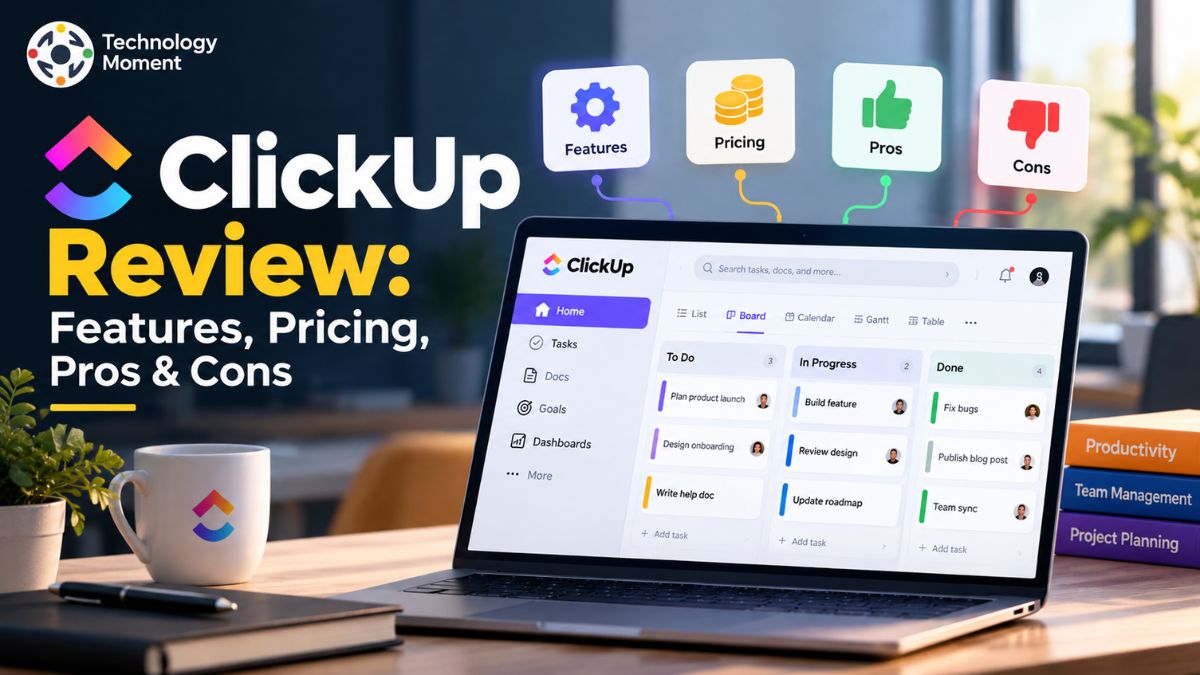
Choosing the right project management software can make a significant difference in how individuals and teams organize work, track tasks, communicate, and meet deadlines. With so many productivity and collaboration platforms available today, finding a tool that offers the right balance of features, usability, and cost can be challenging. That is where a detailed ClickUp review can help.
ClickUp has become a popular work management and project management platform by bringing tasks, projects, documents, collaboration, time tracking, dashboards, automation, and other productivity tools into one workspace. Its wide range of features makes it appealing to freelancers, small businesses, project managers, remote teams, and larger organizations.
In this guide, Technology Moment takes a closer look at ClickUp to help you understand what the platform actually offers before deciding whether it fits your needs. We will examine its key features, pricing plans, advantages and disadvantages, ease of use, project management capabilities, and the types of users who may benefit most from it. Whether you are researching project management software for personal productivity or looking for a solution for your team, this review aims to provide practical information so you can make a more informed decision.
What Is ClickUp?
ClickUp is a cloud-based work management and productivity platform designed to help individuals and teams organize projects, manage tasks, collaborate with colleagues, and track progress from one central workspace. Instead of switching between separate applications for task management, project planning, documentation, and team communication, users can bring many of these activities together using ClickUp software. This makes it a useful option for freelancers, startups, small businesses, project managers, and remote teams looking for a more organized way to manage their daily work.
The platform supports a range of project management activities, including assigning tasks, setting deadlines, creating subtasks, tracking dependencies, sharing documents, and monitoring project performance. Users can organize their work through different project views, such as Lists, Boards, Calendars, and Gantt charts, depending on their preferred workflow. ClickUp also provides dashboards, integrations, automation, and AI-powered features to support team productivity and reduce repetitive tasks.
One of the main reasons people consider ClickUp is its flexibility. Its customizable workspace allows teams to adapt the platform to different processes rather than following a single fixed system. However, ClickUp may take time to learn because it offers so many features and customization options. Users who only need a basic to-do list might find it more complex than necessary. Overall, ClickUp is worth exploring if you need project management software that combines task tracking, collaboration, and workflow management in one place.
ClickUp Features
ClickUp features are designed to help teams manage projects, organize daily responsibilities, and improve productivity through a single work management platform. One of its main advantages is the ability to customize workflows according to different project requirements. Users can create tasks and subtasks, assign responsibilities, set due dates, add comments, attach files, and track progress without relying on multiple separate tools. These task management features make ClickUp useful for marketing campaigns, content calendars, product development, and business operations.
Another important part of ClickUp is its range of project views. List and Board views help users organize tasks, while Calendar and Gantt views support scheduling, deadlines, and project planning. Dashboards provide a broader overview of project progress, workloads, and performance, although availability varies by plan. These options allow project managers to choose a workflow that suits their team’s needs.
ClickUp also includes collaboration and documentation tools. ClickUp Docs helps teams create and share documents, while Goals supports progress tracking. Whiteboards can help with brainstorming, and ClickUp Chat provides a space for team discussions. Built-in time tracking, available on eligible plans, is useful for monitoring time spent on tasks. Automation can reduce repetitive work by triggering actions when specific conditions are met, and integrations connect ClickUp with other workplace applications.
For users interested in AI project management, ClickUp Brain offers AI-powered assistance for work-related tasks, with availability and usage depending on the plan or add-on. Overall, ClickUp combines project planning, task tracking, team collaboration, reporting, and workflow management in one platform. However, the best features for each user depend on their budget, team size, and preferred working style.
ClickUp Pricing and Plans
ClickUp offers several subscription options to accommodate different budgets, team sizes, and project management requirements. Users can start with the Free Forever plan to explore its core tools, while paid subscriptions provide additional capabilities for managing projects, collaborating with teams, and organizing workflows. The right plan depends on your team’s size, required features, storage needs, and level of customization. Before subscribing, compare the available plans to determine which option provides the best value for your work.
The following ClickUp pricing table reflects the standard plans and prices displayed on the official pricing page when checked. Prices are in US dollars and billed per user; monthly billing costs more than annual billing for the paid plans shown.
| Subscription | Monthly Cost | What You Get | Suitable For |
|---|---|---|---|
| Free Forever | $0 | Essential task tools, shared documents, and basic project views | Individuals testing ClickUp |
| Unlimited | $7/user/month annually; $10 monthly | Expanded workspace capacity, time tracking, and integrations | Small teams handling regular projects |
| Business | $12/user/month annually; $19 monthly | More advanced reporting, workload tools, and automation options | Teams coordinating multiple workflows |
| Enterprise | Contact sales | Organization-wide controls, advanced permissions, and enterprise security options | Large businesses with complex requirements |
The Free Forever plan includes unlimited tasks, collaborative Docs, Kanban boards, Calendar view, and 60 MB of storage. Unlimited adds features such as unlimited storage, Gantt charts, integrations, and native time tracking. Business builds on these capabilities with advanced dashboards, workload management, and additional automation features. Enterprise is designed for organizations that require more advanced permissions, governance, security, and administrative controls.
When comparing ClickUp pricing plans, remember that optional AI products and newer plan offerings may affect the final cost. Review the official ClickUp pricing page before subscribing, especially if you need specific AI capabilities or advanced administrative features.
ClickUp Pros and Cons
Evaluating the strengths and weaknesses of ClickUp can help you determine whether it matches your project management requirements. While the platform provides a broad collection of productivity tools, the overall experience depends on your team’s workflow, project demands, and available budget.
A key benefit of ClickUp is that it brings task organization, project planning, document creation, time tracking, and team collaboration together in one workspace. Users can customize project views, automate routine activities, and connect external applications to build workflows that suit their needs. The Free Forever plan also gives individuals and teams an opportunity to explore essential capabilities without an upfront subscription cost. As their requirements grow, they can consider upgrading to a paid plan for additional tools and functionality.
However, ClickUp also has some disadvantages. Its extensive feature set and customization options can create a learning curve for beginners. New users may need time to understand the workspace structure, configure views, and establish an effective workflow. Teams that enable too many features or create complicated dashboards may find the interface overwhelming. In addition, certain advanced capabilities have plan-specific limits, so users should check what is included before upgrading. The overall value also depends on how many features a team actually uses.
| Pros | Cons |
|---|---|
| Wide range of project management features | Learning curve for beginners |
| Multiple project views | Interface can feel overwhelming |
| Task tracking and collaboration tools | Some features require paid plans |
| Automation and integrations | Setup may require time |
| Free plan available | Advanced needs can increase costs |
Overall, ClickUp is a strong option for teams seeking flexible project management software. However, users who prioritize simplicity may prefer a lighter alternative.
Is ClickUp Good for Project Management?
ClickUp provides teams with a structured way to organize projects, manage responsibilities, and keep track of deadlines in a shared digital workspace. Users can divide complex assignments into smaller tasks, set priorities, assign team members, and monitor progress throughout a project’s lifecycle. This approach helps everyone understand their responsibilities and makes it easier for project managers to identify outstanding work, coordinate activities, and maintain visibility over ongoing projects.
Another useful aspect of ClickUp is its selection of views for organizing information. The List view presents tasks in a structured format, while the Board view allows teams to follow work as it moves through different stages. Calendar view helps users manage schedules and due dates, and Gantt charts make it easier to visualize project timelines and task dependencies. Dashboards bring important project information together, helping teams review progress, workload distribution, and relevant performance indicators. Custom fields and configurable task statuses provide additional flexibility, allowing businesses to adapt their workflows to activities such as marketing campaigns, product launches, content planning, and software development.
ClickUp supports team collaboration through task comments, Docs, shared workspaces, integrations, and automation. These capabilities can reduce the need to switch between separate applications and make project information easier to access. Depending on the plan and configuration, teams can also use time tracking and reporting features to understand how work is progressing.
However, ClickUp may not be the best choice for every organization. Teams with simple requirements might prefer a more straightforward tool, while larger organizations should evaluate permissions, reporting requirements, integrations, and plan limitations before adopting it.
Who Should Use ClickUp?
ClickUp is particularly useful for people who need a structured way to handle several projects, deadlines, and responsibilities without spreading their work across numerous tools. Its workspace can be arranged around individual priorities, ongoing assignments, and shared team objectives. For personal use, it helps keep important activities visible and deadlines organized. For collaborative work, it gives team members a common place to review assignments, exchange updates, and follow project progress.
Growing companies can use ClickUp to coordinate everyday business activities, from planning promotional campaigns to managing customer requests and tracking internal tasks. Rather than keeping project details in disconnected documents and task lists, employees can organize relevant information within a shared workspace. Independent professionals and agencies may also find it useful for scheduling client deliverables, maintaining editorial plans, and overseeing several assignments at once.
The platform can be especially valuable for project managers responsible for coordinating people, deadlines, and dependent tasks. Custom fields, workload views, and dashboards offer ways to examine project status, distribute responsibilities, and spot work that needs attention. Teams operating across different locations can use shared documents, task comments, and connected applications to keep project discussions and updates accessible to the relevant people.
Marketing teams, product teams, and software development teams may find additional value in templates, automation, and specialized workflow features. For example, a marketing team can plan a content calendar, while a software team can organize a backlog and track sprint-related tasks. ClickUp can also suit growing organizations that expect their project management needs to become more complex over time. However, users should evaluate pricing, training requirements, and essential integrations before adopting it across an entire organization. In general, ClickUp is a good fit for people who value customization, collaboration, and detailed project tracking more than having the simplest possible interface.
ClickUp Review: Best Alternatives Compared
Some users want a simpler task management tool, while others need better team collaboration, visual workflows, software development features, or document management. Choosing the best ClickUp alternative depends on your team’s size, budget, workflow, and the features you actually use. The most relevant alternatives to compare are Asana, monday.com, Trello, Notion, and Jira. Each tool solves a slightly different problem, so the best option is not necessarily the one with the most features. Instead, focus on usability, pricing, integrations, reporting, and how well the platform supports your team’s daily work.
| Software | Best for | Main advantage | Main limitation | Starting price* |
|---|---|---|---|---|
| Asana | Structured project management | Clear task ownership and project planning | Advanced features can cost more | $10.99/user/month |
| monday.com | Visual workflows and business teams | Customizable boards and dashboards | Some plans have seat minimums and usage limits | $9/seat/month |
| Trello | Simple task management | Easy-to-understand Kanban boards | Less suitable for complex project reporting | $5/user/month |
| Notion | Documents, wikis, and knowledge management | Flexible pages and databases | Complex workflows may require additional setup | $10/member/month |
| Jira | Software development and Agile teams | Issue tracking and sprint management | Can feel complicated for nontechnical users | $7.91/user/month |
*Prices are in USD, based on published entry-level paid plans with annual billing where applicable. Verify the current price, seat requirements, and included features on each provider’s website before purchasing. Sources:
1. Asana: Best for Structured Project Management

- Best for: Marketing teams, project managers, and cross-functional teams.
- Free plan: Yes.
- Official website: asana.com
Asana is a project management platform designed for teams that need a clear system for organizing work, coordinating responsibilities, and keeping projects on schedule. It allows users to create tasks, assign them to team members, set deadlines, and follow progress across different projects. Depending on the plan, teams can use List, Board, Calendar, Timeline, and Gantt views to manage activities and understand how individual tasks contribute to larger goals.
One of Asana’s key strengths is its structured approach to project planning. Rather than offering the same level of workspace flexibility as ClickUp, it focuses on helping teams establish clear processes and maintain visibility into responsibilities. Its reporting tools, workflow automation, and third-party integrations can further support collaboration and reduce repetitive administrative work. However, businesses comparing Asana with ClickUp should examine their specific requirements for documentation, time tracking, customization, and advanced project views before making a decision.
- Pricing: Asana provides a free Personal plan with limitations, while its paid Starter plan is listed at $10.99 per user per month with annual billing. Advanced and Enterprise plans are available for teams requiring additional capabilities. Check Asana’s official pricing page for current rates and plan details.
- Pros: Clear task assignments, organized project workflows, useful reporting tools, and structured project planning.
- Cons: Advanced features may require more expensive plans, and teams with extensive documentation needs may prefer a platform with more integrated workspace tools.
Verdict: Asana is a sensible choice for teams that want a well-organized project management system with clear task ownership and predictable workflows. ClickUp, on the other hand, may appeal more to users who want to tailor their workspace and access a wider range of productivity tools in one place. The right choice ultimately depends on your team’s working style, essential features, and available budget.
2. monday.com: Best for Visual Workflows and Business Teams

- Best for: Marketing, operations, sales, and teams managing multiple business processes.
- Free plan: Yes, with limitations.
- Official website: monday.com
monday.com is a work management tool that allows businesses to coordinate projects, manage tasks, and organize everyday operations using customizable digital boards. Each board can be configured to display important information, including task ownership, progress, deadlines, priorities, and project updates. Teams can also use dashboards to review performance, link related activities, and streamline routine work through automation.
Unlike tools that emphasize a wide range of workspace features, monday.com places a strong focus on visual organization and flexible workflows. For example, marketing teams can plan promotional campaigns, operations departments can oversee recurring tasks, and project managers can track several initiatives from a shared overview. Integrations help connect monday.com with other workplace applications, while automation can reduce manual steps. However, the available capabilities and usage limits depend on the subscription plan.
When evaluating monday.com against ClickUp, subscription costs and plan limitations deserve careful consideration. Tools such as Gantt charts, timeline planning, third-party integrations, and workflow automation are not available on identical terms across every subscription. Reviewing the current plan details can help businesses choose an option that matches their workflow requirements and budget.
- Pricing: The published annual-billing entry prices are $9 per seat per month for Basic, $12 for Standard, and $19 for Pro. Confirm the minimum seat requirement and final checkout price before subscribing.
- Pros: Visual interface, customizable boards, dashboards, templates, and workflow automation.
- Cons: Seat requirements can raise the total cost, and advanced capabilities may require higher-tier plans.
Verdict: Choose monday.com if you value visual project tracking and flexible business workflows. Choose ClickUp if you prefer a broader collection of project management and productivity tools within one workspace.
3. Trello: Best for Simple Task Management

- Best for: Freelancers, individuals, small teams, and projects with simple workflows.
- Free plan: Available.
- Official website: trello.com
Trello is a visual task management platform that helps users organize work using Kanban boards, lists, and cards. Each card represents a task and can include descriptions, checklists, files, deadlines, and team comments. Users can move cards between workflow stages, such as To Do, In Progress, and Completed, to track progress without navigating a complicated interface. This makes Trello a practical choice for people looking for a simpler alternative to ClickUp.
The platform is particularly useful for personal planning, editorial calendars, marketing activities, and small projects that need clear task ownership and status updates. Users can create separate boards for different projects and invite team members to collaborate. Trello also offers Butler automation and additional project views on eligible plans, allowing teams to streamline repetitive tasks and customize how they organize their work.
However, Trello may be less suitable for teams managing complex projects with multiple dependencies, resource allocation requirements, advanced reporting, or extensive cross-project oversight. Although integrations and Power-Ups can extend its capabilities, some teams may need additional tools to manage more sophisticated workflows. ClickUp provides a broader range of built-in project management features, whereas Trello prioritizes visual simplicity.
- Pricing: Trello’s Free plan supports up to 10 collaborators per Workspace. Standard is listed at $5 per user per month with annual billing, and Premium at $10 per user per month with annual billing.
- Pros: Intuitive interface, visual task tracking, quick setup, and a free starting option.
- Cons: Limited suitability for complex project planning, advanced resource management, and detailed portfolio reporting.
Verdict: Trello is a good choice for users who want an accessible way to organize tasks and manage straightforward projects. Teams that need more advanced reporting, task dependencies, workload management, and multiple project views may find ClickUp a more comprehensive solution.
4. Notion: Ideal for Documentation and Knowledge Management

- Best for: Startups, writers, researchers, and documentation-heavy teams.
- Free plan: Yes.
- Official website: notion.com
It is particularly useful for teams that want to maintain company knowledge, project briefs, meeting notes, internal wikis, and task lists in one organized environment. Users can create linked databases, customize page layouts, and display project information through different database views.
The biggest difference between Notion and ClickUp is their core approach. ClickUp is primarily task- and project-management-focused, with documents and collaboration tools integrated into its workspace. Notion is document-first, with project management built around its pages and databases. This makes Notion attractive for teams whose daily work revolves around writing, research, documentation, and knowledge sharing.
Notion can also support content planning, editorial calendars, lightweight customer relationship management, and internal process documentation. However, users who need advanced task dependencies, detailed time tracking, or sophisticated project reporting may find that achieving the same result requires more configuration or external integrations. Teams should evaluate their actual workflow before deciding whether Notion can replace ClickUp completely.
- Pricing: Notion offers a Free plan, Plus at $10 per member per month, and Business at $20 per member per month, with annual billing reflected in its published pricing. Enterprise pricing is customized.
- Pros: Excellent for creating structured documents, linking databases, building team knowledge hubs, and organizing information with customizable templates.
- Cons: Advanced project management can require extra configuration, and complex workflows may need integrations.
Verdict: Choose Notion if your priority is organizing information and documents alongside lightweight projects. Choose ClickUp if task assignments, project dependencies, time tracking, and structured execution are central to your work.
5. Jira: Ideal for Agile Workflows, Sprint Planning, and Bug Tracking

- Ideal users: Agile development teams, software engineers, product owners, and technical project managers.
- Free access: Available for teams with up to 10 users.
- Website: Atlassian Jira
Jira helps software teams turn development goals into organized, trackable work. Teams can use it to collect feature requests, prioritize pending work, investigate bugs, plan development cycles, and follow tasks from the initial idea through completion. Rather than focusing mainly on general workplace productivity, Jira provides a structured environment for managing the details involved in building and maintaining software.
For organizations with established development processes, Jira can serve as the central place to coordinate engineering activities. Teams working with Scrum can organize sprint commitments, while Kanban users can monitor work as it moves through different stages. Connections with other Atlassian products and third-party development tools can also help keep technical work connected. ClickUp offers a wider range of tools for everyday business activities, whereas Jira is particularly attractive when software issues, development priorities, and release-related tasks are the main focus.
People who are unfamiliar with development terminology could need time to understand its structure, and administrators may need to configure workflows to match their team’s processes. Businesses looking primarily for simple task lists, marketing schedules, or general documentation might prefer a less technical workspace.
- Pricing: Jira has a Free plan for up to 10 users. The Standard plan is listed at $7.91 per user per month, and Premium at $14.54 per user per month. Enterprise pricing is available on request. Check Jira’s official pricing page for current rates and billing details.
- Pros: Structured development workflows, backlog organization, sprint planning, issue management, and progress reporting.
- Cons: A learning curve for nontechnical users, possible configuration work, and a stronger focus on software development than general business collaboration.
Verdict: Jira makes the most sense when engineering work, bug resolution, and Agile delivery drive your team’s daily activities. If you need one flexible workspace for projects, documents, time tracking, and broader business operations, ClickUp may be the more practical option.
Frequently Asked Questions About ClickUp
What is ClickUp used for?
ClickUp is a project management and work management platform used to organize tasks, manage projects, track deadlines, collaborate with teams, and monitor progress. Freelancers, small businesses, project managers, and remote teams can use ClickUp to coordinate work and improve productivity.
Is ClickUp good for small businesses?
Yes, ClickUp can be a good choice for small businesses that need to manage projects, assign tasks, organize documents, and coordinate employees in one workspace. Its Free Forever and Unlimited plans provide options for different budgets. However, business owners should evaluate the required features, number of users, training needs, and total subscription cost before adopting it for everyday operations.
Does ClickUp have AI features?
Yes, ClickUp offers AI capabilities through ClickUp Brain and related AI offerings. Depending on the available plan and subscription, these tools can help summarize work, draft content, answer questions about workspace information, and support reporting or workflow activities. AI access, usage allowances, and additional costs can vary, so check the current pricing page before purchasing an AI add-on or plan.
Is ClickUp worth it?
ClickUp is a practical choice for teams that want to organize projects, manage deadlines, and coordinate daily tasks through a shared workspace. Its range of tools can help businesses keep project information accessible and maintain better visibility into ongoing work. While the free plan is a useful starting point, the platform’s overall value depends on your team’s requirements. Before choosing ClickUp, compare its capabilities, subscription costs, and ease of use with your existing workflow to determine whether it meets your needs.