
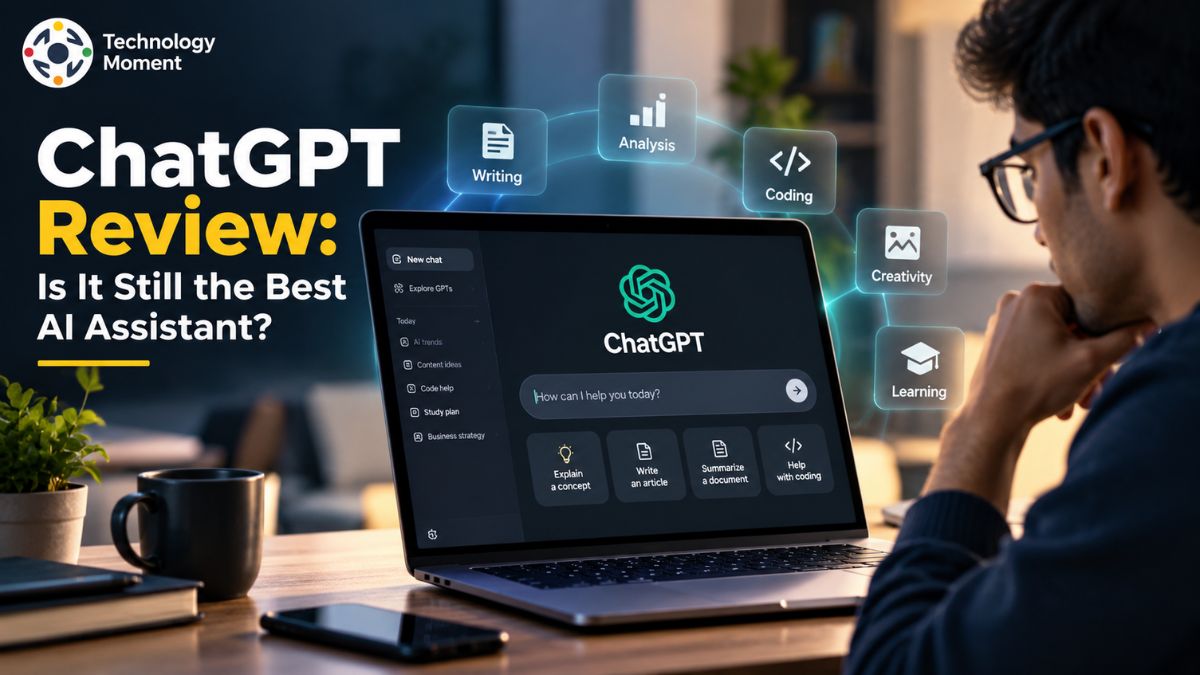
Artificial intelligence has moved far beyond simple chatbots, and ChatGPT is one of the tools that has helped define that shift. What started as a conversational AI has evolved into a broader AI assistant for writing, research, coding, studying, file analysis, image generation, web search, and everyday productivity. With new AI assistants appearing almost every week, however, being popular is no longer enough. The more important question is whether ChatGPT still deserves a place at the top.
That is what we are exploring in this ChatGPT review. Instead of focusing only on features or marketing claims, we will look at what the AI assistant is actually useful for, how well it performs, where it can fall short, and whether its paid plans offer enough value for different types of users. We will also compare ChatGPT with major alternatives such as Claude, Gemini, and Perplexity to see where each platform has an advantage.
At Technology Moment, our goal is to make rapidly changing technology easier to understand and evaluate. From AI tools and software to emerging technologies and digital trends, we focus on practical information that helps readers make better technology decisions. So, is ChatGPT still the best AI assistant, or have newer competitors caught up? The answer is more nuanced than simply choosing a winner. It depends on what you expect from an AI assistant and how you plan to use it. In this review, we will examine its capabilities, performance, pricing, strengths, limitations, and real-world usefulness before reaching our final verdict.
ChatGPT Review: What Is ChatGPT?
ChatGPT is an AI assistant developed by OpenAI that allows users to interact with artificial intelligence through natural-language conversations. Unlike a traditional search engine, where users typically enter keywords and browse through a list of links, ChatGPT is designed to understand instructions, maintain conversational context, and generate responses based on what the user asks. It can be used for everyday questions, brainstorming, writing, studying, planning, coding, translation, and many other tasks.
What makes ChatGPT particularly interesting is how much the platform has expanded beyond its original chatbot experience. It now functions more like a general-purpose AI assistant, combining conversational AI with tools for web search, document analysis, data analysis, image generation, voice interaction, and research. Depending on the plan and available features, users can also work with files, images, custom GPTs, memory, and other productivity-focused capabilities.
For students, ChatGPT can help explain difficult concepts, organize study material, and generate practice questions. Professionals can use it to draft emails, analyze information, brainstorm ideas, or assist with coding and research. Writers and creators may use it as an AI writing tool, while developers can use it for understanding, generating, debugging, and improving code.
However, calling ChatGPT simply an “AI chatbot” no longer fully describes the product. Its broader AI assistant capabilities make it useful across many workflows, but that does not mean every response is automatically accurate. Users should still evaluate important information and verify critical facts. That balance between versatility, convenience, accuracy, and limitations is what makes ChatGPT worth examining in a detailed review.
ChatGPT Features: What Can ChatGPT Do?
One of the biggest reasons ChatGPT remains widely used is the range of tasks it can handle from a single interface. Rather than being limited to simple question-and-answer conversations, the platform can support writing, coding, research, productivity, data analysis, image-related tasks, and other forms of digital work. The exact capabilities available to a user can vary by plan, model, and settings.
For writing and content creation, ChatGPT can draft, rewrite, summarize, translate, brainstorm, and improve text. This makes it useful for emails, articles, reports, study notes, marketing copy, and creative projects. For developers, its AI coding capabilities can help generate code, explain programming concepts, identify problems, and improve existing code. These features make ChatGPT more than an AI writing tool; it can become part of a broader AI productivity workflow.
Research is another important area. ChatGPT can search the web for current information and, where supported, use Deep Research for more complex multi-step investigations that synthesize information from multiple sources. The platform can also work with uploaded documents and images. Users can ask it to summarize files, extract information, interpret visual material, or analyze structured data. Data Analysis can be particularly useful for spreadsheets and datasets because ChatGPT can analyze and visualize information in a secure environment.
Other notable capabilities include image generation, voice conversations, memory, projects, and custom GPTs. Together, these features create a multimodal AI assistant that can support different types of work in one place. The real advantage, however, is not simply the number of features; it is how easily users can combine them to complete practical tasks.
How Good Is ChatGPT? Performance and Accuracy Test
Evaluating ChatGPT requires more than asking whether it can produce impressive answers. A useful ChatGPT performance review should consider accuracy, reasoning, response quality, consistency, speed, and how effectively the assistant follows instructions. In everyday use, ChatGPT can be highly capable across writing, coding, research, brainstorming, translation, and problem-solving, but its performance can vary depending on the task and the information involved. OpenAI itself describes ChatGPT as a system designed to follow complex instructions, understand context, and assist with a broad range of tasks.
For writing, ChatGPT generally performs well when users provide clear instructions about tone, audience, structure, and purpose. It can quickly produce drafts and rewrite existing content, although users may still need to edit the final result for originality, style, accuracy, and personal voice. For coding, the assistant can explain code, generate solutions, and help identify errors, making it useful for both learners and experienced developers.
Research is more complicated. ChatGPT can search the web and provide source-backed information in supported experiences, while Deep Research is designed for multi-step investigations. Nevertheless, users should not treat every AI-generated statement as automatically correct. AI hallucinations remain an important consideration, particularly when an answer involves specific facts, statistics, technical details, or references.
This means ChatGPT’s accuracy is best understood as task-dependent rather than absolute. It can be an excellent starting point for research, analysis, writing, and problem-solving, but important claims should be independently verified. Overall, its strongest performance comes from combining its AI reasoning and productivity capabilities with sensible human oversight. That makes ChatGPT a powerful AI assistant, but not an infallible source of truth.
ChatGPT Pricing: Is ChatGPT Worth the Money?
ChatGPT follows a tiered subscription model, allowing users to access different levels of AI capabilities and usage. The exact features and limits can change, so readers should always check the official pricing page before subscribing. OpenAI currently lists Free, Go, Plus, Pro, Business, and Enterprise offerings, with the consumer plans designed for different levels of usage.
| ChatGPT Plan | Current listed price* | Best suited for | Key advantages |
|---|---|---|---|
| Free | Free | Casual users | Basic ChatGPT access with limited usage |
| Go | $8/month in the U.S.** | Regular users on a budget | More messages, uploads, image creation and longer memory/context |
| Plus | $20/month | Professionals, students and frequent users | Higher limits, advanced reasoning, voice, image generation, file analysis and Deep Research |
| Pro | $200/month | Heavy AI users and professionals | Higher usage and access to premium capabilities |
| Business | Varies | Teams and organizations | Collaboration, administration and business-oriented features |
| Enterprise | Custom pricing | Large organizations | Enterprise-level controls, support and privacy commitments |
Pricing and included features can change. OpenAI lists $8/month as the U.S. price for Go and notes that pricing is localized in some markets. For many users, the ChatGPT free vs paid decision comes down to frequency and workload. Someone who only needs occasional answers, basic writing assistance, or simple brainstorming may find the Free plan sufficient. A frequent user who depends on ChatGPT for research, document analysis, advanced reasoning, image generation, or productivity may get considerably more value from a paid plan.
ChatGPT Plus is currently listed at $20 per month and provides broader model access, higher limits, faster responses, advanced reasoning options, voice conversations, image generation, file uploads and analysis, and Deep Research where available. The newer Go plan provides a lower-cost option for users who want more access than the Free tier without moving directly to Plus. OpenAI says Go is available globally and lists $8/month as its U.S. price, with localized pricing in some markets.
So, is ChatGPT worth it? For occasional users, probably not necessarily. For people who use AI every day for writing, coding, research, learning, or productivity, a paid plan can offer substantially more flexibility. The best plan ultimately depends on how frequently you use ChatGPT and which capabilities you actually need.
ChatGPT Pros and Cons
ChatGPT has developed from a conversational chatbot into a broad AI assistant that can support writing, coding, research, file analysis, data analysis, image generation, web search, voice conversations, and other productivity tasks. Its biggest advantage is this versatility: users can move between different workflows without constantly changing applications. OpenAI also continues to expand ChatGPT’s tools and working modes, which makes it increasingly useful for both everyday users and professionals.
However, a powerful feature set does not mean ChatGPT is perfect. Like other generative AI systems, it can produce inaccurate or misleading information, so users should not treat every response as automatically correct. OpenAI itself acknowledges that ChatGPT can sometimes generate plausible-sounding but incorrect answers. Its usefulness can also vary depending on the task, model, prompt quality, and available usage limits. This is especially important for users who expect consistent performance on highly specialized or high-stakes work.
| ChatGPT Pros | Why It Matters | ChatGPT Cons | Why It Matters |
|---|---|---|---|
| Wide range of capabilities | Writing, coding, research, data analysis, images, files and more are available in one AI assistant. | Can make mistakes | Important facts and calculations may still require verification. |
| Strong AI writing tool | Useful for drafting, rewriting, summarizing and brainstorming. | Not always factually accurate | A confident response can still contain incorrect information. |
| Coding assistance | Can explain code, help debug problems and assist with development tasks. | Performance varies by task | A model that performs well on one task may not be equally strong on another. |
| Web search and research | Useful when current information or source-backed answers are required. | Search does not eliminate errors | Sources and conclusions should still be reviewed. |
| Multimodal capabilities | Users can work with text, images, files and voice. | Feature availability varies | Plans, regions and product changes can affect access. |
| Easy to use | Natural-language interaction makes AI accessible to beginners. | Can require good prompting | Complex tasks often produce better results with clear instructions. |
| Useful for productivity | Can help organize ideas, summarize material and support workflows. | Usage limits | Free and paid plans have different limits and access. |
| Large ecosystem | Custom GPTs, memory, Projects and other tools expand possible workflows. | Potential privacy concerns | Users should understand data controls before sharing sensitive information. |
| Good general-purpose assistant | Suitable for students, creators, developers and professionals. | Not the best at everything | Specialized competitors can be better for particular use cases. |
Overall, the strongest argument for ChatGPT is not that it wins every individual task. Its advantage is that it combines many useful capabilities into one AI productivity tool. At the same time, its limitations explain why experienced users often compare it with other AI assistants rather than relying exclusively on one platform. Recent research also suggests that many AI users use multiple assistants and switch tools depending on the task.
ChatGPT vs Other AI Assistants
The modern AI assistant market is no longer dominated by a single type of chatbot. ChatGPT, Claude, Gemini and Perplexity have increasingly overlapping capabilities, but each platform emphasizes different strengths. ChatGPT is positioned as a broad general-purpose AI workspace, while Claude is often associated with writing and coding, Gemini has a strong connection to Google’s ecosystem, and Perplexity focuses heavily on search and source-backed research. That means the question “Which is the best AI assistant?” does not have one universal answer. The better question is which assistant is best for a particular workflow.
| Category | ChatGPT | Claude | Gemini | Perplexity |
|---|---|---|---|---|
| Overall use | Excellent general-purpose AI assistant | Excellent for writing and analytical work | Strong general assistant | Strong research-focused assistant |
| AI writing | Excellent | Excellent | Very good | Good |
| Coding | Excellent | Excellent | Very good | Good |
| Research | Excellent with search and Deep Research | Very good | Excellent for some Google-connected workflows | Excellent for source-focused research |
| Web search | Strong | Available depending on product/features | Strong | Core strength |
| Citations | Strong when using search/research tools | Varies by workflow | Strong for web-based tasks | Major strength |
| Long documents | Very good | Excellent | Very good | Good |
| Google ecosystem | Limited compared with Gemini | Limited compared with Gemini | Excellent | Limited |
| Multimodal AI | Excellent | Strong | Excellent | Strong |
| Image generation | Yes | More limited/different approach | Yes | Available through certain features |
| Data analysis | Strong | Strong | Strong | More research-oriented |
| Everyday productivity | Excellent | Excellent | Excellent | Very good |
| Best for | All-round AI workflows | Writing, coding and document-heavy work | Google-centered productivity | Research and citations |
| Main advantage | Broad toolset and versatility | Careful writing and technical workflows | Google ecosystem integration | Search-first experience |
| Main limitation | Not always best for every specialized task | Less universal for some workflows | Best value can depend on Google ecosystem use | Less of a general-purpose workspace |
These distinctions should not be interpreted as permanent rankings. AI assistants are changing rapidly, and capabilities can shift as new models and features are released. Current comparisons similarly find that ChatGPT tends to work well as an all-purpose assistant, Claude has strengths in writing and coding, Gemini benefits from Google integration, and Perplexity is particularly suited to research with sources.
For this reason, ChatGPT alternatives are worth considering rather than dismissing. A developer may prefer one platform for coding, a researcher another for citations, and a Google Workspace user another for productivity. In practice, using more than one AI assistant can sometimes be more effective than searching for one tool that does everything perfectly.
Is ChatGPT Still the Best AI Assistant?
So, is ChatGPT still the best AI assistant? The short answer is: for many users, yes—but not universally. ChatGPT remains one of the strongest general-purpose AI platforms because it combines conversational AI, writing, coding, research, web search, file analysis, data analysis, image generation, voice and other capabilities within a single ecosystem.
Its biggest strength is flexibility. Someone can use ChatGPT as an AI writing tool in the morning, an AI coding assistant later in the day, and a research or productivity tool in the evening. That broad usefulness is difficult to match with a platform built primarily around one workflow. Current market research also shows that ChatGPT remains a major primary assistant while competing platforms maintain strong positions in particular tasks.
However, “best” depends heavily on the user’s priorities. If the main requirement is source-focused online research, Perplexity may be more attractive. Someone who spends most of their time on long-form writing or code review may prefer Claude. Users deeply invested in Google services may find Gemini more convenient. These are not necessarily reasons to abandon ChatGPT; they demonstrate how the AI assistant comparison has become more about specialization than simple winner-versus-loser rankings.
For everyday users, ChatGPT remains a particularly strong choice because it covers a wide range of needs without requiring extensive technical knowledge. Students can use it for explanations and study support, professionals can use it for writing and analysis, developers can use it for coding, and creators can use it for brainstorming and content development. The biggest caution is accuracy. ChatGPT should be treated as an assistant rather than an unquestionable authority. Important claims, research findings, calculations and professional advice should be checked against reliable sources.
Who Should Use ChatGPT?
ChatGPT is best suited to people who want a flexible AI assistant that can handle several different tasks from one platform. It can help with writing, studying, brainstorming, planning, mathematics, coding, file and image analysis, web search, and research. Because it works through natural-language instructions, users do not need advanced technical knowledge to get started. This makes ChatGPT useful for beginners as well as experienced professionals.
Students are one of the clearest user groups for ChatGPT. It can explain difficult concepts in simpler language, help organize study material, generate practice questions, summarize documents, and support research. However, students should use it as a learning assistant rather than simply copying answers. Writers, bloggers, and content creators can also benefit from ChatGPT as an AI writing tool for brainstorming, outlining, rewriting, editing, summarizing, and adapting content for different audiences.
For developers, ChatGPT can work as an AI coding assistant by helping explain programming concepts, troubleshoot code, generate examples, and reason through technical problems. Professionals can use it for emails, reports, presentations, research, data analysis, document analysis, planning, and productivity workflows. OpenAI’s documentation also lists capabilities such as file uploads, data analysis, image generation, voice conversations, web search, Deep Research, Projects, memory, and custom GPTs, although availability can depend on the user’s plan and settings.
ChatGPT is also useful for business users and entrepreneurs who need help turning ideas into practical work. It can assist with market research, business writing, customer communication, brainstorming, process documentation, and analysis. The important point is that ChatGPT does not have to replace a person’s expertise. Its greatest value comes from reducing repetitive work and helping users think, create, research, and communicate more efficiently.
For everyday users, ChatGPT can also function as a general-purpose digital assistant. Whether someone needs help planning a trip, understanding a technical subject, improving a piece of writing, analyzing a document, or exploring an unfamiliar topic, the conversational interface makes these tasks relatively accessible. In short, ChatGPT is best for users who need versatility. If your work regularly involves writing, research, coding, learning, analysis, or productivity, it can be a particularly useful AI productivity tool.
Who Should Consider a ChatGPT Alternative?
Although ChatGPT is a powerful general-purpose AI assistant, it is not automatically the best tool for every user or every workflow. The rapidly expanding AI market now includes alternatives such as Claude, Gemini, Perplexity, and other specialized AI tools. Choosing a ChatGPT alternative makes sense when another platform better matches a user’s specific requirements, preferred ecosystem, workflow, or budget.
Someone whose main priority is research and web-based information discovery may want to compare ChatGPT with search-focused AI platforms. Users who depend heavily on citations, source discovery, or a search-first experience may prefer a specialized research tool. Similarly, developers and technical professionals should compare multiple AI coding assistants because performance can differ depending on the programming language, project complexity, and development environment.
The same applies to AI writing. ChatGPT is a strong writing assistant, but writers who prioritize a particular writing style, long-document workflow, or specialized editing experience may find another platform more suitable. Businesses already deeply invested in a particular software ecosystem should also consider integration. For example, someone who relies heavily on Google’s productivity services may want to evaluate an AI assistant that works closely with that ecosystem.
Price is another reason to explore ChatGPT alternatives. A user who only needs occasional AI assistance may not benefit enough from paying for a premium plan. ChatGPT has a Free option, while paid plans provide higher limits and additional capabilities; plan limits and features can change over time. Privacy and organizational requirements can also influence the decision. Businesses handling sensitive information should examine each provider’s privacy policies, administrative controls, data handling practices, and enterprise offerings before selecting an AI platform.
The most practical approach is therefore not to ask which AI chatbot is universally superior. Instead, compare the tools according to your actual needs: writing, coding, research, productivity, integrations, accuracy, price, privacy, and ease of use. ChatGPT remains an excellent all-rounder, but using an alternative—or even more than one AI assistant—can make sense when a competing platform offers a stronger experience for a particular task. The AI landscape is competitive, and that competition is ultimately useful for users because it gives them more choices.
Frequently Asked Questions About ChatGPT
Is ChatGPT better than Perplexity?
ChatGPT and Perplexity serve overlapping but somewhat different purposes. ChatGPT is a broader AI assistant designed for conversations, writing, coding, research, analysis, images, files, and productivity. Perplexity is particularly associated with search-oriented research and source discovery. If your priority is a versatile AI workspace, ChatGPT may be preferable; if research and web discovery dominate your workflow, Perplexity is worth considering.
Can ChatGPT analyze files?
Yes. ChatGPT supports file uploads for tasks such as summarizing documents, extracting information, and answering questions about uploaded content. Its data-analysis capabilities can also work with structured data such as spreadsheets and CSV files. Availability and limits depend on the plan and current product configuration, so users should check the capabilities available to their account.
Can ChatGPT generate images?
Yes. ChatGPT supports image generation and can create visuals from natural-language instructions. Users can describe the subject, composition, style, or desired changes and ask ChatGPT to generate or modify images. Image capabilities and usage limits can vary by plan. This makes ChatGPT more than a text-only AI chatbot and gives creators another tool for visual content workflows.
Can ChatGPT browse the web?
Yes. ChatGPT can search the web when current information is needed and can provide citations for information found through search. This is particularly useful for recent developments, unfamiliar subjects, product information, and research. However, web search does not guarantee that every answer is correct, so users should still examine important sources and distinguish reliable evidence from low-quality information.
Can ChatGPT help with productivity?
Yes. ChatGPT can support productivity by helping users draft emails, organize ideas, summarize information, plan projects, analyze documents, brainstorm solutions, and automate parts of repetitive knowledge work. Its usefulness is greatest when users provide clear objectives and context. Features such as Projects, memory, file analysis, data analysis, and scheduled capabilities can further support longer or recurring workflows where available.