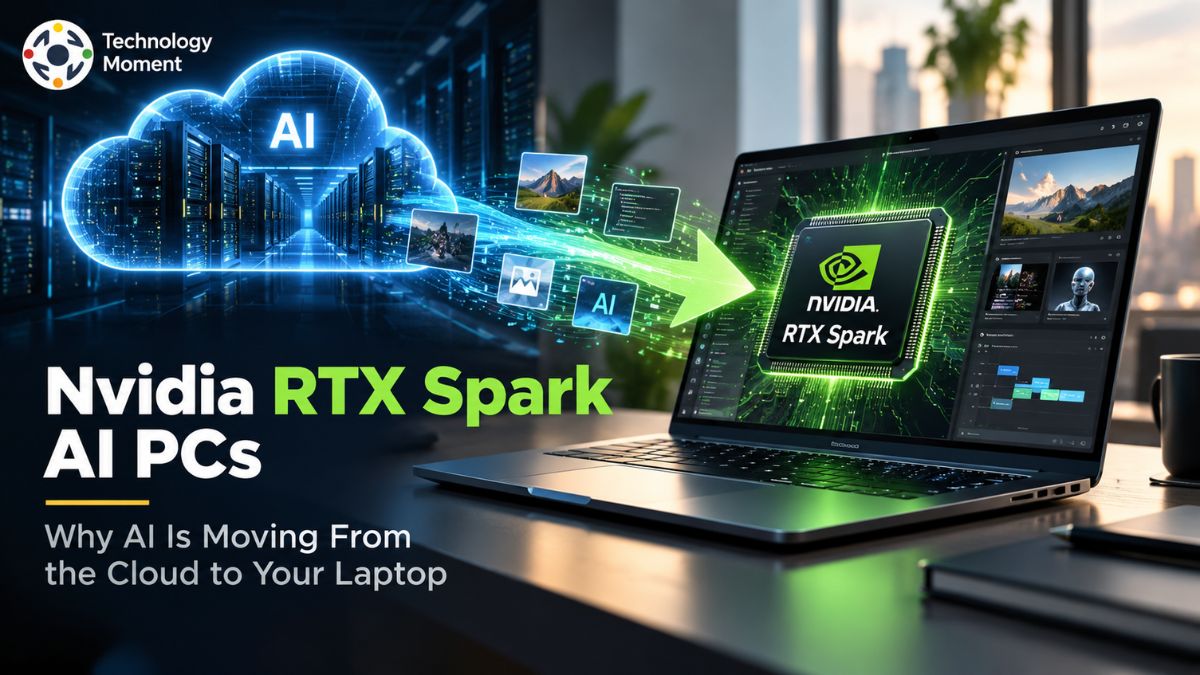
Artificial intelligence is entering a new phase. For years, many of the most powerful AI workloads have depended on cloud data centers, with users sending prompts, files, and requests to remote servers for processing. But as AI models become larger and AI agents become more capable, the PC itself is starting to take a bigger role.
NVIDIA RTX Spark AI PC is part of this shift, bringing high-end AI computing into Windows laptops and compact desktop PCs. The platform combines a Blackwell RTX GPU with a Grace CPU and up to 128GB of unified memory, giving developers and power users more room to run demanding AI workloads locally. NVIDIA also positions RTX Spark around personal AI agents, local model development, creative applications, and gaming.
The bigger story, however, is not simply about another NVIDIA PC platform. Local AI can reduce reliance on cloud services for certain workloads, while keeping more computing activity closer to the user. That can be especially relevant for AI development, local large language models, content creation, and privacy-sensitive tasks.
For Technology Moment, RTX Spark offers a useful lens into this broader transformation. The rise of AI PCs could change the way people think about laptops: not just as devices that access AI services, but as machines capable of running increasingly sophisticated AI workloads themselves. In this article, we explore how NVIDIA RTX Spark works, why local AI is gaining momentum, what its hardware enables, and whether the shift from cloud AI to on-device computing could shape the next generation of personal computers.
What Is NVIDIA RTX Spark?
NVIDIA RTX Spark is a new class of AI PC designed to bring powerful AI computing closer to the user. Instead of treating a computer mainly as a device that connects to cloud AI services, RTX Spark is built around the idea that increasingly capable AI workloads can run directly on the PC. NVIDIA combines a Blackwell RTX GPU and Grace CPU in an integrated platform, with configurations offering up to 128GB of unified memory and up to 1 petaflop of FP4 AI performance. The system runs Windows 11 and supports NVIDIA technologies such as CUDA, Tensor Cores, TensorRT, DLSS, and RTX graphics.
What makes the RTX Spark AI PC particularly interesting is its focus on local AI. NVIDIA says the platform is designed for developers and creators who want to prototype, fine-tune,e and run AI models locally. Its large unified memory capacity is important because modern large language models and AI applications can require substantial memory when running inference on a local machine. NVIDIA’s developer documentation positions RTX Spark for prototyping and testing large AI models and agents, with support for models of up to 200 billion parameters depending on the workload and configuration.
The platform is also broader than a traditional AI laptop. NVIDIA is presenting RTX Spark across slim Windows laptops and compact desktop PCs, giving users different ways to access local AI computing. Beyond AI development, the hardware is designed for creative applications and gaming, making it an example of how the AI PC is evolving into a more versatile computing platform.
Why Is AI Moving From the Cloud to Your Laptop?
For years, advanced AI has largely depended on cloud computing. A user sends a request to a remote service, powerful data-center hardware processes it, and the result comes back over the internet. This model remains extremely important, but the rapid growth of generative AI, local LLMs, and AI agents is creating demand for another approach: running more AI directly on personal devices. That is where the idea of local AI and on-device AI becomes increasingly relevant.
Moving some AI processing from the cloud to a laptop can offer several potential advantages. Local inference can reduce dependence on an internet connection for supported workloads, while keeping certain data and processing activities closer to the user. This can be especially useful for developers testing AI models, creators working with AI-powered applications, or professionals handling information they would prefer to process locally. However, local AI does not mean cloud AI is disappearing. Cloud services still provide enormous computing resources and access to models that may be impractical to run on consumer hardware.
The more realistic direction is therefore a hybrid AI model. Some tasks can happen locally, while larger or more demanding workloads can continue to use cloud AI services. NVIDIA’s RTX Spark strategy fits into this broader transition by providing the hardware needed to make local AI more practical. The company describes RTX Spark as a platform for personal AI agents that can work directly on Windows PCs, alongside traditional computing, gaming,g and creative workloads.
This shift could change how people think about an AI PC. Instead of simply accessing an AI assistant through a website or application, the computer itself becomes part of the AI infrastructure. That makes local AI, privacy, model control, and on-device processing increasingly important factors when choosing future laptops and PCs.
How RTX Spark Enables Local AI
The ability to run AI locally depends on more than simply putting an AI processor inside a laptop. Modern AI workloads can require significant compute performance, memory capacity,y and software optimization. NVIDIA RTX Spark addresses these requirements by combining a Blackwell GPU with a Grace CPU and unified memory in the same platform. The highest RTX Spark configuration listed by NVIDIA includes a 6,144-core Blackwell RTX GPU, a 20-core Grace CP,U and up to 128GB of unified LPDDR5X memory.
Unified memory is particularly important for local AI because the CPU and GPU can work with a shared memory pool rather than relying on separate memory resources. For AI developers, this can make it easier to work with larger models and datasets within the limits of the system. NVIDIA says RTX Spark can be used to prototype, fine-tune, and perform inference on the latest models locally, while its developer platform is aimed at large AI models and agents.
The software ecosystem is another major part of the equation. CUDA provides the foundation for NVIDIA’s AI development ecosystem, while Tensor Cores and TensorRT help accelerate supported AI workloads. The combination of hardware and software means RTX Spark is not simply an AI chip; it is intended to provide developers with an environment for AI development, local inference, and model experimentation.
NVIDIA also highlights FP4 AI performance, with RTX Spark capable of up to 1 petaflop of FP4 performance. The company says the platform can support demanding workloads such as large language models, AI agents, creative applications, and advanced graphics. For users, the important point is that local AI depends on the complete system. Memory, GPU acceleration, CPU performance, and software support all contribute to whether an AI workload can realistically run on a personal computer. RTX Spark is designed around that complete local AI experience rather than treating AI acceleration as a small feature added to a conventional PC.
What Can You Actually Do With an RTX Spark AI PC?
An RTX Spark AI PC is designed for much more than asking an AI chatbot a question. NVIDIA positions the platform for developers, creators, and gamers, with local AI, AI agents, content creation, and RTX-powered graphics all forming part of the experience. For developers, one of the most interesting capabilities is the ability to experiment with large language models and AI agents locally. NVIDIA says RTX Spark can run 120-billion-parameter LLMs with up to a million-token context using agents locally, although real-world performance depends on the model, software, and configuration.
For AI developers, local inference can make experimentation more convenient because models can be tested directly on the same computer used for development. The CUDA ecosystem also gives developers access to NVIDIA’s established software stack for AI development and deployment. This can make an RTX Spark system useful for prototyping AI applications, testing models, and building personal AI agents without moving every development task to a remote cloud environment.
Creators are another important audience. NVIDIA says RTX Spark can handle demanding creative workloads, including large 3D scenes, high-resolution video editing, and AI-generated video. The platform also combines AI acceleration with RTX graphics technologies, giving users a machine that can handle both AI workloads and traditional creative tasks. Gaming remains part of the picture as well. RTX Spark supports technologies such as ray tracing, DLSS, and NVIDIA Reflex, meaning the same PC can be used for gaming alongside AI development and creative work.
The broader significance is that an AI PC is becoming less about one specific AI feature and more about what the entire machine can accomplish. With local LLMs, AI agents, AI coding, image generation, video creation, and accelerated graphics available on the same platform, RTX Spark represents NVIDIA’s vision of a computer where AI becomes a built-in part of everyday computing rather than something users access only through the cloud.
RTX Spark vs Cloud AI: What Changes for Users?
The biggest difference between an NVIDIA RTX Spark AI PC and traditional cloud AI is where the computing actually happens. With cloud AI, the application generally sends a request to remote servers, where powerful data-center hardware processes the workload before returning the result. With RTX Spark, supported AI workloads can instead run locally on the Windows PC. NVIDIA positions RTX Spark for local AI development, AI agents, and large-model workloads, with configurations offering up to 128GB of unified memory.
This does not mean RTX Spark makes cloud AI obsolete. Cloud platforms remain valuable when users need enormous computing resources, access to proprietary models,s or workloads that exceed the capabilities of a personal computer. The more practical change is that users can decide where different workloads should run. Smaller or privacy-sensitive tasks may be handled locally, while larger workloads can continue using cloud AI services. This creates a hybrid approach rather than a simple replacement of cloud computing.
| Feature | RTX Spark Local AI | Traditional Cloud AI |
|---|---|---|
| Processing location | On the user’s PC | Remote data centers |
| Internet dependence | Lower for supported local workloads | Generally required |
| Data location | Can remain on the local device | Data is processed by the cloud service |
| Latency | Can be lower because processing is local | Depends partly on network connection |
| Hardware requirement | Requires capable AI hardware | Most processing happens remotely |
| Model size | Limited by local memory and software | Can access much larger cloud infrastructure |
| AI model control | Greater control over supported local models | Depends on the provider |
| Running cost | Mainly hardware and electricity | Often subscription or usage based |
| Privacy | More local processing options | Depends on provider policies |
| Best use case | Local LLMs, agents, development and creative AI | Large-scale AI services and heavy remote workloads |
The privacy angle is particularly important. Local inference can give users more control over where certain prompts, files and AI processing take place, although privacy still depends on the applications and models being used. NVIDIA’s current RTX Spark platform is designed around local AI workflows while retaining access to the broader CUDA and RTX ecosystem.
For users, the real change is therefore flexibility. An RTX Spark PC can make the computer itself an AI processing platform rather than simply a gateway to cloud AI. That could make local AI, on-device AI, and personal AI agents increasingly normal parts of everyday computing.
RTX Spark vs Traditional AI PCs
Not every AI PC is designed for the same purpose. Many modern computers include an AI processor or NPU to accelerate selected workloads such as video effects, productivity features and Windows AI experiences. An RTX Spark AI PC takes a more ambitious approach by combining a Blackwell-based RTX GPU, Grace CPU and large unified memory capacity in a platform specifically aimed at demanding AI and graphics workloads. NVIDIA lists RTX Spark laptop configurations with up to 128GB of LPDDR5X unified memory, while other configurations can offer up to 64GB.
The memory architecture is one of the most important differences. Traditional AI PCs may combine a CPU, integrated or discrete graphics, and an NPU, with each component designed for particular tasks. RTX Spark uses unified memory shared by the CPU and integrated Blackwell GPU. NVIDIA’s Windows documentation describes RTX Spark as an ARM-based system-on-chip with up to 128GB of shared LPDDR5 memory and a fully coherent memory architecture.
That design is particularly relevant to local LLMs and AI inference because larger models can require substantial memory simply to load and operate. NVIDIA says RTX Spark systems are intended to prototype and test large AI models and agents, with the company listing model capacity of up to 200 billion parameters for the platform. Actual capability varies according to model size, quantization, context length, software,e and available memory.
Another difference is the NVIDIA software ecosystem. CUDA, Tensor Cores, TensorRT, and the wider RTX platform give developers tools for AI development as well as graphics, gaming, and creative applications. This makes RTX Spark relevant to people who want one machine capable of handling local AI, AI coding, content creation, and RTX gaming.
However, traditional AI PCs can still make more sense for everyday users who primarily want battery-efficient productivity and occasional AI features. RTX Spark is better understood as a specialized high-performance AI PC category rather than simply a faster version of every conventional laptop. Its value becomes clearer when local AI, large models, AI agents, and GPU-accelerated creative workloads are central to the user’s workflow.
Who Should Consider an NVIDIA RTX Spark AI PC?
An NVIDIA RTX Spark AI PC is most relevant to users who need substantial local computing power rather than people looking only for basic AI features. AI developers are one of the clearest audiences. Developers can use RTX Spark for local AI inference, model experimentation, AI agents,s and application development while benefiting from NVIDIA’s CUDA ecosystem. NVIDIA describes RTX Spark as a platform for prototyping and testing large AI models and agents, making it particularly relevant to developers who want to experiment before moving workloads to larger infrastructure.
Creators are another important group. AI image generation, AI video generation, 3D rendering, and video editing can place heavy demands on a computer. NVIDIA says RTX Spark systems can handle workloads such as 90GB-plus 3D scenes, 12K 4:2:2 video editing, and 4K AI video generation. These capabilities make the platform interesting for professional creators who want AI acceleration alongside conventional graphics performance.
Power users who frequently work with local LLMs and personal AI agents may also benefit. Instead of depending entirely on cloud AI services, they can use compatible models locally and keep more of the workflow on their own machine. NVIDIA has also highlighted local AI agents as a central part of the RTX Spark platform, including Windows-native agent development and security technologies developed with Microsoft. Gamers can be another audience because RTX Spark is not limited to AI computing. NVIDIA includes RTX graphics technologies, ray tracing, DLSS,S and Reflex in the platform, allowing AI, gaming, and creative workloads to coexist on the same computer.
For an average user who mainly browses the web, writes documents, and occasionally uses an AI chatbot, an RTX Spark system may be more capability than necessary. The strongest case is for people whose daily work genuinely benefits from local AI, large language models, AI development, creative production, or GPU-intensive applications. In other words, RTX Spark is aimed less at adding an AI label to a PC and more at making AI computing a central part of the machine.
What Are the Biggest Advantages of Local AI?
One of the biggest advantages of local AI is control. When an AI workload runs directly on a capable PC, users can potentially keep more of their processing and data on the device instead of sending every request to a remote cloud service. This can be useful for developers working with proprietary code, creators handling large files, and professionals dealing with information they prefer to process locally. Local processing does not automatically guarantee privacy, but it can give users more control over where supported workloads are executed.
Another advantage is reduced dependence on cloud connectivity. A local AI PC can continue running supported models without sending every inference request to a remote server. This can be valuable in situations where internet access is unreliable or when users want to avoid unnecessary cloud processing. RTX Spark is designed specifically around this concept, with NVIDIA describing the platform as a way to prototype and run large AI models and agents locally.
Local inference can also provide a different performance experience. When a workload runs on the device, the response does not have to travel between the computer and a distant data center. For suitable workloads, this can reduce network-related latency. The actual speed still depends on the model, quantization, software optimization, and hardware, so local AI should not automatically be described as faster than every cloud service.
A further advantage is model experimentation. Developers can download compatible open models, test them, modify workflows,s and build AI applications without depending entirely on a provider’s API. NVIDIA highlights support for tools and frameworks including llama. cpp, Ollama, PyTorch, and vLLM. cpp, Ollama, PyTorch, and vLLM. cpp, Ollama, PyTorch, and vLLM. cpp, Ollama, PyTorch, and vLLM.cpp, Ollama, PyTorch, and vLLM across its local AI ecosystem.
Finally, local AI can change the role of the personal computer itself. Instead of using a laptop only as an interface to cloud AI, users can treat the machine as an AI workstation capable of running models, agents, image generators, coding tools, and creative applications. RTX Spark represents this direction by combining AI acceleration, unified memory, and RTX graphics in portable Windows systems. The broader advantage is not simply avoiding the cloud; it is having the flexibility to choose between local, cloud, and hybrid AI depending on the task.
Frequently Asked Questions About NVIDIA RTX Spark
What is an RTX Spark AI PC?
An RTX Spark AI PC is a Windows computer designed to handle demanding AI workloads directly on the device. Unlike a conventional computer that mainly accesses cloud AI services, RTX Spark is built for local LLMs, AI inference, personal AI agents,s and AI development. Its Blackwell GPU, Grace CPU, and unified memory architecture are intended to provide the computing resources needed for more advanced on-device AI applications.
How does RTX Spark run AI locally?
RTX Spark uses its integrated Blackwell GPU, Tensor Cores, CPU, and shared unified memory to process supported AI workloads on the computer. NVIDIA also provides a broader CUDA software ecosystem and optimized frameworks for local inference. This combination allows developers and users to run compatible models without sending every inference request to a remote cloud server. Actual performance depends on the model, software, and workload.
Can RTX Spark run AI models locally?
Yes. Local AI is one of the main purposes of RTX Spark. NVIDIA says the platform can be used to prototype, fine-tune, and run inference on current AI models locally. Its local AI documentation lists RTX Spark for prototyping and testing large AI models and agents, with model capacity of up to 200 billion parameters. However, model size alone does not determine performance; quantization, context length, software,e and workload also matter.
Can RTX Spark replace cloud AI?
RTX Spark can reduce dependence on cloud AI for many supported local workloads, but it is unlikely to completely replace cloud computing. Cloud platforms provide enormous data-center resources and access to models that may be impractical to run locally. RTX Spark is better viewed as another layer of AI infrastructure. Users can run suitable models locally while sending larger or specialized workloads to cloud services when necessary.
Is RTX Spark better than cloud AI?
Neither approach is universally better. RTX Spark can be attractive when users prioritize local processing, data control, lower dependence on internet connectivity, and the ability to experiment with local LLMs or AI agents. Cloud AI remains useful for very large models, scalable workloads, and services that require substantial remote infrastructure. For many users, the strongest solution will be a hybrid AI workflow combining local and cloud computing.
How powerful is NVIDIA RTX Spark?
RTX Spark is positioned as a high-performance AI PC platform. NVIDIA lists configurations with up to a 6,144-core Blackwell RTX GPU, a 20-core Grace CPU, up to 128GB of unified memory,y and up to 1 petaflop of FP4 AI performance. These specifications target demanding AI workloads, creative applications, and gaming rather than basic productivity. Real-world performance will vary depending on software, model, and workload.
How much memory does RTX Spark have?
This memory is shared between the CPU and integrated Blackwell GPU, allowing both parts of the system to access the same memory pool. That architecture is particularly relevant for local AI because large language models can require significant memory. The amount of memory available does not guarantee a particular level of performance, since software and model optimization also matter.
What is NVIDIA Blackwell in RTX Spark?
Blackwell is the NVIDIA GPU architecture used in RTX Spark. The platform combines a Blackwell-based RTX GPU with a Grace CPU, Tensor Cores, and NVIDIA’s AI software ecosystem. NVIDIA says the highest-end RTX Spark configuration includes 6,144 CUDA cores and fifth-generation Tensor Cores supporting FP4 precision. These technologies are designed to accelerate AI inference, generative AI, and graphics workloads on the PC.
Is RTX Spark good for AI developers?
RTX Spark is specifically designed to appeal to AI developers who want to prototype and test models locally. NVIDIA highlights the CUDA ecosystem, local inference, and support for AI agents as key parts of the platform. Developers can use compatible frameworks and tools to experiment with models before scaling workloads to larger infrastructure. This makes RTX Spark particularly interesting for local AI development, prototyping,g and agent-based applications.
Can RTX Spark run large language models locally?
Yes, RTX Spark is designed to run large language models locally. NVIDIA says its platform can support local models and lists capacity of up to 200 billion parameters for prototyping and testing, while separately highlighting 120-billion-parameter LLM workloads with large context windows. The actual experience depends on model architecture, quantization, memory requirements, context size,e and software optimization, so users should evaluate each model individually.
Who should buy an RTX Spark laptop?
RTX Spark is most relevant to AI developers, creators, advanced AI enthusiasts, and users who want substantial local AI capability. It can also appeal to gamers who want RTX graphics alongside AI workloads. For someone who mainly browses the web, writes documents,s and occasionally uses a cloud chatbot, the platform may offer more power than necessary. Its strongest value is for workflows involving local LLMs, AI agents, creative AI, development, or GPU-intensive applications.