
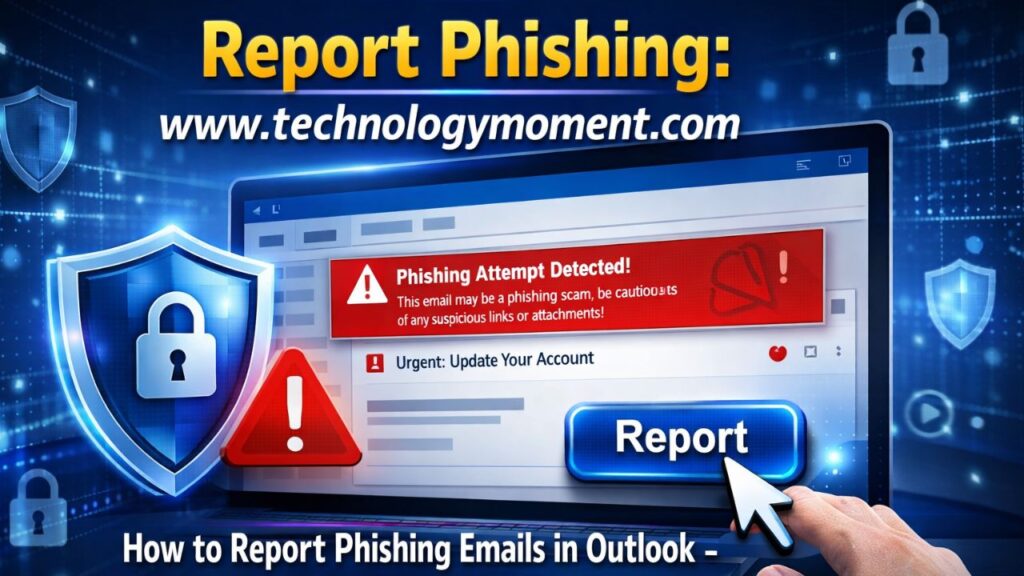
A single deceptive email can silently open the door to data theft, financial loss, and full account compromise before most users even realize what happened. Modern phishing attacks are no longer obvious scams filled with errors—they are carefully designed traps that mimic trusted organizations, making everyday inboxes a high-risk entry point for cybercriminals.
In today’s digital workplace, knowing how to report phishing emails in Outlook has become an essential security skill rather than a technical option. Whether you are using Outlook for personal communication or corporate work, Microsoft’s ecosystem depends heavily on user reports to identify and block evolving threats. At Technology Moment, we regularly see how delayed action on a single suspicious message can lead to widespread security issues across entire accounts and teams.
Real-world scenarios show how easily users get misled by emails that appear legitimate. Many people search for terms like how to report phishing email on Outlook, how to report suspicious email in Outlook, or how to mark an email as phishing in Outlook after accidentally interacting with a fake delivery alert or a fraudulent banking notification. In workplaces, employees often ask how to report scam email Outlook or how to report email as phishing Outlook when they notice unusual login requests or fake invoice attachments.
Understanding the correct reporting process is not just about clicking a button—it’s about preventing repeated attacks and strengthening email security across the entire Microsoft network. This guide will break down exactly how reporting works, the right steps for desktop and mobile, and the mistakes you must avoid. By the end, you’ll have complete clarity on how to report phishing emails in Outlook and how to act confidently the moment a suspicious email lands in your inbox.
How do phishing emails target personal and business users?
Phishing attacks have become one of the most common cyber threats faced by everyday email users, and understanding how to Report Phishing Emails in Outlook is now more important than ever. Cybercriminals are constantly refining their tactics, making fake emails look almost identical to legitimate messages from banks, service providers, or even colleagues. This creates a serious risk for individuals and organizations that rely heavily on email communication for daily operations.
When users learn how to properly report suspicious messages, they actively contribute to a safer digital environment. Reporting helps improve filtering systems and allows Microsoft Outlook to identify new scam patterns faster. Many users often search terms like how to report phishing email on Outlook ” or how to report suspicious email in Outlook ” because they realize that simply deleting an email is not enough to stop attackers from targeting others.
In workplaces, phishing emails can lead to data breaches, financial fraud, and unauthorized access to sensitive systems. A single click on a malicious link can compromise entire networks. This is why reporting is not just a personal safety action but also a collective responsibility that strengthens email security for everyone.
By consistently using the reporting features inside Outlook, users help build stronger defense systems against cybercrime. Over time, this improves the platform’s ability to automatically detect threats, reducing the chances of similar attacks reaching inboxes in the future.
What Is a Phishing Email in Outlook?
A phishing email in Outlook is a fraudulent message designed to trick users into revealing sensitive information such as passwords, credit card details, or login credentials. These emails often appear to come from trusted sources, including banks, government agencies, or well-known companies. Understanding how to Report Phishing Emails in Outlook begins with first recognizing what these deceptive messages look like and how they operate.
Most phishing emails use urgent language, such as warnings about account suspension or unauthorized transactions, to pressure users into acting quickly without thinking. They may also include fake links that redirect to malicious websites designed to steal personal data. Users often search phrases like how to report phishing email in Outlook ” or how to report an email as phishing in Outlook ” after encountering these suspicious messages in their inbox.
Another common tactic involves attachments that contain malware. Once opened, these files can install harmful software on a device, giving attackers access to sensitive systems. Even emails that seem harmless at first glance can be dangerous if they encourage users to click on external links or download files.
The key difference between spam and phishing is intent. While spam is usually unwanted advertising, phishing is actively designed to cause harm. Recognizing this distinction is essential for safe email usage. This awareness helps users respond correctly instead of ignoring or misclassifying threats.
Why You Should Report Phishing Emails Immediately
Reporting phishing emails without delay is critical because cyber threats evolve rapidly, and every second counts when protecting personal and organizational data. Learning how to Report Phishing Emails in Outlook ensures that users can take immediate action before any damage occurs. When a suspicious email is reported quickly, it helps prevent further distribution of similar attacks across the platform.
One of the main reasons for immediate reporting is to protect sensitive information. Phishing emails are specifically designed to steal login credentials, financial data, or personal identity details. If a user interacts with such emails even briefly, it can lead to serious consequences like unauthorized transactions or account hijacking. Many users search for how to report phishing emails in Outlook or how to report scam email outlook when they realize the potential risk involved.
Another important reason is that reporting helps improve Microsoft’s security systems. Each reported email is analyzed to identify patterns, block malicious senders, and strengthen automated detection tools. This collective reporting effort enhances protection for millions of Outlook users worldwide.
Delaying action or simply deleting the email reduces its effectiveness in improving security systems. Reporting ensures that the threat is officially recorded and investigated. It also helps organizations maintain stronger cybersecurity policies and reduce the chances of repeated attacks.
How Outlook Detects and Handles Phishing Emails
Microsoft Outlook uses advanced security systems to detect and manage suspicious emails before they reach the user’s inbox. These systems rely on artificial intelligence, machine learning, and global threat intelligence to identify patterns commonly associated with phishing attacks. Understanding how to Report Phishing Emails in Outlook becomes even more effective when users know how the platform responds to these threats.
Outlook’s built-in filters automatically scan incoming emails for suspicious links, attachments, and sender behavior. When a potential threat is detected, the email may be moved to the junk folder or flagged with a warning message. Users often explore options like how to report phishing in Outlook or how to mark an email as phishing in Outlook to help the system learn from real user feedback and improve its accuracy over time.
In addition to automated filtering, Outlook allows users to actively report suspicious messages. Once an email is reported, it is sent to Microsoft’s security team for further analysis. This helps identify new phishing campaigns and update protection systems globally. The more users engage with reporting features, such as how to report phishing emails in Outlook or how to report an email as phishing in Outlook, the stronger the platform becomes.
After analysis, Outlook may block the sender, filter similar emails, or update its threat database. This continuous feedback loop ensures that evolving phishing techniques are quickly recognized and neutralized, making email communication safer for everyone.
Step-by-Step Guide: How to Report Phishing Email in Outlook (Desktop)
Understanding how to Report Phishing Emails in Outlook on the desktop version is essential because most professional users handle emails on Windows or Mac applications daily. Phishing attacks often look convincing, and Outlook provides built-in tools to help users quickly report them without needing technical skills. When you correctly report these emails, you not only protect your own account but also contribute to Microsoft’s global security system.
To begin the process, open the suspicious email in your Outlook desktop application. At the top toolbar, look for the “Report Message” or “Report Phishing” option, depending on your Outlook version. This feature is specifically designed for users searching for terms like how to report phishing email in Outlook ” or how to report phishing Outlook, making the process simple and accessible. Once selected, choose “Phishing” from the dropdown menu.
After you submit the report, Outlook automatically sends a copy of the email to Microsoft’s security team for analysis. In many cases, the email is also moved to your Junk or Deleted Items folder to prevent accidental interaction. This is why many users search for how to report phishing emails on Outlook or how to report an email as phishing in Outlook, as the action directly improves email filtering accuracy over time.
Finally, it is recommended to block the sender after reporting. This ensures you will not receive further messages from the same source. If you are wondering how to report phishing emails in Outlook effectively, combining reporting with blocking is the most reliable method to stay protected and maintain a secure inbox environment.
How to Report Phishing Emails in the Outlook Mobile App
Mobile users often ask how to Report Phishing Emails in Outlook because the Outlook mobile app is widely used for checking emails on the go. Whether you are using Android or iOS, the process is slightly different from the desktop version, but still very straightforward. Microsoft has designed the mobile interface to ensure users can quickly respond to suspicious messages even without advanced technical knowledge.
Once the email is open, tap the three-dot menu (more options) located at the top-right corner. From the menu, select options such as “Report Junk” or “Report Phishing,” depending on your app version. This is commonly searched as how to report phishing email in the Outlook mobile app or how to report phishing on Outlook.
After selecting the report option, the email is automatically sent to Microsoft for review. In many cases, it is also removed from your inbox immediately to reduce risk. Users often search how do I report phishing in Outlook ” or how do you report phishing in Outlook ” because the mobile process is slightly hidden within menu options.
One important limitation of mobile reporting is reduced control compared to the desktop version. You may not see advanced options like detailed reporting categories or add-ins. However, for quick action, mobile reporting is highly effective. If you frequently deal with suspicious messages, switching to a desktop for deeper control may improve your overall security management.
Mark as Phishing vs Junk vs Spam: Key Differences
When learning how to Report Phishing Emails in Outlook, it is important to understand the difference between marking an email as phishing, junk, or spam. Many users confuse these options, but each serves a different purpose in Outlook’s email filtering system. Using the correct option helps improve accuracy and keeps your inbox safer.
Marking an email as phishing is the strongest action you can take. It tells Microsoft that the message is a serious security threat, often involving fraud or identity theft attempts. This is why users frequently search for how to report phishing in Outlook or how to mark phishing in Outlook when dealing with suspicious financial or login-related emails.
On the other hand, marking an email as junk is meant for unwanted but less dangerous messages, such as promotional emails or newsletters. These are not necessarily harmful, but they clutter your inbox. This distinction is important because many users searching for how to report an email on Outlook actually need to decide whether it is phishing or just spam.
Spam is a broader category often managed automatically by Outlook filters. While junk and spam may overlap, phishing requires immediate reporting because it can lead to data breaches or financial loss. If you are unsure how to report a phishing email in Outlook or how to report an email as phishing in Outlook correctly, always choose phishing when there is any sign of fraud or impersonation.
How to Report Suspicious Emails to Microsoft Directly
Sometimes users need a more direct method for reporting phishing emails in Outlook, especially when an email looks highly suspicious or bypasses normal filters. In such cases, reporting directly to Microsoft ensures faster investigation and stronger security response. This method is often used when users search for how to report phishing emails in Outlook or how to report Outlook emails as phishing outside the standard reporting tools.
One of the simplest ways is to forward the suspicious email to Microsoft’s dedicated phishing reporting address. This allows security systems to analyze the message structure, sender behavior, and embedded links. Many users searching for how to report phishing emails in Outlook prefer this method for repeated or complex phishing attempts.
Another option is using Microsoft’s official reporting portal, where users can submit detailed information about the email. This includes sender details, message content, and any attachments. If you are wondering how to report a phishing email in Outlook effectively, this method provides deeper analysis than standard inbox reporting.
After submission, Microsoft’s security team evaluates the threat and updates global protection systems if needed. This helps protect millions of users from similar attacks. Understanding how to report phishing emails directly to Microsoft ensures that even advanced phishing attempts are identified and blocked faster across the platform.
Common Mistakes to Avoid When Reporting Phishing Emails
Many users try to protect themselves from scams but still make small errors when handling suspicious messages. When learning how to report phishing emails in Outlook, one of the most common mistakes is opening links or attachments before taking any action. Phishing emails are designed to trick users into interacting with harmful content, which can instantly compromise personal data or device security.
Another frequent mistake is deleting the email immediately without reporting it. While this removes it from your inbox, it does not help improve security systems. Microsoft relies on user reports to strengthen filters and identify new scam patterns. So, if you are thinking about how to report phishing emails on Outlook, remember that reporting is more important than just deleting.
Some users also confuse spam or promotional emails with phishing attempts. This leads to misreporting, which can reduce the accuracy of Outlook’s filtering system. Understanding the difference between junk mail and real phishing attempts is essential. If you are unsure, Outlook provides the option on how to report suspicious email in Outlook, which helps Microsoft analyze the message safely.
Finally, many people fail to use the correct reporting feature. Instead of using the built-in “Report Message” option, they simply block or ignore the sender. While blocking helps individually, it does not contribute to global protection. Learning the correct steps for how to Report Phishing Emails in Outlook ensures that you are not only protecting yourself but also helping others stay safe from similar threats.
Best Practices to Prevent Phishing Attacks in Outlook
Preventing phishing attacks is just as important as knowing how to Report Phishing Emails in Outlook. A proactive approach helps reduce the chances of falling victim to scams in the first place. One of the most effective practices is enabling multi-factor authentication. This adds an extra layer of protection, making it harder for attackers to access your account even if your password is compromised.
Another important habit is carefully reviewing email addresses and links before interacting with them. Cybercriminals often create emails that look official but contain slight spelling variations. Users who search terms like how to report phishing Outlook ” often discover that prevention starts with awareness. Always hover over links and verify the destination before clicking.
Keeping Outlook updated is also essential for security. Microsoft regularly improves its anti-phishing systems, and updates often include stronger filters for identifying threats. If you frequently wonder how to report phishing in Outlook, it is equally important to ensure your system is equipped with the latest protection features.
Finally, avoid sharing sensitive information such as passwords, OTPs, or financial details through email. No legitimate organization will request such data via Outlook messages. By combining these habits with proper reporting techniques, users create a strong defense system that minimizes risks and keeps their inbox secure.
Conclusion: Stay Safe by Reporting Phishing Emails Correctly
Understanding how to Report Phishing Emails in Outlook is not just a technical skill but a critical step in maintaining digital safety. Every correct report helps improve Microsoft’s detection systems and reduces the chances of similar scams reaching other users. When you take a few seconds to report instead of ignoring a suspicious email, you contribute to a safer email ecosystem.
It is also important to remember that reporting should be done correctly using Outlook’s built-in tools. Whether you are dealing with a scam email or a suspicious attachment, choosing the right option, like how to report phishing email in Outlook, ensures that the system receives accurate data. This small action plays a big role in strengthening global cybersecurity efforts.
As phishing attacks continue to evolve, users must stay alert and informed. Combining awareness, prevention techniques, and proper reporting methods creates a strong defense against digital threats. The more consistently you apply these practices, the safer your Outlook experience becomes.
Ultimately, staying safe online is about consistency and caution. By mastering how to Report Phishing Emails in Outlook, you not only protect your own data but also help build a more secure communication environment for everyone.
Frequently Asked Questions
What is the fastest way to report phishing emails in Outlook?
The fastest way is to use the built-in “Report Message” button in Outlook. This allows you to instantly flag the email as phishing without opening any links or attachments.
How do I report phishing in Outlook without opening the email?
You can right-click the email in your inbox and select the phishing report option directly. This ensures you stay safe while still reporting the message.
How to report scam email Outlook users receive frequently?
You can use the “Report Message” feature or forward the email to Microsoft’s security team for analysis. This helps improve filtering accuracy.
What happens after I report a phishing email in Outlook?
Microsoft reviews the message, updates its filters, and may block similar emails in the future. Your report helps improve global protection systems.
Can I undo reporting a phishing email in Outlook?
Once submitted, reports cannot usually be undone. However, a single mistake does not significantly affect the system.
Is reporting phishing emails in Outlook anonymous?
Yes, your identity is not shared with the sender. Reports are used only for security analysis.
How to mark phishing email in Outlook mobile vs desktop?
On desktop, you use the “Report Message” add-in, while on mobile, you can access reporting options through the email menu inside the Outlook app.











This guide is incredibly helpful! I wasn’t aware of the built-in ‘Report Phishing’ feature in Outlook. Thanks for the clear instructions.
Great article! Could you also provide guidance on what steps to take if someone has already clicked on a phishing link? That information would be invaluable.
This was an eye-opener. I had no idea that reporting phishing emails helps Microsoft improve their security measures. I’ll make sure to report any suspicious emails from now on.
Thank you for this comprehensive guide. It’s reassuring to know that reporting phishing attempts can protect others as well. Keep up the great work!
This article is a must-read for anyone using Outlook. The step-by-step instructions make it easy to follow. Thanks for sharing this valuable information.