Welcome to Technology Moment, where we break complex tech into simple, practical ideas you can actually use. If you’re curious about how cutting-edge technology shapes everyday life, you’re in the right place. We discuss trends, tools, and tutorials in a way that feels relatable, not robotic. No jargon overload. Just clear, useful insights you can trust.
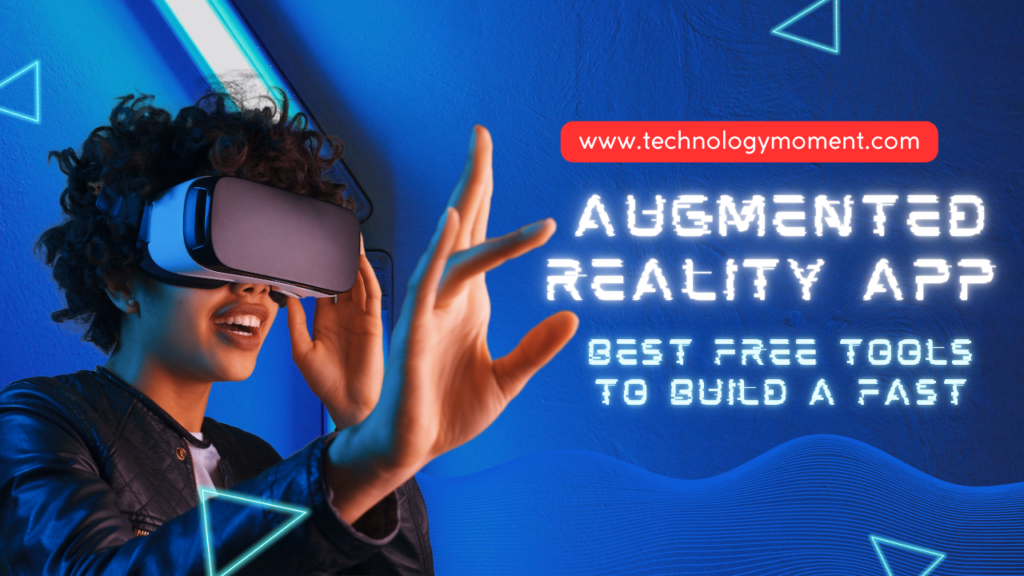
In this article, we’re diving into one of the hottest trends right now—Augmented Reality app development. AR is no longer limited to big tech companies or expensive labs. Today, anyone can build an AR app using free AR development tools and launch ideas faster than ever. Sounds exciting, right?
We’ll start with a simple introduction to augmented reality app development, so you don’t feel lost. You’ll learn what AR really is, how it works, and why it’s growing so fast across the globe. Whether you’re a beginner, student, developer, or startup founder, this guide is built for you.
Our primary focus is on the best free tools for building an augmented reality app quickly. We’ll explore beginner-friendly platforms, trending AR software, and tools that save time without cutting quality. From mobile AR apps to WebAR experiences, we cover what matters right now.
So grab a coffee and stay with us. By the end, you’ll clearly understand how AR apps are built and which free tools can help you start today. This is your technology moment—let’s make it count.
Why Use Free Tools for AR App Development
Cost vs Innovation in Augmented Reality
Building an augmented reality app used to feel expensive and risky. Free AR development tools flip that story completely. You can test bold ideas without worrying about burning money. This freedom encourages experimentation, which is where real innovation lives. When cost pressure disappears, creativity takes the driver’s seat. That’s why many global startups now launch AR MVPs using free platforms.
Free tools also level the playing field. A solo developer in India can compete with a funded team in Silicon Valley. The focus shifts from budget size to idea quality. In today’s fast-moving AR market, that shift matters more than ever.
Speed and Prototyping Benefits
Speed is everything in AR app development. Free AR tools let you build prototypes fast and test them instantly. You don’t wait weeks to see results. You open the tool, build, test, and tweak in real time. This rapid loop saves time and keeps motivation high.
Quick prototyping also helps validate ideas early. You can see what users love and what they ignore. That feedback helps you improve the app before launch. Faster learning means smarter decisions and better apps.
Learning Curve for Beginners
Free AR tools are designed to welcome beginners. Most platforms focus on visual workflows and simple logic. You don’t need to be a hardcore programmer to get started. This makes AR development feel less scary and more fun.
For students and career switchers, free tools act like a training ground. You learn AR concepts by doing, not by reading long theory books. That hands-on experience builds confidence fast. And once you’re comfortable, moving to advanced tools becomes easier.
Global Accessibility and Community Support
Free AR tools are accessible from almost anywhere in the world. You only need a decent laptop and internet access. This global reach fuels diverse ideas and perspectives. Developers from different cultures bring unique use cases to AR.
Most free platforms also have strong communities. You can ask questions, share projects, and learn from others. When you get stuck, help is often just a forum post away. That support system makes learning smoother and less lonely.
Key Features to Look for in Free AR Tools
Platform Compatibility Across Devices
One of the first things to check is platform compatibility. A good free AR tool should support Android, iOS, or even web-based AR. You don’t want your app limited to one device type.
Cross-platform support also saves development time. You build once and deploy everywhere. That efficiency matters when trends change fast. The wider your reach, the higher your chances of success.
Ease of Use and User Interface Design
An intuitive interface makes a huge difference. Free AR tools should feel simple, not overwhelming. Clean dashboards and drag-and-drop features speed up development. You spend more time creating and less time figuring things out.
Ease of use also reduces frustration. When tools feel friendly, learning becomes enjoyable. This is especially important for beginners and non-technical creators. A smooth UI keeps you focused and productive.
Performance and Real-Time Rendering
AR apps must run smoothly to feel real. Laggy visuals break immersion instantly. Even free AR tools should offer decent performance and real-time rendering. Users notice quality, even if the app is free.
Good performance also improves user retention. When an AR app feels responsive, users stay longer. This directly impacts engagement metrics and app success. Performance is not optional—it’s essential.
Strong documentation is a silent hero. Free AR tools should explain features clearly and simply. Tutorials, guides, and sample projects make learning faster. You don’t want to guess how things work.
Regular updates are equally important. AR technology evolves quickly. Tools that update often stay relevant and secure. Active communities and frequent improvements signal long-term reliability.
Scalability for Future Growth
A smart free AR tool should grow with you. Today, you might build a small demo. Tomorrow,w you may launch a full product. Scalability ensures you don’t need to rebuild everything from scratch.
Look for tools that support advanced features later. This future-ready approach saves time and effort. It also makes free tools a serious choice, not just a temporary solution.
Best Free Tools to Build an Augmented Reality App Fast
1. Unity with AR Foundation
Unity with AR Foundation is one of the fastest ways to build a professional augmented reality app without spending money upfront. It acts like a bridge that connects ARCore and ARKit under one roof, so you don’t have to build separate apps for Android and iOS. That alone saves a huge amount of time and effort. You write once and deploy everywhere, which is a big win for global developers.
What makes Unity special is its flexibility. You can start simple with basic object placement and slowly move toward advanced AR interactions. The interface looks complex at first, but once you get comfortable, it feels powerful rather than scary. Unity also runs smoothly on low-end and high-end devices, which is important if your audience is worldwide.
Another big advantage is the ecosystem. Unity has a massive library of tutorials, forums, and free assets. Whenever you get stuck, someone else has already faced the same problem. This support system speeds up learning and development a lot.
If your goal is to build an AR app fast and still keep room for future growth, Unity with AR Foundation is a smart choice.
Unity with AR Foundation is ideal for developers who want long-term scalability. It works perfectly for AR games, education apps, training simulations, and even enterprise-level solutions. If you want to create immersive experiences with 3D objects, animations, and interactions, Unity handles it well.
This tool is great for students, indie developers, and startups. Even large companies use it for prototypes before moving to full-scale production. You don’t need to be an expert on day one. You can learn step by step while building real projects.
If you enjoy having control and flexibility, Unity feels like an open playground. It rewards curiosity and experimentation. That’s why many AR careers start here.
2. ARCore by Google
ARCore is Google’s official framework for building augmented reality apps on Android devices. It uses your phone’s camera and sensors to understand the real world. This allows virtual objects to stay fixed in place, which makes AR feel realistic.
One reason ARCore helps you build apps fast is stability. Google optimizes it for a wide range of Android devices. That means fewer crashes and smoother performance. You spend less time fixing bugs and more time improving features.
ARCore focuses heavily on motion tracking, plane detection, and light estimation. These features help virtual objects blend naturally with real environments. Users don’t feel like AR is “floating.” It feels grounded and believable.
If Android users are your main audience, ARCore gives you speed, accuracy, and reliability.
ARCore works best for developers targeting Android-first markets. Since Android dominates globally, this gives your app a massive reach. From Asia to Africa to South America, Android users are everywhere.
It is especially useful for location-based AR, educational apps, and interactive product demos. The performance remains smooth even on mid-range devices. That’s important if you want inclusivity.
ARCore also integrates well with Unity, so you don’t need to choose between them. Together, they help you build Android AR apps quickly and confidently.
3. ARKit by Apple
ARKit is Apple’s augmented reality framework designed specifically for iPhones and iPads. It takes full advantage of Apple’s hardware, which results in very accurate tracking and smooth visuals. When users open an ARKit-based app, the experience feels premium.
One of the biggest strengths of ARKit is realism. It understands surfaces, depth, and lighting extremely well. Virtual objects look like they belong in the real world. This creates trust and excitement for users.
ARKit also evolves quickly. Apple adds new features with every iOS update. Developers benefit without extra effort. Your app improves as the platform improves.
If your audience uses iOS devices, ARKit helps you deliver high-quality AR experiences fast.
ARKit is ideal for retail, education, interior design, and creative apps. Virtual try-ons and product previews look polished and realistic. This increases conversion rates and user satisfaction.
It also works well for storytelling and art-based AR apps. The visual quality supports creativity. Users feel immersed without needing extra hardware.
For developers focused on premium markets, ARKit is a strong and reliable choice.
4. Vuforia Engine
Vuforia Engine is well-known for its powerful image and object recognition capabilities. It allows AR apps to recognize real-world images and trigger digital content instantly. This makes interactions feel smart and responsive.
Vuforia works especially well in controlled environments like classrooms, factories, and exhibitions. It can recognize printed images, packaging, and even physical objects. This opens many use cases beyond simple AR visuals.
The free version is enough for learning and small projects. You can build prototypes quickly without worrying about cost. Later, you can scale if needed.
If your AR app depends on recognition rather than placement, Vuforia saves time. Vuforia excels in accuracy and speed. It detects images even in low light or from different angles. This improves user experience significantly.
Recognition happens almost instantly. Users don’t feel frustrated waiting for results. That keeps engagement high. For marker-based AR apps, Vuforia remains one of the fastest and most reliable tools.
5. Spark AR Studio
Spark AR Studio is designed for creating augmented reality effects for social media platforms like Instagram and Facebook. It focuses on speed, creativity, and ease of use. You can build AR filters without deep coding knowledge.
The interface feels friendly and visual. You see changes in real time, which makes learning fun. Templates help you get started quickly. This is perfect for creators who want instant results.
Spark AR is widely used by brands and influencers. AR effects spread fast because users love sharing them. This makes it a powerful marketing tool.
If social media AR is your goal, Spark AR helps you move fast. Social AR experiences feel personal and playful. Users interact with filters naturally. This increases engagement and sharing. Spark AR allows creators to experiment without risk. You can publish, test, and improve quickly. Analytics help you understand what works.
For creators and marketers, Spark AR offers speed and visibility.
6. Lens Studio by Snap
Lens Studio is Snapchat’s tool for building AR lenses. It focuses on face tracking, world effects, and interactive experiences. Creativity is at the center of everything here. The tool offers ready-made templates and assets. This reduces development time a lot. You can build a working lens in hours instead of days.
Lens Studio encourages experimentation. You can test ideas quickly and publish them instantly. Feedback comes fast from real users. If you want playful and viral AR experiences, Lens Studio fits perfectly. Brands use Snapchat lenses to connect emotionally with users. Instead of ads, users get experiences. This builds positive brand perception.
Interactive lenses encourage sharing. Campaigns spread organically without heavy spending. This makes AR marketing efficient. Lens Studio is ideal for brands targeting younger audiences.
7. ZapWorks (Free Tier)
ZapWorks offers tools for building WebAR experiences. Users can access AR directly through a browser. No app download is needed. This removes friction completely. WebAR is perfect for fast campaigns and educational content. Users just scan a link and experience AR instantly. This improves reach and engagement.
ZapWorks provides a free tier suitable for beginners. You can test ideas before committing to paid plans. This flexibility helps startups and educators. If speed and accessibility matter, ZapWorks is a strong option.
Web-based AR works across devices. This makes it ideal for global audiences. Anyone with a smartphone can use it. Loading times are short. Users don’t lose interest waiting. This keeps bounce rates low. For marketing and quick demos, WebAR delivers fast results.
8. Blender (for AR Assets)
Blender is a free and open-source 3D modeling tool used to create assets for AR apps. While it doesn’t build AR apps directly, it plays a crucial role. High-quality assets make AR experiences feel real. With Blender, you can design models, textures, and animations. You have full creative control. This helps your AR app stand out.
Blender integrates smoothly with Unity and other AR platforms. The workflow feels natural once you learn the basics. Many professionals rely on it daily. If you want unique visuals without paying for assets, Blender is invaluable.
Blender supports detailed and lightweight models. This is important for performance. AR apps must stay fast and smooth. You can optimize assets easily for mobile devices. This improves user experience. Users enjoy AR without lag. For developers who care about visual quality, Blender completes the AR toolkit.
Best Free AR Tools for Beginners vs Professionals
Not all AR tools feel the same when you actually start using them. Some feel like training wheels, while others feel like a racecar. Beginners usually want tools that work fast, explain things clearly, and don’t demand deep coding knowledge. Professionals, on the other hand, want control, flexibility, and performance tuning.
If you are new to augmented reality app development, tools like Spark AR Studio or Lens Studio feel friendly. You can drag, drop, and preview results instantly. You don’t feel lost. These tools are perfect if your goal is to build AR filters, social media effects, or quick demos without heavy development work.
As you move toward professional AR development, platforms like Unity with AR Foundation, ARCore, and ARKit start making more sense. They demand patience, but they reward you with freedom. You can control physics, lighting, real-world tracking, and performance optimization. This level matters when building scalable AR apps for global users.
The key difference is intention. Beginners focus on learning and experimenting fast. Professionals focus on performance, realism, and long-term growth. The good news is that many free AR tools let you grow naturally from beginner to advanced without switching ecosystems too early.
How to Build an AR App Faster Using These Tools
Speed matters in today’s AR market. Trends change fast, and users expect polished experiences quickly. The fastest way to build an AR app is to start small and stay focused. You don’t need to build the entire universe in version one.
Start by choosing a single AR use case. Maybe it’s a virtual product preview or a simple face filter. Free AR tools already provide templates and sample scenes. Using them saves days of work. You’re not cheating. You’re working smart.
Next, reuse assets whenever possible. Tools like Blender help you create lightweight 3D models that work across platforms. Combine this with Unity or WebAR tools to test instantly on real devices. Seeing results early keeps motivation high.
Finally, test continuously. Don’t wait for perfection. AR apps behave differently in real environments. Lighting, movement, and camera angles change everything. Fast testing helps you fix problems before users ever notice them.
Common Mistakes to Avoid in AR App Development
One common mistake is trying to build too much at once. AR already demands attention from users. Overloading scenes with effects, animations, and text quickly becomes overwhelming. Simplicity wins every time.
Another mistake is ignoring performance. Heavy 3D models and unoptimized scripts can crash apps or drain batteries fast. Users won’t forgive that. Free AR tools offer profiling and testing features. Use them early, not at the end.
Many developers forget about real-world conditions. AR doesn’t live in a perfect studio environment. People use apps in low light, noisy rooms, or while moving. If your AR experience breaks easily, users will abandon it.
Lastly, skipping user feedback slows growth. You might love your AR idea, but users decide its future. Early feedback helps you adjust features, fix confusion, and improve usability before scaling globally.
Conclusion
Building an augmented reality app no longer belongs only to big studios or funded startups. Free AR tools have leveled the playing field. Anyone with curiosity and consistency can now create immersive AR experiences faster than ever.
The secret is choosing the right tool for your current skill level. Start simple. Grow gradually. Learn by building, not overthinking. AR rewards experimentation more than perfection.
As AR continues to blend with AI, WebAR, and no-code platforms, the future looks wide open. If you start today, even with free tools, you’re already ahead of the curve.
FAQs
What is the best free AR tool for beginners worldwide?
Spark AR Studio and Lens Studio are great starting points because they offer visual workflows, instant previews, and strong community support.
Can I build a professional AR app using only free tools?
Yes, many professional AR apps start with free tools like Unity and AR Foundation. You can later upgrade if needed.
Do I need coding skills to build an AR app fast?
Basic coding helps, but many free AR platforms allow no-code or low-code development for simple use cases.
Is WebAR better than mobile AR apps?
WebAR is trending because it removes app downloads, but mobile AR still offers better performance and deeper features.
How long does it take to build an AR app using free tools?
Simple AR experiences can be built in days. More advanced apps may take weeks, depending on complexity and testing.