
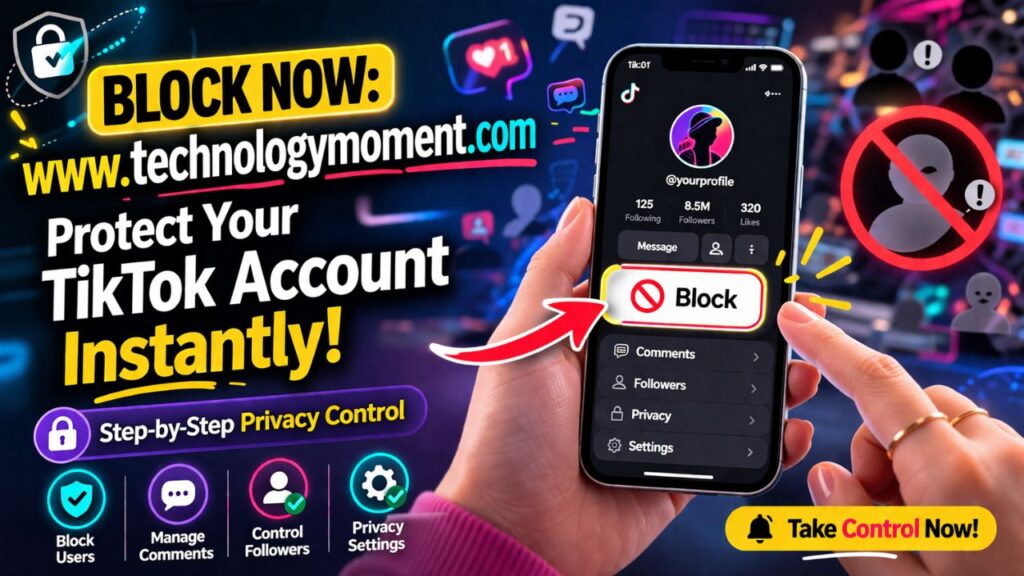
Online spaces move fast, but not every interaction deserves a place in your digital life. TikTok’s explosive growth has made it a hub for creativity, connection, and influence—but it has also brought challenges like spam, unwanted attention, and occasional harassment. Taking control of your experience isn’t just smart; it’s necessary for maintaining a safe and enjoyable feed.
At Technology Moment, we’ve seen how users increasingly look for simple ways to manage their online boundaries. Understanding how to Block Someone on TikTok is no longer a niche need—it’s a practical skill for anyone active on the platform. Whether you’re a casual viewer or a content creator, knowing how to quickly block disruptive accounts can protect your time, privacy, and peace of mind.
Many users also explore related actions, such as how to block someone on TikTok without them knowing or how to unblock someone on TikTok after a misunderstanding. Others try to figure out how to find out who blocked you on TikTok when connections suddenly disappear. For example, a creator dealing with repetitive spam comments may choose to block multiple accounts at once, while another user might later reverse the decision and reconnect.
This guide breaks down everything clearly, from basic steps to smarter privacy strategies you can apply right away. By the end, you’ll not only understand how to Block Someone on TikTok but also feel confident managing your account with intention and control.
Rising Privacy Concerns and Online Harassment
Social media platforms like TikTok have become a central part of daily life, but with this growth comes increasing concerns about privacy and online safety. Users today are more aware of how their data, content, and interactions are exposed to a global audience. As millions of videos are uploaded daily, it becomes easier for unwanted attention, spam, or even harassment to reach anyone, especially creators who are actively posting content.
Online harassment can take many forms, from negative comments and trolling to persistent messaging or stalking behavior. While some interactions may seem harmless at first, repeated negativity can affect mental well-being and overall user experience. This is where understanding how to block someone on TikTok becomes essential. It empowers users to take control of their digital space without relying on others to step in.
Many users also search for solutions like “how do you block people on TikTok” or “how to restrict someone on TikTok” because they want flexible ways to manage interactions. Blocking is often the most direct solution when boundaries are crossed, while restricting or muting may work in less difficult situations. Knowing the difference helps users respond appropriately instead of overreacting or ignoring issues.
Ultimately, privacy on social media is no longer optional—it is necessary. By actively managing who can view, comment, and interact with your content, you create a safer and more positive environment. Taking simple steps early can prevent bigger problems later and ensure that your experience remains enjoyable and stress-free.
What Happens When You Block Someone on TikTok
When you block someone on TikTok, the platform immediately limits how that person can interact with you. They can no longer view your profile, watch your videos, or engage with your content through likes, comments, or messages. This creates a clean break, ensuring that your content remains visible only to people you are comfortable with.
One of the most common questions users ask is whether the other person gets notified. The answer is no—TikTok does not send any direct notification when you block someone. However, the blocked user may notice changes, such as being unable to find your profile or interact with your posts. This subtle approach allows you to act without escalating the situation.
If you’re wondering how to block someone on TikTok who has you blocked, the process can be slightly different. In such cases, you may need to search for their profile through comments or shared content before taking action. While it may not always be straightforward, TikTok still provides ways to manage these interactions effectively.
Users also often confuse blocking with banning. Queries like “how do you ban someone on TikTok” usually refer to reporting, which is a separate action. Blocking is a personal control feature, while banning involves TikTok reviewing and potentially removing a user for violating community guidelines. Understanding this difference helps you choose the right action based on the situation.
A step-by-step tutorial on how to block someone on TikTok.
If you are looking for a simple way to manage unwanted interactions, learning how to block someone on TikTok is one of the most effective solutions. The process is designed to be quick and user-friendly, so even beginners can follow it without confusion. Whether someone is spamming your comments or making you uncomfortable, blocking gives you immediate control.
To begin, open the TikTok app and visit the profile of the person you want to block. Once you are on their profile page, tap the three-dot menu (or share icon) in the top corner. From there, you will see the option to block the user. Confirm your choice, and the account will instantly be restricted from interacting with you.
Another helpful method is blocking directly from comments or messages. If someone leaves inappropriate comments, you can tap and hold the comment to reveal moderation options, including blocking. This is especially useful for creators who deal with large audiences and need quick moderation tools. Many users who search “how do I block someone on TikTok” prefer this method because it saves time.
TikTok also allows bulk blocking in certain cases, such as filtering multiple spam accounts at once. While not everyone uses this feature, it is highly effective for maintaining a clean and positive comment section. Understanding these different methods ensures you can act quickly and confidently whenever needed.
How to Block Someone Without Them Knowing
Privacy is a major concern for many users, especially when they want to avoid confrontation. A common question is whether it’s possible to block someone quietly. The good news is that on TikTok, you can block someone without sending any direct notification, making the process discreet and stress-free.
When you use the block feature, the other person is not alerted in any official way. However, they might eventually realize something has changed if they can no longer find your profile or interact with your content. This subtle approach answers queries like “how to block someone on TikTok without them knowing” and makes it easier for users to maintain boundaries without unnecessary drama.
For those who are unsure about fully blocking someone, TikTok also offers alternative options. Features like restricting or limiting comments allow you to reduce interaction without completely cutting the person off. This can be useful in situations where you want distance but not a complete disconnect.
It’s also worth noting that blocking is reversible. If circumstances change, you can always look into “how to unblock someone on TikTok” and restore access. This flexibility gives users confidence to take action when needed, knowing they are not making a permanent decision. In the end, the goal is to create a safer and more comfortable online experience on your own terms.
How to Unblock Someone on TikTok
Unblocking someone on TikTok is just as simple as blocking them, but many users struggle to find the exact setting. If you’ve previously blocked someone and want to reconnect, knowing how to unblock someone on TikTok can save time and confusion. Whether it was a misunderstanding or a temporary decision, TikTok allows you to reverse it easily without any complications.
To begin, open your TikTok profile and navigate to your privacy settings. Inside the settings menu, you’ll find a section called “Blocked Accounts.” This is where TikTok keeps a list of all the users you’ve blocked. From here, you can scroll through the list and select the person you want to unblock. Once you tap their name, you’ll see the option to unblock them instantly.
After unblocking, the connection between you and that user is restored, but not completely. They won’t automatically follow you again, and you won’t follow them either. This is important for users who expect everything to return to normal immediately after unblocking.
Many users also search for how to unblock TikTok friends or how to unblock TikTok user accounts, especially after cleaning up their blocked list. It’s worth noting that TikTok does not notify the other person when you unblock them. This gives you full control over your interactions without creating awkward situations or unnecessary alerts.
How to Handle Someone Who Blocked You
Finding out that someone has blocked you on TikTok can feel confusing, especially if there was no clear reason. While TikTok doesn’t directly notify users when they are blocked, certain signs can help you figure it out. For example, if you can no longer find their profile or view their content, you may start wondering how to find out who blocked you on TikTok.
In most cases, once someone blocks you, you lose access to their profile, videos, and comments. Even if you search their username, it may not appear in the results. This leads many users to search for how to find someone who blocked them on TikTok, but the platform intentionally limits this visibility to protect user privacy.
Handling this situation calmly is important. Instead of trying to bypass the block or create alternative accounts, it’s better to respect the other person’s decision. TikTok is designed to give users control over their space, and forcing contact can lead to further restrictions or account issues.
If you’re looking for resolution, the only genuine way is through communication outside TikTok, if appropriate. Some users even search for how to get someone to unblock you on TikTok, but the truth is that the decision entirely depends on the other person. The best approach is to move forward positively and focus on building healthy interactions with others on the platform.
Blocking vs Reporting vs Restricting on TikTok
TikTok offers multiple tools to manage unwanted interactions, but many users confuse blocking, reporting, and restricting. Understanding the difference between these options is essential if you want to create a safer and more comfortable experience. While learning how to Block Someone on TikTok is important, knowing when to use other tools can be even more effective.
Blocking completely cuts off interaction between you and another user. They can’t view your profile, message you, or engage with your content. This is the best option when you want a clean break. On the other hand, restricting is a softer approach. If you’re wondering how to restrict someone on TikTok, it mainly limits their ability to interact with your content without fully removing access.
Reporting is a completely different action. It is used when someone violates TikTok’s community guidelines, such as harassment, spam, or harmful behavior. If you’re thinking about how to ban someone’s account on TikTok, reporting is the only legitimate way to trigger a review by TikTok’s moderation team.
Choosing the right option depends on the situation. Blocking is personal, restricting is subtle, and reporting is for serious issues. Using these tools wisely helps maintain a positive environment while ensuring your account remains secure and stress-free.
Advanced TikTok Privacy Settings You Should Use
Beyond learning how to Block Someone on TikTok, it’s equally important to explore advanced privacy settings that give you full control over your account. TikTok provides several built-in features designed to protect your content, limit unwanted interactions, and improve your overall experience on the platform.
One of the most effective settings is switching your account to private. When your account is private, only approved followers can view your content. This simple change can significantly reduce the need to block people frequently. It also gives you better control over who interacts with your videos and profile.
Another powerful feature is comment and message control. TikTok allows you to filter comments, block specific keywords, and limit who can send you direct messages. This is especially useful for creators who receive a high volume of interactions. Instead of searching for how to block people on TikTok repeatedly, these settings help prevent issues before they start.
Additionally, TikTok offers tools to manage spam and suspicious accounts. Features like comment filters and restricted mode allow you to maintain a cleaner and safer feed. By combining these settings with smart blocking decisions, you can create a secure and enjoyable TikTok environment tailored to your personal comfort level.
Common Mistakes to Avoid While Blocking Users
Blocking someone on social media seems simple, but many users make small mistakes that reduce its effectiveness. When learning how to Block Someone on TikTok, people often rush through the process without fully understanding how the feature works. This can lead to confusion later, especially when the blocked person still appears in certain areas or when privacy settings are not properly adjusted.
One common mistake is blocking the wrong account. TikTok usernames can look very similar, especially with fake or duplicate profiles. If you don’t double-check the profile before taking action, you may end up blocking an unrelated user while the actual problem account remains active. This is especially important when dealing with spam or harassment, where multiple accounts may be involved.
Another issue is relying only on blocking instead of exploring other tools. Many users don’t realize that features like “restrict” or comment filtering can sometimes be more suitable. If your goal is to quietly manage interactions, understanding how to restrict someone on TikTok can be a better option than outright blocking. Similarly, some users ask how to ban someone on TikTok, but banning is actually a reporting function, not the same as blocking.
Finally, people often forget to review their broader privacy settings. Blocking one person won’t protect your content if your account is still public and open to strangers. Take time to adjust who can message you, comment on your videos, or follow your account. A more complete approach ensures that your TikTok experience stays safe, controlled, and stress-free.
Real-Life Use Cases: When Blocking Is the Right Move
Understanding how to Block Someone on TikTok becomes much clearer when you look at real-life situations. Blocking is not just a technical feature—it’s a personal boundary tool. One of the most common scenarios is dealing with online harassment. If someone repeatedly leaves negative comments or sends unwanted messages, blocking them is often the fastest and most effective way to stop the interaction.
Another situation where blocking is helpful is when dealing with spam or fake accounts. Many users notice random profiles following them or posting suspicious links in comments. In these cases, learning how to block people on TikTok can save time and protect your account from potential scams. Blocking removes their access to your profile and prevents further engagement.
Sometimes, blocking is about maintaining personal space rather than reacting to harmful behavior. For example, you may want to limit access from acquaintances, ex-contacts, or people you simply don’t feel comfortable sharing content with anymore. In such cases, users often search for how to block someone on TikTok without them knowing, and fortunately, TikTok does not notify the person when they are blocked.
There are also cases where blocking may not be enough, especially if the behavior violates platform guidelines. If you’re wondering how to ban someone’s account on TikTok, reporting is the right step alongside blocking. Combining these tools ensures both immediate relief and long-term platform safety.
Conclusion: Take Control of Your TikTok Experience
Managing your digital space is more important than ever, and knowing how to Block Someone on TikTok is a key part of that control. TikTok is designed to be fun and creative, but your experience depends on how well you manage interactions. Blocking is not just about removing someone—it’s about creating a space where you feel comfortable and safe.
As you’ve seen, blocking works best when combined with awareness. Understanding when to block, when to restrict, and when to report gives you more control over your account. Many users focus only on the action itself, but the real benefit comes from using these tools thoughtfully. Whether you’re dealing with spam, unwanted attention, or simply setting boundaries, each step contributes to a better online experience.
It’s also helpful to stay informed about related features. For example, knowing how to unblock someone on TikTok ensures you can reverse decisions if needed. Similarly, exploring privacy settings helps prevent future issues before they start. Small adjustments can make a big difference in how you interact on the platform.
In the end, TikTok should work for you—not the other way around. Take a few minutes to review your settings, clean up your interactions, and use blocking when necessary. With the right approach, you can enjoy content, connect with others, and stay in full control of your digital environment.
FAQs About Blocking and Unblocking on TikTok
How do I block someone on TikTok step by step?
If you’re learning how to Block Someone on TikTok, the process is straightforward and takes only a few seconds. First, open the TikTok app and go to the profile of the person you want to block. Once you’re on their profile page, tap the three-dot menu (or share icon) in the top corner. From the options that appear, select “Block” and confirm your choice. After blocking, the user will no longer be able to view your videos, send messages, or interact with your content. This method works whether you’re dealing with spam, unwanted followers, or negative interactions. It’s one of the quickest ways to take control of your account.
Can someone tell if I blocked them on TikTok?
TikTok does not notify users when they are blocked. So if you’re wondering how to block someone on TikTok without them knowing, you can do so without any direct alert being sent. However, the person may eventually figure it out if they try to search for your profile or access your content and can no longer find it. In most cases, blocking is a quiet and private action. It allows you to manage your space without creating unnecessary confrontation. Still, it’s good to understand that while there’s no notification, the effects of blocking are noticeable.
How do I unblock someone on TikTok quickly?
If you change your mind, you can easily reverse the action. To understand how to unblock someone on TikTok, go to your profile, open settings, and navigate to the privacy section. There, you’ll find a list of blocked accounts. Once unblocked, the person can view your profile again, but your previous connection won’t be restored automatically. If you want to reconnect, you’ll need to follow each other again. This gives you flexibility without permanent consequences.
How do I find out who blocked me on TikTok?
TikTok does not provide a direct feature to show who has blocked you. However, there are a few signs that can help. If you can no longer find someone’s profile through search, can’t view past messages, or their content disappears, they may have blocked you. Many users look up how to find out who blocked you on TikTok, but it’s important to rely on these indirect clues rather than expecting official confirmation. TikTok prioritizes user privacy, so this information is intentionally limited.
Is blocking the same as reporting on TikTok?
Blocking and reporting serve different purposes, even though they are often confused. Blocking is a personal action that prevents someone from interacting with you, while reporting is used to alert TikTok about harmful or rule-breaking behavior. If you’re dealing with harassment, spam, or inappropriate content, you may want to do both. Some users also ask how to ban someone on TikTok, but banning is not something users can do directly—it happens only after TikTok reviews a report. Understanding this difference helps you choose the right action for each situation.












Super helpful! I didn’t realize how easy it was to block someone on TikTok until reading this. I feel much safer now, knowing I can control who interacts with my content. Appreciate the clear instructions!
Great post! I’ve had some issues with spammy accounts, and I didn’t know blocking them would also keep them from seeing my videos. This guide helped me feel more in control of my account. Thanks for sharing!
Thank you for this! I was always worried that blocking someone might be a hassle, but your guide made it seem so simple. I’ll be using these tips next time I need to handle an uncomfortable situation!
Perfect timing! I’ve had some people harassing me on TikTok recently, and I couldn’t figure out how to block them until now. Your guide made it quick and easy. It’s great to know I can protect my space online like this.