
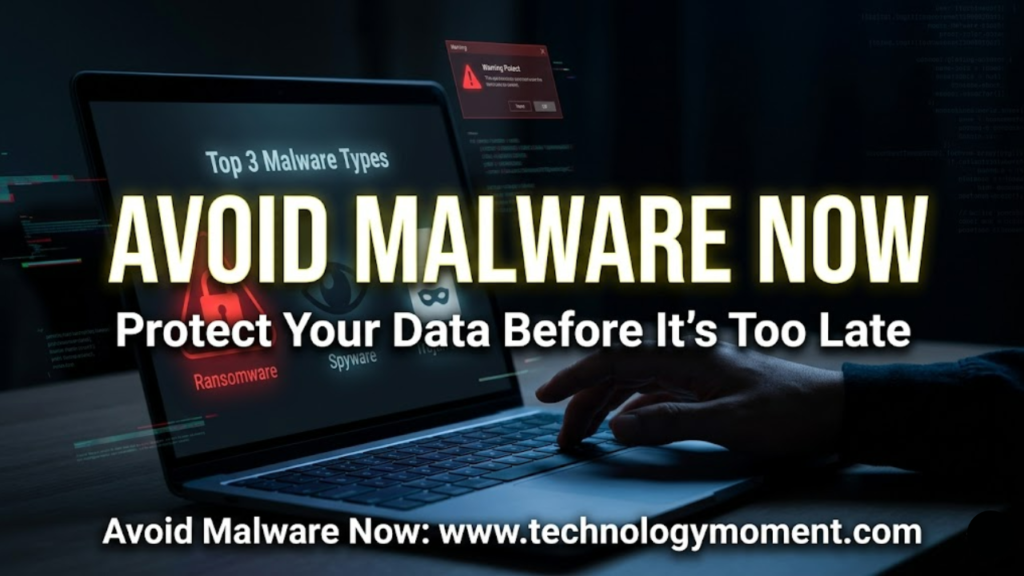
Your device can look perfectly normal while something quietly takes control behind the scenes. Files stop opening, passwords start leaking, and performance drops without warning. Many people only realize what happened after the damage is done—and by then, recovery is costly, stressful, and sometimes impossible.
That’s exactly why understanding the Top 3 Malware Types matters more now than ever. Malware has evolved from obvious viruses into stealthy, targeted threats that slip through everyday online habits. A simple click on a fake email attachment or a download from an unverified site can trigger a chain reaction you never saw coming. Recent reports show a steady rise in ransomware and data-stealing attacks worldwide, making awareness no longer optional but essential.
When you look more closely, patterns emerge across the most dangerous threats—ransomware attacks that lock your data, spyware that silently tracks your activity, and Trojans that disguise themselves as trusted software. These aren’t rare, high-level cyber incidents reserved for big companies. They affect regular users, freelancers, and small businesses every day. At Technology Moment, we’ve seen how quickly a single oversight can turn into a serious security breach, and how a bit of informed caution can prevent it entirely.
In this guide, you’ll learn exactly how the Top 3 Malware Types operate, why they are so effective, and what practical steps you can take to avoid them before they cause harm. By the end, you won’t just recognize these threats—you’ll know how to stay one step ahead in a digital world that rarely gives second chances.
Why Understanding the Top 3 Malware Types Can Protect Your Digital Life
Most people think about malware only after something goes wrong, but by then the damage is already done. When you take the time to understand the Top 3 Malware Types, you shift from reacting to problems to preventing them entirely. That small change in mindset can protect not just your device, but your identity, your finances, and even your sense of digital safety. In today’s always-connected world, your phone and laptop hold more personal information than a physical wallet ever could. Knowing what threats exist is no longer optional; it is a basic part of living online.
The reality is that malware has quietly evolved into something far more targeted and intelligent than it used to be. It no longer relies on obvious tricks or clumsy pop-ups that are easy to ignore. Instead, modern threats blend into everyday digital experiences, appearing as normal apps, emails, or downloads. This shift means that even careful users can become victims if they do not recognize the patterns behind these attacks. What once felt like a rare problem is now a common part of the digital landscape.
When you understand how these threats work, you begin to notice subtle warning signs that most people overlook. A slightly slower phone, a strange login alert, or a file that suddenly refuses to open can all signal something deeper. These are not random glitches; they are often early indicators of a compromise that can grow more serious over time. Awareness gives you the ability to pause, question, and act before a small issue becomes a major problem. It also helps you make smarter decisions about what you download, where you click, and how you manage your data.
This awareness naturally leads to a deeper question about what malware actually is and why it has become such a central concern in modern technology. Before we explore specific threats, it helps to understand the broader idea behind malware itself and why it continues to evolve alongside our digital habits.
What Exactly Are Malware Threats and Why They Matter More Than Ever
Malware is a broad term, but at its core, it simply means software designed to harm, exploit, or control your device without your permission. In many cases, it operates quietly in the background, collecting data, tracking behavior, or creating vulnerabilities that others can exploit. The word itself combines “malicious” and “software,” which tells you everything you need to know about its intent. Unlike regular programs that serve your needs, malware exists to serve someone else’s goals, often at your expense.
What makes malware especially dangerous today is how seamlessly it fits into normal digital behavior. You might install an app that looks helpful, click a link that seems harmless, or open an attachment from what appears to be a trusted contact. In each case, the action feels routine, but the outcome can be anything but. Cybercriminals design malware to take advantage of human habits rather than technical weaknesses alone. This makes everyday actions one of the most common entry points for serious threats.
The impact of malware goes far beyond slowing down your device or causing minor annoyance. It can lead to stolen bank details, compromised social media accounts, and even long-term identity theft. For small businesses or freelancers, it can mean losing sensitive client data or facing downtime that directly affects income. This is why malware is no longer just a technical issue; it is a real-world problem with tangible consequences that affect both personal and professional life.
Understanding this broader context prepares you to look at specific threats with a more critical eye. Not all malware behaves the same way, and some types pose far greater risks than others. To make sense of it all, we need to focus on the most dangerous categories that experts consistently warn about and explain why they deserve your attention.
Top 3 Malware Types You Should Avoid to Stay Secure Online
When security professionals talk about the Top 3 Malware Types, they are not trying to overwhelm you with technical categories. They are pointing you toward the threats that cause the most damage in real-world situations. These are the types of malware that show up again and again in data breach reports, user complaints, and cybersecurity investigations. By focusing on these three, you gain a clear and practical understanding of where the biggest risks lie. This clarity helps you prioritize your attention instead of trying to learn everything at once.
Each of these malware types operates in a different way, but they all share a common goal: gaining control over your data or your system. One locks you out and demands payment, another watches your activity without your knowledge, and the third tricks you into letting it in. These approaches may sound different, but they often overlap in real attacks, creating layered threats that are harder to detect. This makes it even more important to understand how each type works on its own.
From a user’s perspective, the danger is not just in how these threats function, but in how easily they can be triggered. A single click, download, or installation can open the door to serious consequences. The most effective attacks do not rely on force; they rely on persuasion and timing. You might think you are installing a useful tool or opening an important file, only to realize later that you have given access to something harmful.
To truly understand the risks, we need to look closely at each of these malware types and see how they behave in real situations. The first and often most devastating of these is ransomware, a threat that can instantly turn your own data against you.
1. Ransomware – The Costly Malware That Can Lock Your Entire System
There is something uniquely unsettling about ransomware because it does not just steal your data; it takes it hostage. One moment, everything works as expected, and the next, your files are locked behind a message demanding payment. This is not a distant or rare scenario. It happens to individuals, small businesses, and even large organizations regularly. The emotional impact can be just as severe as the financial one, especially when personal photos, work documents, or important records become inaccessible.
Ransomware typically enters your system through a weak point that feels completely ordinary. It might arrive through an email attachment that looks like an invoice or a document you were expecting. Once opened, it quietly begins encrypting your files, turning them into unreadable data that only the attacker can unlock. By the time you notice something is wrong, the process is often complete. This speed is what makes ransomware so dangerous and difficult to stop once it starts.
The reason ransomware is so effective is that it creates urgency and pressure. The message you see often includes a countdown or a warning that your data will be deleted if you do not pay quickly. This pushes people to act without thinking, which is exactly what the attackers want. Many victims feel trapped because they do not have backups or alternative ways to recover their files. This is why prevention, rather than recovery, is always the smarter approach when dealing with ransomware.
What makes ransomware especially dangerous is that it does not always stop at one device. In connected environments, it can spread across networks, affecting multiple systems at once. This broader impact is what turns a simple mistake into a serious crisis. Understanding how ransomware works sets the stage for recognizing other threats that may not lock your files, but can quietly undermine your privacy in equally damaging ways.
2. Spyware – The Silent Threat That Steals Your Personal Data
Unlike ransomware, spyware does not announce its presence with a dramatic message or a locked screen. It operates in silence, collecting information about you over time without your awareness. This makes it one of the most invasive forms of malware because it turns your own device into a tool for surveillance. You may continue using your phone or computer as usual, unaware that your activity is being monitored and recorded. That quiet persistence is what makes spyware so difficult to detect and so dangerous in the long run.
Spyware often enters your system disguised as something helpful or harmless. It might come bundled with a free app, hidden inside a download, or attached to a link that seems trustworthy. Once installed, it can track everything from your browsing habits to your keystrokes, including passwords and private messages. This means attackers can gain access to highly sensitive information without ever needing to confront you directly. The damage builds gradually, making it harder to trace back to a single moment of compromise.
What makes spyware particularly concerning is how subtle its effects can be. You might notice small changes, like your device running slower or unexpected ads appearing, but these signs are easy to dismiss. Over time, however, the collected data can build a detailed profile of your behavior, preferences, and personal information. This level of insight can be used for targeted scams, identity theft, or unauthorized financial activity. The longer spyware remains undetected, the greater the potential harm.
As you begin to recognize how these threats operate quietly in the background, it becomes clear that not all malware relies on force or visibility. Some threats succeed precisely because they stay hidden and exploit trust rather than fear. This understanding prepares you to explore the next category, where deception takes center stage, and even cautious users can be caught off guard.
3. Trojan Horses – The Deceptive Malware That Tricks Even Careful Users
You do not have to be careless to fall for a Trojan. That is what makes this type of malware especially dangerous. A Trojan does not break into your system the way a burglar would; it convinces you to open the door yourself. It often arrives disguised as something useful or even necessary, like a software update, a free tool, or an email attachment that looks routine. The deception is subtle enough that even people who consider themselves cautious can be caught off guard.
Once inside your device, a Trojan does not always make noise right away. It may quietly create a backdoor, which means it opens a hidden path that allows attackers to enter your system whenever they want. In real-world cases, users have installed what they believed was a legitimate app, only to later discover that their personal files were being accessed remotely. The real harm is not just the initial infection, but the long-term access it gives to someone you cannot see or control.
What makes trojans especially effective is how they exploit trust. We trust familiar logos, known file types, and even emails that appear to come from people we know. Attackers understand this and design their traps accordingly. They create fake installers that look identical to genuine ones, or they hide malware inside cracked software that promises premium features for free. In many cases, the user believes they made a smart decision when in reality they have handed over control without realizing it.
Understanding this pattern of deception changes how you approach digital safety. You begin to question not just suspicious links, but also things that seem perfectly normal. That shift in mindset is essential because once you see how easily trust can be manipulated, you start to notice the small warning signs that most people ignore. And those warning signs are exactly what we need to explore next.
Early Warning Signs of These Top 3 Malware Types You Should Never Ignore
The early signs of malware rarely feel dramatic. In fact, they often show up as small annoyances that are easy to dismiss. Your device might slow down slightly, or an app may take longer to open than usual. These changes do not immediately signal danger, which is why they are so often ignored. But in many cases, these subtle shifts are the first indication that something is running in the background without your permission.
You may start seeing pop-ups that were not there before, or your browser might redirect you to unfamiliar websites. In some situations, settings change on their own, such as your homepage or default search engine. These are not random glitches. They are often signs of spyware or trojans actively modifying your system behavior. The key is to recognize that these small disruptions are connected, not isolated.
More serious warning signs tend to involve your personal data. You might notice login alerts from locations you have never visited, or emails being sent from your account without your knowledge. These are strong indicators that your system may already be compromised. In the context of the Top 3 Malware Types, this is where the impact becomes personal. It is no longer just about device performance; it is about your identity, your privacy, and your control over your digital life.
Paying attention to these signals changes how quickly you respond. Instead of waiting for a major problem, you act when the first signs appear. That early response can prevent a minor issue from becoming a serious breach. Once you understand what to look for, the next step is learning how to avoid reaching that point in the first place.
Proven Expert Tips to Avoid the Top 3 Malware Types Effectively
Avoiding malware is not about one perfect tool or a single smart decision. It is about building a set of habits that work together to reduce your risk over time. When experts talk about prevention, they are not focusing on fear. They are focusing on consistency. The way you browse, download, and interact with digital content every day has a direct impact on your exposure to threats.
One of the most effective habits is learning to pause before you act. That moment of hesitation before clicking a link or installing a file can make a significant difference. Many attacks rely on speed and distraction. When you slow down, you give yourself the chance to notice details that do not quite feel right, such as a slightly altered website address or an unexpected email attachment. This simple shift in behavior is often more powerful than any software alone.
Technology still plays an important role, but it works best when paired with awareness. Keeping your system updated closes known security gaps that attackers often exploit. Reliable antivirus tools can detect and block many threats, but they are not perfect. That is why a layered approach matters. You combine updated software, trusted tools, and careful habits to create a stronger defense than any single measure could provide.
As you apply these strategies, you start to see a pattern in how people either stay safe or get into trouble. The difference often comes down to a few common behaviors that seem harmless but carry real risk.
Common Mistakes People Make When Dealing with Malware Risks
Many people believe that malware only affects those who are careless or inexperienced. In reality, some of the most common mistakes come from overconfidence. When you assume that you are unlikely to be targeted, you become less cautious in small but important ways. You might skip a software update or ignore a security warning because everything seems to be working fine. That sense of comfort can quietly open the door to risk.
Another frequent mistake is placing too much trust in free or unofficial software sources. The promise of getting something valuable without paying for it can be tempting, but it often comes with hidden costs. In the context of the Top 3 Malware Types, Trojans are especially common in these situations. Users download what appears to be a useful tool, only to discover later that it carries something harmful with it. The problem is not just the download itself, but the assumption that it is safe because others are using it.
There is also a widespread belief that mobile devices are naturally secure. While modern smartphones have strong protections, they are not immune to threats. Malicious apps, unsafe links, and phishing attempts can still cause serious damage. Treating your phone with the same level of caution as your computer is no longer optional. The line between these devices has blurred, and attackers have adapted to that reality.
What ties all of these mistakes together is a gap between perception and reality. People think they are making safe choices, but those choices are often based on outdated assumptions. Closing that gap requires a shift in how you think about digital safety. Once you recognize where these mistakes come from, you are far better equipped to avoid them and make decisions that actually protect you.
A Common Myth About the Top 3 Malware Types That Needs Correction
One of the most persistent myths you will hear about the Top 3 Malware Types is the idea that only careless or inexperienced users ever get infected. It sounds comforting because it suggests that basic caution is enough to stay safe. In reality, even highly aware users fall victim to sophisticated attacks that are designed to bypass attention and exploit trust. Modern malware does not rely on obvious mistakes alone. It often uses subtle psychological tricks that feel completely normal in everyday digital life.
When you look closely at how ransomware, spyware, and trojans actually spread, a different picture emerges. Attackers now build convincing emails, realistic websites, and even fake software updates that look identical to legitimate ones. In many cases, people who follow standard safety practices still get caught because the attack itself is designed to look trustworthy. Insert a real-world phishing case study here to illustrate how experienced users were deceived. This shift shows that the problem is no longer just user behavior. It is also about how advanced and adaptive these threats have become.
Another part of the myth suggests that having antivirus software or basic awareness is enough to stop every threat. While security tools are essential, they are not perfect shields. Malware creators constantly test their code against popular antivirus systems to find ways around detection. That means protection today must be layered and active, not passive. You need to combine awareness, updated systems, cautious behavior, and reliable tools working together rather than relying on a single solution.
Understanding this myth clearly changes how you approach digital safety. It moves you from a mindset of “I am careful, so I am safe” to “I stay prepared because threats are evolving.” That shift is powerful because it encourages consistent habits instead of occasional caution. As we move forward, the focus becomes less about avoiding mistakes and more about building a system that protects you even when something unexpected happens.
Final Takeaway – Smart Steps to Stay Safe from the Most Dangerous Malware Types
If there is one idea worth holding onto after exploring the Top 3 Malware Types, it is that prevention is always easier than recovery. Once malware enters your system, the damage can spread quickly and silently. Files can be locked, data can be stolen, and your control over your own device can disappear within minutes. That is why smart protection is not about reacting fast. It is about staying one step ahead before anything goes wrong.
In real-world terms, this means building simple habits that become part of your daily digital routine. You start by paying attention to what you click, what you download, and where it comes from. You keep your devices updated because updates often fix security gaps that malware tries to exploit. You also create backups of important data, so even if ransomware strikes, you are not forced into a desperate decision. Insert verified statistic on ransomware recovery costs or data loss impact here to reinforce urgency.
There is also a deeper layer of protection that many people overlook, and that is awareness of behavior patterns. Most successful attacks do not break systems directly. They influence human decisions. A rushed click, a moment of curiosity, or a sense of urgency can open the door. When you slow down and question unexpected messages or offers, you disrupt the entire attack chain. This kind of awareness becomes one of the most reliable defenses you can develop over time.
You do not need to become a cybersecurity expert to stay safe. You just need to stay informed and apply what you know in small, steady ways. As threats continue to evolve, your ability to adapt becomes your strongest advantage. That naturally leads to the questions most readers still have, and answering those clearly can remove the last layer of uncertainty.
Frequently Asked Questions About Top 3 Malware Types
What are the top 3 malware types everyone should know about?
The three malware types that experts consistently highlight are ransomware, spyware, and trojans because they combine high impact with widespread use. Ransomware focuses on locking your data and demanding payment, which creates immediate financial pressure. Spyware works quietly in the background, collecting personal information like passwords, browsing habits, or even financial details over time. Trojans act as disguised programs that look safe but secretly open the door for deeper system access, making them especially dangerous as an entry point for other attacks.
How can I tell if my device is infected with malware?
Most malware does not announce itself clearly, so the signs tend to be subtle at first. You might notice your device slowing down without a clear reason, apps crashing more often, or unexpected pop-ups appearing even when you are not browsing risky websites. In some cases, your accounts may show activity you do not recognize, such as login alerts from unfamiliar locations. Insert real-world example of early infection detection here to help readers visualize these warning signs in a relatable context.
Can antivirus software remove all types of malware?
Antivirus software plays an important role, but it is not a complete solution on its own. These tools are very effective at detecting known threats and blocking many common attacks before they cause harm. However, new or highly advanced malware can sometimes bypass detection, especially in the early stages before updates catch up. That is why combining antivirus protection with safe browsing habits, regular updates, and cautious downloads creates a much stronger and more reliable defense.
Is ransomware more dangerous than other malware types?
Ransomware often feels more dangerous because its impact is immediate and visible. When your files are locked, the urgency is impossible to ignore, and the pressure to act quickly can lead to costly decisions. However, spyware can be equally harmful in a different way because it operates silently and collects sensitive data over long periods. Both types are dangerous, but they affect you differently, which is why understanding their behavior helps you respond more effectively.
How do hackers spread spyware and trojans?
Attackers rarely rely on one method, but they often use techniques that feel familiar and trustworthy. Common methods include email attachments that look like invoices or documents, fake software downloads, and links that lead to convincing but malicious websites. In many cases, these attacks succeed because they blend into normal online behavior rather than standing out as obvious threats. Insert case study or phishing campaign example here to show how these tactics work in real-world situations.
Are smartphones safe from malware attacks?
Smartphones are generally more secure than traditional computers, but they are not immune to risk. Malware can still enter through unofficial app stores, suspicious links, or apps that request unnecessary permissions. Spyware and Trojan-based apps are especially common on mobile devices because they can hide behind useful-looking features. Treating your phone with the same level of caution as your computer ensures that you stay protected across all devices, not just one.









Great post! It’s crucial to stay informed about the different types of malware out there. I especially appreciated the section on ransomware—it’s become such a widespread threat these days. Looking forward to reading more on how we can better protect our systems!
This is a very informative post! The breakdown of each malware type was clear and easy to understand. I had no idea how dangerous spyware can be until now. Thanks for sharing these insights—definitely going to share this with my colleagues!
Very informative post! The breakdown of malware types was clear and concise. I wasn’t aware of the full scope of trojans and how they can infiltrate systems. Definitely sharing this with my network to help raise awareness—thanks for the valuable insights!
Great article! The explanation of different malware types was really thorough. I had no idea about the dangers of rootkits—definitely something to watch out for. This post is a great resource for anyone looking to protect their systems. Thanks for sharing!
Excellent article! The distinctions between the different types of malware were really helpful. I hadn’t realized how easily Trojans can slip through security measures. Definitely sharing this post with my team—thanks for the valuable information!